Unsplash

Unsplash review

Free, high-resolution photos from a global community of creators, ready for any project.

By Ciroapp Editorial Team · Updated Sep 17, 2026

Commission may apply at no extra cost

UnsplashNo screenshot available

At a glance

Quick overview for Unsplash: rating, pricing summary, key features, and highlights.

Ciroapp score

4.3/ 5

Unsplash gives you a large, searchable library of high-resolution photos, organized into categories like Nature, Film, and 3D Renders, all contributed by creators worldwide and free to download. Quality and style vary by contributor, niche coverage trails paid agencies, and attribution terms need a per-image check. Overall, it's the easiest zero-cost way to source everyday visuals.

Pros

  • Completely free access to a large library of beautiful, high-resolution images, eliminating the per-asset costs of traditional stock photography
  • Broad topical coverage with dedicated categories such as Nature, Animals, Film, and 3D Renders, making it easy to browse by subject
  • Community-powered by creators worldwide, so the collection spans diverse styles and perspectives and grows continuously rather than feeling static

Cons

  • Being community-contributed, image quality and style consistency vary from contributor to contributor, so curation time is still required
  • Coverage in specialized or commercial niches may be thinner than what premium stock agencies offer, since the library depends on what creators choose to submit
  • Attribution and specific usage expectations should be verified per image, as free access does not mean every commercial scenario is automatically covered
Best for
  • Bloggers, content marketers, and website owners who need quality headers and editorial imagery without a stock photo budget
  • Freelance designers and students producing mockups, presentations, and social graphics who want free, high-resolution source visuals
  • Developers and product teams needing attractive placeholder or illustrative images for prototypes and demos
This section is a summary. Detailed sections about features, use cases, pricing, and reviews follow below.

What is Unsplash?

Unsplash has become one of the most widely used sources of free imagery on the internet. The platform hosts a large, searchable library of photographs and pictures spanning categories such as Nature, Animals, Film, and 3D Renders. Everything is contributed by a worldwide community of creators, which keeps the collection diverse and constantly growing.

For designers, bloggers, and developers who need quality visuals without licensing friction, it is often the first stop.

Unsplash is a media library website that provides beautiful, free images and pictures across a wide range of topics. Its catalog is organized into browsable categories — including Nature, Animals, Film, and 3D Renders — and is powered entirely by creators around the world who submit their own work. Users can search, browse, and download images for use in their projects, making it a practical resource for websites, presentations, marketing materials, and creative work.
Should you choose Unsplash?

Quick buyer guidance before you compare plans or click through.

Choose it if

  • Bloggers, content marketers, and website owners who need quality headers and editorial imagery without a stock photo budget
  • Freelance designers and students producing mockups, presentations, and social graphics who want free, high-resolution source visuals
  • Developers and product teams needing attractive placeholder or illustrative images for prototypes and demos

Skip it if

  • Teams requiring tightly art-directed, brand-consistent photography with guaranteed style matching across every asset
  • Projects needing highly specialized commercial imagery — such as niche industry stock or licensed model releases — where premium agencies are a safer fit

Next steps before buying

  1. 1Visit unsplash.com and browse the category pages — such as Nature, Animals, Film, or 3D Renders — to get a feel for the library's coverage in your subject area
  2. 2Use the search bar to find images matching your project's topic, then download the resolution you need and confirm the usage terms for your specific application before publishing

Unsplash Key Features

✨ Extensive Multi-Category Image Library

Unsplash organizes its collection into wide-ranging topics such as Nature, Animals, Film, and 3D Renders, so users can browse by subject rather than relying on guesswork searches. This category structure makes it easy to locate thematically consistent visuals, whether you need landscape photography for a travel blog or 3D renders for a tech landing page.

✨ Community-Powered Contributions

The entire library is powered by creators worldwide who contribute their work. This global contributor base means the catalog is not limited to one studio's style or region — it spans different aesthetics, subjects, and perspectives, and grows continuously as new photographers and artists submit images.

✨ Free Access to High-Quality Imagery

Unsplash provides beautiful, free images that can be used in projects without the paywalls typical of stock photography platforms. This makes it particularly valuable for freelancers, students, and small teams who need professional-looking visuals but do not have a stock imagery budget.

Use Cases

💡 Website and Blog Visuals

Writers, marketers, and site owners can pull hero images, article headers, and section backgrounds from Unsplash's category library. Nature and Film categories suit editorial and lifestyle content, while 3D Renders work well for SaaS and technology pages that need abstract, modern imagery.

💡 Design and Creative Projects

Designers building mockups, presentations, social media graphics, or pitch decks can draw on the Animals, Nature, and 3D Renders collections for high-quality source imagery. Because the images are free, iterating on multiple visual directions does not add per-asset costs.

💡 Product Prototypes and Development

Developers and product teams frequently need placeholder or illustrative images for apps, demos, and prototypes. Unsplash's broad, free catalog provides realistic, attractive imagery that makes mockups and demos look finished without licensing overhead.

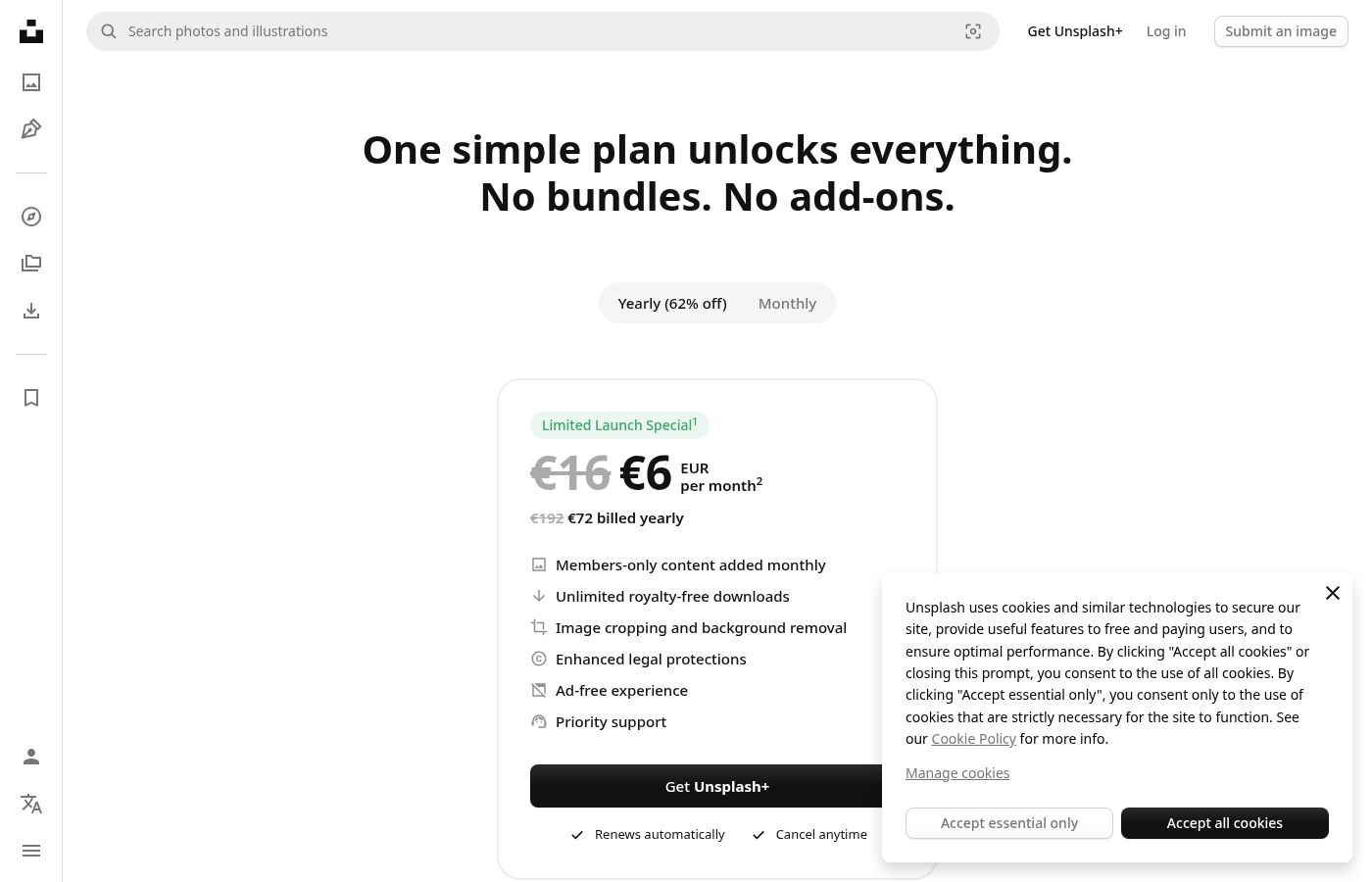
Unsplash pricing

Prices not verified yet — see the vendor page.

Unsplash's pricing page

Unsplash pricing page screenshotView pricing page screenshot

Email me when Unsplash changes price

One email when we detect a price change on the vendor's pricing page. No newsletter, no deals. Unsubscribe in one click.

User Reviews

No reviews yet.

Write a Review

Write a Review for Unsplash
0/100 characters
0/2000 characters

Why use Unsplash?

Sourcing images for a project usually means choosing between expensive stock subscriptions, unclear licensing on random web results, or low-quality free alternatives. Unsplash removes those trade-offs: the library is free to use, the imagery is high quality, and the breadth of categories means you can find suitable visuals for everything from a blog header to a product mockup.

Because the library is community-driven, the collection refreshes continuously rather than feeling like a static, recycled catalog.

Unsplash alternatives

Other tools in the Media Library category

View all Media Library tools
Getty Images

Getty Images

Media Library4.2/5

Getty Images acts as your global resource for impactful visual content. You gain access to a massive library covering everything from creative stock art to up-to-the-minute editorial needs. They provide royalty-free images, high-definition videos, illustrations, and vectors across all popular categories. You can also explore Getty Images Music, powered by Triple Scoop Music, for comprehensive audio and sound effects. Professionals rely on this service to access iconic moments and trending visuals that leave a lasting impact.

Storyblocks

Storyblocks

Media Library4.1/5

Storyblocks is recognized as the most-loved stock media platform currently available for creators. It is a comprehensive service designed to streamline your production process. Instead of managing individual purchases, you pay for a subscription that grants wide access to millions of assets. Whether you work with video, audio, or images, the system is built to support your creative vision efficiently.

Dreamstime

Dreamstime

Media Library4.1/5

Dreamstime is known as the world's largest stock photography community. It was established in 2000 and has since grown immensely. Talented contributors worldwide enrich the vast collection daily. This resource is perfect for everyone, from large corporations to small magazines and personal blogs. You'll find professional assets regardless of your budget.

Alamy

Alamy

Media Library4/5

Alamy is a comprehensive stock content platform built around authenticity and immense variety. It offers diverse photography captured by content creators all around the world. Importantly, you won't find any AI-generated content here—only real images reflecting real life 💡. Beyond powerful photographs, Alamy provides expansive collections for nearly every type of project. You can explore four carefully curated Creative collections, specialized Editorial content, and deep archival records. The platform also features a fresh video library with over 30 million new videos available, thanks to key partnerships.

Monster One

Monster One

Media Library4/5

Monster One is an incredibly vast library of digital resources available through one flexible subscription model. It serves as your central hub for over half a million professional assets. This service is designed for anyone building an online presence or creating content. This includes developers needing WordPress themes and designers seeking compelling presentation templates. Monster One expertly gathers tools for web building, ecommerce, graphic design, and media creation all in one secure place.

Flaticon

Flaticon

Media Library4/5

Flaticon is a massive dedicated resource library, built specifically by and for designers. It offers a highly organized collection of vector icons and stickers ready for immediate use. Users can download their needed resources in several common and professional formats. These available options include PNG (in sizes up to 512px), SVG, EPS, PSD, and CSS formats. You can also explore specialized categories like Animated icons, Interface icons, and Style Pack collections.

Cheapest Media Library software for 1 to 25 users

Unsplash FAQ

Is Unsplash really free to use?

Yes. Unsplash provides beautiful, free images and pictures across its entire library. The platform is powered by creators worldwide who contribute their work, and users can access and download imagery for their projects without paying for individual assets or a subscription.

What kinds of images can I find on Unsplash?

Unsplash covers a wide range of topics with organized categories including Nature, Animals, Film, and 3D Renders. The library spans photography and rendered imagery across many subjects, contributed by a global creator community, so it suits everything from editorial and lifestyle content to tech and design projects.

Who provides the images on Unsplash?

The entire library is powered by creators worldwide who contribute their photographs and artwork to the platform. This global contributor base is what keeps the catalog diverse in style and subject matter and allows it to grow continuously.

Ready to try Unsplash? Check out the official site or pricing.

Are you Unsplash? Claim this listing · Get the badge