Passpack

Passpack review

Enterprise-grade security for your team's credentials, without the enterprise complexity.

Passpack costs from $1/mo · 2 plans · prices checked Oct 24, 2026

By Ciroapp Editorial Team · Updated May 15, 2026

Commission may apply at no extra cost

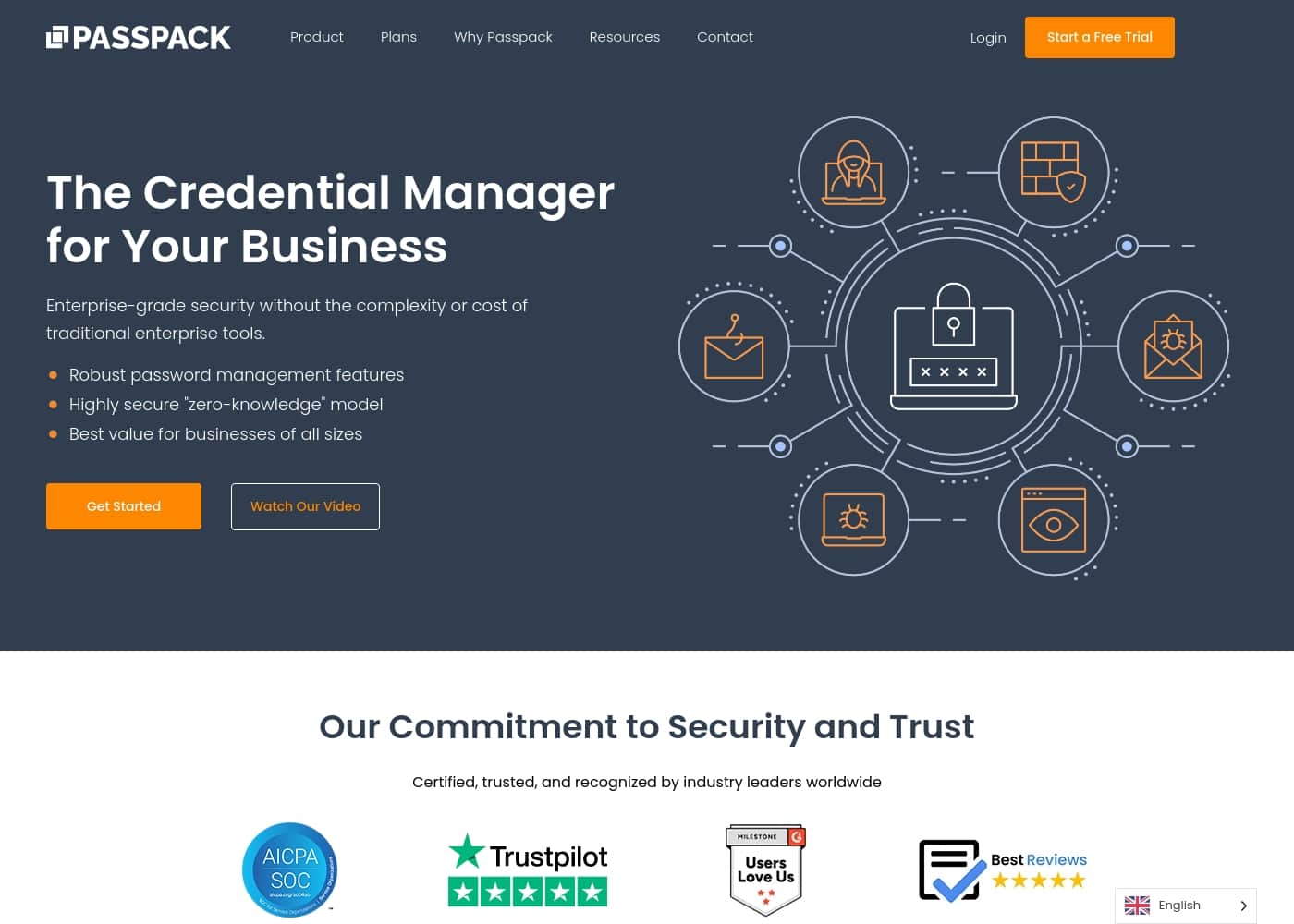
Passpack homepage screenshot

At a glance

Quick overview for Passpack: rating, pricing summary, key features, and highlights.
Pricing verified Oct 24, 2026

Ciroapp score

4.2/ 5

Secure, simple team password sharing.

We see Passpack as a strong, cost-effective choice for teams needing a secure, collaborative password manager. It offers robust zero-knowledge encryption and compliance features like SOC 2. Overall, it's an excellent option for small to mid-sized businesses focused on security and ease of use.

Pros

  • Transparent per-user pricing starting at $1.50/month.
  • Generous 28-day free trial with no credit card required.
  • Strong zero-knowledge, end-to-end encryption model.

Cons

  • Teams and Business plans require annual billing by default.
  • Monthly billing option is only available on the Business tier.
  • Customer support responsiveness may vary based on user reports.
Best for
  • Small to medium businesses (SMBs) needing secure team password sharing.
  • Companies requiring compliance with GDPR, CCPA, or SOC 2 standards.
  • Teams looking for a balance of robust security and ease of collaboration.
Free trial
Yes — 28 days
This section is a summary. Detailed sections about features, use cases, pricing, and reviews follow below.

What is Passpack?

Sharing passwords across teams often feels like a necessary security risk. Teams juggle access across tools and roles, making control and visibility difficult. Passpack tackles this by providing a secure, collaborative credential manager designed for business use.

It focuses on keeping credentials encrypted while making team collaboration effortless and compliant. 💡

Passpack is a business-oriented credential management platform. It helps teams of all sizes store, share, and manage passwords and secrets securely. Built on a zero-knowledge security model, it ensures that only the user holds the key to their data.

It's designed for organizations needing both strong security and team collaboration. ✨

Should you choose Passpack?

Quick buyer guidance before you compare plans or click through.

Choose it if

  • Teams that need to share credentials securely across multiple users and platforms.
  • Businesses where **effortless collaboration** and a **frictionless security culture** are priorities.
  • Administrators seeking **total control** with audit logs and advanced security features like SSO (on Business plan).
  • Companies of all sizes, from small teams to large enterprises, looking for **scalable solutions**.

Skip it if

  • Individuals seeking a purely personal, free password manager.
  • Teams with a strict preference for monthly-only billing (annual is required for Teams & Business plans).
  • Those needing immediate custom integrations without contacting sales (Enterprise plan).
  • Users who require extremely granular detail on all features upfront without exploring plans or documentation.

Next steps before buying

  1. 1Visit the Passpack website and review the **Teams, Business, and Enterprise plan** details to see which fits your size and needs.
  2. 2Note that annual payment is the default for Teams and Business plans; check if the monthly option (Business only) is available for your preferred tier.
  3. 3Sign up for the **28-day free trial** to test core features with your team. No credit card is needed to start.
  4. 4Use the trial to confirm integration with your existing platforms and test the collaborative workflow.
  5. 5If you have complex enterprise needs, **schedule a custom quote** to discuss dedicated support and custom integrations.

Ease of use

The platform emphasizes **ease-of-use** and **effortless collaboration** as key benefits. Testimonials from users highlight that it is "very easy to use." Setup appears straightforward, with a 28-day free trial and no credit card required to start.

Passpack Key Features

🔒 Zero-Knowledge Security & Encryption

Passpack is built on a zero-knowledge security model. This means your packing key never leaves your device. Passpack can't see your data, and neither can anyone else.

It uses end-to-end encryption for all stored credentials, secrets, and keys. You maintain complete privacy and control over your sensitive information.

✨ Effortless Team Collaboration

The platform is designed to make secure credential sharing smooth and simple for teams. You can create unlimited teams of users and share passwords with encrypted accounts for every user. This replaces risky methods like spreadsheets.

The goal is to build a frictionless security culture where teams stay productive.

✨ Admin Control & Audit Logs

Administrators get total control over credentials. They can manage user permissions and access across the team. Exportable event logs provide critical insights into who accessed what and when.

This transparency supports internal policies, audits, and compliance needs. On the Business plan, advanced multi-administrator support is included.

✅ Compliance & Trust Certifications

Passpack helps you meet important regulatory requirements. It is compliant with SOC 2 Type II, GDPR, and CCPA standards. For healthcare organizations, this supports HIPAA-compliant storage.

The platform is trusted by over 300,000 active users and has been in business for more than 12 years with a 99.9% uptime SLA.

✨ Scalable Plans & Integration

Passpack offers flexible pricing that scales from small teams to large enterprises. The Business plan adds Single Sign-On (SSO) authentication and API integration. For complex needs, the Enterprise plan provides a dedicated account manager, onboarding assistance, and custom integrations.

You can start with a 28-day free trial to test everything.

Use Cases

🎯 Marketing Agency: Sharing Campaign Access Securely

Your agency manages social media and ad accounts for multiple clients. You can't email passwords back and forth, but you need your team to log in and work. With Passpack, you store each client's credentials once.

Then, you create a shared team and grant access with just a few clicks. Everyone on the team gets what they need, and you can see who accessed what. If a team member leaves, you revoke their access instantly, keeping everything secure without slowing down the campaign.

🔧 IT Services Firm: Managing Client Password Vaults

You're an MSP responsible for the systems of several small businesses. Each client has unique passwords for servers, portals, and software. Keeping these organized and secure is a huge headache.

Passpack lets you create a separate, encrypted vault for each client. You can share specific credentials with your technicians or the client's team as needed. Exportable activity logs give you a clear record for compliance and audits, proving that access is tightly controlled.

🚀 Growing Startup: From Founders to First Hires

Your startup is growing fast. What used to be two founders sharing a few logins is now a team of ten who all need access to GitHub, AWS, and the marketing stack. Passpack's Teams plan gives you a secure, affordable place to centralize this.

You can organize passwords with labels, add notes, and share them securely across unlimited devices. It's a simple way to build good security habits from the start without a complex IT setup.

✅ Compliance-Driven Industry: Meeting SOC 2 & GDPR

Your company handles sensitive data and must prove you're following security policies. Passpack is SOC 2 Type II, GDPR, and CCPA compliant. This built-in compliance framework helps you meet important regulatory requirements.

The zero-knowledge encryption means your data is private, and administrators have full control with audit logs. You can confidently show auditors that credential management is handled according to strict standards.

🛡️ Problem: Risky Spreadsheets → Approach: Centralized Vault → Outcome: Control & Peace of Mind

Problem: Your team keeps a shared spreadsheet with all the company logins. It's a security nightmare—you can't see who has access or when it was last changed.

Approach: You implement Passpack. Every password is moved into an encrypted vault. You create teams for different departments and grant role-based access.

Outcome: You delete the spreadsheet. Now, access is logged, permissions are clear, and you can remove an employee's access with one click. Your security posture improves immediately.

👤 Onboarding a New Team Member

A new hire starts on Monday. Instead of scrambling to find which passwords they need and sending them insecurely, you add them to the appropriate Passpack teams. They instantly get secure access to the credentials required for their role.

When they need a password you haven't shared yet, they can request it, and you approve it directly in the platform. Onboarding becomes smooth and secure.

Passpack pricing

From$1/mo

  • From the vendor's pricing page, checked Oct 24, 2026
  • 2 plans

Prices checked on Oct 24, 2026 from Passpack's pricing page

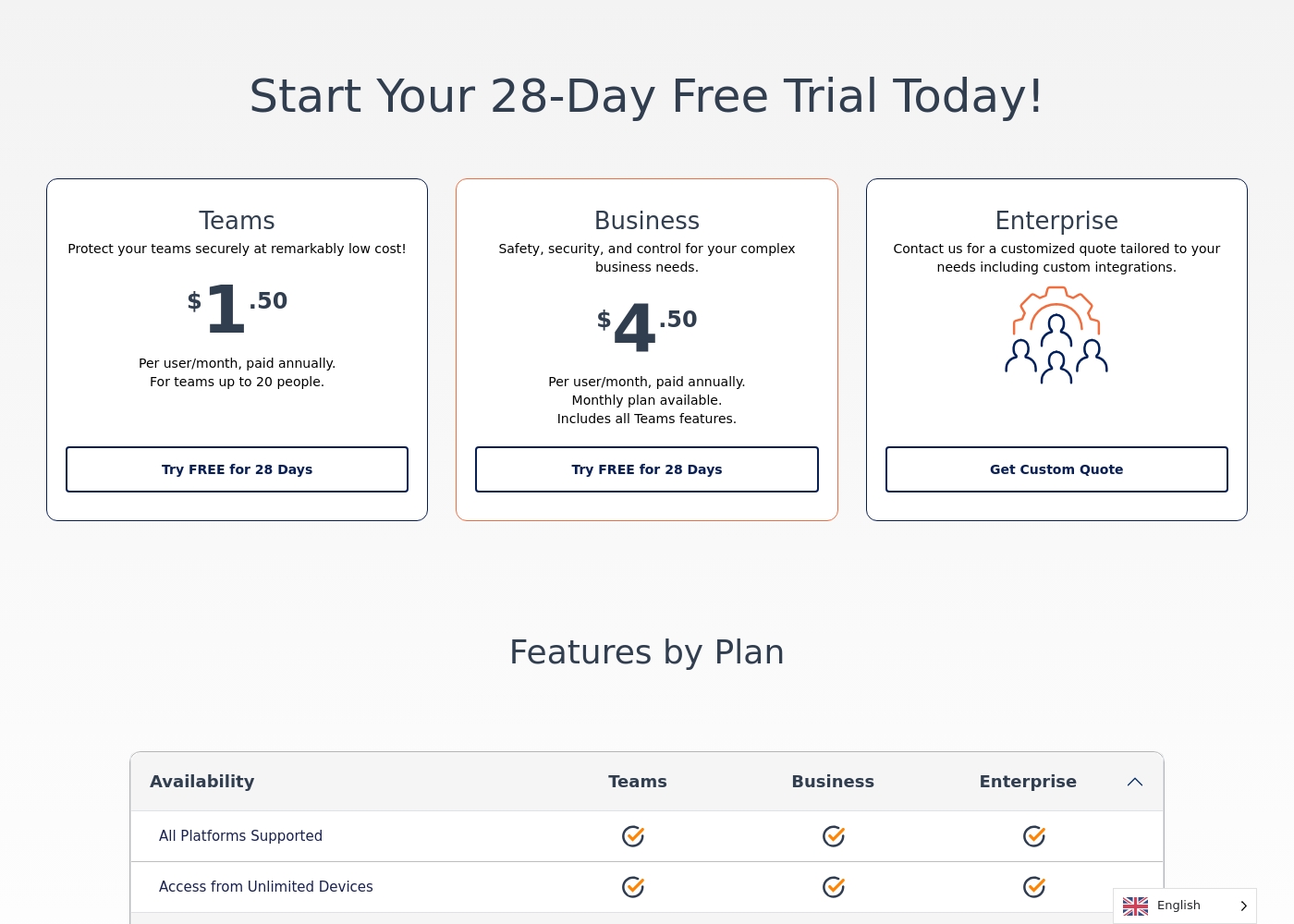
Passpack pricing page screenshotView pricing page screenshot
PlanBilled monthlyBilled annuallyIncludes
Teams
per user
$1/mo
—
per user
Business
per user
$4/mo
—
per user

Price history

Tracking prices since Oct 1, 2026. No price change detected yet.

Pricing types: Free trial, Monthly subscription, Yearly subscription, Per seat pricing

Pricing notes

Passpack offers transparent per-user pricing starting at $1.50 per month when paid annually. Plans are designed for secure team collaboration and scaled security needs with a generous 28-day free trial.

Passpack costs between $1.50 and $4.50 per user/month with 3 plans: Teams at $1.50, Business at $4.50, and Enterprise at a custom quote.

Take a look at the specific features included with each tier to find your match.

Teams

Price: $1.50 per user/month, paid annually

Best For: Small groups of up to 20 people

Other Features: Unlimited password storage, 2FA, encrypted sharing, and access from unlimited devices.

This plan is great for small families or startups that need professional-grade security without a heavy price tag. You can organize passwords effectively with labels and shared notes while keeping your budget intact.

Business

Price: $4.50 per user/month, paid annually

Best For: Growing companies requiring SSO and administrative control

Other Features: Single Sign-On (SSO), API integration, advanced activity reporting, and multi-administrator support.

If your organization needs to manage user permissions strictly or integrate with existing tech stacks, choose this tier. It offers powerful tools like IP-based login history and the ability to reset team member accounts easily.

Enterprise

Price: Custom Quote

Best For: Large organizations with complex integration needs

Other Features: Dedicated account manager, onboarding assistance, custom integrations, and active directory support.

Large enterprises should opt for this plan to receive white-glove service and specialized onboarding help. It’s designed to handle high-volume needs while ensuring your dedicated manager is always available to assist.

You can start with a 28-day free trial which requires no credit card. This allows you to explore every feature risk-free before making a commitment. You can also cancel your plan at any time.

Cost calculator

Estimate what Passpack costs for your team.

Billing
Per month
$5
Per year
$60

Teams is priced per user: price × 5 seats. Estimate based on published list prices, before taxes, add-ons and discounts.

How to pay less for Passpack

  • Use the 28-day free trial before you pay.
  • Some plans are priced per user: only pay for seats people actually use.
Start free trial

Email me when Passpack changes price

One email when we detect a price change on the vendor's pricing page. No newsletter, no deals. Unsubscribe in one click.

User Reviews

We found Passpack's external review sentiment to be mixed. On Trustpilot, users praise its intuitive interface and strong security, highlighting ease of use for teams.

💡 However, some report slow customer support response times and occasional login/access issues. Capterra data was unavailable for our analysis.

Overall, the recurring themes suggest Passpack delivers on its core promise of secure team sharing, but support responsiveness can be inconsistent for some users.

Summarized from public reviews on Trustpilot, Capterra

No reviews yet.

Write a Review

Write a Review for Passpack
0/100 characters
0/2000 characters

Why use Passpack?

If your team struggles with secure password sharing or needs to meet compliance standards, Passpack offers a strong balance of security, collaboration, and cost-effectiveness. Here’s why it stands out:

  • Strong Security Foundation: It uses a zero-knowledge model and end-to-end encryption, meaning your data is private even from Passpack. This is a core trust element for businesses. 🔒
  • Built for Team Collaboration: The platform is engineered to make sharing credentials within teams smooth and secure, moving beyond risky spreadsheets or informal methods.
  • Compliance-Ready: Passpack holds SOC 2 Type II, GDPR, and CCPA certifications, helping you meet important regulatory requirements for data protection. ✅
  • Transparent & Auditable: Administrators get exportable event logs for critical insights and total control over credential access. This supports internal policies and audits.
  • Proven & Supported: With over 12 years in business and a 99.9% uptime SLA, it provides reliability. 24/7 expert support is also available to help keep you protected.

Passpack alternatives

Other tools in the Password manager category

View all Password manager tools
1Password

1Password

Password manager4.3/5

1Password makes it simple to create and share unique, strong passwords. More than 100,000 companies trust 1Password to to secure their business.

RoboForm

RoboForm

Password manager4.1/5

RoboForm is an application designed specifically to store and manage every password you use online. It creates a secure vault where all your login credentials are encrypted and accessible only to you. You maintain total control over your data. ✅ This application includes a superb password generator for instantly creating robust, unique credentials. It allows for reliable auto-filling of logins on various websites and applications. If you want to simplify your digital access while maintaining the highest level of protection, RoboForm is the ideal tool for you.

NordPass

NordPass

Password manager4.1/5

NordPass is a leading credential management solution trusted by over 10,000 businesses globally. It is built to face the challenges modern IT and security professionals encounter every day. This system offers a secure, centralized place for managing passwords, passkeys, credit cards, and documents. Whether you need protection for your company’s assets or your own personal data, NordPass makes it easy and safe. It focuses on providing cost-effective security that simplifies employee workflows and streamlines access.

Proton Pass

Proton Pass

Password manager4/5

Proton Pass is a comprehensive and free password manager built on a strong foundation of privacy. It uses the same rigorous zero-knowledge, end-to-end encryption that protects millions of Proton Mail accounts. This method ensures that nobody, not even the Proton team itself, can access your stored passwords, sensitive notes, or attached files. Proton Pass is designed for anyone seeking peace of mind alongside speed and convenience. Whether you are using your phone, laptop, or browser, Pass works everywhere. This solution is ideal if you value security and a smooth online experience. Proton is a mission-driven organization born in Switzerland, dedicated to serving users, not venture capital investors.

Norton Password Manager

Norton Password Manager

Password manager3.7/5

From the scraped content, Norton Password Manager is referenced on a Norton subscription page. It appears to be connected to account access, with a visible Stay Signed In option and a Sign Out control.

Passpack FAQ

How much does Passpack cost?

Passpack's cheapest paid plan, Teams, costs $1 per month. Paid plans range from $1 to $4 per month. Prices checked on Oct 24, 2026 from the vendor's pricing page.

Does Passpack have a free plan?

No. Passpack lists no free plan; the cheapest paid plan starts at $1 per month.

Does Passpack offer a free trial or a money-back guarantee?

Passpack offers a 28-day free trial.

Has Passpack's price changed recently?

No. We have not detected a price change since we started tracking on Oct 1, 2026.

What integrations does Passpack support?

API integration is available on the Business and Enterprise plans. Single Sign-On (SSO) is included on these tiers as well. The Teams plan does not include API access or SSO.

How is my data secured?

Passpack uses a zero-knowledge, end-to-end encryption model. This means your data is encrypted on your device before it reaches our servers. We cannot access your passwords or secrets.

Are there any limits on passwords or users?

All paid plans include unlimited password storage. The Teams plan is limited to 20 users. The Business plan supports an unlimited number of users.

How does billing work? Can I pay monthly?

The Teams and Business plans are priced per user and require annual billing by default. The Business plan also offers a monthly billing option. Enterprise pricing is custom.

How do I migrate my passwords from another tool?

Passpack supports importing passwords. You can also export your data from Passpack. Specific import formats are available in the app.

What kind of support can I expect?

All paid plans include 24/7 expert support. The Business and Enterprise plans offer 'Rapid Response' customer support. Enterprise customers get a dedicated account manager.

Which languages and regions are supported?

The website and pricing are displayed in English. The app supports use from any region. Please confirm specific language support within the application during your trial.

Can I cancel my subscription?

Yes, you can cancel your plan at any time. There is no money-back guarantee mentioned on the site, but you can cancel before your next billing cycle.

Who is Passpack best suited for?

It's ideal for small to large businesses needing secure team credential sharing. It's great for companies requiring compliance with standards like SOC 2, GDPR, and CCPA.

Ready to try Passpack? Check out the official site or pricing.

Are you Passpack? Claim this listing · Get the badge