NordPass

NordPass review

One encrypted vault for your passwords, passkeys, and team credentials.

NordPass costs from $2.49/mo · 3 plans

By Ciroapp Editorial Team · Updated Sep 17, 2026

Commission may apply at no extra cost

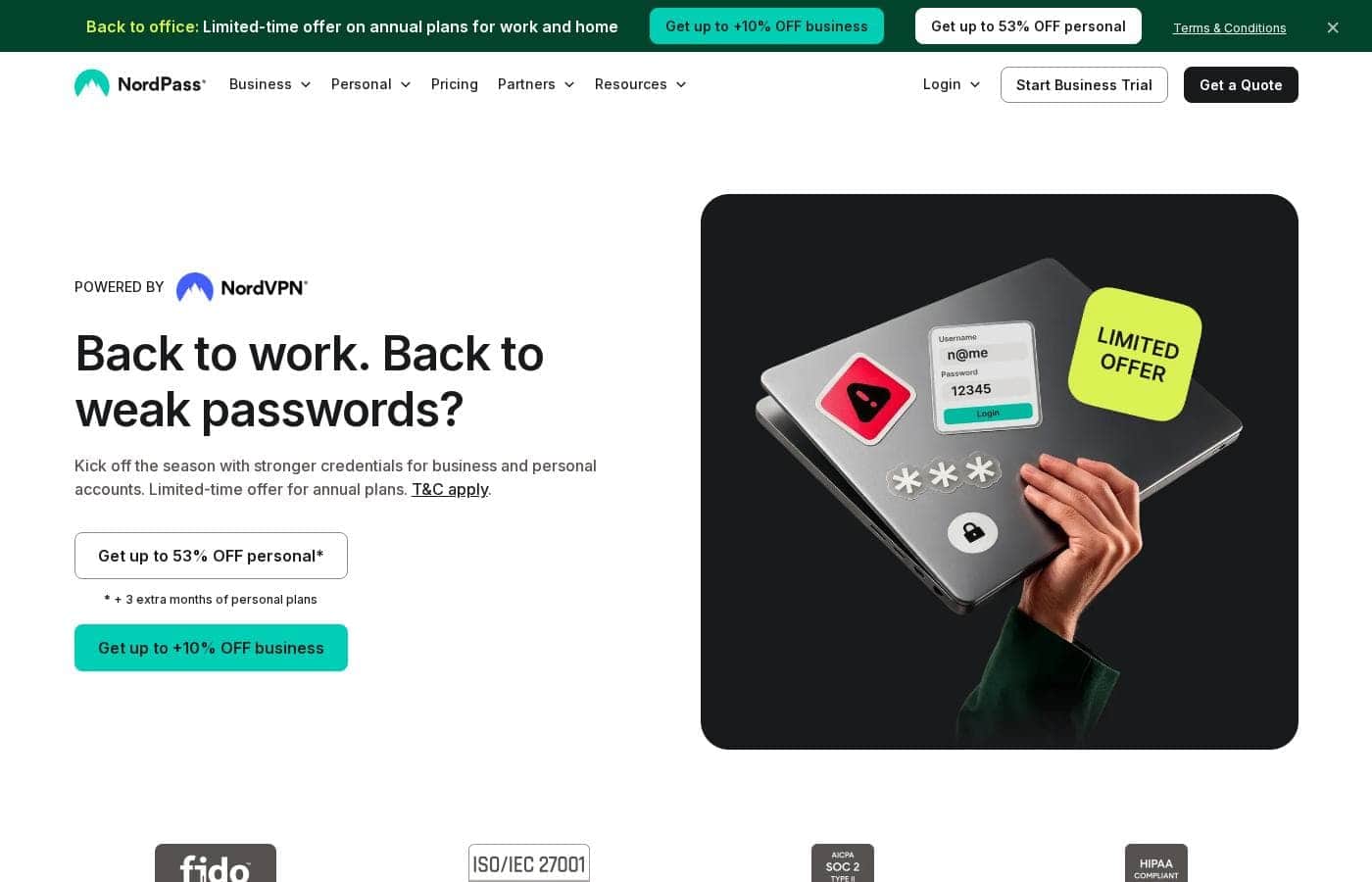
NordPass homepage screenshot

At a glance

Quick overview for NordPass: rating, pricing summary, key features, and highlights.
Vendor page checked Sep 30, 2026

Ciroapp score

4.1/ 5

NordPass pairs zero-knowledge XChaCha20 encryption with practical admin tools like audit trails, breach alerts, and a built-in authenticator, all at competitive per-seat prices. Seat minimums, AWS-only hosting, and unpublished trial and refund terms are the main drawbacks. Overall, it's a solid, recommendable pick for teams that want serious security without enterprise complexity.

Pros

  • Pros:Zero-knowledge XChaCha20 encryption happens on your device, so credentials are never exposed in plaintext before leaving it — backed by ISO/IEC 27001, SOC 2, and HIPAA certifications plus routine third-party audits and an active bug bounty program
  • Pros:Business plans include real admin tooling — company-wide password policies, an Activity Log with detailed audit trails, a Sharing Hub for tracking shared credentials, and a Data Breach Scanner that alerts you when company domains or emails surface on the dark web
  • Pros:The built-in authenticator handles 2FA codes and email masking creates sign-up aliases, so you can drop separate authenticator and aliasing apps; it also stores passkeys and is FIDO2-compliant

Cons

  • Cons:Teams is sold only as a 10-user pack and Business/Enterprise require a 5-user minimum, which rules out very small teams that just need one or two seats
  • Cons:NordPass runs entirely on AWS, so organizations that require on-premise hosting or self-hosted vaults have no option
  • Cons:The site claims compatibility with 'all major identity providers and directories' but doesn't list them outside the named Enterprise integrations, so you'll need to verify your specific stack before committing
Best for
  • IT and security teams that need centralized control over employee credentials
  • Businesses that must enforce password policies and keep audit trails for compliance
  • Individuals who want one encrypted place for passwords, passkeys, cards, and documents
Free trial
Yes
This section is a summary. Detailed sections about features, use cases, pricing, and reviews follow below.

What is NordPass?

Weak, reused passwords are still the easiest way into your accounts. NordPass puts your logins, passkeys, and cards in one encrypted vault, syncs them across devices, and gives teams alerts when credentials surface on the dark web. Less juggling, more protection.

NordPass is a password manager from the team behind NordVPN. It stores and autofills passwords, passkeys, credit cards, and documents in an encrypted vault for personal use, and offers a business plan for companies. Business admins get password policies, audit trails, and a data breach scanner.

It's built for individuals who want simple security and for IT teams managing credentials across an organization.

Should you choose NordPass?

Quick buyer guidance before you compare plans or click through.

Choose it if

  • You want zero-knowledge, end-to-end encryption (XChaCha20) protecting your vault
  • You need compliance-friendly tooling: activity logs, audit trails, and ISO 27001, SOC 2, and HIPAA credentials
  • You'd rather manage passwords, 2FA codes, and email aliases in one app
  • You value multi-device sync and quick setup — both highlighted in G2 data cited by NordPass
  • You prefer a vendor that runs a bug bounty program and routine third-party audits

Skip it if

  • Buyers who prefer month-to-month billing — the homepage promotes a limited-time offer tied to annual plans, with terms and conditions applying
  • Anyone comparing personal plan costs — this page only shows the $3.59 per user/month business starting price, so verify personal pricing separately
  • Teams needing named integration proof — the site says it works with all major identity providers and directories but doesn't list them here, so confirm yours first
  • Organizations that require on-premise hosting — NordPass runs its infrastructure on AWS

Next steps before buying

  1. 1Decide between personal and business plans — the price shown ($3.59 per user/month) applies to business
  2. 2Read the promotion terms if you're eyeing the current offer, since it's limited to annual plans
  3. 3Verify that NordPass connects to your identity providers and directories before committing
  4. 4Compare it against one or two alternatives at a similar price point

Ease of use

Signals suggest it's easy to adopt. G2 comparison data cited on the site highlights ease of use, ease of setup, easy admin, multi-device sync, and quality of support, and NordPass touts a Fastest Implementation award. Business admins manage policies, sharing, and user activity from one dashboard.

NordPass Key Features

🔐 One vault for everything you sign into

NordPass keeps your passwords, passkeys, credit cards, and documents in one encrypted vault. It autofills logins as you browse, so you don't have to remember anything. Your vault syncs across devices, and you can still reach key credentials offline.

Use it daily at work or at home — everything stays protected and within reach.

✨ Admin tools that keep your team in check

If you run credentials for a company, NordPass gives you real oversight from one dashboard. Admins can:

  • apply company-wide password rules to reduce weak logins
  • follow every user action in the Activity Log
  • monitor shared credentials in the Sharing Hub

That means fewer password reset requests and audit trails that are ready for compliance.

🔔 Breach alerts that beat attackers to it

The Data Breach Scanner watches the dark web and sends instant alerts if your company's domains or emails show up. You get a heads-up before threat actors act. Pair that with built-in email masking, which creates aliases at sign-up to reduce phishing, and you've stopped trouble before it starts.

✨ Security you don't have to think about

Everything is encrypted on your device with XChaCha20 before it ever leaves. Routine third-party audits and an active bug bounty keep pressure on the code, and infrastructure runs on AWS for uptime and scale.

✨ Fewer apps, smoother logins

A built-in authenticator handles 2FA codes, so there's no need for a separate app. NordPass also connects with major identity providers and directories, so securing logins doesn't change how your team works. It stores passkeys and is FIDO2-compliant, so you're covered as sign-in methods evolve.

Use Cases

🚨 Catch leaked credentials early

A company domain or employee email shows up on the dark web. NordPass sends an instant alert, so your IT team resets the exposed login before threat actors use it.

Expected outcome: Faster response to leaked credentials.

Tip: Enterprise monitors up to 10 domains; Business covers one.

🔐 Enforce strong passwords company-wide

Your security lead applies bespoke password rules to every employee from one dashboard. Staff then generate and store strong credentials in their encrypted vault, so weak logins stop slipping through.

Expected outcome: Fewer weak, reused credentials.

Tip: Pair the rules with password strength monitoring on the Business plan.

👥 Manage access as roles change

When someone joins, switches teams, or leaves, admins update permissions in minutes. Connect Okta or Entra ID for automatic provisioning, and track every action in the activity log.

Expected outcome: The right people hold the right access, with a clear audit trail.

⚡ Make every sign-in quick and safe

Employees sign in with autofill, store 2FA codes in the built-in authenticator, and reach their vault on any device. Individuals get the same encrypted space for passwords, cards, and documents.

Expected outcome: Faster logins and fewer password reset requests.

Tip: Use email masking at sign-ups to cut phishing risk.

NordPass pricing

From$2.49/mo

  • 3 plans
  • Save up to 40% with annual billing

Vendor page checked on Sep 30, 2026; confirm current prices on NordPass's pricing page

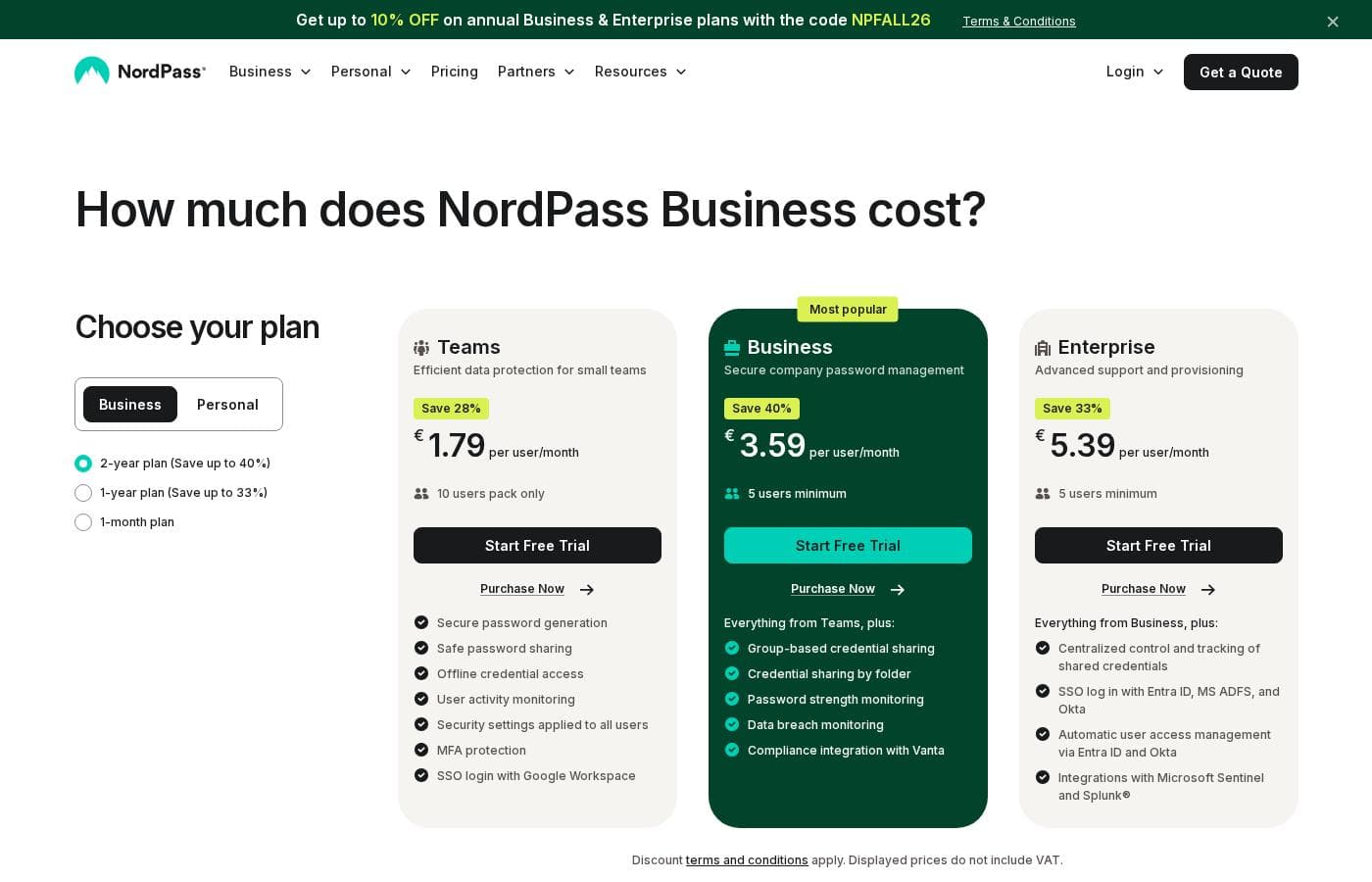
NordPass pricing page screenshotView pricing page screenshot
PlanBilled monthlyBilled annuallyIncludes
Teams
per user
$2.49/mo
$1.79/mo
$21.48 per year
Save up to 28% with annual billing
10-user pack only
  • Secure password generation
  • Safe password sharing
  • Offline credential access
  • User activity monitoring
  • Security settings applied to all users
  • +2
Business
per user
$5.99/mo
$3.59/mo
$43.08 per year
Save up to 40% with annual billing
5 users minimum
  • Everything in Teams
  • Group-based credential sharing
  • Credential sharing by folder
  • Password strength monitoring
  • Data breach monitoring (1 domain)
  • +1
Enterprise
per user
$7.99/mo
$5.39/mo
$64.68 per year
Save up to 33% with annual billing
5 users minimum
  • Everything in Business
  • Centralized control and tracking of shared credentials
  • SSO login with Entra ID, MS ADFS, and Okta
  • Automatic user access management via Entra ID and Okta
  • Integrations with Microsoft Sentinel and Splunk
  • +1

Price history

Tracking prices since Sep 7, 2026. No price change detected yet.

Pricing types: Free trial, Monthly subscription, Yearly subscription, Per seat pricing

Pricing notes

NordPass Business offers three per-user plans: Teams, Business, and Enterprise. Discounted pricing starts at $1.79 per user/month, while monthly billing runs $2.49–$7.99 per user/month depending on the plan.

NordPass Business costs between $1.79 and $7.99 per user per month with three plans: Teams at $1.79 per user/month, Business at $3.59 per user/month, and Enterprise at $5.39 per user/month on the deepest discounted terms.

Here's how each plan breaks down, including the monthly billing options.

Teams

Price: $1.79 per user/month on the longest term (save 28%), $1.99 with the standard discount, or $2.49 billed every month Best For: Small teams — this plan comes as a 10-user pack only Other Features:

  • Secure password generation and safe password sharing
  • Offline credential access
  • User activity monitoring
  • Security settings applied to all users
  • MFA protection and SSO login with Google Workspace

Teams is the simplest way to get started. It covers the essentials: strong passwords, safe sharing, and basic admin oversight. Pick it if you have around ten people and don't need advanced sharing tools yet. Just remember it's sold only as a 10-user bundle, so confirm your seat count before you buy.

Business

Price: $3.59 per user/month on the longest term (save 40%), $3.99 with the standard discount, or $5.99 billed every month Websites Supported: Data breach monitoring for 1 domain Best For: Growing companies that need stronger admin tools, with a 5-user minimum Other Features:

  • Everything in Teams, plus group-based credential sharing
  • Credential sharing by folder
  • Password strength monitoring
  • Data breach monitoring
  • Compliance integration with Vanta

Business is the most popular plan, and it's easy to see why. Shared folders and group sharing make it practical for teams that hand off logins daily. It also flags weak passwords and breaches, so you can act before problems spread. Choose this tier if you want real admin control without enterprise complexity.

Enterprise

Price: $5.39 per user/month on the longest term (save 33%), $5.99 with the standard discount, or $7.99 billed every month Best For: Larger organizations running Okta, Entra ID, or security tooling (5 users minimum) Other Features:

  • Everything in Business, plus centralized control and tracking of shared credentials
  • SSO login with Entra ID, MS ADFS, and Okta
  • Automatic user access management via Entra ID and Okta
  • Integrations with Microsoft Sentinel and Splunk®
  • Data breach monitoring for up to 10 domains

Enterprise is built for companies with mature identity and security stacks. If your team already lives in Okta or Entra ID, automatic provisioning saves real time. If you don't use those tools, Business will likely serve you fine — there's no need to pay for integrations you won't touch.

A few things worth knowing before checkout. Every plan comes with a free trial, so you can test the fit first. Payments are charged in USD, displayed prices don't include VAT, and discount terms and conditions apply. Longer commitments unlock the biggest savings, so choose your billing period with that in mind.
Cost calculator

Estimate what NordPass costs for your team.

Billing
Per month
$24.90
Per year
$298.80

Teams is priced per user: price × 10 seats. Estimate based on published list prices, before taxes, add-ons and discounts.

How to pay less for NordPass

  • Pay annually: saves up to 40% compared with monthly billing.
  • A free trial is available: test it before you pay.
  • Some plans are priced per user: only pay for seats people actually use.
Start free trial

Email me when NordPass changes price

One email when we detect a price change on the vendor's pricing page. No newsletter, no deals. Unsubscribe in one click.

User Reviews

No reviews yet.

Write a Review

Write a Review for NordPass
0/100 characters
0/2000 characters

Why use NordPass?

Most password managers ask you to trade convenience for security. NordPass tries to give you both, and the company's own materials make a credible case — especially if you're securing a whole team.

  • Privacy by design. Everything is encrypted on your device with XChaCha20 before it leaves it. Zero-knowledge architecture means only you can see your credentials, even if the network is compromised.
  • Real admin control. Company-wide password policies, an activity log with detailed audit trails, and a sharing hub keep access oversight manageable as you scale.
  • Early breach warnings. The data breach scanner alerts you when company domains or email addresses appear on the dark web, so you can act before threat actors do.
  • Fewer extra apps. A built-in authenticator handles 2FA logins, and email masking creates aliases that reduce phishing risks at sign-up.
  • Proven credentials. ISO/IEC 27001, SOC 2, and HIPAA compliance badges, routine third-party audits, and an active bug bounty program back up the security claims.
  • Easy to live with. It syncs across devices, connects with major identity providers and directories, and earns strong G2 marks for ease of use, setup, and admin.

NordPass alternatives

Other tools in the Password manager category

View all Password manager tools
RoboForm

RoboForm

Password manager4.1/5

RoboForm is an application designed specifically to store and manage every password you use online. It creates a secure vault where all your login credentials are encrypted and accessible only to you. You maintain total control over your data. ✅ This application includes a superb password generator for instantly creating robust, unique credentials. It allows for reliable auto-filling of logins on various websites and applications. If you want to simplify your digital access while maintaining the highest level of protection, RoboForm is the ideal tool for you.

Proton Pass

Proton Pass

Password manager4/5

Proton Pass is a comprehensive and free password manager built on a strong foundation of privacy. It uses the same rigorous zero-knowledge, end-to-end encryption that protects millions of Proton Mail accounts. This method ensures that nobody, not even the Proton team itself, can access your stored passwords, sensitive notes, or attached files. Proton Pass is designed for anyone seeking peace of mind alongside speed and convenience. Whether you are using your phone, laptop, or browser, Pass works everywhere. This solution is ideal if you value security and a smooth online experience. Proton is a mission-driven organization born in Switzerland, dedicated to serving users, not venture capital investors.

Norton Password Manager

Norton Password Manager

Password manager3.7/5

From the scraped content, Norton Password Manager is referenced on a Norton subscription page. It appears to be connected to account access, with a visible Stay Signed In option and a Sign Out control.

NordPass FAQ

How much does NordPass cost?

NordPass's cheapest paid plan, Teams, costs $2.49 per month. Paid plans range from $2.49 to $7.99 per month.

Does NordPass have a free plan?

No. NordPass lists no free plan; the cheapest paid plan starts at $2.49 per month.

Does NordPass offer a free trial or a money-back guarantee?

NordPass offers a free trial.

How much do you save with annual billing on NordPass?

Paying annually saves up to 40% compared with monthly billing, based on NordPass's list prices.

Has NordPass's price changed recently?

No. We have not detected a price change since we started tracking on Sep 7, 2026.

Which identity providers and security tools does NordPass integrate with?

Teams includes SSO with Google Workspace. Business adds a Vanta compliance integration. Enterprise unlocks SSO with Entra ID, MS ADFS, and Okta, automatic provisioning via Entra ID and Okta, plus Microsoft Sentinel and Splunk. Confirm your stack fits before buying.

How is my data protected, and where is it stored?

Your vault is encrypted on your device with XChaCha20, and zero-knowledge architecture keeps credentials private. NordPass runs on AWS, so there's no on-premise hosting. It's ISO 27001, SOC 2, and HIPAA certified, with routine third-party audits.

How does billing work, and are there seat minimums?

You're charged per user, per month, in USD, and displayed prices exclude VAT. Teams comes only as a 10-user pack; Business and Enterprise need at least 5 users. Longer terms cost less than monthly billing.

Ready to try NordPass? Check out the official site or pricing.

Are you NordPass? Claim this listing · Get the badge