Proton Pass

Proton Pass review

Free password management with zero-knowledge encryption from the team behind Proton Mail.

By Ciroapp Editorial Team · Updated Sep 16, 2026

Commission may apply at no extra cost

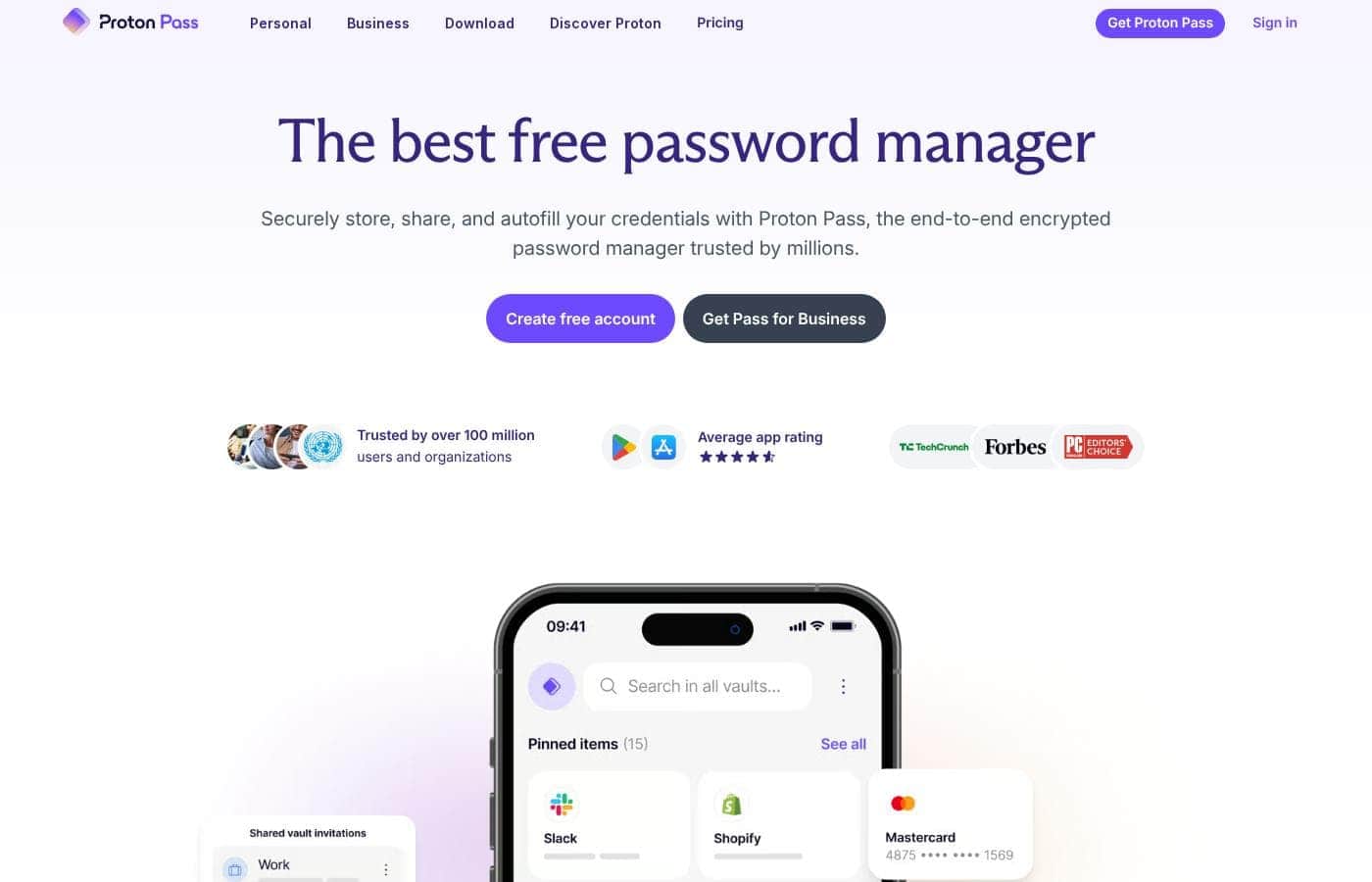
Proton Pass homepage screenshot

At a glance

Quick overview for Proton Pass: rating, pricing summary, key features, and highlights.

Ciroapp score

4.0/ 5

Proton Pass pairs zero-knowledge, end-to-end encryption with a genuinely free core, covering logins, secure notes, and file attachments across phones, laptops, and browsers. Independent user reviews are still scarce and plan pricing isn't detailed in our data, so confirm costs before committing to a paid tier. Overall, it's a privacy-first pick that's easy to try at no cost.

Pros

  • Pros:Applies the same zero-knowledge, end-to-end encryption that already protects millions of Proton Mail accounts, so vault contents are unreadable even to Proton itself.
  • Pros:The core password manager is genuinely free rather than a time-limited trial, which removes the usual cost barrier to abandoning reused passwords.
  • Pros:Handles more than logins — encrypted secure notes and file attachments live alongside passwords in a single vault.

Cons

  • Cons:Independent review coverage is still thin — no ratings were found on major platforms such as G2, Capterra, or Trustpilot, so real-world user sentiment is hard to benchmark yet.
  • Cons:As a newer product, it may trail long-established password managers on advanced extras such as granular team sharing, enterprise integrations, or niche platform support.
  • Cons:Your vault is tied to a Proton account and Proton's cloud, so buyers wanting an offline-only or self-hosted vault model will need a different tool.
Best for
  • Privacy-conscious individuals who want encryption they can reason about, meaning zero-knowledge, end-to-end, and governed by Swiss law, rather than marketing claims.
  • Existing Proton Mail or Proton ecosystem users who want to consolidate passwords, notes, and files with a provider they already trust.
  • Budget-limited users, students, or first-time password manager adopters who need capable free software without a trial countdown.
This section is a summary. Detailed sections about features, use cases, pricing, and reviews follow below.

What is Proton Pass?

Proton Pass is a free password manager from Proton, the Swiss company best known for Proton Mail. It stores logins, secure notes, and file attachments using zero-knowledge, end-to-end encryption, which means your data is encrypted on your device before it ever reaches Proton's servers. The practical result is that nobody outside your own head, not even Proton's staff, can read what is inside your vault.

Combined with apps that work across phones, laptops, and browsers, it aims to make strong security feel like less work, not more.

Proton Pass is a cross-platform password manager that keeps your online credentials, sensitive notes, and attached files in one encrypted vault. It is built on the same zero-knowledge architecture that protects millions of Proton Mail accounts: encryption happens on your device, and decryption keys are never available to Proton's servers. You can use it on mobile, desktop, or directly in a browser, and entries stay synchronized through your encrypted account.

It is offered free of charge, with Proton positioning it as a privacy-respecting alternative to password managers funded by advertising or data monetization.
Should you choose Proton Pass?

Quick buyer guidance before you compare plans or click through.

Choose it if

  • Privacy-conscious individuals who want encryption they can reason about, meaning zero-knowledge, end-to-end, and governed by Swiss law, rather than marketing claims.
  • Existing Proton Mail or Proton ecosystem users who want to consolidate passwords, notes, and files with a provider they already trust.
  • Budget-limited users, students, or first-time password manager adopters who need capable free software without a trial countdown.
  • Multi-device users who move between a phone, a laptop, and a browser daily and need logins to follow them seamlessly.

Skip it if

  • Enterprises needing documented directory integrations, role-based access controls, or audit logging, since those capabilities are not detailed in Proton Pass's public materials and should be verified before standardizing on it.
  • Risk-averse buyers who rely on extensive third-party validation, because independent review data is still sparse and a pilot period may be wise before wider rollout.
  • Users who want an offline-only or self-hosted vault, since Proton Pass is built around Proton's encrypted cloud service.

Next steps before buying

  1. 1Visit proton.me/pass and create a free Proton account, or sign in with your existing Proton Mail credentials.
  2. 2Install the Proton Pass app on your phone and computer, and add the browser extension so autofill works where you actually log in.
  3. 3Add your ten to fifteen most important logins first, such as email, banking, and work accounts, and replace any reused passwords with generated ones as you visit each site.
  4. 4Move recovery codes and other sensitive text into secure notes, attach key documents to their related entries, and then delete the plain-text lists or spreadsheets they replace.

Proton Pass Key Features

✨ Zero-Knowledge, End-to-End Encryption

Everything you store in Proton Pass, including passwords, secure notes, and file attachments, is encrypted on your device before it leaves it. Decryption keys are derived from your account credentials and never exist on Proton's servers, so the company has no technical ability to read your vault. This is the same architecture that protects millions of Proton Mail accounts, so it comes with a track record rather than just a promise.

✨ A Vault Beyond Passwords

Proton Pass is not limited to login credentials. You can keep encrypted secure notes for things like recovery codes or identity details, and attach files directly to entries. That makes it a single encrypted container for the small collection of sensitive data most people otherwise scatter across sticky notes, spreadsheets, and downloads folders.

✨ Cross-Device and Browser Access

Pass runs on phones and laptops and is also reachable from a browser, so your vault follows you regardless of which device you happen to be using. Entries stay in sync through your encrypted Proton account. This matters in practice because a password manager only gets used consistently when retrieving a credential is faster than guessing it.

✨ Free Core Product

Proton Pass is described as a comprehensive and free password manager, so you can adopt it fully without starting a trial or entering payment details. For users considering upgrades later, current plan costs are published on Proton's official pricing page. The free entry point lowers the barrier to switching away from reused or written-down passwords.

✨ Built by a Privacy-Focused Company

Proton is headquartered in Switzerland, a jurisdiction with strong privacy law, and is structured as a mission-driven organization that serves users rather than venture capital investors. Proton Pass inherits both that legal environment and the engineering culture behind Proton Mail. For buyers who care about who holds their data and why, this provenance is a meaningful differentiator.

Use Cases

💡 Replacing Reused and Weak Passwords

If you use the same handful of passwords across dozens of sites, Proton Pass gives you a safe place to generate and store a unique credential for each one. You add your most important logins first, then swap in strong generated passwords as you naturally visit each service. Within a few weeks of normal browsing, the riskiest habit in your online life is quietly fixed.

💡 Consolidating Sensitive Notes and Documents

Recovery codes, ID numbers, and small documents often live in email drafts, photo galleries, or plain text files, none of which are encrypted. Proton Pass lets you store these as secure notes or attachments inside the same vault as your logins, protected by the same zero-knowledge encryption. Anything you would not want exposed in a leaked inbox becomes a vault entry instead.

💡 Working Across Phone, Laptop, and Browser

People rarely sign in from just one device: a login saved on your phone needs to be available on your work laptop, and occasionally in a browser away from home. Proton Pass syncs your encrypted vault across all of them, and browser access means you are not locked out just because you left your main device behind. Security that travels with you is security you will actually use.

💡 Leaving an Ad-Supported or Venture-Backed Manager

Users uncomfortable with password managers funded by advertising, analytics, or venture-driven growth targets may find Proton Pass a better structural fit. Its parent company's revenue comes from subscriptions across its broader privacy ecosystem, and the free tier is not monetized through your vault contents. Swiss jurisdiction adds a legal layer of protection on top of the technical one.

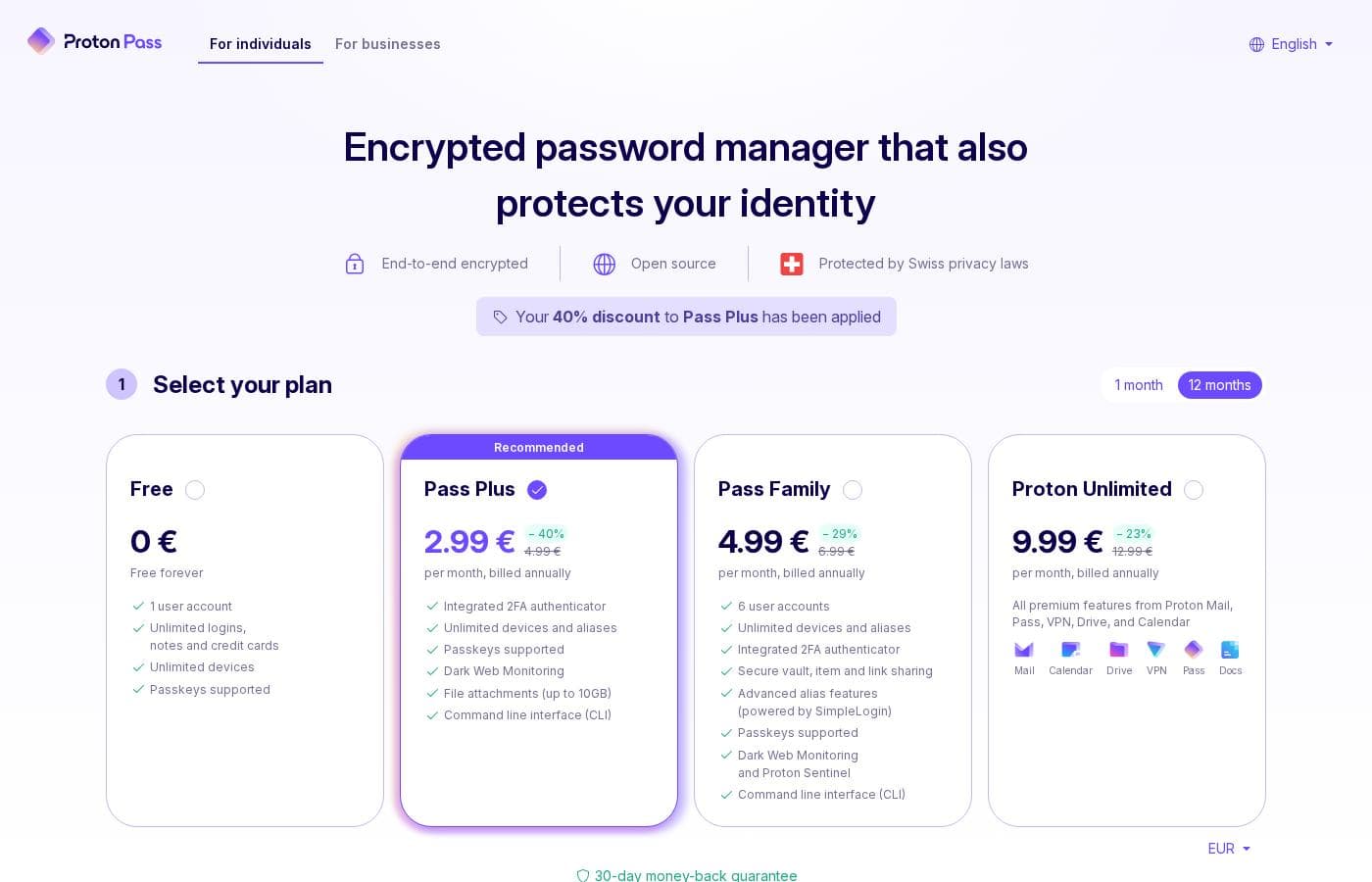
Proton Pass pricing

Prices not verified yet — see the vendor page.

Proton Pass's pricing page

Proton Pass pricing page screenshotView pricing page screenshot
Pricing notes

Proton Pass pricing:

See the vendor's official pricing page for current plan costs.

Email me when Proton Pass changes price

One email when we detect a price change on the vendor's pricing page. No newsletter, no deals. Unsubscribe in one click.

User Reviews

No reviews yet.

Write a Review

Write a Review for Proton Pass
0/100 characters
0/2000 characters

Why use Proton Pass?

Password reuse and weak credentials remain one of the easiest ways for accounts to be compromised, and a password manager addresses that problem directly by generating and storing strong, unique logins. Proton Pass stands out because its encryption model is restrictive by design: since Proton itself cannot read your vault, a breach of Proton's infrastructure would not expose your passwords in readable form.

The fact that the core product is free removes the usual paywall barrier to adopting good credential hygiene. And because it comes from a mission-driven Swiss organization rather than an ad-supported business, you are not trading your data privacy for convenience.

Proton Pass alternatives

Other tools in the Password manager category

View all Password manager tools
RoboForm

RoboForm

Password manager4.1/5

RoboForm is an application designed specifically to store and manage every password you use online. It creates a secure vault where all your login credentials are encrypted and accessible only to you. You maintain total control over your data. ✅ This application includes a superb password generator for instantly creating robust, unique credentials. It allows for reliable auto-filling of logins on various websites and applications. If you want to simplify your digital access while maintaining the highest level of protection, RoboForm is the ideal tool for you.

NordPass

NordPass

Password manager4.1/5

NordPass is a leading credential management solution trusted by over 10,000 businesses globally. It is built to face the challenges modern IT and security professionals encounter every day. This system offers a secure, centralized place for managing passwords, passkeys, credit cards, and documents. Whether you need protection for your company’s assets or your own personal data, NordPass makes it easy and safe. It focuses on providing cost-effective security that simplifies employee workflows and streamlines access.

Norton Password Manager

Norton Password Manager

Password manager3.7/5

From the scraped content, Norton Password Manager is referenced on a Norton subscription page. It appears to be connected to account access, with a visible Stay Signed In option and a Sign Out control.

Proton Pass FAQ

Can Proton employees read my passwords?

No. Proton Pass uses zero-knowledge, end-to-end encryption: data is encrypted on your device before transmission, and the keys exist only on your side. Proton's servers handle only encrypted ciphertext, so not even the Proton team can access your stored passwords, sensitive notes, or attached files.

Is Proton Pass actually free, or is the free tier crippled?

Proton describes Pass as a comprehensive and free password manager, meaning core functionality is available at no cost rather than behind a trial clock. If you later want paid tiers, current plan details and prices are published on Proton's official pricing page, since plan structures can change over time.

Which devices can I use Proton Pass on?

Proton Pass works on phones and laptops through dedicated apps, and your vault is also accessible from a browser. Entries sync through your encrypted Proton account, so anything saved on one device becomes available on the others.

Who makes Proton Pass, and why does that matter?

Proton Pass is built by Proton, the Swiss company behind Proton Mail, which secures millions of accounts with the same zero-knowledge encryption approach. Proton is a mission-driven organization that says it answers to users rather than venture capital investors, and it operates under Swiss privacy law, which is a relevant consideration when deciding who should hold your credentials.

Ready to try Proton Pass? Check out the official site or pricing.

Are you Proton Pass? Claim this listing · Get the badge