Norton Family

Norton Family

Helping parents foster safe, smart, and healthy online habits for their children.

#1 dans Parental Control
2 min read Ā· Updated 11/17/2025
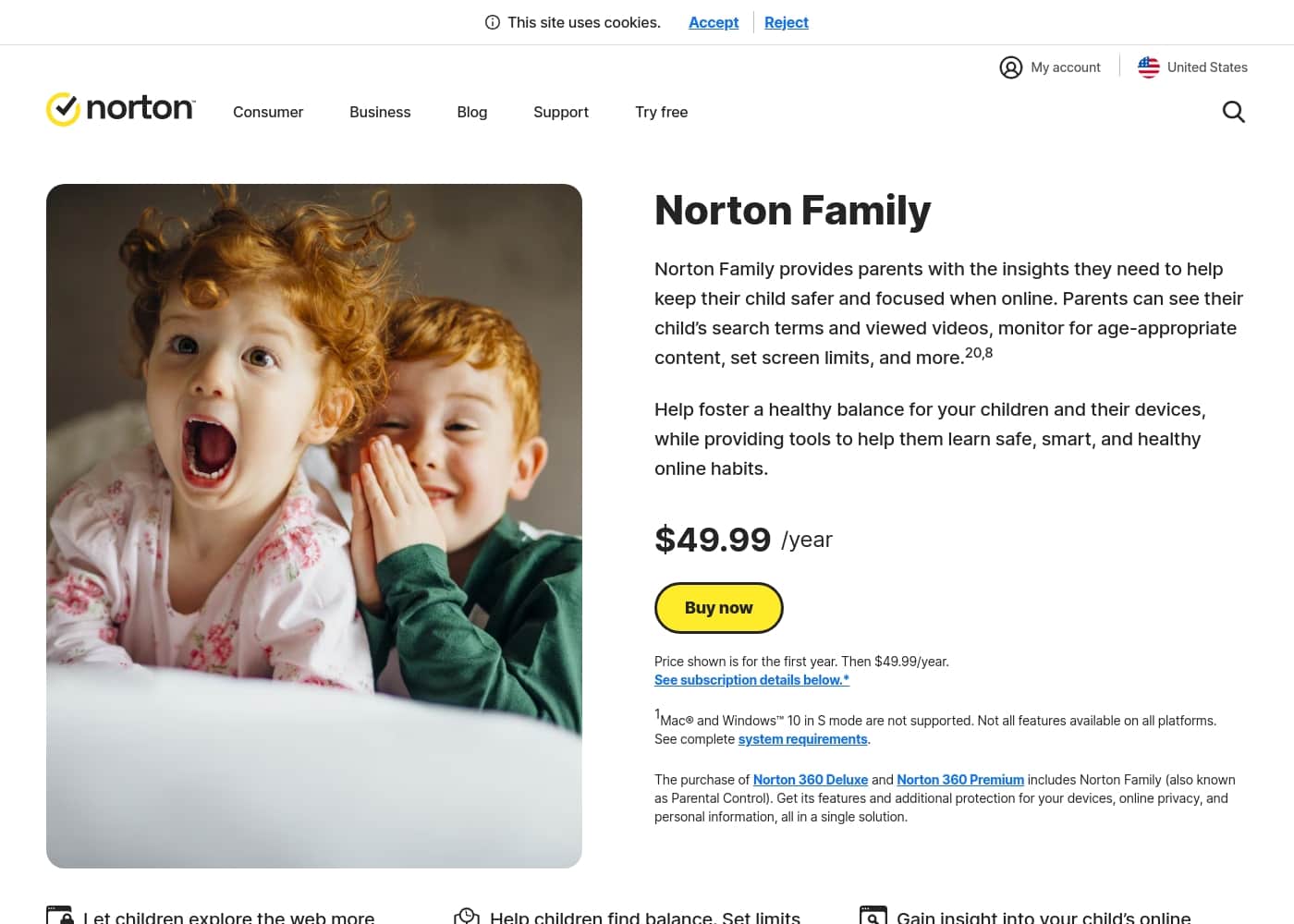
Norton Family homepage screenshot

At a glance

Quick overview for Norton Family: rating, pricing summary, key features, and highlights.

Ciroapp review

4.5
Trusted Security Engine for Family Safety

We find Norton Family offers a powerful and mature set of parental control tools, utilizing Norton’s decades of security expertise. It excels at balancing screen time management with web safety and providing crucial location supervision. Overall, this is a highly reliable security package for families seeking broad digital management features within a trusted ecosystem.

Pros

  • Pro:Built on a robust, proven, and highly reliable security platform.
  • Pro:Comprehensive features including screen time limits, location tracking, and content filtering.
  • Pro:Dedicated ā€˜School Time’ feature helps minimize remote learning distractions.
  • Pro:Manageable via an easy-to-use Parent Portal and mobile app.

Cons

  • Con:Renewal costs are significantly higher than the introductory promotional price.
  • Con:Customer loyalty does not appear to be rewarded in the pricing structure.
  • Con:General Norton users sometimes report being overwhelmed by notifications.
  • Con:Little specific external feedback is available on the dedicated Family product features.
Free trial
Yes — 30 days
Money-back guarantee
Yes — 60 days
Range: S$29.99/yearFree trial, Yearly subscription
This section is a summary. Detailed sections about features, use cases, pricing, and reviews follow below.

Norton Family review, pricing, features, pros & cons

It's difficult for parents to help children balance device usage while keeping them safe from inappropriate content. Constant online distractions make staying focused a challenge. Norton Family gives you the necessary insights to manage devices and promote a balanced digital life.

You gain visibility into your children's online interests, helping you guide them toward safe browsing habits ✨.

What is Norton Family?

Norton Family is a comprehensive toolset designed to give parents awareness and control over their children’s digital interactions. It focuses on facilitating positive and age-appropriate experiences with technology. Parents can manage protection for their child's devices using an easy-to-use Web Portal or a mobile app šŸ“±.

The core mission is to help children learn responsible, healthy methods for exploring the internet.

Norton Family Key Features

✨ Set Healthy Limits with Time Supervision

Norton Family helps you manage when and how long your children use their devices. You can set time limits and schedules based on the day of the week. This supervision promotes balance and helps establish healthy online habits from an early age.

You gain clarity by being able to see when your children are online and what they are doing. If a break is needed quickly, the Instant Lock feature lets parents lock a device immediately. Children can still contact their parents while the device is locked, making it easy to enforce focus without isolation.

✨ Insight into Online Interests and Safety

Parents need to know what captures their children's attention online. Search Supervision lets you see the words, terms, and phrases your children are searching for. This proactive approach helps you gain insights into their interests and protect them from inappropriate content before it becomes an issue.

Video Supervision provides further clarity. You can see a list of videos your children watch on YouTube.com on their PCs and mobile devices. Reviewing a snippet of certain videos helps you know when a conversation about content might be necessary. Note that this monitors videos viewed directly on YouTube.com, not videos embedded elsewhere.

✨ Smart Web and Content Protection

Your children can explore the web more safely, knowing that the tools are available to shield them from harmful material. Web Supervision keeps you informed of which websites they visit. You are empowered to block unsuitable sites entirely.

If content is questioned, you can set rules to display a warning when children attempt to access certain sites. This allows them to browse after acknowledging the warning if you choose. Additionally, App Supervision helps keep you informed about the mobile applications your child downloads or installs. You can then make choices about device usage based on their app choices.

✨ Minimize Distractions with School Time

Remote learning requires uninterrupted internet access, but distractions are constant. School Time helps you manage your child’s educational environment effortlessly. You can keep your children focused on schoolwork during set times.

Parents create a list of specific, approved educational websites that children can access while learning. Simultaneously, you can customize a block list for distracting sites where your child might spend unnecessary time. This focus minimizes interruptions so children can concentrate on their lessons.

šŸ—ŗļø Location Supervision for Peace of Mind

Stay informed about your child’s physical safety when they are away from home. Location Supervision works on your child’s Android and iOS devices, mapping their location in real-time. Parents can also review a 30-day history showing where the device has been.

This feature helps establish approved boundaries using Favorite Locations. You receive alerts when a child arrives in or leaves a permissible area. Parents can also set specific dates and times to receive automatic Location Alerts. Children can use the Check In feature to easily report their current location to you with just a few taps.

✨ Continuous Reporting and Dialogue

Norton Family ensures parents stay in the loop without constant monitoring. You can opt to receive detailed Monthly or Weekly Reports of your children's online activity directly in your email inbox. If a child attempts to visit a blocked site, you can receive Email Alerts instantly so you can start a necessary conversation.

This platform also encourages transparency. The Access Request feature opens lines of communication. If your child disagrees with a blocked site or house rule, they can send you a note from within the service. This helpful tool promotes mutual understanding and dialogue in your family.

Use Cases

āœ… Fostering Balanced Digital Habits

It can be tough helping children balance schoolwork and game time. You want them to have healthy digital habits that last throughout their lives. Use Time Supervision to set specific schedules for device usage during the week.

You can define the total hours your child spends on their PC, Android, or iOS devices each day. For instance, you might allow more time on weekends than on school nights. This system helps them learn responsible digital boundaries from an early age.

šŸ“š Keeping Remote Learning Focused

Problem: Your child needs their device for remote learning, but distractions like games or social media sites are easily accessible. Approach: Use the School Time feature to manage their environment. You can create a list specifically of approved educational sites needed for schoolwork.

Simultaneously, set up a block list for other known distracting websites during school hours. Outcome: Your child stays focused on assignments, and the internet remains active for learning while non-school related sites are inaccessible.

šŸ”Ž Gaining Insight into Online Curiosity

You might worry about what your child is searching for or watching online. Norton Family helps you understand their digital curiosity so you can engage and guide them effectively. You can review the terms your children are searching for on their devices. Plus, you can see a list of the YouTube videos they watch, letting you view a short snippet of each video.

This knowledge quickly flags unsafe behavior, allowing you to address potential issues directly. When you see what interests them, you can open productive conversations about appropriate content and online safety.

šŸ—ŗļø Monitoring Physical Safety for Peace of Mind

If your busy child is often out with friends or walking home from school, Location Supervision gives you peace of mind. You can map their current device location and see a history of where they’ve been over the last 30 days. You can also establish ā€œFavorite Locationsā€ to set approved physical boundaries for their commute or activities.

If your child arrives at or goes beyond these established areas, the feature sends you an alert automatically.

šŸ’¬ Turning Blocked Sites into Teaching Moments

Norton Family helps foster transparency and mutual understanding, even when disagreements arise over internet rules.

Scenario: Your child attempts to access a website that is currently blocked while doing research for homework. Action: They can immediately use the Access Request feature. They send you a short note explaining why they believe they need access to the blocked site. This communication allows you to review the request and make a decision instantly using the Parent Portal, preserving trust.

ā±ļø Enforcing Quick Breaks for Family Time

Sometimes you need your children to leave their screens right now—perhaps for dinner or an important family conversation. The Instant Lock feature lets parents quickly pause activities on their child's device. You can lock individual Windows, Android, or iOS devices to help them take a necessary break and re-focus.

Importantly, parents and children can still contact each other even while the device is locked.

Pricing Overview for Norton Family

Pricing range
S$29.99/year
Pricing types
Free trial, Yearly subscription
Money-back guarantee
Yes — 60 days

Norton Family is sold as a single annual subscription priced at S$29.99 for the first year. This plan is focused solely on parental control tools and includes a 30-day free trial.

Plans & Pricing

Norton Family (1 Year Subscription)

YearlyS$29.99
Price is promotional for the first year only. Renews at MSRP.
  • Web Supervision (blocking unsuitable content)
  • Time Supervision (setting device limits)
  • Search Supervision (seeing terms children search)
  • Video Supervision (monitoring YouTube videos)
  • App Supervision (managing downloaded apps)
  • Location Supervision (device location tracking and history)
  • School Time (limiting distractions during learning)
  • Parent Portal and Mobile App access
  • + 1 more features

Norton Family costs S$29.99 per year for the first year. It is offered as a single standalone annual subscription at S$29.99.

Norton Family is designed to help parents foster healthy online habits for their children.

Norton Family (1 Year Subscription)

Price: S$29.99 per year (introductory price) Websites Supported: Not explicitly stated Best For: Parents seeking dedicated tools to help children balance screen time Refund Policy: 60-day money-back guarantee (for annual subscriptions) Other Features:

  • Set time limits for device use (Time Supervision).
  • See terms children are searching for (Search Supervision).
  • Monitor videos viewed on YouTube.com (Video Supervision).
  • Set up a block list for distracting sites during remote learning (School Time).
  • Use Location Supervision to map mobile devices.

This core plan includes all the key features you need to manage your child’s online safety. It is ideal if you only require focused parental control software and not Norton’s broader security suites. You get powerful capabilities like app blocking and location tracking easily managed via the Parent Portal.

Keep in mind that Norton Family is also included if you purchase Norton 360 Deluxe or Norton 360 Premium. If you want antivirus protection alongside parental control, you might look at those bundled options. Fortunately, you can try Norton Family risk-free before committing to a purchase. They offer a simple 30-day trial for testing all the features. Plus, annual subscriptions come with a generous 60-day money-back guarantee.

User Reviews

Reviewers overwhelmingly praise Norton’s broader security ecosystem, which includes Norton Family. Customers consistently highlight the robust protection provided, confirming that the software ensures their devices are safe from threats and malware.

Consumers often mention the peace of mind they gain from the software operating efficiently in the background, offering prompt alerts and regular scans. The user experience is generally considered easy, even for non-tech-savvy users, and the comprehensive bundles (including VPN and Identity Theft services) are highly valued.

šŸ‘ However, the primary complaint across users is related to pricing. Many long-term customers feel their loyalty is not rewarded by the company, noting that renewal prices are significantly higher than the initial promotional cost.

Some users also report being overwhelmed by frequent notifications or complex terminology, particularly older customers. Overall, sentiment remains exceptionally positive regarding reliability and effectiveness.

What users say elsewhere

John P.
Ā· Trustpilot
5.0 / 5

I have been using Norton since its very beginning and have never had protection issues. I have examined others and there is simply no comparison to Norton's performance and protection.

David S.
Ā· Trustpilot
5.0 / 5

I like my data and activities on my devices protected from online bandits and unwanted scammers. Norton keeps my tech secure in new ways that are easy to use. Their secure VPN helps immensely.

No reviews yet.

Write a Review

Write a Review for Norton Family
0/100 characters
0/2000 characters

Why use Norton Family?

Choosing the right parental control solution means setting healthy boundaries while nurturing trust. Norton Family provides robust supervision tools that empower you to be involved in your child’s digital development.

Here’s why many families trust Norton Family:

  • Gain comprehensive insights into your child's online interests by reviewing their search terms and viewed videos. This knowledge empowers you to address potential issues and open productive discussions immediately.
  • Easily set time limits and schedules for device usage across specific days of the week. This supervision helps establish healthy digital boundaries that promote balance āœ….
  • Manage your child’s environment during School Time by minimizing distractions. You can create a list of approved educational sites and block distracting ones, keeping them focused on remote learning.
  • Stay informed about your children's physical safety using Location Supervision on their mobile devices. You can map their current location, view a 30-day history, and set alerts for approved boundaries šŸ—ŗļø.
  • Stay informed effortlessly by opting to receive detailed reports of activity directly in your email inbox. You can also manage all settings and track activity conveniently using the Parent Portal.
  • Open lines of communication using the Access Request feature. If children disagree with a blocked site, they can send a note, promoting transparency and mutual understanding.

Ready to transform your workflow with Norton Family?

Frequently Asked Questions

What is the price after the introductory first year?

The S$29.99 price is promotional and covers only the first year of service. The subscription automatically renews at a higher standard MSRP in subsequent years. The exact renewal price is not explicitly stated on the official site.

How do I stop my subscription from automatically renewing?

You can cancel the automatic renewal easily through your online account management portal at any time. Alternatively, you can contact Norton support directly for assistance with the cancellation process.

How does the 30-day free trial work, and will I be charged automatically?

The trial requires you to provide a payment method when you sign up. If you do not cancel the subscription before the 30-day trial period ends, you will be charged the annual subscription fee.

What is the money-back guarantee policy for annual subscriptions?

Annual subscriptions come with a generous 60-day money-back guarantee from the date of payment. If you choose a monthly plan (where available), the refund window is 14 days.

Are there any devices I cannot install Norton Family on for my child?

Yes, Norton Family features are not supported on Mac operating systems for the child’s device. Also, Windows 10 in S mode is not fully supported for installation due to operating system restrictions.

Since it is one annual price, is there a hard limit on how many devices Norton Family covers?

The official pricing details do not state a specific numerical limit on devices per subscription. The service is designed to cover the devices used by your children.

Does Norton Family monitor activity within dedicated mobile apps like YouTube or Hulu?

Video Supervision tracks videos only on YouTube.com and Hulu.com (on Windows) in a supported browser. It generally won't monitor videos if your child uses the dedicated YouTube or Hulu mobile applications.

Is Location Supervision available in every region or country worldwide?

Location Supervision, which tracks Android and iOS devices, is not available in all countries yet. You should check the official support pages to confirm availability for your specific region.

Does the Norton Family standalone subscription include antivirus protection?

No, the standalone Norton Family product focuses solely on parental control and safety tools. If you want antivirus protection bundled in, you should look into the combined Norton 360 Deluxe or Premium packages.

What is the first step in setting up the service for my family?

You begin by installing the Norton Family application onto your children’s compatible devices, such as Windows PC, Android, or iOS. You manage all settings afterward via the Parent Portal or mobile app.

How is my family's sensitive monitoring data protected or stored?

The official site details the features of monitoring but does not explicitly outline the specific security protocols for data encryption or retention policies. Not explicitly stated on the official site.

Which internet browsers are supported for full functionality?

Norton Family supports popular modern browsers like Chrome, Edge, and Firefox. However, you cannot access or manage the Parental Control portal using Internet Explorer.

Ready to try Norton Family? Check out the official site or pricing.