InstaWP

InstaWP review

Built for developers and agencies who want to launch WordPress sites in seconds

InstaWP costs from $2/mo · 6 plans · prices checked Oct 19, 2026

By Ciroapp Editorial Team · Updated Oct 18, 2026
InstaWP homepage screenshot

At a glance

Quick overview for InstaWP: rating, pricing summary, key features, and highlights.
Pricing verified Oct 19, 2026

Ciroapp score

4.1/ 5

Sandbox to production in one step

InstaWP turns a fast sandbox into managed hosting with a single plan change, so a build never needs a separate migration. Day-based billing keeps test sites cheap, and SSH, WP-CLI, a CDN, a WAF and daily backups come with the plan. Overall, a strong pick for developers and agencies that ship WordPress often.

Pros

  • Sandbox to production is one plan change, with no rebuild and no migration.
  • SSH, WP-CLI and Git work from the moment a site exists.
  • Day-based billing means a short-lived test site costs pocket change.

Cons

  • Full security and developer coverage starts at the Plus plan, while Starter stays basic.
  • Sandbox and production are billed separately, so a busy portfolio costs more than the $5 entry price suggests.
  • Pausing a site keeps its tier charge running, so you have to park or delete it to stop paying.
Best for
  • Freelance WordPress developers who need fast, disposable test environments
  • Agencies managing many client sites from a single dashboard
  • Plugin and theme makers who need repeatable demo sites
Money-back guarantee
Yes — 14 days
This section is a summary. Detailed sections about features, use cases, pricing, and reviews follow below.

What is InstaWP?

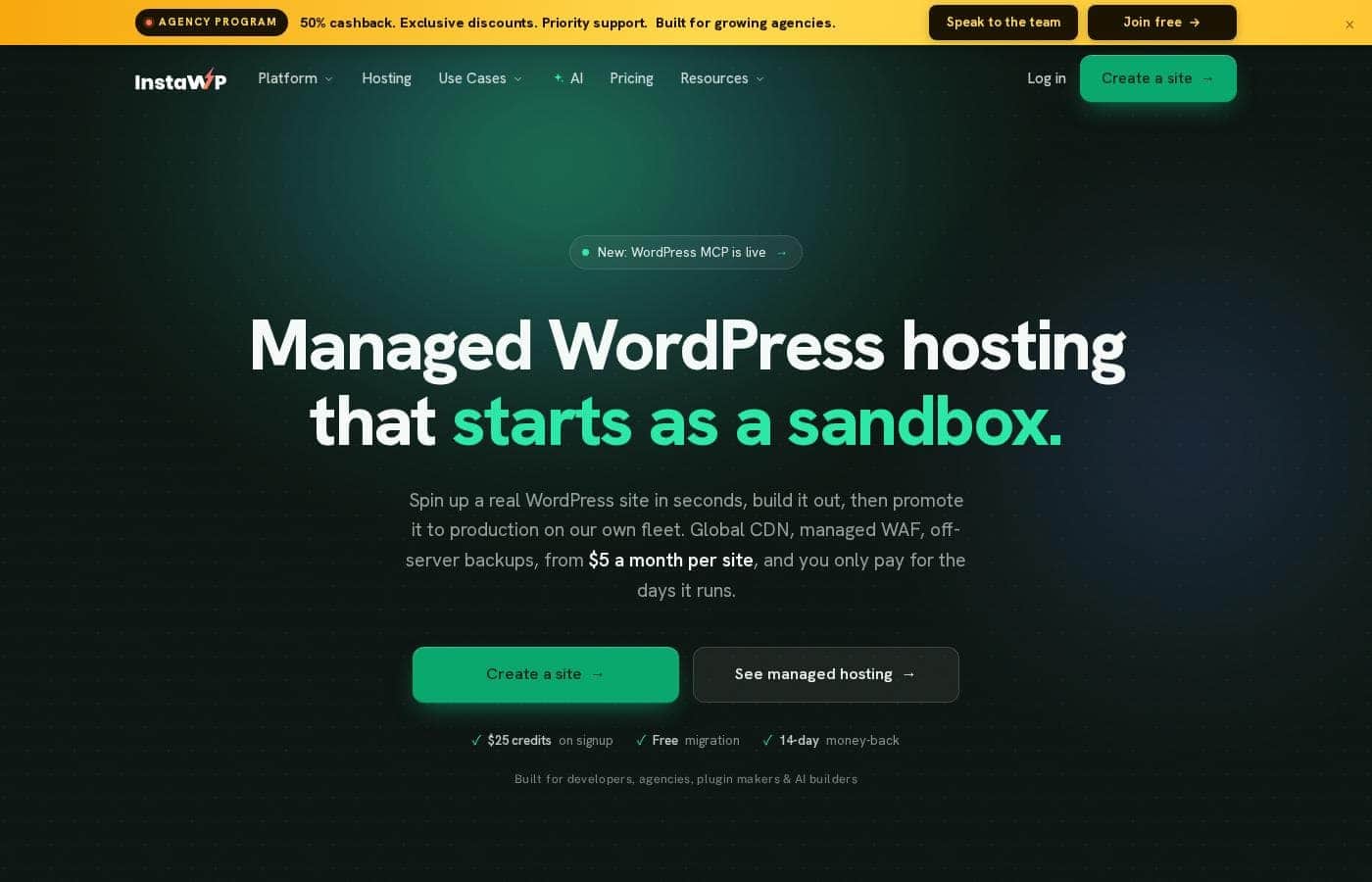
InstaWP is managed WordPress hosting that starts life as a sandbox. You create a real WordPress site in seconds, build it with SSH, WP-CLI and Git, then promote it to production on InstaWP's own servers. It's aimed at developers, agencies, plugin makers and AI builders who ship sites regularly.

Domains, migrations, white-label reselling and portfolio management sit in the same dashboard, and a WordPress MCP server lets an AI agent work on a live site by chat.

Verdict

Best for WordPress developers, agencies, plugin and theme makers, and AI builders who want a real site in seconds and a one-step path to managed production hosting.

InstaWP is a strong fit for anyone who builds WordPress sites repeatedly and wants the environment and the live host to be the same product. The day-based billing makes experimenting cheap, and the bundled stack removes the add-on arithmetic most hosts put you through. Check your tier carefully, though, because the full developer and security package sits above the Starter plan.

Strengths

  • Sandbox to production is one plan change, not a rebuild or a migration
  • CDN, WAF, backups, vulnerability scans, object caching and free SSL are included rather than upsold
  • SSH, WP-CLI and Git are available while you build

Watch-outs

  • Production coverage is tiered: basic on Starter, complete from the Plus plan upward
  • Sandbox and production are priced separately, so the real monthly cost depends on how many sites you keep live
  • The full feature set spans several areas (hosting, domains, reselling, AI tooling), which takes some exploring

Pricing trap for InstaWP: The included-everything message has a tier boundary. Production plans carry the CDN, WAF, backups, scans and SSL, but basic coverage applies on Starter while the full stack starts at the Plus plan. Sandboxes are billed separately from production hosting, so a portfolio with many builds costs more than the $5 entry figure suggests.

InstaWP Key Features

⚡ Sandbox first, production when you're ready

Start on a $2 sandbox, build the site out, then promote it with one plan change. Managed hosting switches on at that moment. Nothing gets rebuilt, and there's no second migration to run.

You only pay for the days a site is actually running.

✨ The production stack arrives with promotion

Promoting a site turns on the full production stack. That covers a global CDN, a managed WAF, off-server backups, vulnerability scans, object caching, managed updates and free SSL. None of it is a separate add-on, so you won't be bolting on extras later.

✨ Developer tools on a real server, not a preview

SSH, WP-CLI, Git and SFTP are available while you build, not only after launch. Sandboxes run the same WordPress stack as production, so a test environment behaves like the live thing. PHP versions span 7.4 through 8.5, and you can pick per site.

✨ Hand the clicking to an AI agent

A WordPress MCP server lets you point Claude or Cursor at a site and work by chatting instead of clicking. One server creates and runs sites on your account. Another edits content and settings inside a single site.

Ask for a page, then publish it.

✨ Domains, migrations and client handoff in one place

The dashboard covers the work around the site, not just the server:

  • Domains: buy one or map your own, with DNS and SSL handled for you.
  • Migrations: bring any WordPress site over in a few clicks, with an AI page check that every page survived.
  • Client previews: one self-expiring link plus magic login straight to wp-admin.

Use Cases

🏗️ Client builds that go live without a rebuild

Start a client build in a $2 sandbox. Map the domain, send a live preview link with magic login, and let the client click around before launch. When they approve, promote it in one plan change.

Expected outcome: no migration step and no second setup.

🔌 Demo sites for plugin and theme makers

Skip the demo server. Spin up a sandbox, install your product, and hand reviewers a link that expires when you say. UiPress runs its demos this way.

Tip: keep one sandbox at $2 a month instead of rebuilding a demo each time.

🗂️ One dashboard for a whole portfolio

Run every client site from a single screen. Push bulk updates, watch uptime and health, and get email or Slack alerts when a site goes down. Expected outcome: fewer logins and fewer surprises across the portfolio.

🤖 AI builders working over chat

Point Claude or Cursor at a site through the MCP server. The account server creates and runs sites, while the site server edits content and settings inside one. Ask for a pricing page, then publish it.

In-site MCP is included from Pro up.

InstaWP pricing

From$2/mo

  • 6 plans

Prices checked on Oct 19, 2026 from InstaWP's pricing page

InstaWP pricing page screenshotView pricing page screenshot
PlanBilled monthlyBilled annuallyIncludes
Sandbox
$2/mo
—
Dev, staging and test sites only; roughly $0.07/day
  • 1 CPU
  • 5 GB SSD disk
  • Monthly backups
  • SSH, WP-CLI and full developer toolkit
  • One-click convert to production
Starter
$5/mo
—
1 site; no object cache, built-in staging or image optimization
  • 2 vCPU
  • 10 GB SSD storage
  • 10 GB Basic CDN (10 edge locations)
  • Basic Core WAF rules
  • Weekly backups
  • +1
Plus
Most popular
$9/mo
—
1 site; staging requires a separate $2 sandbox
  • 3 vCPU
  • 20 GB SSD storage
  • 30 GB Premium CDN
  • Advanced firewall with bot protection and DDoS mitigation
  • Vulnerability scanner
  • +2
Pro
$15/mo
—
1 site
  • 4 vCPU
  • 35 GB SSD storage
  • 75 GB Premium CDN
  • Built-in staging
  • Automatic image optimization
  • +2
Turbo
$25/mo
—
1 site
  • 6 vCPU
  • 50 GB SSD storage
  • 125 GB Premium CDN
  • Built-in staging
  • Image optimization
  • +1
Elite
$45/mo
—
1 site
  • 10 vCPU
  • 75 GB SSD storage
  • 200 GB Premium CDN
  • Built-in staging
  • Image optimization
  • +1

Price history

Tracking prices since Oct 18, 2026. No price change detected yet.

Pricing types: Monthly subscription, Yearly subscription, Usage-based pricing

Pricing notes

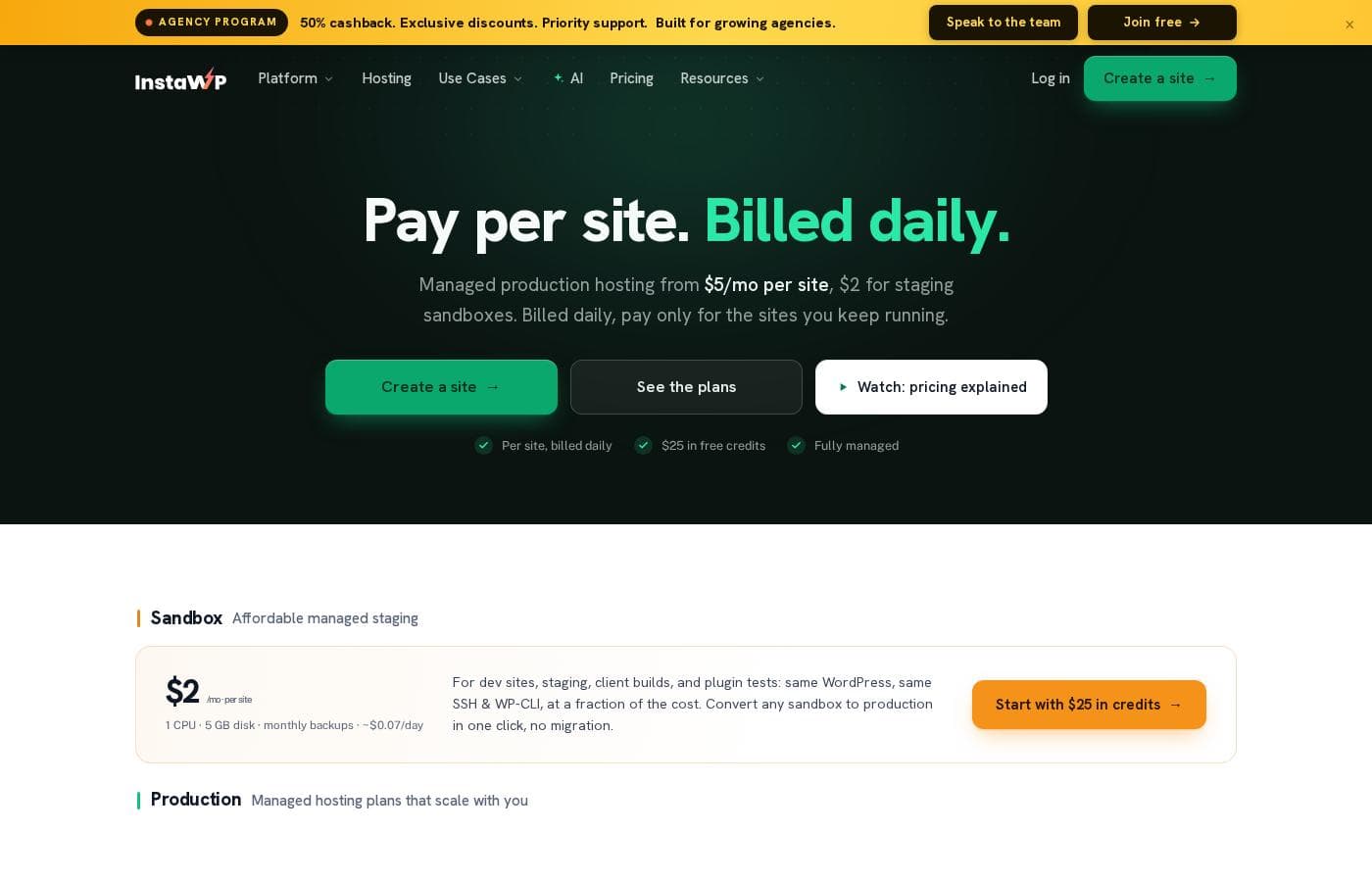
InstaWP prices hosting per site, starting at $2/mo for a Sandbox and topping out at $45/mo for the Elite production tier. Each site bills at its tier's daily rate, totals are charged to your card once a month, and there's no annual contract.

InstaWP charges by the site, from $2/mo for a Sandbox to $45/mo for Elite, across six plans: Sandbox at $2, Starter at $5, Plus at $9, Pro at $15, Turbo at $25 and Elite at $45 per month.

Here's how the tiers compare, with every site billed daily and no annual contract to sign.

Sandbox

Price: $2/mo per site (about $0.07/day) Best For: dev sites, staging, client builds and plugin tests Other Features:

  • 1 CPU and 5 GB SSD disk
  • Monthly backups
  • Same WordPress, SSH and WP-CLI as production
  • One-click convert to production, no migration

Sandbox is the budget home for anything that isn't live yet. Spin one up, build it out, and promote it the day it's ready. Until then, it stays $2/mo for as long as you keep it.

Starter

Price: $5/mo per site ($0.17/day) Websites Supported: 1 site Best For: tiny sites and blogs Refund Policy: 14-day money-back guarantee Other Features: 2 vCPU, 10 GB SSD, 10 GB Basic CDN across 10 edge locations, Basic WAF rules, weekly backups, PHP 7.4 to 8.5, SSH/WP-CLI/Git/SFTP, free SSL, free migrations

Starter suits a brochure site or a personal blog that doesn't need much horsepower. You still get the full developer toolkit and real human support, just with leaner resources and weekly rather than daily backups.

Plus

Price: $9/mo per site ($0.30/day) Websites Supported: 1 site Best For: small, dynamic sites Refund Policy: 14-day money-back guarantee Other Features: 3 vCPU, 20 GB SSD, 30 GB Premium CDN, Advanced firewall rules, bot protection and DDoS mitigation, vulnerability scanner, daily backups, object cache, managed updates and monitoring

Plus is the most popular tier for good reason. It flips on daily backups, object caching and the Advanced firewall, which covers most sites that have real traffic and logged-in users.

Pro

Price: $15/mo per site ($0.50/day) Websites Supported: 1 site Best For: medium sites Refund Policy: 14-day money-back guarantee Other Features: 4 vCPU, 35 GB SSD, 75 GB Premium CDN, daily backups, built-in staging, automatic image optimization, AI tools and in-site MCP

Pro adds a staging copy you run from the dashboard, so you stop testing on the live site. If you push changes often, this is where the extra $6 starts paying for itself.

Turbo

Price: $25/mo per site ($0.83/day) Websites Supported: 1 site Best For: eCommerce Refund Policy: 14-day money-back guarantee Other Features: 6 vCPU, 50 GB SSD, 125 GB Premium CDN, daily backups, built-in staging, image optimization, AI tools

Turbo is aimed at stores and cart-driven sites. The extra vCPU and cache headroom keep checkout pages quick when order volume picks up.

Elite

Price: $45/mo per site ($1.50/day) Websites Supported: 1 site Best For: high-traffic sites Refund Policy: 14-day money-back guarantee Other Features: 10 vCPU, 75 GB SSD, 200 GB Premium CDN, daily backups, built-in staging, image optimization, AI tools

Elite puts the most compute and the largest CDN allowance behind a single site. Only reach for it when traffic genuinely demands it, since three Turbo sites cost less than two Elites.

There's no time-limited free trial, and the reason is simple: adding a card unlocks $25 in credits you can spend on real sites right away. Every production plan also carries a 14-day money-back guarantee, and because billing is daily you can run a site for a few days and stop. No lock-in, no cancellation fees, and a typical mix of ten client sites lands around $102/mo.

Cost calculator

Estimate what InstaWP costs for your team.

Billing
Per month
$2
Per year
$24

Sandbox has a flat price: the number of seats does not change the total. Estimate based on published list prices, before taxes, add-ons and discounts.

How to pay less for InstaWP

  • 14-day money-back guarantee if it does not fit.
Visit InstaWP

Email me when InstaWP changes price

One email when we detect a price change on the vendor's pricing page. No newsletter, no deals. Unsubscribe in one click.

User Reviews

No reviews yet.

Write a Review

Write a Review for InstaWP
0/100 characters
0/2000 characters

Why use InstaWP?

Most managed WordPress hosts sell you the basics back one add-on at a time. InstaWP takes the opposite approach: the pieces you need to ship a site are part of the deal, and the build-to-launch handoff happens in one step.

  • One site, two stages. Spin up a sandbox in seconds, build it out, then promote it to production with a single plan change. No rebuilding, no second migration.
  • The essentials aren't upsells. Production plans include a global CDN, a managed WAF, automated backups, vulnerability scans, object caching and free SSL. On many hosts those arrive as separate line items.
  • Real server access from day one. SSH, WP-CLI and Git are part of the toolset, so you're not working inside a stripped-down preview environment.
  • Billing that tracks usage. Sandboxes start at $2 and production hosting starts at $5 per site per month, charged only for the days a site actually runs.
  • The whole job in one place. Buy or map a domain, migrate an existing site, watch uptime and updates across every site, then resell the whole thing under your own brand.
  • Agent-friendly. Point Claude or Cursor at a site through the MCP server and make changes by chatting instead of clicking.

Agencies report the practical payoff in hours rather than features. Carbon Edge's founder puts the drop in admin overhead at roughly half, and DroidCrunch's owner cites more than 50 hours saved a month across development, testing and collaboration. Those are vendor-published case studies, not independent audits, but the pattern is consistent across them.

InstaWP alternatives

Other tools in the WordPress hosting category

View all WordPress hosting tools
WPX

WPX

WordPress hosting3.5/5

WPX is ultrafast WordPress hosting built specifically for business owners and entrepreneurs. The founders created this service after experiencing the pitfalls of poor hosting services firsthand. It's a fully managed system, allowing reliable experts to handle the heavy lifting while you focus on scaling your business ✅. Thousands of people have already trusted this approach and given WPX positive 5-star reviews.

WPEngine

WPEngine

WordPress hosting3.9/5

WP Engine is a premium managed hosting service specifically tailored for WordPress users. It's designed to go beyond typical hosting, optimizing performance and security at every level. The platform serves a wide audience, including agencies, developers, and large enterprises, as well as growing small businesses. We provide tailored solutions, from standard WordPress Hosting to advanced Headless platforms. The goal is to free your resources and reduce the total cost of ownership (TCO) associated with managing complex sites.

Rocket.net

Rocket.net

WordPress hosting4.1/5

Rocket.net is a managed WordPress hosting platform built to deliver speed and security at scale. It's designed for WordPress publishers, agencies, ecommerce sites, and other online businesses that want a simple, high-performance hosting experience.

Cloudways

Cloudways

WordPress hosting4.3/5
Kinsta

Kinsta

WordPress hosting4.2/5

Kinsta is recognized as a premier managed WordPress hosting provider. It serves over 140,000 businesses and brands worldwide, offering solutions tailored for agencies, enterprises, and small to medium businesses. They specialize in taking away the complexity and stress often associated with managing high-performance WordPress sites. The goal is simple: offer a hassle-free hosting experience that helps your business grow, not slow. You get enterprise-grade speed and reliability without the common overhead.

20i

20i

WordPress hosting3.9/5

20i offers robust hosting solutions built on a multi-cloud infrastructure. Their services range from domain names to specialized Managed WordPress and Autoscale Cloud Hosting. They combine their own 20iCloud platform with options to use connectivity through AWS and Google Cloud Platform. This flexible approach ensures your websites and applications benefit from maximum speed and global reach. Your data can deploy quickly across more than 60 data centers worldwide. It's designed specifically for experienced users, like web designers and developers, who demand optimized technology and an intuitive experience. 💡 The central hub for all this power is My20i, their advanced, easy-to-use control panel.

xCloud

xCloud

WordPress hosting3.8/5

xCloud is a cloud hosting platform designed for WordPress sites. It automatically installs a fast LEMP stack, optimized with PHP-FPM, or a fully integrated OpenLightSpeed (OLS) stack, to help sites run smoothly. You get a single place to monitor performance, security, and updates for all your WordPress websites, and you can easily share access with team members to manage and optimize sites together. The service also offers root access, up-to-date standard packages, Redis caching for speed, and free migrations for site and server transfers.

Cheapest WordPress hosting software for 1 to 25 users

InstaWP FAQ

How much does InstaWP cost?

InstaWP's cheapest paid plan, Sandbox, costs $2 per month. Paid plans range from $2 to $45 per month. Prices checked on Oct 19, 2026 from the vendor's pricing page.

Does InstaWP have a free plan?

No. InstaWP lists no free plan; the cheapest paid plan starts at $2 per month.

Does InstaWP offer a free trial or a money-back guarantee?

It has a 14-day money-back guarantee.

Has InstaWP's price changed recently?

No. We have not detected a price change since we started tracking on Oct 18, 2026.

Can I move an existing WordPress site over?

Yes. Free migrations are listed from the Starter plan up. If you build in a sandbox instead, promoting it to production takes one plan change, with no migration step at all.

What storage and CDN limits does each tier have?

Starter gives you 10 GB SSD and a 10 GB Basic CDN across 10 edge locations. That climbs to 75 GB SSD and a 200 GB Premium CDN on Elite.

Ready to try InstaWP? Check out the official site or pricing.

Are you InstaWP? Claim this listing · Get the badge