Kinsta

Kinsta review

Premium managed WordPress hosting on Google Cloud, built for agencies and businesses that need speed without the sysadmin work.

By Ciroapp Editorial Team · Updated Sep 16, 2026

Commission may apply at no extra cost

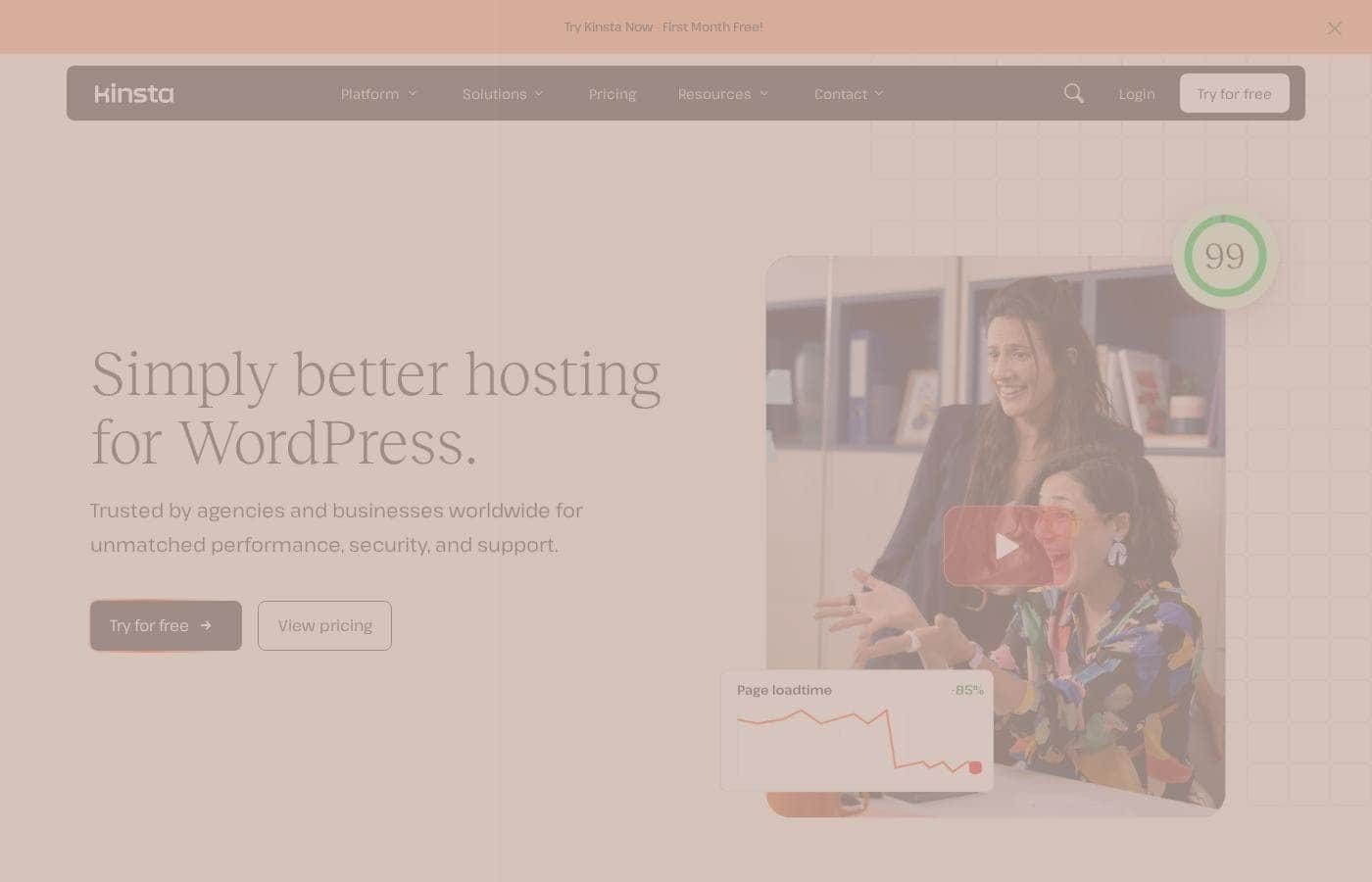
Kinsta homepage screenshot

At a glance

Quick overview for Kinsta: rating, pricing summary, key features, and highlights.
Vendor page checked Oct 13, 2026

Ciroapp score

4.2/ 5

Kinsta bundles Google Cloud speed, Cloudflare edge caching, staging, and 24/7 support from WordPress engineers into one managed platform. It costs more than shared hosting, leaves out email, and bills traffic overages by usage. Overall, it's a strong choice if you'd rather pay than manage servers yourself.

Pros

  • Pros:Runs on Google Cloud with Cloudflare edge caching enabled by default, delivering consistently fast load times without manual cache configuration.
  • Pros:Free expert migrations and 24/7 support from WordPress engineers substantially lower the risk and effort of switching hosts.
  • Pros:One-click staging plus a built-in APM tool make testing and performance debugging straightforward even for non-specialists.

Cons

  • Cons:No email hosting is included, so you will need a separate provider for business email on your domain.
  • Cons:Plans cost significantly more than shared hosting, and usage-based overage charges can add up on high-traffic sites.
  • Cons:Lower-tier plans cap the number of WordPress installs and monthly visits, which can force an early upgrade as a site grows.
Best for
  • Agencies that manage WordPress for multiple clients and want consolidated dashboards, granular access control, and white-labeling.
  • Businesses whose websites generate revenue and cannot afford slow load times or downtime, such as publishers and lead-generation sites.
  • WooCommerce store owners who need consistent performance during promotions and traffic spikes.
This section is a summary. Detailed sections about features, use cases, pricing, and reviews follow below.

What is Kinsta?

Kinsta is a managed WordPress hosting platform that handles the server-side heavy lifting so businesses can focus on their sites rather than their infrastructure. The company serves more than 140,000 businesses and brands worldwide, spanning small businesses, agencies, and enterprises. Its pitch is straightforward: enterprise-grade speed and reliability without the operational overhead that typically comes with running high-performance WordPress sites.

Kinsta is a premium managed WordPress host. Instead of renting raw server space and configuring it yourself, you get a fully managed platform where Kinsta handles performance tuning, security hardening, backups, updates, and infrastructure scaling. Everything is controlled through the MyKinsta dashboard, and the platform is built to serve everyone from a single-site owner to agencies and enterprises running large portfolios of WordPress installs.
Should you choose Kinsta?

Quick buyer guidance before you compare plans or click through.

Choose it if

  • Agencies that manage WordPress for multiple clients and want consolidated dashboards, granular access control, and white-labeling.
  • Businesses whose websites generate revenue and cannot afford slow load times or downtime, such as publishers and lead-generation sites.
  • WooCommerce store owners who need consistent performance during promotions and traffic spikes.
  • SMBs and enterprises that want hosting, security, and maintenance fully managed instead of hiring in-house server expertise.

Skip it if

  • Hobbyists or personal projects seeking the cheapest possible hosting, since Kinsta's premium pricing is hard to justify for low-stakes sites.
  • Teams that need business email bundled with hosting, because Kinsta requires a separate email provider.
  • Developers who want full root access or cPanel-style control over the underlying server.
  • Very low-traffic sites on tight budgets that would never use the enterprise-grade performance Kinsta charges for.

Next steps before buying

  1. 1Review the current plans at kinsta.com/plans and choose one based on your expected number of WordPress installs and monthly visits.
  2. 2Create your MyKinsta account and select the data center location closest to your primary audience.
  3. 3Submit a free migration request for your existing WordPress site, or spin up a fresh install and move content manually if you prefer.
  4. 4Use the staging environment to test themes, plugins, and settings before pointing your domain at Kinsta and going live.
  5. 5Invite teammates or clients with appropriate permissions, then verify that automatic backups and CDN settings are enabled on each site.

Kinsta Key Features

✨ Performance infrastructure

Kinsta runs every WordPress site on Google Cloud Platform's premium tier network, with automatic scaling and server-level caching configured out of the box. Sites are served through Cloudflare's global CDN with edge caching enabled by default, keeping response times low for visitors regardless of their location. You can switch between current PHP versions on a per-site basis as your themes and plugins are updated.

✨ Security and uptime

Every site sits behind Cloudflare's firewall with DDoS protection, and Kinsta isolates each site in its own container so one compromised install cannot affect its neighbors. Uptime checks run continuously and the platform attempts automatic restarts if a site goes down. Daily backups are retained and restorable in a click, with downloadable copies available and optional hourly backups for sites that need tighter recovery points.

Free SSL certificates are included on every install.

✨ Developer and workflow tooling

Each site includes one-click staging environments so you can test changes before pushing them live, plus a built-in APM tool for pinpointing slow queries and problematic plugins. SSH, Git, and WP-CLI access support standard development workflows, and the MyKinsta API allows programmatic management. Full dev/stage/production setups are available for teams that need complete environment separation.

✨ Agency and team management

Kinsta's account structure is built for agencies: you can manage many WordPress installs from one dashboard, grant teammates and clients access with granular permissions, and see billing at a per-site level. White-labeling is available on higher-tier plans, and an agency partner program adds tooling and referral benefits for firms that manage client hosting at scale.

✨ Support and migrations

Support is available 24/7/365 through live chat, staffed by WordPress engineers rather than generalist agents, which matters when the problem is a plugin conflict rather than a network fault. Kinsta also handles migrations from other hosts at no cost, removing the riskiest step of switching providers.

Use Cases

💡 Agencies managing many client sites

Agencies can centralize all client WordPress installs under one account, assign access per teammate or client, and track billing per site. White-labeling and the partner program make it practical to offer hosting as part of a managed service without exposing Kinsta as the underlying provider.

💡 High-traffic content and publishing sites

Blogs, media outlets, and publishers with unpredictable traffic benefit from automatic scaling and edge caching, which absorb spikes from viral posts or ranking jumps without manual intervention. The built-in APM tool helps identify slow plugins before they become reader-facing performance problems.

💡 WooCommerce and business-critical stores

Online stores depend on fast checkout pages and uptime during promotions. Kinsta's caching, CDN, and isolated containers keep store performance consistent, and staging environments let merchants test seasonal changes without risking the live shop.

💡 SMBs and enterprises without in-house ops

Companies that run WordPress but do not employ server administrators can offload patching, backups, scaling, and incident response to Kinsta, with 24/7 engineer support acting as the escalation path when something breaks.

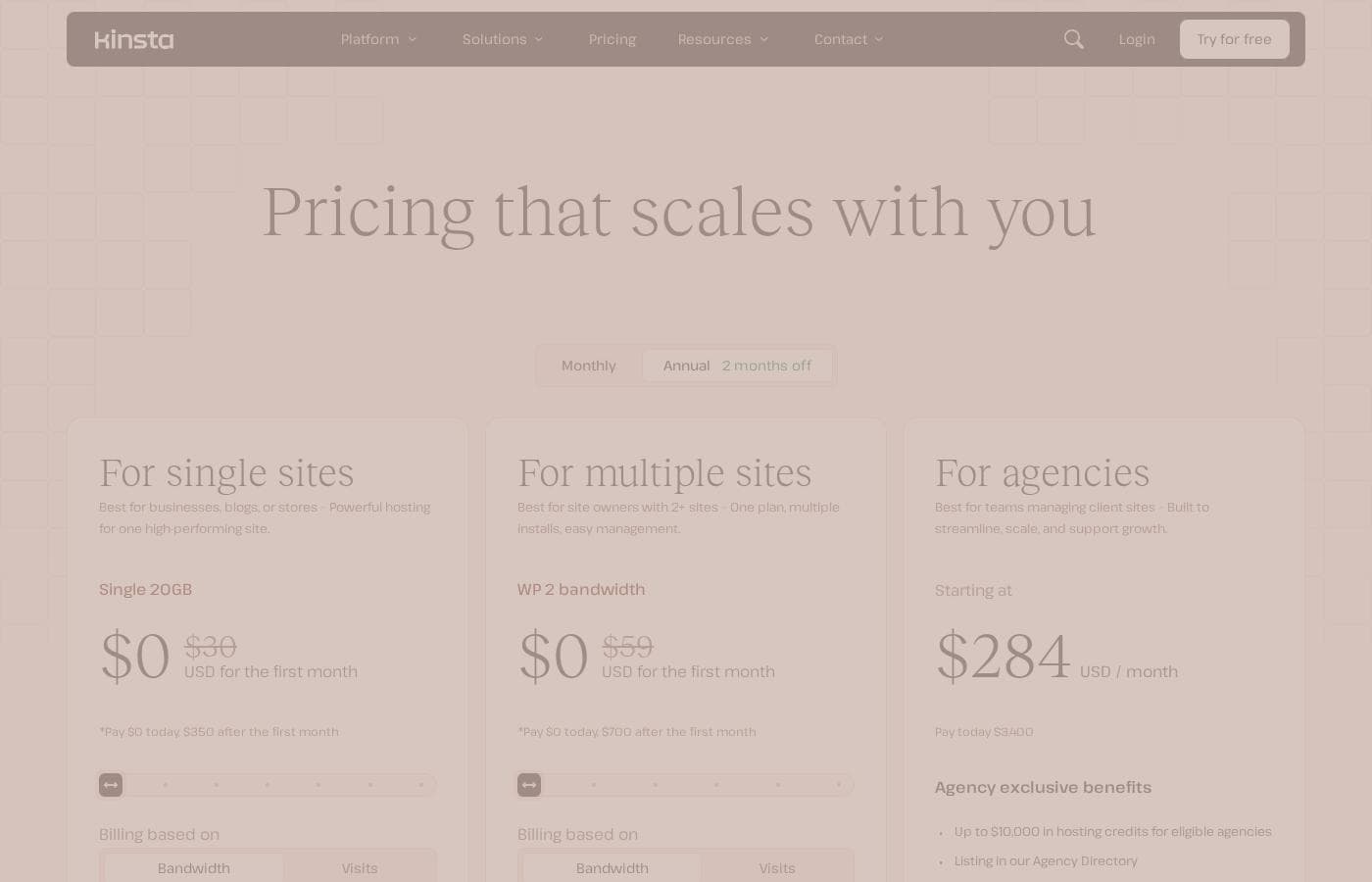
Kinsta pricing

Prices not verified yet — see the vendor page.

Kinsta's pricing page

Kinsta pricing page screenshotView pricing page screenshot

Price history

Tracking prices since Oct 1, 2026. No price change detected yet.

Pricing types: Free plan, Free trial, Monthly subscription, Yearly subscription, Usage-based pricing

Pricing notes

Kinsta pricing: Plans from $0/year Billing options: Free plan, Free trial, Monthly subscription, Yearly subscription, Usage-based pricing

Email me when Kinsta changes price

One email when we detect a price change on the vendor's pricing page. No newsletter, no deals. Unsubscribe in one click.

User Reviews

No reviews yet.

Write a Review

Write a Review for Kinsta
0/100 characters
0/2000 characters

Why use Kinsta?

Self-managing WordPress infrastructure is time-consuming and easy to get wrong: caching layers, CDN configuration, firewalls, staging workflows, and traffic spikes all demand expertise. Kinsta packages that expertise into the hosting fee, delivering fast load times, hardened security, and expert support around the clock without requiring you to hire a server administrator.

For businesses where downtime or slow pages cost real money, paying more per month to remove an entire class of operational problems is the core reason to choose it.

Kinsta alternatives

Other tools in the WordPress hosting category

View all WordPress hosting tools
Cloudways

Cloudways

WordPress hosting4.3/5
Rocket.net

Rocket.net

WordPress hosting4.1/5

Rocket.net is a managed WordPress hosting platform built to deliver speed and security at scale. It's designed for WordPress publishers, agencies, ecommerce sites, and other online businesses that want a simple, high-performance hosting experience.

20i

20i

WordPress hosting3.9/5

20i offers robust hosting solutions built on a multi-cloud infrastructure. Their services range from domain names to specialized Managed WordPress and Autoscale Cloud Hosting. They combine their own 20iCloud platform with options to use connectivity through AWS and Google Cloud Platform. This flexible approach ensures your websites and applications benefit from maximum speed and global reach. Your data can deploy quickly across more than 60 data centers worldwide. It's designed specifically for experienced users, like web designers and developers, who demand optimized technology and an intuitive experience. 💡 The central hub for all this power is My20i, their advanced, easy-to-use control panel.

WPEngine

WPEngine

WordPress hosting3.9/5

WP Engine is a premium managed hosting service specifically tailored for WordPress users. It's designed to go beyond typical hosting, optimizing performance and security at every level. The platform serves a wide audience, including agencies, developers, and large enterprises, as well as growing small businesses. We provide tailored solutions, from standard WordPress Hosting to advanced Headless platforms. The goal is to free your resources and reduce the total cost of ownership (TCO) associated with managing complex sites.

xCloud

xCloud

WordPress hosting3.8/5

xCloud is a cloud hosting platform designed for WordPress sites. It automatically installs a fast LEMP stack, optimized with PHP-FPM, or a fully integrated OpenLightSpeed (OLS) stack, to help sites run smoothly. You get a single place to monitor performance, security, and updates for all your WordPress websites, and you can easily share access with team members to manage and optimize sites together. The service also offers root access, up-to-date standard packages, Redis caching for speed, and free migrations for site and server transfers.

HostPapa

HostPapa

WordPress hosting3.6/5

HostPapa is a comprehensive provider offering robust web hosting services, trusted by over 500,000 website owners globally. They support everything from personal blogs to resource-intensive applications. Whether you need standard Web Hosting, tailored WordPress Hosting, dedicated VPS, or a Dedicated Server, HostPapa has a plan designed for your needs. Beyond hosting, HostPapa acts as a one-stop shop, helping you launch your online identity with domain registration, a professional website builder, and enterprise-grade business email solutions.

Kinsta FAQ

Does Kinsta include email hosting?

No. Kinsta focuses entirely on WordPress hosting and does not provide email mailboxes on your domain. Most customers pair Kinsta with a dedicated email provider such as Google Workspace or Microsoft 365 and point their domain's MX records there.

Can Kinsta migrate my existing WordPress site?

Yes. Kinsta offers free migrations handled by its own team, so you can move an existing WordPress site without doing the transfer yourself. You request the migration through the MyKinsta dashboard and Kinsta coordinates the move with minimal downtime.

What infrastructure does Kinsta run on?

WordPress sites run in isolated containers on Google Cloud Platform, with a choice of data center locations. Every site is served through Cloudflare's global network, which provides both CDN caching and DDoS protection by default.

How does Kinsta's pricing scale?

Kinsta uses subscription plans with usage-based components, so costs rise with the number of WordPress installs and monthly visits. Plans range from a free tier up to enterprise-level agreements, and traffic beyond your plan's allowance is billed according to actual usage.

Is Kinsta a good fit for beginners?

Yes, with a caveat. The MyKinsta dashboard is clean and the support team resolves technical issues for you, but the platform assumes you can manage WordPress itself. It is priced and designed for businesses and professionals rather than hobby projects.

Ready to try Kinsta? Check out the official site or pricing.

Are you Kinsta? Claim this listing · Get the badge