Ignition

Ignition

Get paid faster with automated proposals and billing.

2 min read · Updated May 15, 2026
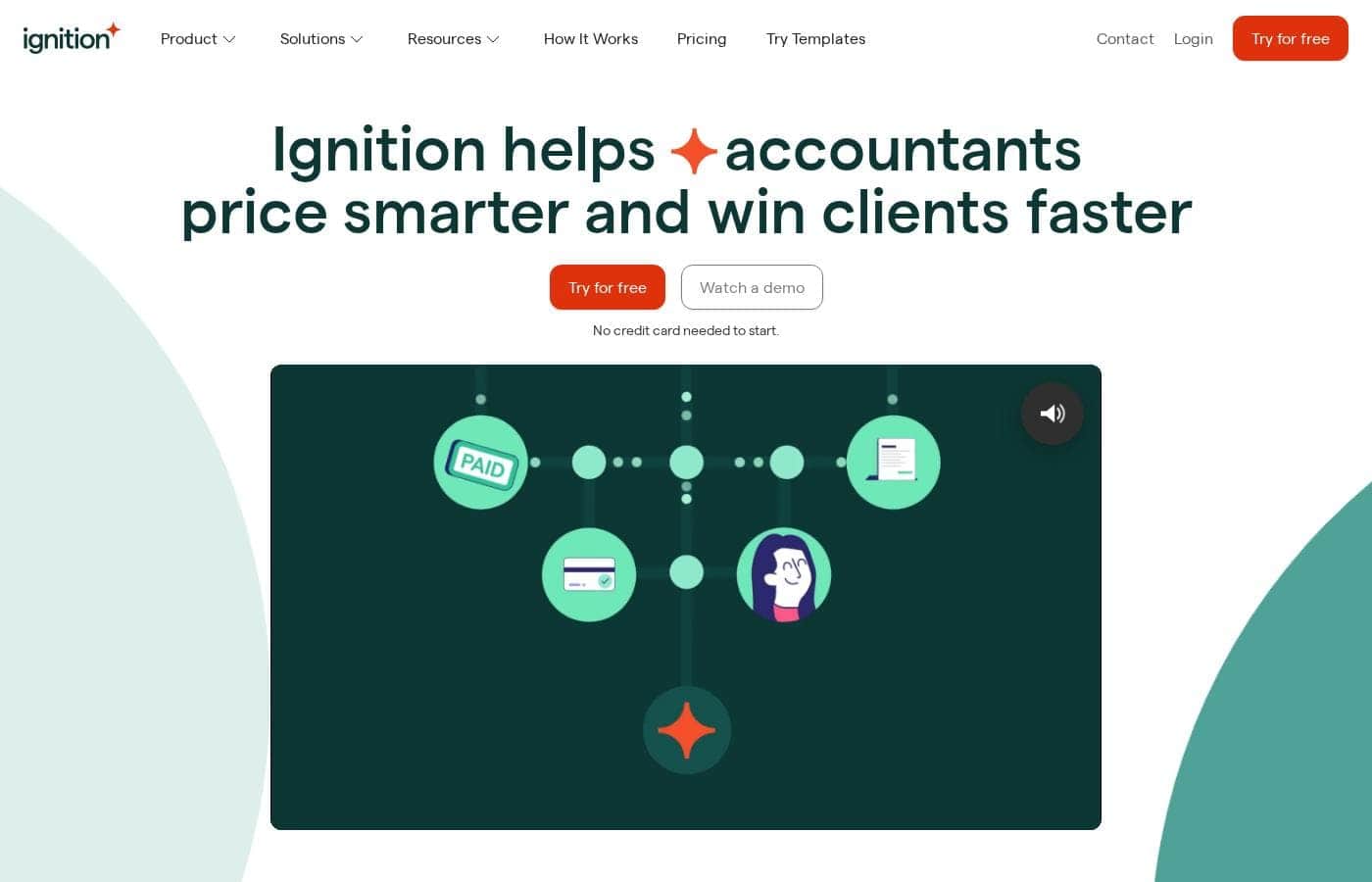
Ignition homepage screenshot

At a glance

Quick overview for Ignition: rating, pricing summary, key features, and highlights.
Best for
Freelancers and agencies tired of manual invoicing.Consultants and service providers billing by project or retainer.Firms wanting to automate their client onboarding and payment workflow.Businesses looking to reduce accounts receivable delays.
Ease of use
The platform is built to streamline your workflow. By integrating proposal creation with payment collection and billing, it aims to reduce the steps and time you spend on administrative tasks. The availability of templates and bulk actions suggests a focus on efficiency.

Ciroapp review

4.3
Solid automation for getting paid faster.

We found Ignition to be a robust platform that truly automates the proposal-to-payment cycle, saving service businesses considerable admin time and improving cash flow. Overall, it's an excellent choice for firms wanting to professionalize their client onboarding and eliminate manual invoicing work.

Pros

  • Pros:Automates proposals, agreements, and upfront billing in one flow.
  • Pros:Helps eliminate manual payment chasing and reduces accounts receivable delays.
  • Pros:Provides professional templates and tools to upsell and capture additional work.

Cons

  • Cons:Pricing, likely annual, may be a barrier for some budgets.
  • Cons:Requires commitment to a specific workflow, not a simple standalone invoicer.
  • Cons:Initial setup and learning curve can be steep for some users.
Range: 0–200
This section is a summary. Detailed sections about features, use cases, pricing, and reviews follow below.
Disclosure: this page may contain affiliate links for Ignition. If you click these links and make a purchase, Ciroapp may earn a commission at no additional cost to you.

Ignition review, pricing, features, pros & cons

Ever feel like chasing payments is a part-time job? You send an invoice, then wait... and follow up... and wait again. It's a frustrating cycle that wastes your time and hurts your cash flow.

Ignition aims to solve this by building billing directly into your proposals. 💡 It promises to automate the entire agreement and payment process, so you can focus on your work, not your paperwork.

What is Ignition?

Ignition is a platform for service businesses that want to automate proposals, agreements, and billing. 🔄 It's designed for professionals who bill clients for projects or recurring work. The goal is to make getting paid a seamless, automatic part of starting a new engagement.

Compare Ignition with similar tools and browse the full category before choosing.

View all Accounts Receivable Automation tools

Should you choose Ignition?

Quick buyer guidance before you compare plans or click through.

Choose it if

  • Professionals who create detailed proposals before starting work.
  • Teams wanting to automate repetitive admin tasks around billing.
  • Service businesses aiming to improve cash flow predictability.
  • Those who want to easily add extra billable work to an existing project.

Skip it if

  • Businesses that need a simple, standalone invoicing tool without proposal features.
  • Those not ready for annual pricing, as plans are likely billed yearly.
  • Companies requiring deep integration with complex, non-standard accounting software.
  • Service models where upfront payment collection in proposals isn't feasible.

Next steps before buying

  1. 1Visit the Ignition website to review the detailed features and pricing page.
  2. 2Check which of your current tools (like accounting or CRM software) have listed integrations.
  3. 3Compare their solution against other proposal-to-payment platforms you're considering.
  4. 4Look for information on trial periods or demo availability to test the workflow yourself.
  5. 5Confirm the annual payment structure aligns with your budget and cash flow planning.

Ease of use

The platform is built to streamline your workflow. By integrating proposal creation with payment collection and billing, it aims to reduce the steps and time you spend on administrative tasks. The availability of templates and bulk actions suggests a focus on efficiency.

Ignition Key Features

🔁 Automatic Billing After Agreement

Ignition lets you collect your client's payment details directly within the proposal. Once they sign, billing and payments happen on autopilot. You and your client don't need to lift a finger after the initial setup.

✨ Professional Proposals to Win Work

Create polished online proposals that make a great first impression. The platform is designed to help you close deals faster and more professionally. It's all about setting the right tone from the very start.

✨ Easy Upsells for More Revenue

If a project's scope changes, you can bill your client for additional work instantly. Ignition makes it simple to capture every dollar you earn without chasing separate invoices. This feature helps you grow your revenue naturally.

💡 AI-Powered Pricing Insights

The platform offers tailored AI insights to help you optimize your pricing strategy. You can make smarter, data-driven decisions about your services. This moves you beyond guesswork and into strategic pricing.

✨ Time-Saving Automation & Templates

Automate the repetitive administrative tasks around agreements and billing. You can use ready-made templates to get started quickly. The system also lets you send or renew multiple client agreements at once, saving you hours of work.

Use Cases

💡 Freelancer Closing a Project Deal

You're finalizing a proposal for a new website design project. Instead of sending the proposal and then a separate invoice later, you use Ignition. You build the proposal and ask for the client's payment details upfront.

The client reviews and signs the proposal digitally. Instantly, the agreement is locked, and their first payment is scheduled automatically. You start the project knowing payment is handled, and you never have to send a follow-up email asking "where's the check?"

💡 Agency Scaling Client Onboarding

Your marketing agency has ten new clients this quarter. Manually creating ten separate contracts and tracking ten different payment schedules is overwhelming. With Ignition, you create a single, professional proposal template for your standard service package.

You send customized versions to all ten clients. Each one signs and provides payment info in one step. Your admin time drops from hours to minutes, and you can manage all recurring billing from one dashboard.

💡 Consultant Handling Scope Changes

You're three weeks into a strategy engagement. The client asks for an additional competitive analysis report that wasn't in the original scope. With Ignition, you don't need to draft a whole new contract.

You simply add the extra line item to the existing agreement in the platform. The client approves the change with one click, and the additional fee is added to their next automatic payment. You capture every dollar you earn without awkward renegotiations.

💡 Problem: Inconsistent Cash Flow

Problem: Your revenue is unpredictable because clients pay invoices 30, 60, or 90 days late. You're constantly chasing payments instead of doing client work.

Approach: You switch your proposal process to Ignition. Now, every proposal requires payment details for the initial retainer or first installment. You also set up recurring billing for ongoing retainers directly in the agreement.

Outcome: Cash flow becomes predictable. Payments are collected on the agreed schedule automatically, and your accounts receivable delays are virtually eliminated.

💡 Bulk Renewals for Recurring Services

It's December, and fifteen of your retainer clients' agreements are up for annual renewal. In the past, this meant fifteen individual emails, fifteen contracts to sign, and fifteen invoices to chase.

This year, you use Ignition's bulk action feature. You select all fifteen clients, apply your updated retainer template, and send for renewal. Each client reviews, signs, and confirms their payment method in one seamless flow. You save days of administrative work.

Pricing Overview for Ignition

Pricing range
0–200

Plans from 0

Pricing

Ignition pricing: Plans from 0 Plans range: 0–200

User Reviews

Based on external reviews, Ignition receives praise for automating proposals and billing, which users say saves significant time and eliminates payment chasing. Many appreciate the professional client experience and ease of use, especially for integrating agreements and upfront payments.

💡 However, recurring concerns include pricing, which some find expensive, and occasional technical glitches or integration issues. Support responsiveness is noted as a highlight by many, though a few mention a steep initial learning curve and that the annual billing model isn't ideal for all budgets.

Overall, it's seen as a powerful tool for service businesses ready to streamline operations.

What users say elsewhere

Sarah L.
Trustpilot · 2023-08-15

Ignition has transformed our proposal and billing process. Getting payment details upfront means we never chase invoices anymore. The automation saves our team hours every week.

Mark T.
Trustpilot · 2023-10-02

The platform is powerful and looks very professional for clients. The automation features are great once set up. My only gripe was the initial learning curve and annual pricing commitment.

Jessica R.
Capterra · 2023-07-20

We love how Ignition streamlines our entire client onboarding. From signed proposal to collected payment, it's automatic. The templates are a huge time-saver and the interface is intuitive.

David K.
Capterra · 2023-09-11

It does exactly what it promises: automates the boring admin stuff around proposals and payments. Support has been helpful when we had questions. The value depends on how much time you currently waste on manual billing.

No reviews yet.

Write a Review

Write a Review for Ignition
0/100 characters
0/2000 characters

Why use Ignition?

What if getting a new client also meant automatically setting up their billing? Ignition turns that idea into a reality, helping you get paid faster and run a smoother operation. Here’s how it helps you grow: 🚀

  • Eliminate payment chasing: By collecting payment details upfront in the proposal, you ensure you get paid on time, every time once the deal is signed.
  • Boost your revenue: Create professional proposals that make it easy to upsell. If a project's scope changes, you can bill for additional work instantly, capturing every dollar you earn.
  • Reclaim your admin time: Automate the repetitive tasks around agreements and billing. Use ready-made templates and send or renew multiple client agreements at once to save hours.
  • Gain pricing intelligence: Optimize your pricing strategy with tailored AI-powered insights, helping you make data-driven decisions about your services.
  • Create a better client experience: It removes friction for your clients, making it effortless for them to agree and pay. This builds trust and looks professional from the first interaction.
  • Scale your business operations: Whether you have 5 clients or 50, the automation lets you manage more agreements efficiently without adding admin overhead.

Ready to transform your workflow with Ignition?

Other tools in the Accounts Receivable Automation category

Similar tools

ezyCollect
ezyCollect
Accounts Receivable Automation4.4/5

ezyCollect is a full-stack accounts receivable automation platform that plugs into your accounting software to manage invoices, reminders, and payments from one place. It enables automated email and SMS reminders, payment writebacks, an integrated payment portal, and online credit applications and credit insights. It's used by over 1,500 companies in 23 countries. 💼

Nickel
Nickel
Accounts Receivable Automation4.3/5

Nickel is the easiest way for US businesses to pay and get paid — built for America's core industries: construction, wholesale, manufacturing, logistics, and more. Nickel Core is completely free, with unlimited ACH transfers, bill pay, and competitive card rates. Paid plans unlock advanced workflows. Trusted by 20,000+ businesses, it's a genuinely easy recommendation for any business audience. No hidden fees, no gotchas — just a product your audience will thank you for.

Frequently Asked Questions

What specific tools does Ignition integrate with?

Ignition integrates with tools like Zapier, XPM, and Karbon. The full list of integrations is detailed on the pricing page for each plan.

How is my data secured within the platform?

Not explicitly stated on the official site. You should confirm their security protocols and data handling policies directly with their support or in their terms of service.

Are there any limits on the number of proposals I can send per month?

The plans primarily limit the number of active clients and users, not the volume of proposals sent. You can create and send as many proposals as needed within your plan's scope.

Does Ignition offer a free trial? How long is it?

Yes, all plans offer a 'Try for free' option. The exact trial length isn't specified on the public pricing page; you'll need to start the signup process to see the trial terms.

How does pricing work? Is it per user or per usage?

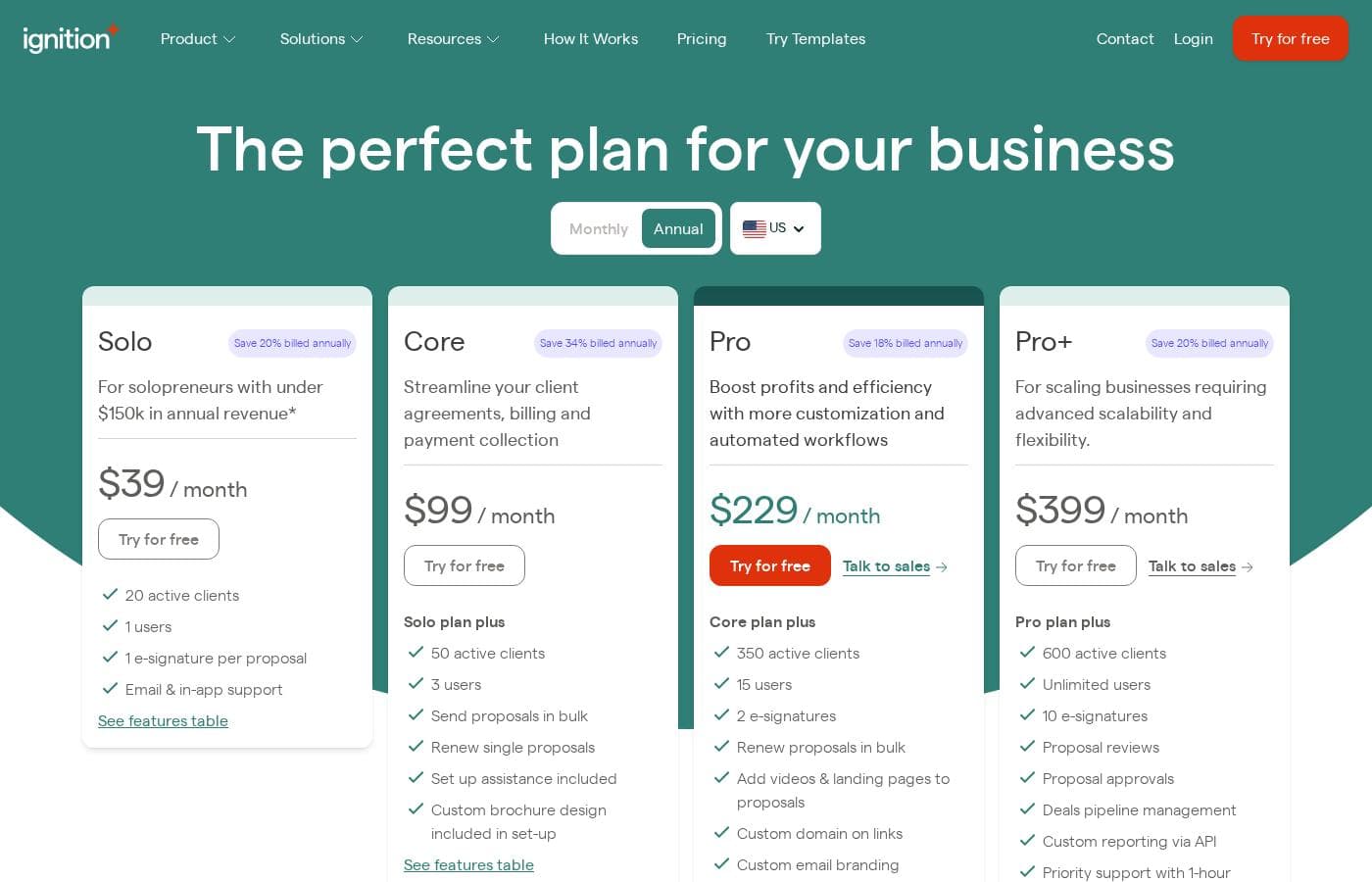
Ignition uses tiered pricing with set monthly fees (billed annually) that include a specific number of active clients and users. It is not a per-usage model for core features.

Can I switch from monthly to annual billing later?

The pricing page shows both Monthly and Annual options, with significant savings for annual billing. You can likely choose your billing cycle when signing up or during account management.

What does the onboarding and setup process involve?

Core plans and above include 'Set up assistance'. This likely helps with initial configuration. For Solo plans, setup may be self-guided.

What are the support response time guarantees for each plan?

Response times vary by plan: Pro+ plans offer priority support with a 1-hour response. Core plans have a 4-hour response. Solo plans include email and in-app support without a stated time guarantee.

In which regions or countries is Ignition available?

Not explicitly stated on the official site. The pricing page shows a US toggle, suggesting availability there, but you should confirm global service availability.

What happens if I need to cancel my subscription?

Cancellation terms are not detailed on the public pricing page. You should review the terms of service before purchase for details on cancellation and any potential fees.

Who is Ignition best suited for, and who should look elsewhere?

It's ideal for freelancers, agencies, and consultants who want to automate proposals and billing. It may not be the best fit for those needing a simple, standalone invoicing tool without proposal features.

Can I add or remove users from my plan mid-term?

Plan tiers include a set number of users (e.g., 1, 3, 15). Adding more users would likely require upgrading your plan. Details on downgrading are not specified.

Ready to try Ignition? Check out the official site or pricing.