Gmail

Gmail review

Secure, AI-assisted email that works everywhere you do. Gmail pairs a fast, searchable inbox with Google's global infrastructure to keep personal and professional communication organized around the clock, on every device you own.

By Ciroapp Editorial Team · Updated Sep 16, 2026

Commission may apply at no extra cost

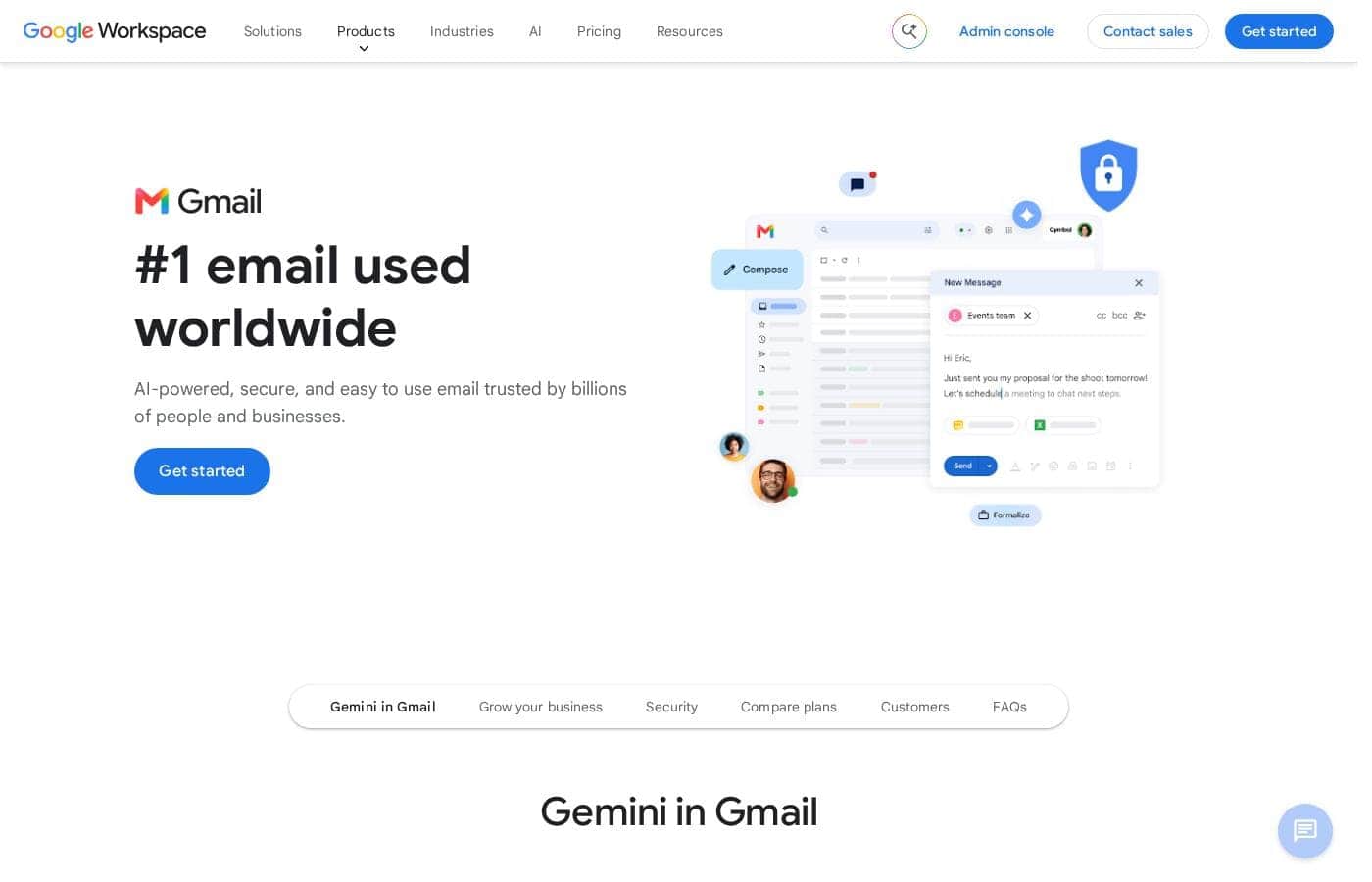
Gmail homepage screenshot

At a glance

Quick overview for Gmail: rating, pricing summary, key features, and highlights.

Ciroapp score

4.2/ 5

Gmail pairs best-in-class search, server-side spam filtering, and real-time sync across devices with a free 15 GB tier, though ads in the free plan and paywalled custom domains are real trade-offs. Privacy-minded users may also balk at Google's ad-funded model. Overall, it remains the safest default for personal and business email alike.

Pros

  • Pros:Search is outstanding — finding a years-old message by sender, keyword, or attachment takes seconds using Gmail's search operators.
  • Pros:Spam and phishing filtering runs on Google's servers, keeping promotional and malicious mail out of the primary inbox on every device.
  • Pros:The same full-featured inbox works on web, Android, iOS, and Wear OS with real-time state sync between devices.

Cons

  • Cons:The free tier is ad-supported, so sponsored promotions appear alongside inbox tabs.
  • Cons:Using Gmail with a custom business domain requires a paid Google Workspace subscription rather than a one-time setup.
  • Cons:Privacy-focused users may be uncomfortable with an ad-funded model and data handling across Google's broader ecosystem.
Best for
  • Individuals and families who want one free, reliable inbox that syncs across phone, tablet, and computer.
  • Freelancers and solo consultants who need professional, searchable email without an upfront software budget.
  • Small businesses already using Google Docs, Drive, and Calendar that want email inside the same ecosystem.
This section is a summary. Detailed sections about features, use cases, pricing, and reviews follow below.

What is Gmail?

Gmail is Google's email service and one of the most widely used communication platforms in the world, serving billions of individual and business accounts. It pairs a clean, fast inbox with AI features such as smart replies, writing suggestions, and relentless spam filtering. Because it runs on Google's global infrastructure, mail is accessible from a computer, phone, tablet, or even a watch at any hour.

This review looks at what Gmail actually does well, where it falls short, and who should choose it.

Gmail is a secure email client that doubles as a communication hub for personal and professional use. Messages are organized into a searchable inbox with category tabs, labels, and filters, all backed by the same security and reliability infrastructure that runs Google's other products. It is available free for individuals and as part of paid Google Workspace plans for organizations that need custom domains and admin controls.

Beyond sending and receiving mail, it connects directly with Calendar, Drive, and Meet from inside a message.
Should you choose Gmail?

Quick buyer guidance before you compare plans or click through.

Choose it if

  • Individuals and families who want one free, reliable inbox that syncs across phone, tablet, and computer.
  • Freelancers and solo consultants who need professional, searchable email without an upfront software budget.
  • Small businesses already using Google Docs, Drive, and Calendar that want email inside the same ecosystem.
  • High-volume users such as recruiters, support agents, and salespeople who depend on fast search, filters, and labels to triage daily mail.

Skip it if

  • Users who prioritize privacy and want to avoid ad-supported ecosystems and large-platform data practices.
  • Organizations with strict data-residency or on-premises requirements that conflict with Google's cloud infrastructure.
  • Power users who want deep rule engines, extensive add-ins, or desktop-first workflows better served by clients like Outlook or Thunderbird.

Next steps before buying

  1. 1Create a Google account at gmail.com or in the Gmail mobile app, choosing an address you will be comfortable sharing professionally.
  2. 2Open Settings to enable two-step verification, then set up filters and labels so incoming mail routes itself into organized views.
  3. 3Install the Gmail app on your phone and sign in to sync the same inbox across all devices, tuning notifications to what actually matters.
  4. 4If you need email on your own domain, sign up for Google Workspace and verify your domain to migrate your address while keeping the Gmail interface.

Gmail Key Features

✨ AI-Powered Inbox Assistance

Gmail applies machine learning to everyday email tasks. Smart Compose finishes sentences as you type, Smart Reply suggests one-tap responses, and nudges resurface messages that are still waiting on your reply. The same models power the filtering that decides what reaches your primary tab.

✨ Security and Spam Protection

Mail is encrypted in transit and screened by Google's spam and phishing detection before it reaches the inbox. Suspicious messages carry prominent warnings, and features like two-step verification, passkeys, and confidential mode add layers of control for sensitive correspondence. Because filtering runs server-side, protection follows the account to every device.

✨ Cross-Device Accessibility

The same inbox is available on the web, through native Android and iOS apps, and on Wear OS watches and tablets. State syncs in real time, so a message read on your phone shows as read on your desktop. Offline mode in the web app lets you read, draft, and search mail without a connection, queueing sends until you are back online.

✨ Search and Organization

Gmail's search reaches every message, attachment, and contact in seconds, with operators for narrowing results by sender, date, or attachment type. Labels, filters, and category tabs automate sorting so newsletters, notifications, and primary mail stay separated. The free tier includes 15 GB of storage shared with Google Drive and Photos.

✨ Google Workspace Integration

Email connects directly to the rest of Google's productivity stack. You can propose meeting times from the Calendar side panel, join a Meet call from a message, and preview or attach Drive files without downloading them. For Workspace accounts, the same inbox becomes the communication core of a company's docs, sheets, and shared drives.

Use Cases

💡 Personal Email Management

For individuals, Gmail handles everything from personal correspondence to newsletter subscriptions. Category tabs and the spam filter keep promotional clutter out of the primary view, while search makes it easy to retrieve receipts, travel confirmations, and old threads years later.

💡 Freelance and Small-Business Communication

Solo operators can start on the free tier and move to Google Workspace when they need email at their own domain. Labels and filters organize client threads, Calendar integration turns scheduling requests into booked meetings, and Drive attachments avoid inbox size limits.

💡 Team Collaboration and Scheduling

Teams already on Google's ecosystem use Gmail as the entry point for collaboration. A message can become a comment thread in Docs, a Calendar invite, or a Meet call without switching apps, which shortens the distance between an email and the work it produces.

💡 High-Volume Inbox Triage

Recruiters, support agents, and sales professionals process large volumes of mail daily. Gmail's filters, labels, search operators, and keyboard shortcuts make it practical to sort, answer, and archive hundreds of messages without losing track of follow-ups.

Gmail pricing

Prices not verified yet — see the vendor page.

Gmail's pricing page

Gmail pricing page screenshotView pricing page screenshot

Email me when Gmail changes price

One email when we detect a price change on the vendor's pricing page. No newsletter, no deals. Unsubscribe in one click.

User Reviews

No reviews yet.

Write a Review

Write a Review for Gmail
0/100 characters
0/2000 characters

Why use Gmail?

Email remains the backbone of professional communication, and Gmail's advantage is reliability plus intelligence at scale. Its spam and phishing protection operates continuously on Google's servers, so the inbox stays usable even under heavy message volume.

AI assistance, instant search across years of mail, and near-universal compatibility with other providers remove most of the daily friction of managing correspondence. For teams, the same account opens into a broader workspace of documents, meetings, and file sharing without extra logins.

Gmail alternatives

Other tools in the Email Client category

View all Email Client tools
Spark Mail

Spark Mail

Email Client4.2/5

Spark Mail is a fast, cross-platform email client designed to redefine your workflow. It aims to cut out unwanted distractions, helping you nurture focus through tools like the dedicated Home Screen. You can bring all your email accounts—including Google, Outlook, Exchange, and iCloud—into one seamless location. Spark works across all major devices, including Windows, Mac, Android, and iOS. It’s also built for modern business, offering robust collaboration tools that allow teams to create, delegate, and manage communications directly within the shared environment.

Proton Mail

Proton Mail

Email Client4.2/5

Proton Mail is a secure email service built on uncompromising privacy standards. It is incorporated and headquartered in Switzerland, meaning your data is protected by some of the strictest privacy laws in the world. Proton Mail is the world’s largest end-to-end encrypted email service. It uses strong encryption that works seamlessly in the background, so anyone can use it, regardless of technical ability. 🛡️ Millions of journalists, activists, and everyday citizens trust Proton Mail to protect their communications.

Canary Mail

Canary Mail

Email Client3.9/5

Canary Mail is designed for users who expect the best from their communication tool. It promises top features, great design, and excellent security all in one place. Canary doesn't just meet expectations; it aims to sit firmly on top by raising the bar. 💡 This comprehensive approach means your email experience is efficient and thoroughly protected.

Gmail FAQ

Is Gmail free to use?

Yes. Gmail offers a free tier for personal use that includes 15 GB of storage shared across Gmail, Drive, and Photos, supported by advertising. Businesses that want email on their own domain, administrative controls, and larger storage need a paid Google Workspace subscription.

How secure is Gmail?

Gmail encrypts mail in transit and runs machine-learning spam and phishing detection on Google's servers before messages reach the inbox. Features such as two-step verification, passkeys, and confidential mode add further protection, though no email service is immune to targeted attacks, so enabling 2FA is still strongly recommended.

Can I use Gmail with my own business domain?

Yes, through Google Workspace. A Workspace subscription lets you send and receive mail at yourdomain.com while keeping the familiar Gmail interface, and adds an admin console for user management, security policies, and provisioning.

Does Gmail work offline?

Yes. The web version supports offline reading, writing, and searching once you enable offline mode in settings; outgoing messages are queued and sent automatically when you reconnect. The mobile apps also cache recent mail for access without a connection.

Ready to try Gmail? Check out the official site or pricing.

Are you Gmail? Claim this listing · Get the badge