eBillity

eBillity review

Time tracking and billing software for teams that want accurate payroll and invoices.

By Ciroapp Editorial Team · Updated Oct 9, 2026
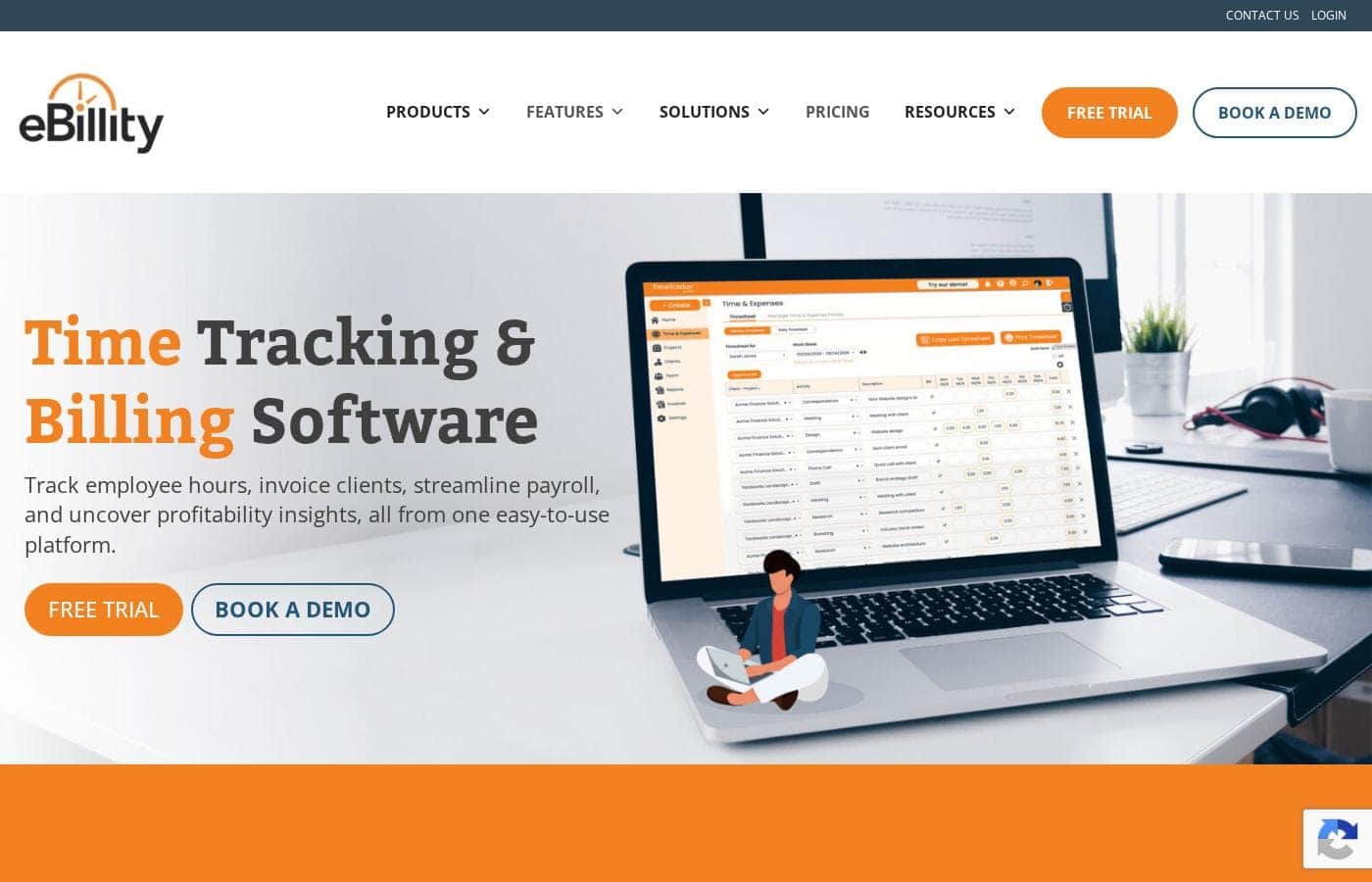
eBillity homepage screenshot

At a glance

Quick overview for eBillity: rating, pricing summary, key features, and highlights.
Vendor page checked Oct 14, 2026

Ciroapp score

3.6/ 5

One platform for hours, payroll, and invoices

eBillity brings time tracking, scheduling, payroll prep, and invoicing under one roof, which suits teams that bill by the hour. That single-platform approach cuts manual re-entry and billing errors. Overall, it's a sensible fit for hourly service businesses, though pricing and contract terms still sit behind a sales conversation.

Pros

  • Time tracking, scheduling, payroll prep, and invoicing live in one system
  • Tracked hours flow into invoices and payroll, so there's less manual retyping
  • Scheduling and time capture share the same data, which helps staffing calls

Cons

  • Plan pricing and feature limits aren't published, so you need a quote first
  • No public trial or refund terms to review before you commit
  • Integrations and payroll compatibility have to be confirmed directly
Best for
  • Service businesses that bill clients by the hour
  • Agencies and consultancies tracking billable time
  • Teams still moving hours between spreadsheets and invoicing tools
This section is a summary. Detailed sections about features, use cases, pricing, and reviews follow below.

What is eBillity?

eBillity is time tracking, workforce management, and billing software built for businesses that bill for hours worked. It lets teams log time, manage schedules, prepare payroll, and create invoices from the same system, with productivity insights along the way. It suits service businesses, agencies, and any team that needs to connect tracked hours to accurate client billing without juggling separate tools.

Verdict

Best for Service businesses, agencies, and consultancies that bill clients by the hour and want time tracking, scheduling, payroll prep, and invoicing in one place.

eBillity is a reasonable fit if your business bills for hours and you're tired of moving time data between tools. There's enough here to justify a conversation, but get pricing, integrations, and contract terms in writing first.

Strengths

  • Combines time tracking, workforce management, and billing in a single platform
  • Moves tracked hours toward invoices and payroll instead of manual re-entry
  • Includes scheduling alongside time capture

Watch-outs

  • Pricing and plan limits aren't visible in public descriptions
  • No public trial or refund terms to evaluate upfront
  • Integration and payroll compatibility needs direct confirmation

eBillity Key Features

✨ Time tracking that fits the work

eBillity lets your team log hours on web, mobile, and desktop, so entries happen wherever the work does. Scheduling sits in the same place, which means shifts and recorded time line up without cross-checking two systems. What you get is a clean record of where the week actually went.

✨ Hours that become invoices

Approved time turns into client invoices instead of a month-end rebuild. You capture hours once, then bill from that same record, which removes the retyping that causes billing mistakes. If your revenue depends on accurate hours, this is where the platform earns its keep.

⏱ Payroll prep and staffing in one flow

Payroll runs get simpler when the hours are already recorded. eBillity feeds tracked time into payroll preparation and keeps scheduling beside it, so staffing and pay both trace back to one source. The pieces work together:

✨ Insight into where time goes

Recorded hours do more than feed invoices. eBillity adds productivity reporting and insights drawn from that same data, so managers can see how time is spent across the team. That view helps you notice where hours drift and where staffing may need to shift.

Use Cases

⏱️ Service businesses that bill by the hour

Your team logs hours on web, mobile, or desktop. Approved time flows into client invoices, so nobody rebuilds billable hours by hand. Scheduling sits in the same system, so staffing and hours come from one source.

Expected outcome: Fewer billing errors and quicker invoice turnaround.

📊 Agencies and consultancies tracking billable time

Consultants log time as they work, and managers see where those hours actually go. Time and scheduling live together, which keeps project staffing honest.

Tip: Review tracked hours weekly so invoices never start with a month-end cleanup.

🗓️ Field crews and shift-based teams

Managers build schedules next to the time data, so shift coverage and recorded hours match. Payroll prep pulls those hours straight in, cutting the re-entry that slows down every pay period.

Expected outcome: Smoother payroll runs with less manual correction.

🧾 Teams still moving hours between spreadsheets and invoicing tools

If hours sit in one tool and invoices in another, you can stop stitching them together. Track time, prepare payroll, and create invoices in one platform.

Expected outcome: A single place for hours, pay, and billing.

eBillity pricing

Prices not verified yet — see the vendor page.

eBillity's pricing page

Price history

Tracking prices since Oct 9, 2026. No price change detected yet.

Pricing notes

eBillity sells its time tracking, scheduling, payroll, and invoicing tools as a paid subscription that scales with your team. You pay for the features and the number of people who need accounts, and the plan page sets each tier side by side.

eBillity is sold as a subscription, with pricing that scales to your team size and the workforce modules you turn on.

You'll see the plan lineup below, so you can compare tiers at a glance.

What a subscription covers

Other Features:

  • Time tracking on web, mobile, and desktop
  • Scheduling and workforce management
  • Payroll preparation
  • Invoicing and billing
  • Productivity reporting and insights

These are the building blocks the platform is built around: capture hours, manage who works when, turn approved time into payroll and invoices, and review where the hours actually went. A small shop that only tracks time and bills clients touches a fraction of that list. A larger company juggling crews, shifts, and payroll runs leans on far more of it, which is why the higher bundles exist at all.

What drives the price

The main lever is how many people need an account. The second is which tools you switch on, since scheduling, payroll prep, and reporting are separate pieces rather than one flat bundle. That means two companies of the same size can land on different bills depending on what they actually use. Pick the smallest tier that covers your real workflow, then move up only when a missing feature starts costing you time.

Who should pick which

Teams that bill by the hour get the clearest payoff, because accurate time entries flow straight into invoices. Solo consultants, agencies, and field service crews all fit that shape. If you mainly need hours to feed payroll, weight your decision toward how cleanly time maps to pay periods. And if you only need a simple timer, a bigger bundle is hard to justify.

Since the terms that sit around the price matter as much as the number itself, confirm headcount rules and the billing cycle before you sign up. A quick question up front saves a surprise on your first renewal.
Email me when eBillity changes price

One email when we detect a price change on the vendor's pricing page. No newsletter, no deals. Unsubscribe in one click.

User Reviews

No reviews yet.

Write a Review

Write a Review for eBillity
0/100 characters
0/2000 characters

Why use eBillity?

If your hours live in one tool and your invoices live in another, every month starts with cleanup. eBillity aims to close that gap by keeping time, scheduling, payroll, and billing in a single platform.

  • Track time and schedules together so hours and staffing come from the same source.
  • Turn tracked time into invoices instead of rebuilding billable hours by hand.
  • Speed up payroll prep by feeding recorded hours straight into the process.
  • Improve accuracy by cutting the manual re-entry that creates billing mistakes.
  • Understand productivity with insights into how time is actually spent.
  • Stay in one platform for time tracking, payroll, and billing rather than stitching tools together.

eBillity alternatives

Other tools in the Time Billing category

View all Time Billing tools
Bill4Time

Bill4Time

Time Billing4/5

Bill4Time is powerful yet simple time and billing software built specifically for attorneys and law firms. This solution is proven and simplifies legal time tracking. It helps you manage every case and every payment from start to finish in one place. Whether you are a solo practitioner or managing a larger team, Bill4Time scales with your firm's need for efficiency. The platform is trusted by firms everywhere to simplify complexity and increase cash flow.

TimeSolv

TimeSolv

Time Billing3.9/5

TimeSolv is a trusted web-based time and billing solution designed specifically for legal professionals. It has been serving lawyers and firms since 1999, earning the trust of thousands. Whether you are a solo firm practicing law or a partner managing a large infrastructure, TimeSolv scales to meet your needs. It’s recognized by independent experts and ranked highly for usability, making accurate time tracking possible in less than a minute. They also offer TimeSolv Pro for professionals outside the legal field.

eBillity FAQ

How does eBillity's pricing work — per person or per feature?

You pay for the people who need accounts, plus the modules you switch on. Headcount drives most of the cost, so ask for a quote tied to your team size and confirm the billing cycle.

Can I try eBillity before buying, and what happens if I cancel?

Ask the vendor before you commit. Trial options, contract length, and refund terms aren't published, so get the cancellation rules and any money-back window in writing first.

Does eBillity connect with my accounting or payroll software?

Confirm this directly with the vendor. List the systems you depend on — bookkeeping, payroll, invoicing — and ask whether each one connects before you sign, since compatibility drives real day-to-day workflow.

What does setup look like, and how fast is support?

Setup, data migration, and support options aren't laid out publicly. Request implementation details, a migration plan for existing timesheets, and expected response times for your team before you sign.

Ready to try eBillity? Check out the official site or pricing.

Are you eBillity? Claim this listing · Get the badge