Bill4Time

Bill4Time

The most trusted name in legal time and billing software.

#1 dans Time Billing
2 min read · Updated 10/3/2025
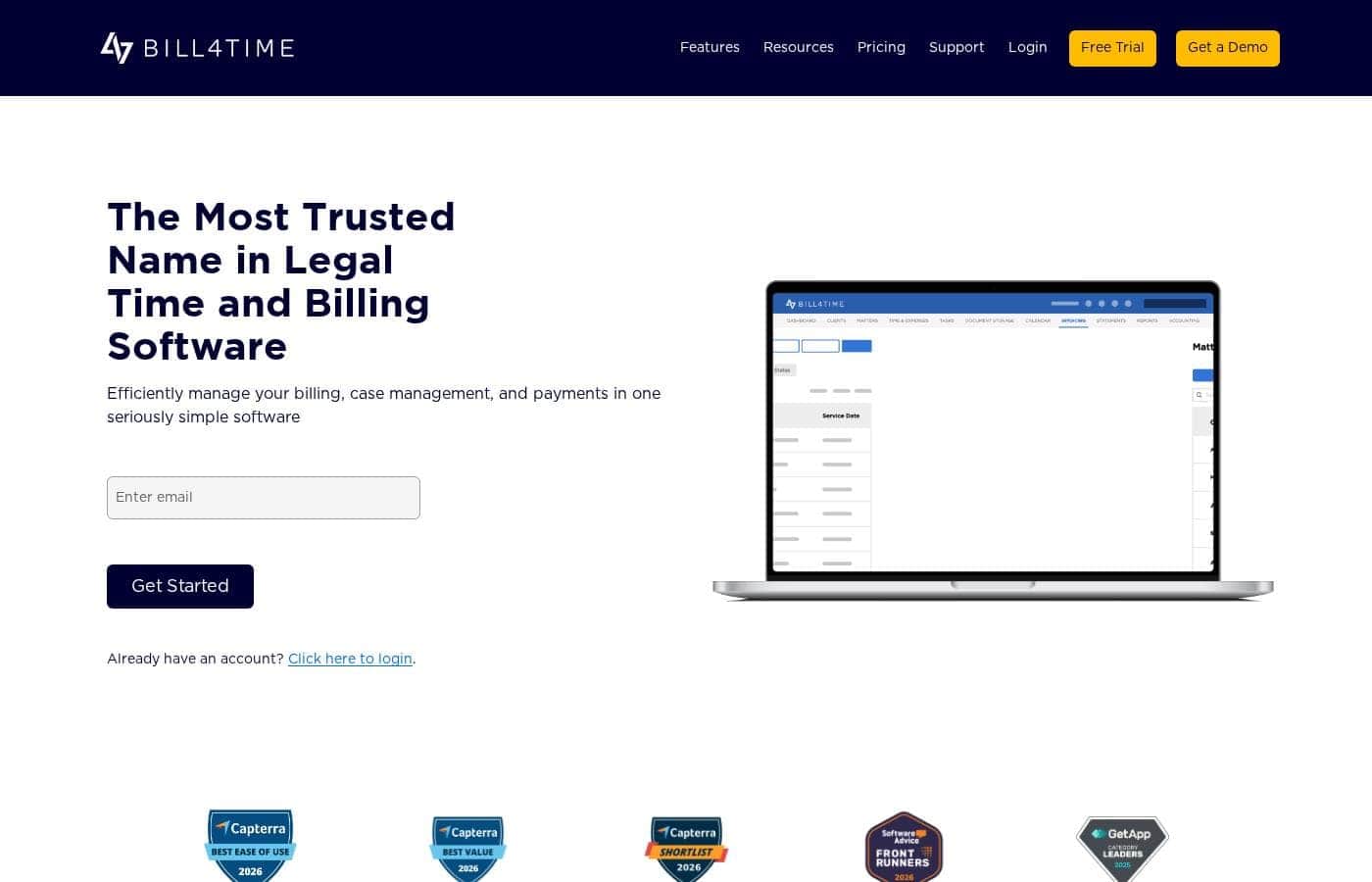
Bill4Time homepage screenshot

At a glance

Quick overview for Bill4Time: rating, pricing summary, key features, and highlights.

Ciroapp review

4.1
Specialized Legal Time Tracking and Reporting

We find Bill4Time delivers powerful, specialized tools specifically for legal practices, excelling in rapid time capture and detailed reporting. Overall, its core legal functionality is strong, but we noted significant instability and concern surrounding its customer billing practices and feature parity.

Pros

  • Pro:Excellent reporting capabilities, deemed second to none by users.
  • Pro:Effective client management and specialized legal features (Trust Accounting, Conflict Checker).
  • Pro:Real-time, accurate time tracking via dedicated mobile applications (iPad/iPhone).
  • Pro:Highly responsive and helpful customer service, praised by many reviewers.

Cons

  • Con:Lack of essential modern billing functions (recurring invoices and auto-pay).
  • Con:Reports of confusing and inequitable billing structures for existing customers.
  • Con:Polarized customer service experience; some users report total unresponsiveness.
  • Con:Mobile app functionality is inconsistent (specifically an outdated Android app was noted).
Free trial
Yes — 14 days
Range: $27–$89/user/monthFree trial, Monthly subscription, Yearly subscription, Per seat pricing
This section is a summary. Detailed sections about features, use cases, pricing, and reviews follow below.

Bill4Time review, pricing, features, pros & cons

Is administrative clutter slowing down your law practice? Many firms struggle with lost minutes and complicated billing processes. Bill4Time addresses this by centralizing your billing, case management, and payments into one simple platform.

It helps you streamline operations and get paid much faster. ✨

What is Bill4Time?

Bill4Time is powerful yet simple time and billing software built specifically for attorneys and law firms. This solution is proven and simplifies legal time tracking. It helps you manage every case and every payment from start to finish in one place.

Whether you are a solo practitioner or managing a larger team, Bill4Time scales with your firm's need for efficiency. The platform is trusted by firms everywhere to simplify complexity and increase cash flow. ✅

Bill4Time Key Features

✨ Unrivaled Time Tracking and Expense Capture

Never miss another billable minute with Bill4Time’s robust tracking features. You can log billable hours instantly from your desktop or mobile device. This approach eliminates manual data entry and helps ensure accurate billing from the start.

Use one-click timers to start, pause, or resume tracking activity. These entries are automatically tied to the correct client matters and invoices. You can also set custom rates, billing codes, and expense categories that align perfectly with your firm's practices. The system also tracks unbilled time and missed entries, helping to protect your firm’s total revenue.

✨ Automated Invoicing and Flexible Billing

Bill4Time simplifies the process of turning work into revenue through automated billing. Use features like pre-bill review and batch billing to compile detailed invoices quickly. The software supports all common fee structures, including hourly, flat fee, and contingency arrangements.

You can send professional, branded invoices in minutes using fully customizable templates that include your logo. Batch invoicing functionality lets you finalize and send multiple invoices all at once, cutting hours from your typical month-end process. You can also track collections and overdue accounts in real time.

✨ Secure Online Payments and Cash Flow Acceleration

Getting paid is faster when the payment process is built right into your billing workflow. Bill4Time includes native online payment processing, so you won't need manual workarounds or external apps. The platform accepts credit cards, eCheck, and ACH payments securely.

For smoother client experience, embed secure “Pay Now” links directly on every invoice. Providing convenient payment options, including personalized secure payment links and flexible payment plans, helps firms get paid significantly faster than the industry average.

✨ Comprehensive Case and Document Management

Bill4Time organizes everything you need to manage cases from start to finish within one system. This centralization helps you streamline daily workflows and reduce errors within the firm. You can easily manage case files, important deadlines, and all related documents in one place.

Collaboration is seamless because team members have shared access to case details. You can efficiently assign tasks and share real-time updates across your entire team. The platform also offers task management tools so you always know what’s due and who is responsible.

✨ Trust Accounting and Regulatory Compliance

This specialized software is built to handle the unique financial requirements of law firms. Built-in mechanisms help you maintain compliance with IOLTA and ABA trust accounting requirements. For every transaction, the system applies built-in safeguards and complete audit trails.

The Trust Accounting features provide automatic ledger updates and ensure firm accountability when handling client funds. This allows you to focus on practicing law while the software manages the complexity of professional accounting standards.

✅ Performance Insights and Client Transparency

Gain clarity and control over your firm’s operational and financial performance. Interactive, visual dashboards and key reports give you deep insight into firm-wide financial health. You can easily view reports on all collections, aging invoices, and trust balances to quickly spot overdue payments.

Generate and export essential time, billing, and compliance reports in seconds to keep your month-end moving smoothly. The dedicated Client Portal further improves your practice by giving clients secure, direct access to view their billing and account information 24/7.

Use Cases

⏱️ Capturing Every Billable Minute

Attorneys often lose billable time when relying on memory or manual notes. Bill4Time solves this with real-time tracking from any device, including desktop or mobile.

You can use one-click timers, manual entries, or calendar-based logging. Each entry is immediately linked to the specific client matter and activity. This process ensures you never miss minutes, protects your firm's potential revenue, and eliminates the need for stressful manual data entry later on.

🧾 Streamlining End-of-Month Billing

The billing cycle can be a major workflow bottleneck for law firms. Bill4Time allows you to prepare and send multiple client bills efficiently, turning a complex process into a simple flow.

After reviewing the system's compiled time and expense entries, you use the batch invoicing feature. This generates dozens of pre-bills or final invoices in minutes. You apply a branded template and finalize your account statements quickly.

Expected outcome: You cut hours from your monthly administrative work and ensure professional invoices are sent on time.

💰 Accelerating Cash Flow with Digital Payments

Waiting for checks to arrive impacts your firm's financial health. Bill4Time includes a native online payments processor built right into the platform.

When you send an invoice, it includes a secure 'Pay Now' link. Clients can instantly pay using credit cards, eCheck, or ACH. Firms using this integrated payment method can get paid up to 70% faster than the industry average, significantly improving cash flow.

Tip: Reduce late payments by utilizing the system's automated payment reminder emails for overdue accounts.

⚖️ Maintaining Trust Account Compliance

Problem: Managing client trust funds requires strict adherence to IOLTA and ABA trust accounting rules. Manual tracking increases the risk of critical compliance errors. Approach: Law firms use Bill4Time's built-in Trust Accounting features (available in Legal plans).

The system provides automatic ledger updates and complete audit trails for every transaction. Outcome: The firm maintains necessary accountability and compliance. This robust system provides peace of mind, knowing client funds are managed securely with required safeguards.

📂 Centralized Case and Task Management

Managing a complex case involves tracking deadlines, documents, and team collaboration. Bill4Time acts as a central hub where all case elements reside in one place.

Your team can seamlessly manage case files, assign tasks, and share real-time updates. This minimizes errors and streamlines daily workflows. You can also securely store and access all matter-related documents from anywhere on any device.

Pricing Overview for Bill4Time

Pricing range
$27–$89/user/month
Pricing types
Free trial, Monthly subscription, Yearly subscription, Per seat pricing

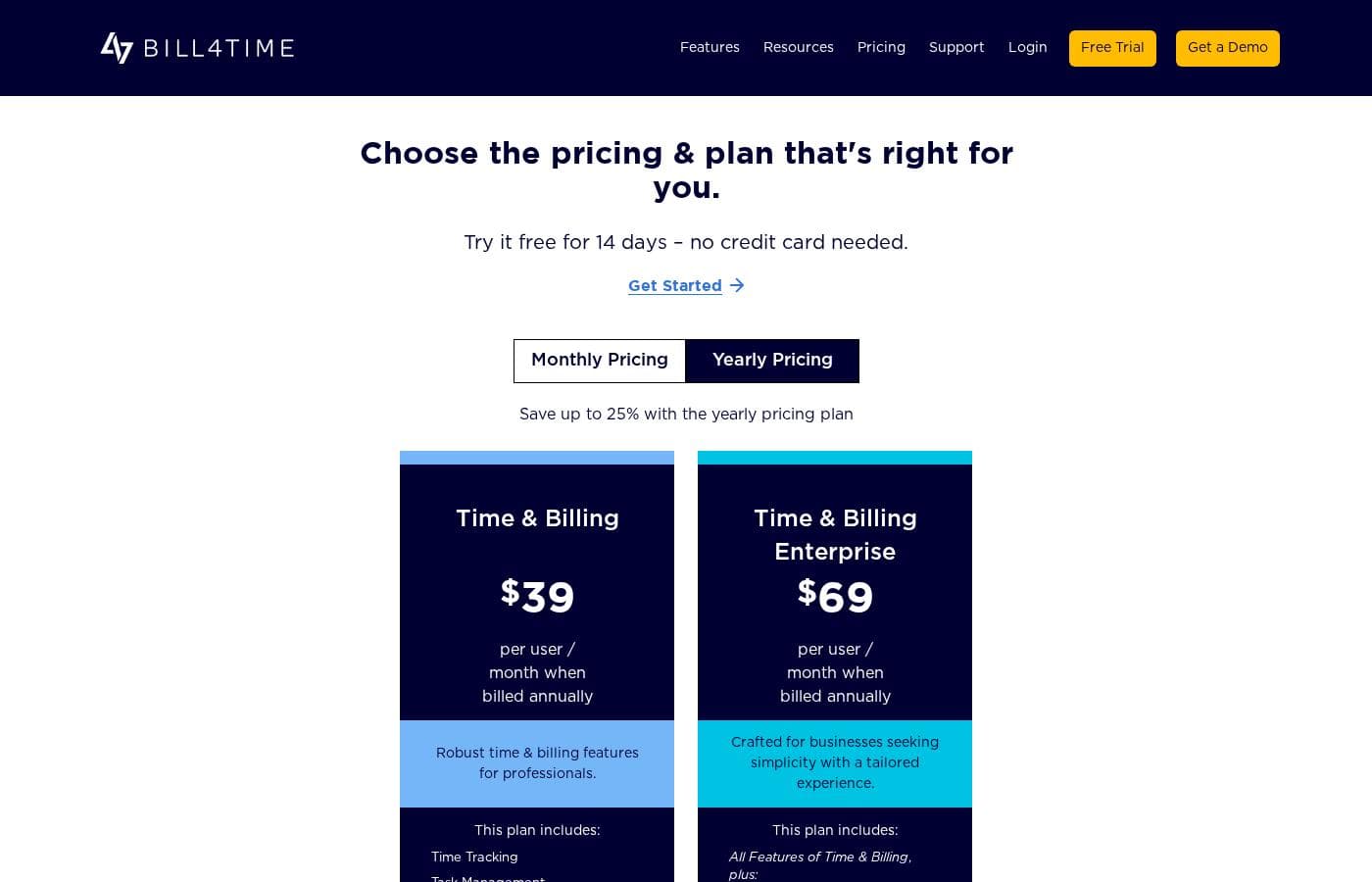
Bill4Time uses a per-user, per-month pricing model structured across four tiers, designed for professionals and legal practices. Annual billing offers a savings of up to 10% compared to monthly rates, with plans starting at $27 per user per month when billed yearly.

Plans & Pricing

Time & Billing

Monthly$29
Yearly$27
Per user / per month
  • Time Tracking
  • Task Management
  • Client Management
  • Client Portal
  • Expense Management
  • Accounting
  • Invoicing
  • Invoice Template
  • + 7 more features

Time & Billing Enterprise

Monthly$69
Yearly$67
Per user / per month
  • All Features of Time & Billing
  • Customizable Data Fields
  • Dedicated Account Manager
  • Advanced Data Import

Legal Pro

Monthly$49
Yearly$45
Per user / per month
  • All Features of Time & Billing
  • Trust Accounting
  • Conflict Checker
  • Contingency Billing
  • Task Workflows
  • Detailed Reporting
  • Invoice Cover Letter
  • UTMBS Code Set
  • + 3 more features

Legal Enterprise

Monthly$89
Yearly$80
Per user / per month
  • All Features of Legal Pro
  • Customizable Data Fields
  • Custom LEDES Export
  • Dedicated Success Specialist
  • Advanced Data Import

Bill4Time costs between $27 and $80 per user per month when billed annually, across four plans: Time & Billing at $27, Time & Billing Enterprise at $67, Legal Pro at $45, and Legal Enterprise at $80.

Here’s a detailed look at the different options you have available.

Time & Billing

Price: $27 per user per month (billed annually) / $29 per user per month (billed monthly) Websites Supported: Not explicitly stated Best For: Robust time & billing features for professionals. Refund Policy: Not explicitly stated Other Features: Time Tracking, Task Management, Client Portal, Expense Management, Invoicing, Quickbooks Integration, Mobile App, Encrypted Backup.

This plan is excellent for self-employed professionals or smaller teams needing core features. You get robust billing and tracking tools without the specific elements designed for legal practice.

Time & Billing Enterprise

Price: $67 per user per month (billed annually) / $69 per user per month (billed monthly) Websites Supported: Not explicitly stated Best For: Businesses seeking simplicity with a tailored experience. Refund Policy: Not explicitly stated Other Features: All features of Time & Billing, plus Customizable Data Fields, Dedicated Account Manager, Advanced Data Import.

Firms wanting dedicated support and the ability to customize their data structure should choose this tier. It offers advanced import tools necessary for scaling businesses looking for a guided setup.

Legal Pro

Price: $45 per user per month (billed annually) / $49 per user per month (billed monthly) Websites Supported: Not explicitly stated Best For: Streamlines workflows for legal practice management. Refund Policy: Not explicitly stated Other Features: All features of Time & Billing, plus Trust Accounting, Conflict Checker, LEDES Export, Contingency Billing, Detailed Reporting, Basic Data Import, Box/NetDocuments Integration.

If you run a legal practice, this is where you should start. This plan includes essential compliance features, such as conflict checking and trust accounting, to manage your legal workflows efficiently.

Legal Enterprise

Price: $80 per user per month (billed annually) / $89 per user per month (billed monthly) Websites Supported: Not explicitly stated Best For: Designed for companies that want a personalized experience. Refund Policy: Not explicitly stated Other Features: All features of Legal Pro, plus Customizable Data Fields, Custom LEDES Export, Dedicated Success Specialist, Advanced Data Import.

This is the premium choice tailored for larger, established legal businesses. The added dedicated specialist and advanced export controls offer maximum functionality and personalized support.

You can try Bill4Time free for 14 days without providing any credit card information. This lets you test the full features before you commit to a paid subscription. 👍

User Reviews

Bill4Time receives highly polarized feedback regarding customer support and essential billing features. Many users praise the support team profusely, highlighting their patience, knowledge, and quick responsiveness, often noting someone answers the phone right away.

A consistent positive theme is the software's excellent reporting capabilities and its effectiveness in accurate, real-time time tracking, particularly when leveraging the dedicated mobile apps (iPad/iPhone) which are crucial for professionals working in the field. Conversely, other reviews report customer service as non-existent, citing unreturned calls and frustrating software issues, like an outdated Android app.

Specific product complaints focus on the lack of modern necessities for an invoicing tool, such as recurring invoices and auto-pay. Furthermore, several serious criticisms emerged regarding pricing structure, including reports of double billing when changing plans and charging higher rates for existing customers compared to new ones.

This conflicting feedback suggests reliable core operational features, but highly inconsistent experiences with support and administrative billing. ⚖️

What users say elsewhere

M. K.
· Trustpilot
5.0 / 5

Best customer service ever! Every company should operate like this one. The reps are patient, knowledgeable, and kind, and someone almost always answers right away. I am so happy I found this company!

B. B.
· Trustpilot
5.0 / 5

This is a great time and billing solution for law firms. My staff finds it pretty easy-to-use overall, and the reporting capabilities really are excellent. We rely on the online articles and support team for figuring things out.

No reviews yet.

Write a Review

Write a Review for Bill4Time
0/100 characters
0/2000 characters

Why use Bill4Time?

Choosing Bill4Time means you stop focusing on paperwork and start focusing on practicing law. This software is engineered to minimize revenue leakage and maximize your cash flow. Firms that rely on Bill4Time see immediate improvements because the solution is powerful and seriously simple.

Here is why Bill4Time streamlines your daily operations:

  • Capture Accurate Time: Log billable hours in real-time from any desktop or mobile device, ensuring no minutes are missed and manual data entry is eliminated.
  • Accelerate Payments: The native online payment feature includes secure ePayments and custom payment plans. Firms utilizing this method get paid up to 70% faster than the industry average. 💡
  • Ensure Compliance: Bill4Time has built-in safeguards and audit trails to help you maintain compliance with IOLTA and ABA trust accounting requirements.
  • Effortless Management: Manage all case files, deadlines, and documents in one platform to streamline daily workflows and reduce errors.
  • Professional Client Experience: Give clients access to their billing and documents 24/7 through a secure client portal, providing timely communication and transparent billing.

Ready to transform your workflow with Bill4Time?

Bill4Time Alternatives

Other tools in the Time Billing category

Frequently Asked Questions

Which third-party platforms integrate directly with Bill4Time?

Bill4Time connects seamlessly with platforms your firm uses every day. All plans include compatibility with QuickBooks for accounting and Calendar Sync. Higher-tier plans, like Legal Pro and Legal Enterprise, also feature integration with Box and NetDocuments.

How does Bill4Time protect my firm's sensitive client data?

The platform secures your data using encrypted backups and supports secure document management. All transactions done through the native Online Payments feature utilize built-in safeguards to help maintain compliance and accountability.

Is Bill4Time priced based on usage or per number of users?

Bill4Time uses a pay-per-seat model. Pricing is determined entirely by the number of users enrolled in your chosen plan tier. You are billed monthly or annually for each user on your account.

What features are accessible during the 14-day free trial?

The free trial gives you full access to the product before committing to a paid subscription. You can test all core functionality, including time tracking, invoicing, reporting, and trust accounting, if you choose a legal plan.

What specialized features are unique to the Legal Pro and Legal Enterprise plans?

These plans include crucial features required by law firms. They add Trust Accounting, Conflict Checker functionality, Contingency Billing options, and LEDES Export capability for specialized billing needs.

What is the policy for canceling my subscription or requesting a refund?

The official site does not explicitly state the terms for subscription cancellation or provide details on a money-back guarantee or refund policy. You should confirm these administrative details with their sales team directly.

What level of customer support is included with my subscription?

All Bill4Time subscribers receive easy-to-reach, live, U.S.-based support. You can contact the support team via phone, email, or chat, and the help center mentions 24/7 assistance.

Does Bill4Time help us move our existing data into the system?

Yes, assistance with data migration is available depending on your plan tier. Legal Pro includes Basic Data Import. All Enterprise plans—both Time & Billing and Legal—provide Advanced Data Import services for complex migrations.

Are there limits on the number of clients or matters I can manage?

The software is designed to scale with your firm, and pricing is only based on the number of users (seats). The documentation does not specify any hard limits or quotas on the number of clients, cases, or matters you can track.

Which type of professional or firm is Bill4Time best suited for?

The Time & Billing plans fit general professionals needing robust time tracking and invoicing tools. The Legal plans are ideal for attorneys and law firms that require compliance features like IOLTA support and conflict checking.

If I choose an Enterprise plan, what additional personalized assistance will I receive?

Enterprise subscribers get proactive, dedicated support. This includes a Dedicated Account Manager or a Dedicated Success Specialist. You also gain access to advanced customization, such as customizable data fields and custom LEDES exports.

Does Bill4Time support international users or offer the platform in multiple languages?

The platform focuses heavily on U.S. legal compliance and offers live, U.S.-based support. The official details do not explicitly state support for international users or languages other than English.

Ready to try Bill4Time? Check out the official site or pricing.