Dripify

Dripify review

LinkedIn automation for sales teams that want steady replies without manual outreach

By Ciroapp Editorial Team Β· Updated Oct 9, 2026

Commission may apply at no extra cost

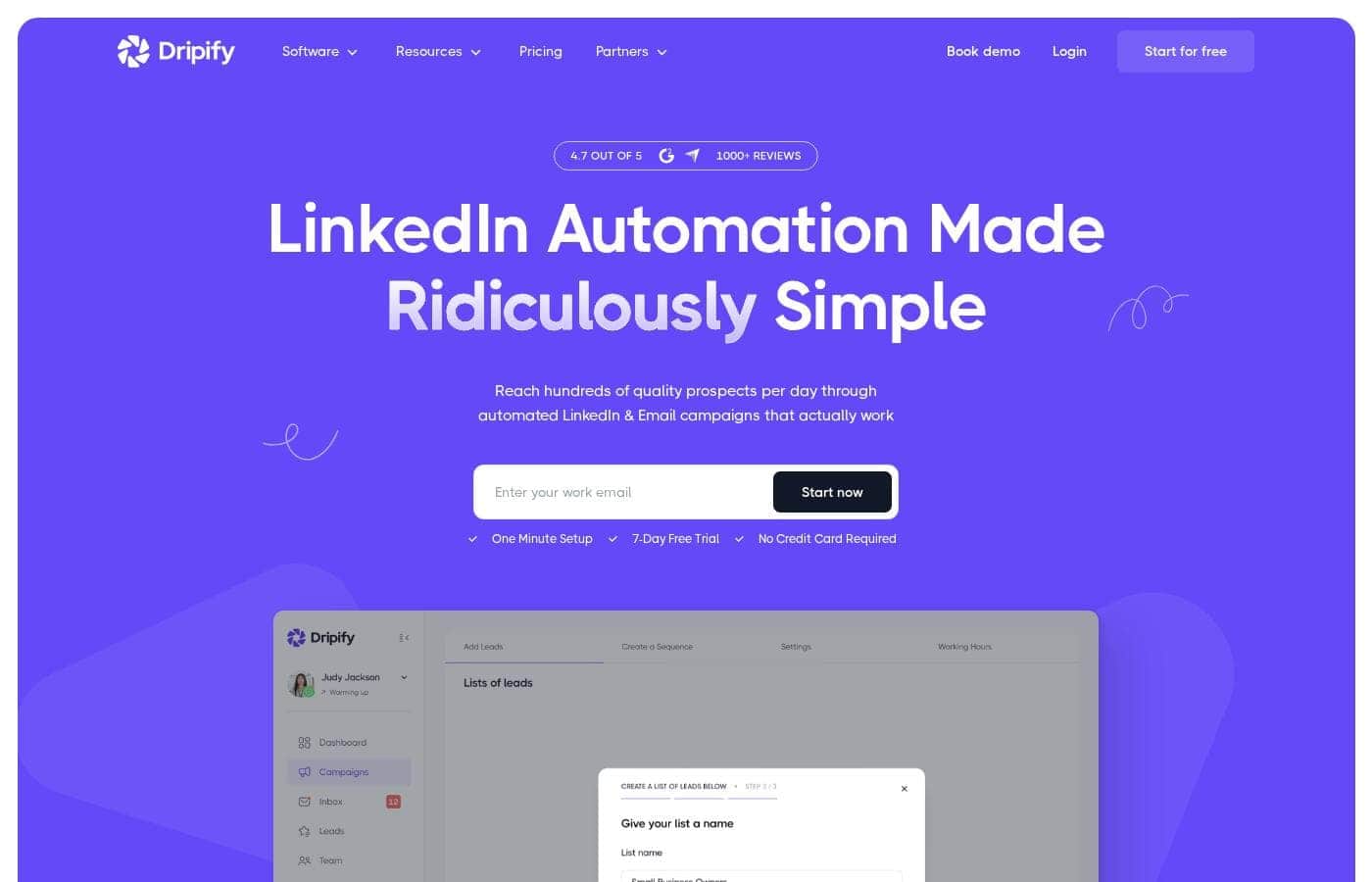
Dripify homepage screenshot

At a glance

Quick overview for Dripify: rating, pricing summary, key features, and highlights.
Vendor page checked Oct 13, 2026

Ciroapp score

3.9/ 5

LinkedIn and email outreach, minus the busywork

Dripify automates LinkedIn and email outreach with a drag-and-drop builder, personalization variables, and step-level analytics. Teams get shared templates and lead-collision protection, and a no-card trial makes testing easy. Pricing and refund terms stay unpublished, so confirm costs first. Overall, a solid pick for LinkedIn-first teams.

Pros

  • Pros:Sequences mix LinkedIn and email actions in one drag-and-drop builder with 10+ steps and conditions
  • Pros:20+ personalization variables and an AI icebreaker include fallback text when lead data is missing
  • Pros:Step analytics break out delivery, acceptance, and reply rates for every single action

Cons

  • Cons:A LinkedIn account is required, since the tool automates activity on that network
  • Cons:No public price list and no published refund terms, so ask about seats, outreach volume, and policy before paying
  • Cons:High-intent lead signals sit on the roadmap as coming soon rather than available today
Best for
  • Sales and business development teams running LinkedIn outreach at volume
  • Founders and small teams who handle their own prospecting
  • Recruiting and HR teams sourcing candidates on LinkedIn
Free trial
Yes β€” 7 days
This section is a summary. Detailed sections about features, use cases, pricing, and reviews follow below.

What is Dripify?

Dripify is a LinkedIn automation tool for sales, founder, and recruiting teams. It runs multi-step outreach on LinkedIn and email from one dashboard. You pick leads, build sequences with a drag-and-drop builder, and add personalization variables. It also finds and verifies business emails, tracks performance by campaign and by step, and keeps replies in a dedicated inbox. Team plans add shared templates, roles, and lead-collision protection.

Zapier, Make, HubSpot, Google, and other integrations connect Dripify to the tools you already run.

Verdict

Best for Sales, founder, and recruiting teams that prospect on LinkedIn daily and want outreach running on autopilot..

Dripify fits teams that already live on LinkedIn and want sequencing, email finding, and analytics in one place, with a no-card trial to test it. Check plan limits and integrations first, then judge the results from your first campaign.

Strengths

  • Sequences combine LinkedIn and email actions in one drag-and-drop builder
  • Personalization variables and an AI icebreaker keep messages from reading as bulk copy
  • Step analytics and A/B testing show exactly where sequences lose people

Watch-outs

  • A LinkedIn account is required, since the tool automates activity there
  • High-intent lead signals are marked as coming soon, not available now
  • Integrations follow a set list, so niche or in-house tools may need custom work

Dripify Key Features

✨ Build a Sequence Once, Then Let It Run

Set up a campaign and it keeps working while you do something else. Dripify's drag-and-drop builder mixes LinkedIn and email steps in one flow. You add delays and conditions, so each prospect follows the path that fits them.

With more than ten actions and conditions, you can map invites, follow-ups, and messages without touching them again.

🎯 Personalization That Doesn't Sound Like Bulk Copy

Messages can pull real profile details from each lead. Pick from 20+ variables covering first name, job title, company, and more, or let the AI-powered icebreaker write a custom opener.

  • Fallback text covers missing lead data
  • Custom lead fields work as variables
  • Copy is cleaned before sending

✨ Spot the Step That's Costing You Replies

One weak step can sink a whole sequence. Step analytics show delivery, acceptance, and reply rates for every single action, with visual alerts when something needs attention. You also see which leads a problem step touched.

Run up to three message variants at once and let reply data retire the losers.

βœ‰οΈ Emails, Replies, and Teammates in One Place

Find and verify business emails without leaving Dripify, then run email steps beside your LinkedIn ones. Replies land in a dedicated inbox so you can answer while interest is still fresh. On team plans, shared templates, role assignments, and lead-collision protection keep reps from contacting the same person.

✨ More Lead Sources, Fewer Disconnected Tools

Dripify reaches past LinkedIn search with nine lead sources, including individual LinkedIn posts you can treat as a daily lead feed. Native integrations and webhooks connect it to the software your team already runs, across 1000+ apps. High-intent lead signals are listed as coming soon.

Use Cases

πŸ“ˆ Sales teams running outreach at volume

Reps pick a lead list, build one LinkedIn and email sequence, then let it run daily. Step analytics show delivery, acceptance, and reply rates for each action, so you fix the weak step instead of rebuilding the whole campaign. Expected outcome: steady replies without daily manual follow-ups.

Tip: Run up to three variants per step and keep the winner.

πŸš€ Founders and small teams doing their own prospecting

Founders who prospect solo can fit outreach around everything else. Build one short sequence, add personalization variables with fallback text, and keep email finding, sending, and replies in a single place. Expected outcome: more conversations without hiring anyone or stacking another tool.

🀝 Recruiters and HR sourcing on LinkedIn

Recruiters use the same builder to reach candidates. You send connection requests, follow-up messages, and gentle nudges on a schedule, then keep every response in one dedicated inbox so promising people don't slip away. Expected outcome: a steady candidate pipeline that runs while you screen.

🏒 Agencies juggling several client campaigns

Agencies run client campaigns from one dashboard. Shared templates, assigned roles, and lead-collision protection stop two reps from contacting the same person, and step-level results show which client campaign needs attention. Expected outcome: cleaner handoffs and far less duplicated effort.

Dripify pricing

Prices not verified yet β€” see the vendor page.

Dripify's pricing page

Dripify pricing page screenshotView pricing page screenshot

Price history

Tracking prices since Oct 10, 2026. No price change detected yet.

Pricing range: $79–$100/month

Pricing types: Free trial, Monthly subscription

Pricing notes

Dripify starts with a free 7-day trial that needs no credit card. After that, you move to a paid subscription you can cancel anytime, so there's no long-term commitment.

Dripify is a paid LinkedIn automation platform with a free 7-day trial, no credit card required, and a subscription you can cancel anytime.

Here's what the trial covers, and what a paid subscription adds.

Free 7-day trial

Price: Free for 7 days Best For: Founders, sales reps, and recruiters who want to test automated LinkedIn and email outreach Other Features: No credit card needed, one-minute setup, cancel anytime, first replies often arrive within 48 hours

The trial is the quickest way to see if Dripify fits how you work. You connect your LinkedIn account, build a sequence, and watch replies land β€” before you spend anything. If it isn't a fit, you just cancel. πŸ™Œ

Paid subscription

Best For: Teams and individuals running ongoing LinkedIn and email campaigns Other Features: LinkedIn lead generation sequences, multichannel LinkedIn and email campaigns, email finder and verifier, data enrichment, advanced analytics, a dedicated inbox, team management, and 1,000+ integrations

Once your trial ends, you move onto a paid plan. Teams of ten people or more can ask for a personalized introduction and a quote, which is handy when several reps need accounts at once. Confirm your seat count and outreach volume before you commit β€” those two details are what shape the final bill. πŸ’‘

Subscriptions run on a rolling basis, so you're not tied into a long contract. You can cancel at any time, and your access continues for the period you've already paid for.

Higher tiers suit teams that want shared templates, role assignments, and protection against two reps contacting the same lead. If you prospect solo and only need one account, there's no reason to pay for seats you won't use.

Bottom line: Dripify keeps entry simple. Start with the free 7-day trial, test the outreach flow in your own account, then pick a paid plan when you're ready. No credit card is needed to begin, and cancelling is straightforward if your needs change.
How to pay less for Dripify

  • Use the 7-day free trial before you pay.
Start free trial

Email me when Dripify changes price

One email when we detect a price change on the vendor's pricing page. No newsletter, no deals. Unsubscribe in one click.

User Reviews

No reviews yet.

Write a Review

Write a Review for Dripify
0/100 characters
0/2000 characters

Why use Dripify?

Sending the same message to hundreds of people rarely works. Dripify helps you scale outreach while keeping each message personal.

  • Build once, run daily. Create LinkedIn and email sequences with a drag-and-drop builder that supports 10+ actions and conditions.
  • Personalize at scale. Use 20+ variables, including an AI-powered icebreaker, with fallback text when lead data is missing.
  • Reach people on two channels. Find and verify business emails without leaving the tool, then run email outreach next to LinkedIn.
  • See which step hurts results. Step analytics show delivery, acceptance, and reply rates for every individual action.
  • Test instead of guessing. Run up to three message variants per step and let reply data pick the winner.
  • Keep your team out of each other's way. Shared templates, roles, and lead-collision protection stop two reps from hitting the same person.

Dripify alternatives

Other tools in the Linkedin Lead Generation category

View all Linkedin Lead Generation tools
Waalaxy

Waalaxy

Linkedin Lead Generation4/5

Waalaxy is a LinkedIn and email outreach platform built around a Chrome extension. It helps sales reps, founders, recruiters, and small teams find prospects on LinkedIn, send connection requests and messages, and add email follow-ups. You can source leads from LinkedIn Search, Sales Navigator, or Recruiter Lite, track replies in one inbox, and sync them to HubSpot, Pipedrive, or 2,000+ apps. The site reports 200,000+ users worldwide.

Closely

Closely

Linkedin Lead Generation3.7/5

Closely is a powerful platform designed for ambitious sales teams. It combines Safe LinkedIn Automation with strong Data Enrichment tools. You can run automated sequences seamlessly across both LinkedIn messages and email steps. The platform also includes Sales AI Agents to help you automate lead research and message personalization. βœ… It's built to make sure your outreach stays compliant while drastically increasing engagement.

Dripify FAQ

Which tools does Dripify connect with?

It links to Zapier, Make, HubSpot, Google, and other apps on a set list. Confirm your niche or in-house tools connect before you pay; Zapier and Make can bridge the gaps.

What happens when the free 7-day trial ends?

You move onto a paid plan. Subscriptions run month to month, so you can cancel anytime and keep access for the period you've paid. Ask about refund terms before you pay.

Is Dripify priced per seat or by usage?

Both shape your bill. Plans vary by seat count and outreach volume, and teams of ten or more request a custom quote. Confirm seats, lead limits, and volume first.

Who gets the most out of Dripify?

Sales, founder, and recruiting teams that prospect on LinkedIn daily. A LinkedIn account is required, since the tool automates activity there. Skip it if you need a full CRM.

Ready to try Dripify? Check out the official site or pricing.

Are you Dripify? Claim this listing Β· Get the badge