Creately

Creately review

Diagramming, whiteboarding, and work management on one smart visual canvas.

By Ciroapp Editorial Team · Updated Sep 16, 2026

Commission may apply at no extra cost

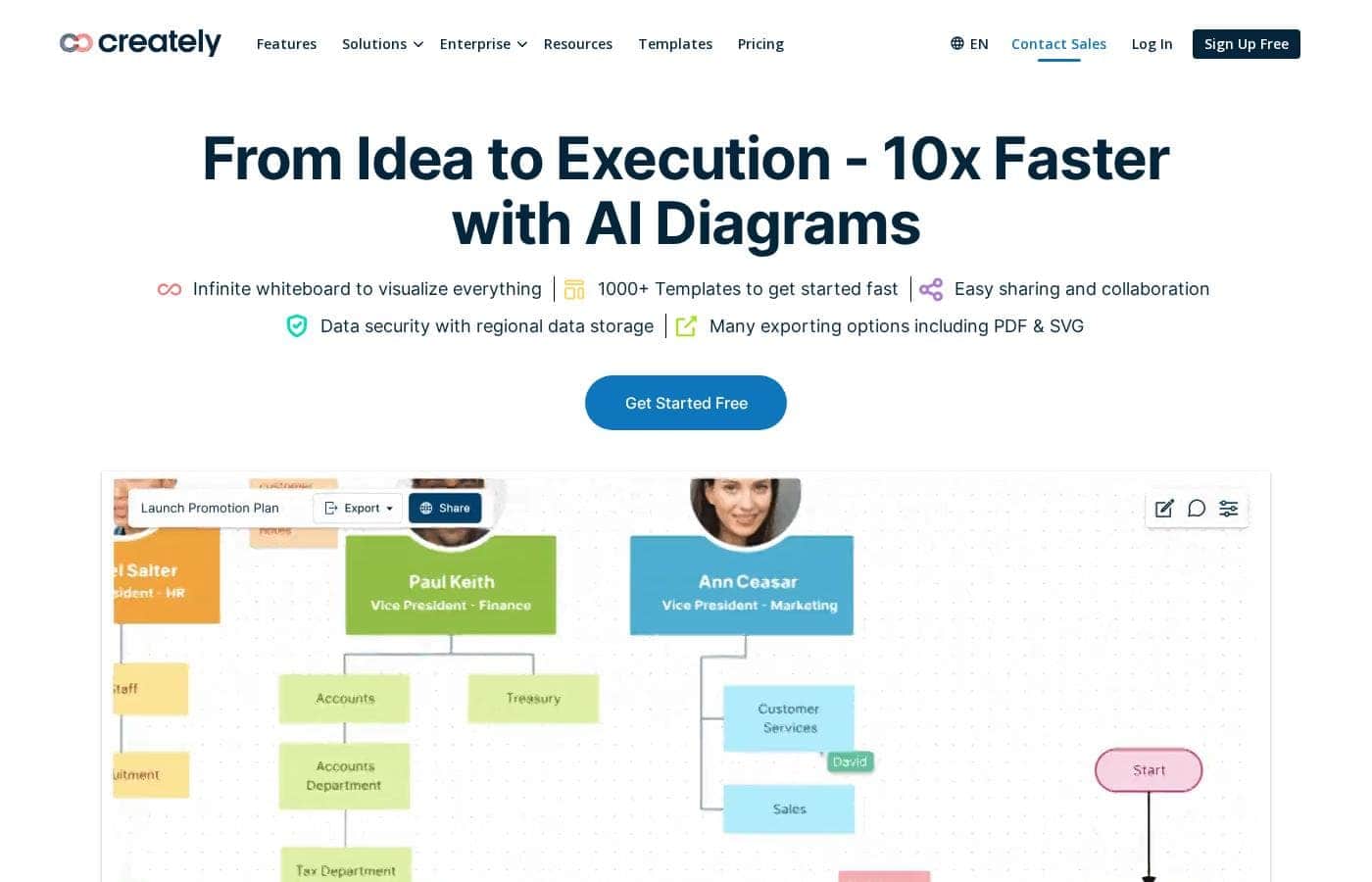
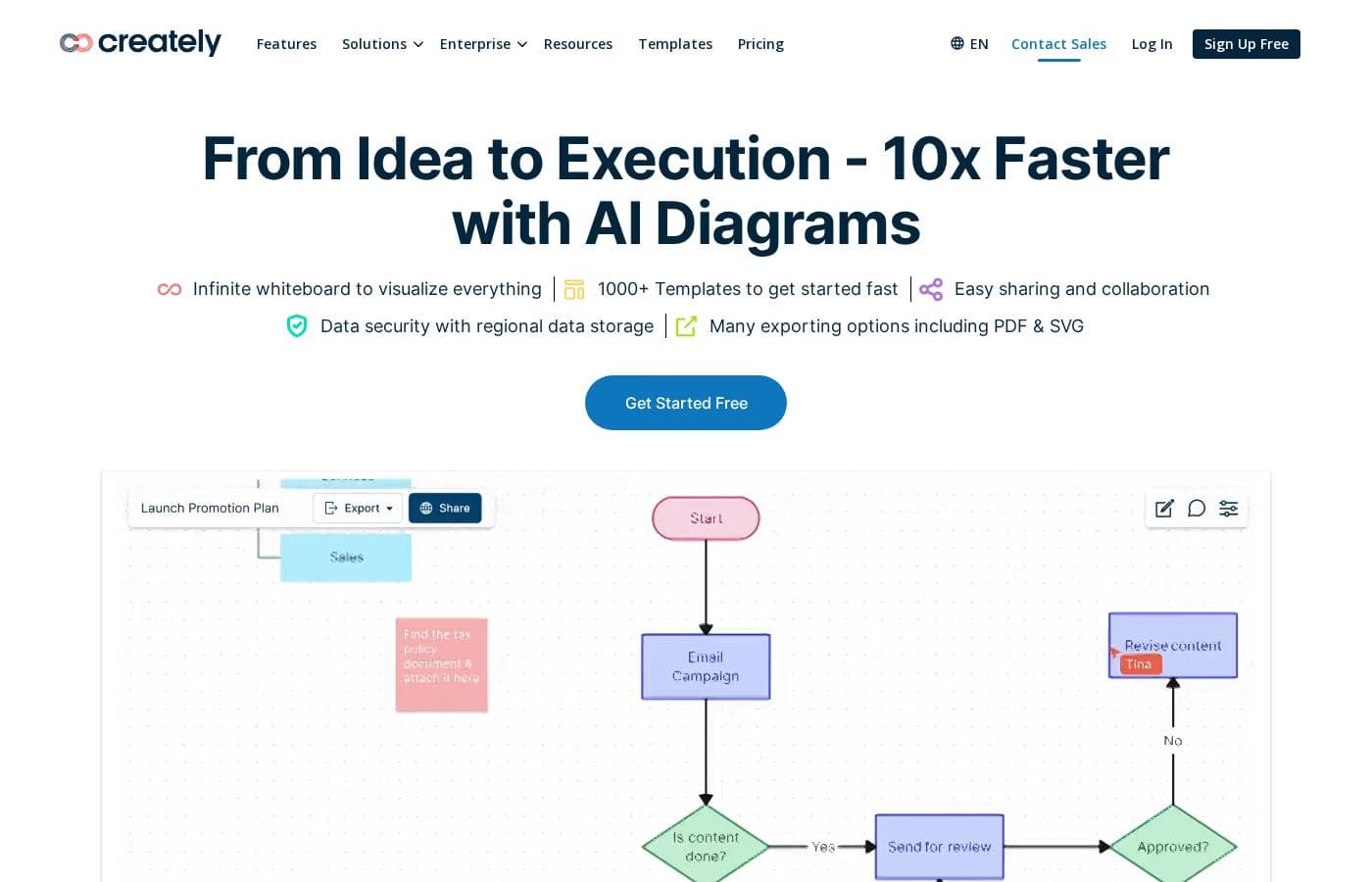
Creately homepage screenshot

At a glance

Quick overview for Creately: rating, pricing summary, key features, and highlights.
Vendor page checked Oct 13, 2026

Ciroapp score

3.8/ 5

Creately blends diagramming, whiteboarding, and work management on one infinite canvas, with 1,000+ templates, custom databases, AI diagramming, and security credentials like ISO 27001 and SOC 2 Type 2. The trade-off is transparency: paid tiers and enterprise plans require sales quotes, and third-party reviews are thin. Overall, it's a capable visual workspace for teams, as long as you confirm costs before committing.

Pros

  • Pros:Diagrams, wikis, notes, and daily tasks share one infinite canvas, so visuals stay connected to execution instead of living in a separate diagramming tool
  • Pros:Custom databases keep the same item in sync across multiple views, so one update propagates through every diagram, list, or wiki page that references it
  • Pros:1,000+ templates cover a wide range of notations — flowcharts, mind maps, ERDs, BPMN, UML, and cloud architecture — and AI diagramming drafts a first version from a short prompt

Cons

  • Cons:Per-tier pricing isn't published on the reviewed pages — paid plans beyond the free tier and both enterprise options require contacting sales for quotes, making budgeting difficult
  • Cons:Documented integrations are limited to Confluence Cloud, Microsoft Teams, and Slack; teams relying on other tools must verify availability with sales before committing
  • Cons:Self-hosted deployment is positioned as an enterprise-only offering, so smaller teams with strict data-residency needs may not be able to access it
Best for
  • Teams that plan visually and want diagrams, notes, and tasks in one place
  • Product, software, and IT teams mapping systems, architecture, and processes
  • HR and operations groups documenting workflows and org structures
This section is a summary. Detailed sections about features, use cases, pricing, and reviews follow below.

What is Creately?

Scattered docs and endless meetings slow projects down. Diagrams live in one tool, notes in another, and nobody's sure which version is current. Creately puts diagramming, whiteboarding, and work management on one shared visual canvas.

You get 1,000+ templates, real-time collaboration, and AI diagramming — so your team can move from idea to execution in one place.

Creately is a visual collaboration and diagramming platform from Cinergix Pty Ltd, an Australian company. It combines an infinite whiteboard, smart diagramming, custom databases, and workflow tools in one workspace. Teams use it for flowcharts, org charts, mind maps, technical diagrams, and planning.

The site says over 10 million people and thousands of teams use it, including product, IT, HR, marketing, and sales groups, plus educators at discounted rates.

Should you choose Creately?

Quick buyer guidance before you compare plans or click through.

Choose it if

  • You want a free signup and 1,000+ templates to start quickly
  • You need many diagram types, from ERDs and BPMN to UML and AWS architecture
  • Security matters — ISO 27001, SOC 2 Type 2, and regional data storage are listed
  • Your team already uses Confluence Cloud, Microsoft Teams, or Slack
  • You value 24/7 live in-app chat support

Skip it if

  • Buyers who depend on integrations beyond Confluence Cloud, Microsoft Teams, or Slack should verify availability first — only those appear on the homepage
  • Solo users who only need occasional simple diagrams may find the database, OKR, and workflow layers heavier than necessary
  • If you require on-premises deployment, be aware it's positioned as an enterprise offering, so smaller teams may not access it

Next steps before buying

  1. 1Sign up free and recreate one diagram your team already uses to test the canvas
  2. 2Confirm your must-have integrations — the site lists Confluence Cloud, Microsoft Teams, and Slack
  3. 3Check education discounts if you qualify, and contact sales if you need on-premises deployment
  4. 4Compare Creately side by side with one alternative using the same test diagram

Ease of use

Creately lowers the entry barrier: signup is free, no installation is mentioned, and 1,000+ templates give you a head start on common diagrams. Workflow customization is advertised as no-code, and live in-app chat support runs 24/7. The trade-off is breadth — custom databases, OKRs, and access rules add depth that takes time to learn. Judging by the site's onboarding signals, most teams can start diagramming quickly, but expect a short ramp-up for the advanced workflow tools.

Creately Key Features

🎨 Smart Visual Canvas

Scattered tools slow mapping down. Creately's infinite canvas handles flowcharts, mind maps, ER diagrams, UML, BPMN, and cloud architecture in one place. Start from 1,000+ templates, and let AI diagramming draft the first version.

It's built for process mapping, system design, and quick ideation — with AI diagrams framed as a way to go from idea to execution 10x faster.

✨ A New Way to Wiki

Notes, docs, and tasks usually live apart from diagrams. With Creately, the canvas is the context: your daily tasks, wikis, and resources sit beside your visuals. Links and navigation improve knowledge discovery, so teams centralize and capture knowledge where work happens.

It suits anyone tired of hunting through scattered docs.

🔗 Custom Databases That Keep Everything in Sync

The same item can appear in many contexts without drifting out of date. Creately's custom databases link visuals to data, so one update flows through every view. You can expose client-specific views, run dynamic searches for easy-to-manage subsets, and build context-specific visuals.

Use it when plans and live data must stay connected.

✨ No-Code Workflows

Work shouldn't bend around your tool. Creately lets you customize rules, formulas, and access controls without writing any code.

  • Multiple task roles and flows
  • Flexible OKR and goal alignment
  • Role-based data access rules

Shape these as your team's processes grow.

✨ Collaboration, Sync, and Support

Work in real time or async — visuals for the big picture, notes for the details. Two-way sync connects Confluence Cloud, Microsoft Teams, and Slack, and you can bring in data from other apps to visualize. Export to PDF or SVG, and reach live in-app chat support 24/7.

Enterprise plans add ISO 27001, SOC 2 Type 2, and data residency.

Use Cases

🤝 Run workshops that actually align

Remote teams brainstorm, run meetings, and plan on one infinite canvas. Add sticky notes, diagrams, and comments in real time or async. Expected outcome: no one's left out of sync.

Tip: start from a template to save setup time.

🧩 Map systems and architecture

Software and IT teams draw ER diagrams, UML, BPMN, network, and cloud architecture diagrams with full traceability. Everything lives on one shared canvas. Expected outcome: faster handoffs from design to build.

Tip: search the template library for your diagram type first.

👥 Document people and processes

HR and ops groups build org charts with images and detailed profiles, then map workflows everyone can follow. Expected outcome: clear structures new hires can navigate. Tip: education users get discounted rates, so students and teachers shouldn't pay full price.

🔗 Connect diagrams to real work

Link visuals to tasks, wikis, and data through custom databases. Two-way sync pulls in Confluence Cloud, Microsoft Teams, or Slack. Expected outcome: one update flows through every view.

Tip: confirm your must-have integration is listed before you commit.

Creately pricing

  • 3 plans
  • Free plan available

Vendor page checked on Oct 13, 2026; confirm current prices on Creately's pricing page

Creately pricing page screenshotView pricing page screenshot
PlanBilled monthlyBilled annuallyIncludes
Free Sign-Up
Free
—
  • Infinite whiteboard canvas
  • 1000+ templates to start fast
  • Easy sharing and collaboration
  • Export options including PDF and SVG
Creately Enterprise SaaS
See vendor page
See vendor page
  • Cloud-hosted deployment managed by Creately
  • Custom pricing arranged with the sales team
  • Enterprise security: ISO 27001, SOC 2 Type 2, data residency, up-time SLAs
  • Integrations with Confluence, Microsoft Teams, and Slack
Creately Enterprise OnPrem
See vendor page
See vendor page
  • Self-hosted deployment option
  • Suited to strict security and data-residency requirements
  • Same smart visual canvas as the cloud product

Price history

Tracking prices since Sep 7, 2026. No price change detected yet.

Pricing types: Free plan

Pricing notes

Creately offers a free sign-up so you can explore its visual workspace at no cost. Beyond free, you'll find discounted rates for education, plus custom-priced Enterprise SaaS and OnPrem deployments arranged with the sales team.

Creately pricing starts at free — you can sign up and use the workspace at no cost, then move to paid options with discounted education rates and custom quotes for Enterprise SaaS and OnPrem.

Creately doesn't publish per-tier prices on the pages we reviewed, so here's a plain-English look at each option you can confirm today.

Free Sign-Up

Price: Free Best For: Individuals and small teams who want to try the workspace before paying Other Features:

  • Infinite whiteboard canvas
  • 1000+ templates to start fast
  • Easy sharing and collaboration
  • Export options including PDF and SVG

Creately keeps the door wide open for first-timers. The site's main call to action is Get Started Free, so you can sketch a flowchart or mind map and see if the visual canvas fits. It's the easiest way to explore without a sales conversation. 🎨

Creately Enterprise SaaS

Best For: Larger organizations that want a cloud-hosted visual workspace with enterprise controls Other Features:

  • Cloud deployment managed by Creately
  • Pricing arranged directly with the sales team
  • Runs alongside ISO 27001, SOC 2 Type 2, data residency, and up-time SLAs
  • Integrates with Confluence, Microsoft Teams, and Slack

If you're rolling out diagramming across departments, this is the standard route for bigger teams. You'll talk through scope, user counts, and rollout support with sales.

Creately Enterprise OnPrem

Best For: Organizations that must keep data inside their own infrastructure Other Features:

  • Self-hosted deployment option
  • Built for strict security or data-residency requirements
  • Same smart visual canvas as the cloud product

Some teams can't send data to a third-party cloud, and OnPrem exists for exactly that. Creately positions it alongside the SaaS offer for enterprise buyers.

Who should skip the enterprise tiers? Solo users and small teams. A free sign-up covers exploration, and students and educators get discounted rates, so don't pay enterprise prices for light use.

One tip: ask sales to confirm user limits, renewal terms, and what's inside your quote before you commit.

Creately clearly advertises a free plan through its Sign Up Free and Get Started Free buttons, and education users get reduced pricing. Refund or trial terms don't appear on the pages we reviewed.
How to pay less for Creately

  • Start on the free plan and upgrade only when you hit its limits.
Visit Creately

Email me when Creately changes price

One email when we detect a price change on the vendor's pricing page. No newsletter, no deals. Unsubscribe in one click.

User Reviews

No reviews yet.

Write a Review

Write a Review for Creately
0/100 characters
0/2000 characters

Why use Creately?

Most tools force a choice: draw nice diagrams or actually get work done. Creately aims to end that trade-off. Its smart visual canvas connects your visuals to data, tasks, and each other, so plans stay tied to execution.

  • One workspace, less switching — diagrams, notes, wikis, and daily tasks share the same canvas, so context never gets lost.
  • Start fast with 1,000+ templates — covering flowcharts, org charts, mind maps, ER diagrams, BPMN, UML, and cloud architecture.
  • Keep everything in sync — custom databases let the same item appear in multiple contexts, so one update flows through every view.
  • Work your way — real-time or async collaboration, no-code workflow customization, and role-based access rules.
  • Trust the groundwork — ISO 27001 and SOC 2 Type 2 certifications, regional data storage, uptime SLAs, and 24/7 live in-app chat support.
  • Scale when ready — SaaS or on-premises deployment for enterprises, plus Confluence Cloud, Microsoft Teams, and Slack integrations with two-way data sync.

Creately alternatives

Other tools in the Diagram category

View all Diagram tools
Edraw Max

Edraw Max

Diagram3.9/5

EdrawMax is your one-stop diagram and chart maker for nearly any project you can imagine. This robust app helps you create over 210 types of diagrams, including essential tools like flowcharts, org charts, network diagrams, and floor plans. ✅ Recognized by G2 and trusted by millions worldwide, EdrawMax is a secure, compliant, and professional solution. It's built for those engaged in strategy, project management, and research who need clear, stylish visual communication.

Creately FAQ

Does Creately have a free plan?

Yes. Creately has a free plan (Free Sign-Up).

Has Creately's price changed recently?

No. We have not detected a price change since we started tracking on Sep 7, 2026.

Which apps can Creately connect with?

Creately lists Confluence Cloud, Microsoft Teams, and Slack integrations, with two-way data sync. You can also bring in data from any app to visualize it on the canvas. If your team depends on another tool, check with sales.

How does Creately keep my data safe?

The platform advertises ISO 27001 and SOC 2 Type 2 certifications, data residency for regional storage, and up-time SLAs. If you need tighter control, Enterprise OnPrem lets you self-host everything on your own infrastructure.

Can I use Creately in my language?

Yes. The Creately website is offered in about 20 languages, including Spanish, French, German, Japanese, Arabic, and Simplified Chinese. You can switch from the language menu at the top of the site.

What support do I get if I get stuck?

Live in-app chat support runs 24/7, so you can reach a real person at any hour. There's also a Help Center, and enterprise deployments include up-time SLAs.

Ready to try Creately? Check out the official site or pricing.

Are you Creately? Claim this listing · Get the badge