Conversion Wax

Conversion Wax review

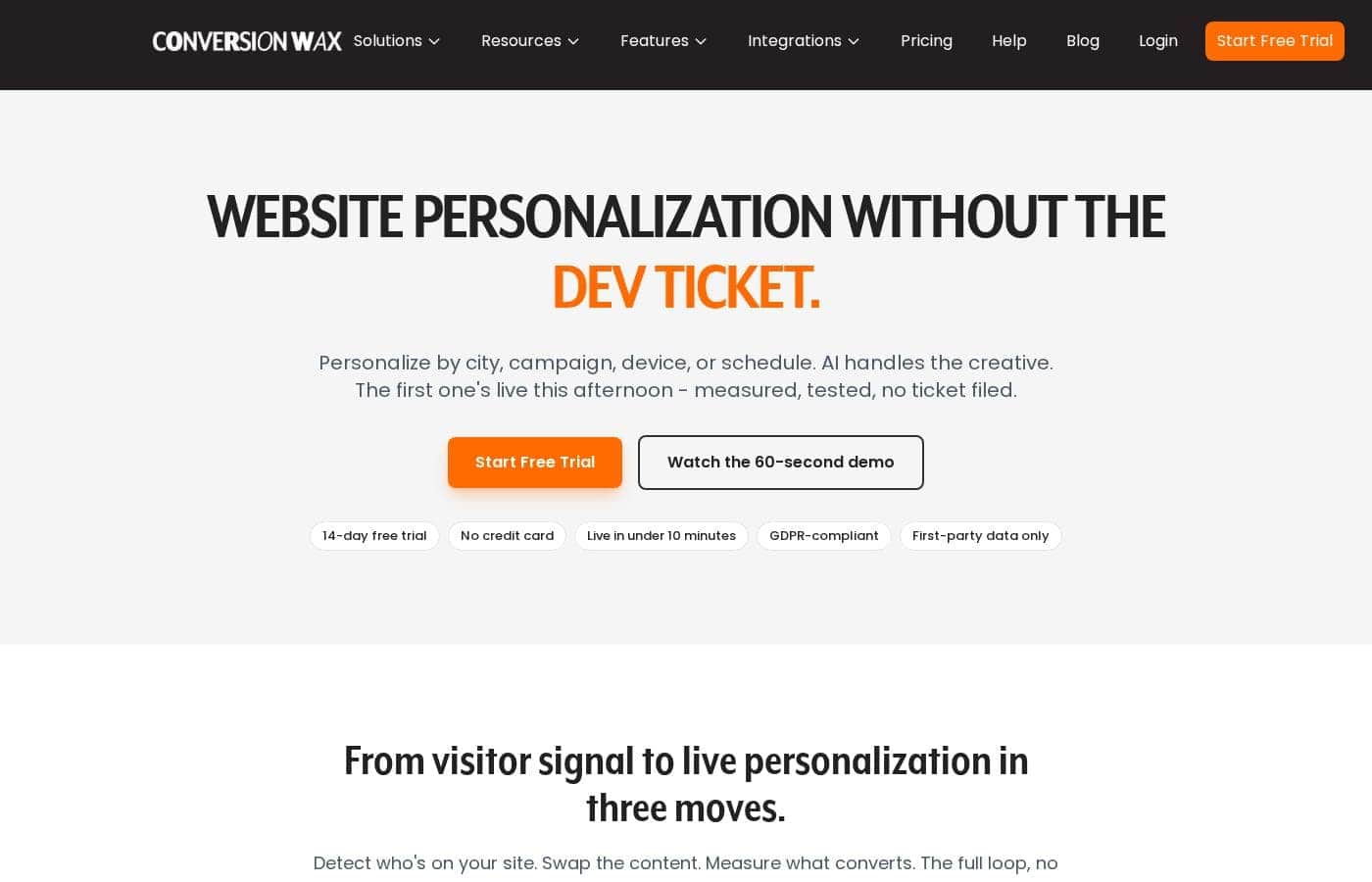
Website personalization by city, campaign, and device — no developer required.

Conversion Wax costs from $19/mo · 3 plans

By Ciroapp Editorial Team · Updated Sep 17, 2026

Commission may apply at no extra cost

Conversion Wax homepage screenshot

At a glance

Quick overview for Conversion Wax: rating, pricing summary, key features, and highlights.
Vendor page checked Sep 30, 2026

Ciroapp score

3.9/ 5

ConversionWax swaps banners, headlines, and CTAs by city, campaign, device, or schedule through a single script tag, with built-in A/B testing and privacy-first first-party targeting, though support is email-only and traffic above 500K pageviews needs a custom quote. Overall, it's a solid pick for lean marketing and ecommerce teams that want personalization without developer help.

Pros

  • Pros:No-code deployment — one script tag gets personalization live in under 10 minutes on Shopify, WordPress, Webflow, or any script-friendly site, with official plugins for WordPress and Adobe Commerce
  • Pros:Stackable targeting rules let you combine city, country, UTM parameters, device, and time of day in a single rule, so campaigns like 'Manchester + mobile + Black Friday' can be configured without developer help
  • Pros:Built-in A/B testing with automatic traffic splitting and one-click promotion of the winning variant, plus analytics down to 5-minute granularity filterable by location, device, or campaign

Cons

  • Cons:Support is email-only across all plans, with response SLAs ranging from 48 hours on Starter to 4 hours only on the top-tier Professional plan — there is no phone or live chat option
  • Cons:Pageview-based pricing can get expensive for high-traffic sites; tiers above Professional's 500K pageviews (up to 20M and custom volumes) aren't publicly priced and require a custom quote
  • Cons:AI image generation credits are capped per plan (10 on Starter, 50 on Growth, 100 on Professional), which limits heavy creative production
Best for
  • Ecommerce teams running paid ads who want landing pages to match each campaign
  • Agencies managing personalization across multiple client sites from one account
  • Marketing teams running geo-targeted offers by city or region
Free trial
Yes — 14 days
This section is a summary. Detailed sections about features, use cases, pricing, and reviews follow below.

What is Conversion Wax?

Your ads promise one thing, but every visitor lands on the same generic homepage. Fixing it usually means filing a dev ticket and waiting. ConversionWax lets you swap banners, headlines, and CTAs by city, campaign, device, or schedule — then A/B test the results — without touching code.

ConversionWax is a website personalization tool for marketing teams, ecommerce stores, agencies, and SaaS companies. It reads a visitor's location, ad source, device, and timing, then swaps content like banners, headlines, and CTAs to match. You build the creative, set targeting rules, and track results from one dashboard — using a single script embed on your site.

Should you choose Conversion Wax?

Quick buyer guidance before you compare plans or click through.

Choose it if

  • You can add one script tag — the site claims setup takes under 10 minutes
  • You want A/B testing with automatic traffic splitting included on paid plans
  • You need timezone-aware scheduled campaigns that launch and expire on their own
  • Your site runs on Shopify, WordPress, Magento, Webflow, or any script-friendly platform
  • You need GDPR and UK GDPR compliance with first-party, consent-aware targeting

Skip it if

  • Plans are tied to monthly pageviews, so very high-traffic sites will need a custom quote — check your numbers before committing
  • AI image generation credits are capped per plan (10 on Starter, up to 100 on Professional), which limits heavy creative use
  • The Starter plan allows just one website and one member, so larger teams need Growth or higher
  • Support is email-based, with response SLAs ranging from 48 hours down to 4 hours only on the top plan
  • The site details the 14-day free trial but doesn't spell out refund terms beyond cancel-anytime messaging

Next steps before buying

  1. 1Match your monthly pageviews to a plan — tiers run from 50K (Starter, $19/month) up through 20M and custom, with roughly 10% off on annual billing
  2. 2Confirm your platform is covered: one embed script works broadly, with official plugins for WordPress and Adobe Commerce
  3. 3Start the 14-day free trial (no card required) and get one real personalization live before you decide
  4. 4Browse the free industry playbooks on the site to see tested rules you can copy on day one
  5. 5If testing depth, analytics granularity, or CDN performance matter to you, compare those specifics against alternatives first

Ease of use

The site leans hard on no-code simplicity: one script tag, live in under 10 minutes, drag-and-drop building, and copy-paste playbooks. An official WordPress plugin and Adobe Commerce docs help on popular platforms. The 14-day trial requires no credit card, which lowers the risk of trying it. Support is email-only, so expect self-serve setup rather than guided onboarding.

Conversion Wax Key Features

✨ Go live without a dev ticket

Add one script tag to your site and you're done — setup takes under 10 minutes. It works on Shopify, WordPress, Webflow, and anything else that accepts a script, with official plugins for WordPress and Adobe Commerce. You build the creative, set the rules, and your first personalization can be live the same afternoon.

🌍 Targeting rules that stack

Detect who's landing, then match content to them. ConversionWax reads location, campaign source, device, and timing the moment a visitor arrives — no tagging or data pipeline required. Rules combine in any mix, so Manchester + mobile + Black Friday serves itself.

Set the rule once, and the right version runs on its own.

✨ Test, measure, and pick a winner

Run two variants head-to-head with automatic traffic splitting. Track views, clicks, and conversion lift in one dashboard, filtered by location, device, or campaign — down to 5-minute granularity. When a variant wins, set it as your default in one click.

It's the full loop: personalize, measure, and keep what converts.

✨ Scheduling on autopilot

Give any banner or content block a start and end date, timezone-aware. Plan a month of launches, promo windows, and seasonal swaps in one afternoon, then leave them alone. BFCM banners go live at midnight and expire on schedule without anyone touching a keyboard — customers in each timezone see them at the right time.

⚡ Fast, private, and creative-ready

Personalization shouldn't cost you performance or privacy. Content is defer-loaded and served through Akamai's CDN with sub-millisecond latency, so Core Web Vitals stay green. And when you need creative fast:

  • Generate banners from a text prompt with Google Gemini
  • Save assets straight to your library, sized per device
  • Target with first-party data only — GDPR and UK GDPR ready

Use Cases

🎯 Match Landing Pages to Your Ads

Ecommerce teams: when a shopper clicks your Google Ad in Manchester, they see Manchester-specific banners and CTAs on mobile or desktop. You set the rule once — no dev ticket. Expected outcome: GetFPV saw a 23% CTR lift in the first month.

Tip: Stack UTM, city, and device rules to target one campaign exactly.

🏢 Run Every Client From One Dashboard

Agencies: build a targeting play once, deploy it across client sites, and pull per-client analytics for the Monday report. Growth and Professional plans include unlimited websites and members.

Tip: Copy the proven agency playbook rules to launch your first client fast.

📅 Pre-Load Seasonal Campaigns, Then Walk Away

Stores planning Black Friday: set timezone-aware start and end dates on every banner weeks ahead. Promos launch and expire on their own while you sleep. Expected outcome: Summit Outdoor Gear saved 10+ hours of BFCM prep.

⚡ Go Live This Afternoon, No Developer

Lean marketing teams: paste one script tag on Shopify, WordPress, or Webflow, then swap headlines and CTAs by city, device, or schedule. Setup takes under 10 minutes.

Tip: Start the 14-day free trial — no credit card — and get one personalization live before lunch.

Conversion Wax pricing

From$19/mo

  • 3 plans

Vendor page checked on Sep 30, 2026; confirm current prices on Conversion Wax's pricing page

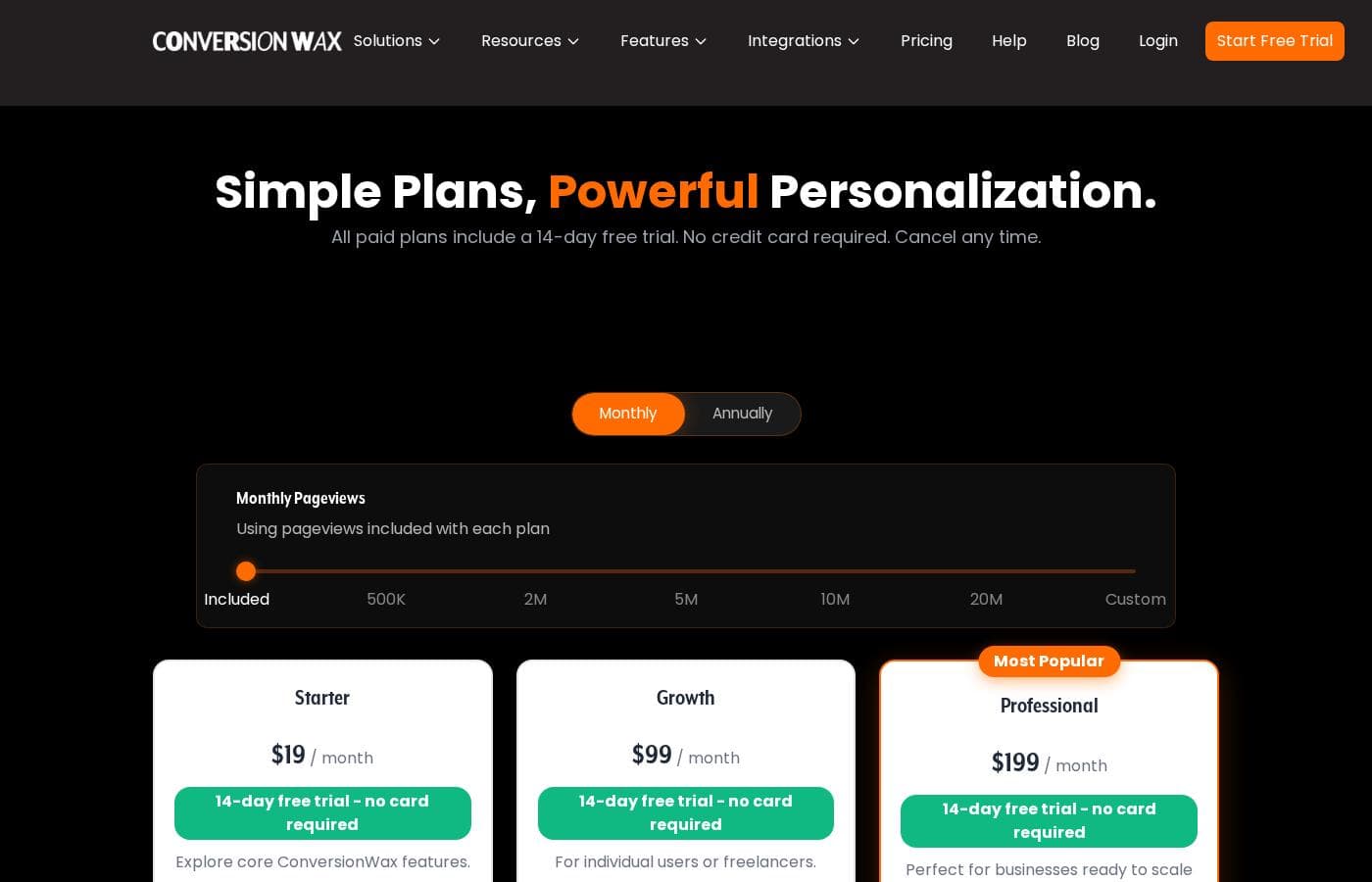
Conversion Wax pricing page screenshotView pricing page screenshot
PlanBilled monthlyBilled annuallyIncludes
Starter
$19/mo
—
1 website, 1 member, 10 AI credits, 50K pageviews per month
  • 50K pageviews included
  • Unlimited content
  • All personalization features
  • Content scheduling
  • Daily analytics
  • +1
Growth
$99/mo
—
250K pageviews per month
  • Everything in Starter plus
  • A/B testing
  • Hourly analytics
  • Email support (1 business day SLA)
  • Unlimited websites
  • +2
Professional
$199/mo
—
500K pageviews per month
  • Everything in Growth plus
  • Real-time analytics
  • Priority support (4hr SLA)
  • Unlimited websites
  • Unlimited members
  • +1

Price history

Tracking prices since Sep 9, 2026. No price change detected yet.

Pricing types: Free trial, Monthly subscription, Yearly subscription

Pricing notes

Conversion Wax offers three subscription plans starting at $19/month with 50K pageviews included. Pricing scales by traffic, team size, and analytics depth, and switching to annual billing saves about 10%.

Conversion Wax costs between $19 and $199 per month with three plans: Starter at $19/month, Growth at $99/month, and Professional at $199/month. Switching to annual billing cuts the price by about 10%.

Every plan runs on monthly pageviews, so pick the tier that matches your traffic. Here's the breakdown.

Starter

Price: $19/month Websites Supported: 1 website Best For: Trying out core ConversionWax features Other Features:

  • 50K pageviews included
  • 1 member and 10 AI credits
  • Unlimited content with all personalization features
  • Content scheduling and daily analytics
  • Email support with a 48-hour SLA

Starter is the simplest way to get personalization live on one site. You get every targeting feature, so the limits are only about traffic and team size. It fits solo operators and small stores watching their budget.

Growth

Price: $99/month Websites Supported: Unlimited websites Best For: Individual users or freelancers Other Features:

  • 250K pageviews included
  • Unlimited members and 50 AI credits
  • Everything in Starter, plus A/B testing
  • Hourly analytics
  • Email support with a 1 business day SLA

Growth unlocks A/B testing and faster analytics, which matters once you want to compare variants head-to-head. Freelancers can run multiple client sites under one account with unlimited members. That flexibility is a common reason teams step up from Starter.

Professional

Price: $199/month Websites Supported: Unlimited websites Best For: Businesses ready to scale personalization and drive results Other Features:

  • 500K pageviews included
  • Unlimited members and 100 AI credits
  • Everything in Growth, plus real-time analytics
  • Priority support with a 4-hour SLA

Professional is the most popular plan, and it's built for teams that live in their data. Real-time analytics show what's happening as visitors land, and priority support answers within 4 hours. If a stalled campaign can't wait a day for a reply, this tier earns its keep. 🎯

A few practical notes before you choose. All plans include the no-code editor, AI image generation, and unlimited content. The pricing page also shows a pageview slider up to 20M and custom volumes, so confirm license limits before buying if you run heavy traffic. Larger pageview tiers beyond Professional aren't priced on the page, so ask before you commit to annual billing.

There's no free plan, but every paid option starts with a 14-day free trial, and no credit card is required. You can cancel any time, so it's easy to test the fit first.
Cost calculator

Estimate what Conversion Wax costs for your team.

Billing

Starter allows up to 1 users: pick a larger plan for 5 users.

Estimate based on published list prices, before taxes, add-ons and discounts.

How to pay less for Conversion Wax

  • Use the 14-day free trial before you pay.
  • Cheaper tools in this category start at $9/mo.
Start free trial

Email me when Conversion Wax changes price

One email when we detect a price change on the vendor's pricing page. No newsletter, no deals. Unsubscribe in one click.

User Reviews

No reviews yet.

Write a Review

Write a Review for Conversion Wax
0/100 characters
0/2000 characters

Why use Conversion Wax?

Most personalization platforms feel built for engineers. ConversionWax is built for the person who owns the conversion number. Based on what the site publishes, here's what stands out:

  • No dev ticket needed. One script tag, setup in under 10 minutes, and it works on any site that accepts a script — Shopify, WordPress, Webflow, and more.
  • Targeting rules that stack. Combine city, country, UTM parameters, device, and time of day in one rule. Manchester plus mobile plus Black Friday? It serves itself.
  • Testing built in. Run variants head-to-head with automatic traffic splitting, then set the winner as your default in one click.
  • Speed stays intact. Content is defer-loaded and served through Akamai's CDN with sub-millisecond latency, so your Core Web Vitals don't take the hit many personalization tools cause.
  • AI creative included. Generate banners from a text prompt using Google Gemini, sized per device, saved straight to your asset library.
  • Privacy-first by design. First-party data only, consent-aware targeting, and GDPR and UK GDPR readiness — no third-party cookies.

Conversion Wax alternatives

Other tools in the eCommerce Personalization category

View all eCommerce Personalization tools
AfterShip Personalization

AfterShip Personalization

eCommerce Personalization4/5From $9/mo

AfterShip Personalization is an AI-powered product discovery platform. Its goal is to elevate the shopping experience from the first click to the post-purchase phase. The platform uses advanced technology, including multimodal AI and Large Language Models (LLM). This robust system leverages over 500 million transaction data points to generate intent-rich product tags. It is designed to help shoppers quickly find the most relevant items. AfterShip is a preferred partner for Shopify and Shopify Plus brands. It offers seamless, plug-and-play integration for widgets across all touchpoints.

Proof

Proof

Real-time Website Personalization4.1/5

Proof is a social proof marketing platform built around its flagship product, Proof Pulse. The company says 25,000+ online businesses use it to convert visitors into leads and sales. It targets marketers and online businesses that want website personalization without a heavy technical project. Proof is a Y Combinator Winter '18 graduate based in Austin, Texas, and offers a 14-day free trial of Pulse.

Conversion Wax FAQ

How much does Conversion Wax cost?

Conversion Wax's cheapest paid plan, Starter, costs $19 per month. Paid plans range from $19 to $199 per month.

Does Conversion Wax offer a free trial or a money-back guarantee?

Conversion Wax offers a 14-day free trial.

Has Conversion Wax's price changed recently?

No. We have not detected a price change since we started tracking on Sep 9, 2026.

What happens if my traffic exceeds my plan's pageview limit?

Each plan includes a fixed pageview tier, from 50K on Starter to 500K on Professional. The pricing page offers tiers up to 20M and custom volumes, but those aren't priced publicly — ask for a quote.

How does ConversionWax handle privacy and compliance?

It uses first-party data only with no third-party cookies. It's consent-aware, so opted-out visitors see your default content, and it's built for GDPR and UK GDPR. A DPA is available on request.

Ready to try Conversion Wax? Check out the official site or pricing.

Are you Conversion Wax? Claim this listing · Get the badge