AgencyAnalytics

AgencyAnalytics review

Client-ready dashboards and automated reporting, purpose-built for marketing agencies

By Ciroapp Editorial Team · Updated Sep 16, 2026

Commission may apply at no extra cost

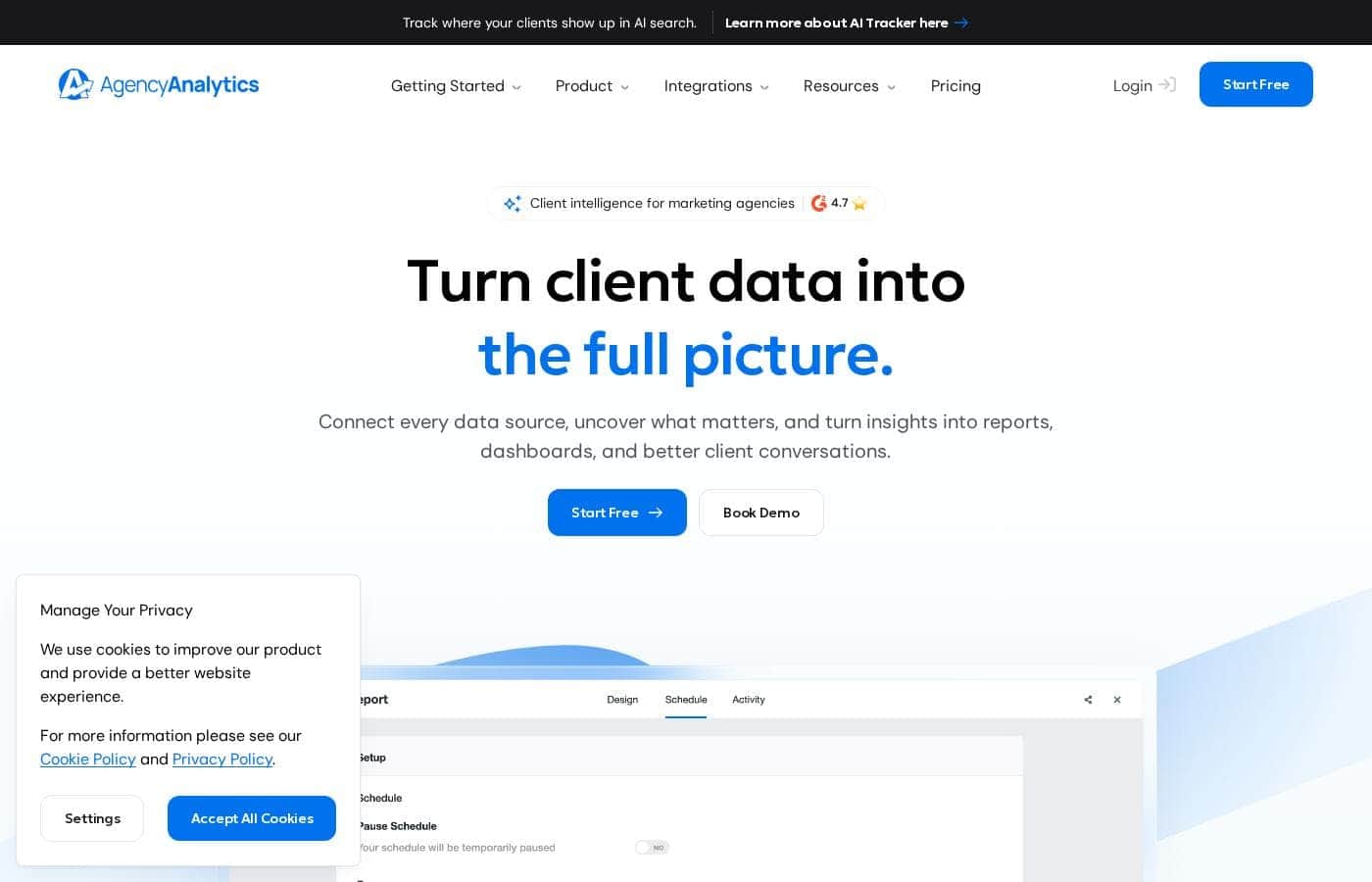
AgencyAnalytics homepage screenshot

At a glance

Quick overview for AgencyAnalytics: rating, pricing summary, key features, and highlights.

Ciroapp score

4.1/ 5

AgencyAnalytics bundles automated reporting, white-labeled client dashboards, and built-in SEO tools in one platform made for agencies. It replaces several point tools, but per-client pricing plus usage charges can climb as you grow. Overall, it's a strong fit for agencies buried in manual reporting, less so for in-house teams.

Pros

  • Pros:Automated scheduled reports eliminate the monthly manual reporting grind, reclaiming hours per account manager each reporting cycle
  • Pros:Client-facing dashboards let customers self-serve their performance data, cutting status-update emails and check-in calls
  • Pros:Reporting, rank tracking, site auditing, and backlink monitoring come in one subscription, replacing several separate point tools

Cons

  • Cons:Costs scale steeply with client count — the published plan range tops out near $99,071/month — so large agencies face a significant recurring line item
  • Cons:Usage-based charges on top of subscription billing make the final monthly cost harder to forecast than flat-rate tools
  • Cons:The structure is agency-centric (clients, campaigns, white-label), so in-house teams at a single company pay for machinery they will not use
Best for
  • Digital marketing agencies managing multiple client accounts across SEO, PPC, social, and email who need consistent monthly deliverables
  • Boutique agencies and consultancies that want white-labeled, branded reporting so their deliverables read as in-house work product
  • Teams spending several hours per client each month assembling reports manually in spreadsheets and slide decks
This section is a summary. Detailed sections about features, use cases, pricing, and reviews follow below.

What is AgencyAnalytics?

AgencyAnalytics is a client reporting platform aimed squarely at marketing agencies that juggle many client accounts across SEO, PPC, social, and email. Instead of assembling monthly reports by hand in spreadsheets and slide decks, agencies connect their marketing channels once and let the platform generate branded, client-ready dashboards and scheduled reports. This review looks at where it excels, where it falls short, and which agencies will get the most value from it.

AgencyAnalytics is a cloud-based reporting and analytics platform built specifically for marketing agencies. It centralizes performance data from major marketing channels — including Google Analytics, Google Ads, Google Search Console, and social advertising platforms — into live client dashboards and automated reports. Alongside reporting, it bundles agency-oriented tools such as rank tracking, site auditing, and white-label branding so deliverables carry the agency's identity rather than the vendor's.
Should you choose AgencyAnalytics?

Quick buyer guidance before you compare plans or click through.

Choose it if

  • Digital marketing agencies managing multiple client accounts across SEO, PPC, social, and email who need consistent monthly deliverables
  • Boutique agencies and consultancies that want white-labeled, branded reporting so their deliverables read as in-house work product
  • Teams spending several hours per client each month assembling reports manually in spreadsheets and slide decks
  • Account managers who want to cut client check-in volume by giving clients self-serve access to live dashboards

Skip it if

  • In-house marketing teams at a single company, since the client-based campaign structure and white-label features are built for multi-account agencies
  • Organizations needing deep custom data modeling or enterprise BI blending across non-marketing sources — exported data and a dedicated BI tool still serve that better
  • Freelancers with only one or two clients, who may find the per-client pricing structure and agency tooling more than they need
  • Teams requiring strictly fixed, predictable monthly costs, since usage-based charges on top of subscription fees add variability

Next steps before buying

  1. 1Create an account on agencyanalytics.com using the free plan or free trial — no payment is required to start
  2. 2Connect your first marketing channels, such as Google Analytics, Google Ads, and Google Search Console, to pull live data in
  3. 3Add a client campaign and customize a dashboard template around the KPIs that client cares about most
  4. 4Schedule your first automated report (for example, monthly PDF delivery) and send the client their dashboard login
  5. 5Once your client count approaches the free tier's limits, compare monthly versus yearly paid plans based on your client roster

AgencyAnalytics Key Features

✨ Live Client Dashboards

Each client gets a dedicated, always-on dashboard that pulls directly from connected marketing channels. Clients can sign in on their own to check campaign performance whenever they like, which cuts down on one-off data requests and keeps engagement alive between formal reporting cycles. Dashboards are customizable per client, so each account can highlight the KPIs that matter to that engagement.

✨ Automated Reporting

Reports can be scheduled and delivered automatically as PDFs or shareable links on the cadence you set — weekly, monthly, or quarterly. Templates let you build a report once and reuse it across accounts with similar service packages. This removes the recurring scramble of manually refreshing screenshots and tables at the end of every month.

✨ Marketing Channel Integrations

The platform connects to the major channels agencies report on, including Google Analytics, Google Ads, Google Search Console, and social advertising platforms, consolidating data into a single normalized view. Because metrics are pulled at the source, the numbers in client reports match what clients see in their own ad and analytics accounts.

✨ Built-In SEO Tools

Beyond reporting, AgencyAnalytics includes rank tracking, site auditing, and backlink monitoring so agencies can measure and report on organic performance without paying for separate SEO point tools. Results flow into the same dashboards and reports as paid and analytics data, giving a unified picture of each client's performance.

✨ White Labeling and Branding

Reports and dashboards can carry the agency's own logo, colors, and styling, so the deliverable reads as the agency's work product. That matters for agencies positioning reporting as a billed service rather than a vendor handoff, and it reinforces brand consistency across every client touchpoint.

Use Cases

💡 Scaling Monthly Client Reporting

Agencies managing a growing roster of accounts use scheduled automated reporting to keep deliverables consistent even as headcount stays flat. A template built for one client's SEO package can be cloned across similar accounts, so adding a new client no longer means building a report from scratch.

💡 Proving SEO and Paid Media ROI

By combining rank tracking, organic traffic from Google Analytics, and paid campaign metrics in one report, agencies can show clients the full funnel story — how rankings translate into sessions and how ad spend converts. This makes retention conversations easier because value is documented rather than asserted.

💡 Reducing Client Check-Ins and Churn

Client-facing dashboards give clients self-serve visibility into their campaigns, cutting the ad-hoc 'how are we doing?' emails and calls that interrupt billable work. Agencies use this transparency as a retention tool: clients who can see progress at any time are less likely to churn over perceived lack of communication.

💡 Onboarding New Clients Quickly

When a new client signs, the agency connects the relevant channels, applies a template, and has a branded dashboard live within the first week of the engagement. That fast first impression sets the tone for the relationship and demonstrates process discipline before the first formal report is even due.

AgencyAnalytics pricing

Prices not verified yet — see the vendor page.

AgencyAnalytics's pricing page

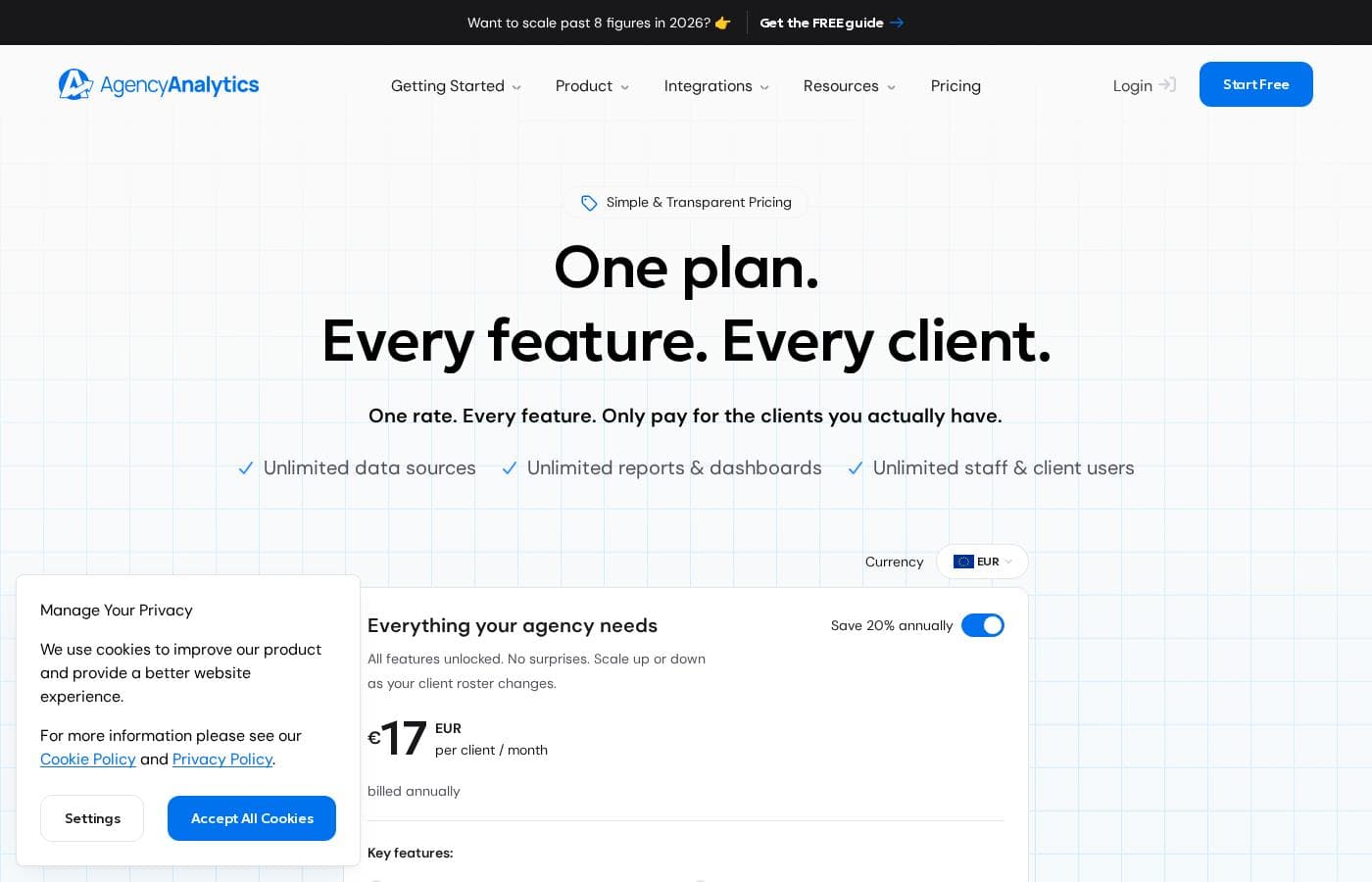
AgencyAnalytics pricing page screenshotView pricing page screenshot

Pricing types: Free plan, Free trial, Monthly subscription, Yearly subscription, Usage-based pricing

Pricing notes

AgencyAnalytics pricing: Plans from $0/month Billing options: Free plan, Free trial, Monthly subscription, Yearly subscription, Usage-based pricing

Email me when AgencyAnalytics changes price

One email when we detect a price change on the vendor's pricing page. No newsletter, no deals. Unsubscribe in one click.

User Reviews

No reviews yet.

Write a Review

Write a Review for AgencyAnalytics
0/100 characters
0/2000 characters

Why use AgencyAnalytics?

Reporting is one of the most time-consuming, least billable parts of agency work, and manual reporting also invites copy-paste errors that erode client trust. AgencyAnalytics addresses both problems by automating data collection and report delivery, freeing account managers to spend their time interpreting results instead of assembling them.

Because clients can log into their own dashboards at any time, the platform also reduces status-update requests and helps agencies demonstrate ongoing ROI between formal reports.

AgencyAnalytics alternatives

Other tools in the Client Portal category

View all Client Portal tools
Assembly

Assembly

Client Portal3.7/5

Assembly is an all-in-one client portal for service businesses such as agencies, consultancies, and professional service firms. The platform consolidates the day-to-day tools a service business uses with clients — client records, communication, payments, file sharing, contracts, forms, and help desk tickets — behind one login. Instead of stitching together separate apps for each function, teams give clients a single destination where requests, documents, and billing all live.

Moxo

Moxo

Client Portal3.6/5

What is it? Moxo is an orchestration platform that connects people, systems, and AI to streamline complex workflows. It helps teams manage customer, vendor, and partner processes and plugs into your CRM, ERP, and other core apps so workflows flow across the tools your team relies on.

AgencyAnalytics FAQ

Does AgencyAnalytics offer a free plan or trial?

Yes. AgencyAnalytics offers both a free plan and a free trial, so agencies can connect channels and test report templates before paying. Paid accounts bill on a monthly or yearly subscription, with costs tied to how many clients you manage plus certain usage-based charges.

How much does AgencyAnalytics cost as my agency grows?

Pricing is structured around the number of clients you serve, so the bill rises as you add accounts, and some features carry usage-based charges. Most small and mid-sized agencies land well below that ceiling, but it is worth budgeting for incremental increases every few clients added.

Can clients log in and view their own data?

Yes. Self-serve client dashboards are a core part of the product: each client receives access to a live, branded dashboard pulling from their connected marketing channels. This is one of the main ways agencies use the platform to reduce ad-hoc reporting requests between scheduled reports.

Which marketing channels does AgencyAnalytics connect to?

The platform integrates with the major channels agencies typically report on, including Google Analytics, Google Ads, Google Search Console, and social advertising platforms, plus built-in SEO data sources such as rank tracking and site auditing. Connected data flows into the same dashboards and automated reports, so clients see one consolidated view.

Ready to try AgencyAnalytics? Check out the official site or pricing.

Are you AgencyAnalytics? Claim this listing · Get the badge