SentryPC vs Webwatcher
SentryPC and Webwatcher both provide remote device monitoring solutions. SentryPC is designed for scalable enterprise use and offers robust control features. Webwatcher targets simple, single-device parental supervision needs primarily for Android devices. The reliability difference and user reviews are the clearest way to choose.
Best for: Businesses needing scalable employee monitoring up to 1,000 users, Parents who require hard usage limits and scheduling capability
Best for: Parents needing simple monitoring for a single Android device, Users prioritizing explicit unlimited data storage capacity
Stealth Monitoring, Enterprise Ready.
We find SentryPC offers robust, cloud-based activity monitoring and usage scheduling features that scale well from basic home use to large corporate environments. Overall, the comprehensive feature set—including powerful filtering and stealth operation—makes it a viable choice, but potential users should weigh the mixed external feedback regarding long-term reliability and support experience.
Pros
- Software described positively as 'mind blowing' by some users.
- Comprehensive monitoring and control features are included in all plans.
- Scales effectively from single home use to 1,000+ enterprise licenses.
- Operates remotely and completely unseen in stealth mode.
Cons
- Extremely polarized reports on reliability and core functionality.
- Highly negative feedback reported regarding customer support quality.
- Requires an annual commitment; no free trial is explicitly offered.
Extreme risk due to billing and support issues.
We found Webwatcher markets itself strongly on guaranteed functionality and comprehensive support for parental monitoring needs. However, our review of public user feedback showed severe, concrete accusations of fraudulent billing, refusal to issue refunds, and complete non-response from customer support. Overall, the serious financial and reliability risks reported by consumers necessitate a very low rating.
Pros
- Advertised compatibility across major devices (Android, iPhone, PC, Mac).
- Unlimited data storage is included in the current subscription plan.
- Setup is claimed to be quick and easy (under five minutes).
- Functionality is officially guaranteed with a full refund if issues cannot be resolved.
Cons
- Users report being refused refunds despite the official money-back guarantee.
- Specific claims of fraudulent double billing and funds theft were reported.
- Customer support was reported as non-responsive or misleading ('runaround').
- Product allegedly failed to work properly for some customers.
AboutSentryPC
SentryPC is a completely cloud-based solution. It seamlessly combines activity monitoring, content filtering, and time management features into one secure platform. If you are a concerned parent or a business looking for employee monitoring, this software is your answer. SentryPC supports devices running Android, Chromebook, Mac, and Windows, helping you manage all your endpoints. Once installed, every activity is recorded in real-time and handled remotely in your account. 💡
AboutWebwatcher
WebWatcher is a specialized parental monitoring app. It is primarily aimed at supervising teenagers who may be involved in risky online behavior. The software gives parents necessary visibility into their child's digital footprint.
It works across major platforms including Android, iPhone, PC, and Mac devices. You can monitor everything seamlessly from anywhere using your secure, web-based online account. The application is designed to be discrete and tamper-proof once it's correctly installed. 💡
Highlights
Feature Comparison
Features Overview
We highlight the main differences and pick a winner for each feature.
Active Control vs. Passive Reporting
SentryPC lets you actively restrict usage; Webwatcher only records actions taken.
SentryPC offers powerful active control features for device management. You can set detailed usage schedules and enforce firm daily time limits easily. SentryPC also handles comprehensive content filtering and application blocking. Webwatcher focuses mainly on passive activity reporting and communication tracking. You can see visited websites and messages but cannot proactively block them. Webwatcher is designed for supervision, not for usage enforcement. SentryPC helps prevent issues from occurring before they start. Webwatcher only gives you the data to react after the activity happens. If setting hard usage boundaries is critical, SentryPC is the only tool that offers this capability.
Reliability and Support
Webwatcher faces severe user accusations of fraud; SentryPC receives mixed but better support reports.
SentryPC customer support reviews are polarized, ranging from excellent remote setup help to being terrible. However, SentryPC has no reported financial fraud issues. Webwatcher's user feedback is catastrophically negative regarding billing integrity. Users report being double-charged or refused refunds entirely, suggesting fraud. SentryPC is financially trustworthy and functionally reliable according to its average rating. Webwatcher presents an extremely high risk to consumers and their wallets. The quality of Webwatcher's customer service appears nonexistent according to multiple reports. SentryPC has functional support, even if it is slow.
Data Storage Limits
Webwatcher promises zero limits on data; SentryPC limits logs to 30 days.
SentryPC automatically keeps detailed logs for only the most recent 30 days of activity. Screenshot storage in SentryPC is also capped, up to 2,000 images on the largest plans. You must archive data locally or pay extra for more storage in SentryPC. Webwatcher clearly states that all paid subscriptions include unlimited data storage. This applies to logs, messages, and screenshots for your viewing period. Webwatcher is a better choice if you need to retain long-term monitoring records. If you require complete historical data retention, Webwatcher is superior due to its unlimited storage policy. SentryPC requires manual data management after 30 days. Webwatcher makes long-term activity review simple without needing to download local files constantly.
Scales and Pricing
SentryPC handles large enterprises; Webwatcher is focused on single-device consumers.
SentryPC is built to scale effectively, offering plans up to 1,000 devices easily. Annual per-license pricing on SentryPC offers steep discounts at higher tiers. This makes SentryPC ideal for large business deployment and management. Webwatcher's current offering is a 3-Month Subscription for one device only. There are no displayed plans or pricing for managing hundreds of devices. Webwatcher is focused solely on the basic consumer market. SentryPC provides predictable annual stability for companies of any size. Webwatcher is short-term and device-limited. If you need even 10 licenses for a small business, SentryPC is the only practical, scalable option available.
Money-Back Guarantee
Webwatcher guarantees a refund, but users report it’s untrue; SentryPC has no formal guarantee.
SentryPC is upfront, stating no explicit free trial or formal money-back guarantee. Purchases commit you to the full annual term immediately. SentryPC support has processed refunds previously, but it is not policy. Webwatcher prominently advertises a 'Try it Risk Free' approach and guarantees full refunds if the product fails. This guarantee is a major Webwatcher selling point. However, Webwatcher users frequently report they were flatly refused refunds, violating the guarantee. SentryPC is more honest by not offering a formal guarantee they might not honor. Trusting SentryPC is safer, as Webwatcher’s guarantee appears primarily designed to lure high-risk purchases.
Snapchat Monitoring
Both monitor Snapchat; Webwatcher offers specialized monitoring on Android devices.
SentryPC captures keystrokes and takes periodic screenshots of all activity. This ensures that every action, including Snapchat use, is logged effectively. Webwatcher offers specialized Snapchat monitoring on Android devices through screenshots and message capture. For iPhone, Webwatcher confirms only if the app is installed. Webwatcher provides tailored insights specifically for high-risk social media platforms. SentryPC provides general monitoring that covers all applications. Webwatcher gives more focused, explicit control over one of the most popular teen communication apps.
SentryPC costs between $69.95 and $9,995.00 per year with 6 plans: Basic Plan at $69.95, Business 50 at $1,495.00, Business 100 at $2,495.00, Business 250 at $4,995.00, Business 500 at $7,495.00, and Business 1,000 at $9,995.00.
SentryPC offers several affordable annual plans designed for both home users and large enterprises. Pricing is based entirely on the number of licenses and required screenshot storage.
Basic Plan
Price: $69.95 / year Best For: Home users Other Features:
- Single license to manage 1 device
- Includes 500 screenshots storage
- Additional licenses available for $29.95 each per year
- Single License (Manage 1 device)
- 500 Screenshots storage
- Free lifetime updates
- 50 Licenses (Manage up to 50 devices)
- 500 Screenshots storage
- Free lifetime updates
- 100 Licenses (Manage up to 100 devices)
- 1,000 Screenshots storage
- Free lifetime updates
- 250 Licenses (Manage up to 250 devices)
- 1,000 Screenshots storage
- Free lifetime updates

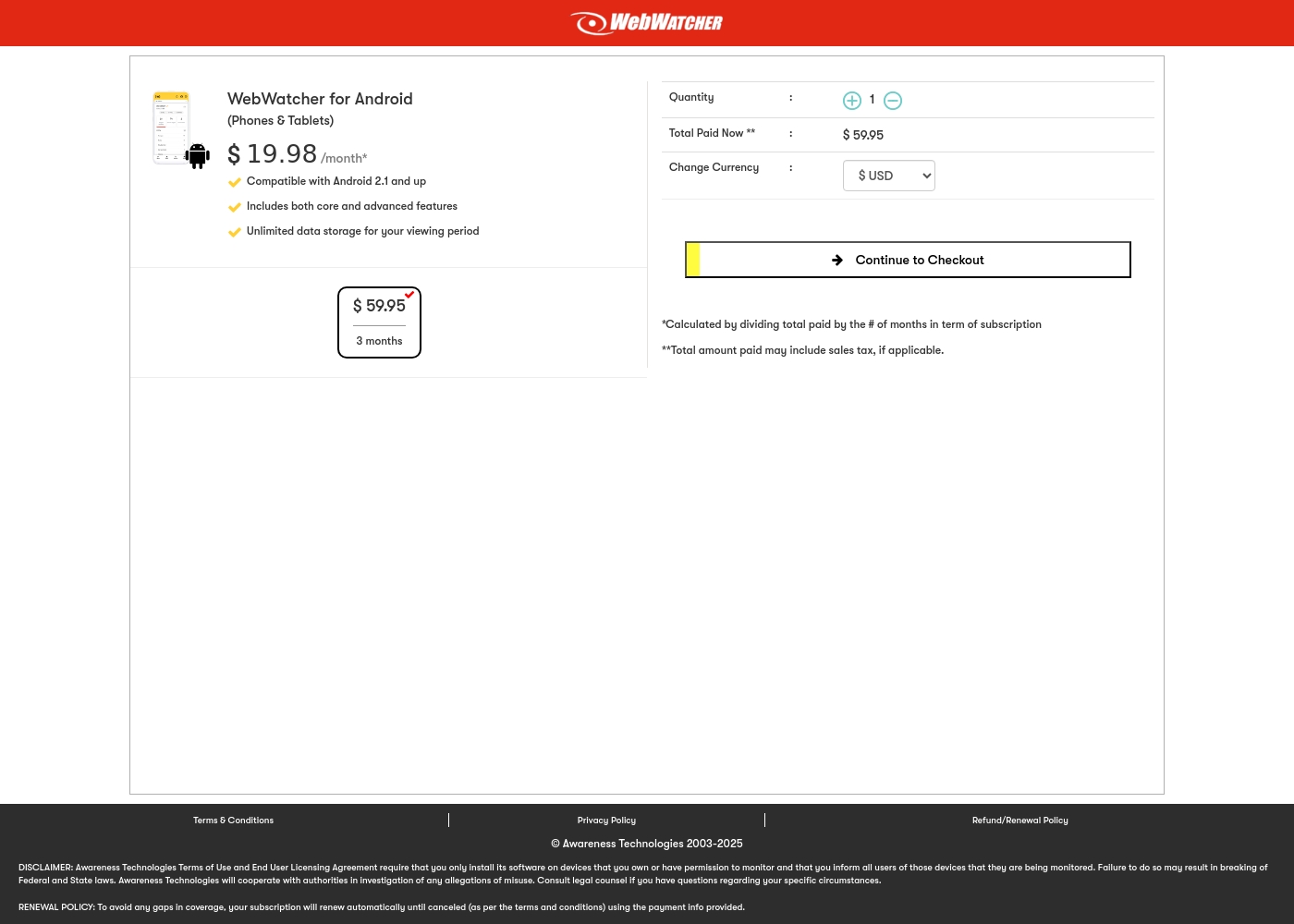
Webwatcher costs $19.98 per month with one explicitly priced plan: the 3-Month Android Subscription at $59.95 total.
Finding the right monitoring solution for your family is simple. Here is a detailed look at the pricing and features available in the current purchase flow.
3-Month Android Subscription
Price: $59.95 (paid every 3 months, calculated at $19.98/month) Best For: Parents monitoring Android phones and tablets Refund Policy: Full refund guaranteed if issues cannot be resolved Other Features:
- Compatible with Android 2.1 and newer versions
- Includes both core and advanced features
- Unlimited data storage for your full viewing period
- Compatible with Android 2.1 and up
- Includes both core and advanced features
- Unlimited data storage for your viewing period
Pricing Notes
- SentryPC offers significant volume discounts for large purchases above 100 licenses.
- Webwatcher's advertised plan is a 3-Month Android subscription paid upfront ($59.95 total).
- SentryPC includes free software updates for the entire lifetime of your subscription.
- Webwatcher advertises a 'Risk-Free' trial and guarantee, but user reports claim refunds are frequently denied.
Pricing Head-to-Head
User Reviews
SentryPC’s external sentiment is sparse and highly polarized, based solely on the few available reviews. One user described the software as 'mind blowing,' suggesting strong satisfaction with its monitoring capabilities and performance. However, this positive view is sharply contrasted by a critical review claiming severe functionality issues and the 'WORST CUSTOMER SUPPORT EVER.' The negative review specifically mentioned that the product does not work well. The company provided detailed context for this critical feedback, noting a particular scenario where they provided remote installation assistance, issued a full refund upon request, and claimed the reported malfunction was caused by the user sending an uninstall command.
Given the extremely low volume of feedback, it's challenging to establish statistically significant recurring themes regarding ease of use, pricing, or integrations. The available data suggests a dramatic difference in user experience, ranging from total success (accuracy/liking) to fundamental failure (reliability/support). Customers should note the conflict surrounding technical support responsiveness and ultimate operational reliability 🧐 before committing to a subscription plan.
This software is simply mind blowing. I am currently using SentryPC and I am highly satisfied with its performance and comprehensive monitoring capabilities. It provides full transparency for device usage in real-time.
Webwatcher’s external feedback is extremely limited, stemming only from two reviews which resulted in a very low 2.9 TrustScore. While the platform advertises a strong 'risk-free' guarantee and promises excellent, responsive customer care, the limited user reports strongly contradict these claims.
Both reviewers cited severe issues primarily centered on billing and refunds. Users claim they were refused refunds entirely, even when requested within the advertised refund window, despite the monitoring product reportedly failing to work properly.
They refused to honor the risk-free money-back guarantee, even though I submitted the request properly. Furthermore, the product I purchased never actually worked for me as advertised. I absolutely feel like they are ripping me off.
Our Verdict
If financial integrity and comprehensive features matter, SentryPC is the clear winner. SentryPC provides reliable, robust monitoring and control that scales from home to enterprise. Webwatcher’s attractive low cost comes with a massive, unacceptable risk of fraud. SentryPC features powerful, active control capabilities perfect for managing devices. You can set detailed usage schedules and enforce firm time limits easily. SentryPC also handles comprehensive content filtering, blocking specific keywords and applications. Webwatcher’s main strength is its focus on simple, single-device parental monitoring for Android. Impressively, Webwatcher offers unlimited activity data storage, unlike SentryPC’s 30-day log limit. Webwatcher might suit someone needing only cheap, short-term activity reporting. The decisive factor is integrity. Webwatcher has severe, documented user complaints about billing fraud, non-responsive support, and failure to honor refunds. SentryPC, despite some mixed quality, is functionally sound and financially trustworthy. Avoid Webwatcher due to its extremely high financial and service risk profile. Choose SentryPC if you are running a business or need hard usage controls for your family. SentryPC provides a solid platform for up to 1,000 devices.
Frequently Asked Questions
Which software offers better scalability for business employee monitoring: SentryPC or Webwatcher?
SentryPC is built specifically to scale up to 1,000 licenses effectively. Webwatcher focuses on single-device parental monitoring with no clear large-scale pricing shown. SentryPC is the vastly better choice for organizational needs.
Does Webwatcher or SentryPC allow me to set usage schedules and time limits?
SentryPC offers powerful time management features, including daily and weekly usage scheduling. Webwatcher provides only passive activity reporting. Only SentryPC allows you to actively enforce time constraints.
Which tool has the better customer support and billing reliability track record?
SentryPC support is mixed, but their billing is reliable. Webwatcher users report extreme dissatisfaction, alleging severe billing fraud and non-responsive customer service. SentryPC is significantly safer.
Does SentryPC or Webwatcher offer comprehensive content blocking features?
SentryPC allows proactive blocking of applications, websites, and specific keywords. Webwatcher monitors and reports user activity but does not offer any comparable blocking controls. SentryPC is better for proactive filtering.
Are there limits on how much activity data SentryPC stores?
Yes, SentryPC limits detailed activity logs to the most recent 30 days. Screenshot storage is also capped, depending on your business plan tier. Webwatcher claims to offer unlimited data storage.
Is Webwatcher worth the cost compared to SentryPC’s basic plan?
Webwatcher’s lower monthly rate of $19.98 is appealing, but associated risks are huge. SentryPC’s $69.95 annual plan offers far greater control, features, and business reliability. SentryPC is worth the price for the stability alone.
Ready to Choose?
Both tools have their strengths. Choose based on your specific needs.