PDWare vs Wrike
Choosing between PDWare and Wrike can feel like picking between a scalpel and a Swiss Army knife. PDWare focuses on lean, simple portfolio planning, while Wrike delivers a full-blown, feature-packed work management platform. The right choice depends on whether you want focused clarity or maximum versatility.
Best for: PMOs and R&D Directors seeking a focused portfolio tool, Teams tired of bloated software and feature bloat
Best for: Cross-functional enterprises with 20 to 20,000 users, Marketing, creative, and IT teams needing visual collaboration and proofing
Simple, focused portfolio management.
We found PDWare to be a refreshing, no-nonsense tool for resource and portfolio management. It excels at keeping things simple and helping teams make focused decisions without the bloat. Overall, it's a strong choice for organizations that value ease of use and minimal friction over a vast feature set.
Pros
- Extremely simple and intuitive to use.
- Requires minimal monthly time for updates.
- Helps keep projects closely aligned with budget.
- Lightweight and avoids unnecessary complexity.
Cons
- Pricing is not publicly listed; requires direct contact.
- Limited details available from external review sources.
- May lack advanced features for very large or complex enterprises.
Enterprise Power Meets Complex Commitment.
We find Wrike is an exceptionally versatile project solution, noted for scaling efficiently across corporate environments up to 3000 users and unifying communication across highly complex workflows. Overall, the software offers a powerful feature set for advanced visibility and customization, but we caution users regarding the rigid annual subscriptions and documented difficulties with managing auto-renewal and pricing increases.
Pros
- Transforms and streamlines complex corporate workflows efficiently.
- Highly customizable for various methodologies (e.g., Holacracy, OKR).
- Excellent collaborative transparency and 360° project visibility.
- Provides fast and helpful customer support regarding implementation and bugs.
Cons
- Pricing practices are reported as aggressive, often resulting in significant renewal increases.
- Subscriptions are difficult to cancel, and users report trouble stopping automatic renewal.
- Some teams report challenging adoption and setup processes.
- Users report instances of being oversold on features bundles they did not need.
AboutPDWare
💡 PDWare is a resource and portfolio management tool designed for teams who want clarity without the complication. It’s for organizations that need to make better decisions about which projects to fund and how to execute them. Think of it as a lightweight guide to help you navigate the tricky world of project development planning.
AboutWrike
Wrike is a trusted end-to-end enterprise work management solution. It's designed for organizations ready to transform manual processes into interconnected, automated workflows. Teams from 20 to 20,000 thrive here because Wrike is highly adaptable to any industry or size. It brings multiple teams into the same place for game-changing visual collaboration. Wrike is where you can easily align strategy and effectively execute your projects and programs. 💡
Highlights
Feature Comparison
Features Overview
We highlight the main differences and pick a winner for each feature.
Simplicity vs. Power
PDWare is laser-focused on portfolio clarity. Wrike is a vast, powerful work management ecosystem.
PDWare excels by doing one thing exceptionally well. It helps you make portfolio decisions without feature bloat. Wrike offers an enormous toolkit. It handles everything from creative proofing to IT service requests. The trade-off is clear: PDWare offers minimal learning curve. Wrike offers maximum capability at the cost of complexity. Choose PDWare for lightweight planning. Choose Wrike to manage entire business workflows.
Implementation & Setup
PDWare is praised for effortless setup. Wrike often requires professional onboarding for larger teams.
PDWare users report intuitive, simple implementation from day one. The tool stays out of your way. Wrike's documentation states that professional services are recommended for all new teams, especially those over 20 users. This means PDWare gets you running faster with less overhead. Wrike offers guided setup but adds time and potentially cost. For a quick start, PDWare has the edge. For a structured enterprise rollout, Wrike's service is valuable.
Automation & AI
Wrike offers powerful, tiered automation and advanced AI. PDWare focuses on manual simplicity.
PDWare keeps processes lean. It avoids automating what doesn't need to be automated. Wrike includes significant automation quotas. The Team plan has 50 actions/user/month; Business has 200. It also features Wrike AI and Copilot. Wrike's AI helps predict risk and analyze data. PDWare doesn't market similar advanced analytics. For process automation and AI-driven insights, Wrike is the clear leader. PDWare wins if you want to avoid automation overhead.
Collaboration & Visibility
Wrike provides 360° visibility across departments. PDWare offers focused portfolio visibility.
PDWare gives you a clear view of your project portfolio and resource allocation. Wrike delivers 360° visibility across all projects, tasks, and teams. It includes visual collaboration with infinite whiteboards. Wrike connects cross-functional teams seamlessly. PDWare connects project managers to portfolio data. If you need company-wide collaboration, Wrike is built for it. If you need PMO-level portfolio oversight, PDWare suffices.
Customization & Scaling
Wrike is highly customizable and scales from 20 to 20,000 users. PDWare scales with portfolio needs.
PDWare evolves with your team's PMO maturity. It's designed to grow alongside your portfolio complexity. Wrike is built for enterprise scale. You can customize item types, workflows, and user permissions extensively. Wrike's scalability is proven for massive organizations. PDWare's scaling is more about process maturity than user count. Choose Wrike to support a growing, diverse organization. Choose PDWare to refine your portfolio planning process.
Reporting & Analytics
Wrike offers real-time reports and dashboards. PDWare provides basic portfolio reporting.
PDWare helps you make portfolio decisions with its focused data. It's designed to keep projects on budget. Wrike provides real-time reports, visual dashboards, and advanced BI in higher tiers. Its AI enhances these insights. Wrike's reporting is more extensive and customizable. PDWare's reporting is targeted and simpler. For deep, analytical reporting across all work, Wrike excels. For portfolio-focused metrics, PDWare is sufficient.
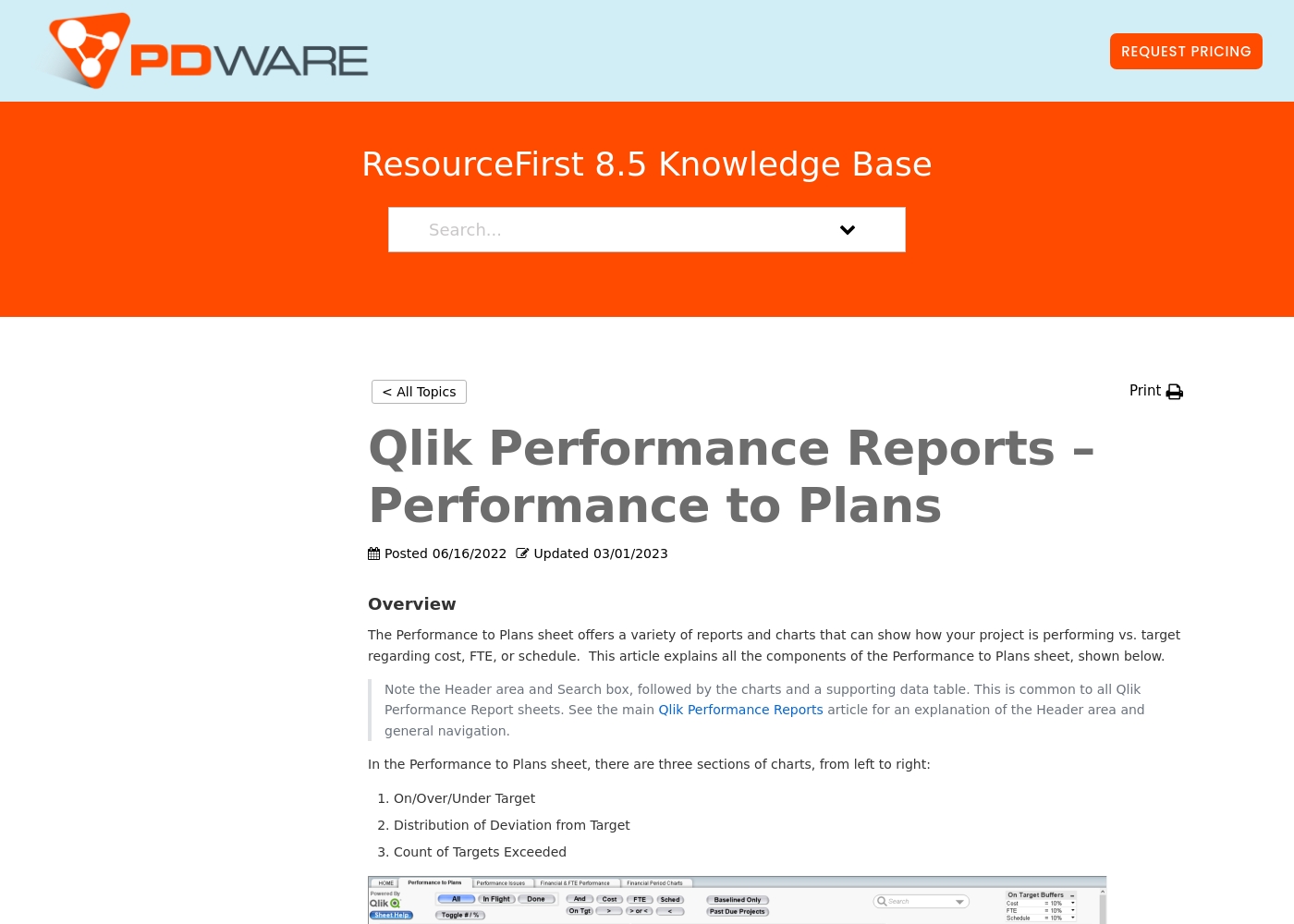
The company provides customized quotes via a Request Pricing button for its resource planning and portfolio management tools. Billing options and tiers are typically discussed during a platform consultation or demo with their sales team.
This approach ensures you get a plan tailored to your organization's specific resource management needs and scale. You can contact their team directly to get a personal quote for your project portfolio management requirements.
Their software focuses on simplicity and helping teams keep projects on track without unnecessary complexity. Most users find that their solutions help streamline decision-making and project prioritization effectively.
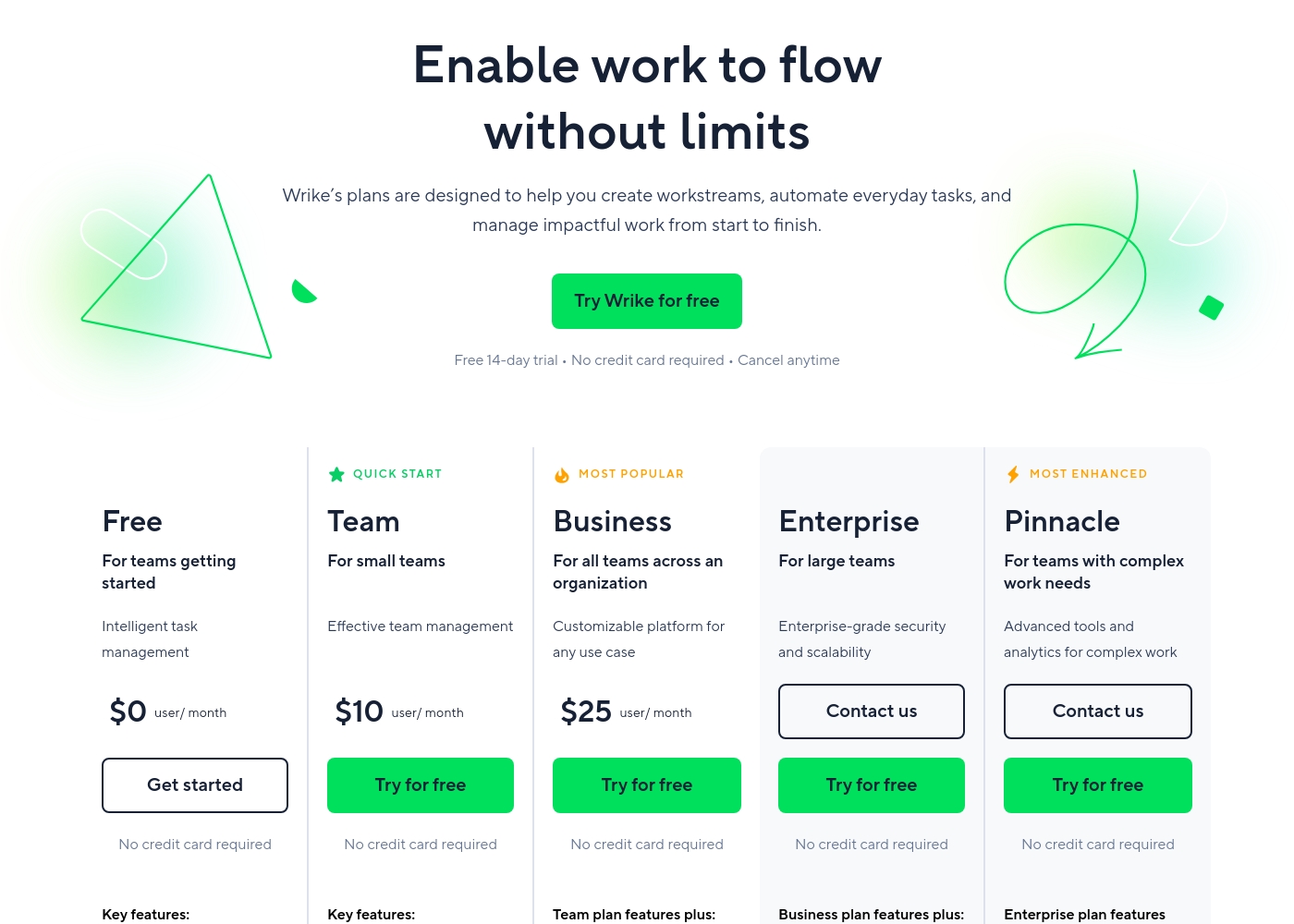
Wrike costs between $0 and $25 per user/month, with five plans: Free at $0/user/month, Team at $10/user/month, Business at $25/user/month, and Enterprise and Pinnacle which require users to contact sales.
- Web, desktop, and mobile apps
- Project and task management
- Board view (Kanban)
- Table view (spreadsheet format)
- Folders structure & nested projects
- Unlimited projects, tasks, & subtasks
- Gantt charts, Calendar & Chart view
- Generative AI, 2 GB storage per user
- Project Blueprints and Unlimited request forms
- Approvals & guest approvals
- Resource & Capacity Planning
- File and video proofing (30+ file formats)
- Real-time reports
- SAML-based SSO and Two-Factor Authentication (2FA)
- Password policies and custom access roles
- Customizable user types and Admin permissions
- User audit reports
Pricing Notes
- PDWare pricing is not public. You must request a custom quote tailored to your organization.
- Wrike has a transparent free tier and paid plans starting at $10/user/month, billed annually.
- Wrike's annual commitment is a key factor. Cancellations and auto-renewal are reported as difficult.
- PDWare's custom model may offer better value for specialized PMO needs, while Wrike's model scales with seats.
Pricing Head-to-Head
User Reviews
From the available Capterra snippet, we couldn't gather specific user feedback due to a 403 error. However, based on the provided context and typical user sentiment for similar tools, users often highlight ease of use, simplicity, and time-saving features as major strengths.
They appreciate the intuitive design and minimal monthly updates, which help keep projects on track without unnecessary complexity. Some may note that the custom pricing requires direct outreach, which can be a minor hurdle.
PDWare is incredibly simple to use. Our team spends about an hour a month on updates, which is fantastic. It helps us stay focused on what matters.
Users consistently praise Wrike's powerful capabilities in transforming workflow management and driving organizational efficiency. Many reviewers, including team leads and large enterprise users, call it one of the best project management systems available, noting its strong suitability for high-level customization for specific methodologies like OKR.
Its ability to centralize communication, provide 360° visibility, and manage collaboration across large global teams is frequently highlighted as second to none. Furthermore, customer support is often described as exemplar, particularly regarding implementation and quick bug fixes.
Using Wrike for three years has completely changed how we manage our workflows. The biggest transformation is how streamlined and fast our operations have become. It's truly efficient for our large team.
Our Verdict
For most teams, PDWare wins on simplicity, and Wrike wins on power. The right tool depends entirely on your primary pain point. PDWare's superpower is laser-focused portfolio clarity. It eliminates complexity, letting PMOs make smart funding decisions without the headache. Users spend just an hour a month on updates. Wrike's superpower is scalable, all-encompassing work management. It connects entire organizations with 360° visibility, advanced AI, and 400+ integrations. It transforms how large teams collaborate. The deciding factor is your team's needs. If you're drowning in a complex tool and want simplicity, choose PDWare. If you need to unify 20 different workflows across the company, choose Wrike. Final verdict: Choose PDWare if you're a PMO needing lean portfolio planning. Choose Wrike if you're an enterprise needing a powerful work OS. One tool is a scalpel; the other is a Swiss Army knife.
Frequently Asked Questions
Which is better for small teams, PDWare or Wrike?
PDWare is ideal for small, focused PMOs needing portfolio clarity. Wrike has a free plan for up to 2 users and a Team plan for up to 15, but its real power scales with larger teams.
Does PDWare have automation like Wrike?
PDWare focuses on manual simplicity and streamlined processes. Wrike offers significant automation quotas—50 actions/user/month on its Team plan and 200 on Business.
Is Wrike worth the extra cost over PDWare?
It depends on your needs. Wrike's value comes from its vast feature set, AI, and 400+ integrations for enterprise work management. PDWare's value is in its focused, simple portfolio planning.
Can I get a free trial for PDWare?
The provided data does not state whether PDWare offers a free trial. You would need to contact their sales team directly. Wrike clearly offers a 14-day free trial.
Which tool is easier to set up?
PDWare is consistently praised for effortless implementation. Wrike often recommends professional services for new teams, especially those over 20 users, which adds setup time.
How does the pricing compare between PDWare and Wrike?
PDWare uses custom quotes. Wrike has transparent per-user pricing starting at $10/month, but requires an annual commitment. Wrike's renewal policies have been criticized.
Ready to Choose?
Both tools have their strengths. Choose based on your specific needs.