Parentaler vs SentryPC
Parentaler and SentryPC are both extremely powerful monitoring tools, but they serve different markets. Parentaler strictly focuses on comprehensive mobile parental control for family safety. SentryPC scales massively, covering Mac, Windows, and enterprise employee monitoring. Choosing the right tool depends entirely on your supported devices and user count.
Best for: Parents needing discreet oversight of children on mobile (iOS/Android)., Families prioritizing chat and communication monitoring (SMS, social apps).
Best for: Organizations (SMB to Enterprise) monitoring 10+ seats (up to 1,000)., Businesses needing to track employee activity on Mac, Windows, and Chromebooks.
Powerful Tracking, Compromised Purchase Transparency.
We assess Parentaler as a highly functional monitoring tool with robust security features, including comprehensive communication viewing and precise GPS alerts. However, we found serious and recurring concerns regarding product fulfillment and billing transparency, as multiple users report being directed to the mSpy service upon purchase. Overall, we advise potential users to be keenly aware of these recurring payment and product delivery issues.
Pros
- Provides reliable GPS tracking and Geofencing alerts.
- Keyword Alert feature helps parents intervene quickly in serious situations.
- Enables comprehensive viewing of photos, videos, and communication logs.
- Effective for setting limits and managing screen time overuse.
Cons
- Widespread complaint of a bait-and-switch (users purchase Parentaler but receive mSpy).
- Reports of unauthorized annual charges despite selecting monthly plans.
- Customer support is reportedly resistant to issuing refunds for non-technical reasons.
- Advertised social media features may not be delivered via the substitute product.
Stealth Monitoring, Enterprise Ready.
We find SentryPC offers robust, cloud-based activity monitoring and usage scheduling features that scale well from basic home use to large corporate environments. Overall, the comprehensive feature set—including powerful filtering and stealth operation—makes it a viable choice, but potential users should weigh the mixed external feedback regarding long-term reliability and support experience.
Pros
- Software described positively as 'mind blowing' by some users.
- Comprehensive monitoring and control features are included in all plans.
- Scales effectively from single home use to 1,000+ enterprise licenses.
- Operates remotely and completely unseen in stealth mode.
Cons
- Extremely polarized reports on reliability and core functionality.
- Highly negative feedback reported regarding customer support quality.
- Requires an annual commitment; no free trial is explicitly offered.
AboutParentaler
Parentaler is a top-notch parental control app. It gives you a detailed overview of your child’s phone and online activities, helping you monitor them remotely and with full confidentiality.
The application works smoothly on any iPhone, iPad, or Android device. You can then access all features through a simple dashboard using any device or browser.
Crucially, the app operates quietly in the background. It sends no notifications or alerts to your child’s phone, meaning they won't know when you are checking data.
AboutSentryPC
SentryPC is a completely cloud-based solution. It seamlessly combines activity monitoring, content filtering, and time management features into one secure platform. If you are a concerned parent or a business looking for employee monitoring, this software is your answer. SentryPC supports devices running Android, Chromebook, Mac, and Windows, helping you manage all your endpoints. Once installed, every activity is recorded in real-time and handled remotely in your account. 💡
Highlights
Feature Comparison
Features Overview
We highlight the main differences and pick a winner for each feature.
Device Compatibility
SentryPC covers desktop operating systems while Parentaler focuses heavily on mobile. Parentaler supports iOS and Android monitoring equally well.
Parentaler is built for comprehensive mobile monitoring across both iOS and Android devices. You manage everything easily from any mobile dashboard or browser access. Parentaler does not offer direct application monitoring for Mac or Windows. SentryPC excels in platform breadth, covering Mac, Windows, Chromebook, and Android endpoints. This makes SentryPC ideal for businesses with a mixed ecosystem of devices. SentryPC data does not list dedicated iOS monitoring features. Parentaler is the mobile-first specialist including iOS devices. SentryPC is the multi-platform winner, dominating the desktop environment. If you solely need to monitor an iPhone or iPad, Parentaler is the guaranteed choice listed here.
Conversation Monitoring
Parentaler offers deeper insight into mobile chats; SentryPC focuses on capturing input via keystrokes and emails.
Parentaler offers deep visibility into calls, SMS, emails, contacts, and social media chats. It is tailored specifically for parents analyzing sensitive conversations. Parentaler even shows attachments and links within various chat applications. SentryPC captures comprehensive keystrokes and emails as part of its general activity logging features. While robust, its primary focus is enterprise logging, not deep social chat analysis like Parentaler. SentryPC does record all user input, which includes typed messages. Parentaler specializes in reviewing mobile conversations for safety purposes. SentryPC focuses on logging *all* user input via keystroking and desktop system logs. If direct social media message analysis is your priority, Parentaler provides a more explicit feature set.
Scalability & Licensing
SentryPC is built for extreme scalability and volume licensing. Parentaler is designed exclusively for individual family accounts.
Parentaler is clearly designed and priced for family or standard home use setups. It does not specify license tiers for managing large device counts. Its focus is on comprehensive mobile monitoring for a few family devices. SentryPC is incredibly scalable, offering plans up to 1,000 licenses for vast corporate oversight. The per-license cost drops significantly, below $10/year, for large accounts. SentryPC manages all devices from one central, cloud-based platform. SentryPC is the only tool here suitable for managing over 10 devices or any corporate environment. Parentaler is strictly the family option. Organizations needing scalable, multi-OS security monitoring will find SentryPC significantly more cost-effective and capable.
Time Management
SentryPC offers detailed hour-by-hour usage schedules. Parentaler uses time limits and specific Wi-Fi network blocking.
Parentaler provides essential time control features, allowing content blocking and guiding focus. You can block specific apps and even restrict access to Wi-Fi networks when needed. This helps reduce general online distractions. SentryPC offers powerful, granular usage scheduling features for precise control. You can create detailed daily and weekly schedules defining exact usage hours. SentryPC also allows setting hard maximum limits for device usage. SentryPC provides more technical control over *when* the device is usable. Parentaler focuses on blocking distracting *content* on the device. The scheduling tools in SentryPC are ideal for enforcing strict policies in a business or educational setting.
Stealth and Discretion
Both Parentaler and SentryPC operate quietly and discreetly. They both ensure the monitoring remains hidden from the user.
Parentaler runs quietly in the background on mobile devices, ensuring the monitoring stays discreet and unseen. It is designed to provide parents visibility while maintaining trust. There are no alerts on the child's device alerting of monitoring activity. SentryPC operates in complete stealth mode by default, ensuring the monitored user is typically unaware. Administrators have the option to display warnings if transparency is desired. The software aims to be completely invisible in the background. Both tools prioritize completely hidden background operation to maintain effective monitoring. Neither tool requires upfront user acknowledgment to function. In terms of operating undetected, both Parentaler and SentryPC execute this mission effectively.
Customer Support
Parentaler guarantees 24/7 multilingual support; SentryPC offers ticket support with mixed reliability reports. Parentaler is more reliable.
Parentaler boasts reliable 24/7 multilingual support via chat or email for fast issue resolution. User reviews indicate high satisfaction (97%) with Parentaler’s accessible support team. This ensures continuous peace of mind. SentryPC offers complementary support via an online ticket system but provides no explicit response time guarantee (SLA). External reviews frequently mention highly polarized reports regarding the quality and responsiveness of SentryPC support. Parentaler offers a certified 24/7 support reliability benchmark. SentryPC carries a notable risk regarding support interaction and operational stability. When monitoring critical devices, 24/7 support reliability like Parentaler's is often non-negotiable.
Location Tracking
Both Parentaler and SentryPC offer robust GPS tracking including history and geofencing. Data sets are highly comparable.
Parentaler provides real-time GPS location tracking with a historical view of visited places and timestamps. Parentaler includes geofencing alerts when boundaries are crossed. This feature helps locate a lost phone quickly. SentryPC also maintains constant geolocation updates and displays the location on a map view. Geofencing is available, triggering automatic alerts upon boundary entry or exit. SentryPC leverages this for corporate asset tracking. In core location features (GPS, history, geofencing), Parentaler and SentryPC appear functionally equivalent. Both tools excel at providing location peace of mind. If location tracking is your primary need, either Parentaler or SentryPC will meet your requirements effectively.
Platform Focus
Parentaler is focused on family safety and mobile control. SentryPC is designed for broad corporate endpoint management.
Parentaler is explicitly designed for parents to monitor mobile activity to ensure child safety. Its features prioritize communication visibility and location tracking. Users find Parentaler a great tool for achieving family peace of mind. SentryPC serves both home users and large enterprise environments requiring up to 1,000 licenses. SentryPC offers management tools for employee productivity and widespread device security compliance. Its use cases are much broader. Parentaler provides specialized depth for parental control use cases. SentryPC sacrifices specialization for maximum breadth and scalability. The choice here is specialized family safety (Parentaler) versus maximum business flexibility (SentryPC).
Parentaler utilizes a subscription model, but the specific costs and plan names are not explicitly detailed in the available information.
To begin using the comprehensive monitoring tools, you first need to select a subscription option.
Standard Subscription Plan
Best For: Any parent or guardian needing full phone monitoring capabilities Other Features:
- Monitors social media and messenger conversations
- Detailed GPS location tracking and Geofencing alerts
- Website and Apps & Games blocking
- Access to SMS, calls, emails, and contacts
- Keyword alerts and screen capture functionality
- Full phone monitoring overview
- GPS location and Geofencing alerts
- Website porn and app blocker
- Monitor SMS, calls, and email
- Keyword alerts and screen capture
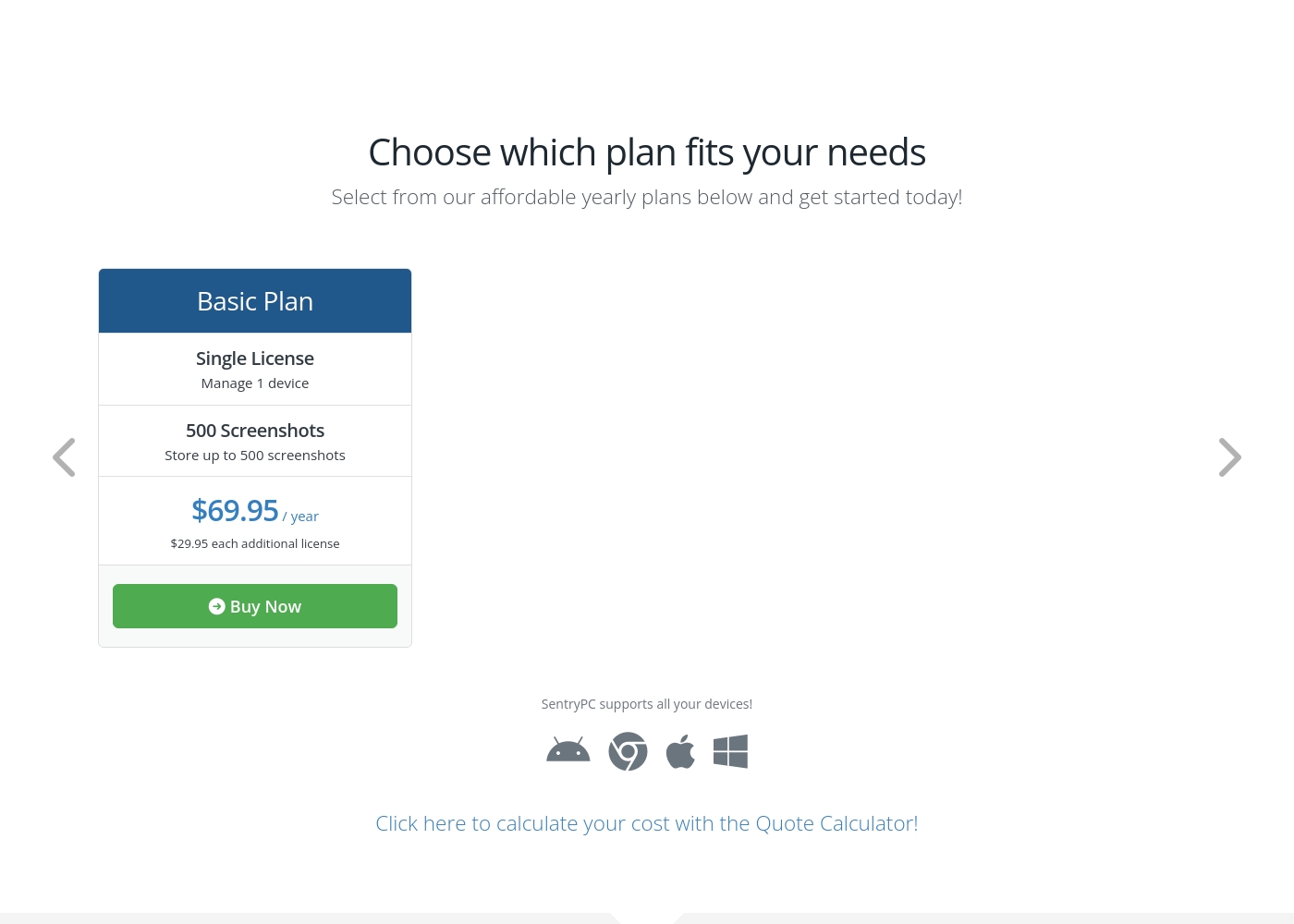
SentryPC costs between $69.95 and $9,995.00 per year with 6 plans: Basic Plan at $69.95, Business 50 at $1,495.00, Business 100 at $2,495.00, Business 250 at $4,995.00, Business 500 at $7,495.00, and Business 1,000 at $9,995.00.
SentryPC offers several affordable annual plans designed for both home users and large enterprises. Pricing is based entirely on the number of licenses and required screenshot storage.
Basic Plan
Price: $69.95 / year Best For: Home users Other Features:
- Single license to manage 1 device
- Includes 500 screenshots storage
- Additional licenses available for $29.95 each per year
- Single License (Manage 1 device)
- 500 Screenshots storage
- Free lifetime updates
- 50 Licenses (Manage up to 50 devices)
- 500 Screenshots storage
- Free lifetime updates
- 100 Licenses (Manage up to 100 devices)
- 1,000 Screenshots storage
- Free lifetime updates
- 250 Licenses (Manage up to 250 devices)
- 1,000 Screenshots storage
- Free lifetime updates
Pricing Notes
- SentryPC uses a strict per-device license model billed annually, starting at $69.95 per year for one license.
- SentryPC offers aggressive volume discounts; the per-license cost drops below $10/year for 1,000 devices.
- Parentaler's lower price range suggests monthly or individual device subscriptions are available for better home entry cost.
- Neither Parentaler nor SentryPC explicitly guarantees a free trial period or money-back guarantee.
- SentryPC requires an annual commitment; Parentaler's model seems more flexible for short-term use.
Pricing Head-to-Head
User Reviews
Parentaler holds a mixed user rating of 3.6 on Trustpilot. Many parents praise the app's capability to provide essential monitoring features, specifically emphasizing reliable location tracking and timely Geofencing alerts which have helped in real-world emergencies, like locating a child after a vehicle breakdown.
Users also frequently cite the value of communication oversight, noting they successfully intervened in cases of potential cyberbullying, unsafe conversations, and concerning online searches using the Keyword Alert feature. The software is appreciated for helping manage excessive screen time, leading to positive changes in children's behavior and improved family understanding.
My daughter's car broke down deep in the country, and she didn't know her location. I used Parentaler to pinpoint her immediately. It let me reassure her that I was only minutes away. This app is absolutely essential for parent peace of mind.
SentryPC’s external sentiment is sparse and highly polarized, based solely on the few available reviews. One user described the software as 'mind blowing,' suggesting strong satisfaction with its monitoring capabilities and performance. However, this positive view is sharply contrasted by a critical review claiming severe functionality issues and the 'WORST CUSTOMER SUPPORT EVER.' The negative review specifically mentioned that the product does not work well. The company provided detailed context for this critical feedback, noting a particular scenario where they provided remote installation assistance, issued a full refund upon request, and claimed the reported malfunction was caused by the user sending an uninstall command.
Given the extremely low volume of feedback, it's challenging to establish statistically significant recurring themes regarding ease of use, pricing, or integrations. The available data suggests a dramatic difference in user experience, ranging from total success (accuracy/liking) to fundamental failure (reliability/support). Customers should note the conflict surrounding technical support responsiveness and ultimate operational reliability 🧐 before committing to a subscription plan.
This software is simply mind blowing. I am currently using SentryPC and I am highly satisfied with its performance and comprehensive monitoring capabilities. It provides full transparency for device usage in real-time.
Our Verdict
The decision between Parentaler and SentryPC is simpler than it seems: it’s family safety versus corporate scale. Parentaler is the specialized, modern mobile monitoring solution for parents. SentryPC is the workhorse built for multi-platform employee surveillance and volume licensing. Parentaler’s superpower is its deep focus on communications across both iOS and Android platforms. It gives parents critical visibility into chats, calls, and texts for constructive safety conversations. If 24/7 customer support reliability is essential for you, Parentaler is the proven safer option. SentryPC’s strength is its platform coverage and incredible scalability. It handles Mac, Windows, Chromebook, and Android, scaling up to 1,000 licenses easily. SentryPC also offers superior, detailed usage scheduling features for enforcing productive hours. If your primary need is deep conversational insight and reliable iOS mobile monitoring, choose Parentaler. If you need powerful desktop monitoring and scalable, corporate oversight, SentryPC is the only clear choice. Businesses managing 50+ devices should bypass Parentaler and stick with SentryPC’s volume pricing plans.
Frequently Asked Questions
Which software is better for desktop monitoring: Parentaler or SentryPC?
SentryPC is the clear winner for desktop monitoring, covering Mac, Windows, and Chromebook devices. Parentaler is strictly a mobile-focused application. Parentaler only offers dashboard access from a desktop, not direct usage monitoring.
Does Parentaler support Mac or Windows devices?
No, Parentaler is focused solely on monitoring mobile devices (iOS and Android). You can view the Parentaler dashboard from your Mac or Windows browser. Monitoring the Mac or Windows user activity requires SentryPC.
Which software scales better for business or enterprise use?
SentryPC scales significantly better, offering licenses up to 1,000 devices at substantial volume discounts. Parentaler is designed for small, family-sized user counts. SentryPC allows centralized management for large organizations.
Does SentryPC monitor iOS conversations (iPhones)?
SentryPC’s supported platforms list Android, Mac, Windows, and Chromebook, but not comprehensive iOS monitoring. Parentaler is explicitly designed to monitor both iOS and Android devices, including chat logs.
Which tool has more reliable customer support?
Parentaler is more reliable, offering 24/7 multilingual support via chat or email. SentryPC uses a ticket system, and external reviews report high polarization regarding its support quality. Choose Parentaler if rapid, guaranteed support is critical.
Is there a free trial offered by Parentaler or SentryPC?
Neither Parentaler nor SentryPC explicitly states they offer a free trial period. You will likely need to commit to a paid subscription immediately to begin testing the features. Check their respective sites for the return policy specifics.
Ready to Choose?
Both tools have their strengths. Choose based on your specific needs.