Ora vs PDWare
Ora and PDWare both tackle project management, but they're built for very different people. Ora is a feature-packed command center for teams who want everything in one place. PDWare is a laser-focused portfolio tool for PMOs who crave simplicity.
Best for: Small to mid-sized teams (1-50 people) needing a free, all-in-one project hub., Remote teams looking to centralize communication and reduce email.
Best for: PMOs and portfolio managers focused on strategic project selection and resource allocation., R&D departments managing complex project portfolios.
The Modern, User-Friendly Command Center
We found Ora provides an impressive balance between comprehensive features and usability, positioning itself as a strong alternative to established systems. Its generous free tier and unique calendar-focused organization greatly benefit small, growing teams and individuals. Overall, we recommend Ora highly for collaborative organizations seeking a focused, effective project management solution.
Pros
- Generous free plan available for small teams (up to 10 users) forever.
- Exceptional user-friendliness; users prefer it over competitors like Trello.
- Comprehensive task cards support RTF, Markdown, and custom code highlights.
- Agenda Calendar helps users achieve better focus and plan dedicated work time.
Cons
- External review volume is currently very limited (only 3 Trustpilot reviews).
- File size limit is restrictive on the Basic (free) tier (a maximum of 10mb).
Simple, focused portfolio management.
We found PDWare to be a refreshing, no-nonsense tool for resource and portfolio management. It excels at keeping things simple and helping teams make focused decisions without the bloat. Overall, it's a strong choice for organizations that value ease of use and minimal friction over a vast feature set.
Pros
- Extremely simple and intuitive to use.
- Requires minimal monthly time for updates.
- Helps keep projects closely aligned with budget.
- Lightweight and avoids unnecessary complexity.
Cons
- Pricing is not publicly listed; requires direct contact.
- Limited details available from external review sources.
- May lack advanced features for very large or complex enterprises.
AboutOra
Ora is a powerful platform designed for productive individuals and collaborative teams. It serves as your daily planner and central hub for managing work. The core Agenda Calendar helps you organize your time and be more effective. Instead of dealing with separate tools, all your critical information, tracked time, and completed tasks appear directly on your calendar. You can quickly view both your tasks and those of your teammates, ensuring smooth collaboration. 💡
AboutPDWare
💡 PDWare is a resource and portfolio management tool designed for teams who want clarity without the complication. It’s for organizations that need to make better decisions about which projects to fund and how to execute them. Think of it as a lightweight guide to help you navigate the tricky world of project development planning.
Highlights
Feature Comparison
Features Overview
We highlight the main differences and pick a winner for each feature.
Core Purpose
Ora is your team's daily hub. PDWare is a high-level strategic compass.
Ora is designed for daily work. It combines task management, collaboration, and time tracking in one place. Your team can plan, execute, and review projects all within Ora. PDWare focuses on portfolio decisions. It helps you decide which projects to fund and how to allocate resources. It's less about daily tasks and more about strategic alignment. The key difference is scope. Ora manages the 'how' of projects. PDWare manages the 'what' and 'why'.
User Interface & Simplicity
Ora is feature-rich. PDWare is minimalist and focused.
Ora offers a comprehensive UI. It includes calendars, task cards, and annotation tools. Users find it exceptionally user-friendly for a full-featured tool. PDWare's UI is praised for its simplicity. It avoids feature bloat. Users report needing minimal time for updates, sometimes just an hour a month. Ora gives you more tools in the box. PDWare gives you a simpler, lighter experience focused on one job.
Pricing & Value
Ora has a transparent free tier. PDWare uses custom, opaque pricing.
Ora's pricing is clear and public. It offers a free plan for up to 10 users. Paid plans start at $5.99 per user/month annually. PDWare's pricing is not public. You must contact sales for a custom quote. This is common for specialized enterprise tools. Ora provides immediate, low-cost value for small teams. PDWare's value depends on its custom fit for larger organizational needs.
Collaboration & Communication
Ora centralizes all team talk. PDWare reduces administrative chatter.
Ora is built to slash email clutter. All task conversations happen on the Task Card. You can even invite free observers to projects. PDWare's collaboration is geared toward portfolio updates. Users praise how little time is needed to keep it current. The focus is on strategic reporting, not daily chatter. Ora facilitates day-to-day team interaction. PDWare facilitates periodic portfolio reviews.
Reporting & Analytics
Ora shows tracked time on your calendar. PDWare provides portfolio-level insights.
Ora's Agenda Calendar visualizes completed work and tracked time. It's a great tool for individual and team accountability. PDWare provides tools for portfolio analysis. It helps you make decisions to approve, cancel, or re-scope projects based on data. Ora's reporting is task and time-centric. PDWare's reporting is portfolio and budget-centric.
Scalability & Enterprise Features
Ora scales with user tiers. PDWare is built for enterprise PMOs.
Ora scales from free to Enterprise plans. Enterprise adds SSO and file encryption for larger organizations. PDWare is inherently focused on PMO and R&D use cases. It's designed to manage complex portfolios from the start. Ora adds enterprise features as you upgrade. PDWare's core design is for strategic, portfolio-level management.
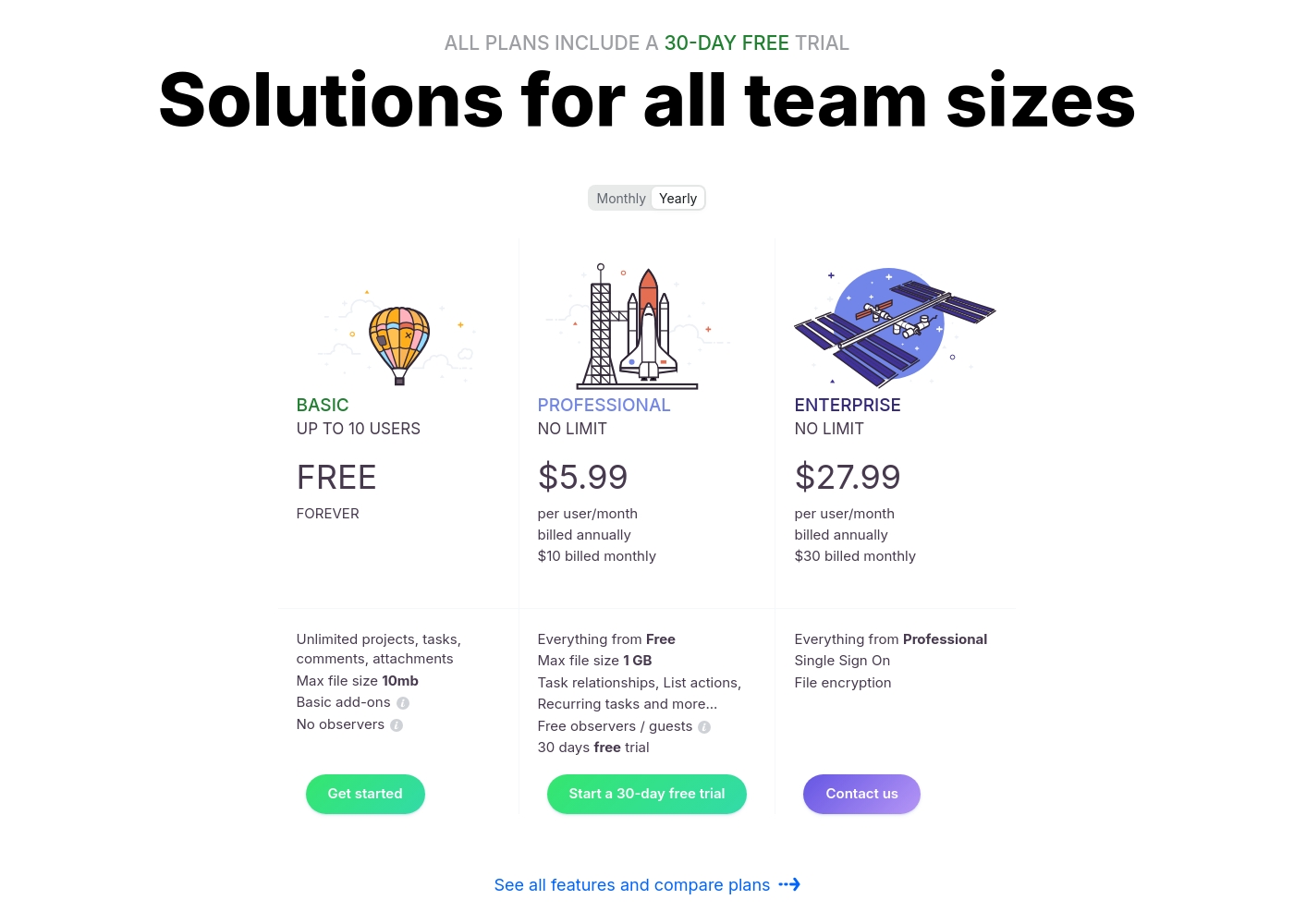
Ora costs between $0 and $30 per user/month with three plans: Basic at $0, Professional starting at $5.99 per user/month, and Enterprise starting at $27.99 per user/month.
We provide solutions for all team sizes, ensuring you only pay for the features and scale you truly need.
Ora Basic
Price: $0.00 / month (Free Forever) Best For: Teams of up to 10 users needing core project management and collaboration. Other Features:
- Unlimited projects, tasks, comments, and attachments
- Max file size is 10mb
- Includes Basic add-ons
- Supports up to 10 organization members
- Unlimited projects
- Unlimited tasks, comments, attachments
- Web, desktop, iOS, and Android apps
- Max file size 1 GB
- Task relationships
- Recurring tasks
- List actions (automation)
- Free observers / guests
- Single Sign On (SSO)
- File encryption
- Everything from Professional tier
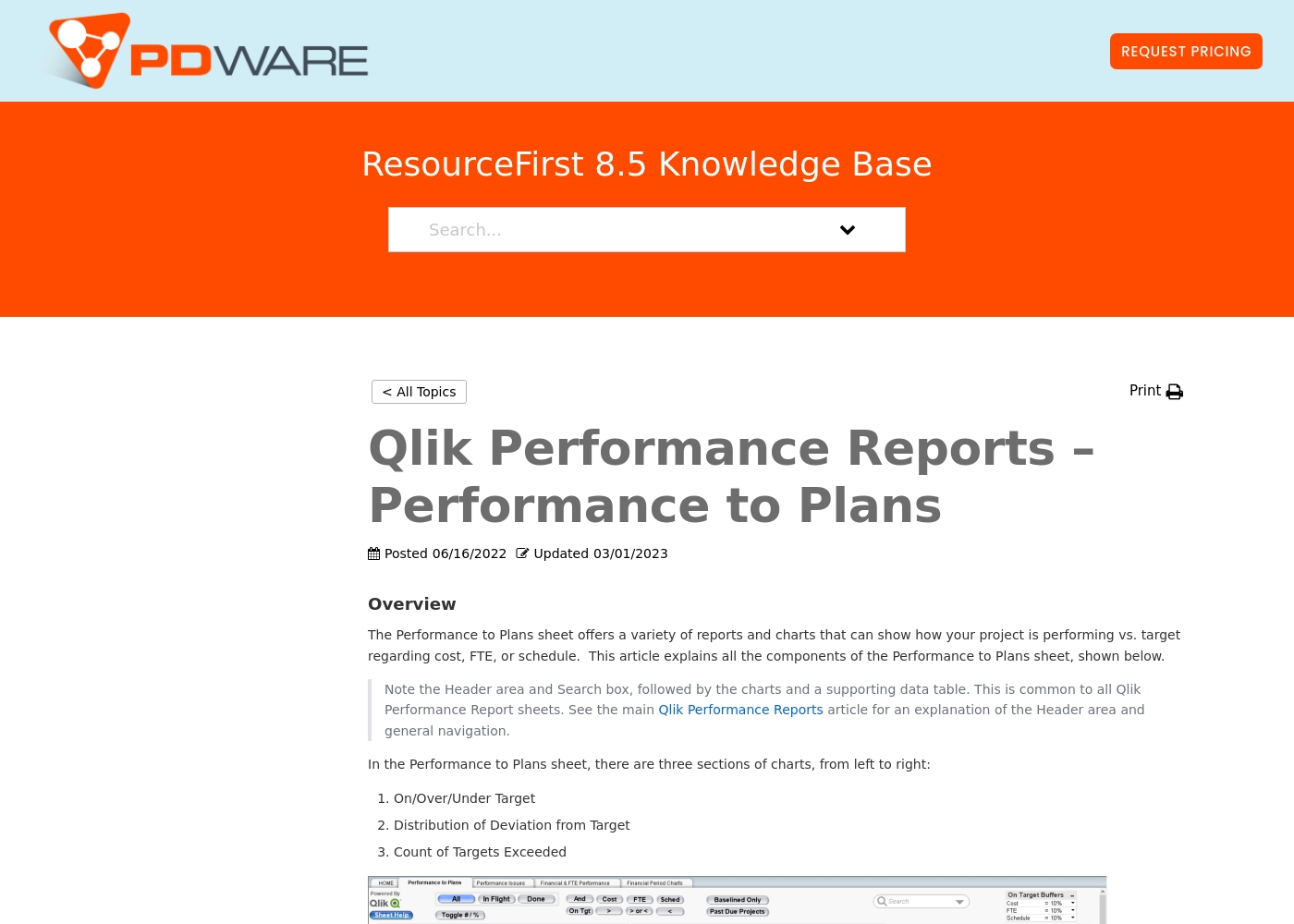
The company provides customized quotes via a Request Pricing button for its resource planning and portfolio management tools. Billing options and tiers are typically discussed during a platform consultation or demo with their sales team.
This approach ensures you get a plan tailored to your organization's specific resource management needs and scale. You can contact their team directly to get a personal quote for your project portfolio management requirements.
Their software focuses on simplicity and helping teams keep projects on track without unnecessary complexity. Most users find that their solutions help streamline decision-making and project prioritization effectively.
Pricing Notes
- Ora offers a generous free plan for up to 10 users, making it very accessible for small teams.
- PDWare requires a sales consultation for pricing, which is typical for specialized enterprise software.
- Ora's paid plans start low at $5.99/user/month (annual billing), providing clear, predictable costs.
- PDWare's value is in its focused feature set, avoiding costs for unnecessary complexity.
Pricing Head-to-Head
User Reviews
Customer sentiment for Ora is strongly positive, emphasizing its robust capabilities and outstanding usability. Several reviewers highlight that Ora is exceptionally user-friendly and superior to competitors like Trello, even though it is a relatively younger product.
Users rely on the platform daily for managing diverse projects, and one reviewer called it simply "the best platform for PM." While the current feedback volume is low, the recurring themes suggest high satisfaction regarding core functionality and daily reliability. The enthusiasm indicates that users find the platform’s functional depth combined with its ease of use provides strong value for teams seeking a productive command center.
Ora is one of my favorite daily web services for managing various tasks. It’s exceptionally user-friendly and handles diverse projects easily. I recommend it as a superior option compared to Trello.
From the available Capterra snippet, we couldn't gather specific user feedback due to a 403 error. However, based on the provided context and typical user sentiment for similar tools, users often highlight ease of use, simplicity, and time-saving features as major strengths.
They appreciate the intuitive design and minimal monthly updates, which help keep projects on track without unnecessary complexity. Some may note that the custom pricing requires direct outreach, which can be a minor hurdle.
PDWare is incredibly simple to use. Our team spends about an hour a month on updates, which is fantastic. It helps us stay focused on what matters.
Our Verdict
For most teams seeking a daily project management tool, Ora is the clear winner. It offers a powerful free plan, a feature-rich interface, and transparent pricing. PDWare isn't trying to compete here; it's a specialist for portfolio management. Ora's superpower is its Agenda Calendar. It turns your task list into a daily planner, showing you what to focus on next. This, combined with built-in time tracking and document annotation, makes it a command center for active work. PDWare's superpower is its laser focus. It solves one problem—portfolio and resource planning—extremely well. Users rave about spending just an hour a month on updates. It stays within budget by avoiding features you don't need. The deciding factor is your core need. If your team juggles daily tasks, deadlines, and collaboration, Ora is built for you. If your job is to decide which projects get funded and track them at a high level, PDWare is the specialized tool. Choose Ora if you need a free, all-in-one hub for your team's daily execution. Choose PDWare if you're a PMO or R&D leader needing a simple, strategic compass for your portfolio.
Frequently Asked Questions
Is Ora a better free alternative to PDWare?
Yes, Ora offers a robust free plan for up to 10 users with core project management features. PDWare does not list a free tier and requires a custom quote. For small teams on a budget, Ora is the clear choice.
Can PDWare handle daily task management like Ora?
No, PDWare is designed for high-level portfolio planning, not daily task execution. Ora is built for that purpose with task cards, calendars, and collaboration tools. They serve different primary functions.
Which tool is simpler to set up and use?
PDWare is praised for its extreme simplicity and minimal implementation effort. Ora is user-friendly but offers more features, which can mean a slightly steeper learning curve. PDWare wins on immediate ease of use.
Does Ora offer better pricing transparency than PDWare?
Absolutely. Ora's pricing is public with clear tiers from free to $30/user/month. PDWare requires you to contact their sales team for a custom quote, which is less transparent upfront.
Which tool is better for large enterprises with strict security needs?
Ora's Enterprise plan includes specific security features like SSO and file encryption. PDWare doesn't specify these in public data. For stated enterprise security needs, Ora provides a clear option.
Should a PMO choose Ora or PDWare?
A PMO focused on portfolio decisions, budget adherence, and resource allocation would likely prefer PDWare's specialized focus. A PMO needing to manage day-to-day tasks and team collaboration might find Ora more comprehensive.
Ready to Choose?
Both tools have their strengths. Choose based on your specific needs.