Opera vs Vivaldi
Opera and Vivaldi both ditch the system defaults for serious power. Opera prioritizes innovation and integrated AI assistants right in the desktop. Vivaldi focuses on deep user control and essential built-in productivity apps. You need to decide between cutting-edge features vs. ultimate custom functionality.
Best for: Users prioritizing a quick, modern browsing experience on all devices., Individuals needing instant access to WhatsApp, Instagram, or Telegram via the sidebar.
Best for: Power users who manage dozens of tabs across multiple projects daily., Professionals seeking integrated email (multiple accounts), calendar, and RSS feeds.
Feature-rich browser, marred by instability.
We found Opera impressive for its density of free, built-in features like a VPN and AI assistant, offering high perceived value compared to default browsers. Overall, we must caution users about significant instability issues reported during updates and serious user concerns regarding data privacy and ownership.
Pros
- Includes a free, built-in VPN and integrated AI assistant (Aria).
- Built-in Ad Blocker provides faster, distraction-free browsing.
- High level of customization and intuitive user interface.
- Tab Islands feature aids in productivity and organization.
Cons
- Frequent crashing and reliability issues, causing permanent loss of open tabs after updates.
- Significant user concerns regarding company ownership, data privacy, and security.
- Built-in VPN often fails to work with major streaming services.
- Updates are intrusive, auto-changing settings or adding unwanted shortcuts.
Highly Customizable, Feature-Packed, and Free.
We find Vivaldi offers unparalleled privacy and built-in features that usually require separate extensions. While the performance can be inconsistent, and users report occasional bugs, the level of control and the value proposition are immense. Overall, we recommend Vivaldi, especially for advanced users who prioritize customization and an all-in-one suite.
Pros
- Unmatched customization options for both interface and functionality.
- Zero data tracking and built-in privacy protection features.
- Bundled applications like Mail, Calendar, and Feed Reader are included.
- Advanced tools for tab organization (Workspaces and Stacking).
Cons
- Performance issues, including high RAM consumption and occasional lagging.
- Users report bugs, crashes, and stability problems.
- Bookmarking import and organization process can be difficult.
- Minor compatibility issues reported with certain older or complex websites.
AboutOpera
Opera Browser positions itself as your personal digital hub 💡, moving beyond the limitations of standard programs like Chrome or Edge. It is designed for users who prioritize performance, security, and organization in their online lives.
For over 25 years, Opera has focused on expanding browser technology, ensuring you get the highest levels of flexibility and privacy available. It's a complete web experience that's easy to take on the go with specific mobile versions for Android and iOS.
AboutVivaldi
Vivaldi is a web browser built for users who demand more control and efficiency. It is designed specifically for power users seeking innovative features and custom workflows. This browser fights for a better web by focusing on privacy and avoiding the incessant pollution of data mining. Vivaldi is meant to let you browse the web your way. 💡
Highlights
Feature Comparison
Features Overview
We highlight the main differences and pick a winner for each feature.
AI Integration
Opera includes a powerful, free, unlimited AI assistant called Aria. Vivaldi actively rejects integrating generative AI tools.
Opera is heavily involved in the future of web browsing and technology. It provides free, unlimited access to the integrated Aria AI assistant directly in the browser. Opera also actively supports Web3 functionality for future-proofing your experience. Vivaldi maintains a strong commitment to keeping generative AI out of the browser experience. Instead, Vivaldi focuses purely on user control and robust, existing feature development. They concentrate on optimizing current tools, not adding AI features. This is a fundamental philosophical difference between Opera and Vivaldi. Opera is the innovator, betting on AI to enhance browsing quickly. Vivaldi prioritizes privacy and human control over automated assistance. If you are excited about using AI for summaries and quick tasks, Opera is the clear winner for instant utility.
Productivity Tools
Vivaldi is an all-in-one hub with integrated Mail, Calendar, and a Feed Reader. Opera relies solely on external web services for these tools.
Vivaldi is designed as a productivity hub built right into the browser core. It features a powerful, built-in Mail client for multiple accounts in a unified inbox. Vivaldi also includes a private Calendar and an algorithm-free Feed Reader for news. Opera uses built-in sidebars to host communication tools like WhatsApp, but lacks Mail and Scheduling clients. Opera users must rely on external web services like Gmail or Outlook for these essential applications. Vivaldi aims to declutter your technology stack by incorporating these essential tools natively. Opera focuses on faster browsing and communication links, not replacing your communication software entirely. If integrated email or scheduling is crucial to your daily workflow, Vivaldi offers unparalleled convenience inside one application.
User Customization
Vivaldi offers unmatched personalization of themes, commands, and workflows. Opera provides a modern, clean, but less flexible modular design.
Vivaldi allows users to personalize almost every element of the interface, themes, and shortcuts. It gives you the power to truly make the browser experience entirely your own. Vivaldi is truly built for the user who craves total control. Opera One features a very clean, modern, and modular design with smooth animations. While visually appealing, the overall layout and core functionality are more fixed. Opera focuses on superior performance rather than deep manual interface tweaking. The major difference is the philosophy of control versus ready-made polish. Vivaldi offers thousands of options for personalized configuration and design. For power users looking to automate and personalize their browser down to the smallest detail, Vivaldi is the undisputed choice.
Security & VPN
Opera includes a free, built-in browser VPN and option for device-wide protection. Vivaldi protects sync data better with end-to-end encryption.
Opera provides a strong, free, built-in VPN that secures your browsing activity within the application. Opera also offers an optional paid VPN Pro subscription for device-wide security protection. This makes quick security very accessible for Opera users. Vivaldi prioritizes data privacy, securing synchronized data (passwords, history) with robust end-to-end encryption. It also includes strong tracker protections and integrated Ad Blocking features. Vivaldi partners with Proton VPN for optional, external VPN services. Both Opera and Vivaldi champion privacy, but approach it differently. Opera focuses on anonymous IP access via VPN, while Vivaldi focuses on securing user data sync. Choosing between Opera and Vivaldi depends on whether you prioritize easy VPN access (Opera) or comprehensive data encryption (Vivaldi).
Tab Management
Vivaldi offers granular control using Workspaces, Tiling, and Stacks. Opera offers Tab Islands for simple, automated tab grouping.
Vivaldi is packed with advanced features to handle 'tab overload' for researchers and professionals. It uses Workspaces to separate contexts like 'Work' and 'Personal' completely. Vivaldi also enables Tab Tiling, allowing side-by-side viewing of pages. Opera uses an innovative feature called Tab Islands to automatically group related tabs together. This keeps your interface cleaner and organizes contextual browsing sessions. Opera focuses on automation to manage complex tab situations seamlessly. Vivaldi requires user setup to maximize organization but offers deeper, lasting control over tabs. Opera manages tab chaos through intelligent defaults and automated structuring. If you routinely juggle 50+ tabs across different projects, Vivaldi's Workspaces and Tiling provide the necessary control.
Integrated Communication
Opera embeds popular communication apps like WhatsApp and Telegram directly in the sidebar. Vivaldi uses flexible Web Panels that can host any external site.
Opera integrates major messenger applications right into its sidebar for quick, no-switch communication. You get WhatsApp, Instagram, and Telegram instantly accessible while you browse. Opera also includes 'Flow' for instant file sharing between devices. Vivaldi uses Web Panels, which allow any web page (including messengers) to be added to the sidebar. This offers customization, but requires manual setup for external services. Vivaldi focuses more on integrated services like Mail and Calendar. Opera provides an immediate, seamless experience for staying connected on social apps. Vivaldi requires extra steps but offers higher flexibility through its Web Panel feature. For users who constantly need to respond to DMs or chats, Opera’s pre-built sidebar integration is a superior time-saver.
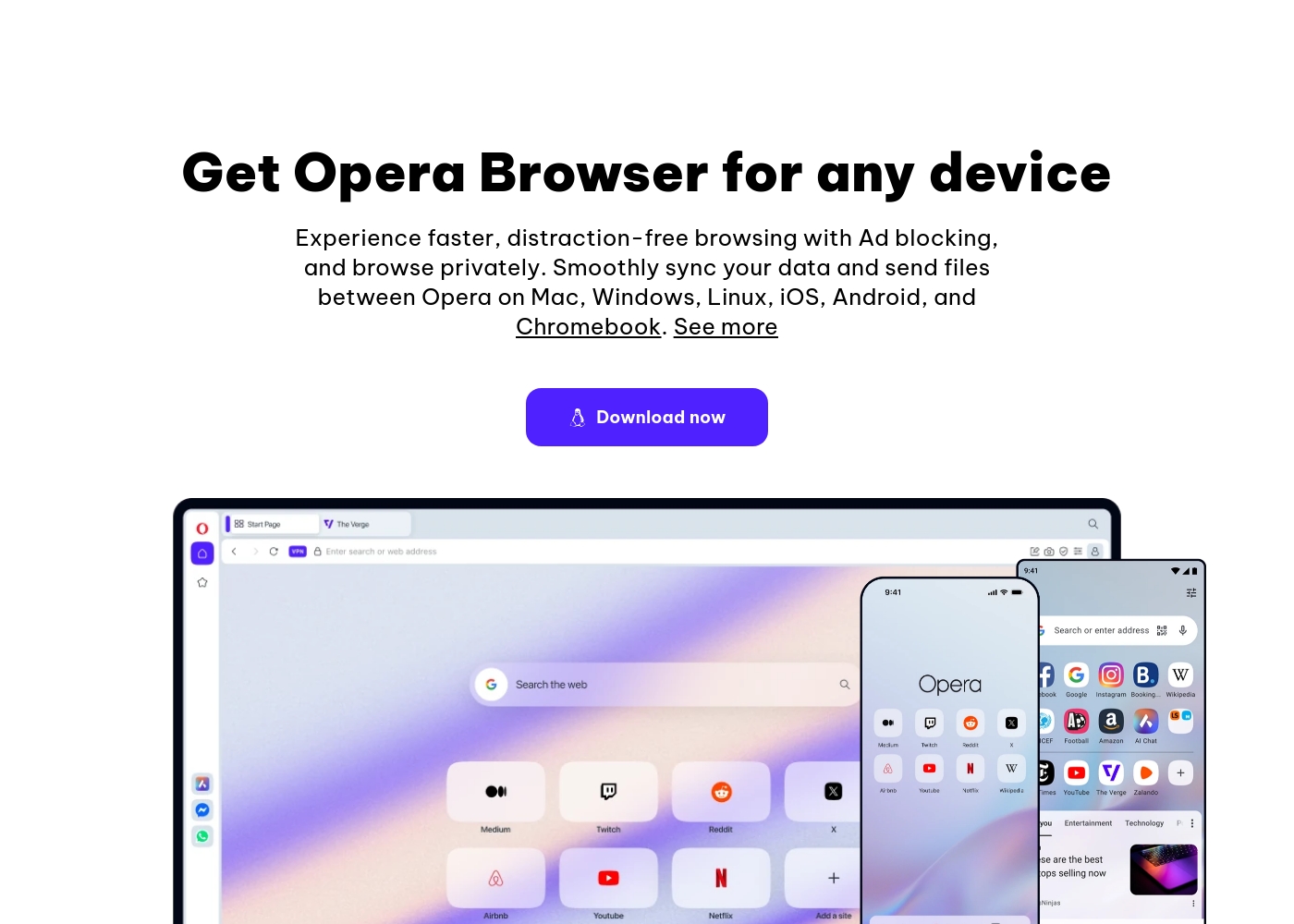
You can start using all of Opera’s core features immediately without paying anything. Below are the details for the core browser and the enhanced VPN option.
Opera Browser (Free)
Price: Free Best For: Everyday browsing, integrated productivity, privacy Other Features:
- Built-in, free VPN for secure browsing
- Aria, the free and unlimited browser AI
- Integrated Ad Blocker for faster loading
- Flow file sharing between devices
- Built-in messengers (WhatsApp, Instagram, etc.)
This is the perfect choice if you want a fast, secure, and modern browser with AI and privacy tools included at no charge. It easily protects your browsing experience and streamlines productivity with features like Tab Islands and built-in chat apps. It's truly a smarter way to browse—for free!
- Ad Blocker
- Free VPN (built-in)
- Aria AI (free and unlimited)
- Built-in Messengers (WhatsApp, Instagram, Twitter)
- Tab Islands for organization
- Enhanced protection for your entire device
- Browse privately anywhere
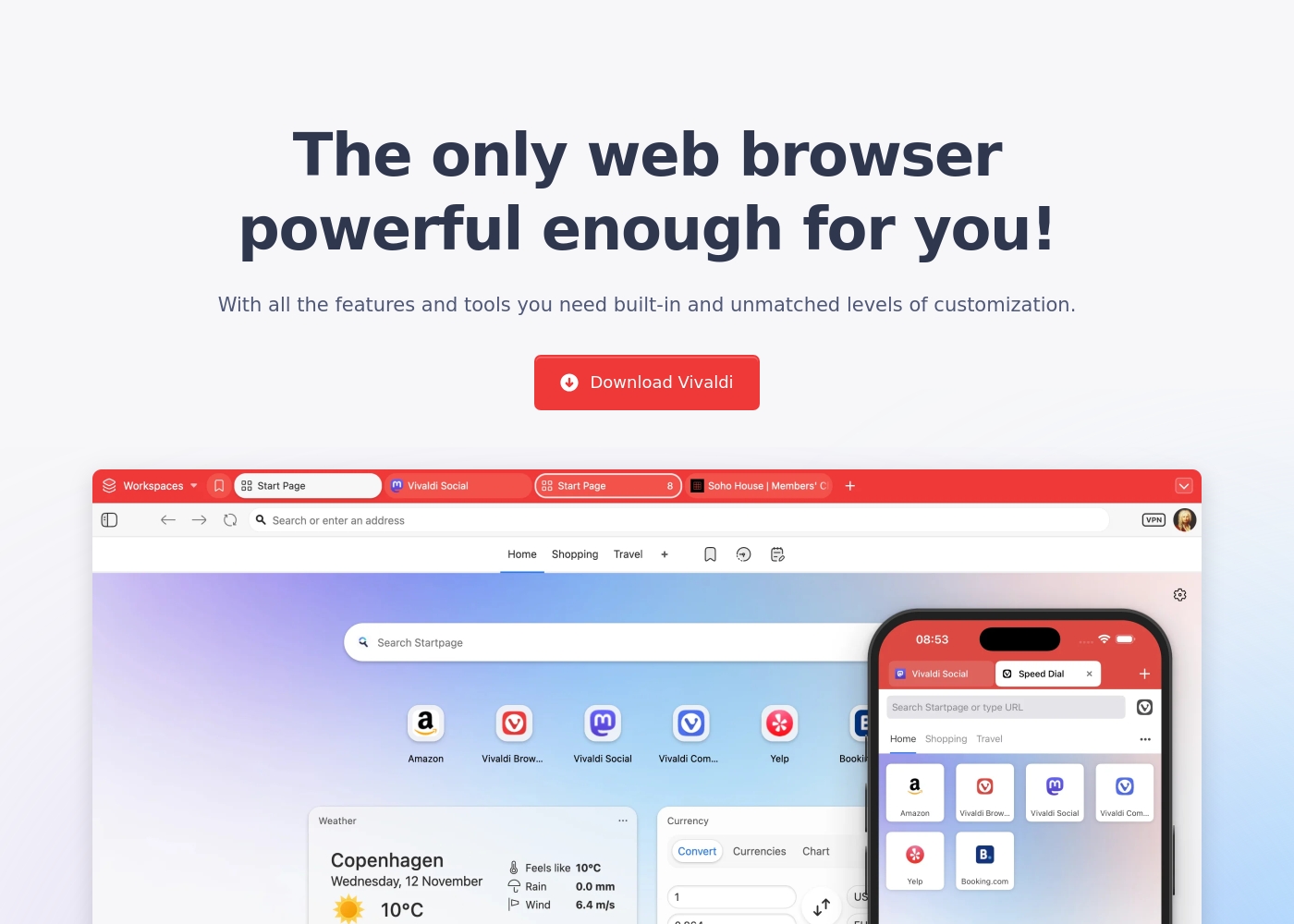
Vivaldi is a free web browser; there are no mandatory subscription costs or explicit paid pricing tiers listed in the provided documentation.
While there are no set plans to compare, it helps to review the core offering and what you get upon download.
Vivaldi Browser (Free)
Best For: Users who demand powerful built-in features, extensive privacy, and high levels of customization. Other Features:
- Built-in Mail, Calendar, and Feed Reader
- Secure Sync with end-to-end encryption
- Advanced tab management (Tab Tiling, Stacking, Workspaces)
- Built-in Ad Blocker and private translation tool
- Keyboard Command Chains for boosting productivity
- Built-in Mail, Calendar, and Feed Reader
- Secure Sync with end-to-end encryption
- Advanced tab management (Tab Tiling, Tab Stacking, Workspaces)
- Built-in Ad Blocker and tracking protection
- Private translation tool
Pricing Notes
- The core Vivaldi and Opera browsers are completely free to download and use on all platforms.
- Vivaldi is supported entirely through donations, offering its full feature set (Mail, Calendar, Workspaces) for free.
- Opera offers an optional paid upgrade, VPN Pro, for device-wide security, but the subscription price is not publicly published.
- Vivaldi provides comprehensive functionality without any required subscription costs, making it arguably better value.
Pricing Head-to-Head
User Reviews
The external feedback for Opera is highly polarized. Users consistently praise the excellent value due to its free features, including a built-in VPN, effective Ad Blocker, and customizable interface, calling the UI intuitive and elegant.
However, reliability concerns dominate the recent reviews, leading to a "Poor" rating (2.1). Many users report that mandatory, automatic updates frequently cause the browser to crash, resulting in the permanent loss of all open tabs and workspaces.
The free VPN is useless because streaming services refuse to work with it. You should also be cautious about privacy here because it's owned by a Chinese company. I strongly suggest caution before relying on it.
Vivaldi receives positive but highly polarized reviews, resulting in a 3.7 average score on Trustpilot. Users overwhelmingly commend its feature-rich design, noting the massive benefits of the built-in Mail client, Calendar, and advanced Tab Management.
The browser’s staunch focus on privacy and customization is frequently highlighted as a major benefit, especially for power users and developers seeking an efficient, non-tracking environment. However, reliability remains a recurring pain point.
This is finally a fully customizable browser. I can adjust how it works to match exactly what I need. It is a huge relief to have this level of control over my browsing experience.
Our Verdict
Opera and Vivaldi are the best alternatives to bland default browsers. You need to decide between immediate speed and organization versus ultimate power and control. Vivaldi is the browser for the hyper-organized power user who hates switching tools. Opera is the choice for anyone prioritizing performance, AI, and integrated social communication. Opera’s superpower is its speed and integrated innovation platform. The modular design of Opera One is incredibly fast and smooth across all devices. You get the free, unlimited Aria AI assistant integrated directly into your workflow. Opera makes chatting easier with messengers like WhatsApp built into the sidebar. Vivaldi’s superpower is its unrivaled control and built-in toolset. It includes integrated Mail, Calendar, and a Feed Reader, creating a complete office suite. Vivaldi offers deep customization for themes, menus, and even automated Command Chains. Tab Tiling and Workspaces help Vivaldi users manage massive research projects easily. The biggest factor is whether you want integrated productivity apps (Vivaldi) or integrated AI/social networking (Opera). Opera is winning the battle for the future with free AI and Web3 support. Vivaldi wins for users who need a powerful, private, all-in-one communication hub. If you value speed, AI integration, and instant communication, switch to Opera today. If you are a power user demanding deep customization, Mail, and Calendar built-in, Vivaldi is your obvious choice. Both Opera and Vivaldi offer robust features completely free of charge.
Frequently Asked Questions
Does Vivaldi have built-in AI like Opera’s Aria?
No, Vivaldi is committed to keeping generative AI out of the browser experience. Opera includes the free, unlimited Aria AI assistant directly integrated into its workflow. Vivaldi instead focuses on robust organizational features, not AI.
Which browser is better for managing many open tabs: Opera or Vivaldi?
Vivaldi is significantly stronger for tab management. It offers Workspaces, Tab Stacking, and Tab Tiling for granular control. Opera offers Tab Islands, which automatically group tabs for quicker organization.
Is Opera or Vivaldi better for users who rely on email and calendar?
Vivaldi is superior for communication and scheduling. It includes a powerful, built-in Mail client and a private Calendar, eliminating other required applications. Opera requires you to use web-based clients for these services.
How secure are the free VPN options in Opera and Vivaldi?
Opera provides a free, built-in VPN that works only at the browser level. Vivaldi integrates with Proton VPN for optional, full VPN functionality. For maximum security, Opera offers an optional device-wide VPN Pro subscription.
Can I use Chrome extensions on both Opera and Vivaldi?
Yes, both Opera and Vivaldi are based on Chromium, allowing them to support Chrome extensions. This flexibility means you won't lose access to your favorite third-party tools. Both browsers offer great compatibility and extensibility.
Which browser offers better workflow automation?
Vivaldi wins easily for automation with its Command Chains and Mouse Gestures. These features allow you to build custom sequences and trigger them with simple inputs. Opera lacks specific tools for user-defined workflow automation.
Ready to Choose?
Both tools have their strengths. Choose based on your specific needs.