Norton Family vs Webwatcher
Norton Family versus Webwatcher pits a major security suite against a specialized surveillance tool. Norton Family focuses on screen limits, safety, and clear oversight for balanced device use. Webwatcher offers deeper communication tracking but comes with serious, documented user trust and support warnings. You must prioritize trust or deep, discrete features.
Best for: Families seeking trusted parental controls and integrated cyber security bundles., Parents who want flexible screen time schedules and limits for healthy device use.
Best for: Monitoring a single teen device where extreme, discreet communication tracking is necessary., Parents requiring visual proof of Snapchat activity or text messages on Android.
Trusted Security Engine for Family Safety
We find Norton Family offers a powerful and mature set of parental control tools, utilizing Norton’s decades of security expertise. It excels at balancing screen time management with web safety and providing crucial location supervision. Overall, this is a highly reliable security package for families seeking broad digital management features within a trusted ecosystem.
Pros
- Built on a robust, proven, and highly reliable security platform.
- Comprehensive features including screen time limits, location tracking, and content filtering.
- Dedicated ‘School Time’ feature helps minimize remote learning distractions.
- Manageable via an easy-to-use Parent Portal and mobile app.
Cons
- Renewal costs are significantly higher than the introductory promotional price.
- Customer loyalty does not appear to be rewarded in the pricing structure.
- General Norton users sometimes report being overwhelmed by notifications.
- Little specific external feedback is available on the dedicated Family product features.
Extreme risk due to billing and support issues.
We found Webwatcher markets itself strongly on guaranteed functionality and comprehensive support for parental monitoring needs. However, our review of public user feedback showed severe, concrete accusations of fraudulent billing, refusal to issue refunds, and complete non-response from customer support. Overall, the serious financial and reliability risks reported by consumers necessitate a very low rating.
Pros
- Advertised compatibility across major devices (Android, iPhone, PC, Mac).
- Unlimited data storage is included in the current subscription plan.
- Setup is claimed to be quick and easy (under five minutes).
- Functionality is officially guaranteed with a full refund if issues cannot be resolved.
Cons
- Users report being refused refunds despite the official money-back guarantee.
- Specific claims of fraudulent double billing and funds theft were reported.
- Customer support was reported as non-responsive or misleading ('runaround').
- Product allegedly failed to work properly for some customers.
AboutNorton Family
Norton Family is a comprehensive toolset designed to give parents awareness and control over their children’s digital interactions. It focuses on facilitating positive and age-appropriate experiences with technology. Parents can manage protection for their child's devices using an easy-to-use Web Portal or a mobile app 📱. The core mission is to help children learn responsible, healthy methods for exploring the internet.
AboutWebwatcher
WebWatcher is a specialized parental monitoring app. It is primarily aimed at supervising teenagers who may be involved in risky online behavior. The software gives parents necessary visibility into their child's digital footprint.
It works across major platforms including Android, iPhone, PC, and Mac devices. You can monitor everything seamlessly from anywhere using your secure, web-based online account. The application is designed to be discrete and tamper-proof once it's correctly installed. 💡
Highlights
Feature Comparison
Features Overview
We highlight the main differences and pick a winner for each feature.
Trust & Reliability
Norton Family is a highly trusted brand; Webwatcher has severe, well-documented user complaints.
Norton Family has a robust reputation backed by a corporate security giant and reliable performance. Users report high satisfaction with Norton Family's features and overall ease of use. Webwatcher’s TrustPilot rating is catastrophically low (1.0), based on specific allegations of fraudulent billing and stealing funds. Choosing Webwatcher means accepting significant financial risk, making Norton Family far safer and more reliable.
Depth of Surveillance
Webwatcher tracks communication logs and texts; Norton Family focuses on web control and time limits.
Webwatcher prioritizes deep visibility into communications, tracking texts, calls, and email activity. This level of access provides insight into crucial peer-to-peer interactions. Norton Family provides clear oversight into videos watched and search terms used, but avoids logging private communications. If tracking every text message is essential, Webwatcher offers a feature set Norton Family does not match.
Time Management
Norton Family provides robust scheduling and limits; Webwatcher lacks explicit time control features.
Norton Family excels at helping parents set firm boundaries using Time Supervision and custom schedules. The unique School Time feature helps filter distractions during specific remote learning hours. Webwatcher is purely a data-capture tool and offers no functionality for setting limits or managing screen time. Parents who want to foster healthy device habits will find Norton Family indispensable for its scheduling powers.
Social App Monitoring
Webwatcher specializes in monitoring high-risk apps like Snapchat; Norton Family offers general app tracking.
Webwatcher captures screenshots and received messages within Snapchat on Android for intense monitoring. This deep capture handles the ephemeral nature of disappearing message apps that challenge general filters. Norton Family uses App Supervision primarily to monitor installed apps, guiding parents toward responsible downloads. If you need to know exactly what is happening in high-risk private social apps, Webwatcher is uniquely equipped.
Video Monitoring
Norton Family reviews visual video snippets; Webwatcher only records web visits.
Norton Family’s Video Supervision shows parents actual visual snippets of YouTube videos watched by the child. This feature allows quick assessment of video content without watching an entire potentially inappropriate clip. Webwatcher records the visited website URL but does not provide visual insight into video content itself. Norton Family offers clearer, faster context for content consumption, enhancing understanding for guiding conversation.
Device Compatibility
Norton Family fully supports mobile and Windows; Webwatcher claims wider support but requires a Mac/PC connection for iPhone setup.
Norton Family supports Windows, Android, and iOS for the child’s device, but notably does not support Mac installation. Webwatcher advertises support for Windows, Mac, Android, and iPhone devices for installation. To set up Webwatcher for an iPhone, a one-time physical connection to a local Mac or PC is necessary. Norton Family’s omission of Mac device monitoring may be a deal breaker for some high-tech households.
Pricing Clarity
Norton Family is tied to bundled subscriptions; Webwatcher is simple but expensive per-device.
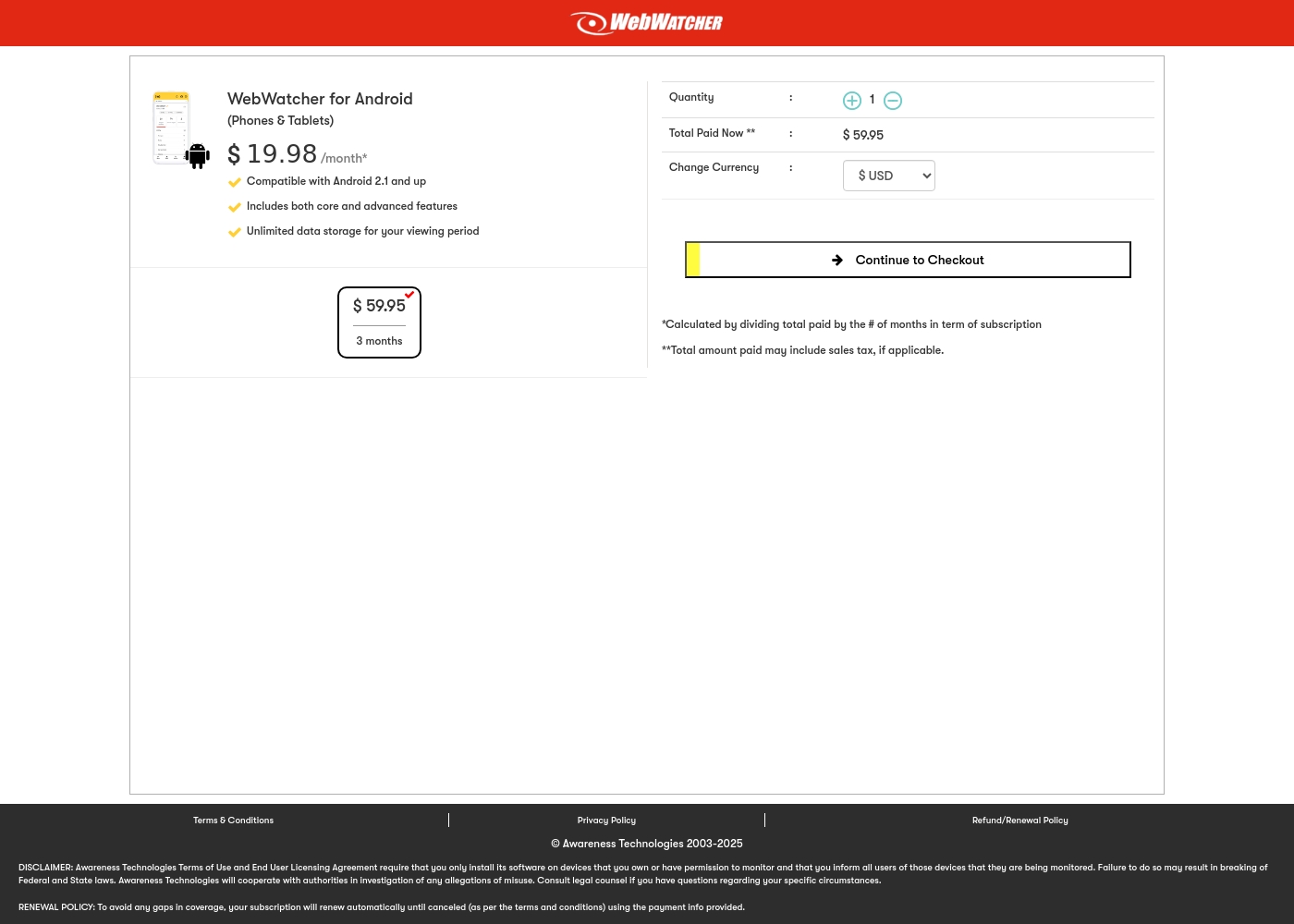
Norton Family often integrates into cost-effective Norton 360 security bundles, favoring long-term annual commitment. Webwatcher offers a simple per-device subscription, like the 3-month Android plan totaling $59.95. Webwatcher's simple cost is complicated by widespread user claims of billing fraud and unauthorized double-charging. Norton Family’s pricing is more complex but far more trustworthy and comes with guaranteed refund policies.
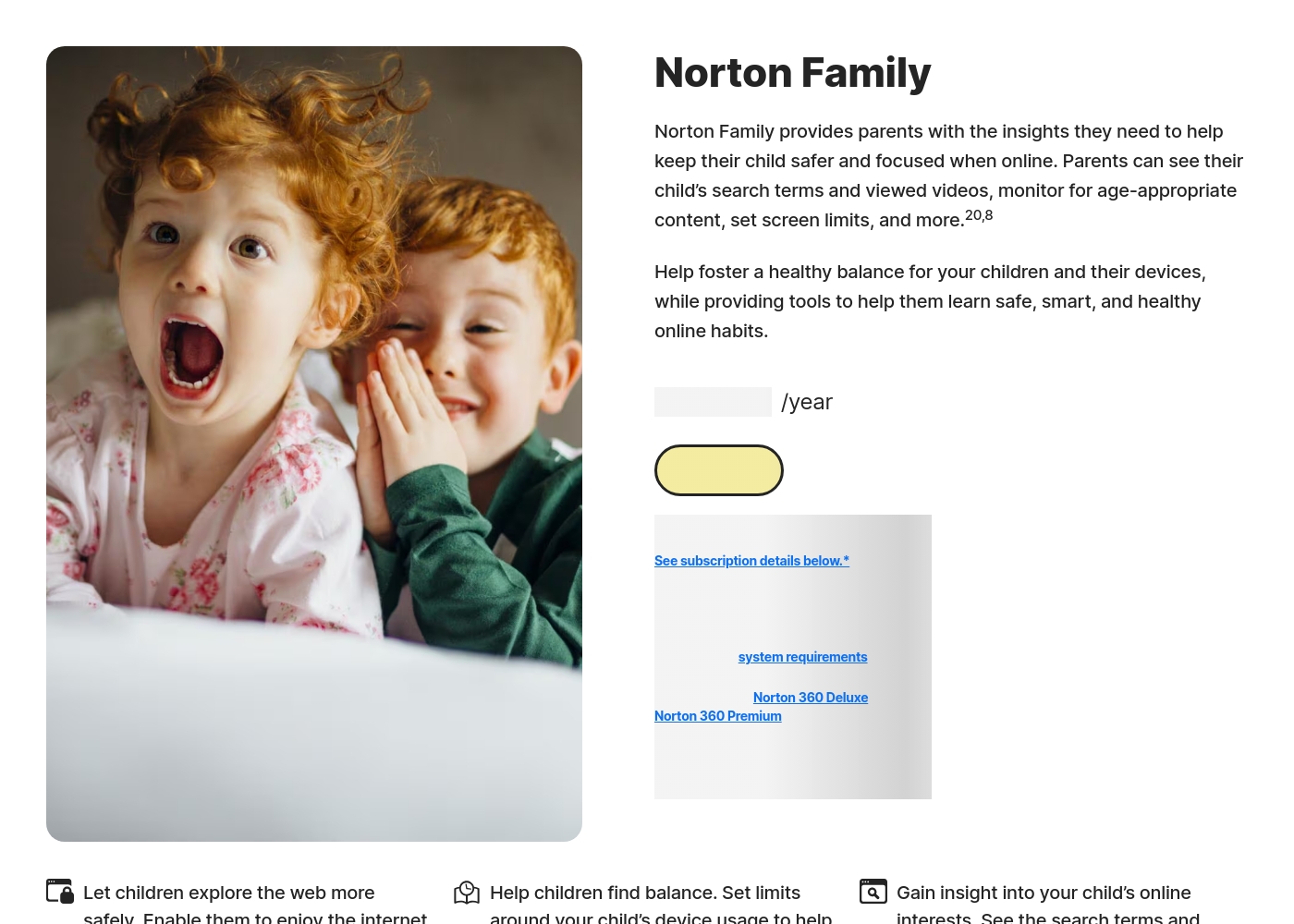
Norton Family costs S$29.99 per year for the first year. It is offered as a single standalone annual subscription at S$29.99.
Norton Family is designed to help parents foster healthy online habits for their children.
Norton Family (1 Year Subscription)
Price: S$29.99 per year (introductory price) Best For: Parents seeking dedicated tools to help children balance screen time Refund Policy: 60-day money-back guarantee (for annual subscriptions) Other Features:
- Set time limits for device use (Time Supervision).
- See terms children are searching for (Search Supervision).
- Monitor videos viewed on YouTube.com (Video Supervision).
- Set up a block list for distracting sites during remote learning (School Time).
- Use Location Supervision to map mobile devices.
- Web Supervision (blocking unsuitable content)
- Time Supervision (setting device limits)
- Search Supervision (seeing terms children search)
- Video Supervision (monitoring YouTube videos)
- App Supervision (managing downloaded apps)
Webwatcher costs $19.98 per month with one explicitly priced plan: the 3-Month Android Subscription at $59.95 total.
Finding the right monitoring solution for your family is simple. Here is a detailed look at the pricing and features available in the current purchase flow.
3-Month Android Subscription
Price: $59.95 (paid every 3 months, calculated at $19.98/month) Best For: Parents monitoring Android phones and tablets Refund Policy: Full refund guaranteed if issues cannot be resolved Other Features:
- Compatible with Android 2.1 and newer versions
- Includes both core and advanced features
- Unlimited data storage for your full viewing period
- Compatible with Android 2.1 and up
- Includes both core and advanced features
- Unlimited data storage for your viewing period
Pricing Notes
- Norton Family pricing often involves annual subscriptions and is frequently bundled with Norton 360 security suites.
- Webwatcher relies on a per-device model, currently showcasing a 3-Month Android Subscription at $19.98/month effective rate.
- Webwatcher users frequently report serious billing issues, including double-charging and refusal of refunds, despite a stated guarantee.
- Norton Family offers a generous 60-day refund window for annual subscriptions, making the starting commitment lower risk.
Pricing Head-to-Head
User Reviews
Reviewers overwhelmingly praise Norton’s broader security ecosystem, which includes Norton Family. Customers consistently highlight the robust protection provided, confirming that the software ensures their devices are safe from threats and malware.
Consumers often mention the peace of mind they gain from the software operating efficiently in the background, offering prompt alerts and regular scans. The user experience is generally considered easy, even for non-tech-savvy users, and the comprehensive bundles (including VPN and Identity Theft services) are highly valued.
I have been using Norton since its very beginning and have never had protection issues. I have examined others and there is simply no comparison to Norton's performance and protection.
Webwatcher’s external feedback is extremely limited, stemming only from two reviews which resulted in a very low 2.9 TrustScore. While the platform advertises a strong 'risk-free' guarantee and promises excellent, responsive customer care, the limited user reports strongly contradict these claims.
Both reviewers cited severe issues primarily centered on billing and refunds. Users claim they were refused refunds entirely, even when requested within the advertised refund window, despite the monitoring product reportedly failing to work properly.
They refused to honor the risk-free money-back guarantee, even though I submitted the request properly. Furthermore, the product I purchased never actually worked for me as advertised. I absolutely feel like they are ripping me off.
Our Verdict
This decision relies almost entirely on trust versus risk. Norton Family is the reliable winner for the vast majority of families seeking safe controls. Webwatcher offers features Norton Family lacks, but its significant user complaints cannot be ignored. Norton Family’s superpower is its stable, balanced oversight and powerful time management features. Parents can easily set flexible time limits and use School Time to focus during remote learning. It’s seamlessly integrated with Norton 360, providing excellent value for comprehensive family protection. Webwatcher’s unique strength is deep, discrete surveillance, tracking texts, phone calls, and even Snapchat activity on Android. If absolute proof of communication is urgently required, Webwatcher provides that data. However, many users claim that Webwatcher doesn't work and refuses to issue refunds. The deciding factor must be consumer safety. Norton Family is backed by a major, reliable brand with trustworthy support and transparent billing practices. Choosing Webwatcher means risking fraudulent billing and non-existent support for specialized tracking. Choose Norton Family if you prioritize stability, time limits, and financial security. Only consider Webwatcher if deep surveillance is critical and you are prepared to deal with very high reports of financial and support disputes.
Frequently Asked Questions
Which is better for setting device time limits and managing schedules?
Norton Family is significantly better for time management and limits. It includes sophisticated Time Supervision and a School Time feature for setting schedules. Webwatcher is purely a monitoring tool and does not manage device time limits.
Does Norton Family monitor texts and phone calls like Webwatcher can?
No, Norton Family does not monitor text messages, phone calls, or emails. Webwatcher specializes in tracking all these communication methods discretely. Norton Family focuses on search terms and content filtering rather than communication logs.
Which software has the more trustworthy billing and customer support?
Norton Family is the clearly superior choice for trust and billing reliability. Webwatcher has widespread user complaints detailing fraudulent double-billing and refusal to honor refunds. Norton Family offers reliable support and a clear refund policy.
Is Norton Family or Webwatcher better for discreet, secret monitoring?
Webwatcher is designed to be discrete and tamper-proof once installed, perfect for secret surveillance. Norton Family prefers a more transparent approach, focusing on oversight and boundaries rather than secrecy.
Can I use Norton Family to monitor a Mac computer?
Currently, Norton Family does not support Mac computers for child device installation. It works on Windows, Android, and iOS devices. Webwatcher claims to operate on Mac, but user functionality often varies.
Which tool is better for monitoring high-risk social media apps like Snapchat?
Webwatcher offers superior, deep monitoring for Snapchat on Android by capturing screenshots and received messages. Norton Family offers general App Supervision but lacks that specific, deep social media capturing capability.
Ready to Choose?
Both tools have their strengths. Choose based on your specific needs.