mSpy vs Webwatcher
mSpy and Webwatcher are both powerful parental control monitors, but both face major reliability issues. mSpy offers deeper, more invasive feature technology like Screenrecorder and Call Recorder. Webwatcher provides essential monitoring that covers PCs and Macs alongside mobile devices. We’ll help you choose the lesser of two unreliable evils.
Best for: Parents requiring visual proof of activity via Screenrecorder, Families monitoring up to three mobile devices simultaneously
Best for: Monitoring activity across PCs and Macs in addition to mobiles, Users who value unlimited data storage capacity
Effective Monitoring with Severe Pitfalls
We found mSpy offers a highly capable feature suite, including Keylogger, Screenrecorder, and robust GPS tools, which are powerful when functioning correctly. However, external reports show major issues surrounding reliability, hidden pricing, and difficult installation processes. Overall, this tool provides powerful monitoring features, but its severe operational and billing pitfalls prevent a strong recommendation.
Pros
- Excellent feature set including Keylogger and Screenrecorder capabilities.
- Effective remote features like call recording and microphone control (available in Extreme plan).
- Geofencing and GPS tracking are praised for accurately monitoring location.
- Family Kit successfully allows monitoring up to three devices simultaneously.
Cons
- Frequent reports of inaccurate data tracking, app failure, or connectivity issues.
- Users report that the service stops working after a short period, requiring constant reinstallation.
- Many customers report unauthorized billing, hidden costs, and surprise fees for required add-ons.
- The refund policy is considered very narrow, making returns extremely difficult to obtain.
Extreme risk due to billing and support issues.
We found Webwatcher markets itself strongly on guaranteed functionality and comprehensive support for parental monitoring needs. However, our review of public user feedback showed severe, concrete accusations of fraudulent billing, refusal to issue refunds, and complete non-response from customer support. Overall, the serious financial and reliability risks reported by consumers necessitate a very low rating.
Pros
- Advertised compatibility across major devices (Android, iPhone, PC, Mac).
- Unlimited data storage is included in the current subscription plan.
- Setup is claimed to be quick and easy (under five minutes).
- Functionality is officially guaranteed with a full refund if issues cannot be resolved.
Cons
- Users report being refused refunds despite the official money-back guarantee.
- Specific claims of fraudulent double billing and funds theft were reported.
- Customer support was reported as non-responsive or misleading ('runaround').
- Product allegedly failed to work properly for some customers.
AboutmSpy
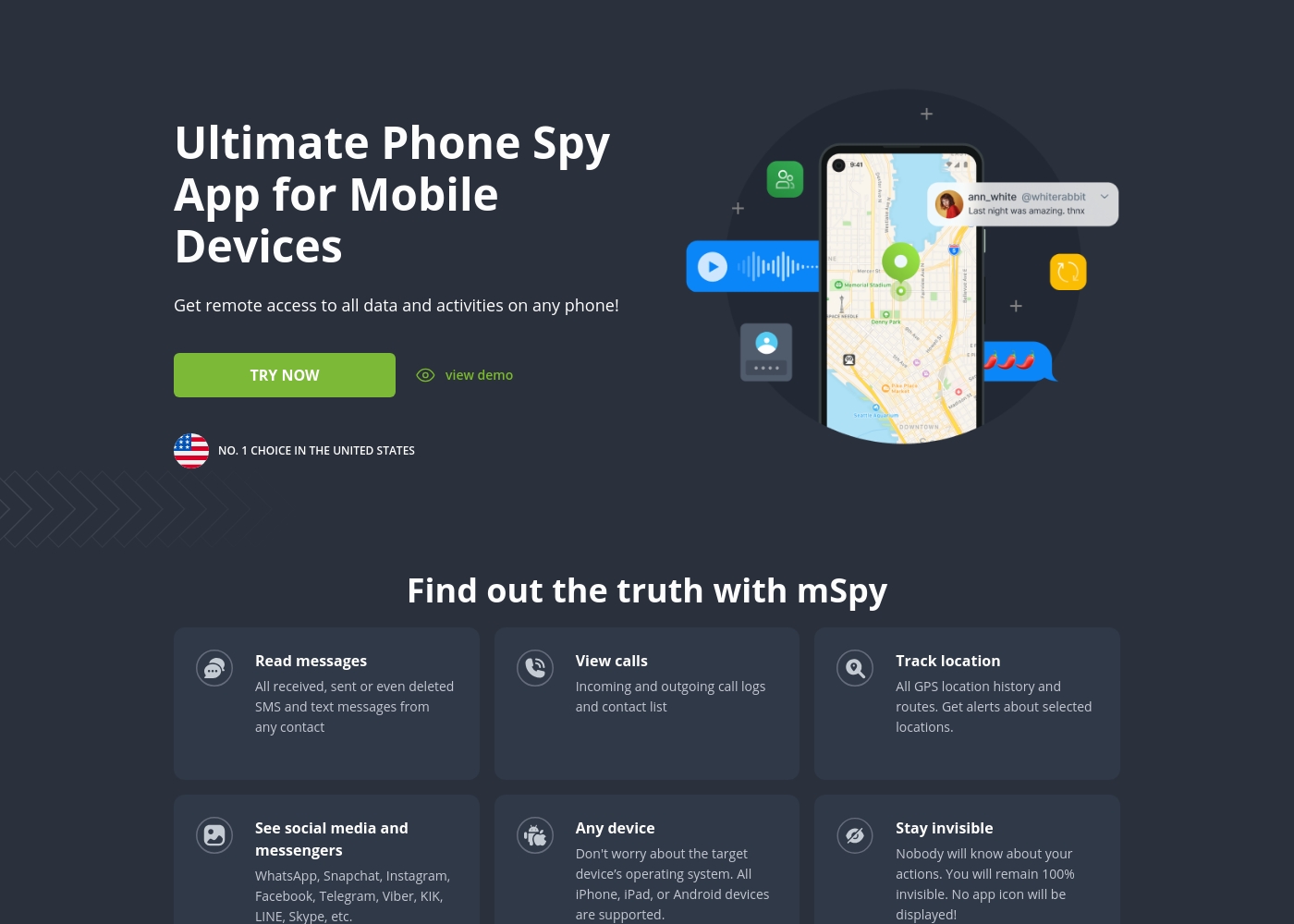
mSpy is the #1 Choice in the United States for trusted parental control. It is a powerful mobile monitoring solution, more than just a simple app. This tracker lets you see exactly what’s happening on their phone without needing to stand over them. It works great on your favorite device, offering solutions that are compatible with any operating system 💡. Installation is simple, allowing you to get the full monitoring power without restrictions, even offering local sync and non-jailbreak solutions.
AboutWebwatcher
WebWatcher is a specialized parental monitoring app. It is primarily aimed at supervising teenagers who may be involved in risky online behavior. The software gives parents necessary visibility into their child's digital footprint.
It works across major platforms including Android, iPhone, PC, and Mac devices. You can monitor everything seamlessly from anywhere using your secure, web-based online account. The application is designed to be discrete and tamper-proof once it's correctly installed. 💡
Highlights
Feature Comparison
Features Overview
We highlight the main differences and pick a winner for each feature.
Monitoring Depth
mSpy provides far deeper monitoring with visual proof and AI chat tracking. Webwatcher offers standard logging and focused Snapchat support.
mSpy captures specific visual evidence using its powerful Screenrecorder feature. This regularly takes screenshots of the monitored device activity. It also monitors new platforms like ChatGPT and Gemini. Webwatcher focuses on text-based logs, capturing messages and search terms across devices. It uses screenshots for Snapchat activity, but only reliably on Android phones. The Keylogger feature on mSpy captures literally every keystroke, offering superior coverage compared to Webwatcher. mSpy gives you more comprehensive data about activity inside all apps. If you require absolute certainty and visual proof of risky behavior, mSpy's feature set is significantly more rigorous.
Device Compatibility
Webwatcher covers phones, PCs, and Macs; mSpy focuses strictly on mobile devices. mSpy requires rooting or iCloud credentials.
mSpy is built as a serious parental control tool for monitoring Android and iOS devices only. It often requires rooting or complex setup for full features. Webwatcher is unique because it supports Android, iPhone, PC, and Mac monitoring. This provides visibility across all screens a child uses. If your monitoring needs include reviewing a child's laptop or desktop activity, Webwatcher is the only choice. mSpy ignores the computer entirely, concentrating only on mobile phones. However, Webwatcher requires a one-time connection to a local PC/Mac for iPhone setup, which might complicate installation.
Pricing Visibility
Webwatcher’s pricing structure is clearer than mSpy’s vague promises. Both tools face severe billing complaints.
mSpy pricing is not explicitly published, only advertised as ‘less than $1 per day.’ The pricing is opaque and relies on vague marketing claims. Webwatcher offers a clear price point of $19.98 per month, billed quarterly at $59.95. This allows easy budget planning. mSpy users frequently report unauthorized billing, hidden costs, and expensive, non-refundable add-ons. The core pricing of Webwatcher is more transparent, but user reviews still allege fraudulent double billing and theft.
Location Tracking
mSpy offers superior, proactive location monitoring with geofencing. Webwatcher provides standard GPS tracking.
mSpy utilizes GPS tracking to show precise, real-time location and full route history. It gives you critical clarity about daily movements past and present. mSpy's strong point is Geofencing Alerts; you define safe and unsafe areas proactively. You get an immediate alert when the device enters an unapproved area. Webwatcher includes basic GPS location monitoring as part of its feature set for general oversight. It doesn't appear to offer the advanced, proactive geofencing alerts. Parents focused on safety boundaries and instant alerts will find mSpy's location features far more valuable.
Advanced Alerts
mSpy uses Keyword Alerts to flag danger immediately. Webwatcher relies on parents checking monitoring logs.
mSpy allows users to set specific Keyword Alerts in the control panel. This feature immediately notifies you if concerning words appear in a chat or search. This proactive alerting is highly valuable for catching cyberbullying or dangerous conversations early. It removes the need for constant, manual log checking. Webwatcher allows you to review search terms and message logs after the fact. It lacks any stated feature for immediate, customizable, dangerous keyword notifications. If staying ahead of danger is crucial without constant supervision, mSpy provides a better safety net.
Installation Process
Webwatcher claims setup is quick and simple within five minutes. mSpy can require complex installation steps like rooting.
Webwatcher markets a fast, easy setup process typically taking five minutes or less for Android devices. This minimizes the risk of detection during setup. mSpy requires iCloud credentials for iOS or potentially rooting the device for full Android feature access. Rooting is a complex and risky process for most parents. Webwatcher’s setup is marketed as less invasive and friendlier to non-technical users. The tamper-proof design aims for continuous, discrete operation. If you want a monitoring solution that gets up and running fast with minimal technical hassle, Webwatcher is the advertised winner.
mSpy offers a choice between two main subscription options, helping users align coverage with their specific monitoring needs. Both plans include the powerful suite of monitoring features available through your personal Control Panel.
Single Device Plan
Best For: Monitoring one child or device Other Features:
- Provides remote access to call logs and contact lists.
- Allows viewing of received, sent, and deleted text messages.
- Includes access to all GPS location history and geofencing alerts.
- Supports monitoring across all major social media and messenger apps.
- Offers features like Keylogger and Screenrecorder capabilities.
This plan is ideal if you only need to keep an eye on a single smartphone or tablet. It delivers the full range of mSpy features for comprehensive, invisible surveillance on one target device. This is the simplest and most accessible option for new users.
- Coverage for one device only
- Invisible monitoring mode
- Keylogger and Screenrecorder
- GPS Location Tracking
- Social Media monitoring (WhatsApp, Snapchat, etc.)
- Coverage for up to 3 devices simultaneously
- All features of the Single Device Plan
- Suitable for monitoring multiple children or mobile devices
- Centralized control via a single Control Panel
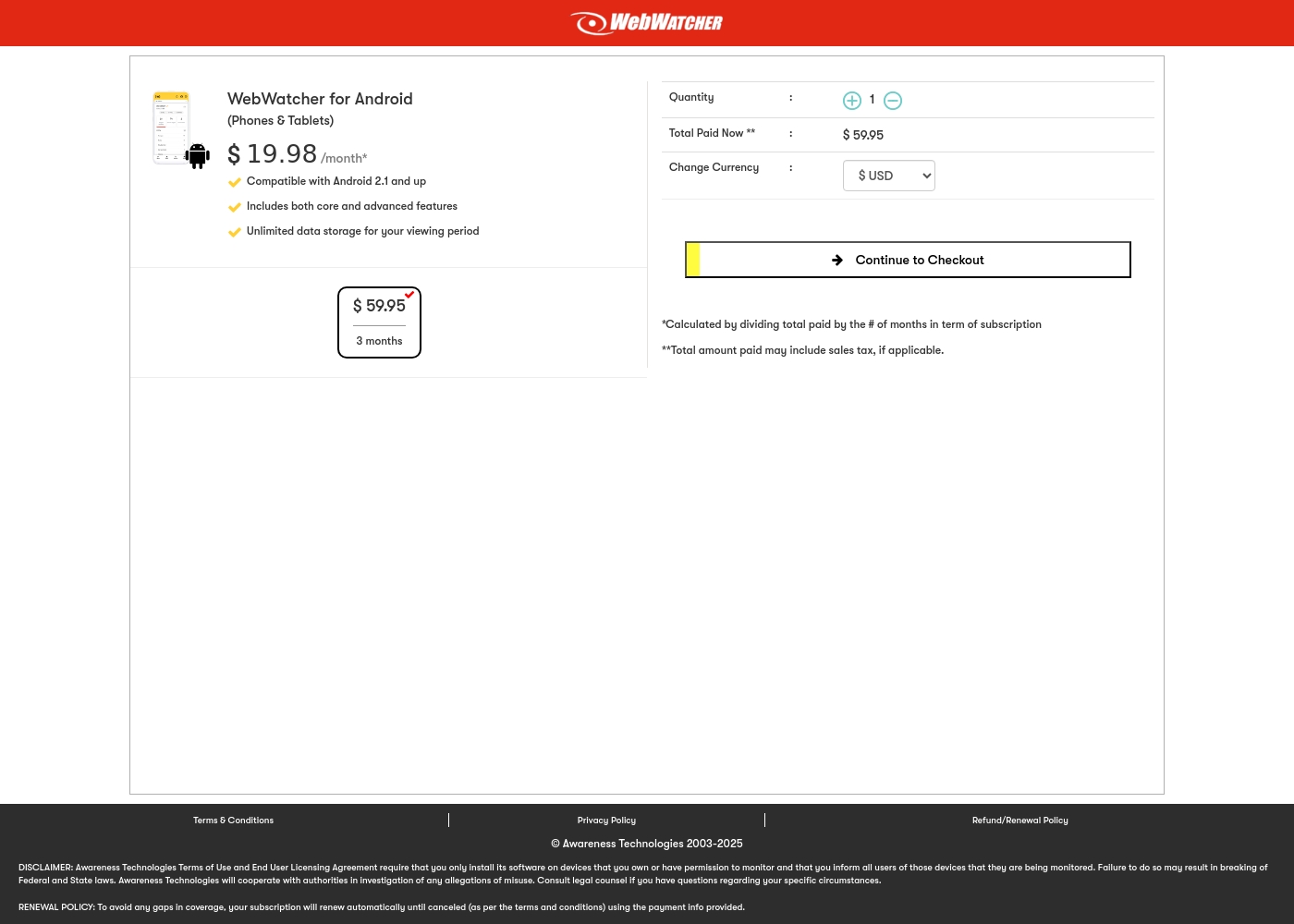
Webwatcher costs $19.98 per month with one explicitly priced plan: the 3-Month Android Subscription at $59.95 total.
Finding the right monitoring solution for your family is simple. Here is a detailed look at the pricing and features available in the current purchase flow.
3-Month Android Subscription
Price: $59.95 (paid every 3 months, calculated at $19.98/month) Best For: Parents monitoring Android phones and tablets Refund Policy: Full refund guaranteed if issues cannot be resolved Other Features:
- Compatible with Android 2.1 and newer versions
- Includes both core and advanced features
- Unlimited data storage for your full viewing period
- Compatible with Android 2.1 and up
- Includes both core and advanced features
- Unlimited data storage for your viewing period
Pricing Notes
- mSpy’s pricing is intentionally vague, and users report high, unexpected costs and non-refundable add-ons.
- Webwatcher offers a 'Risk Free' trial, but users frequently claim the company refuses to honor its money-back guarantee.
- Webwatcher includes unlimited data storage with its subscription plan, a feature not specified by mSpy.
- mSpy offers a Family Kit for up to three devices; Webwatcher focuses solely on monitoring one device.
Pricing Head-to-Head
User Reviews
mSpy maintains a moderate 2.9-star rating on Trustpilot, reflecting significant variation in user experiences. Many satisfied customers specifically praise the effective monitoring features, such as remote call recording, screenshot capture, and the precise Geofencing alerts, which help parents track children's locations.
For those features that work, the software is considered powerful. However, the user base reports heavy friction regarding pricing, reliability, and support.
Matthew Stone was crucial when I needed an urgent reinstallation on my daughter’s phone. I only had ten minutes with the device, and he handled everything remotely. He got things rolling again quickly and professionally.
Webwatcher’s external feedback is extremely limited, stemming only from two reviews which resulted in a very low 2.9 TrustScore. While the platform advertises a strong 'risk-free' guarantee and promises excellent, responsive customer care, the limited user reports strongly contradict these claims.
Both reviewers cited severe issues primarily centered on billing and refunds. Users claim they were refused refunds entirely, even when requested within the advertised refund window, despite the monitoring product reportedly failing to work properly.
They refused to honor the risk-free money-back guarantee, even though I submitted the request properly. Furthermore, the product I purchased never actually worked for me as advertised. I absolutely feel like they are ripping me off.
Our Verdict
Choosing between mSpy and Webwatcher necessitates extreme caution due to poor user trust reports. Both have severe reliability and billing complaints, but mSpy is the slightly less dangerous option. It offers a more advanced and effective feature set, even with its pitfalls. mSpy excels where deep, actionable insight is vital for parenting. Its Screenrecorder and Keylogger provide visual evidence across 15+ apps, including new platforms like ChatGPT. Furthermore, mSpy’s Geofencing alerts offer crucial proactive physical safety monitoring. Webwatcher’s superpower is its comprehensive device coverage and simpler installation. It is the only choice if you absolutely must monitor activity on PC and Mac computers. The $19.98 monthly price for Webwatcher is also clearer than mSpy’s advertised vagueness. The deciding factor should be the severity of the financial risk. Webwatcher users report outright refusal of refunds and fraudulent double billing. While mSpy is costly and deceptive about add-ons, its 2.5 rating suggests a greater chance of successful monitoring. Choose mSpy if you prioritize deep insight and safety alerts; pick Webwatcher only if PC/Mac monitoring is essential, and proceed with extreme caution.
Frequently Asked Questions
Which software offers better visual monitoring: mSpy or Webwatcher?
mSpy offers better visual monitoring using its Screenrecorder feature for screenshots and live stream capabilities. Webwatcher uses screenshots for Snapchat but lacks the comprehensive visual proof provided by mSpy. mSpy also tracks AI chat activity like ChatGPT.
Can Webwatcher monitor PC or Mac activity like mSpy?
Yes, Webwatcher is designed to monitor activity across Android, iOS, PC, and Mac devices. mSpy focuses strictly on mobile monitoring and does not support desktop operating systems. Webwatcher is the only choice for comprehensive cross-device oversight.
Which software is safer regarding billing transparency and refunds?
Neither software is rated well for billing transparency or support reliability. Webwatcher has a clearer base price, but its users report financial fraud and refused refunds. mSpy has vague pricing and hidden costs, but holds a slightly better trust rating than Webwatcher.
Does mSpy require device rooting, unlike Webwatcher?
Some Premium features on mSpy may require the Android device to be rooted for full functionality. Webwatcher does not mention rooting and claims a quick, 5-minute setup process for Android. Webwatcher is likely easier to install for non-technical users.
Can I monitor multiple devices with Webwatcher?
No, Webwatcher currently focuses on single-device subscriptions only. mSpy offers a Family Kit plan that allows simultaneous monitoring of up to three devices. mSpy is better suited for families with multiple children or devices.
Which tool offers Geofencing alerts for location tracking?
mSpy offers superior location tracking capabilities, including Geofencing Alerts. These alerts immediately notify you when a device enters or leaves a specified zone. Webwatcher only provides standard GPS location monitoring.
Ready to Choose?
Both tools have their strengths. Choose based on your specific needs.