mSpy vs SentryPC
mSpy and SentryPC both offer powerful stealth monitoring, but they target very different devices. mSpy excels at invasive mobile surveillance, including social media and calls. SentryPC provides superior desktop control and highly scalable usage scheduling capabilities. It's a mobile specialist versus a productivity powerhouse.
Best for: Parents needing deep, invisible surveillance on 1-3 mobile devices, Investigating suspicious or disappearing social media content (Snapchat, Telegram)
Best for: Small businesses monitoring employee activity on Windows/Mac desktops, Organizations needing highly scalable monitoring for 50+ devices
Effective Monitoring with Severe Pitfalls
We found mSpy offers a highly capable feature suite, including Keylogger, Screenrecorder, and robust GPS tools, which are powerful when functioning correctly. However, external reports show major issues surrounding reliability, hidden pricing, and difficult installation processes. Overall, this tool provides powerful monitoring features, but its severe operational and billing pitfalls prevent a strong recommendation.
Pros
- Excellent feature set including Keylogger and Screenrecorder capabilities.
- Effective remote features like call recording and microphone control (available in Extreme plan).
- Geofencing and GPS tracking are praised for accurately monitoring location.
- Family Kit successfully allows monitoring up to three devices simultaneously.
Cons
- Frequent reports of inaccurate data tracking, app failure, or connectivity issues.
- Users report that the service stops working after a short period, requiring constant reinstallation.
- Many customers report unauthorized billing, hidden costs, and surprise fees for required add-ons.
- The refund policy is considered very narrow, making returns extremely difficult to obtain.
Stealth Monitoring, Enterprise Ready.
We find SentryPC offers robust, cloud-based activity monitoring and usage scheduling features that scale well from basic home use to large corporate environments. Overall, the comprehensive feature set—including powerful filtering and stealth operation—makes it a viable choice, but potential users should weigh the mixed external feedback regarding long-term reliability and support experience.
Pros
- Software described positively as 'mind blowing' by some users.
- Comprehensive monitoring and control features are included in all plans.
- Scales effectively from single home use to 1,000+ enterprise licenses.
- Operates remotely and completely unseen in stealth mode.
Cons
- Extremely polarized reports on reliability and core functionality.
- Highly negative feedback reported regarding customer support quality.
- Requires an annual commitment; no free trial is explicitly offered.
AboutmSpy
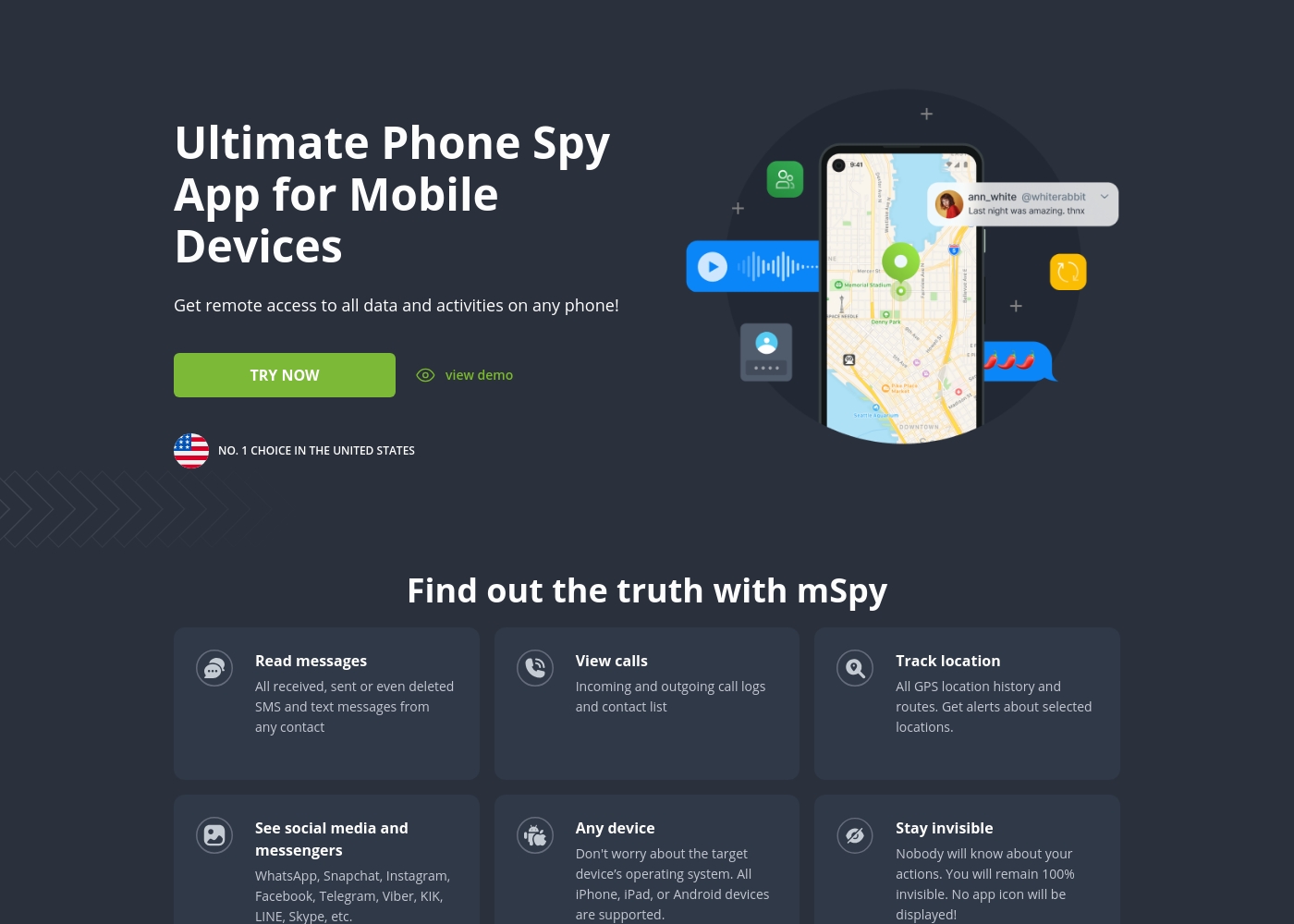
mSpy is the #1 Choice in the United States for trusted parental control. It is a powerful mobile monitoring solution, more than just a simple app. This tracker lets you see exactly what’s happening on their phone without needing to stand over them. It works great on your favorite device, offering solutions that are compatible with any operating system 💡. Installation is simple, allowing you to get the full monitoring power without restrictions, even offering local sync and non-jailbreak solutions.
AboutSentryPC
SentryPC is a completely cloud-based solution. It seamlessly combines activity monitoring, content filtering, and time management features into one secure platform. If you are a concerned parent or a business looking for employee monitoring, this software is your answer. SentryPC supports devices running Android, Chromebook, Mac, and Windows, helping you manage all your endpoints. Once installed, every activity is recorded in real-time and handled remotely in your account. 💡
Highlights
Feature Comparison
Features Overview
We highlight the main differences and pick a winner for each feature.
Social Media Depth
mSpy specializes in deep access to popular chat apps; SentryPC relies more on logging general activity.
mSpy monitors over 15 specific social and messenger applications, including Snapchat and Telegram conversations. It gives parents full visibility into pictures and texts exchanged on these platforms. SentryPC logs keystrokes and takes screenshots, but it lacks the native deep integration reporting of specific apps. Its monitoring is generally broader system activity rather than application contents. If seeing encrypted chat logs is your main requirement, mSpy is the superior, dedicated choice. SentryPC focuses more on controlling access than on conversation content. mSpy can even view what is being discussed inside AI Chatbots like ChatGPT or Gemini.
Desktop vs. Mobile
mSpy prioritizes mobile (Android/iOS) features; SentryPC offers better, highly scalable coverage for all desktop platforms.
mSpy is primarily a mobile monitoring solution, delivering comprehensive features on smartphones and tablets. It provides non-jailbreak iOS monitoring using iCloud credentials. SentryPC seamlessly supports Windows, Mac OS X, and Chromebooks, in addition to Android devices. This makes it ideal for mixed computing environments. If you need robust control over a personal computer or a fleet of office machines, SentryPC wins. For deep phone tracking, mSpy is the specialist. SentryPC's centralized cloud control makes managing settings across all operating systems very efficient.
Time Management
SentryPC is built for scheduling access; mSpy simply allows blocking specific apps or general content.
SentryPC provides powerful time management tools, allowing administrators to create detailed weekly usage schedules. You can enforce strict daily or weekly maximum usage limits automatically. mSpy offers proactive controls like the Website Blocker and App Blocker to restrict content or tools. However, it lacks time-based access limits or scheduling capabilities. If enforcing screen time rules is essential for your family or boosting productivity is key, SentryPC is the stronger platform. SentryPC enforces limits automatically. This precise scheduling capability gives parents clear boundaries without needing constant manual intervention.
Scalability & Licensing
mSpy is capped at three devices; SentryPC handles large enterprises of up to 1,000 licenses easily.
mSpy is limited to individual or very small family use, offering plans for only one device or up to three devices (Family Kit). It is not designed for business use. SentryPC offers comprehensive, tiered business plans scaling up to 1,000 licenses at competitive per-seat pricing. This makes it viable for large corporations. If you need to monitor five or more devices, SentryPC is the only real option available between these two tools. Its architecture is built for mass deployment. For large scale deployments, SentryPC license costs drop significantly, offering great organizational value.
Visual Proof Features
mSpy provides dynamic, real-time screen visualization; SentryPC uses capped, routine screenshot capture.
mSpy features a Screenrecorder that takes frequent screenshots across almost any app, providing crucial visual evidence. It also offers live screen streaming for real-time viewing. SentryPC captures screenshots, but storage is limited to 500 to 2,000 images depending on your annual plan. Older images are purged when the limit is hit. The real-time aspect of mSpy ensures you don't miss short-lived activity in disappearing message apps. SentryPC’s cap can prevent long-term documentation. mSpy’s Keylogger combined with live streaming offers a powerful, in-the-moment investigative capability.
Pricing Clarity
SentryPC provides clear annual pricing; mSpy's pricing is vague and associated with hidden costs.
mSpy avoids publishing explicit prices, only guaranteeing it is 'less than $1 per day' per device. Many users report surprise fees for required installation assistance (mAssistance). SentryPC uses transparent annual billing, starting at $69.95 per year for a single license. All full features are included in every plan tier. mSpy's lack of transparent pricing and reports of unauthorized renewals are major drawbacks for consumer trust. SentryPC is much more straightforward financially. Additionally, SentryPC provides free software updates for the entire duration of the paid subscription.
mSpy offers a choice between two main subscription options, helping users align coverage with their specific monitoring needs. Both plans include the powerful suite of monitoring features available through your personal Control Panel.
Single Device Plan
Best For: Monitoring one child or device Other Features:
- Provides remote access to call logs and contact lists.
- Allows viewing of received, sent, and deleted text messages.
- Includes access to all GPS location history and geofencing alerts.
- Supports monitoring across all major social media and messenger apps.
- Offers features like Keylogger and Screenrecorder capabilities.
This plan is ideal if you only need to keep an eye on a single smartphone or tablet. It delivers the full range of mSpy features for comprehensive, invisible surveillance on one target device. This is the simplest and most accessible option for new users.
- Coverage for one device only
- Invisible monitoring mode
- Keylogger and Screenrecorder
- GPS Location Tracking
- Social Media monitoring (WhatsApp, Snapchat, etc.)
- Coverage for up to 3 devices simultaneously
- All features of the Single Device Plan
- Suitable for monitoring multiple children or mobile devices
- Centralized control via a single Control Panel
SentryPC costs between $69.95 and $9,995.00 per year with 6 plans: Basic Plan at $69.95, Business 50 at $1,495.00, Business 100 at $2,495.00, Business 250 at $4,995.00, Business 500 at $7,495.00, and Business 1,000 at $9,995.00.
SentryPC offers several affordable annual plans designed for both home users and large enterprises. Pricing is based entirely on the number of licenses and required screenshot storage.
Basic Plan
Price: $69.95 / year Best For: Home users Other Features:
- Single license to manage 1 device
- Includes 500 screenshots storage
- Additional licenses available for $29.95 each per year
- Single License (Manage 1 device)
- 500 Screenshots storage
- Free lifetime updates
- 50 Licenses (Manage up to 50 devices)
- 500 Screenshots storage
- Free lifetime updates
- 100 Licenses (Manage up to 100 devices)
- 1,000 Screenshots storage
- Free lifetime updates
- 250 Licenses (Manage up to 250 devices)
- 1,000 Screenshots storage
- Free lifetime updates

Pricing Notes
- SentryPC requires an annual commitment starting at $69.95, offering predictable yearly license costs.
- mSpy does not publish exact prices, only noting costs are less than $1 per day per device.
- mSpy requires users to pay extra for essential tech support and installation help (mAssistance), which may be non-refundable.
- SentryPC provides free software updates for the entire lifetime of your annual subscription.
- Neither mSpy nor SentryPC offers a free trial for the full monitoring subscription itself.
Pricing Head-to-Head
User Reviews
mSpy maintains a moderate 2.9-star rating on Trustpilot, reflecting significant variation in user experiences. Many satisfied customers specifically praise the effective monitoring features, such as remote call recording, screenshot capture, and the precise Geofencing alerts, which help parents track children's locations.
For those features that work, the software is considered powerful. However, the user base reports heavy friction regarding pricing, reliability, and support.
Matthew Stone was crucial when I needed an urgent reinstallation on my daughter’s phone. I only had ten minutes with the device, and he handled everything remotely. He got things rolling again quickly and professionally.
SentryPC’s external sentiment is sparse and highly polarized, based solely on the few available reviews. One user described the software as 'mind blowing,' suggesting strong satisfaction with its monitoring capabilities and performance. However, this positive view is sharply contrasted by a critical review claiming severe functionality issues and the 'WORST CUSTOMER SUPPORT EVER.' The negative review specifically mentioned that the product does not work well. The company provided detailed context for this critical feedback, noting a particular scenario where they provided remote installation assistance, issued a full refund upon request, and claimed the reported malfunction was caused by the user sending an uninstall command.
Given the extremely low volume of feedback, it's challenging to establish statistically significant recurring themes regarding ease of use, pricing, or integrations. The available data suggests a dramatic difference in user experience, ranging from total success (accuracy/liking) to fundamental failure (reliability/support). Customers should note the conflict surrounding technical support responsiveness and ultimate operational reliability 🧐 before committing to a subscription plan.
This software is simply mind blowing. I am currently using SentryPC and I am highly satisfied with its performance and comprehensive monitoring capabilities. It provides full transparency for device usage in real-time.
Our Verdict
Choosing between mSpy and SentryPC centers on device type: The mobile specialist versus the desktop powerhouse. If your struggle involves monitoring one or two specific smartphones, mSpy has the toolset. For managing usage across several computers, SentryPC is the definite winner. mSpy provides unparalleled depth in mobile monitoring, thanks to its Screenrecorder, Keylogger, and access to 15+ social media platforms. You can even use mSpy to inspect usage of new tools like AI Chatbots and record calls live. Reliability is a significant concern, however, with users frequently citing functional failure and hidden fees with mSpy. SentryPC shines brightest in its control features and vast scalability up to 1,000 licenses for business use. It allows you to set precise weekly schedules and maximum usage limits for Mac and Windows devices easily. SentryPC’s pricing is clear and annual, which offers better value predictability than mSpy’s system. The critical decision point is primarily device coverage and scope: mSpy for deep, secretive phone tracking for one child. SentryPC for robust time management and content filtering across many desktop computers. If scalability or desktop control is needed, SentryPC is the only viable option. Since both mSpy and SentryPC carry risks regarding reliability and support, check your specific device needs first. Pick mSpy if mobile feature depth is non-negotiable. Choose SentryPC if you need enterprise scale and predictable enforcement of screen time limits.
Frequently Asked Questions
Which software offers better social media monitoring: mSpy or SentryPC?
mSpy offers far superior social media monitoring capabilities for platforms like Snapchat and WhatsApp. It is purpose-built to access conversations and media within those secured mobile apps. SentryPC largely relies on system logs, keystrokes, and capped screenshots for app monitoring.
Can SentryPC monitor iPhones like mSpy does?
No, SentryPC does not offer deep iOS monitoring via iCloud credentials, a core feature of mSpy. SentryPC's monitoring is far stronger for Windows, Mac, and Chromebook desktop management. If you need iPhone surveillance, mSpy is the dedicated tool for that purpose.
Which monitoring solution is easier to scale past three devices?
SentryPC is built for scalability and can monitor up to 1,000 devices under its business plans. mSpy is severely limited, offering coverage for a maximum of only three devices via the Family Kit plan. If you need to manage a fleet, SentryPC is the clear choice.
Does mSpy or SentryPC have a better pricing structure?
SentryPC offers transparent, annual pricing and guarantees free lifetime software updates, offering greater value predictability. mSpy is criticized for vague pricing and requiring users to pay extra for necessary installation assistance (mAssistance). SentryPC is the preferable option financially.
Which tool provides better features for managing screen time?
SentryPC offers robust time management features, allowing creation of detailed daily schedules and maximum usage limits. mSpy focuses primarily on blocking undesirable apps or websites, not enforcing usage duration limits. For strict time control, choose SentryPC.
Is the mSpy Call Recorder feature available in SentryPC?
No, SentryPC does not offer a remote call recording or live listening capability as part of its feature set. mSpy includes the Call Recorder feature, though typically only in its higher-tier Extreme plan subscriptions.
Ready to Choose?
Both tools have their strengths. Choose based on your specific needs.