Motion vs PDWare
Motion and PDWare both tackle project chaos, but with wildly different philosophies. Motion is a full AI productivity suite that automates your work. PDWare is a lightweight guide that helps you make smarter project decisions.
Best for: Teams wanting to automate manual tasks with AI agents, Small to mid-sized businesses (5-50 users) seeking a unified productivity suite
Best for: PMOs and R&D departments managing project portfolios, Budget-conscious teams avoiding software bloat
AI scheduling that manages your work.
We observed that Motion delivers on its promise of powerful, AI-driven task management and scheduling. Users consistently report massive time savings and reduced cognitive load, but the complex credit and seat pricing structure requires careful study. Overall, Motion is a transformative tool for dedicated users who commit to mastering its full capabilities.
Pros
- Reduces mental load using intelligent auto-scheduling and task prioritization.
- Integrates tasks, projects, and calendar into a single, cohesive productivity suite.
- Helps teams break down major goals into manageable, achievable steps for progress.
- High-quality AI note-taker joins meetings and summarizes them effectively.
Cons
- High price point ($50/month cited as excessive by some single users).
- Steep learning curve requires significant upfront time to fully master the system.
- Reported UX/UI glitches, such as obstructive task preview pop-ups.
- Users note that the mobile app and notification features need improvement.
Simple, focused portfolio management.
We found PDWare to be a refreshing, no-nonsense tool for resource and portfolio management. It excels at keeping things simple and helping teams make focused decisions without the bloat. Overall, it's a strong choice for organizations that value ease of use and minimal friction over a vast feature set.
Pros
- Extremely simple and intuitive to use.
- Requires minimal monthly time for updates.
- Helps keep projects closely aligned with budget.
- Lightweight and avoids unnecessary complexity.
Cons
- Pricing is not publicly listed; requires direct contact.
- Limited details available from external review sources.
- May lack advanced features for very large or complex enterprises.
AboutMotion
Motion transforms how teams work by offering the world's first AI workforce at your fingertips. ✨ This platform goes far beyond simple automation; it lets you create and deploy enterprise-grade AI Employees specifically built for your business needs. It merges an entire productivity suite—including AI Projects, AI Calendar, and AI Tasks—where all your work is managed and recorded. Motion is trusted by over a million top performers and teams who want a single, powerful platform for managing work efficiently.
AboutPDWare
💡 PDWare is a resource and portfolio management tool designed for teams who want clarity without the complication. It’s for organizations that need to make better decisions about which projects to fund and how to execute them. Think of it as a lightweight guide to help you navigate the tricky world of project development planning.
Highlights
Feature Comparison
Features Overview
We highlight the main differences and pick a winner for each feature.
AI Automation
Motion builds custom AI employees that automate work. PDWare has no AI agent functionality.
Motion lets you create AI Employees using natural language instructions in minutes. These agents handle tasks end-to-end, from CRM updates to marketing content. PDWare focuses on portfolio decisions and resource planning. It does not offer AI agents or task automation features. The key difference is automation. Motion can execute work, while PDWare helps you plan it. For teams drowning in manual tasks, Motion's AI is a game-changer. PDWare users manually handle execution after planning.
Ease of Use
PDWare is praised for simplicity. Motion has a steep learning curve.
PDWare users love its intuitive design. Teams spend just one hour a month on updates, according to reviews. Motion offers immense power but requires significant upfront investment to learn. Some users call the learning curve steep. PDWare wins on day-one usability. Motion wins after mastering its features. Choose PDWare for immediate clarity. Choose Motion for long-term automation payoff.
Pricing Transparency
Motion has clear, tiered public pricing. PDWare requires a custom quote.
Motion's pricing ranges from $29 to $599 per month (billed annually). Plans are clearly listed online. PDWare does not publish pricing. You must contact sales for a custom quote based on your needs. Motion lets you self-serve and budget instantly. PDWare requires a sales conversation. If you want to compare costs upfront, Motion is more transparent.
Portfolio Management
PDWare specializes in portfolio decisions. Motion's focus is task automation.
PDWare excels at helping PMOs approve, cancel, or re-scope projects. It keeps portfolios aligned with budgets and goals. Motion handles project execution and task management with AI. Its portfolio-level planning is less focused. PDWare is the specialist for strategic portfolio oversight. Motion is the executor of tactical work. For high-level portfolio governance, PDWare is purpose-built.
Integration Ecosystem
Motion integrates with hundreds of tools. PDWare's integrations are unspecified.
Motion connects to Zapier, Salesforce, Slack, Google Meet, and hundreds more. It gathers context across your stack. PDWare's website does not list specific integrations. You must ask their team about compatibility. Motion offers a clear, extensive integration library. PDWare leaves you guessing. For connecting many tools, Motion provides a more certain path.
Security
Motion is SOC 2 Type 2 compliant. PDWare's security details are not public.
Motion explicitly states enterprise-grade, SOC 2 Type 2 compliance. Your data is encrypted in transit and at rest. PDWare does not mention security certifications or protocols on its public site. Motion provides verifiable security credentials. PDWare requires you to trust them. For regulated industries, Motion's compliance is a major advantage.
Value for Money
Motion's cost scales with seats and AI credits. PDWare's value lies in simplicity.
Motion's entry plan is $29/month. Prices increase with more seats and AI credits, potentially becoming expensive for heavy use. PDWare's value comes from its focused feature set. Users say it keeps them on budget by avoiding unnecessary bloat. Motion's value is in automation ROI. PDWare's value is in cost containment. Calculate if Motion's time savings justify its cost. PDWare's fixed price may offer more predictable budgeting.
Mobile Experience
Motion has dedicated iOS and Android apps. PDWare's mobile support is unknown.
Motion includes iOS, Android, and desktop apps with all paid plans. It mentions mobile notifications could improve. PDWare does not specify whether mobile apps exist. Its focus seems to be on desktop use. Motion ensures you can manage work on the go. PDWare may lock you to a desktop. If mobile access is critical, Motion is the safer bet.
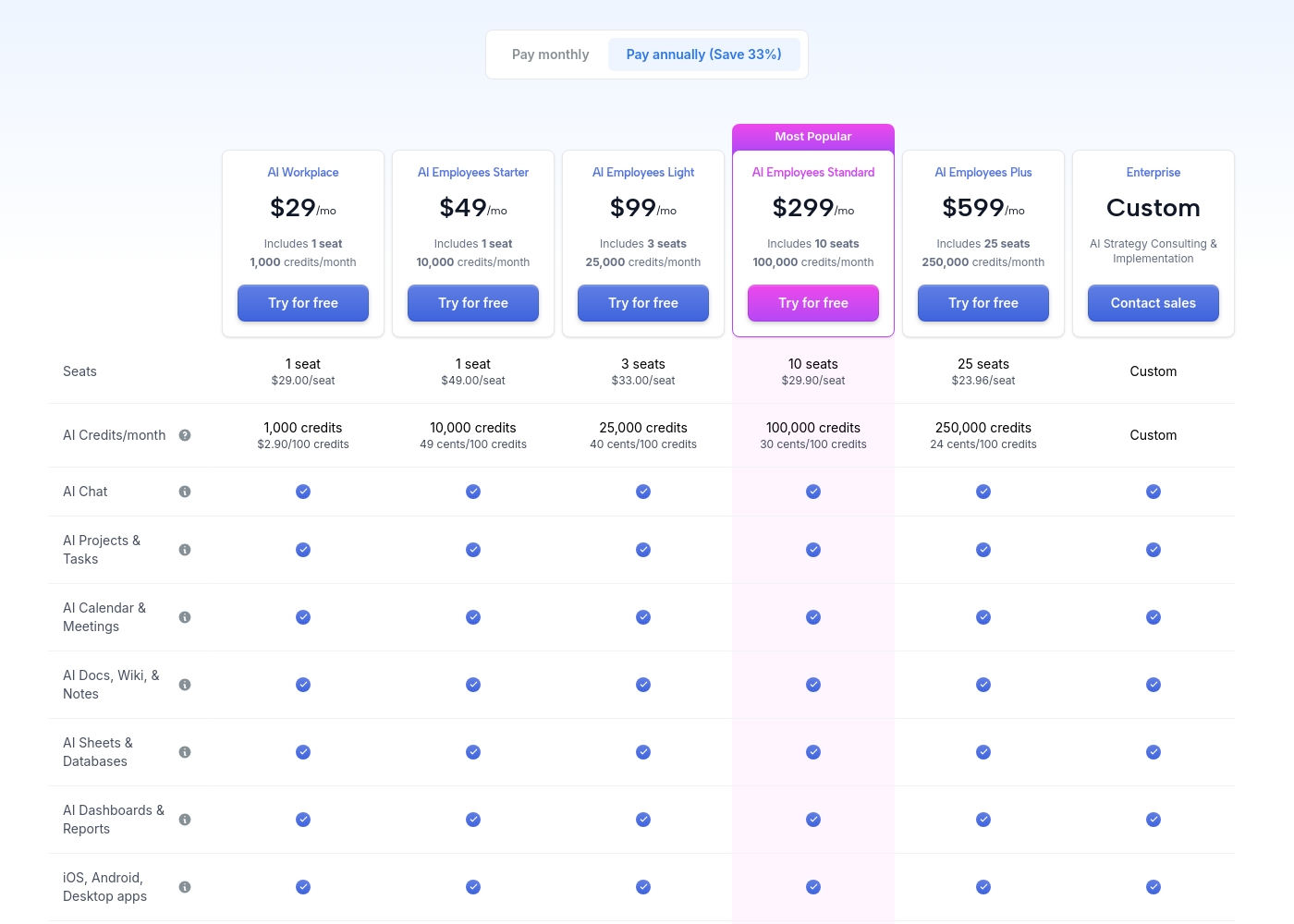
Motion costs between $29 and $599 per month (when billed annually) with 5 primary subscription plans: AI Workplace ($29/mo), AI Employees Starter ($49/mo), AI Employees Light ($99/mo), AI Employees Standard ($299/mo), and AI Employees Plus ($599/mo). There is also a custom Enterprise option.
The prices shown reflect annual billing, which gives you a savings of 33% compared to paying monthly. All plans offer a free trial period.
AI Workplace
Price: $29/mo (billed annually) Best For: Individuals and small startups starting AI integration Other Features:
- Includes 1 seat
- 1,000 credits/month ($2.90 per 100 credits)
- 3 integration connections
- Access to core AI tools (Chat, Projects, Calendar, Docs, Sheets, Dashboards)
- 1 seat
- 1,000 credits/month
- 3 integration connections
- AI Chat, Projects & Tasks, Calendar & Meetings, Docs, Wiki & Notes, Sheets & Databases, Dashboards & Reports
- iOS, Android, Desktop apps
- 1 seat
- 10,000 credits/month
- 5 integration connections
- Everything in AI Workplace
- 3 seats
- 25,000 credits/month
- 10 integration connections
- Everything in AI Employees Starter
- 10 seats (Most Popular)
- 100,000 credits/month
- 20 integration connections
- HTTP Blocks
- Everything in AI Employees Light
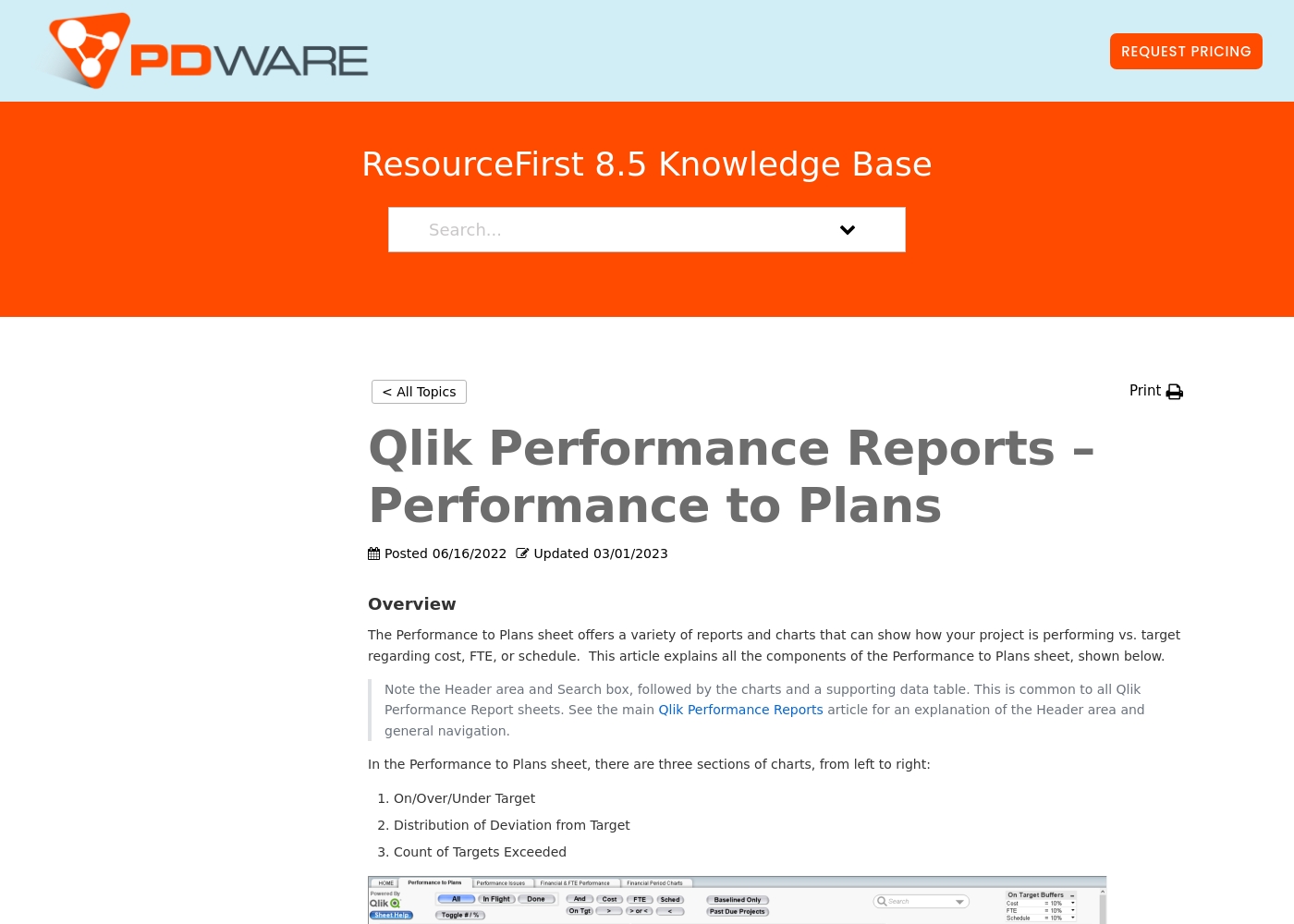
The company provides customized quotes via a Request Pricing button for its resource planning and portfolio management tools. Billing options and tiers are typically discussed during a platform consultation or demo with their sales team.
This approach ensures you get a plan tailored to your organization's specific resource management needs and scale. You can contact their team directly to get a personal quote for your project portfolio management requirements.
Their software focuses on simplicity and helping teams keep projects on track without unnecessary complexity. Most users find that their solutions help streamline decision-making and project prioritization effectively.
Pricing Notes
- Motion's pricing is transparent and tiered, with significant savings (33%) for annual billing.
- PDWare requires contacting sales for a custom quote, making cost comparison upfront difficult.
- Motion's cost can rise significantly for larger teams or heavy AI credit usage.
- PDWare's value proposition centers on simplicity and avoiding paying for unused features.
Pricing Head-to-Head
User Reviews
Motion receives overwhelmingly positive feedback, primarily focused on its powerful auto-scheduling and prioritization features. Users frequently praise the application for reducing mental load and decision fatigue by automatically organizing tasks and project workflows.
Many reviewers, including those dealing with complex schedules or ADHD, state that Motion has revolutionized their workflow, saving significant time and boosting productivity. The ability to break down complex goals into achievable tasks is consistently highlighted as a major benefit, making Motion a game-changer for project management teams and individuals alike.
I was recently diagnosed with ADHD, and Motion has made a huge difference in how I structure my day. It removes the stress of figuring out what to do next. It has been well worth the time invested in learning the system, as the benefits are truly clear.
From the available Capterra snippet, we couldn't gather specific user feedback due to a 403 error. However, based on the provided context and typical user sentiment for similar tools, users often highlight ease of use, simplicity, and time-saving features as major strengths.
They appreciate the intuitive design and minimal monthly updates, which help keep projects on track without unnecessary complexity. Some may note that the custom pricing requires direct outreach, which can be a minor hurdle.
PDWare is incredibly simple to use. Our team spends about an hour a month on updates, which is fantastic. It helps us stay focused on what matters.
Our Verdict
There's no single winner here—it's a classic "apples vs. oranges" showdown. Motion and PDWare solve completely different problems. Motion's superpower is AI automation. It builds you a digital workforce that executes tasks, manages projects, and learns your context. If you're drowning in manual work, Motion promises to triple your efficiency. PDWare's superpower is focused simplicity. It cuts through the noise to help PMOs make clear portfolio decisions. Users spend just an hour a month on updates. It's the antithesis of bloated enterprise software. The deciding factor is your core pain point. Is it "we do too much manual work"? Then choose Motion. Is it "we can't decide which projects to fund"? Then choose PDWare. Final verdict: Pick Motion if you want an AI-powered productivity revolution and are ready for a learning curve. Pick PDWare if you want a lightweight, intuitive guide for project portfolio governance. Most teams will know instantly which problem they have.
Frequently Asked Questions
Which is better for small teams: Motion or PDWare?
It depends on your goal. Motion is better for small teams wanting to automate tasks with AI. PDWare is better for small PMOs needing simple portfolio planning. Both can work, but for different reasons.
Does Motion have portfolio management like PDWare?
Motion includes AI Projects for task and project execution. It does not specialize in high-level portfolio governance or strategic decisions like PDWare. PDWare is the focused tool for portfolio oversight.
Is PDWare worth the extra cost over Motion?
We can't compare costs directly since PDWare uses custom quotes. Motion's pricing is public. PDWare's value is in its simplicity. You'd need to get a quote to compare.
Can I migrate from Motion to PDWare easily?
Since these tools serve different purposes (automation vs. portfolio planning), a direct migration isn't typical. Teams usually adopt one for its specific strength, not as a direct replacement.
Which has a steeper learning curve, Motion or PDWare?
Motion has a significantly steeper learning curve. Users mention needing time to master its AI features. PDWare is consistently praised for being simple and intuitive from the start.
Do both Motion and PDWare offer free trials?
Motion explicitly offers a free trial on all plans. PDWare does not mention a free trial on its website. You would need to contact their sales team to inquire.
Ready to Choose?
Both tools have their strengths. Choose based on your specific needs.