Keynote vs Microsoft PowerPoint
Keynote and Microsoft PowerPoint define modern presentations, but their approach differs hugely. Keynote offers elegant simplicity and Mac ecosystem integration. Microsoft PowerPoint wins with deep AI features and industry dominance.
Best for: Deep integration with Apple products (Mac, iPad, iPhone), Graphic designers needing highly refined visuals and complete layout control
Best for: Large enterprise organizations relying on entrenched Microsoft 365 products, Users who need powerful AI assistance for drafting and design (Copilot/Designer)
Excellent software, problematic support ecosystem.
We find Keynote to be a powerful and reliable presentation tool, offering seamless cross-platform integration and advanced collaboration features suitable for any modern team. Overall, while the software performs exceptionally well and offers strong features, its overall value is negatively impacted by widespread, documented dissatisfaction with Apple's current customer support framework.
Pros
- Cross-platform use via native apps and web access (Windows/iCloud).
- Strong collaborative functionality for shared presentations.
- Powerful design controls, themes, and effortless setup.
- Dedicated features for virtual presenting (separate presenter notes).
Cons
- Pricing and specific subscription tiers are not transparently disclosed.
- General Apple customer support is rated very poorly by users (1.7 stars).
- Reports show generalized ecosystem billing and subscription issues.
Industry standard now with powerful AI.
We find PowerPoint remains the industry-leading presentation tool, offering essential collaboration and cutting-edge AI features like Designer and Speaker Coach. Overall, the powerful application features are unfortunately hampered by reported systemic issues regarding Microsoft's required account management, customer support, and often unpredictable pricing structure.
Pros
- Industry-leading presentation standard with robust cross-platform usability.
- Incorporates advanced AI tools (Copilot, Designer) for quick concept generation and design.
- Speaker Coach feature provides AI-driven feedback for presentation practice and delivery.
- Supports excellent real-time collaboration, sharing, and commenting for teams.
Cons
- Customer support and technical assistance are widely reported as extremely poor or non-existent.
- Users frequently experience frustrating account access issues and difficult authentication processes.
- Unilateral and significant price increases on subscriptions are a common complaint from existing users.
- Bugs, unintuitive design, and forced updates in the broader Microsoft ecosystem cause friction.
AboutKeynote
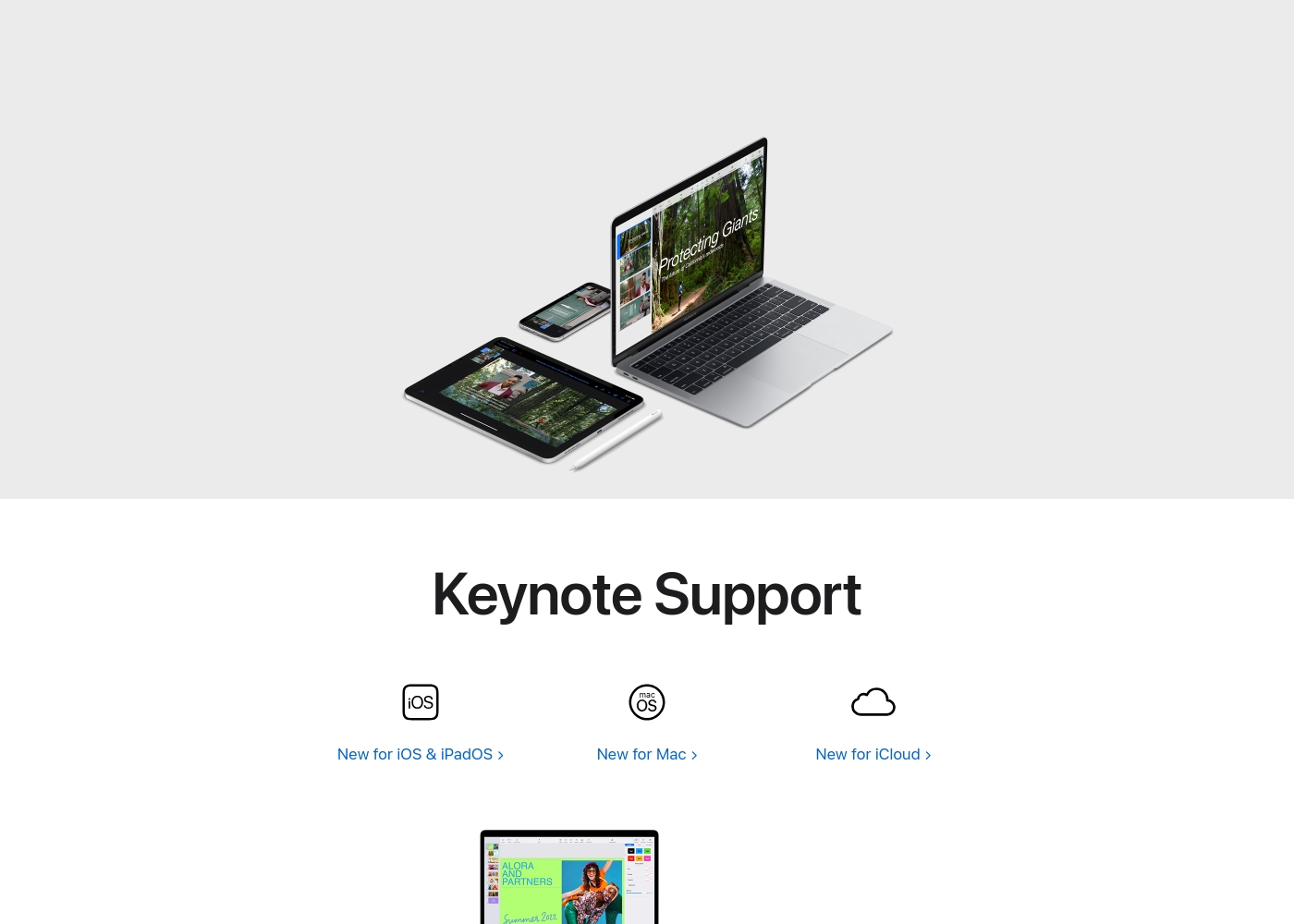
Keynote is a versatile presentation tool designed by Apple. It helps you quickly set up a professional presentation.
You can start by choosing a theme and adding new slides right away. It's built for users across Mac, iPhone, and iPad, giving you flexibility.
Keynote also extends its reach to users on Windows or those preferring a web interface through Keynote for iCloud. It provides essential tools for crafting and sharing visual stories.
AboutMicrosoft PowerPoint
Microsoft PowerPoint is the essential tool for building dynamic and captivating presentations from any device. It's designed to help you evoke engagement whether you're working alone or with a team. You can easily share your work and collaborate in real time with anyone, even without needing a subscription. PowerPoint is available across PCs, Macs, tablets, and phones, meaning you can always access your slides. 💡
Highlights
Feature Comparison
Features Overview
We highlight the main differences and pick a winner for each feature.
AI Capabilities
Microsoft PowerPoint leverages deep AI for drafting and coaching; Keynote focuses purely on manual design.
Keynote relies on powerful built-in design features and professional themes instead of AI. It does not offer proprietary AI-powered features for drafting or generating content. Microsoft PowerPoint includes Copilot for instant presentation outlines and Designer for smart formatting. You can quickly generate ideas and expand slides using these advanced AI tools. Microsoft PowerPoint automates content creation and design using sophisticated generative AI. Keynote is strictly a manual design workflow, preferred by those who want total control. This makes Microsoft PowerPoint invaluable for quickly overcoming writer’s block or formatting challenges.
Ecosystem Integration
Keynote is the Apple ecosystem champion; Microsoft PowerPoint bundles tightly with Microsoft 365.
Keynote ensures strong cross-device consistency across Mac, iPad, and iPhone devices. It allows you to start drafting on your Mac and finalize the deck instantly on your iPad. Microsoft PowerPoint is the core presentation tool within the massive Microsoft 365 suite. Integration with Teams, Exchange, and other business apps is seamless and expected. Keynote's strength is its seamless integration with Apple hardware and operating systems. Microsoft PowerPoint is superior for businesses already committed to the Microsoft suite. Choose Keynote if you are an Apple-only professional; choose Microsoft PowerPoint for universal business compatibility.
Virtual Presenting
Keynote offers dedicated presenter notes; Microsoft PowerPoint focuses on practice and video integration.
When delivering from a Mac, Keynote keeps detailed presenter notes in a separate control window. This specific feature helps the speaker manage the video conference smoothly and professionally. Microsoft PowerPoint offers the powerful Speaker Coach for rehearsing delivery beforehand. It also uses the Cameo feature to seamlessly integrate video of the host into the slide view. Keynote provides a cleaner, more focused screen setup for the live virtual presenter on Apple hardware. Microsoft PowerPoint focuses more heavily on ensuring the speaker is fully prepared before the call starts. If you present virtually often on a Mac, Keynote’s dedicated control features are extremely useful for concentration.
Collaboration Tools
Both offer robust real-time co-editing; Keynote easily supports web access for external collaborators.
Keynote provides strong collaborative functionality across platforms using Keynote for iCloud. Teams can seamlessly edit and review presentations in any standard web browser. Microsoft PowerPoint supports excellent, real-time co-authoring using @mentions and comments. Collaboration works even if reviewers lack a paid Microsoft 365 subscription via OneDrive sharing. Keynote is slightly simpler for external cross-platform sharing using only a web link. Microsoft PowerPoint requires proper account setup and relies heavily on OneDrive cloud storage. For large teams already using Microsoft infrastructure, Microsoft PowerPoint collaboration is the standard choice.
Platform Accessibility
Keynote is optimized for Apple devices; Microsoft PowerPoint offers wider native app support.
Keynote is built for Mac, iPad, and iPhone, where it offers a flawless native experience. Windows users must access Keynote via Keynote for iCloud through a compatible web browser. Microsoft PowerPoint has powerful native applications for PC, Mac, and dedicated mobile apps. You can use Microsoft PowerPoint apps on up to five different devices simultaneously on a Personal plan. While both offer web access, Microsoft PowerPoint gives native software to a wider variety of users. Keynote's reliability shines primarily within the cohesive Apple hardware environment.
Pricing Clarity
Keynote's pricing is opaque; Microsoft PowerPoint provides clear, flexible subscription options.
Keynote's specific pricing structure and subscription tiers are not transparently disclosed in documentation. Users must instead consult the official Apple website or relevant app stores for current costs. Microsoft PowerPoint offers a fully usable free web version for basic tasks and sharing. Paid access is clearly detailed through tiered Microsoft 365 subscriptions starting at $99.99/year. Microsoft PowerPoint excels by providing certainty regarding costs and available features per plan. Keynote requires extra effort just to determine the current cost of ownership or access limits.
The following summary reflects only the facts available in the provided materials.
Since no specific pricing details or structured tiers are made visible in the provided context, we cannot outline individual plan costs or features tied to specific subscriptions.
We searched the documentation thoroughly for distinct tiers such as Basic, Pro, or Enterprise plans, but these structure names were not specified. Keynote's pricing model—whether it's a one-time purchase, a recurring subscription, or bundled with existing software—is not explicitly defined here.
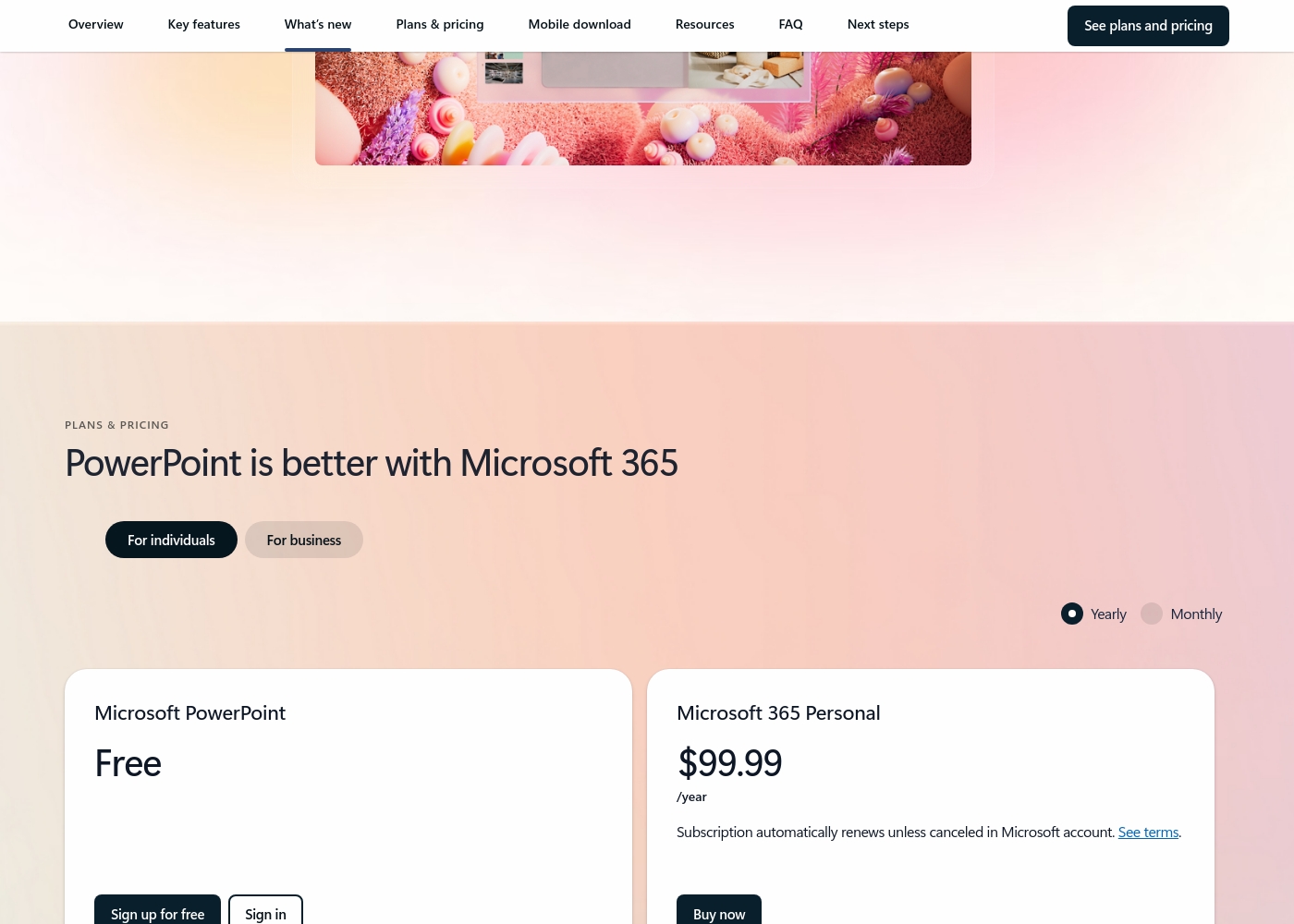
Microsoft PowerPoint costs between $0 and $129.99 per year with 7 primary plans: Free at $0/year, Microsoft 365 Personal at $99.99/year, Microsoft 365 Family at $129.99/year, Microsoft 365 Apps for business at $8.25/user/month (paid yearly), Microsoft 365 Business Standard at $12.50/user/month (paid yearly), Microsoft 365 Business Premium at $22.00/user/month (paid yearly), and business options without Microsoft Teams starting at $10.25/user/month (paid yearly).
Here’s a detailed breakdown of the options provided, starting with choices for individuals and families.
Microsoft PowerPoint Free
Best For: Basic web use and sharing Other Features:
- Web version of PowerPoint (PowerPoint for the web)
- Basic spelling and grammar checks
- 5 GB of secure cloud storage
- Real-time collaboration
- PowerPoint for the web
- Sharing and real-time collaboration
- Basic templates, fonts, icons, and stickers
- Basic spelling and grammar
- Desktop versions of Word, Excel, PowerPoint, Outlook, and OneNote with Copilot
- Microsoft Defender advanced security
- Microsoft Designer (AI-powered image creator)
- Desktop versions of Word, Excel, PowerPoint, Outlook, and OneNote with Copilot
- Up to 6 TB of secure cloud storage (1 TB per person)
- Microsoft Clipchamp video editor with exclusive filters and effects
- Desktop versions of Word, Excel, PowerPoint, and Outlook
- 1 TB of cloud storage per user
- Suitable for up to 300 employees
Pricing Notes
- Keynote's specific pricing structure and cost details are opaque in the available data.
- Microsoft PowerPoint offers a strong free web version for users needing basic functionality and collaboration.
- Paid Microsoft PowerPoint access is through Microsoft 365 subscriptions, starting at $9.99/month for individuals.
- All Microsoft 365 Business plans require an annual commitment, locking users into yearly terms.
- Microsoft offers a 7-day prorated refund when canceling paid subscriptions after the trial period ends.
Pricing Head-to-Head
User Reviews
External feedback is overwhelmingly targeted at general Apple support and customer service, not the Keynote application directly. Across numerous interactions, users report widespread frustration with support responsiveness, citing perpetual disconnections, extremely long hold times, and unfulfilled promises of callbacks.
This has contributed to a very low TrustScore of 1.7 stars for the support channel. Reviewers often mention hidden charges, unsatisfactory staff attitudes, and difficulty resolving issues related to products, subscriptions (like Apple TV), and fraudulent third-party apps (Nebula) bypassing standard payment rules.
The worst customer service. We were forever getting cut off and sold promises that never transpired, with promised call backs that never happened. Everyone keeps promising to take ownership then disappears.
Trustpilot reviews for Microsoft the company skew heavily toward criticizing the broader ecosystem and support infrastructure rather than specific application performance like PowerPoint. Recurring complaints center on non-existent or drastically delayed customer support, with users citing automated systems that fail to resolve complex issues.
Accountability is a major pain point, as many consumers struggle with account security, frequently being locked out, or facing complicated verification processes that block access to purchased software. Furthermore, many users report issues related to unacceptable pricing practices, including unexpected and significant subscription price increases, sometimes reaching 31% or more, with little to no consultation.
Extremely poor customer service. I don't recall ever experiencing service this bad anywhere else. I bought a business subscription, and nothing has worked for two months, forcing me to waste my evenings.
Our Verdict
It’s genuinely difficult to choose between Keynote and Microsoft PowerPoint today. Both are incredibly powerful tools, yet both are strangely plagued by terrible customer service within their parent ecosystems. The decision ultimately rests on your required features, complexity tolerance, and ecosystem loyalty. Keynote is the champion of clean, refined visual design and simplicity. If you live inside the Apple bubble, Keynote offers unsurpassed cross-device continuity across your Mac and iPad. Features like the dedicated virtual presenter notes make remote delivery incredibly seamless. Keynote delivers professional results with an effortlessly low learning curve. Microsoft PowerPoint leverages cutting-edge AI to automate much of the hard work of creation. Copilot instantly drafts presentation outlines, and Designer handles slide formatting professionally. The powerful Speaker Coach feature is revolutionary for practicing high-stakes presentations before the big event. Microsoft PowerPoint is unquestionably the robust industry standard for a reason. The essential deciding factor is often deep functionality versus design simplicity. If you need maximum feature depth, proprietary AI, and must integrate with Microsoft 365 business tools, choose Microsoft PowerPoint. If you prioritize flawless visual design, use Mac/iPad exclusively, and want uncomplicated elegance, Keynote is the better option. For most corporate clients and those needing comprehensive AI, Microsoft PowerPoint offers irreplaceable tools and market standard compliance. Keynote shines brightest for graphic professionals and individuals dedicated to the Apple aesthetic. Choose Keynote if you value simplicity; choose Microsoft PowerPoint for maximum featured capability.
Frequently Asked Questions
Which is better for Mac users: Keynote or Microsoft PowerPoint?
Keynote offers superior continuity and deeper integration across Mac, iPhone, and iPad. It includes specialized features like separate presenter notes on Mac for virtual meetings. However, Microsoft PowerPoint also provides a robust native Mac application.
Which tool has the best AI features: Keynote or Microsoft PowerPoint?
Microsoft PowerPoint is the undisputed winner for AI functionality and automation. It includes Copilot for drafting, Designer for formatting, and the invaluable Speaker Coach for presentation practice. Keynote does not currently offer similar advanced AI tools.
Is Microsoft PowerPoint worth paying for over Keynote (which is often free)?
Microsoft PowerPoint is worthwhile if you require the advanced AI tools, Speaker Coach, or essential Microsoft 365 integration. Keynote is excellent for visual design but lacks the content drafting power of Microsoft PowerPoint's Copilot. Microsoft PowerPoint also offers a strong free web plan.
Do Keynote and Microsoft PowerPoint work on Windows computers?
Yes, both tools support Windows users efficiently. Keynote works via its cloud version, Keynote for iCloud, accessible through any web browser. Microsoft PowerPoint offers a full native desktop application and a free web version for Windows.
How does collaboration compare between Keynote and Microsoft PowerPoint?
Both offer seamless real-time collaboration on shared files for simultaneous editing. Keynote uses iCloud for sharing and is accessible via any web browser. Microsoft PowerPoint collaboration integrates tightly and requires files to be shared via OneDrive storage.
Which tool has more pricing transparency: Keynote or Microsoft PowerPoint?
Microsoft PowerPoint offers far clearer, structured pricing through its tiered Microsoft 365 plans. Keynote's documentation does not explicitly detail subscription tiers or costs, making its ultimate pricing opaque and difficult to compare.
Ready to Choose?
Both tools have their strengths. Choose based on your specific needs.