Keeper Security vs Pangram Labs
Keeper Security and Pangram Labs solve completely different problems. Keeper Security secures your digital identity and secrets. Pangram Labs verifies if text is human or AI-generated. Your choice depends on whether you're protecting data or checking content authenticity.
Best for: Federal agencies and government contractors requiring FedRAMP High authorization., IT and security teams managing privileged access for admins, workloads, and service accounts.
Best for: Educators and teachers, Universities and academic institutions
Secure platform, tricky billing.
We find Keeper Security offers a robust, zero-trust platform for password and secret management, backed by strong compliance and a unified interface. However, our review is tempered by external user feedback that points to significant concerns with subscription billing practices and customer support responsiveness for account issues. Overall, it's a capable security tool, but potential buyers should be mindful of the billing process.
Pros
- Strong zero-knowledge security architecture
- Unified platform for passwords, secrets, and connections
- AI-powered threat detection and session monitoring
- FedRAMP High authorized for government use
Cons
- Recurring user complaints about auto-renewal and billing issues
- Difficulties reported with account cancellation and refunds
- Some users mention occasional syncing problems between devices
- Enterprise pricing is quote-based, not transparent
Highly accurate, but limited external validation.
We find Pangram Labs to be a technically impressive AI detector with verified accuracy claims and excellent LMS integrations. However, our review is based solely on provided company materials, as external review platforms were inaccessible. Overall, the product's feature set appears robust for its target audience.
Pros
- Industry-leading 99.98% accuracy claim verified by universities
- Very low false positive rate (1 in 10,000)
- Seamless integrations with Google Classroom, Canvas, and Moodle
- Detects all major AI models and AI-assisted writing tools
Cons
- No accessible external user reviews to validate claims
- Pricing is credit-based, which may require monitoring usage
- Advanced features like API access require additional payment tiers
- LMS integration details (e.g., depth of reporting) not fully specified
AboutKeeper Security
💡 Keeper is an identity security platform for privileged access management (PAM), secrets, endpoints, and connections. It's built for organizations needing to protect administrative, workload, and service account access. The platform combines just-in-time access, session control, and AI-powered threat detection.
AboutPangram Labs
💡 Pangram is an AI content detector and plagiarism checker. It's designed for educators, universities, publishers, and enterprises who need to verify the authenticity of written text. The tool analyzes submissions to determine if they are human-written, AI-generated, or AI-assisted, helping maintain integrity in various fields.
Highlights
Feature Comparison
Features Overview
We highlight the main differences and pick a winner for each feature.
Core Purpose
Keeper Security protects secrets and access. Pangram Labs analyzes text for AI use.
Keeper Security is a unified identity security platform. It secures privileged access, secrets, and remote connections for enterprises. Pangram Labs is an AI content detector. It analyzes written text to determine if it's human or AI-generated. The fundamental difference is security versus content verification. You'll choose based on your primary need. For example, an IT team uses Keeper Security to manage admin passwords. A professor uses Pangram Labs to check student essays.
Target User
Keeper Security serves large organizations. Pangram Labs serves educators and content creators.
Keeper Security is built for enterprises, government agencies, and IT security teams. It manages access for thousands of users. Pangram Labs targets educators, universities, publishers, and individual content creators. It helps verify authenticity at scale. The key difference is organizational scale versus content-focused roles. A federal agency would choose Keeper Security. A university would choose Pangram Labs.
Security & Compliance
Keeper Security offers enterprise-grade security. Pangram Labs focuses on data privacy for scans.
Keeper Security provides FedRAMP High authorization and zero-knowledge encryption. It's built for strict compliance needs. Pangram Labs states data is encrypted and not sold. For enterprise plans, it offers SOC 2 compliance. Keeper Security's security model is far more comprehensive and certified. A healthcare provider would choose Keeper Security. A school district would choose Pangram Labs.
Ease of Integration
Pangram Labs integrates with education tools. Keeper Security integrates with security infrastructure.
Pangram Labs plugs directly into Google Classroom, Canvas, and Moodle via a Chrome extension. Keeper Security integrates with browsers and works across all major operating systems. It focuses on security stack integration. For educators, Pangram Labs has the more relevant workflow integration. A teacher in Google Classroom benefits from Pangram Labs. A developer using secrets management benefits from Keeper Security.
Pricing & Value
Keeper Security has predictable annual pricing. Pangram Labs has a free tier and usage-based plans.
Keeper Security costs $42.99 per year for one user. The Family plan is $74.99 per year for five users. Pangram Labs offers a free plan with 4 daily checks. Paid plans start at $20 per month. For personal use, Keeper Security offers better value. For occasional checks, Pangram Labs' free plan wins. A family wants predictable costs (Keeper). A teacher with low volume wants no cost (Pangram).
Mobile Experience
Keeper Security has full mobile apps. Pangram Labs is primarily web-based.
Keeper Security offers native apps for iOS and Android with biometric login. Pangram Labs does not list a dedicated mobile app. It works through web browsers. If you need on-the-go access from your phone, Keeper Security is the clear choice. A user checking passwords on their commute uses Keeper Security.
Reporting & Analytics
Keeper Security provides audit trails. Pangram Labs provides AI score breakdowns.
Keeper Security offers full session recording and audit trails for compliance. Pangram Labs provides a detailed AI score and highlights specific AI-written sections. The reporting serves different purposes: security forensics versus content analysis. An auditor reviews Keeper's logs. A teacher sees which paragraphs are AI-generated in Pangram.
Customer Support
Keeper Security offers 24/7 support. Pangram Labs offers standard support for paid plans.
Keeper Security provides 24/7 customer support for personal and family plans. Pangram Labs offers support channels for paid Individual and Professional plans. For always-available help, Keeper Security has the edge. A user with an urgent access issue at night contacts Keeper Support.
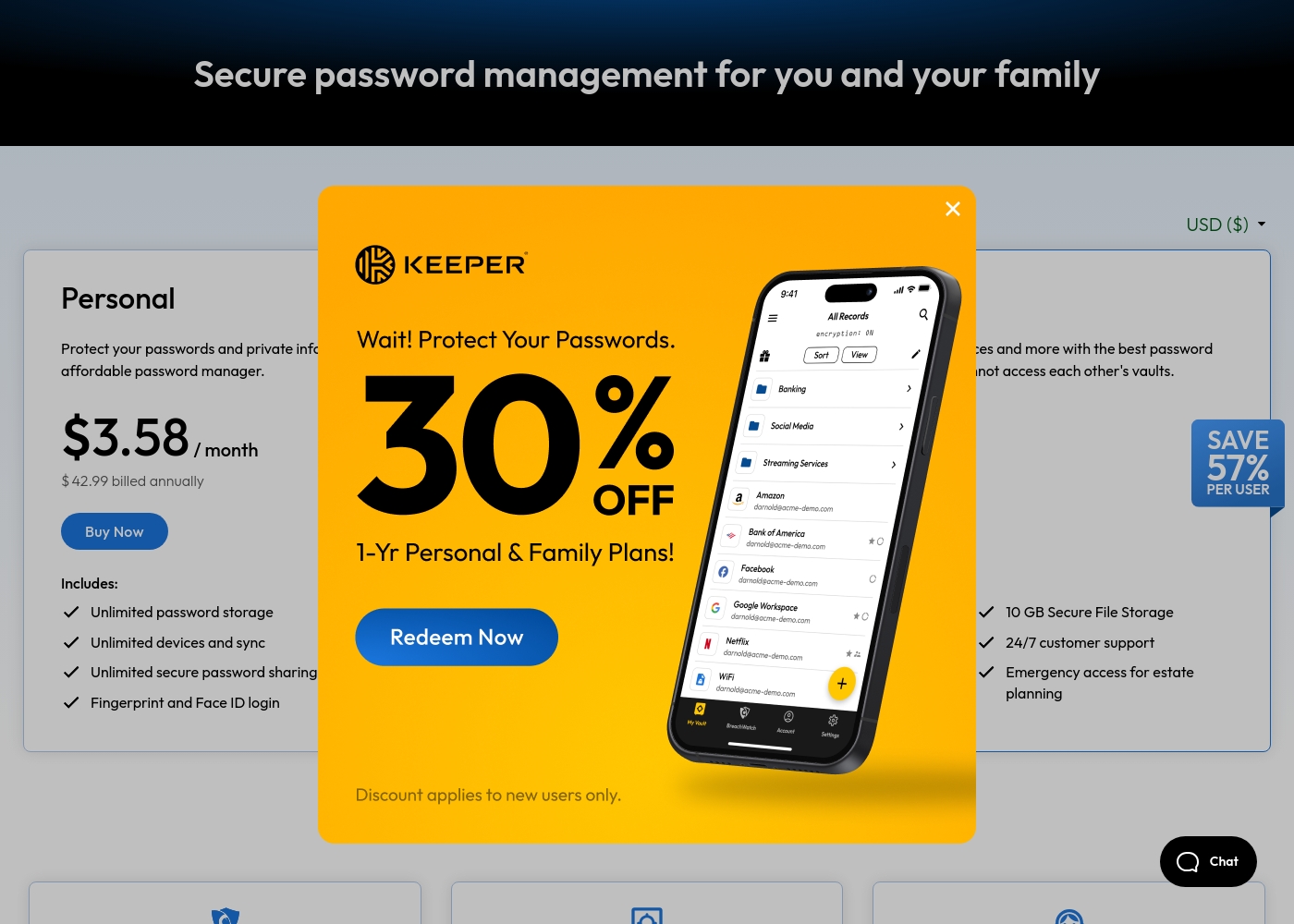
Keeper Security costs between $42.99 and $99.00 per year with 2 plans: Personal at $42.99 and Family at $99.00.
Take a look at the specific features included in each tier below to find your best fit.
Personal
Price: $3.58 / month (billed annually at $42.99) Websites Supported: Unlimited Best For: Single users needing cross-device security Other Features: Unlimited password storage, Unlimited devices and sync, Fingerprint and Face ID login, Web app and browser extensions, 24/7 customer support
- Unlimited password storage
- Unlimited devices and sync
- Unlimited secure password sharing
- Fingerprint and Face ID login
- Web app and browser extensions
- 5 Private vaults
- 10 GB Secure File Storage
- Unlimited shared folders and permissions
- Emergency access
- Everything in Personal
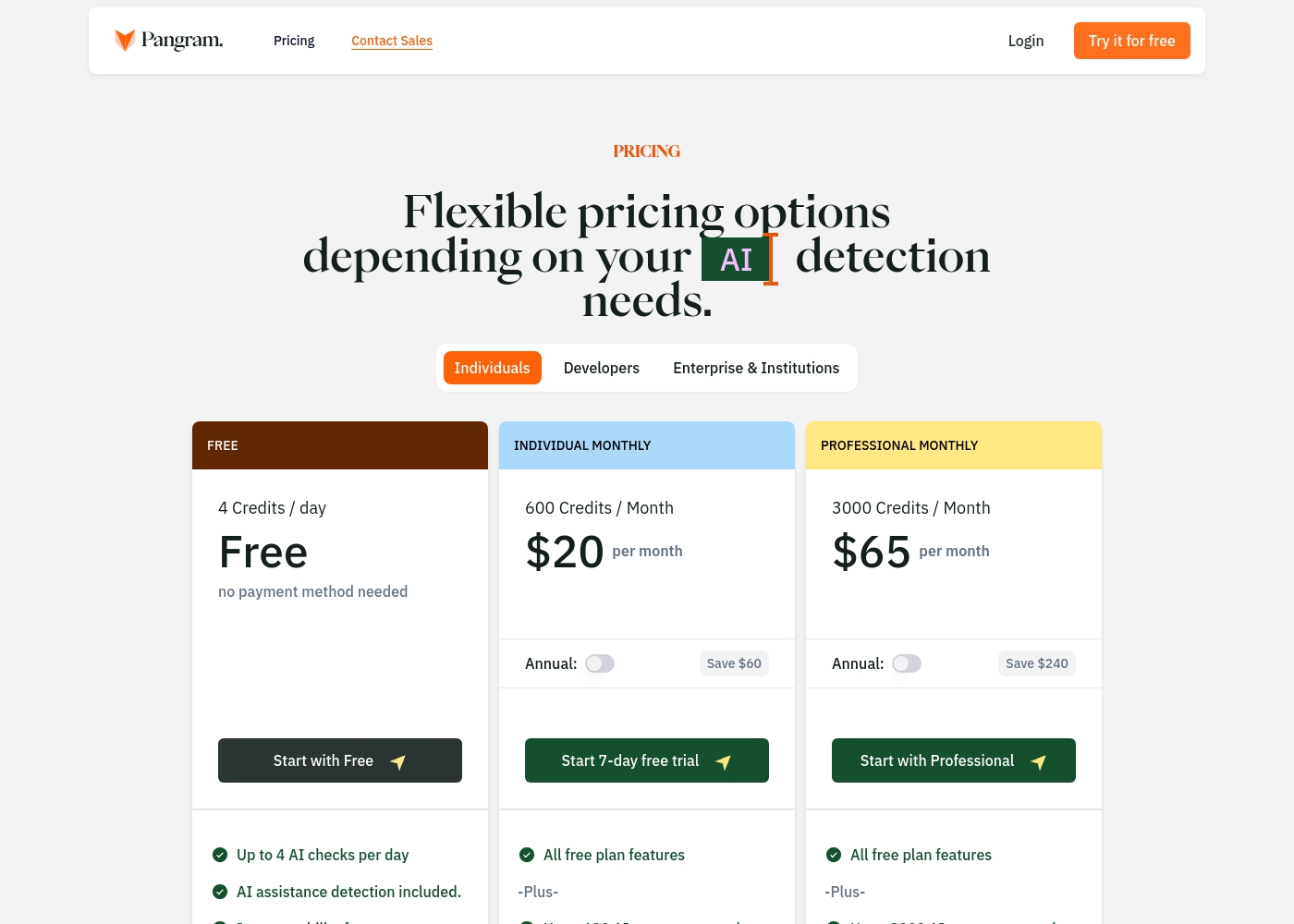
Pangram Labs pricing: Pangram Labs offers a range of plans from a free daily tier to paid professional subscriptions starting at $20 per month. Users can choose between monthly and annual billing to save on higher credit limits and plagiarism detection features.
science. This structure makes it easy for both individuals and large organizations to find a fit.
science. This structure makes it easy for both individuals and large organizations to find a fit.
Pricing Notes
- Keeper Security's Personal plan is $3.58/month billed annually. Pangram Labs' Individual plan is $20/month.
- Pangram Labs offers a free plan with 4 daily checks, making it accessible for low-volume users.
- Keeper Security's Family plan covers 5 users for one annual fee ($74.99), offering strong per-user value.
- Pangram Labs' Professional plan ($65/month) is for power users needing 3,000 scans monthly.
- Both tools offer free trials: Keeper Security for 30 days, Pangram Labs for 7 days.
Pricing Head-to-Head
User Reviews
User feedback for Keeper Security on Trustpilot highlights a mix of experiences. Many praise the platform's strong security features and ease of use for managing passwords across devices, often noting helpful customer support.
🙌 However, a recurring theme involves frustration with subscription management, including auto-renewal charges and difficulties with cancellation or refunds. Some users report occasional syncing issues between devices.
Keeper is fantastic for keeping all my passwords and notes secure. The browser extension works perfectly, and syncing across my phone and laptop is seamless. The support team was also very helpful when I had a setup question.
External review sentiment for Pangram Labs is currently unavailable. The Trustpilot page returned a verification error, preventing us from accessing user reviews.
Capterra also provided no data. Consequently, this summary reflects only the features and pricing information from the company's own website, which highlights high accuracy, strong integrations, and flexible plans.
Our Verdict
These tools don't compete—they solve different problems. Choose Keeper Security if you're locking down digital infrastructure. Choose Pangram Labs if you're verifying written content. There's no single "best" one here. Keeper Security's superpower is its unified, zero-trust platform. It secures privileged access, secrets, and connections for enterprises. It's built for compliance-heavy environments like government and finance. Pangram Labs' superpower is its accurate AI detection. It verifies if text is human or machine-generated with 99.98% accuracy. It's designed for educators, publishers, and content integrity. The deciding factor is your core need. Do you need to manage and audit who accesses your systems? Or do you need to analyze who (or what) wrote a document? For most people, this isn't an either/or choice. If you're an IT director, pick Keeper Security. If you're a professor, pick Pangram Labs. If you're both, you might need both tools for different jobs.
Frequently Asked Questions
Which is better for small teams: Keeper Security or Pangram Labs?
It depends on your team's work. For a small IT team managing access and secrets, Keeper Security is the right choice. For a small team of writers or educators checking content, Pangram Labs is better. They serve completely different functions.
Does Keeper Security have AI detection like Pangram Labs?
No. Keeper Security uses AI for threat detection within its security platform. Pangram Labs uses AI to detect AI-generated text. They use the technology for opposite purposes: defending systems versus analyzing content.
Is Pangram Labs worth the extra cost over Keeper Security?
This is comparing apples to oranges. Pangram Labs starts at $0/month, while Keeper Security starts at $42.99/year. If you need content verification, Pangram's value is clear. If you need security infrastructure, Keeper's value is different.
Can I migrate from Keeper Security to Pangram Labs easily?
Migration isn't applicable because the tools serve different purposes. You wouldn't replace one with the other. You might, however, use Keeper Security for your password vault and Pangram Labs for checking your team's content.
Which tool is easier to set up for a beginner?
Pangram Labs is likely simpler to start using for its specific purpose. You can sign up and scan text quickly. Keeper Security, as an enterprise platform, will require more configuration and planning for full deployment.
Do these tools work together?
They are independent platforms that don't directly integrate. You could use Keeper Security to manage the login credentials for your Pangram Labs account. Otherwise, they operate in separate domains: security versus content analysis.
Ready to Choose?
Both tools have their strengths. Choose based on your specific needs.