Keeper Security

Keeper Security

Secure every identity and secret with a zero-trust platform.

1 min read · Updated May 15, 2026
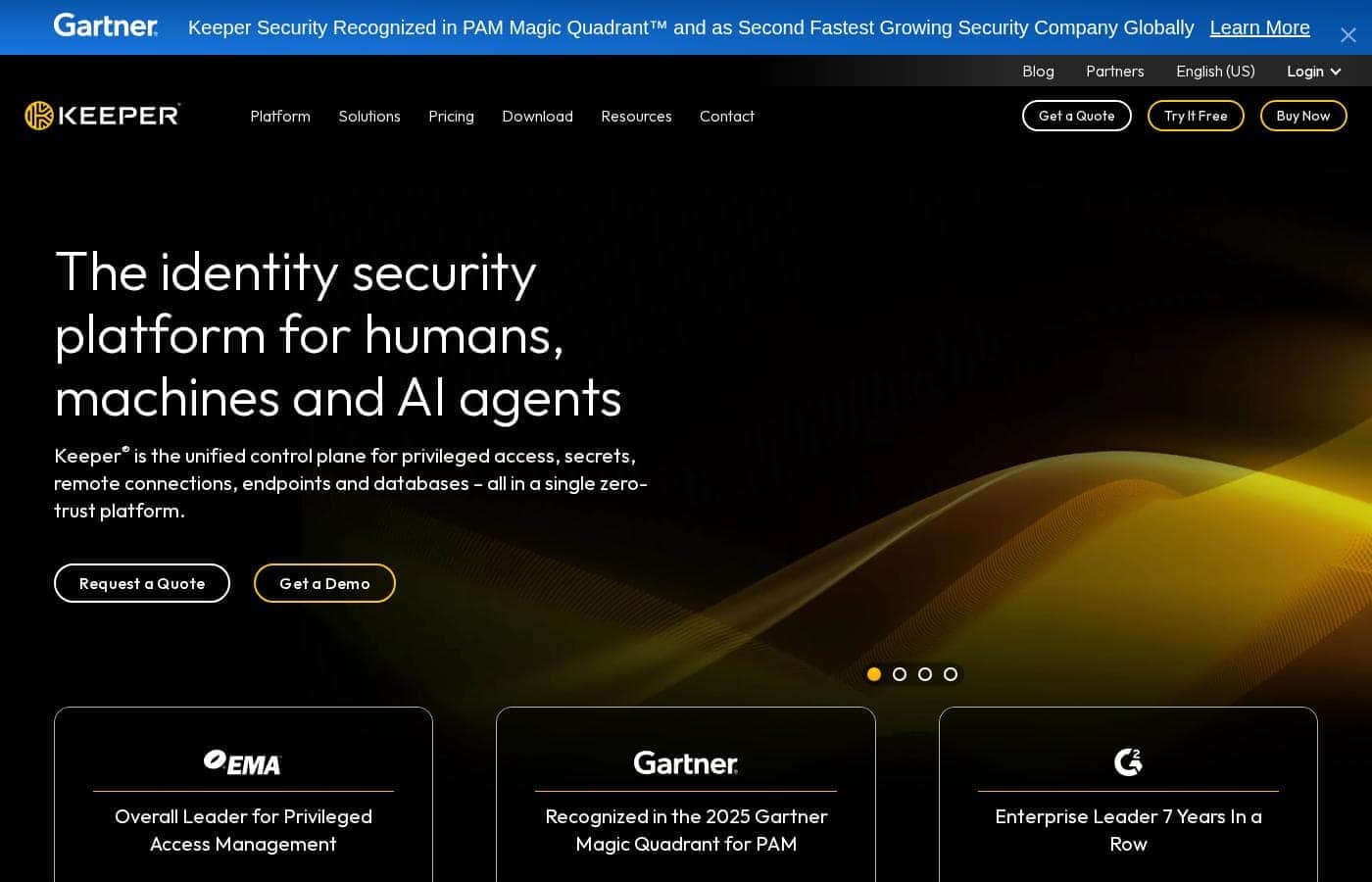
Keeper Security homepage screenshot

At a glance

Quick overview for Keeper Security: rating, pricing summary, key features, and highlights.
Best for
Federal agencies and government contractors requiring FedRAMP High authorization.IT and security teams managing privileged access for admins, workloads, and service accounts.Organizations seeking a unified platform for PAM, secrets management, and endpoint security.Enterprises in regulated industries (healthcare, finance) needing strong compliance certifications.Businesses looking to secure remote database access and AI agent activities.
Ease of use
The platform is designed as a unified control plane, which should streamline management. However, its comprehensive feature set for PAM and secrets means initial setup and configuration will likely involve planning. Strong support is indicated by regional sales and support phone numbers.

Ciroapp review

3.8
Secure platform, tricky billing.

We find Keeper Security offers a robust, zero-trust platform for password and secret management, backed by strong compliance and a unified interface. However, our review is tempered by external user feedback that points to significant concerns with subscription billing practices and customer support responsiveness for account issues. Overall, it's a capable security tool, but potential buyers should be mindful of the billing process.

Pros

  • Pros:Strong zero-knowledge security architecture
  • Pros:Unified platform for passwords, secrets, and connections
  • Pros:AI-powered threat detection and session monitoring

Cons

  • Cons:Recurring user complaints about auto-renewal and billing issues
  • Cons:Difficulties reported with account cancellation and refunds
  • Cons:Some users mention occasional syncing problems between devices
Free trial
Yes — 30 days
Range: $3.58–$6.25/monthFree trial, Yearly subscription
This section is a summary. Detailed sections about features, use cases, pricing, and reviews follow below.
Disclosure: this page may contain affiliate links for Keeper Security. If you click these links and make a purchase, Ciroapp may earn a commission at no additional cost to you.

Keeper Security review, pricing, features, pros & cons

Managing privileged access and secrets across humans, machines, and AI agents is complex and risky. Keeper provides a single, unified control plane to secure everything. It enforces zero trust and zero knowledge security, ensuring only you can decrypt your data.

What is Keeper Security?

💡 Keeper is an identity security platform for privileged access management (PAM), secrets, endpoints, and connections. It's built for organizations needing to protect administrative, workload, and service account access. The platform combines just-in-time access, session control, and AI-powered threat detection.

Compare Keeper Security with similar tools and browse the full category before choosing.

View all Chrome Extension tools

Should you choose Keeper Security?

Quick buyer guidance before you compare plans or click through.

Choose it if

  • Teams that need to enforce least privilege with just-in-time access and full session audit trails.
  • Organizations prioritizing a zero-trust, zero-knowledge security model for sensitive data.
  • Companies requiring a cloud-first solution validated by major security certifications (ISO, SOC 2, PCI).
  • Businesses looking for AI-enhanced threat detection and automated response for privileged sessions.
  • Global operations, as the platform serves 150+ countries with multi-language support.

Skip it if

  • Individuals or families seeking a simple personal password manager (separate product line exists).
  • Small teams with very limited budgets, as pricing is quote-based and likely enterprise-focused.
  • Organizations needing deep, pre-built integrations with every possible legacy tool (integration list not fully detailed).
  • Buyers who prefer fully self-hosted, on-premises-only solutions (described as a cloud-first platform).

Next steps before buying

  1. 1Visit the Keeper website to **Request a Quote** or **Get a Demo** for business/enterprise solutions.
  2. 2Review the detailed **Security Model** and **Trust Center** documentation to verify compliance and architecture claims.
  3. 3Check for available **integrations** with your existing technology stack and developer tools.
  4. 4Utilize the **Free Trial** or **ROI Calculator** on the website to test fit and estimate value.
  5. 5Compare Keeper against other PAM solutions using the provided comparison resources (e.g., vs CyberArk, vs Delinea).

Ease of use

The platform is designed as a unified control plane, which should streamline management. However, its comprehensive feature set for PAM and secrets means initial setup and configuration will likely involve planning. Strong support is indicated by regional sales and support phone numbers.

Keeper Security Key Features

✨ Zero-Trust and Zero-Knowledge Security

Your data is protected with a security model built on two core principles. Zero-trust means the system never assumes trust; it verifies every access request. Zero-knowledge means your data is encrypted and decrypted only on your devices.

Keeper never has access to your passwords, secrets, or privileged access information.

✨ Privileged Access Management for Every Identity

Keeper provides a single control plane to secure access for humans, machines, and AI agents. It helps you enforce the principle of least privilege. Users and services only get the specific access they need, and only when they need it.

This is achieved through just-in-time access and elevation. Access is granted temporarily and can be revoked automatically. All sessions are recorded with full audit trails for complete visibility and compliance.

🤖 AI-Powered Threat Detection and Response

KeeperAI is an intelligent layer that analyzes privileged activity in real time. It works to classify risk and spot anomalous behavior as it happens. If a high-risk session is detected, the system can automatically terminate it to prevent a breach.

After an event, it generates encrypted, forensic-ready summaries. This provides security teams with clear data for investigation and reporting, turning raw activity into actionable insight.

✨ Government-Grade Compliance and Certifications

For organizations with strict regulatory requirements, Keeper is built to meet and exceed them. It holds FedRAMP High and GovRAMP High authorizations, making it a cloud-first solution suitable for federal agencies and contractors.

The platform is also validated by numerous other standards. These include ISO 27001, SOC 2, HIPAA, GDPR, and PCI DSS Level 1. This broad certification profile simplifies compliance across global and regulated industries.

✨ A Unified Platform for Security and Secrets

Stop juggling multiple tools for different security tasks. Keeper combines privileged access management, secrets management, remote connections, and endpoint security into one platform. This unified approach reduces complexity and provides a consistent security experience.

Whether you need to manage admin credentials, rotate API keys, or secure database access, you do it all from a single interface. This centralization helps IT and security teams work more efficiently and maintain a stronger security posture.

Use Cases

🛡️ Protecting Administrative Access with Just-in-Time Privileges

Your IT team is tired of permanent admin accounts being a constant security risk. With Keeper, you can grant temporary, elevated access only when it's needed. The session is automatically monitored and logged, and access is revoked when the task is complete.

This reduces your attack surface while keeping your team productive.

🔑 Securing Secrets for Your Development Team

Your developers are hardcoding API keys and database passwords into scripts and environment files, creating a massive security vulnerability. Keeper provides a centralized, secure vault for all these secrets. Developers can fetch the credentials they need at runtime, and you maintain a complete audit trail of every access request.

No more secrets in code repositories.

🏎️ Safeguarding a Formula 1 Team's Competitive Edge

In Formula 1, protecting confidential race data is fundamental to a team's competitive advantage. Atlassian Williams F1 Team uses Keeper to safeguard the extremely confidential data produced on the track. This ensures their sensitive strategies and technical information remain secure, helping them maintain their edge in a high-performance environment.

🏛️ Enforcing Zero-Trust for Federal Agencies

Federal agencies must meet stringent compliance standards like FedRAMP High. Keeper is FedRAMP High and GovRAMP High Authorized, providing a cloud-first security solution that exceeds these requirements. It's a proven platform trusted by government contractors and agencies to manage privileged access with a zero-trust, zero-knowledge architecture.

🗃️ Managing Remote Database Access Securely

Your database administrators need to connect to critical systems from various locations. Keeper's Connection Manager allows you to manage and audit these remote database sessions from one place. Access is controlled, sessions can be monitored in real time, and every action is logged for compliance and forensics.

🤖 Problem → Approach → Outcome: Automated Threat Response

Problem: A privileged user's session behaves anomalously, suggesting a potential compromise. Manual detection and response is slow and risky.

Approach: KeeperAI continuously analyzes session activity. It classifies the risk level in real time and can automatically terminate the high-risk session.

Outcome: The potential breach is contained instantly. An encrypted, forensic-ready summary is generated for your security team to investigate, minimizing damage and response time.

Pricing Overview for Keeper Security

Pricing range
$3.58–$6.25/month
Pricing types
Free trial, Yearly subscription

Keeper Security offers personal and family subscriptions starting at $3.58 per month. Plans are billed annually and provide zero-knowledge protection across all your devices.

Plans & Pricing

Personal

Monthly$3.58
Yearly$42.99
1 User
  • Unlimited password storage
  • Unlimited devices and sync
  • Unlimited secure password sharing
  • Fingerprint and Face ID login
  • Web app and browser extensions
  • 24/7 customer support

Family

Most Popular
Monthly$6.25
Yearly$74.99
5 Users
  • 5 Private vaults
  • 10 GB Secure File Storage
  • Unlimited shared folders and permissions
  • Emergency access
  • Everything in Personal
Pricing Screenshot
Pricing

Keeper Security costs between $42.99 and $99.00 per year with 2 plans: Personal at $42.99 and Family at $99.00.

Take a look at the specific features included in each tier below to find your best fit.

Personal

Price: $3.58 / month (billed annually at $42.99) Websites Supported: Unlimited Best For: Single users needing cross-device security Refund Policy: Not explicitly stated Other Features: Unlimited password storage, Unlimited devices and sync, Fingerprint and Face ID login, Web app and browser extensions, 24/7 customer support

This plan is perfect if you want to secure your own digital life. It removes the stress of remembering passwords while keeping your identity and payment info safe on every device you use. ✨

Family

Price: $6.25 / month (billed annually at $74.99 - $99.00) Websites Supported: Unlimited Best For: Households up to 5 people Refund Policy: Not explicitly stated Other Features: 5 Private vaults, 10 GB Secure File Storage, Unlimited shared folders, Emergency access, Everything in the Personal plan

Pick this plan if you want to protect your whole household. It gives everyone their own private vault while making it easy to share things like the home WiFi password or Netflix login with the rest of the group.

You can explore these features risk-free with a 30-day free trial. If you need to cancel, you should confirm specific license limits and renewal terms with their support team before your next billing date.

User Reviews

User feedback for Keeper Security on Trustpilot highlights a mix of experiences. Many praise the platform's strong security features and ease of use for managing passwords across devices, often noting helpful customer support.

🙌 However, a recurring theme involves frustration with subscription management, including auto-renewal charges and difficulties with cancellation or refunds. Some users report occasional syncing issues between devices.

Overall, sentiment is positive regarding core functionality, but the billing and account management aspects draw significant criticism.

What users say elsewhere

Sarah L.
Trustpilot

Keeper is fantastic for keeping all my passwords and notes secure. The browser extension works perfectly, and syncing across my phone and laptop is seamless. The support team was also very helpful when I had a setup question.

Mike T.
Trustpilot

My subscription auto-renewed without clear warning. I tried to get a refund but was denied. The process to cancel was also confusing. I feel trapped in a billing cycle I didn't intend to continue.

Jessica R.
Trustpilot

The security features are top-notch, and I feel safe storing my sensitive data. It's easy to use day-to-day. Just wish the pricing for family plans was a bit more competitive compared to other options.

David Chen
Trustpilot

I encountered syncing issues where a new password saved on my computer wouldn't appear on my phone for hours. Customer support was slow to respond to my tickets about this problem, which was frustrating.

No reviews yet.

Write a Review

Write a Review for Keeper Security
0/100 characters
0/2000 characters

Why use Keeper Security?

🔒 Why choose Keeper for identity security? It's a comprehensive, cloud-first solution designed to eliminate risk and simplify control.

  • Unified Security: Manage privileged access, secrets, remote connections, and databases from one single platform. No more juggling multiple tools.
  • Proven Zero-Trust: Built on a zero-knowledge architecture. Your data is encrypted and decrypted only on your devices—Keeper never sees it.
  • AI-Powered Defense: KeeperAI analyzes activity in real time. It can automatically terminate risky sessions and provide forensic-ready summaries.
  • Government-Grade Compliance: Exceeds stringent standards with FedRAMP High and GovRAMP High authorizations. Ideal for federal agencies and regulated industries.
  • Trusted at Scale: Securing over 85,000 business customers and 4 million people worldwide, with a strong track record recognized by analysts like Gartner.
  • Verified Security: Continuously validated through penetration testing, bug bounties, and a public vulnerability disclosure program. Security isn't just claimed; it's proven.

Ready to transform your workflow with Keeper Security?

Keeper Security alternatives

View all Chrome Extension tools

Other tools in the Chrome Extension category

Popular comparisons

GitLab
GitLab vs Keeper Security
Enterprise AI Platform
Pangram Labs
Keeper Security vs Pangram Labs
AI Detector
Drata
Drata vs Keeper Security
Trust Management Platform
Wiz
Keeper Security vs Wiz
Managed Security Service

Similar tools

GitLab
GitLab
Enterprise AI Platform4.2/5

The most comprehensive AI-Powered DevSecOps Platform!

Pangram Labs
Pangram Labs
AI Detector4.2/5

We are a research-backed AI detection company that helps educators, content creators, and other organizations create AI transparency for their organizations and their customers.

Drata
Drata
Trust Management Platform4.4/5

Drata automates your compliance journey from start to audit-ready and beyond and provides support from the security and compliance experts who built it

Wiz
Wiz
Managed Security Service4.2/5

#1 Cloud Security Software for Modern Cloud Protection

Frequently Asked Questions

What specific tools and platforms does Keeper integrate with?

Keeper integrates with browsers via extensions and works across major operating systems (Windows, macOS, Linux, iOS, Android). The site does not list specific third-party software or developer tool integrations. You should confirm detailed integration options with their sales team for your specific stack.

How is my data encrypted and what does 'zero-knowledge' actually mean for me?

Keeper uses end-to-end AES-256 encryption. Your data is encrypted on your device before it ever reaches their servers. With a zero-knowledge architecture, Keeper cannot decrypt or see your passwords or files; only you hold the keys.

Are there any limits on how many passwords or items I can store?

The Personal and Family plans offer unlimited password storage. There is no stated limit on the number of items like passwords, notes, or payment cards you can save in your vault.

How does the Family plan's pricing work per user?

The Family plan is a single subscription for up to 5 users at $74.99 per year ($6.25/month billed annually). It's not a per-user cost; you pay one fee for the whole household bundle.

What does the 30-day free trial include, and do I need a credit card?

Keeper offers a 30-day free trial for its personal plans. The official site doesn't specify if a credit card is required upfront. You'll need to start the trial to confirm their exact requirements.

How do I cancel my subscription, and can I get a refund?

You should manage cancellation and renewal settings through your account dashboard. The official site does not explicitly state a refund policy. It's wise to review their terms and contact support before your billing date to avoid auto-renewal.

Is Keeper available in languages other than English?

Yes. The website footer lists support for multiple languages, including English, Spanish, Portuguese, German, French, Japanese, Italian, Arabic, Polish, Russian, and Chinese (Simplified).

In which countries or regions can I use Keeper?

Keeper serves over 150 countries worldwide. The platform is cloud-based and accessible globally from any region with internet access.

What kind of customer support do you offer, and what are the response times?

All personal and family plans include 24/7 customer support. The site does not specify guaranteed response times or SLAs. For urgent issues, you can contact their regional support lines listed on the site.

How do I migrate passwords from another password manager to Keeper?

Keeper provides import tools to help migrate data from other password managers like LastPass, 1Password, and Chrome. You can find detailed migration guides in their support documentation or by contacting their support team for assistance.

Does Keeper offer any special pricing for students, teachers, or military?

Yes. The site mentions special pricing for students and for military and medical professionals. You can find these offers on the 'Personal and Family' section of their website under specific discount categories.

Ready to try Keeper Security? Check out the official site or pricing.