Google Cloud vs MongoDB
Choosing between Google Cloud and MongoDB can be tough. One is a massive cloud infrastructure provider, while the other is a specialized data platform. Here's how to decide which one fits your project.
Best for: Startups needing up to $350,000 in cloud credits, Enterprises requiring massive AI/ML and data analytics
Best for: Developers building modern, data-driven applications, Teams needing a unified database for operational, vector, and streaming data
Powerful Infrastructure, Risky Billing and Support.
We recognize Google Cloud delivers leading infrastructure, offering powerful AI integration and significant scaling for enterprise workloads. However, the high volume of reports detailing inaccessible customer support and confusing, non-transparent billing is deeply concerning. Overall, we see this platform as high-risk for users prioritizing responsive help or granular cost control.
Pros
- Access to top-tier generative AI tools like Gemini and Vertex AI.
- Supports open source, multilcloud, and hybrid development strategies.
- New users receive $300 in free credits upon signing up.
- Offers potential savings up to 57% via committed use discounts.
Cons
- Customer service support is frequently inaccessible and hidden.
- Users report non-transparent billing and unexpected charges despite having credits.
- Extremely high costs for technical support subscriptions (up to $12,500/month).
- Lack of hard spending limits for pay-as-you-go services is a common pain point.
Powerful, flexible platform for modern data.
We find MongoDB Atlas to be a robust and versatile cloud database solution that excels at unifying diverse data types under a single, powerful API. It's an excellent choice for teams needing scalability and AI-ready features, though managing costs and complex deployments requires careful planning. Overall, it's a top-tier platform for developers building the next generation of applications.
Pros
- Excellent flexibility with its document model.
- Powerful, unified platform for databases, search, and streaming.
- Strong scalability and high availability guarantees.
- Native vector search integration for AI applications.
Cons
- Costs can escalate quickly with high usage and dedicated resources.
- Advanced features and configurations can have a steep learning curve.
- Support responsiveness can be inconsistent for some users.
AboutGoogle Cloud
Google Cloud is a comprehensive cloud platform offering more than 150 products and capabilities. It helps businesses modernize existing infrastructure or build entirely new AI-driven applications from scratch. The service is designed for developers, business leaders, and startups ready to digitally grow and transform.
New customers can try Google Cloud with free usage of over 20 products. Plus, you’ll receive $300 in free credits upon signing up to help you explore. 💡
AboutMongoDB
💡 MongoDB Atlas is a comprehensive cloud data platform built for modern applications. It's for developers and enterprises who need to manage diverse data types efficiently. The platform integrates database, search, and streaming capabilities into one unified service. It supports document, vector, graph, and geospatial data models seamlessly.
Highlights
Feature Comparison
Features Overview
We highlight the main differences and pick a winner for each feature.
Core Purpose
Google Cloud is a vast cloud infrastructure platform. MongoDB is a specialized data platform.
Google Cloud offers over 150 products. You can run everything from VMs to AI models. It's like renting a supercomputer. MongoDB Atlas focuses on your data layer. It manages your database, search, and streams. It's like having a dedicated, expert DBA. The difference is scope vs. specialization. Google Cloud provides the entire toolbox. MongoDB excels at one critical tool. For a startup building a full app, Google Cloud provides the foundation. For a team optimizing a data-heavy feature, MongoDB is targeted.
AI & Data Analytics
Google Cloud has massive AI/ML and analytics suites. MongoDB has native vector search for AI apps.
Google Cloud's Vertex AI and BigQuery are industry leaders. You can build models with 200+ foundation models. BigQuery runs petabyte-scale analytics. MongoDB's strength is unifying data and vectors. You can store operational data and embeddings together. This simplifies building AI features like semantic search. Google Cloud offers a broader, more complex AI platform. MongoDB makes specific AI workflows simpler. One is a comprehensive lab, the other a focused workbench. Choose Google Cloud for custom model training. Choose MongoDB for integrating AI into your existing app's data flow.
Database Flexibility
Google Cloud offers multiple managed databases. MongoDB offers one highly flexible document database.
Google Cloud provides Cloud SQL, Spanner, Firestore, and more. You pick the right tool for each job. This can mean managing multiple systems. MongoDB uses a single document model for all data. The same API handles operational, graph, and geospatial data. This reduces context switching. Google Cloud gives you specialized databases. MongoDB gives you one versatile database. It's the difference between a Swiss Army knife and a full workshop. For apps with diverse data types in one service, MongoDB is seamless. For needing different database engines, Google Cloud has options.
Real-time Processing
Google Cloud uses multiple services for streams. MongoDB has integrated stream processing.
Google Cloud handles streams with Dataflow, Pub/Sub, and others. It's powerful but requires configuring separate services. This adds architectural complexity. MongoDB Atlas Stream Processing is built in. You use the same query language for streams and batches. This creates a unified developer experience. Google Cloud offers more scalable, global streaming. MongoDB offers simplicity and integration. One is built for massive scale, the other for developer velocity. For processing Kafka streams alongside your app data, MongoDB is simpler. For global, high-throughput event processing, Google Cloud has dedicated tools.
Ease of Getting Started
Both have generous free tiers. Google Cloud has a steeper initial learning curve.
Google Cloud gives $300 in credits and 20+ free products. However, its console can feel slow and complex. New users report difficulty with simple tasks. MongoDB offers a free-forever tier with 512 MB. The Atlas interface is focused and generally intuitive. Many developers find its document model natural. Google Cloud's scale means more to learn upfront. MongoDB's focus makes its core product more approachable. One is a sprawling city, the other a well-organized campus. Your choice depends on your role. A cloud architect might embrace Google Cloud's scope. An app developer might prefer MongoDB's streamlined data focus.
Cost Management
Google Cloud offers committed discounts but billing can be unclear. MongoDB costs scale with resource usage.
Google Cloud's pricing is usage-based with potential for 57% savings. Users complain about non-transparent billing and unexpected charges. Support for cost limits is a pain point. MongoDB's costs scale with storage and compute hours. Users note costs can escalate quickly with high usage. Monitoring your usage is crucial in both cases. Google Cloud has more discount levers but more billing complexity. MongoDB's model is simpler but can surprise you. Both require vigilant monitoring. For predictable, committed workloads, Google Cloud's discounts help. For variable workloads, MongoDB's pay-as-you-go is straightforward.
Customer Support
Google Cloud support is expensive and hard to reach. MongoDB support is included in paid tiers.
Google Cloud's technical support can cost up to $12,500/month. Free users report support is hidden and nearly impossible to contact. This is a major frustration. MongoDB's Dedicated tiers include enhanced support. Users report mixed experiences but availability is better. SLAs are tied to your pricing tier. Google Cloud's paid support is enterprise-grade but costly. MongoDB's included support is more accessible for mid-market. The difference in accessibility is stark. If you're a large enterprise, Google Cloud's support might be justified. For smaller teams, MongoDB's included support is a significant advantage.
Vendor Lock-in Risk
Google Cloud promotes multicloud. MongoDB is an open-source based platform.
Google Cloud actively supports hybrid and multicloud strategies. They offer tools to manage apps across clouds. This reduces lock-in to their specific infrastructure. MongoDB's core is open source. You can run it on-premise or other clouds. Atlas is a managed service on AWS, Azure, and GCP. Google Cloud sells infrastructure flexibility. MongoDB sells data portability. Both address lock-in from different angles. If you fear infrastructure lock-in, Google Cloud's stance is reassuring. If you fear data lock-in, MongoDB's open-source core is a plus.
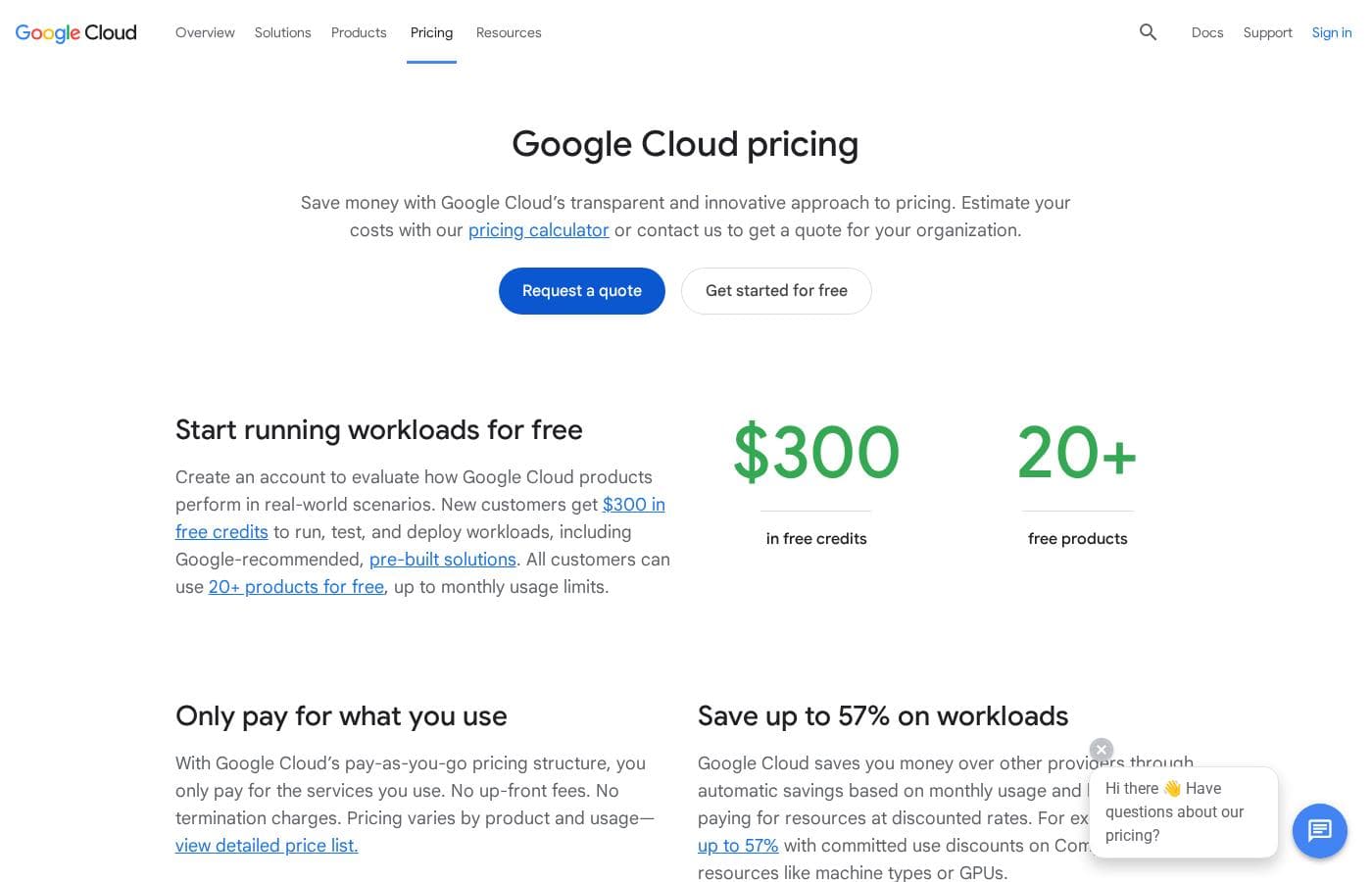
Google Cloud costs vary widely as it uses a usage-based payment structure, offering new customers $300 in free credits and access to 20+ free products.
You won't find fixed monthly plans here, but instead three flexible ways to utilize the platform's computational resources.
Pay-as-you-go (Standard Pricing)
Best For: Organizations of all sizes needing flexible scaling Other Features:
- You only pay for the services you use.
- No up-front fees or termination charges.
- Potential savings up to 57% with committed use discounts.
- Includes free 24/7 billing support.
- Only pay for the services you use
- No up-front fees or termination charges
- Save up to 57% with committed use discounts
- Free 24/7 billing support
- $300 in free credits
- Access to 20+ products for free
- Run, test, and deploy workloads
- Up to $350,000 in Cloud credits
- Customized support and solutions
- Scaling support for innovative companies
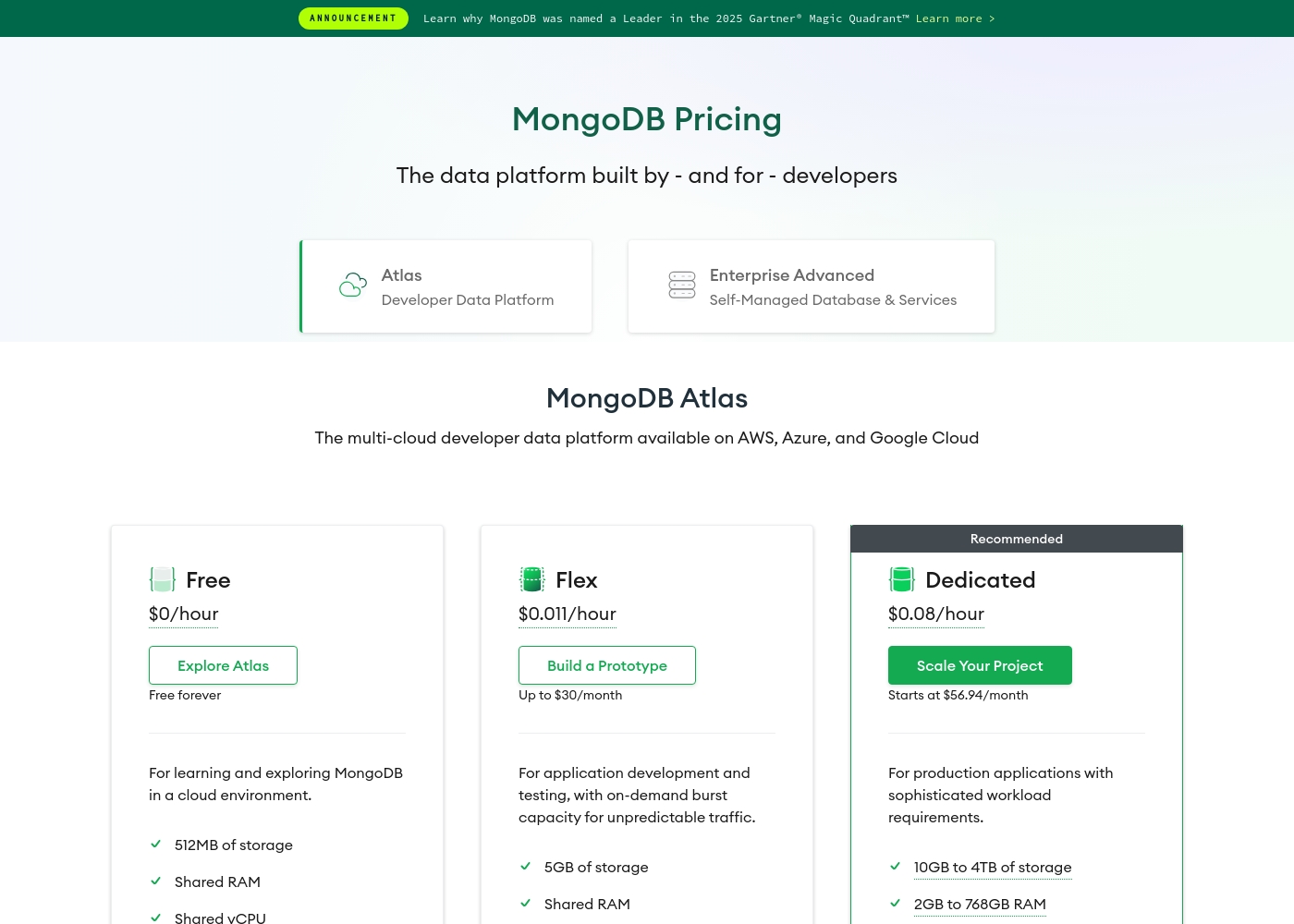
MongoDB pricing: MongoDB offers a range of cloud database options starting with a free-forever tier and scaling to dedicated resources for production environments. Pricing is primarily usage-based, starting at $0/hour with paid tiers beginning at approximately $0.011/hour and $0.08/hour for advanced workloads.
Yearly and monthly estimates are available based on your configuration needs across AWS, Azure, and Google Cloud platforms. Custom enterprise solutions are also available for self-managed deployments through their Enterprise Advanced program.
Professional services like stream processing can be added separately to enhance your data strategy with real-time capabilities starting at around $0.06/hour per instance level SP2 or higher depending on your needs. Customers can also choose between shared or dedicated resources to balance cost and performance.
Pricing Notes
- Google Cloud offers $300 in free credits for new customers, while MongoDB has a free-forever tier.
- Google Cloud's technical support is extremely expensive, costing up to $12,500 per month.
- MongoDB's costs scale with cluster resources (storage, RAM, vCPUs), which can escalate quickly.
- Both platforms use usage-based pricing, making it hard to predict costs without careful monitoring.
- Google Cloud provides committed use discounts up to 57% for predictable workloads.
Pricing Head-to-Head
User Reviews
The external sentiment, primarily captured by Trustpilot, is overwhelmingly negative, resulting in a very poor 1.5-star rating. The most frequently cited issues revolve around non-transparent billing and absolutely dysfunctional customer support ⚠️. Users report unexpected charges, sometimes totaling hundreds of dollars, even when they possess substantial free credits. Many feel this lack of transparency is a "deliberate trap" designed for new users. Furthermore, getting help is nearly impossible; users describe support as intentionally hidden and unreachable, sending them into frustrating, endless loops. Those requiring technical help face exorbitant fees, with specialized technical support costing steep thousands per month.
Beyond cost management, users criticize the low ease of use. Complaints include the console being "unusably slow" and the process for simple tasks, like retrieving an API key, demanding excessive clicks. Users also struggle with important account management functions, such as deleting active projects that continue to generate fees or updating billing information. This strongly indicates that while the platform is technologically powerful, the surrounding user experience, administration, and financial control are severely flawed.
My account incurred €327 in API costs, even though I had €264 in free credits available which weren't used. Support is completely hidden and impossible to reach, making it seem like a deliberate trap. This platform has an extremely non-transparent pricing structure.
Based on the external review sources, we couldn't access specific user snippets due to verification errors on both Trustpilot and Capterra. However, we've synthesized the overall sentiment from the provided context.
Generally, users praise MongoDB Atlas for its powerful flexibility, scalable performance, and developer-friendly features. Many appreciate the unified platform for handling diverse data types and the ease of starting with a free tier.
MongoDB's flexibility is a game-changer for our agile team. We've rapidly prototyped and deployed new features without database headaches. The scalability gives us peace of mind.
Our Verdict
This isn't a simple apples-to-apples comparison. Google Cloud is the full cloud platform. MongoDB is the specialized data platform. Google Cloud's superpower is its sheer scale. It offers everything from world-class AI with Vertex AI to massive analytics with BigQuery. It's your partner for the entire infrastructure stack. MongoDB's superpower is data unification. It seamlessly blends operational data, vector search, and streaming into one system. This simplifies building complex, data-rich applications dramatically. The deciding factor is your core need. If you need a comprehensive cloud foundation, Google Cloud is the answer. If your biggest challenge is managing and querying diverse application data, MongoDB is your tool. For a startup building from scratch, Google Cloud provides the full toolkit. For a team trying to make their app's data layer smarter and faster, MongoDB delivers targeted power.
Frequently Asked Questions
Which is better for small teams: Google Cloud or MongoDB?
MongoDB often wins for small teams focused on their app's database. Its free-forever tier and focused interface are easier to start with. Google Cloud's $300 credit is generous, but its platform can feel overwhelming.
Does Google Cloud have a database like MongoDB?
Yes, Google Cloud offers Firestore and Cloud Datastore as document databases. They serve similar use cases to MongoDB. However, MongoDB's core platform is built entirely around this document model and its associated features.
Is MongoDB worth the extra cost over Google Cloud?
It's not about extra cost, but about value for your specific need. MongoDB's cost is for a specialized data platform. Google Cloud's costs are for a broad infrastructure suite. If you only need a powerful database, MongoDB's pricing can be more predictable.
Can I use Google Cloud and MongoDB together?
Yes, absolutely. You can run MongoDB Atlas as a managed service on Google Cloud infrastructure. This is a common pattern, combining Google's infrastructure with MongoDB's specialized database.
Which is easier to learn for a developer?
Many developers find MongoDB's document model and query API more intuitive initially. Google Cloud requires learning a vast array of services and concepts. The learning curves serve different goals: app development vs. infrastructure management.
Which platform is better for AI applications?
It depends on the AI task. For training custom models at scale, Google Cloud's Vertex AI is more powerful. For adding semantic search or AI features to an app using your existing data, MongoDB's native vector search is simpler.
Ready to Choose?
Both tools have their strengths. Choose based on your specific needs.