GoodAccess vs McAfee VPN
This comparison pits robust corporate security against simple consumer privacy. GoodAccess is specifically built for IT teams managing complex, zero-trust remote access. McAfee VPN focuses on automatic, bank-grade protection for securing individual browsing activity. They address fundamentally different security requirements and target audiences.
Best for: IT Managers needing stable, low-latency secure access., SMBs adopting a Zero Trust or SASE architecture.
Best for: Individuals who frequently use unsecured public Wi-Fi., Consumers prioritizing automatic protection during banking and shopping.
Secure Access With Clear Cost Savings
We find GoodAccess offers robust security and significantly greater value compared to similar SASE competitors. It excels at simplifying complex network administration tasks while guaranteeing stable and reliable global access control. Overall, GoodAccess is a highly effective security solution, particularly for SMBs prioritizing cost efficiency and strong performance.
Pros
- Exceptional price/value ratio confirmed by existing users.
- Offers a high-quality, free forever plan including a zero-log policy.
- Connectivity is stable and features notably low latency.
- Simplifies network administration and reduces complexity quickly.
Cons
- Specific tiered pricing details are not publicly displayed.
- External review volume is currently very limited (low number of reviews).
- No clear money-back guarantee is explicitly stated in provided materials.
Necessary Features, Dangerous Billing Practices
We found that McAfee VPN offers necessary features like strong encryption and convenient automatic protection for unsecure public networks, fulfilling core security needs. However, this promising feature set is severely undermined by aggressive billing practices and overwhelming negative feedback concerning system performance and customer support infrastructure. Overall, we advise extreme caution due to the high reported risk of subscription issues and intrusive software design.
Pros
- Includes robust bank-grade encryption to protect sensitive data.
- Automatic protection activates instantly on unsecure public networks.
- Supports major operating systems including Windows, Mac, Android, and iOS.
- Available as an affordable standalone annual subscription ($29.99/year).
Cons
- Widespread reports of intrusive pop-ups and resource consumption that slow down computers.
- Major complaints concerning unauthorized and aggressive auto-renewal charges.
- Customer support is widely reported as non-existent or unhelpful.
- Significant difficulty securing authorized refunds or canceling subscriptions.
AboutGoodAccess
GoodAccess delivers secure, stable remote connectivity that IT managers need. This tool is designed for securing access to crucial corporate systems, offering global IP reach. Users consistently describe the experience as incredibly user friendly, fast, and very helpful. If you require stable connectivity and reliable performance, this solution is built for you. 💡
AboutMcAfee VPN
The McAfee Secure VPN provides strong protection whether you are using Windows, macOS, Android, iOS, or ChromeOS. This tool is a smart virtual private network designed for anyone who prioritizes their digital security. You can browse securely and confidently, no matter your current location. The VPN keeps your personal data hidden from prying eyes and unwelcome advertisers. It works seamlessly across your supported devices, giving you important peace of mind. 💡
Highlights
Feature Comparison
Features Overview
We highlight the main differences and pick a winner for each feature.
Primary Audience & Focus
GoodAccess is built for IT governance; McAfee VPN is for everyday user privacy.
GoodAccess is designed for IT managers seeking stable, secure access to corporate systems. It helps businesses reduce administrative complexity quickly. McAfee VPN targets individual users securing transactions and maintaining anonymity while browsing online. The McAfee VPN feature set protects you while banking or shopping on public Wi-Fi. The two tools solve entirely different types of security problems for users and organizations.
Network Access Control
GoodAccess offers Zero Trust controls; McAfee VPN provides only a basic encrypted tunnel.
GoodAccess provides crucial network access control for critical backend systems. IT managers gain significant control over user access management and network governance. This robust solution is built specifically aligned with modern Zero Trust Architecture principles. McAfee VPN focuses on protecting the data moving through the tunnel using standard bank-grade encryption. The McAfee VPN product offers zero features for corporate access administration or internal network control.
Installation & Performance
GoodAccess offers stable, low-latency performance without issue. McAfee VPN users frequently report frustrating system slowdowns.
Users praise GoodAccess for its reliable stability and consistently low latency connections. It ensures high performance for secure remote connectivity across devices. McAfee VPN users frequently complain that the software slows down their computers significantly. They often report that McAfee VPN uses too much RAM and system resources during operation. This difference highlights a major trade-off in the quality of the underlying product code.
Automatic Activation
McAfee VPN automatically turns on when connecting to unsecure Wi-Fi. GoodAccess requires active administration for managed corporate access.
McAfee VPN excels in consumer convenience with its intelligent, automatic protection feature. It instantly secures the user when connecting to a public, unsecure Wi-Fi network. GoodAccess focuses on strict, managed access to specific systems for total IT control. GoodAccess prioritizes corporate governance and high control over convenience-focused automation. This feature difference clearly shows their distinct target users.
Customer Support & Ethics
GoodAccess has positive reviews, but McAfee VPN users report catastrophic support and billing issues.
McAfee VPN users widely report predatory automatic renewal charges they cannot stop. Trying to get a refund or contacting support is often described as impossible and unhelpful. GoodAccess receives high marks for its value and functionality, suggesting reliable business interaction. When choosing McAfee VPN, you risk major issues with billing practices and company ethics. GoodAccess is the safer, more ethical option for long-term partnership.
Pricing Structure
GoodAccess pricing scales per user for business needs. McAfee VPN offers a simple, low flat annual price.
GoodAccess uses a flexible per-seat pricing model customized for each organization's size. This scaling ensures the price reflects the complexity of the required features. McAfee VPN offers a very low introductory rate of $34.99 per year for individual subscribers. This simple, flat fee makes McAfee VPN highly accessible for the average consumer. GoodAccess also offers a generous Free Forever plan for users to evaluate the platform quickly.
You should generally expect flexible security platform pricing to scale based on user count and required advanced governance and security features.
Since no specific plans, tiers, or prices are listed in the provided information, details regarding individual plan names, features, and costs cannot be specified.
Because the pricing structure is not defined here, we cannot suggest who this specific plan would benefit most. We know the platform offers core features like the GoodAccess app, network access control, and threat protection, which are valuable features for any organization seeking secure remote connectivity.
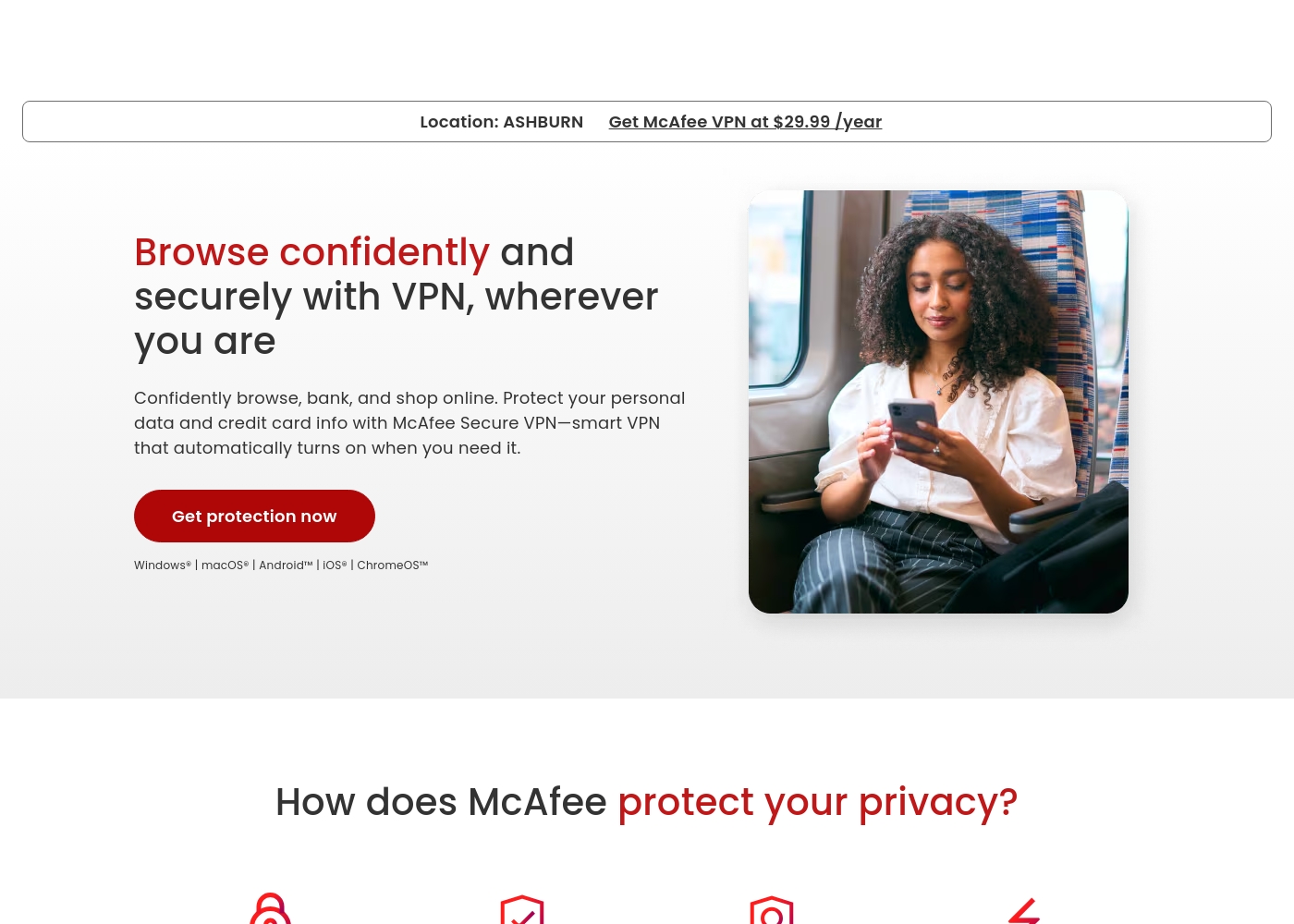
The McAfee VPN service is available either as a simple, dedicated annual plan or as a key component within McAfee’s comprehensive security suites. You can find the best fit by reviewing the different bundled options below.
McAfee VPN (Standalone)
Price: $29.99/year Best For: Individuals needing only a VPN service. Other Features:
- Bank-grade encryption
- Automatic protection on unsecure networks
- Browse confidently yet anonymously
- Fast and easy-to-use speeds
This is the best plan if you only need solid, high-quality VPN service and already have other security measures in place. It offers core privacy features, ensuring your data is protected using bank-grade technology.
- Bank-grade encryption
- Automatic protection for unsecure networks
- Secure browsing
- Antivirus (5 devices)
- VPN
- McAfee Scam Protection
- Identity monitoring and alerts
- Antivirus (unlimited devices*)
- Full-Service Personal Data Cleanup
- Identity monitoring ($1M coverage)
- Transaction monitoring (bank and credit card)
- 1-bureau credit monitoring
- Antivirus (unlimited devices*)
- Full-Service Data Cleanup (2 adults)
- Identity monitoring ($4M coverage)
- Transaction monitoring (401K and investments)
- 3-bureau credit monitoring (daily updates)
Pricing Notes
- GoodAccess offers a valuable Free Forever plan, allowing ongoing access for small teams.
- McAfee VPN’s stated price is a low introductory rate of $34.99 annually for basic consumer protection.
- GoodAccess uses per-seat pricing, which effectively scales for growing business needs and complexity.
- McAfee VPN users widely report aggressive and difficult-to-cancel automatic renewal billing practices.
Pricing Head-to-Head
User Reviews
GoodAccess receives strong, though limited, external feedback primarily celebrating its exceptional affordability and security features. Users describe it as a much underrated VPN service, focusing heavily on the attractive price/value ratio.
One long-term user noted they pay significantly less—$79 monthly for 30 employees—compared to a prior provider costing $350 for almost identical features like dedicated gateways, access control, and apps. Furthermore, reviewers highlight the flexibility, noting the availability of a high-quality free forever plan that offers low latency and maintains a strict zero-log policy.
The connectivity offers a fantastic price point and value ratio. We paid $79 monthly for 30 employees, which was far less than the $350 we previously paid for similar features.
Users on Trustpilot express widespread dissatisfaction, giving McAfee an extremely poor overall rating (1.3/5). While the VPN is marketed as fast and highly secure, feedback focuses intensely on systemic failures outside of the core protection service.
The most critical complaints revolve around aggressive, difficult pricing practices, including unauthorized automatic renewals and substantial differences between introductory and renewal costs. Furthermore, the bundled security software is aggressively criticized for making computers slow or useless, generating a constant barrage of intrusive pop-up advertisements, and being nearly impossible to uninstall completely.
They auto-renewed my subscription a month early, and I couldn't cancel it using the provided website tools. The site and bot told me to call them, but I was on hold for over an hour and still couldn't resolve the matter.
Our Verdict
This comparison spotlights the enormous difference between corporate access and consumer privacy. If you are an IT professional needing robust, scalable corporate access, GoodAccess is the only logical choice. GoodAccess focuses intensely on stability, low latency, and reducing network administration complexity. It offers a free forever plan and uses a structured per-seat model optimized for business growth. GoodAccess’s superpower is providing managed, high-performance Zero Trust architecture for businesses. It gives IT managers crucial control over access to sensitive backend systems. Users consistently praise GoodAccess for its stability and superior price-to-value ratio compared to competitors. McAfee VPN’s superpower is simple, automatic protection for individual consumers on public networks. It uses strong bank-grade encryption to protect transactions while shopping or banking online. The deciding factor is service ethics and target audience: GoodAccess is a professional, reliable platform. McAfee VPN sacrifices ethical support and billing for that low introductory price point. Choose GoodAccess if secure access control and guaranteed support are paramount. Pick McAfee VPN only if you need cheap, automatic protection and accept catastrophic customer support headaches.
Frequently Asked Questions
Is GoodAccess or McAfee VPN better for securing corporate networks?
GoodAccess is built specifically for corporate Zero Trust access architecture. It provides crucial network access control for critical backend systems. McAfee VPN is a simple consumer tool, unsuitable for enterprise network management or IT control needs.
Why is GoodAccess pricing not displayed compared to McAfee VPN's clear price?
GoodAccess calculates custom costs based on your organization’s user count and required enterprise features. McAfee VPN focuses on a simple, low flat annual $34.99 price for individual consumers. GoodAccess uses a per-seat model that scales efficiently for business growth.
Does McAfee VPN offer a dedicated gateway like GoodAccess?
No, McAfee VPN is a standard consumer privacy VPN and lacks advanced enterprise features like dedicated gateways. GoodAccess provides dedicated gateways, a zero-log policy, and robust access control features.
Is a free version available when comparing GoodAccess and McAfee VPN?
Yes, GoodAccess offers a valuable high-quality free forever plan for evaluation and small teams. McAfee VPN does not appear to offer any published free trial or free version for its standalone protection product.
Which software has better customer service based on user sentiment: GoodAccess or McAfee VPN?
GoodAccess has generally positive user feedback regarding both stability and business value. McAfee VPN users report severe, widespread issues with unresponsive support and predatory auto-renewal charges.
I am an individual user who only needs protection on public Wi-Fi. Should I choose GoodAccess or McAfee VPN?
McAfee VPN is specifically designed for automatic protection on unsecure public Wi-Fi connections. GoodAccess is built for IT professionals securing managed corporate resources and is overkill for individual use.
Ready to Choose?
Both tools have their strengths. Choose based on your specific needs.