Firefox vs Vivaldi
Firefox is the classic privacy warrior backed by a nonprofit organization. Vivaldi is the feature-packed customizable browser built for power users. Decide if you prioritize simplicity and speed or massive built-in productivity tools.
Best for: First-time privacy switchers, Users prioritizing speed over complex features
Best for: Power users juggling dozens of research tabs, Professionals managing multiple email accounts and feeds
Privacy-Focused, But Performance Is Unstable.
We appreciate Firefox's singular focus on privacy, non-profit mission, and market-leading features like default tracker blocking and robust tab management. However, external feedback consistently highlights severe instability, reliability issues, and performance degradation following forced updates. Overall, Firefox presents a powerful feature set marred by a frustrating and often unreliable user experience.
Pros
- Free to use with no hidden costs or subscription fees.
- Developed by a non-profit organization focused on user privacy.
- Trackers and third-party cookies are blocked by default.
- Highly customizable through themes and powerful extensions like uBlock Origin.
Cons
- Frequent, mandatory updates often cause major performance issues.
- Users report loss of open tabs, sessions, settings, and themes after updates.
- Instability leads to frequent crashing and difficulty loading websites.
- Some critics challenge Mozilla’s corporate decisions and perceived political stance.
Highly Customizable, Feature-Packed, and Free.
We find Vivaldi offers unparalleled privacy and built-in features that usually require separate extensions. While the performance can be inconsistent, and users report occasional bugs, the level of control and the value proposition are immense. Overall, we recommend Vivaldi, especially for advanced users who prioritize customization and an all-in-one suite.
Pros
- Unmatched customization options for both interface and functionality.
- Zero data tracking and built-in privacy protection features.
- Bundled applications like Mail, Calendar, and Feed Reader are included.
- Advanced tools for tab organization (Workspaces and Stacking).
Cons
- Performance issues, including high RAM consumption and occasional lagging.
- Users report bugs, crashes, and stability problems.
- Bookmarking import and organization process can be difficult.
- Minor compatibility issues reported with certain older or complex websites.
AboutFirefox
Firefox is a unique browser designed to bring calm and control back to your online life. We think of it as "bubble wrap for your brain."
It was created in 2004 by Mozilla as a faster, more private, and customizable choice compared to older browsers. Importantly, Firefox is still a not-for-profit entity and is not owned by any billionaires. This browser is for anyone who wants a better, more ethical space to browse, research, and shop. You can even personalize the look with add-on themes, saying, "Bye, boring browser." ✅
AboutVivaldi
Vivaldi is a web browser built for users who demand more control and efficiency. It is designed specifically for power users seeking innovative features and custom workflows. This browser fights for a better web by focusing on privacy and avoiding the incessant pollution of data mining. Vivaldi is meant to let you browse the web your way. 💡
Highlights
Feature Comparison
Features Overview
We highlight the main differences and pick a winner for each feature.
Integrated Tools
Vivaldi includes Mail, Calendar, and a Feed Reader natively in the browser. Firefox focuses only on core browsing essentials and speed.
Vivaldi transforms the browser into an integrated communication hub automatically. It manages multiple email accounts and calendar events seamlessly inside the application. Firefox functions solely as a standalone web browser, providing no built-in scheduling features. This difference eliminates the need for separate apps and reduces context switching for Vivaldi users.
Tab Management
Vivaldi offers Workspaces, Tab Stacking, and Tiling for superior organization. Firefox uses vertical tabs and basic grouping features.
Vivaldi conquers severe tab overload using features like Workspaces and Tab Tiling efficiently. Users can categorize tabs into projects and view pages side-by-side easily. Firefox offers useful vertical tabs and supports Tab Groups to simplify research visually. However, Vivaldi offers two-level Tab Stacks for maximal organization depth and clarity. For heavy researchers, Vivaldi's robust system provides superior control and productivity features.
Core Performance
Firefox’s immediate focus is speed via aggressive automatic tracker blocking. Vivaldi prioritizes features, which can sometimes impact speed.
Firefox automatically blocks most ad trackers upon installation, resulting in instant speed improvements. The browser is designed for reliable, fast loading times for nearly all users. While Vivaldi has a built-in ad blocker, its heavy feature set and complexity can affect immediate speed. Firefox prioritizes a lean engine and guaranteed speed for its core user experience and flow.
Workflow Automation
Vivaldi allows users to create custom Command Chains and Mouse Gestures. Firefox relies on standard keyboard shortcuts and extensions for workflow.
Vivaldi’s Command Chains let you automate sequences of actions with a single, custom shortcut. Users can create personalized workflows for repetitive daily tasks, saving significant time. Firefox relies primarily on standard browser functions, requiring manual steps for complex task sequences. Vivaldi is significantly superior for users needing deep, tailor-made automation capabilities. This level of customization makes Vivaldi the ultimate work tool for serious power users and professionals.
Privacy Security
Both browsers excel at privacy; Firefox leads on non-profit mission, Vivaldi secures sync with E2E encryption.
Firefox is built by Mozilla, a trusted non-profit dedicated to an open and private internet. It provides a visual Protection Report showing blocked trackers. Vivaldi positions itself against Big Tech and includes built-in tracker protection effectively. Vivaldi secures all synchronized data like passwords using robust end-to-end encryption. Both are excellent private choices; Vivaldi offers stronger encryption on user cloud data.
Interface Customization
Vivaldi allows near-total control over the UI, repositioning every single element. Firefox offers reliable themes and vetted extensions.
Vivaldi provides unmatched customization, letting the user adjust or move nearly every UI part. This flexibility allows a perfect workspace setup for any user. Firefox offers add-on themes and allows some personalization through its recommended extensions. However, Firefox customization is limited compared to Vivaldi's extensive user interface controls. Vivaldi allows professionals to make the browser truly theirs, moving beyond just cosmetic changes.
Extension Vetting
Firefox promotes secure, 'Recommended' extensions approved for high security. Vivaldi uses the broader, standard Chromium extension ecosystem.
Firefox highlights certain extensions as “Recommended,” ensuring they meet high standards for security and functionality. This vetting process simplifies safe choices for users. Vivaldi offers access to the vast library of Chromium-compatible extensions easily. While both offer extensions, Firefox's 'Gold Star' vetting appeals strongly to security-conscious users. Firefox provides clear, guided selections for enhancing functionality safely.
Organizational Focus
Firefox excels at focused content consumption using Reading Mode. Vivaldi is better for organizing disparate data points, like notes.
Firefox's dedicated Reading Mode strips away page clutter for ultimate text consumption focus. This tool is perfect for academic research and long articles. Vivaldi offers an integrated Notes feature for quick saving and secure syncing of text snippets. If your organizational need is eliminating visual distraction, Firefox is superior. If your goal is capturing and managing information pieces, Vivaldi's Notes feature is a huge benefit.
Firefox costs $0 per month with 1 plan: Firefox Browser at $0.
Since the Firefox browser is available as a free download, we can look at the features included in this core offering.
Firefox Browser
Price: $0 Best For: Users prioritizing privacy, customization, and non-profit development Other Features:
- Automatically blocks most ad trackers
- Privacy built-in; personal data is not sold
- Syncs history, tabs, and passwords across all your devices
- Supports customizable extensions and themes
- Includes powerful organization features like vertical tabs and reading mode
- Blocks ads and enhances privacy
- Customizable settings and extensions
- Multi-tasking features (reading mode, pop out videos, tab groups)
- Sync passwords, history, and tabs across all screens
- Trackers and 3rd party cookies blocked by default
Vivaldi is a free web browser; there are no mandatory subscription costs or explicit paid pricing tiers listed in the provided documentation.
While there are no set plans to compare, it helps to review the core offering and what you get upon download.
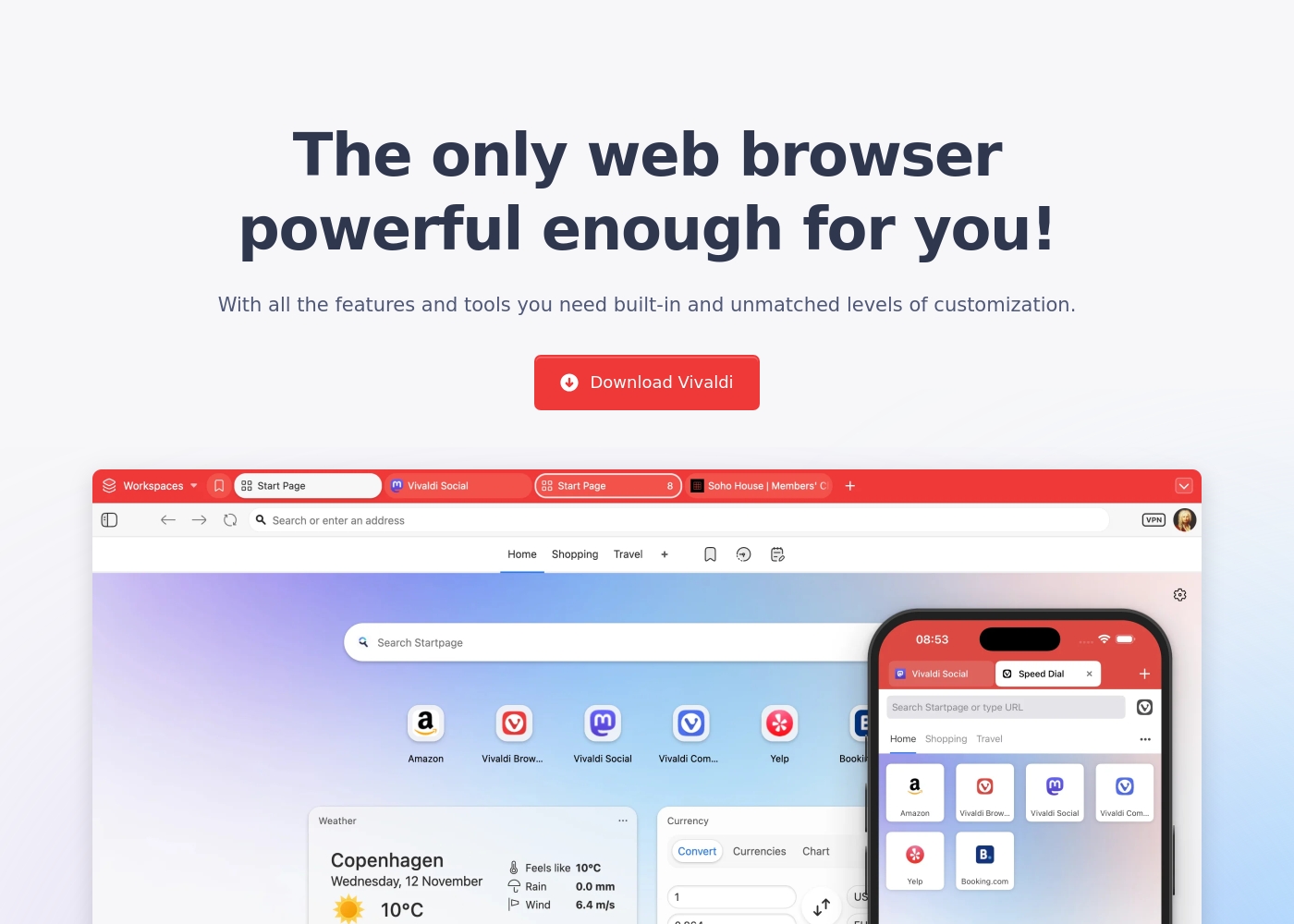
Vivaldi Browser (Free)
Best For: Users who demand powerful built-in features, extensive privacy, and high levels of customization. Other Features:
- Built-in Mail, Calendar, and Feed Reader
- Secure Sync with end-to-end encryption
- Advanced tab management (Tab Tiling, Stacking, Workspaces)
- Built-in Ad Blocker and private translation tool
- Keyboard Command Chains for boosting productivity
- Built-in Mail, Calendar, and Feed Reader
- Secure Sync with end-to-end encryption
- Advanced tab management (Tab Tiling, Tab Stacking, Workspaces)
- Built-in Ad Blocker and tracking protection
- Private translation tool
Pricing Notes
- Both Firefox and Vivaldi offer their full-featured browsers completely free of charge.
- Firefox is developed by Mozilla, a not-for-profit organization dedicated to an open internet.
- Vivaldi is donation-supported and relies on optional user contributions to fund continued development.
- Neither browser requires any subscription fees or paid tiers to access their best features.
Pricing Head-to-Head
User Reviews
Trustpilot sentiment is overwhelmingly negative, averaging a “Poor” rating, primarily due to issues revolving around reliability and performance. Users frequently report that the browser becomes slow, struggles to load pages, and crashes, particularly following system updates.
These updates are mandatory and often lead to critical data loss, such as settings changing, themes being reset, and entire sessions or open tabs being erased without the ability to restore them. Reliability issues relating to basic functions—like restoring previous sessions or closing tabs—are major recurring complaints.
Firefox offers very good customization and is highly user friendly. I appreciate the powerful, secure extensions like NoScript and uBlock Origin that give me control over my browsing experience.
Vivaldi receives positive but highly polarized reviews, resulting in a 3.7 average score on Trustpilot. Users overwhelmingly commend its feature-rich design, noting the massive benefits of the built-in Mail client, Calendar, and advanced Tab Management.
The browser’s staunch focus on privacy and customization is frequently highlighted as a major benefit, especially for power users and developers seeking an efficient, non-tracking environment. However, reliability remains a recurring pain point.
This is finally a fully customizable browser. I can adjust how it works to match exactly what I need. It is a huge relief to have this level of control over my browsing experience.
Our Verdict
Choosing between Firefox and Vivaldi is a battle between philosophy and function today. Firefox is the trustworthy nonprofit standard, offering reliable speed and simplicity. Vivaldi is the feature-laden playground built for true control freaks. Both are powerful, free, and deeply committed to protecting your online privacy. Firefox’s superpower is its quiet, automatic protection and core browsing speed. It blocks trackers instantly, making pages load faster without demanding user input. If you want a clean, fast experience backed by a privacy-first non-profit mission, Firefox is your clear winner. It requires almost no setup to deliver reliable peak performance and security. Vivaldi truly shines by integrating every possible feature you might need within the browser shell. It includes a full Email client, Calendar, Notes, and side-by-side Tab Tiling. Vivaldi’s deep automation via Command Chains makes it unbeatable for heavy productivity use. It effectively turns your browser into a single, unified workspace that can handle anything. The key differentiator is complexity versus simplicity in the core product offering. Firefox provides a lean-but-safe browsing experience perfectly suited for the average user. Vivaldi demands time to set up but rewards power users with unparalleled organizational control. Pick Firefox if you value effortless speed and supporting Mozilla's mission first. Choose Vivaldi if you are ready to master Workspaces, manage multiple communications, and build custom command workflows. Both succeed, but Vivaldi is the ultimate tool for maximum digital organization and professional work.
Frequently Asked Questions
Which browser is faster out of the box, Firefox or Vivaldi?
Firefox focuses heavily on automatic tracker blocking to ensure instant speed improvements. Vivaldi is fast but prioritizes complex feature density and integrated tools. For raw, immediate speed and a lighter feel, Firefox generally has the edge for performance.
Does Vivaldi offer better tab organization than Firefox?
Yes, Vivaldi offers superior organizational features for serious power users and researchers. It includes Workspaces, Tab Stacks (two levels), and Tab Tiling for split-screen viewing. Firefox offers vertical tabs and basic tab groups, which is simpler but less robust.
Why should I choose Firefox if Vivaldi has built-in Mail and Calendar?
You should choose Firefox if supporting Mozilla's not-for-profit mission is your highest priority. Firefox also provides a faster, lighter browsing engine focused strictly on content consumption. If you already use separate applications for communication, Firefox is an excellent, focused choice.
How secure is data synchronization between Vivaldi and Firefox?
Both Firefox and Vivaldi offer secure cross-device sync for history and passwords. Vivaldi adds an extra security layer by protecting all synchronized data with robust end-to-end encryption. Both systems work reliably, but Vivaldi offers stronger protection here.
Which browser is better for highly customizable workflows and action automation?
Vivaldi is significantly better for workflow automation and customized actions. Its unique Command Chains feature allows users to combine multiple actions into one trigger. Firefox relies on standard keyboard shortcuts and external extensions for complex workflow customization.
Do I have to pay to get the full feature set in either Firefox or Vivaldi?
No, both Firefox and Vivaldi offer their full browser capabilities entirely for free to all users. Firefox is funded by a non-profit, and Vivaldi relies completely on optional user donations. There are no paid tiers or hidden subscription fees required.
Ready to Choose?
Both tools have their strengths. Choose based on your specific needs.