Coast vs DataSnipper
Coast and DataSnipper are in totally different leagues, making this an easy choice once you know your need. Coast is a smart card platform for fleet fuel and expenses. DataSnipper is an AI assistant for audit and finance data workflows.
Best for: Fleet managers and operations leaders in construction, landscaping, and field services, Small to mid-sized businesses seeking to consolidate fuel and corporate card programs
Best for: Audit teams automating data collection from documents, Finance departments verifying financial statements and reconciliations
Smart fuel card, real control.
We found Coast to be a strong, unified solution for fleet-based businesses tired of juggling separate fuel and expense cards. It delivers powerful controls and real-time tracking that can genuinely cut down on admin and prevent fraud. Overall, it's a compelling choice for teams ready to consolidate their spending into one efficient platform.
Pros
- All-in-one card for fuel, field, and office expenses simplifies tracking.
- Strong custom controls and telematics integrations help prevent fuel fraud.
- Real-time spending visibility and alerts for immediate oversight.
- Competitive fuel rebates and discounts at 30,000+ stations.
Cons
- $4 monthly fee per active user can become significant for large teams.
- 2.5% fee on foreign transactions limits international use.
- Customer support responsiveness is inconsistent according to some users.
- Requires integrations with telematics/accounting software for maximum value.
AI-Powered Audit Assistant
We found DataSnipper to be a specialized AI platform that genuinely tackles the repetitive data tasks in audit and finance. It promises significant time savings by automating data collection, extraction, and verification. Overall, it looks like a powerful tool for teams ready to embrace intelligent automation, though the lack of transparent pricing and external review details is a consideration.
Pros
- Automates repetitive data tasks like collection and extraction, promising major time savings.
- Focuses on enhancing accuracy by using AI to cross-reference and validate information.
- Designed to integrate with existing documents and workflows, minimizing disruption.
- Keeps humans in control with a 'human-led intelligence' approach.
Cons
- Pricing is not public and requires a custom proposal, lacking transparency upfront.
- No free trial or money-back guarantee is mentioned, increasing commitment risk.
- Core feature details beyond automation benefits are not deeply specified.
- No accessible external user reviews were found to verify claims or gauge satisfaction.
AboutCoast
Coast is an all-in-one fuel card, corporate card, and expense management platform built for businesses with fleets. It's designed to replace multiple card programs and manual processes, giving companies like landscaping, construction, and field service teams a single tool to control and track all their spending. The platform provides powerful fraud prevention, integrates with existing telematics and accounting software, and aims to help businesses save significantly on fuel and admin time.
AboutDataSnipper
DataSnipper is an Intelligent Automation Platform designed for Audit and Finance teams. 💡 It acts as a virtual assistant, using AI to handle complex data workflows. The platform helps professionals gather information from multiple sources, pull out key details, and check everything for accuracy. It’s built to work with you, keeping humans in control.
Highlights
Feature Comparison
Features Overview
We highlight the main differences and pick a winner for each feature.
Core Function
Coast is a smart card for physical purchases. DataSnipper is AI software for digital document work.
Coast replaces your fuel and corporate cards with a single Visa. You use it for gas, parts, and office supplies. The platform tracks all spending in real-time. DataSnipper is a desktop application for audit and finance pros. It uses AI agents to pull data from PDFs and Excel files. It helps verify and cross-check information automatically. The key difference is physical versus digital. Coast controls where your money is spent. DataSnipper automates how you handle financial documents. Imagine a landscaper buying mulch. They'd use their Coast card. An auditor verifying those mulch invoices would use DataSnipper.
User Interface
Coast offers a straightforward platform for managing cards and spend. DataSnipper provides a specialized workspace for document analysis.
Coast's interface is built for operations managers. You can see every transaction as it happens. It's designed for clear, real-time oversight of spending. DataSnipper's interface is for audit workflows. It lets you view source documents and extracted data side-by-side. The focus is on accuracy and verification. Coast is about visibility and control. DataSnipper is about analysis and automation. They solve completely different daily problems.
Automation
Coast automates expense categorization. DataSnipper automates complex data extraction and verification.
Coast automatically categorizes transactions from its smart card. It can attach digital receipts. This reduces manual expense report work for your team. DataSnipper automates the heavy lifting of data collection. Its AI agents extract key figures from many documents. It then cross-references them to check for accuracy. Coast automates spending administration. DataSnipper automates analytical groundwork. Coast saves admin hours. DataSnipper saves audit hours.
Pricing Model
Coast uses simple, transparent per-user pricing. DataSnipper uses custom, contact-required pricing.
Coast costs $4 per active user each month. You only pay for users who make a transaction. This makes costs predictable and tied directly to usage. DataSnipper requires you to contact sales for a quote. Pricing is a yearly subscription tailored to your organization. The exact cost is not publicly listed. Coast's pricing is open and simple. DataSnipper's pricing is opaque and negotiable. One lets you calculate cost upfront; the other requires a sales call.
Integration Ecosystem
Coast integrates with telematics and accounting systems. DataSnipper integrates with your existing document workflows.
Coast connects with tools like Samsara and QuickBooks. This lets you block fraud with GPS data and sync expenses. It plugs into your fleet and finance stack. DataSnipper works with your PDFs, Excel files, and existing processes. It's designed to fit into your current audit environment. The integration is more about data compatibility. Coast has specific, named software partners. DataSnipper integrates with general document formats. Both aim to minimize disruption, but in different technical ways.
Customer Support
Coast highlights its 100% US-based support. DataSnipper offers 'world-class support' for Enterprise customers.
Coast provides responsive, US-based customer support. Their goal is to solve issues on the first call. This is a key feature for businesses in the field. DataSnipper mentions 'world-class support' for Enterprise plans. Details for other tiers are less specific. Support quality may vary by your subscription level. Coast makes support a clear, universal feature. DataSnipper positions premium support as an Enterprise perk. One is accessible to all; the other scales with price.
Mobile Experience
Coast has a functional mobile app for on-the-go management. DataSnipper's mobile details are not specified.
Coast offers a mobile app for managing cards and viewing transactions. Users note it gets the job done, though some mention occasional glitches. It's useful for field teams. Information about a dedicated DataSnipper mobile app is not provided in the data. The platform likely requires a desktop or web-based workflow for document analysis. For Coast, mobile access is a confirmed feature. For DataSnipper, it's an unknown. If you need to manage expenses from a job site, Coast has a clear advantage.
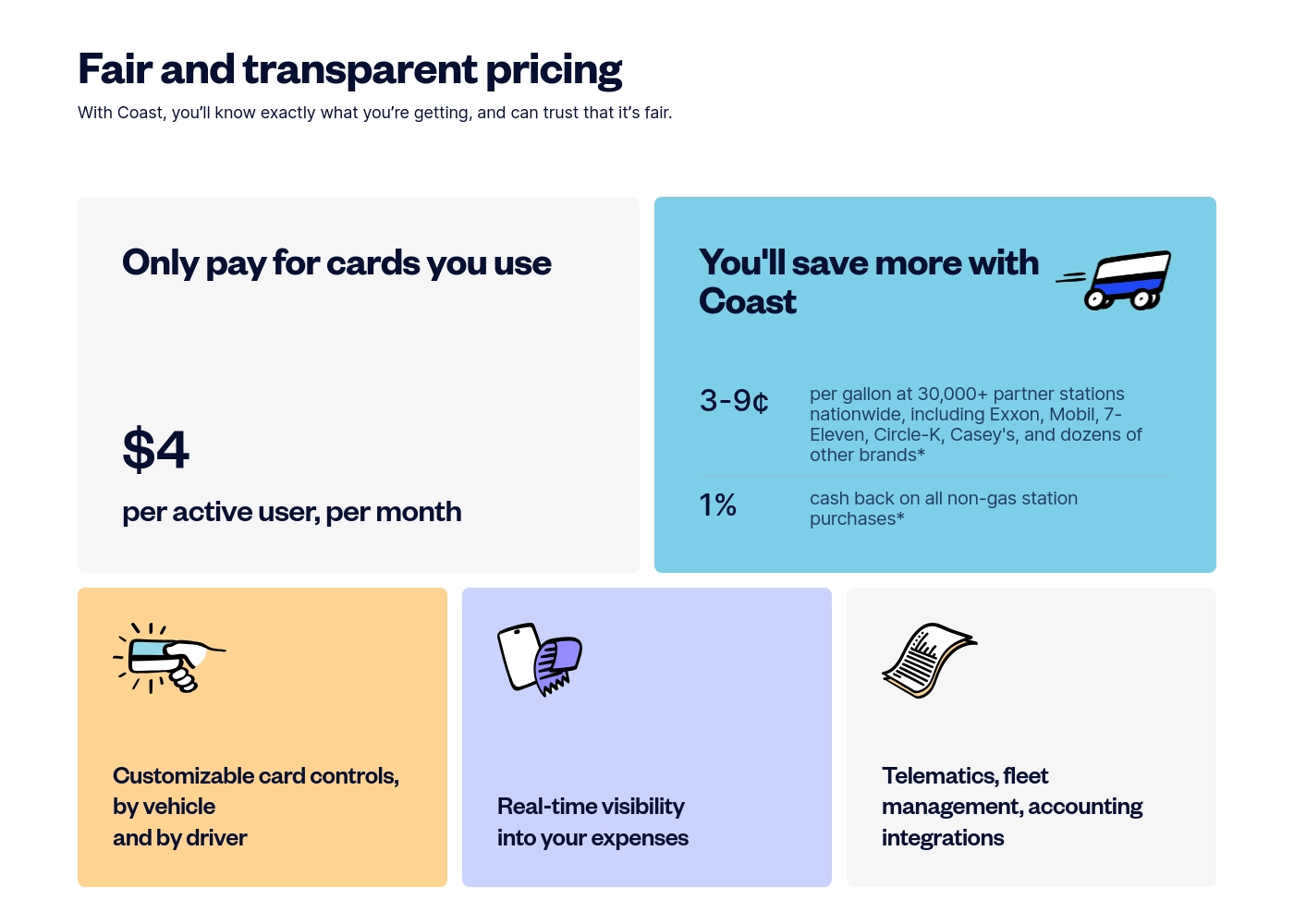
Coast costs $4 per active user per month with 1 plan: Coast Fleet & Fuel Card at $4 per active user per month.
Take a look at how our simple, usage-based model works for your team.
Coast Fleet & Fuel Card
Price: $4 per active user per month Best For: Growing fleets needing fuel and expense management Other Features: 3–9¢ fuel rebates per gallon, 1% cashback on non-gas purchases, customizable card controls, Visa acceptance everywhere, real-time expense visibility
- 3–9¢ per gallon rebates at 30,000+ partners
- 1% cash back on all non-gas station purchases
- Customizable card controls by vehicle and driver
- Real-time visibility into expenses
- Accounting and telematics integrations
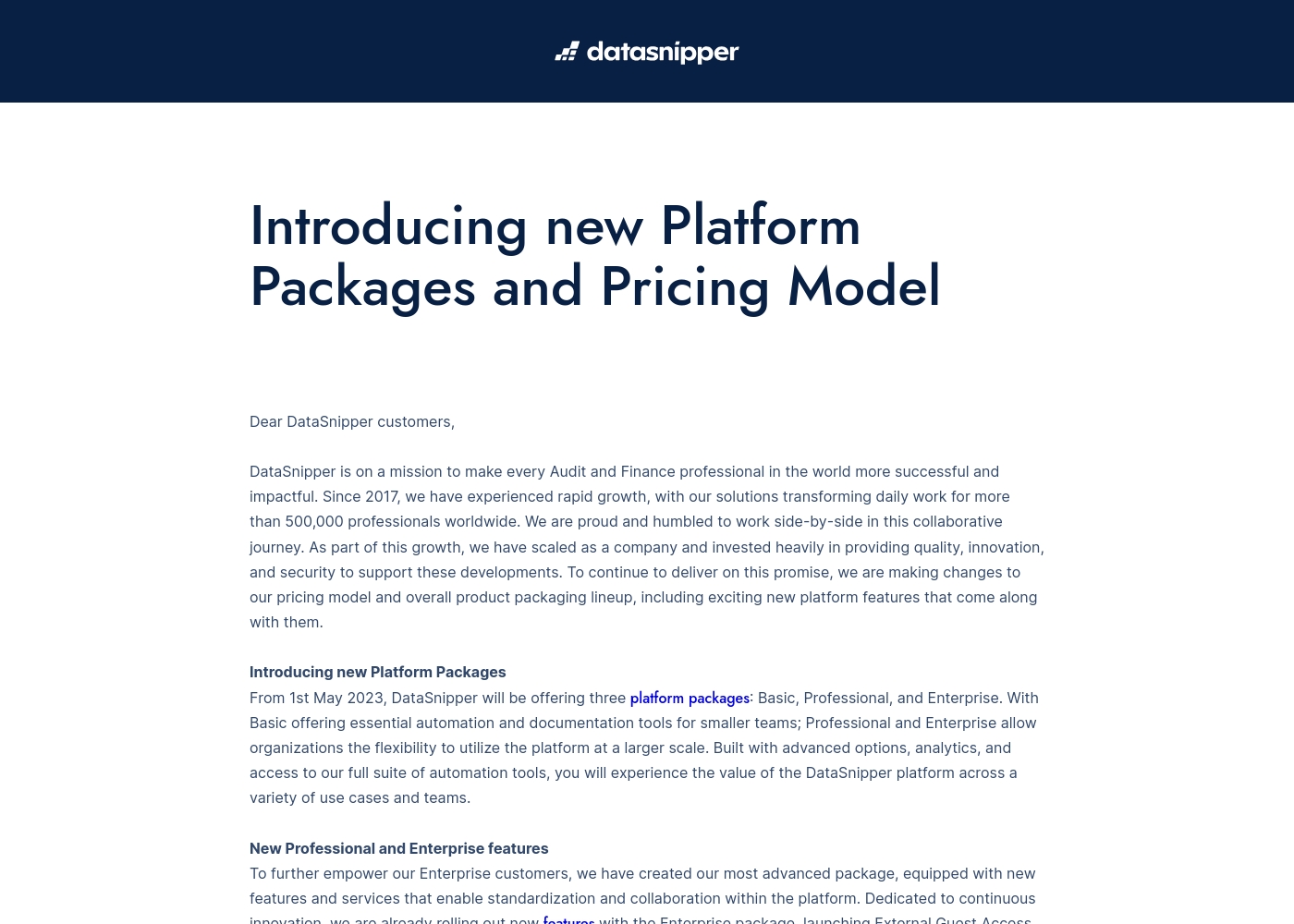
Take a look at the breakdown of our platform packages below to find your fit.
Basic
Best For: Smaller teams needing essential automation Other Features: Essential automation tools, Documentation tools
This plan is great for smaller audit or finance teams who want to start automating their workflows. It provides the core tools you need to document your work faster and more accurately.
- Essential automation tools
- Documentation tools
- Advanced options
- Advanced analytics
- Full suite of automation tools
- External Guest Access
- Advanced Reporting
- Company Templates
- Standardization tools
- World-class support & training
Pricing Notes
- Coast's pricing is transparent and publicly listed at $4 per active user per month.
- DataSnipper requires contacting sales for a custom yearly quote, with no public pricing.
- Coast only charges for users who make a transaction, which can keep costs low for inactive cards.
- Neither platform offers a free trial or money-back guarantee based on the provided information.
- Coast has additional fees for international transactions (2.5%) and late payments.
- DataSnipper's cost is likely higher per seat given its specialized B2B audit focus, but exact numbers are unknown.
Pricing Head-to-Head
User Reviews
We couldn't access detailed reviews from Capterra due to a security block. From Trustpilot, users praise Coast's easy setup and the real-time visibility it provides over fleet spending.
Many highlight the fuel rebates and the simplicity of having one card for all expenses. However, some note that customer support can be slow to resolve issues and that the $4 per user monthly fee adds up for larger teams.
Signing up was incredibly fast. The card gives me real-time notifications for every purchase, which is perfect for managing my crew's spending. The fuel rebates are a nice bonus that adds up.
Based on the limited external data we could access, the Capterra review page was unavailable due to a security verification block, so we have no direct user review snippets to analyze. We cannot provide a balanced summary of recurring themes like accuracy, ease of use, or support responsiveness without actual user feedback.
Our review is therefore primarily based on the product information provided by DataSnipper, which highlights its focus on audit and finance automation. We recommend checking the external review platforms directly for current user sentiment.
Our Verdict
Coast and DataSnipper aren't really competitors—they're solutions for different problems. Choosing between them is easy once you know your core need. Coast's superpower is unifying your physical spending. It gives you one smart card for fuel, parts, and office supplies. You get real-time controls and automatic expense tracking to stop fraud. DataSnipper's superpower is automating digital document work. It uses AI to collect, extract, and verify data from PDFs and spreadsheets. It's built specifically for audit and finance teams. The deciding factor is simple: Do you need to manage money spent by a team in the field? Choose Coast. Do you need to analyze and verify financial data in documents? Choose DataSnipper. Go with Coast if you run a fleet and want to cut admin and prevent fuel theft. Go with DataSnipper if you're an auditor looking to save hours on manual data verification each engagement. They're best-in-class for their respective jobs.
Frequently Asked Questions
Can I use Coast for general office expenses, not just fuel?
Yes, absolutely. The Coast card is a Visa accepted everywhere. You can use it for job site supplies, vehicle maintenance, and office purchases like software subscriptions.
Does DataSnipper handle physical card transactions?
No, DataSnipper is software, not a payment card. It's an AI platform for analyzing digital documents and financial data within audit and finance workflows.
Which tool saves more money on fuel costs?
Coast saves you money on fuel. It offers 3-9¢ per gallon rebates at over 30,000 stations and helps find the cheapest fueling options in your area.
Is DataSnipper easier to set up for a small team?
Setup complexity depends on your needs. Coast's card application is quick. DataSnipper's implementation would be tied to your audit software and training requirements.
Does Coast integrate with QuickBooks?
Yes, Coast integrates with QuickBooks, NetSuite, and Sage Intacct. Transactions sync automatically with receipts, cutting down on manual bookkeeping.
How does DataSnipper improve audit accuracy?
DataSnipper uses AI to cross-reference and verify data between documents. It flags inconsistencies, acting as a second set of eyes to reduce human error in financial checks.
Ready to Choose?
Both tools have their strengths. Choose based on your specific needs.