Canopy vs Norton Family
Canopy offers unmatched AI-powered explicit content filtering with instant sexting alerts. Norton Family provides reliable web supervision, location tracking, and flexible time management. Choose between deep content lockdown or comprehensive oversight and system stability.
Best for: Families struggling with high-risk behaviors or explicit content exposure, Parents prioritizing AI-driven real-time image scanning and sexting alerts
Best for: Families prioritizing device stability and consistent, fluid performance, Parents who need strong time management features, like 'School Time'
Potent Protection, Crippling Performance Issues
We recognize Canopy's sophisticated AI engine provides industry-leading filtration for explicit material across various devices, making it a powerful tool by design. Overall, while the core technology is advanced, significant user reports of unresponsive support, device lockouts, and severe performance degradation necessitate a low cautionary rating.
Pros
- Highly effective at blocking explicit and pornographic content using AI/machine learning.
- Comprehensive coverage across major operating systems (IOS, Android, Windows, Mac, Chromebooks).
- Includes aggressive anti-tampering/removal prevention features.
- Offers a risk-free 7-day trial and a 30-day money-back guarantee.
Cons
- Dramatically decreases internet speed and overall device performance for many users.
- Customer support is widely cited as unresponsive, unreliable, or non-existent.
- Difficulty removing the application once its protection is fully enabled.
- Inconsistent content blocking, sometimes failing to filter suggestive images or social media.
Trusted Security Engine for Family Safety
We find Norton Family offers a powerful and mature set of parental control tools, utilizing Norton’s decades of security expertise. It excels at balancing screen time management with web safety and providing crucial location supervision. Overall, this is a highly reliable security package for families seeking broad digital management features within a trusted ecosystem.
Pros
- Built on a robust, proven, and highly reliable security platform.
- Comprehensive features including screen time limits, location tracking, and content filtering.
- Dedicated ‘School Time’ feature helps minimize remote learning distractions.
- Manageable via an easy-to-use Parent Portal and mobile app.
Cons
- Renewal costs are significantly higher than the introductory promotional price.
- Customer loyalty does not appear to be rewarded in the pricing structure.
- General Norton users sometimes report being overwhelmed by notifications.
- Little specific external feedback is available on the dedicated Family product features.
AboutCanopy
Canopy is a powerful digital parenting app built to keep children safer across their devices. It uses advanced computing technology, including artificial intelligence and machine learning. This technology instantly recognizes and filters out sensitive or pornographic content, even on your child’s smartphone camera. Setting up Canopy is simple: you download the Canopy App to manage settings and install the Shield App on each device you want to protect. ✅
AboutNorton Family
Norton Family is a comprehensive toolset designed to give parents awareness and control over their children’s digital interactions. It focuses on facilitating positive and age-appropriate experiences with technology. Parents can manage protection for their child's devices using an easy-to-use Web Portal or a mobile app 📱. The core mission is to help children learn responsible, healthy methods for exploring the internet.
Highlights
Feature Comparison
Features Overview
We highlight the main differences and pick a winner for each feature.
Explicit Content Filtering
Canopy offers market-leading AI filtering for pornography; Norton Family uses standard web categories.
Canopy uses advanced AI to instantly recognize and filter explicit content. It blocks pornography across every single website on the internet. This includes suggestive content like lingerie and swimsuits. Norton Family uses Web Supervision to block or warn about unsuitable sites. Its filtering is categories-based, focusing on general web safety. It focuses more on supervising access rather than deep AI content detection. Canopy is a deep content solution; Norton Family is a broad access management solution. Canopy protects visually; Norton Family protects via site blocking. If deep visual protection is your priority, Canopy's AI engine is currently unmatched in scope.
Sexting & Photo Alerts
Canopy instantly alerts parents to risky photo sharing; Norton Family lacks this critical depth.
Canopy is unique for providing immediate alerts for risky photos being shared. This powerful protection extends directly to the child's smartphone camera. Parents receive instant notification to address the issue quickly. Norton Family focuses on search terms and videos but does not offer real-time sexting detection alerts. Its strength is visibility into general web activity. Norton Family offers no comparable feature for instant image-based alerts. This is Canopy's significant specialized advantage for high-risk, image-based situations. No other tool provides this instant protection level. If you are worried about risky photo exchange specifically, Canopy is the top choice.
Performance & Stability
Canopy drastically slows devices; Norton Family users praise its reliable, light operation.
Many users report severe issues with Canopy, including drastically decreased internet speed. Canopy can cause legitimate applications to malfunction or lead to device lockouts. The performance risk is a major reported drawback. Norton Family is known for stable, reliable performance across supported devices. Users generally find it easy to install and navigate without major system issues. It integrates quietly into the background. This is the biggest trade-off: Canopy's power versus Norton Family's stability. Choose reliability (Norton Family) or aggressive filtering (Canopy). System stability is crucial for work and school; poor performance undermines Canopy's utility.
Time Management
Norton Family offers detailed schedules, including School Time; Canopy sets simple downtime limits.
Canopy allows parents to implement simple daily or weekly downtime limits. These rules enforce necessary breaks during set hours like bedtime or dinner. The focus is on basic boundary setting for family time. Norton Family excels with Time Supervision and the unique School Time feature. School Time manages remote learning environments by reducing distractions during classes. Parents can utilize Instant Lock to pause device use immediately. Norton Family offers more sophisticated control over when and why devices are used. Canopy's controls are simpler and timebox-focused. Norton Family’s School Time feature is essential for optimizing focus during virtual learning hours.
OS Coverage
Canopy supports macOS and Chromebooks; Norton Family does not support Mac child devices.
Canopy boasts comprehensive coverage across mixed-device families. It supports iOS, Android, Windows, macOS, and Chromebooks. This makes protection seamless across devices. Norton Family supports Windows, Android, and iOS for child devices. Critically, it does not support macOS devices for monitoring or management. Norton Family is limited for Mac-heavy households. Canopy provides necessary protection across all major operating systems. If your family uses Apple laptops or Chromebooks, Canopy provides necessary coverage where Norton Family does not.
Activity Monitoring
Norton Family provides clear, detailed reports on searches and videos; Canopy focuses on high-risk alerts.
Canopy triggers timely alerts for sensitive discussions or high-risk actions like sexting. The focus is on reactive high-risk notification. Logs are available for activity review. Norton Family offers clear visibility into child searches and videos (YouTube/Hulu snippets). Detailed monthly or weekly activity reports are delivered to the Parent Portal. Norton Family gives parents a fuller picture of general activity trends, enabling proactive guidance. Canopy informs parents when a specific high-risk threshold is crossed. If you want to review trending interests and search history, Norton Family offers better reporting tools.
Customer Support
Norton Family uses reliable bundled support; Canopy support is widely reported as unresponsive.
Canopy users repeatedly cite unresponsive or non-existent customer support. Users struggle severely to get help, especially with uninstallation issues. This significantly undermines user trust. Norton Family support is integrated within the established Norton security ecosystem. While pricing renewal issues exist, general satisfaction is high for support responsiveness. Customer experience is dramatically better with Norton Family through stability and service organization. Canopy's technical challenges are compounded by poor user assistance. When dealing with critical safety issues, reliable access to support, like Norton Family offers, is paramount.
Anti-Tampering
Canopy uses highly aggressive Removal Prevention to keep the app installed.
Canopy employs a strong anti-tampering feature called Removal Prevention. This prevents the child from disabling or removing the protective Shield App. This ensures the controls remain permanently active. Norton Family has anti-tampering measures, but the feature is not highlighted as prominently. Norton Family focuses more on parental accessibility and reporting. Canopy's anti-tampering is so robust that users often struggle to uninstall it themselves. This guarantees protection, but risks frustration. If you know your child is highly technically adept and attempts frequent bypass, Canopy's lockdown is stronger.
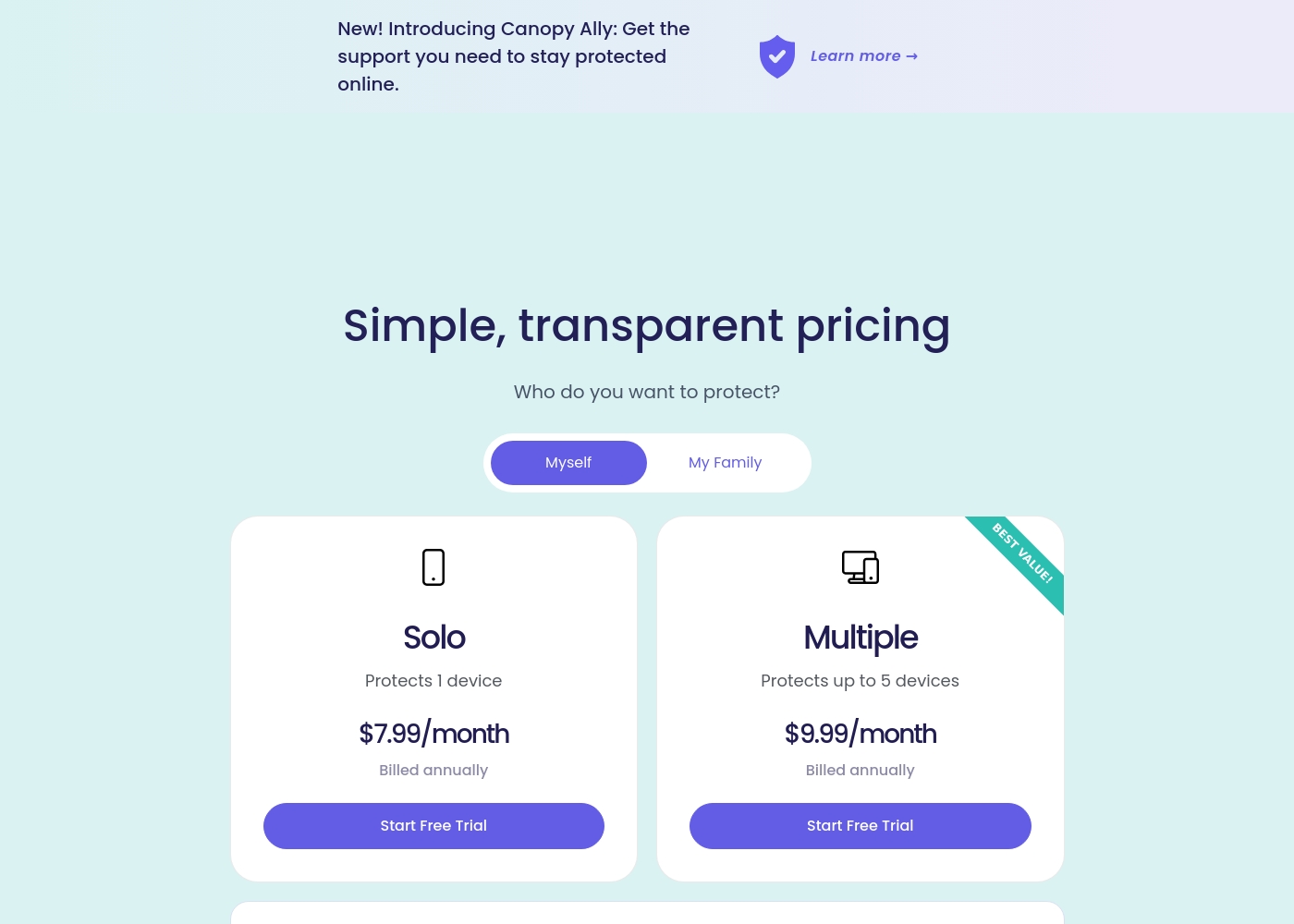
Canopy costs between $9.99 and $15.99 per month with three main monthly device plans: Up to 3 devices at $9.99/month, Up to 5 devices at $11.99/month, and Up to 10 devices at $15.99/month.
Canopy offers clear, device-based pricing designed to fit your family's needs. You can easily select the minimum number of devices required for full protection.
Up to 3 Devices
Price: $9.99 per month Best For: Small families or protecting a few critical devices Refund Policy: 30-day money-back guarantee Other Features:
- Access to all great features
- Email & phone support included
- Instant safety peace of mind
- Protects 1 device
- Access to all features
- Email & phone support
- Protects up to 5 devices
- Access to all features
- Email & phone support
- Access to all features
- Email & phone support
- Access to all features
- Email & phone support
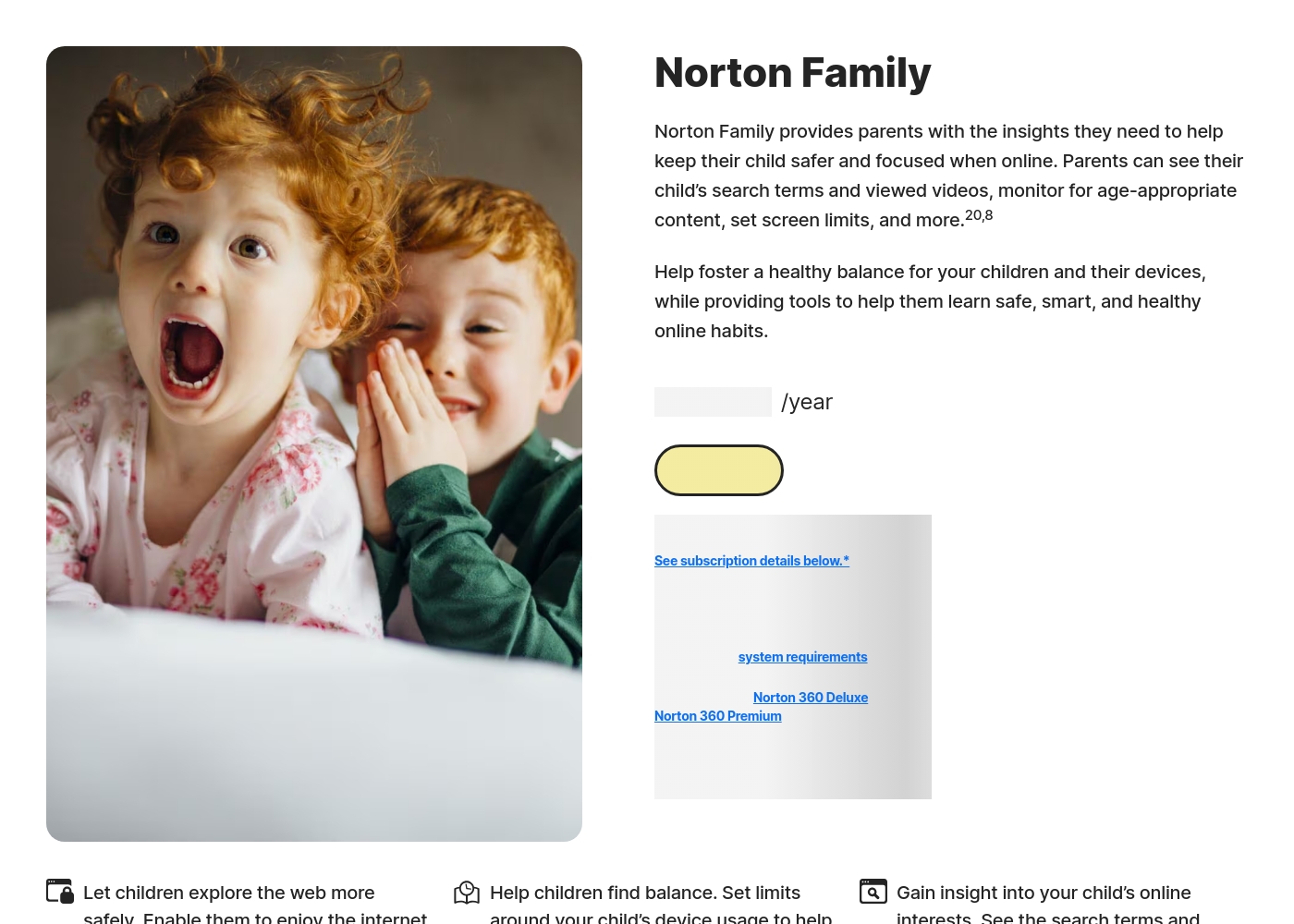
Norton Family costs S$29.99 per year for the first year. It is offered as a single standalone annual subscription at S$29.99.
Norton Family is designed to help parents foster healthy online habits for their children.
Norton Family (1 Year Subscription)
Price: S$29.99 per year (introductory price) Best For: Parents seeking dedicated tools to help children balance screen time Refund Policy: 60-day money-back guarantee (for annual subscriptions) Other Features:
- Set time limits for device use (Time Supervision).
- See terms children are searching for (Search Supervision).
- Monitor videos viewed on YouTube.com (Video Supervision).
- Set up a block list for distracting sites during remote learning (School Time).
- Use Location Supervision to map mobile devices.
- Web Supervision (blocking unsuitable content)
- Time Supervision (setting device limits)
- Search Supervision (seeing terms children search)
- Video Supervision (monitoring YouTube videos)
- App Supervision (managing downloaded apps)
Pricing Notes
- Canopy’s pricing is transparent, based strictly on the number of enrolled devices, up to 10 devices.
- Norton Family plans can start very low ($1/year), but renewal pricing and Norton 360 bundles can introduce friction.
- Canopy requires explicit cancellation within the 7-day trial before automatic billing begins.
- Canopy offers a 30-day money-back guarantee; Norton Family extends this to 60 days on annual plans.
Pricing Head-to-Head
User Reviews
Canopy receives critically mixed but predominantly negative feedback from users, resulting in a low 2.3-star Trustpilot rating. A major point of praise is its accuracy; several users confirm it is the most effective application they have found for blocking explicit/pornographic content using its specialized AI. However, this functionality comes at a severe cost to reliability and performance. The most recurring complaints center on the app dramatically slowing down internet speeds (in some cases dropping connection speeds by over 80%) and causing other legitimate applications or software to malfunction. 😔
Support responsiveness is also deeply criticized; users repeatedly report unresponsive customer service, difficulties contacting staff, or complete silence after submitting detailed troubleshooting information. Functionality issues include inconsistent blocking (failing to filter suggestive content or social media as requested) and, critically, inability to remove the app easily due to its anti-tamper protection. Multiple accounts reported being locked out of essential work devices for days while waiting for updates or support. The consensus suggests that while the core filtering technology is powerful, the crippling performance slowdowns and unacceptable support failures severely undermine its value.
This is a great app. I’ve had it for years and it’s the most effective one for blocking objectionable sites I've tried. Their tech support is superior and always willing to help.
Reviewers overwhelmingly praise Norton’s broader security ecosystem, which includes Norton Family. Customers consistently highlight the robust protection provided, confirming that the software ensures their devices are safe from threats and malware.
Consumers often mention the peace of mind they gain from the software operating efficiently in the background, offering prompt alerts and regular scans. The user experience is generally considered easy, even for non-tech-savvy users, and the comprehensive bundles (including VPN and Identity Theft services) are highly valued.
I have been using Norton since its very beginning and have never had protection issues. I have examined others and there is simply no comparison to Norton's performance and protection.
Our Verdict
Choosing between Canopy and Norton Family is a classic trade-off: power versus stability. Canopy offers unmatched, aggressive AI content filtering. It's the only one that provides instant alerts for risky photos and sexting activity. This deep protection gives great peace of mind, especially regarding visual content. However, Canopy comes with serious real-world flaws reported by users. The app often dramatically slows down internet speeds, making devices frustrating to use. Furthermore, customer support for Canopy is widely reported as unresponsive. Norton Family is the reliable workhorse focusing on control and oversight. Norton Family offers excellent time management, including the useful School Time feature. You also get detailed activity reports showing searches and watched videos. Norton Family users praise its stability and ease of use, maintaining high satisfaction ratings. The deciding factor is risk: Are you willing to risk crippling device performance for Canopy’s unique sexting alerts? Or do you need the stability Norton Family provides? For most families seeking broad, reliable protection without device slowdowns, Norton Family is the better, safer choice. Only choose Canopy if its unique, powerful AI filtering and instant sexting alert feature is an absolute priority.
Frequently Asked Questions
Which offers better content filtering for pornography, Canopy or Norton Family?
Canopy provides the most aggressive, AI-driven content filtering available. It actively blocks explicit content on every single website. Norton Family uses standard web supervision based on general categories.
Does Norton Family offer the same instant sexting alerts as Canopy?
No. Canopy has a unique feature that instantly alerts parents to risky photos being shared. Norton Family focuses on monitoring searches and videos, not real-time image detection.
Which software is better for managing device time and school learning?
Norton Family is superior for time management and focus. It includes sophisticated Time Supervision scheduling and the 'School Time' feature. Canopy offers only basic device downtime limits.
Can I install Norton Family on my child's macOS computer like Canopy?
No, Norton Family does not support macOS for child device installation and monitoring. Canopy is fully compatible with macOS, Windows, Android, iOS, and Chromebook devices.
Why is Canopy's user review rating so much lower than Norton Family's?
Canopy receives widespread complaints about severely decreased internet performance resulting in a low 2.1-star rating. Norton Family enjoys high ratings due to its stability and strong, integrated support.
Are there any hidden costs when comparing Canopy's pricing to Norton Family's?
Canopy’s monthly device tiers are straightforward and transparent. Norton Family can be bundled with Norton 360, leading to complex and potentially high renewal pricing.
Ready to Choose?
Both tools have their strengths. Choose based on your specific needs.