Canopy vs Net Nanny
Canopy and Net Nanny are both leading parental control solutions, but both face major reliability complaints. Canopy focuses on advanced AI protection like instant sexting alerts and deep social monitoring. Net Nanny is an established filter offering unbeatable volume pricing for large families. Decide based on your family's size and filtering priorities.
Best for: Families prioritizing prevention of image-based risks like sexting, Parents wanting deep insight into social media conversations
Best for: Large families needing coverage for 10 to 20 devices, Parents focused on monitoring dangerous search terms (suicide, weapons)
Potent Protection, Crippling Performance Issues
We recognize Canopy's sophisticated AI engine provides industry-leading filtration for explicit material across various devices, making it a powerful tool by design. Overall, while the core technology is advanced, significant user reports of unresponsive support, device lockouts, and severe performance degradation necessitate a low cautionary rating.
Pros
- Highly effective at blocking explicit and pornographic content using AI/machine learning.
- Comprehensive coverage across major operating systems (IOS, Android, Windows, Mac, Chromebooks).
- Includes aggressive anti-tampering/removal prevention features.
- Offers a risk-free 7-day trial and a 30-day money-back guarantee.
Cons
- Dramatically decreases internet speed and overall device performance for many users.
- Customer support is widely cited as unresponsive, unreliable, or non-existent.
- Difficulty removing the application once its protection is fully enabled.
- Inconsistent content blocking, sometimes failing to filter suggestive images or social media.
Unreliable protection paired with hidden costs.
We note Net Nanny boasts impressive dynamic filtering features and competitive volume pricing for large families. However, recent user feedback highlights critical operational failures, extreme difficulty managing subscriptions, and severely problematic customer service interactions. Overall, we advise prudence due to concerning reports regarding recurring billing practices and software reliability across platforms.
Pros
- Cost-effective protection for up to 20 devices annual plans.
- Includes dynamic filtering against adult content and sensitive material.
- Real-time alerts and visibility via the Family Feed feature.
- Full feature suite is included across all three annual pricing tiers.
Cons
- Software functionality is often unreliable (time limits fail, Mac freezing).
- Auto-renewal system is difficult or impossible to cancel online.
- Reports of severe bugs and inaccurate dashboard data tracking.
- Customer support is slow, unresponsive, and often unavailable.
AboutCanopy
Canopy is a powerful digital parenting app built to keep children safer across their devices. It uses advanced computing technology, including artificial intelligence and machine learning. This technology instantly recognizes and filters out sensitive or pornographic content, even on your child’s smartphone camera. Setting up Canopy is simple: you download the Canopy App to manage settings and install the Shield App on each device you want to protect. ✅
AboutNet Nanny
Net Nanny is widely trusted parental control software. It is consistently ranked as the Best Parental Control App. ✅ Millions of parents have trusted this software since 1996.
It’s designed to keep your kids safe from adult content when they browse online. The system allows children to use the internet safely while still being protected. It offers the visibility parents need today.
Highlights
Feature Comparison
Features Overview
We highlight the main differences and pick a winner for each feature.
Sexting & Cameras
Canopy provides unique instant alerts for shared photos; Net Nanny focuses on web content filtering.
Canopy provides immediate alerts if risky photos are shared or viewed by your child. This protection extends directly to the child's smartphone camera upon image detection. Net Nanny focuses primarily on traditional filtering against adult web pages and searches. Net Nanny does not advertise specific technology to detect real-time image sharing. Canopy is essential for managing immediate, modern risk associated with teens and social media.
Device Scalability
Net Nanny offers coverage for twice the number of devices at a much lower per-device cost.
Canopy’s largest monthly family plan covers a maximum of 10 devices for $15.99 per month. Net Nanny’s family protection pass covers up to 20 devices annually for $89.99 total. This makes Net Nanny incredibly cost-effective for larger families and massive device coverage. Canopy focuses on smaller family groups or individual users. Net Nanny is the clear winner for maximum scalability.
Social & Search Insight
Canopy alerts on social media conversations; Net Nanny reports on every online search query.
Canopy offers deep social media monitoring with timely alerts for sensitive discussions. Canopy can flag conversations about bullying, drugs, or alcohol across platforms. Net Nanny provides the 'Family Feed,' reporting all your children's online search activities instantly. If reviewing raw search data is crucial, Net Nanny performs better here. Canopy excels at contextual monitoring of messaging apps.
Anti-Tampering
Canopy includes aggressive removal prevention; Net Nanny does not detail this critical barrier.
Canopy has active Removal Prevention that stops children from disabling the protection. The Shield App requires administrator access and is hard to bypass or uninstall. Net Nanny does not explicitly list anti-tampering features in its key documentation. This strong protection ensures Canopy's controls stay reliably active on the device. Ironically, this aggression makes Canopy very difficult for parents to uninstall later, too.
Trial & Guarantee
Canopy allows risk-free testing; Net Nanny requires an upfront annual commitment.
Canopy includes a 7-day free trial plus a full 30-day money-back guarantee policy. This makes testing Canopy very low-risk for new parents. Net Nanny does not explicitly state offering a free trial period or a money-back guarantee. Canopy makes it much easier to try the powerful filtering technology before committing to a paid plan. Net Nanny requires purchase before access.
Software Reliability
Both tools face widespread user reports of severe bugs and unacceptable unreliability.
Canopy users report severe performance degradation, nearly crippling internet speeds. The software also causes applications on PC and mobile devices to malfunction often. Net Nanny users report core functions fail, like time limits being ignored by apps like YouTube. Net Nanny also causes frequent device freezes, especially on Mac operating systems. Neither Canopy nor Net Nanny provides reliable, consistent functionality for its price point.
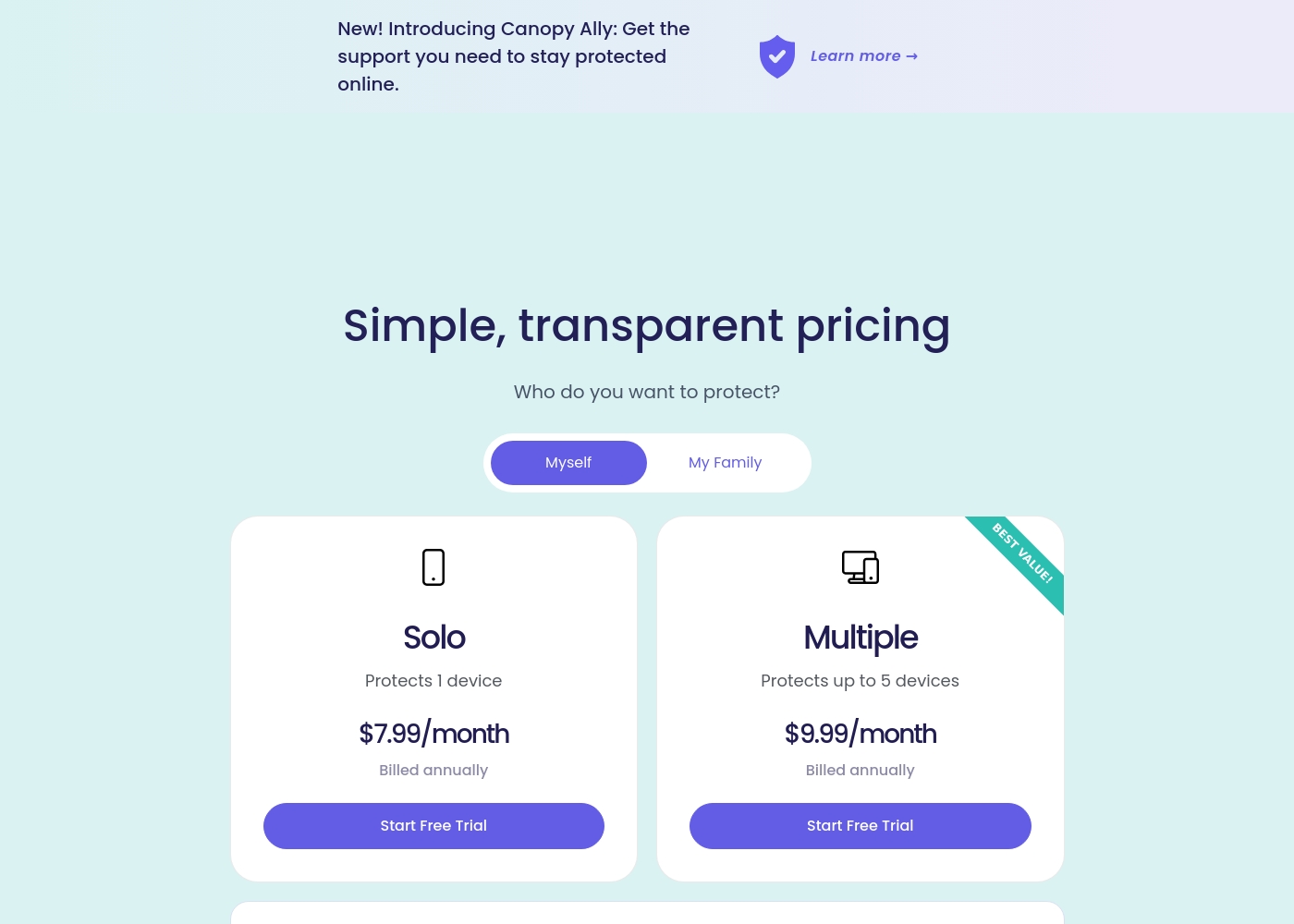
Canopy costs between $9.99 and $15.99 per month with three main monthly device plans: Up to 3 devices at $9.99/month, Up to 5 devices at $11.99/month, and Up to 10 devices at $15.99/month.
Canopy offers clear, device-based pricing designed to fit your family's needs. You can easily select the minimum number of devices required for full protection.
Up to 3 Devices
Price: $9.99 per month Best For: Small families or protecting a few critical devices Refund Policy: 30-day money-back guarantee Other Features:
- Access to all great features
- Email & phone support included
- Instant safety peace of mind
- Protects 1 device
- Access to all features
- Email & phone support
- Protects up to 5 devices
- Access to all features
- Email & phone support
- Access to all features
- Email & phone support
- Access to all features
- Email & phone support
Net Nanny costs between $39.99 and $89.99 per year with three plans: 1 Desktop at $39.99, 5 Devices Family Protection Pass at $54.99, and 20 Devices Family Protection Pass at $89.99.
Let's explore which annual Net Nanny package works best for your family's needs.
1 Desktop
Price: $39.99 / Year (Currently discounted from $49.99) Best For: Single device use on PC or Mac Other Features:
- Protect one desktop device
- Includes all Net Nanny features
- Supports Windows and macOS
- Protect one desktop device (PC or Mac)
- Includes all Net Nanny features
- Supported on Windows 10 & 11 and macOS 10.13 to 11.x
- Protect up to 5 total devices
- Includes all Net Nanny features
- Supports PC, Mac, and iOS devices
- Costs $11 per device/year
- 30% Off For A Limited Time
- Protect up to 20 total devices
- Includes all Net Nanny features
- Supports PC, Mac, and iOS devices
- Costs less than $5 per device/year
- Labeled 'Best Value'
Pricing Notes
- Canopy offers monthly billing options, providing greater flexibility, unlike Net Nanny's annual-only model.
- Net Nanny offers superior volume pricing, covering 20 devices for $89.99 annually (less than $5/device).
- Canopy provides a 30-day money-back guarantee, which Net Nanny does not explicitly offer.
- Users frequently report that Net Nanny is impossible to cancel online, resulting in recurring unauthorized charges.
Pricing Head-to-Head
User Reviews
Canopy receives critically mixed but predominantly negative feedback from users, resulting in a low 2.3-star Trustpilot rating. A major point of praise is its accuracy; several users confirm it is the most effective application they have found for blocking explicit/pornographic content using its specialized AI. However, this functionality comes at a severe cost to reliability and performance. The most recurring complaints center on the app dramatically slowing down internet speeds (in some cases dropping connection speeds by over 80%) and causing other legitimate applications or software to malfunction. 😔
Support responsiveness is also deeply criticized; users repeatedly report unresponsive customer service, difficulties contacting staff, or complete silence after submitting detailed troubleshooting information. Functionality issues include inconsistent blocking (failing to filter suggestive content or social media as requested) and, critically, inability to remove the app easily due to its anti-tamper protection. Multiple accounts reported being locked out of essential work devices for days while waiting for updates or support. The consensus suggests that while the core filtering technology is powerful, the crippling performance slowdowns and unacceptable support failures severely undermine its value.
This is a great app. I’ve had it for years and it’s the most effective one for blocking objectionable sites I've tried. Their tech support is superior and always willing to help.
Net Nanny currently holds a very poor 2.1 rating on Trustpilot, reflecting widespread customer dissatisfaction. Users frequently report critical failures in core functionality and serious concerns regarding billing practices.
Recurring complaints revolve around system reliability; many users state the software does not work properly on modern devices, citing issues like apps ignoring set time limits, device freezes, and wildly inaccurate dashboard reporting (e.g., usage times ticking up five minutes per second). Beyond technical faults, customers vehemently criticize Net Nanny’s handling of subscriptions and auto-renewal.
The software doesn't work consistently after a restart; I always have to sign in manually. Since installing it, my Mac freezes frequently during downloads. I have not yet received any response from customer service about these issues.
Our Verdict
Choosing between Canopy and Net Nanny is tough, as reviews show both suffer from serious functional issues. Your ideal choice depends on prioritizing specific coverage types over overall reliability. Canopy excels in modern, deep AI filtering and provides a safer testing start with its 30-day money-back guarantee. Canopy’s true superpower is its cutting-edge AI detection of image-based risks. It offers unmatched pornography blocking across every single website on the internet. Canopy is unique with instant alerts specifically designed for detecting risky photos or sexting activity. However, be warned: Canopy is widely reported to cripple internet speeds and cause device malfunctions. Net Nanny shines for administrative ease and high-volume scalability in large families. The 20-device annual plan makes Net Nanny incredibly cheap per device per year. Net Nanny focuses on critical, highly sensitive real-time safety alerts for topics like weapons and suicide searches. It is a long-trusted filter, operating since 1996, but its time limits are reportedly buggy. We recommend Canopy if you absolutely require the latest image detection and social media monitoring. Choose Net Nanny only if you must cover 15 or 20 devices on a strict budget. Be prepared for potential bugs and poor customer support regardless of whether you choose Canopy or Net Nanny.
Frequently Asked Questions
Which offers better protection against explicitly visual content?
Canopy utilizes advanced AI and machine learning for unmatched pornography blocking. It blocks explicit images on every single website. Net Nanny is a trusted internet filter but lacks Canopy's deep, image-specific detection capabilities. Canopy is generally cited as more aggressive in this specialized area.
Which is cheaper for a large family: Canopy or Net Nanny?
Net Nanny is significantly cheaper for high volume use. Net Nanny provides coverage for 20 devices for $89.99 annually. Canopy's maximum coverage is 10 devices at a higher monthly rate. Net Nanny offers better value for large households.
Does Canopy have search activity reporting like Net Nanny's Family Feed?
Net Nanny features the revolutionary Family Feed for instant reporting of all online search activities. Canopy focuses on providing instant alerts for sensitive social media discussions. If detailed search history reporting is crucial, Net Nanny is the better choice.
Can I easily cancel my subscription to Net Nanny?
User reviews indicate extreme difficulty canceling Net Nanny subscriptions online. Multiple reports detail unauthorized annual charges continuing for years for Net Nanny users. While Canopy's cancellation process is also difficult, Net Nanny reviews show more severe billing issues.
Which software offers a free trial before I pay?
Canopy offers a risk-free start with its 7-day free trial. Canopy also includes a 30-day money-back guarantee on all plans. Net Nanny does not explicitly advertise a free trial or money-back guarantee.
Does Canopy or Net Nanny support Chromebooks?
Canopy supports a wider range of operating systems, including Chromebooks running Chrome OS. Net Nanny supports PC, Mac, and iOS devices only. If you need family-wide protection including Chromebooks, Canopy is the required choice.
Ready to Choose?
Both tools have their strengths. Choose based on your specific needs.