Canopy vs mSpy
Canopy targets real-time content filtering for families; mSpy leans into invisible monitoring. Canopy blocks across sites and nudges with alerts. mSpy tracks chats, calls, and locations in detail. Pick based on filtering priority versus telemetry depth.
Best for: Families with 3-10 devices on mixed OS who prioritize real-time content filtering and anti-tampering., Parents who want downtime controls and instant alerts across multiple devices.
Best for: Tech-forward families needing deep visibility into chats, calls, and locations for up to 3 devices., Multi-child households seeking centralized control and features like Keylogger and Screenrecorder.
Potent Protection, Crippling Performance Issues
We recognize Canopy's sophisticated AI engine provides industry-leading filtration for explicit material across various devices, making it a powerful tool by design. Overall, while the core technology is advanced, significant user reports of unresponsive support, device lockouts, and severe performance degradation necessitate a low cautionary rating.
Pros
- Highly effective at blocking explicit and pornographic content using AI/machine learning.
- Comprehensive coverage across major operating systems (IOS, Android, Windows, Mac, Chromebooks).
- Includes aggressive anti-tampering/removal prevention features.
- Offers a risk-free 7-day trial and a 30-day money-back guarantee.
Cons
- Dramatically decreases internet speed and overall device performance for many users.
- Customer support is widely cited as unresponsive, unreliable, or non-existent.
- Difficulty removing the application once its protection is fully enabled.
- Inconsistent content blocking, sometimes failing to filter suggestive images or social media.
Effective Monitoring with Severe Pitfalls
We found mSpy offers a highly capable feature suite, including Keylogger, Screenrecorder, and robust GPS tools, which are powerful when functioning correctly. However, external reports show major issues surrounding reliability, hidden pricing, and difficult installation processes. Overall, this tool provides powerful monitoring features, but its severe operational and billing pitfalls prevent a strong recommendation.
Pros
- Excellent feature set including Keylogger and Screenrecorder capabilities.
- Effective remote features like call recording and microphone control (available in Extreme plan).
- Geofencing and GPS tracking are praised for accurately monitoring location.
- Family Kit successfully allows monitoring up to three devices simultaneously.
Cons
- Frequent reports of inaccurate data tracking, app failure, or connectivity issues.
- Users report that the service stops working after a short period, requiring constant reinstallation.
- Many customers report unauthorized billing, hidden costs, and surprise fees for required add-ons.
- The refund policy is considered very narrow, making returns extremely difficult to obtain.
AboutCanopy
Canopy is a powerful digital parenting app built to keep children safer across their devices. It uses advanced computing technology, including artificial intelligence and machine learning. This technology instantly recognizes and filters out sensitive or pornographic content, even on your child’s smartphone camera. Setting up Canopy is simple: you download the Canopy App to manage settings and install the Shield App on each device you want to protect. ✅
AboutmSpy
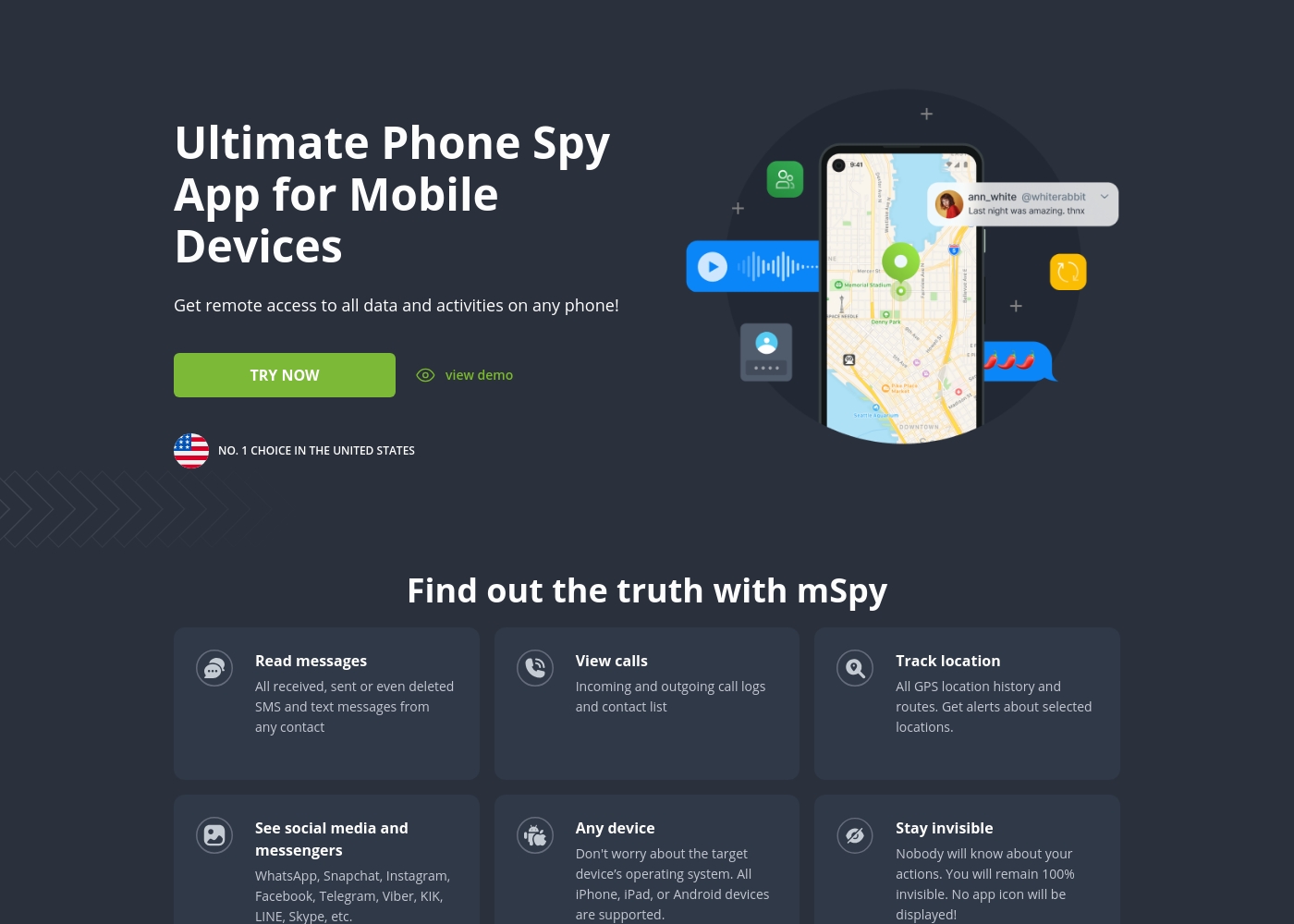
mSpy is the #1 Choice in the United States for trusted parental control. It is a powerful mobile monitoring solution, more than just a simple app. This tracker lets you see exactly what’s happening on their phone without needing to stand over them. It works great on your favorite device, offering solutions that are compatible with any operating system 💡. Installation is simple, allowing you to get the full monitoring power without restrictions, even offering local sync and non-jailbreak solutions.
Highlights
Feature Comparison
Features Overview
We highlight the main differences and pick a winner for each feature.
Real-time Filtering
Canopy blocks risky content in real time; mSpy focuses on telemetry through blockers.
Canopy uses AI to filter content as you browse, with immediate alerts. mSpy blocks sites and monitors activity, but real-time filtering is tied to its blockers. The key trade-off is Canopy's proactive approach versus mSpy's data-heavy visibility. In practice, Canopy helps parents act fast during browsing moments.
Sexting & Alerts
Canopy delivers instant sexting alerts; mSpy relies on keyword-driven alerts.
Canopy notifies you instantly when risky photos are shared or viewed. mSpy offers Keyword Alerts tied to chats and history. The trade-off is immediacy vs breadth of coverage. Real-world impact: you respond quickly to potential sexting with Canopy, or you review broader chats with mSpy.
Social Monitoring
Canopy scans multiple platforms with alerts; mSpy logs more platforms and messages.
Canopy provides deep social monitoring with timely alerts on sensitive topics. mSpy covers WhatsApp, Messenger, Instagram, Snapchat, and more, with access to messages and media. The difference is platform breadth and reliability versus alert timing. Real-world: if you need broad platform visibility, mSpy shines; if you want proactive alerts, Canopy helps sooner.
Location & Travel
Both offer location tools; mSpy emphasizes route history and live geofencing.
Canopy offers instant location check-ins and alerts when a child leaves a location. mSpy tracks precise GPS, route history, and geofencing with live updates via links. Trade-off: Canopy is quick checks; mSpy provides deeper travel insight. Use case: for travel-heavy families, mSpy adds value.
Data Access Depth
mSpy provides Keylogger and Screenrecorder; Canopy focuses on blocking and alerts.
mSpy captures keystrokes and visual screens; Canopy emphasizes blocking and real-time alerts. Trade-off: depth of data vs focus on safety signals. Real-world: choose mSpy for forensic detail; choose Canopy for immediate protection.
App & Website Control
mSpy offers App Blocker and Website Blocker; Canopy centers on filtering and rules.
mSpy blocks risky apps and websites; Canopy blocks content across sites, plus downtime rules. Trade-off: control scope for safety vs stealth feature depth. Real-world: if you must block a specific app, mSpy handles it; for broad content control, Canopy excels.
Setup & Onboarding
Canopy setup is two apps; mSpy may need device tweaks for features.
Canopy requires Canopy App and Shield App installation for protection. mSpy setup depends on features; some may require rooting on Android. Trade-off: simplicity vs feature-specific prerequisites. Use-case: prefer Canopy for quick install; choose mSpy if you need advanced features after setup.
Pricing & Value
Canopy offers transparent device-based plans; mSpy hides some costs behind add-ons.
Canopy has seven-day trial and 30-day money-back; pricing by devices. mSpy prices less than $1/day but adds non-refundable options for extra services. Trade-off: upfront clarity with Canopy vs potential hidden costs with mSpy. Real-world: if budget clarity matters, Canopy is safer.
Support & Reliability
Both face mixed reviews; mSpy sometimes gets praise for setup help.
Canopy reviews cite slow support and performance issues; mSpy has varied feedback on reliability and billing. Trade-off: support quality differs by user; feature depth may offset occasional glitches. Real-world: expect variable support performance with both, plan accordingly.
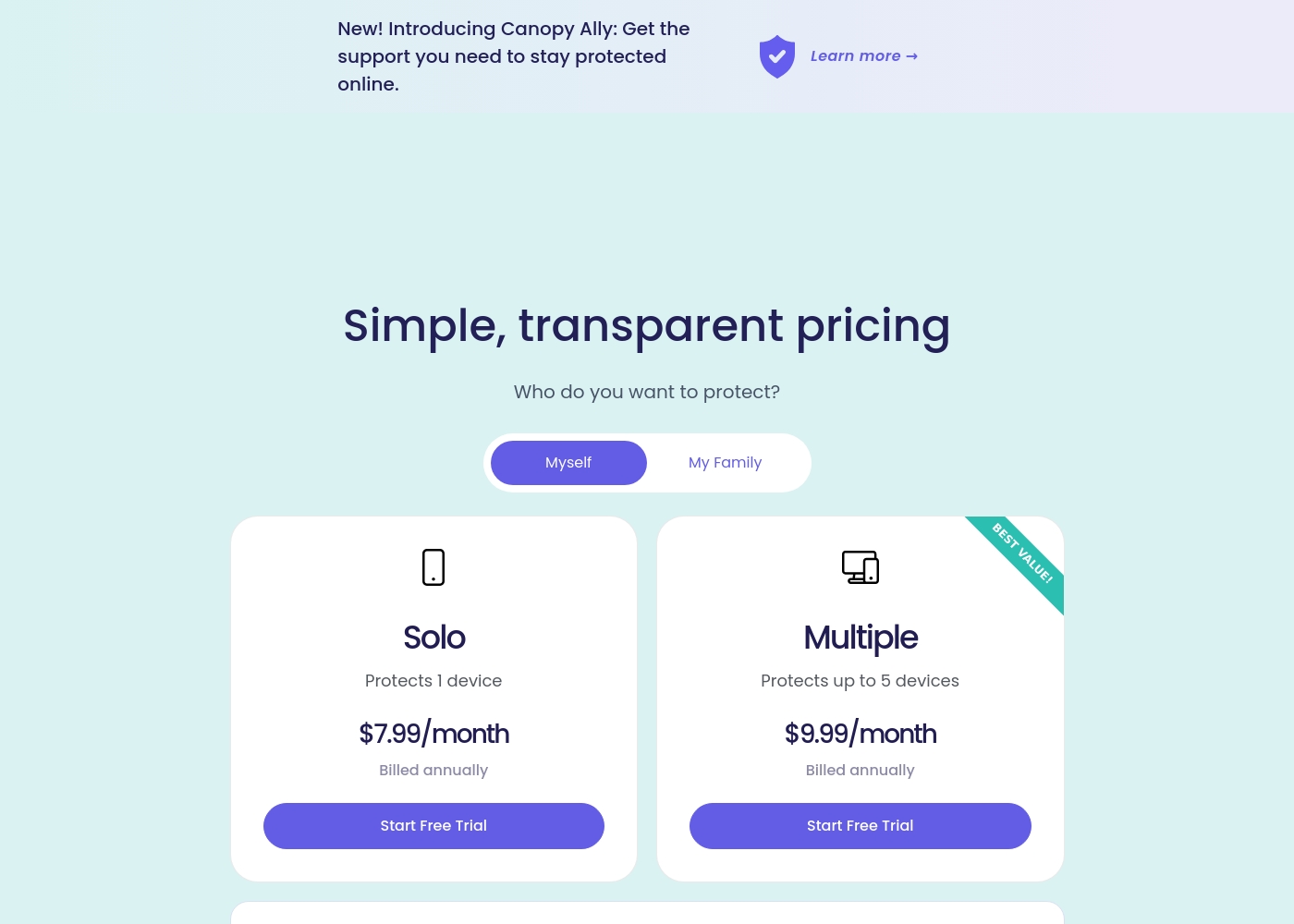
Canopy costs between $9.99 and $15.99 per month with three main monthly device plans: Up to 3 devices at $9.99/month, Up to 5 devices at $11.99/month, and Up to 10 devices at $15.99/month.
Canopy offers clear, device-based pricing designed to fit your family's needs. You can easily select the minimum number of devices required for full protection.
Up to 3 Devices
Price: $9.99 per month Best For: Small families or protecting a few critical devices Refund Policy: 30-day money-back guarantee Other Features:
- Access to all great features
- Email & phone support included
- Instant safety peace of mind
- Protects 1 device
- Access to all features
- Email & phone support
- Protects up to 5 devices
- Access to all features
- Email & phone support
- Access to all features
- Email & phone support
- Access to all features
- Email & phone support
mSpy offers a choice between two main subscription options, helping users align coverage with their specific monitoring needs. Both plans include the powerful suite of monitoring features available through your personal Control Panel.
Single Device Plan
Best For: Monitoring one child or device Other Features:
- Provides remote access to call logs and contact lists.
- Allows viewing of received, sent, and deleted text messages.
- Includes access to all GPS location history and geofencing alerts.
- Supports monitoring across all major social media and messenger apps.
- Offers features like Keylogger and Screenrecorder capabilities.
This plan is ideal if you only need to keep an eye on a single smartphone or tablet. It delivers the full range of mSpy features for comprehensive, invisible surveillance on one target device. This is the simplest and most accessible option for new users.
- Coverage for one device only
- Invisible monitoring mode
- Keylogger and Screenrecorder
- GPS Location Tracking
- Social Media monitoring (WhatsApp, Snapchat, etc.)
- Coverage for up to 3 devices simultaneously
- All features of the Single Device Plan
- Suitable for monitoring multiple children or mobile devices
- Centralized control via a single Control Panel
Pricing Notes
- Canopy includes a 7-day free trial and a 30-day money-back guarantee; plans are device-based.
- Canopy annual plans (Solo Up to 1 device, Multiple Up to 5) offer lower average monthly costs.
- mSpy pricing is not published per se; claims are under $1/day for base monitoring.
- Family Kit covers up to three devices; optional paid support services are non-refundable.
Pricing Head-to-Head
User Reviews
Canopy receives critically mixed but predominantly negative feedback from users, resulting in a low 2.3-star Trustpilot rating. A major point of praise is its accuracy; several users confirm it is the most effective application they have found for blocking explicit/pornographic content using its specialized AI. However, this functionality comes at a severe cost to reliability and performance. The most recurring complaints center on the app dramatically slowing down internet speeds (in some cases dropping connection speeds by over 80%) and causing other legitimate applications or software to malfunction. 😔
Support responsiveness is also deeply criticized; users repeatedly report unresponsive customer service, difficulties contacting staff, or complete silence after submitting detailed troubleshooting information. Functionality issues include inconsistent blocking (failing to filter suggestive content or social media as requested) and, critically, inability to remove the app easily due to its anti-tamper protection. Multiple accounts reported being locked out of essential work devices for days while waiting for updates or support. The consensus suggests that while the core filtering technology is powerful, the crippling performance slowdowns and unacceptable support failures severely undermine its value.
This is a great app. I’ve had it for years and it’s the most effective one for blocking objectionable sites I've tried. Their tech support is superior and always willing to help.
mSpy maintains a moderate 2.9-star rating on Trustpilot, reflecting significant variation in user experiences. Many satisfied customers specifically praise the effective monitoring features, such as remote call recording, screenshot capture, and the precise Geofencing alerts, which help parents track children's locations.
For those features that work, the software is considered powerful. However, the user base reports heavy friction regarding pricing, reliability, and support.
Matthew Stone was crucial when I needed an urgent reinstallation on my daughter’s phone. I only had ten minutes with the device, and he handled everything remotely. He got things rolling again quickly and professionally.
Our Verdict
Is it a clear win? Not really. For most families, Canopy and mSpy land in a thoughtful tie. Canopy shines with real-time filtering and anti-tampering, while mSpy delivers deep telemetry and stealth options. The deciding factor is your priority: safety and downtime versus covert data access. If you need broad, aggressive filtering across many devices, Canopy is the pick. If you want invisible visibility into chats, calls, and location across a few devices, go with mSpy. In practice, start with Canopy’s 7-day trial to test filtering. If you later crave hidden data, you can evaluate switching to mSpy for added insights.
Frequently Asked Questions
Which is better for small families: Canopy or mSpy?
If you need strong real-time content filtering across multiple devices, choose Canopy. For hidden monitoring with depth like Keylogger and Screenrecorder, mSpy is stronger, especially with a Family Kit for up to three devices.
Does Canopy have features like mSpy's Keylogger or Screenrecorder?
Canopy focuses on real-time filtering and alerts, plus social monitoring. mSpy offers Keylogger and Screenrecorder, giving deeper data capture.
Is mSpy worth the extra cost over Canopy?
mSpy may offer deeper monitoring features, but users report reliability and billing concerns. If you need covert visibility, it can be worth it; otherwise Canopy may be better value for blocking and alerts.
Can I migrate from Canopy to mSpy easily?
The data doesn’t specify migration steps. Check Canopy and mSpy support for device transfer guidance and setup timelines.
Does Canopy offer a free trial?
Yes. Canopy offers a seven-day free trial, with a 30-day money-back guarantee on plans.
What is the refund policy for Canopy and mSpy?
Canopy provides a 30-day money-back guarantee. mSpy’s refund terms aren’t clearly stated and may be difficult.
Ready to Choose?
Both tools have their strengths. Choose based on your specific needs.