Adobe Photoshop vs Palette.fm
This comparison pits the universal editing powerhouse against a focused AI specialist. Adobe Photoshop is your industry-standard suite for professional image manipulation. Palette.fm is a lightning-fast tool dedicated solely to AI photo colorization. Choosing the right one depends entirely on your specific editing frequency and complexity.
Best for: Professional graphic designers and photo retouchers, Agencies requiring complex PSD workflows and layered editing
Best for: Photographers reviving large grayscale family photo archives, Creators needing lightning-fast, highly specific colorization results
Master software, deceptive pricing
We find Adobe Photoshop offers industry-leading intuitive tools for fast, precise image editing, which dramatically improves professional workflows. However, we cannot ignore the widespread user complaints regarding the costly, confusing annual subscription model and the aggressive cancellation fees. Overall, the powerful features are currently overshadowed by surrounding corporate policies and poor customer support.
Pros
- Industry-leading, powerful features for professional image editing.
- Intuitive tools speed up complex selection and color adjustments.
- Smart workflow suggestions help handle complicated projects faster.
- Special comprehensive plans available for students and educators.
Cons
- The subscription model is widely criticized as misleading (annual contract paid monthly).
- Substantial cancellation fees are enforced for early termination.
- Customer and technical support are widely described as non-existent or unhelpful.
- Reports of sudden product crashes across multiple devices.
Pros
Cons
AboutAdobe Photoshop
Photoshop is the essential tool for professional image editing. It offers new, intuitive tools designed specifically to speed up your process. You can browse plans easily, whether you are an individual, a business, or looking for options tailored for students and teachers. You can even try Photoshop out with a generous free trial. It’s built to help you explore every feature of digital creation. 💡
AboutPalette.fm
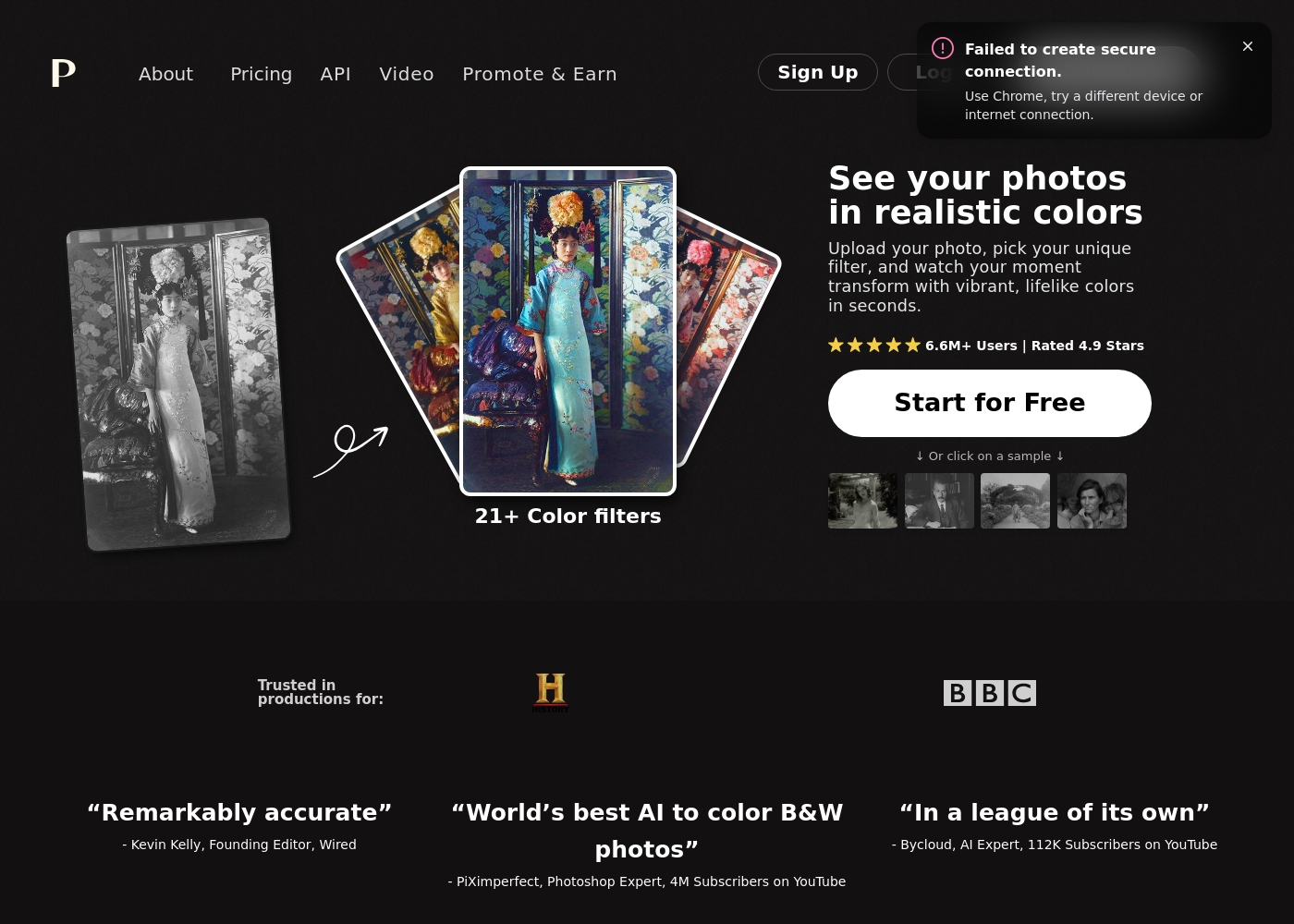
Palette.fm is an AI-powered colorization tool designed for anyone with black and white photos. It's perfect for photographers, creators, and anyone wanting to restore family history. The service promises accurate colors and simple controls, trusted by over 2.8 million users. 💡
Highlights
Feature Comparison
Features Overview
We highlight the main differences and pick a winner for each feature.
Core Functionality
Adobe Photoshop is the robust editing generalist; Palette.fm is the single-task colorization specialist.
Adobe Photoshop excels at all facets of professional image editing, layers, and creation. It offers industry-leading precision controls and smart workflow features. Palette.fm is highly specialized, delivering realistic AI-powered colorization for grayscale photos quickly. It bypasses the need for high-level manual color grading expertise. If your workflow requires diverse professional manipulation, you need Adobe Photoshop. If speed and high-quality AI color are the only needs, Palette.fm is tailored for that task. This isn't a true competition; Adobe Photoshop is a vehicle, while Palette.fm is a specific engine dedicated to one kind of photo revival.
Pricing Flexibility
Palette.fm offers utility and subscription models; Adobe Photoshop is subscription-only with known pitfalls.
Adobe Photoshop is available only through subscription tiers, including annual commitments paid monthly. Users frequently report substantial early cancellation fees. Palette.fm uses a flexible credit system, offering free use, subscriptions, and one-time credit purchases. You pay based on your actual colorization usage. Palette.fm wins on transparency and options, especially offering a permanent free tier. Adobe Photoshop’s numerical costs are not publicly stated, which creates confusion. If you hate being locked into long contracts, the pay-per-use structure of Palette.fm offers superior consumer flexibility.
Workflow Speed
Palette.fm is faster in seconds; Adobe Photoshop is faster for complex, manual tasks.
Adobe Photoshop provides smart workflow suggestions to manage complicated projects and improve efficiency. Intuitive tools speed up complex selections and adjustments. Palette.fm focuses entirely on speed for one task, delivering colorized results in seconds. Pro workflows claim to be up to 10x faster for batch processing. If you are automating a large library of historic photos, Palette.fm offers unmatched speed and specialized output. Adobe Photoshop saves time on detailed, manual, labor-intensive work. Palette.fm allows 2.8M+ creators to move past slow colorization, achieving lifelike results almost instantly.
Learning Curve
Adobe Photoshop requires mastery; Palette.fm is simple and accessible for quick results.
Mastering Adobe Photoshop takes significant time due to its vast array of robust features and deep toolsets. It is built for expert professionals. Palette.fm utilizes a simple, 3-step process: upload, pick a filter, and download/edit. No prior photo editing expertise is required. If you need immediate results without learning professional-grade software, Palette.fm is the clear choice. Adobe Photoshop is an investment in professional skill development. Palette.fm is approachable enough for a hobbyist reviving old family photos this weekend, unlike the highly technical Adobe Photoshop.
Color Control
Adobe Photoshop offers hands-on precision; Palette.fm is driven by AI filters and keyword tweaks.
Adobe Photoshop lets you instantly adjust colors with clear, intuitive on-canvas controls. This provides total, pixel-level, manual control. Palette.fm offers 21+ preset color filters to tailor mood and style automatically. You can fine-tune results using simple keyword tweaks. Professional users needing extreme color grading accuracy will rely on Adobe Photoshop’s manual power. Users seeking quick, mood-based results prefer Palette.fm's filters. Palette.fm is best if you want the AI to handle color realism; Adobe Photoshop is necessary for complex color correction and artistic manipulation.
Ecosystem Integration
Adobe Photoshop connects to the Creative Cloud; Palette.fm links are not explicitly detailed.
Adobe Photoshop offers seamless editing functionality and connectivity to other Adobe platforms like Adobe Express. It serves as the hub of a creative ecosystem. The available information mentions an API link for Palette.fm, suggesting integration capability. However, specific third-party integrations aren't detailed on the site. For existing Adobe users, Adobe Photoshop fits perfectly into established professional workflows. Palette.fm requires more standalone usage currently. If you require a bundled solution including video, design, and web tools, the Adobe Photoshop ecosystem is the far superior professional offering.
Since pricing is dynamic based on location and user type, details are often customized. Here's a breakdown of the subscription options available.
Individuals
Best For: Individual professionals, hobbyists, and freelancers Other Features:
- Create faster with new intuitive image editing tools
- Make precise selections easily
- Instantly adjust color with on-canvas controls
- Smart workflow suggestions
This plan is perfect if you need the full power of Photoshop just for yourself. It gives you the latest features and updates, ensuring you always have cutting-edge tools for your creative work. You get all the essential features needed for professional image editing.
- Create faster with new intuitive image editing tools
- Make precise selections in a click
- Instantly adjust color with on-canvas controls
- Perform complex edits more quickly with smart workflow suggestions
- Full version of Photoshop, Illustrator, Premiere Pro, and more
- Own portfolio website
- Apps to create and share photos, videos, and graphics anywhere
- Helpful tutorials for every skill level
- Generative credits for premium creative AI features

Palette.fm pricing: Palette.fm offers modular pricing ranging from free previews to subscription and one-time credit bundles. You can start for free with watermarked images or upgrade to a paid plan for high-resolution, logo-free downloads.
balance. Enjoy flexibility with credits that roll over and the ability to cancel subscriptions any time.
balance. Enjoy flexibility with credits that roll over and the ability to cancel subscriptions any time.
Pricing Notes
- Adobe Photoshop pricing is not transparently listed and depends on location and user type.
- Adobe Photoshop enforces substantial cancellation fees for early termination of annual contracts paid monthly.
- Palette.fm includes a permanent free plan with watermarked, limited resolution output.
- Palette.fm offers superior flexibility with one-time credit purchases, useful for singular or intermittent projects.
- The high-end $75017/month figure for Palette.fm indicates maximum enterprise or custom volume pricing.
Pricing Head-to-Head
User Reviews
External feedback overwhelmingly targets the corporate policies of the provider rather than the core software's performance. While many users acknowledge that the core programs (like Photoshop) are powerful and effective tools, frustration centers almost entirely on the subscription model and inadequate customer service.
Pricing is frequently branded as excessive, misleading, and confusing, especially concerning the annual contract paid monthly structure. The primary complaint, mentioned repeatedly, is the cancellation process, which many users describe as a scam due to substantial “early termination fees” or the inability to cancel online 🤔.
The software is genuinely great, but the company's approach is terrifying. After my free trial, I switched to monthly payments, but canceling meant I had to pay a massive early termination fee. This pricing policy feels predatory.
Our Verdict
This is a classic battle of the all-powerful toolkit versus the laser-focused AI specialist. If you are a professional, the breadth and depth of Adobe Photoshop are indispensable. However, if your only need is colorization efficiency, Palette.fm provides the smarter, faster solution. Adobe Photoshop’s superpower is its sheer power and versatility across all creative domains. It grants you precise control over every pixel, dramatically speeding up manual tasks like complex masking. Despite its frustrating subscription model, Adobe Photoshop remains the universal standard for detailed image creation. Palette.fm’s superpower is its lightning-fast, high-quality AI color work and flexible pricing. It processes batches of photos instantly, something Adobe Photoshop cannot replicate efficiently. Plus, Palette.fm’s free plan and simple credit system bypasses Adobe Photoshop's widely criticized contract issues. The deciding factor should be use case: are you a generalist creator or a specialist needing volume colorization? If you build sophisticated, layered images daily, stick with Adobe Photoshop. If you are restoring a thousand old photos to share quickly, Palette.fm is the specific tool you need. Choose Adobe Photoshop for your career and comprehensive design freedom. Choose Palette.fm if you value speed, AI specificity, and flexible, pay-as-you-go access for photo revival projects.
Frequently Asked Questions
Which is better for AI photo enhancement: Adobe Photoshop or Palette.fm?
Palette.fm is superior for AI colorization, as it is its sole, highly optimized function. It uses 21+ filters for fast, realistic results in seconds. Adobe Photoshop utilizes AI for smart workflow suggestions and generative features within a much wider editing scope.
Does Palette.fm offer the same professional tools as Adobe Photoshop?
No. Palette.fm is a single-purpose colorization tool; it does not offer layers, masking, or the extensive editing features of Adobe Photoshop. Adobe Photoshop is necessary for complex, manually controlled professional image manipulation tasks.
Does Adobe Photoshop have a free plan like Palette.fm?
Adobe Photoshop does not offer a permanently free tier; it provides only a time-limited free trial. Palette.fm maintains a dedicated free plan, though outputs are limited to 500x500 resolution and carry a watermark.
Which software has the lowest barrier to entry for beginners?
Palette.fm is dramatically easier for beginners due to its simple, 3-step upload-and-colorization process. Adobe Photoshop has a famously steep learning curve, demanding significant time investment from new users.
Can I buy credits or pay once for Palette.fm instead of subscribing to Adobe Photoshop?
Yes. Palette.fm provides flexible options, including one-time credit purchases for intermittent use. Adobe Photoshop only offers subscription plans, often with an annual commitment that incurs cancellation fees.
Which tool provides higher resolution outputs for colorized photos?
Palette.fm explicitly guarantees high-resolution output up to 5000x5000 px using paid credits. Adobe Photoshop handles high-resolution files, but its max output resolution specifics are not listed alongside colorization features.
Ready to Choose?
Both tools have their strengths. Choose based on your specific needs.