Adobe InDesign vs Palette.fm
This comparison pits the professional design heavyweight Adobe InDesign against the specialized AI prodigy Palette.fm. Adobe InDesign is the definitive tool for complex desktop publishing and layout control. Palette.fm delivers lightning-fast, high-quality AI photo colorization. Your choice depends completely on needing a broad design capability or a specific, powerful AI utility.
Best for: Professional teams creating magazines, books, or yearly reports, Marketing agencies needing complex, multi-page layout control
Best for: Photographers and hobbyists restoring large archives of grayscale photos, Historical researchers needing quick, vibrant colorization in bulk batches
Industry Standard, Administrative Headaches
We find Adobe InDesign to be an unmatched, industry-standard tool for professional layout and efficient design work. However, we must caution potential subscribers about the complex and often punitive subscription practices, including aggressive cancellation fees and misleading contract terms. Overall, the software is exceptional for productivity, but the purchasing ecosystem requires significant oversight and is widely criticized.
Pros
- Industry standard for complex professional layout design.
- Built specifically to maximize productivity and efficiency.
- Seamless integration within the Adobe Creative Cloud ecosystem.
- Allows designers to move past routine, tedious tasks.
Cons
- Subscription terms are often unclear, leading to unexpected annual commitments.
- Punitive early cancellation fees are widely reported by users.
- Customer support is frequently described as unhelpful or difficult to access.
- Subscription costs may auto-renew at significantly increased prices.
Pros
Cons
AboutAdobe InDesign
Adobe InDesign is the essential layout tool designed for professionals who prioritize efficiency. This software is built specifically to help you reimagine productivity in every layout you create. You can quickly move past routine, tedious tasks and dedicate more time to actual design work. InDesign operates seamlessly as a critical component of the trusted Adobe Creative Cloud ecosystem. 💡
AboutPalette.fm
Palette.fm is an AI-powered colorization tool designed for anyone with black and white photos. It's perfect for photographers, creators, and anyone wanting to restore family history. The service promises accurate colors and simple controls, trusted by over 2.8 million users. 💡
Highlights
Feature Comparison
Features Overview
We highlight the main differences and pick a winner for each feature.
Core Purpose
Adobe InDesign handles multi-page publishing; Palette.fm is solely for focused AI color correction.
Adobe InDesign is the industry-standard tool for creating complex layouts like magazines, books, and reports. It focuses on professional typography and precise page control. Palette.fm specializes completely in AI colorization, swiftly turning dull grayscale photos into vibrant, lifelike images. This hyper-specialization is its single defining feature. These tools are fundamentally different and are not designed to be interchangeable utilities. Adobe InDesign is essential if you need to design a 50-page annual report. Palette.fm is essential if you need to process a high volume of historical photographs quickly.
Workflow Integration
Adobe InDesign integrates seamlessly with Creative Cloud; Palette.fm has no clear integration details.
Adobe InDesign operates perfectly within the Adobe Creative Cloud ecosystem. This means sharing design assets with Photoshop and Illustrator is instant and frictionless. Creative Cloud Libraries allow professionals using Adobe InDesign to manage and sync assets efficiently. Palette.fm mentions an API link, but concrete, official integrations with common design tools are not detailed. Palette.fm is typically used as a standalone pre-processing step for image enhancement before external use. For professionals tied into the design standard, Adobe InDesign’s integration is critical.
Pricing Model
Adobe InDesign requires fixed per-user subscriptions; Palette.fm uses flexible credit-based usage.
Adobe InDesign costs $22.99/mo for the dedicated plan, billed per user license, often masking an underlying annual contract. Palette.fm offers a free tier and scales strictly with usage, employing a credit system for high-resolution output. One credit colorizes one high-res photo. Palette.fm also allows one-time payments and various subscription tiers for better flexibility. Users cite that Adobe InDesign's aggressive cancellation fees and contract structure are major administrative deterrents.
AI Focus
Adobe InDesign uses broad generative AI credits; Palette.fm focuses AI entirely on realistic color precision.
Adobe InDesign offers monthly generative credits, used for wide applications across the Creative Cloud suite. This includes general image generation or premium video/audio features in the Pro plan. Palette.fm's AI is hyper-specialized, dedicated only to highly realistic colorization accuracy. It is trained to match natural light sources. Palette.fm provides 21+ color filters and keyword adjustments that allow precise, granular control over color output. For core colorization performance and customization depth, Palette.fm is the superior specialized tool.
Output Resolution
Palette.fm offers explicit 5000x5000px guarantees; Adobe InDesign outputs professional quality documents.
Adobe InDesign ensures extremely high quality for professional print and digital document deliverables. Palette.fm guarantees high-resolution image output up to 5000x5000px when using paid credits. This is essential for large format prints or detailed restorations. The free Palette.fm plan limits output significantly to 500x500px images with an applied watermark. For maximizing raw image resolution specifically for colorized photos, Palette.fm offers clearer, measurable guarantees.
Learning Curve
Adobe InDesign requires expert training; Palette.fm is simple, fast, and uses a simplified 3-step process.
Adobe InDesign is the deep, complex industry standard, requiring significant professional training and experience to master. Palette.fm is designed for maximum speed and accessibility, working via a simple, intuitive web interface. Users can achieve expert colorization results using Palette.fm in seconds with minimal instruction. The time investment required to become proficient in Adobe InDesign is exponentially higher than using Palette.fm.
Customer Service
Adobe InDesign support is widely criticized as poor; Palette.fm support information is not specified.
User reviews for Adobe InDesign consistently report widespread dissatisfaction concerning support quality. Users describe technical support as unhelpful, non-existent, or reliant on useless automation. This causes significant friction when coupled with billing disputes. Palette.fm does not provide explicit details regarding its support SLA or responsiveness in the available data. Based purely on available user sentiment, Adobe InDesign presents known customer support headaches. We advise cautious consideration for high support needs.
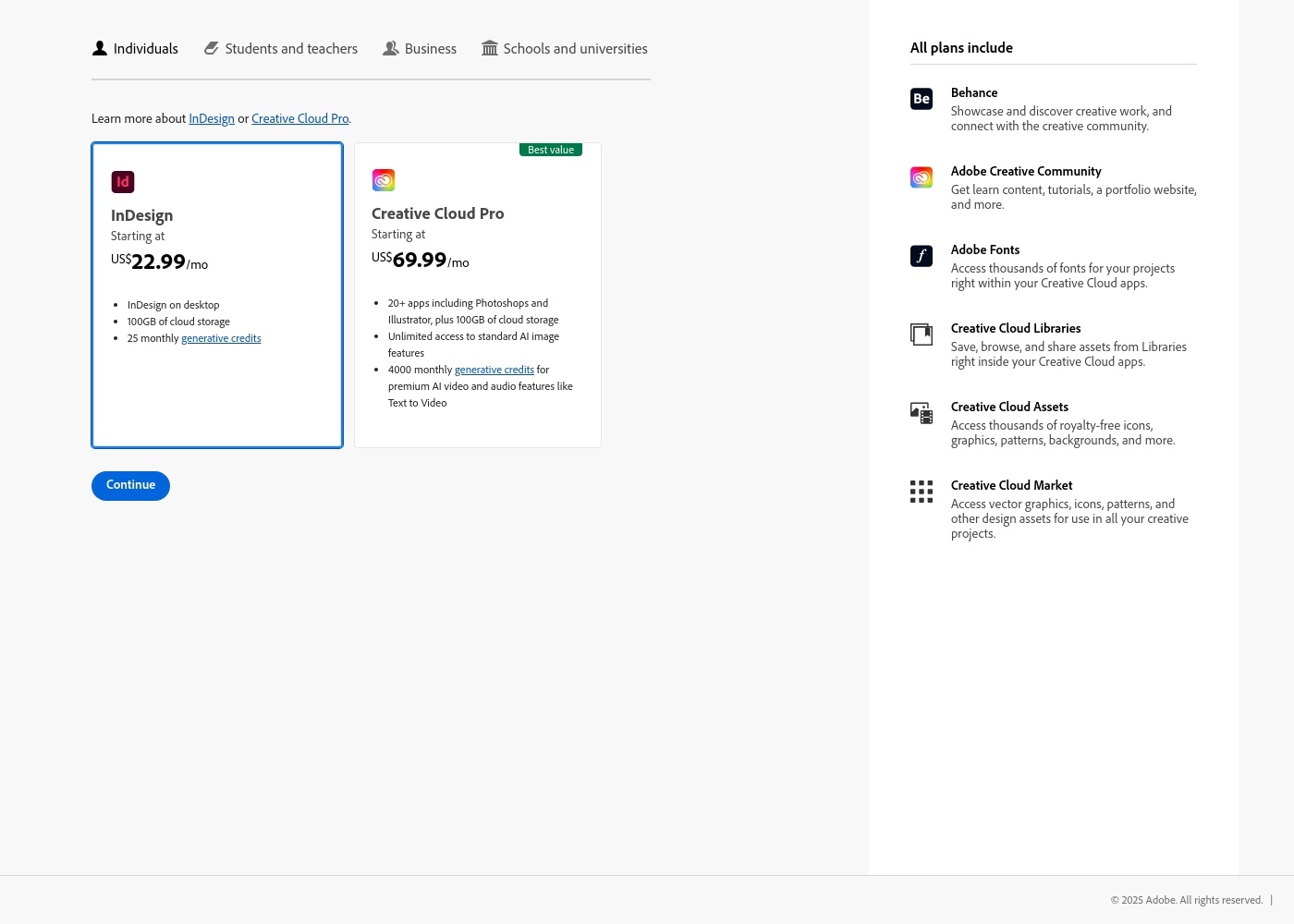
Adobe InDesign costs between US$22.99/mo and US$69.99/mo with 2 plans available for individuals: InDesign at US$22.99/mo and Creative Cloud Pro at US$69.99/mo.
Adobe provides flexible subscription options tailored for individual users. Here are the details for the core plans offered:
InDesign
Price: US$22.99/mo Other Features:
- InDesign on desktop
- 100GB of cloud storage
- 25 monthly generative credits
- InDesign on desktop
- 100GB of cloud storage
- 25 monthly generative credits
- Behance and Creative Community access
- Adobe Fonts and Creative Cloud Assets access
- 20+ apps including Photoshop and Illustrator
- 100GB of cloud storage
- Unlimited access to standard AI image features
- 4000 monthly generative credits for premium AI video/audio features
- Behance and Creative Community access
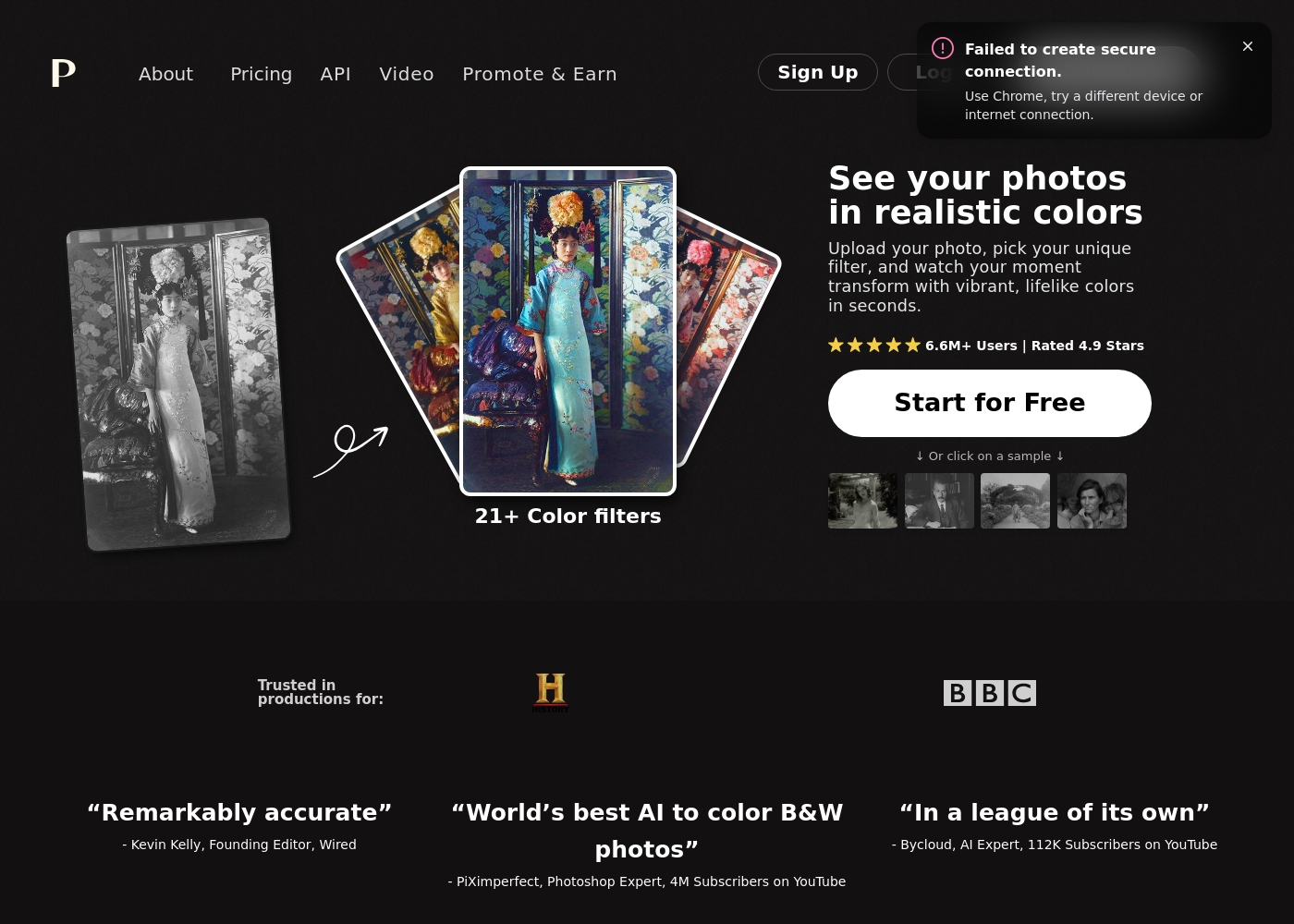
Palette.fm pricing: Palette.fm offers modular pricing ranging from free previews to subscription and one-time credit bundles. You can start for free with watermarked images or upgrade to a paid plan for high-resolution, logo-free downloads.
balance. Enjoy flexibility with credits that roll over and the ability to cancel subscriptions any time.
balance. Enjoy flexibility with credits that roll over and the ability to cancel subscriptions any time.
Pricing Notes
- Adobe InDesign pricing is fixed per user, but user feedback frequently reports hidden annual commitments and high early cancellation fees.
- Palette.fm offers significantly more flexible payment models, including one-time purchases and a generous free tier, scaling strictly with usage credits.
- The free tier for Palette.fm limits resolution to 500x500px and applies a watermark, making paid credits necessary for professional quality output.
- If you need the full suite, the Creative Cloud Pro plan for Adobe InDesign ($69.99/mo) offers 20+ apps, representing a better overall suite value.
Pricing Head-to-Head
User Reviews
Users universally acknowledge Adobe's software quality, but the administrative experience generates massive friction. Reviewers on Trustpilot frequently describe the rigid subscription model as a trap or 'scam.' These grievances stem from immense difficulty and substantial fees for early cancellation.
Many users cite being locked into annual contracts when they expected monthly payment options. Reliability concerns are also common; software sometimes crashes or malfunctions, requiring lengthy workarounds.
I signed up for what I thought was a simple monthly payment plan, but it was actually an underlying yearly contract. They tried to charge me an immense termination fee just for attempting to cancel early. This aggressive policy damages client loyalty immensely.
Our Verdict
This battle sees the professional layout giant, Adobe InDesign, face the speed and simplicity of Palette.fm. Your choice comes down to breadth of function versus extreme specialization. Most professionals requiring full design control will need Adobe InDesign's complexity and ecosystem. The key deciding factor is whether you need a full creative suite or just a dedicated AI colorization machine. Adobe InDesign's superpower is its deep, integrated layout control, essential for professional desktop publishing. It allows experts to craft complex documents and uses 100GB of cloud storage for file syncing. However, pricing is rigid, and users frequently report being trapped by unexpected cancellation fees. Palette.fm's superpower is frictionless, lightning-fast AI image processing and realistic colorization. It uses 21+ filters and keyword tweaks for precise control over the output. Palette.fm offers a superior pricing model with both free and usage-based options, and the learning curve is incredibly gentle. The deciding factor is your primary creative bottleneck. If document creation and workflow integration are critical, choose Adobe InDesign. If you spend too much time manually colorizing or restoring batches of photos, Palette.fm is the specialized solution. You might even find yourself using Palette.fm to enhance images before placing them in Adobe InDesign. **Final Verdict:** For core design tasks and enterprise needs, stick with the unparalleled layout power of Adobe InDesign. For quick, high-volume, precision colorization, the simplicity and speed of Palette.fm are unmatched.
Frequently Asked Questions
Which tool is better for managing complex, multi-page documents: Adobe InDesign or Palette.fm?
Adobe InDesign is the industry-standard software specifically designed for complex multi-page document layout and publishing. Palette.fm cannot handle any desktop publishing or page layout tasks. If you are creating a book or magazine, Adobe InDesign is the essential choice.
Should I use Adobe InDesign or Palette.fm if my main goal is photo colorization?
Palette.fm is purpose-built for AI colorization and offers superior, fast results with 21+ filters and keyword control. Adobe InDesign is a layout app that only provides general-purpose AI credits. Palette.fm delivers high-res, watermark-free colorizations up to 5000x5000px with paid credits.
Does Adobe InDesign have better pricing flexibility than Palette.fm?
No. Palette.fm is highly flexible, offering a free plan, usage-based credits, and monthly or one-time payment options. Adobe InDesign is structured around rigid, per-user subscriptions starting at $22.99/mo that sometimes mask annual commitments.
How do the AI features in Adobe InDesign compare to Palette.fm?
Adobe InDesign leverages AI for broad tasks across the Creative Cloud using a monthly credit count. Palette.fm's AI is hyper-focused on deep, realistic colorization accuracy. Palette.fm offers superior depth and customization for its specific specialized AI function.
Which software has an easier learning curve for beginners?
Palette.fm is extremely easy to use, guiding users through a simple 3-step process for immediate results. Adobe InDesign has a high learning curve reflective of its immense power and feature depth. Beginners will find Palette.fm far more accessible.
Which is required for professional use: Adobe InDesign or Palette.fm?
If you are a professional responsible for document layout and print preparation, Adobe InDesign is internationally recognized as the industry standard. Palette.fm, while excellent, is a specialized utility that speeds up photo preparation, not the core publishing workflow.
Ready to Choose?
Both tools have their strengths. Choose based on your specific needs.