VideoProc

VideoProc

Software for comprehensive video, image, and audio enhancement.

#2 dans Video Converter
1 min read · Updated 10/4/2025
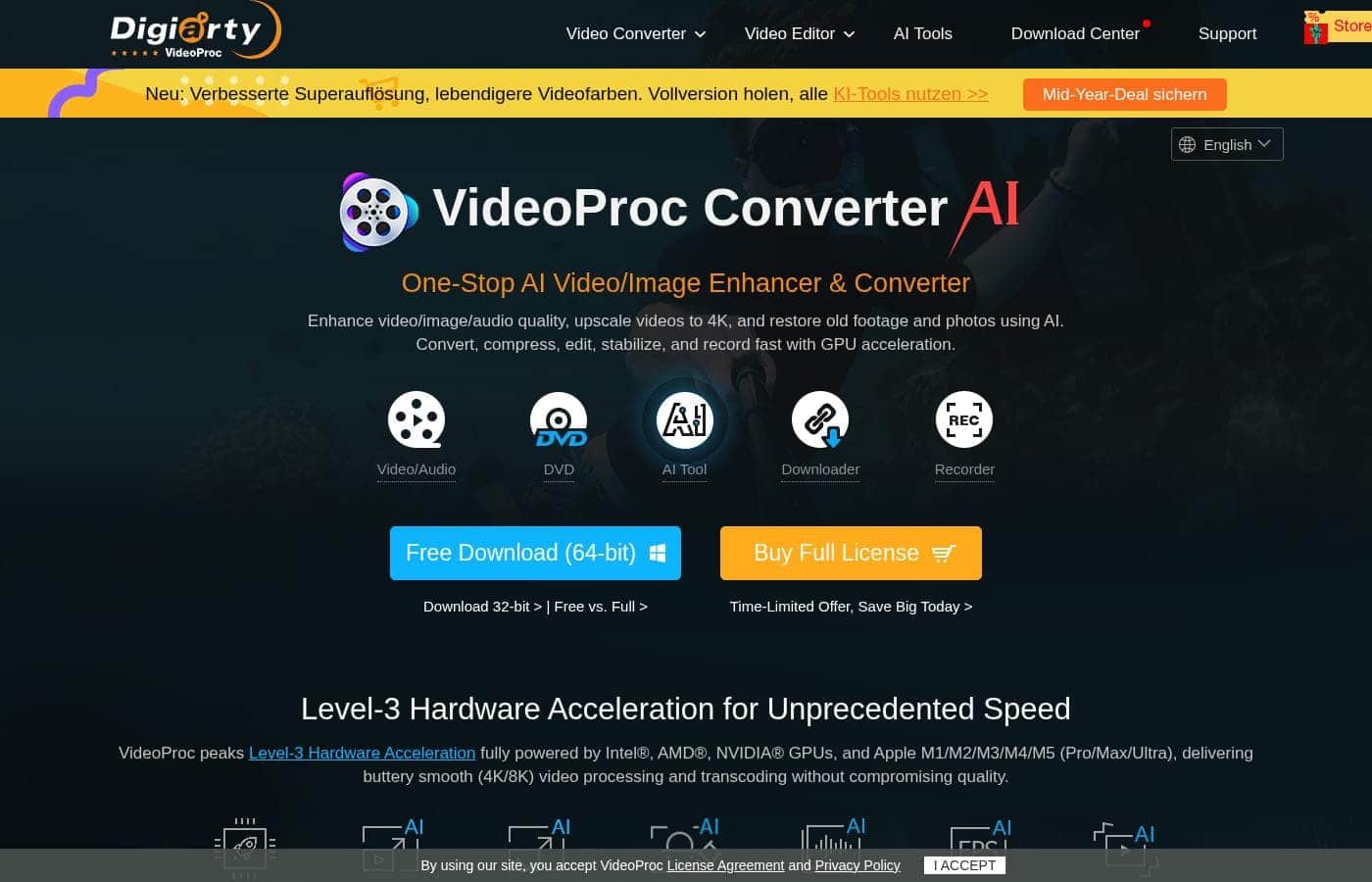
VideoProc homepage screenshot

At a glance

Quick overview for VideoProc: rating, pricing summary, key features, and highlights.

Ciroapp review

4.5
Versatile AI converter with great support.

We find VideoProc to be an incredibly versatile and powerful media processing tool, particularly for users needing high-quality conversion and AI enhancement. The excellent reputation of its customer support team adds significant value to the purchase. Overall, it's an essential, user-friendly toolkit that handles complex media tasks efficiently.

Pros

  • Pro:Exceptional and highly responsive customer support helps resolve licensing issues swiftly.
  • Pro:All-in-one suite handles conversion, editing, stabilization, and downloading tasks.
  • Pro:Fast processing fueled by Level-3 Hardware Acceleration technology.
  • Pro:Effective AI upscaling and video compression capabilities.

Cons

  • Con:Users report aggressive, unsolicited application notifications and ads.
  • Con:Some licensing restrictions caused confusion regarding multi-PC usage with lifetime plans.
  • Con:Installation difficulties noted concerning hardware verification for certain AMD systems.
Money-back guarantee
Yes — 30 days
Range: $25.95/year – $57.95 (one-time)Yearly subscription, One-time payment, Lifetime deal
This section is a summary. Detailed sections about features, use cases, pricing, and reviews follow below.

VideoProc review, pricing, features, pros & cons

Dealing with low-quality video or noisy audio can be a pain. VideoProc offers a refreshingly direct solution. It helps you stabilize shaky footage and improve images using AI, making complex edits simple.

What is VideoProc?

VideoProc stands out as a versatile media processing suite designed to handle diverse digital content tasks. It appeals to anyone needing to convert, edit, or intensely enhance their media files. This tool works across different media types, offering specialized features for video, images, and audio.

You can also use it to manage DVDs, download online content, and record materials. It is truly a comprehensive toolkit for modern digital creators. 💡

VideoProc Key Features

✨ Advanced Video Enhancement Using AI

VideoProc helps you achieve professional results even when starting with low-quality or shaky footage. It uses powerful AI features to dramatically revitalize your video quality, making complex fixes simple. You can easily combine these tools for the best outcome.

The Video Stabilization feature automatically handles shaky video, giving your final product a stable, polished look. If your footage needs a sharpness boost, the Super Resolution capability works to intensely enhance the visual details. This helps ensure your videos look their best regardless of the original capture quality.

Furthermore, utilize Frame Interpolation to refine the motion within your video files. This improves the smoothness of your playback. Achieving stable and refined videos happens quickly with these integrated stability tools.

✨ Comprehensive Image Restoration and Upscaling

You can transform your existing photos and digital images using specialized tools designed for intensive image improvement. This suite appeals to anyone needing to enhance or restore different types of still media.

The Upscaler/Enhancer drastically improves image quality and resolution. For those working with old family photos, dedicated features like Face Restoration help fix portraits and clarify features. Plus, the Colorizer tool provides a way to bring black and white photos back to life.

The combination of these focused tools helps you effectively manage and improve images. They provide targeted enhancements across all your media projects, saving time on complex fixes.

✨ Refining Audio for Crisp Sound

Noisy audio or cluttered soundscapes can ruin a great video, but VideoProc offers refreshingly direct audio solutions. You can refine your sound efficiently by implementing advanced audio processes.

Use Noise Suppression to remove unwanted or distracting background sounds from your tracks. This helps ensure your audience hears only what is intended. Additionally, the Vocal Remover tool gives you the capability to isolate or eliminate the vocal track entirely, which is useful for creating instrumentals or karaoke files.

💡 Essential Editing in a Single Workspace

All essential editing tasks are available within a single, unified workspace, helping you streamline your workflow effectively. You do not need to juggle multiple programs when perfecting your files.

The suite includes standard operations you perform daily, such as cut, merge, crop, and rotate. Whether you are splitting long clips into shorter segments or combining several files, these tools offer the simplicity needed for fast editing. You can adjust the framing by cropping and ensure the correct orientation through rotation.

✨ Full Media Processing Suite

VideoProc stands out as a versatile media processing suite designed to handle diverse needs beyond just editing. It manages a wide range of requirements using just this one application. It is truly a comprehensive toolkit for modern digital creators.

The application handles core functions including converting media files to ensure compatibility across devices and platforms. You can also use it to manage DVDs, download online content, and record materials. This versatility simplifies complex workflows by covering multiple needs.

Use Cases

✨ Restoring and Upscaling Your Favorite Videos

Do you own older videos that lose quality on modern high-resolution screens? It's frustrating when treasures look tiny or blurry. You can easily apply the powerful Super Resolution AI feature here. This capability intelligently enhances the detail and revitalizes the footage. It dramatically improves video clarity and size, making those cherished memories look sharp again.

Tip: Combine Super Resolution with the Upscaler/Enhancer for maximum visual impact on vintage clips.

⛰️ Fixing Shaky Action Camera Footage

Filming dynamic activities like biking or hiking often results in shaky and nauseating clips. VideoProc offers integrated stability tools to handle this common problem. Applying the video stabilization feature smooths out excessive camera motion very quickly. You get professional-looking, fluid video without needing expensive stabilization hardware.

Expected outcome: Smooth playback, even from highly unstable original recordings.

🎧 Cleaning Audio Tracks for Clear Communication

Background noise can ruin an otherwise perfect video or voice recording. If your audio has distracting hums or static, the solution is immediate. You can utilize the advanced audio tools like Noise Suppression easily.

This removes interference and ensures your audience hears clean, crisp sound quality. Refined audio makes a huge difference in content professionalism.

🔄 Converting and Unifying Mixed Media Files

It’s hard to combine projects when files are in many different formats. Stop wasting time juggling multiple conversion utilities. VideoProc allows you to convert file formats for video, image, and audio all in one place.

You can then quickly perform essential editing tasks like cut, merge, crop, and rotate. This unified workspace saves significant time in preparing content.

🖼️ Digitally Restoring Faded Family Photos

Problem: A treasured physical photo, now scanned, is low-resolution and faded. Approach: Apply the AI-powered Upscaler/Enhancer to sharpen edges and boost overall resolution. You can further use tools like Face Restoration to refine portraits and the Colorizer for vibrant enhancement.

Outcome: The restored photo looks dramatically better than the original digitized image.

🎤 Creating Custom Backing Tracks

For content creators or musicians, getting clean instrumental tracks can be difficult. The specialized Vocal Remover feature handles this task efficiently. You simply process the audio file within the suite to separate vocals from the music.

This quickly creates a clear backing track for covers or original compositions.

💾 Managing and Capturing Digital Content

Many creators need more than just editing; they need specialized utilities. VideoProc helps you manage content from physical sources like DVDs. You can also quickly download online content and record material easily.

This comprehensive toolkit ensures you can acquire, process, and output your media using only a single application.

Pricing Overview for VideoProc

Pricing range
$25.95/year – $57.95 (one-time)
Pricing types
Yearly subscription, One-time payment, Lifetime deal
Money-back guarantee
Yes — 30 days

VideoProc offers an annual subscription and two convenient lifetime purchase options, starting at $25.95 per year. The pricing structure is straightforward, scaling mainly based on the required installation count and whether you prefer yearly access or a permanent lifetime license.

Plans & Pricing

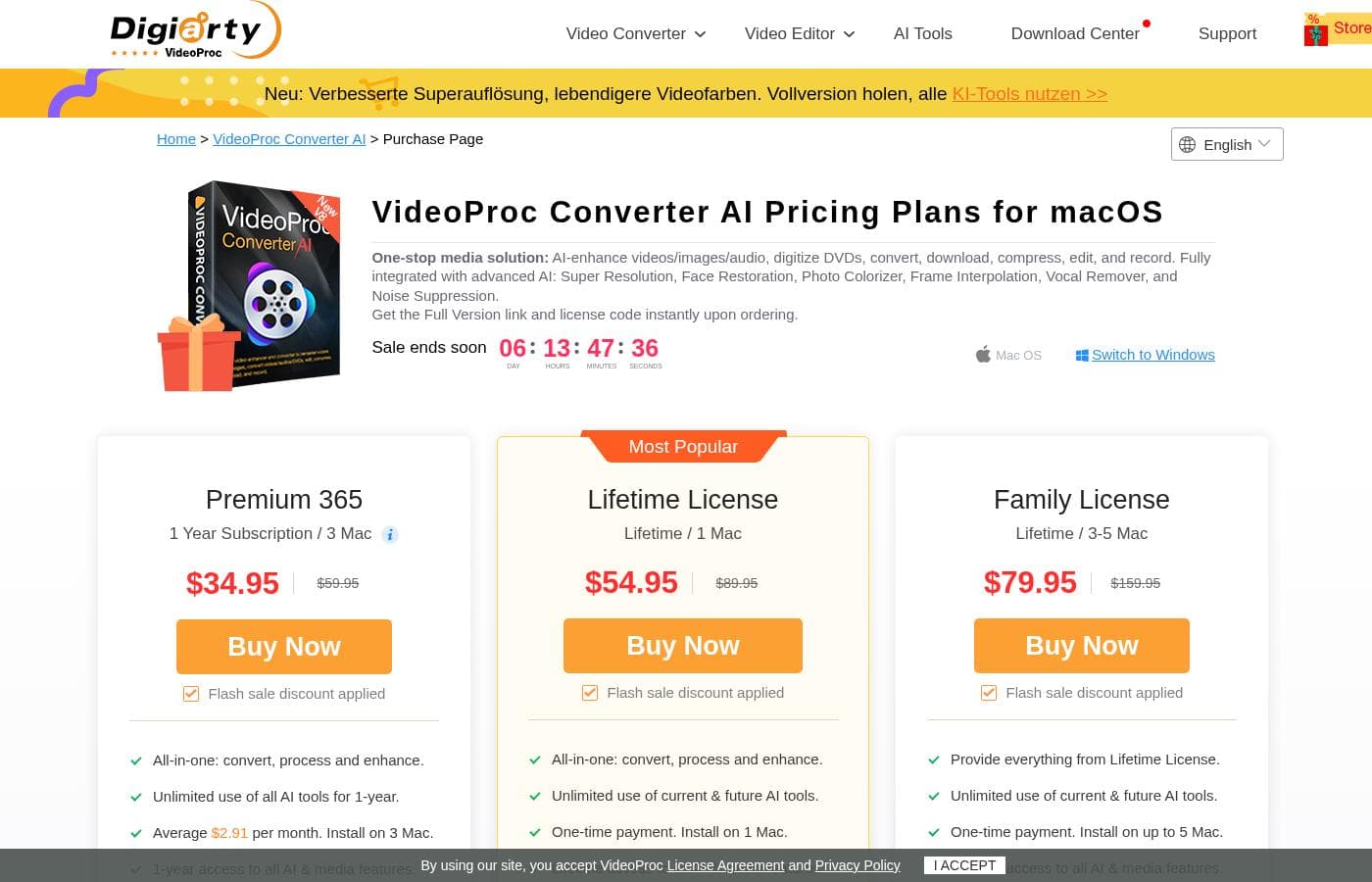
Premium 365

Monthly2.16
Yearly25.95
Install on 3 Mac
  • 1-year access to full features and updates
  • All-in-one: convert, process, and enhance
  • Instant delivery of Full Version license code
  • 30-day money-back guarantee

Lifetime License

Contact for pricing
Install on 1 Mac
  • One-time payment
  • Lifetime access to full features and updates
  • All-in-one: convert, process, and enhance
  • Instant delivery of Full Version license code
  • 30-day money-back guarantee

Family License

Contact for pricing
Install on 3-5 Mac
  • Provide everything from Lifetime License
  • One-time payment
  • Lifetime access to full features and updates
  • Instant delivery of Full Version license code
  • 30-day money-back guarantee

VideoProc Converter AI costs between $25.95 annually and $57.95 one-time with three plans: Premium 365 at $25.95/year, Lifetime License at $45.95 one-time, and Family License at $57.95 one-time.

Since the interface will show the current offers, here are the details for each plan offered for Mac users.

Premium 365

Price: $25.95 per year Websites Supported: 3 Mac Best For: Users who prefer budgeting yearly and only need a few installations Refund Policy: 30-day money-back guarantee Other Features:

  • 1-year access to full features and updates
  • All-in-one: convert, process, and enhance
  • Instant delivery of Full Version license code

This yearly subscription averages out to about $2.16 per month, covering three devices. It’s perfect if you need the flexibility of annual billing and want access to the latest updates for a full year.

Lifetime License

Price: $45.95 (one-time payment) Websites Supported: 1 Mac Best For: Individual users seeking permanent access without renewal fees Refund Policy: 30-day money-back guarantee Other Features:

  • One-time payment
  • Lifetime access to full features and updates
  • All-in-one: convert, process, and enhance
  • Instant delivery of Full Version license code

If you dislike subscriptions, the Lifetime License is a great choice. You pay only once, securing permanent access for your single Mac. This tier includes all the powerful AI tools and enhancements forever. 👍

Family License

Price: $57.95 (one-time payment) Websites Supported: 3–5 Mac Best For: Households or small teams needing extensive, permanent coverage Refund Policy: 30-day money-back guarantee Other Features:

  • Provides everything from Lifetime License
  • One-time payment
  • Lifetime access to full features and updates
  • Install on up to five Macs

This plan offers the best long-term value, covering up to five different Macs in your home or small business. It is a single purchase that grants lifetime access, so you never have to worry about renewing or unexpected fees.

Since there is no free version explicitly mentioned, it is reassuring that all three available purchase plans include a 30-day money-back guarantee. This guarantee allows you to try the full software risk-free before committing long-term.

User Reviews

Users widely praise VideoProc as a user-friendly and superb software package. Reviewers frequently highlight its speed and power, noting the efficiency of conversion and AI upscaling for revitalizing old content.

A major theme across all feedback is the truly exceptional quality of customer support. Users describe the support team as "outstanding," "extremely fast," and "quick to respond," often resolving complex licensing and reinstallation issues quickly and professionally.

The software is also lauded for its comprehensive feature set, combining downloaders, converters, and editors into one efficient, reliable application. 👍 While the feedback is largely very positive, a small segment of users reported confusion regarding the multi-PC lifetime licensing limits, and one user specifically called out aggressive, unsolicited Mac advertisements.

Technical challenges, such as hardware acceleration issues on some AMD systems, were noted, but the developers showed responsiveness when addressing these reports. Overall, users see it as an essential, all-in-one media tool that delivers reliable results.

What users say elsewhere

Arun K.
· Trustpilot
5.0 / 5

It can convert a 6–8 GB file into less than 100 MB without losing video quality. This saves precious hard drive space. It is incredibly user friendly and anyone can use it without difficulty.

Shirley A.
· Trustpilot
5.0 / 5

I want to specifically thank 'Shirley' from support for her patience. She helped me walk through complex setup problems step by step. It’s a great product, and having great support is paramount.

No reviews yet.

Write a Review

Write a Review for VideoProc
0/100 characters
0/2000 characters

Why use VideoProc?

Why juggle multiple programs when you can streamline your workflow? VideoProc provides targeted enhancements across all your media projects, saving time and simplifying complex fixes. Here is why you should consider making it your primary media toolkit:

  • Easily combine powerful AI features, like Super Resolution and Upscaler/Enhancer, to dramatically revitalize both video and image quality.
  • Achieve professional-looking videos quickly with integrated stability and refinement tools, including video stabilization and frame interpolation.
  • Refine your sound efficiently by implementing advanced audio tools for noise suppression and vocal removal capabilities.
  • Perform all essential editing tasks—such as cut, merge, crop, and rotate—within a single, unified workspace.
  • Manage a wide range of needs by handling conversion, downloading, recording, and even DVD content using just this one application. ✅

Ready to transform your workflow with VideoProc?

VideoProc Alternatives

Other tools in the Video Converter category

Frequently Asked Questions

Is there a free trial or free version of VideoProc Converter AI available?

There is no free trial or free version explicitly mentioned on the site. However, all plans include a full 30-day money-back guarantee, allowing you to test the software's comprehensive features risk-free before committing.

How does the annual subscription handle auto-renewal and cancellation?

The Premium 365 annual subscription auto-renews yearly. You will receive advanced notice seven days before the charge date, and you are permitted to cancel your subscription at any time.

If I am unhappy, what are the details of the refund policy?

VideoProc offers a strong 30-day money-back guarantee on all purchase options. This ensures you have a full month to evaluate the software and its performance before making a long-term commitment.

Is licensing based on usage limits, like file size or processing hours?

No, the pricing is fixed per installation count, not usage. Licenses are based on the number of devices you can install the software on, such as one, three, or up to five Macs.

Can I use the software on both Mac and Windows operating systems?

The pricing structure is specific to Mac OS, but the purchase page clearly shows a 'Switch to Windows' option. Be sure to select the correct license for your intended operating system during checkout.

What is the expected responsiveness of the customer support team?

Customer support is highly praised by users, who describe it as 'outstanding,' 'extremely fast,' and 'quick to respond.' They are known for swiftly resolving licensing and installation concerns.

How quickly will I receive my license code after purchasing?

The purchase guarantee ensures 'instant delivery of Full Version license code' right after you complete your order. This means you can begin using the software immediately.

What does the Family License limit of '3–5 Mac' actually mean?

The Family License is a one-time purchase that grants permanent access and feature updates for up to five Mac installations. It offers the best long-term value for multiple users or devices.

Does VideoProc integrate with any external applications or cloud storage services?

Not explicitly stated on the official site. VideoProc is fundamentally a comprehensive desktop application focusing on local media enhancement and processing.

Who is the ideal user for VideoProc Converter AI?

It is best suited for individuals or small creative teams who need a reliable, all-in-one desktop tool. It excels at combining conversion, editing, and powerful AI enhancement for both videos and images.

Regarding data security, where is the video processing handled?

Not explicitly stated on the official site. Since VideoProc is a download software focused on maximizing local hardware acceleration, processing typically occurs directly on your computer.

Are there any region restrictions or language limitations when buying the license?

Not explicitly stated on the official site regarding regional restrictions. The user interface shown on the purchase page is in English.

Ready to try VideoProc? Check out the official site or pricing.