UniConverter

UniConverter review

One AI toolbox for converting, enhancing, compressing, and recording video.

UniConverter costs from $5/mo · 5 plans · prices checked Oct 13, 2026

By Ciroapp Editorial Team · Updated Sep 8, 2026

Commission may apply at no extra cost

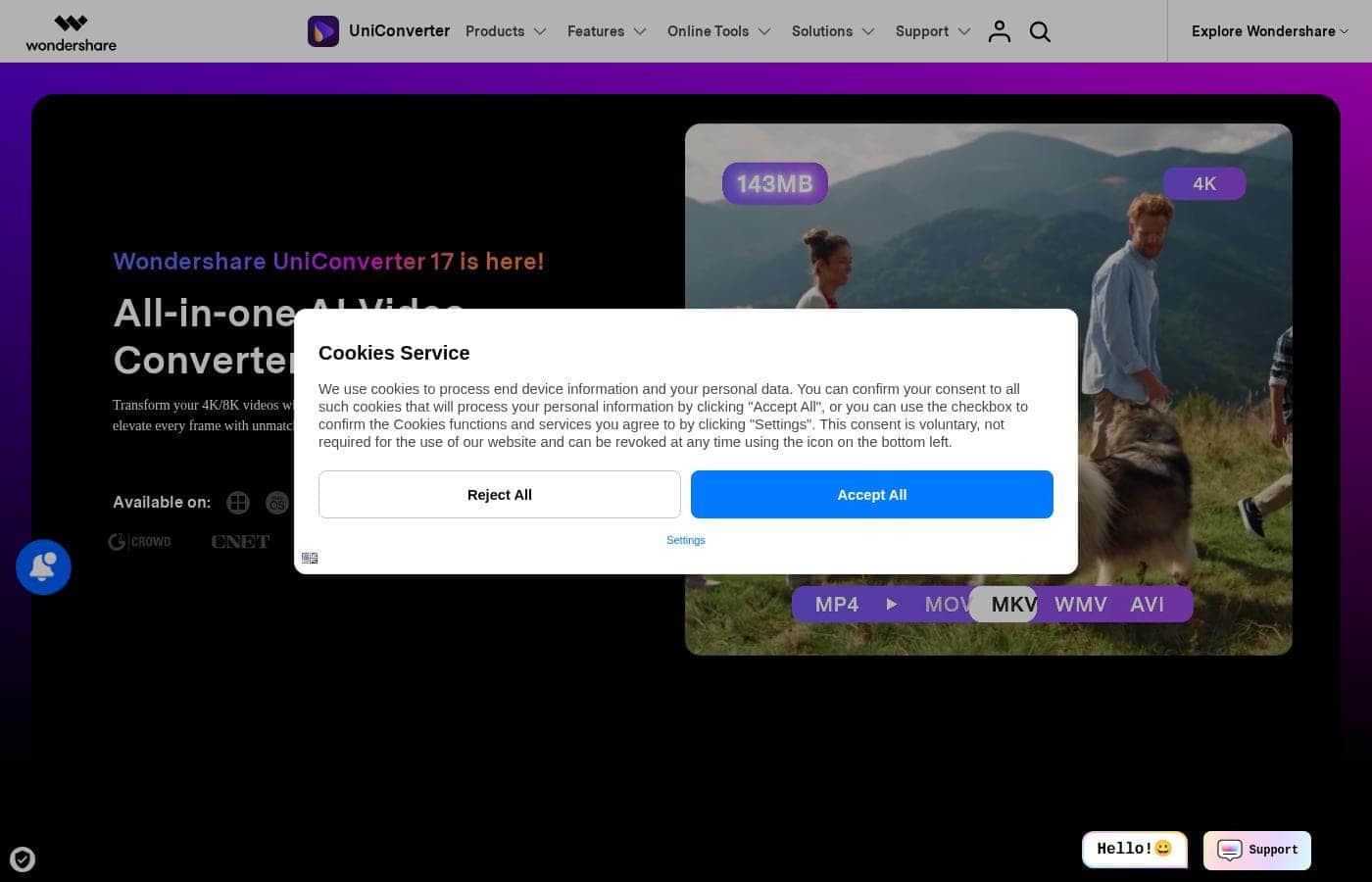
UniConverter homepage screenshot

At a glance

Quick overview for UniConverter: rating, pricing summary, key features, and highlights.
Pricing verified Oct 13, 2026

Ciroapp score

4.1/ 5

UniConverter bundles converting, compressing, recording, and AI enhancement in one desktop app for Windows and Mac, with plans from $59.99 a year or a one-time $85.99. Its AI tools trigger a separate $19.99/month renewal, licenses are platform-specific, and speed claims come only from Wondershare. Overall, it's a solid pick if you convert video regularly.

Pros

  • Pros:Handles 1,000+ video and audio formats with batch conversion, so mixed folders from different devices finish in one pass
  • Pros:AI Video Enhancer upscales old or low-resolution footage to 4K/8K, reduces noise while keeping texture, and boosts frame rates up to 240 FPS
  • Pros:AI-powered compressor picks the best mode per video and can shrink files by up to 90%, useful for meeting platform size limits

Cons

  • Cons:Licenses are sold separately for Windows and Mac, and some features differ between the two platforms, so you must compare before checkout
  • Cons:The Perpetual Plan does not include future major versions of the software, so a big new release requires a fresh purchase
  • Cons:The full AI feature set requires installing the desktop app; the free online tools cover mainly converting and compressing
Best for
  • Content creators prepping clips for editing software
  • Movie collectors converting 4K/8K files for any player
  • Social media users hitting platform size limits
Free trial
Yes — 7 days
Money-back guarantee
Yes — 30 days
This section is a summary. Detailed sections about features, use cases, pricing, and reviews follow below.

What is UniConverter?

Video work often means juggling one app to convert, another to compress, and a third to fix quality. Wondershare UniConverter 17 puts those jobs in one place. You get batch conversion across 1,000+ formats, AI upscaling to 4K/8K, and compression the site says can free up to 90% of storage.

UniConverter is Wondershare's desktop media suite for Windows and Mac, positioned as an all-in-one AI video converter and enhancer. It converts, compresses, records, edits, and improves video, audio, and images, with free online tools for quick jobs. Based on the vendor's site, it targets creators, educators, social media users, and small teams who handle lots of media files.

Should you choose UniConverter?

Quick buyer guidance before you compare plans or click through.

Choose it if

  • You want conversion, compression, recording, and editing in one desktop app instead of several tools
  • You work with many file types — the vendor lists 1,000+ supported formats with batch jobs
  • You need AI helpers like subtitles and translation in 145+ languages or bulk watermark removal
  • You're on Windows 11/10/8/7 or macOS 10.13 or later, including macOS 26 Tahoe
  • You prefer to try before buying — free online tools and a free desktop download are offered

Skip it if

  • Browser-only users — the full AI feature set requires installing the desktop app; online tools cover mainly converting and compressing
  • Linux users — there's no Linux version, and older systems below Windows 8 or macOS 10.13 aren't supported
  • Buyers with modest hardware — heavy AI jobs like 4K/8K upscaling and 240 FPS boosting may depend on your GPU, so check the tech specs page first
  • Anyone with a single occasional conversion — the free online converter may cover that without a purchase

Next steps before buying

  1. 1Test the free online converter or compressor in your browser to gauge speed and output quality.
  2. 2Download the free desktop trial for Windows or Mac and run one real conversion, compression, and AI enhancement job.
  3. 3Open the tech specs page to confirm your formats, devices, and GPU are supported.
  4. 4Compare Windows and Mac store pricing, and check upgrade discounts if you own an older version.
  5. 5Read Wondershare's refund policy before checkout so the return terms are clear.

Ease of use

Signals point to a gentle on-ramp. Free online tools need no install, the desktop trial is one download away, and Wondershare provides step-by-step guides, video tutorials, and FAQs. AI modes that auto-pick formats or compression settings cut down guesswork. Customer quotes on the site describe it as easy to use and versatile, though the sheer number of tools means there's plenty to explore.

UniConverter Key Features

✨ Convert almost anything, in bulk

Stop fighting "file format not supported" errors. UniConverter handles 1,000+ formats with batch conversion, so mixed folders from different devices finish in one pass. The AI recommends the best format for your scenario, and Wondershare claims speeds up to 130x faster.

It covers 4K, 8K, and HDR files.

✨ Revive old footage with AI

Blurry phone clips and dated camera videos get a second life. The AI Video Enhancer upscales to 4K/8K, refines faces and anime, and reduces noise while keeping texture. Frame rates can be boosted to a smooth 240 FPS.

There's also an Image Enhancer and Old Photo Restoration for scratches and fading.

🎙️ Shrink files and capture screens

The compressor's AI picks the best compression mode for each video, so quality holds up while you free up to 90% of storage. It's handy when platform size limits loom. The recorder captures app windows, meetings, courses, and streams up to 4K at 120 FPS with 320 kbps audio.

✨ AI helpers for content work

Several AI tools handle the tedious parts of publishing:

  • Generate subtitles and translations in 145+ languages with editable bilingual captions.
  • Remove logos, objects, text, or people from videos in bulk.
  • Summarize long videos into clear recaps in 145+ languages.

AI vocal and background removers round out the set.

✨ Finishing tools in the same app

When conversion is done, editing tools are one click away. Merge playlists or full series, burn videos to DVD, edit clips, or turn text into speech with AI voices. UniConverter also preserves and repairs metadata, and it can keep or generate chapters during conversion, compression, or editing.

Use Cases

🎬 Prep Clips for Editing

Your editing software won't open half your footage. Batch-convert mixed files to the right format without quality loss, and grab extra clips from websites. Expected outcome: every clip imports ready to edit.

📱 Beat Social Media Size Limits

Platforms reject files that are too big. The compressor's AI picks the best mode per video and can shrink files by up to 90% while keeping quality. > Tip: batch-compress a whole folder in one pass.

🖼️ Restore Old Videos and Photos

Blurry home videos and faded photos don't have to stay that way. Upscale footage to 4K/8K, reduce noise, and boost frame rates to 240 FPS. Image tools remove scratches and fading.

Expected outcome: sharper memories you can share.

🎓 Record and Caption Course Content

Educators can record screens, meetings, or lessons in up to 4K, then convert videos to platform-friendly formats. Add subtitles in 145+ languages for students anywhere. One app covers recording, converting, and captioning.

UniConverter pricing

From$5/mo

  • 5 plans

Prices checked on Oct 13, 2026 from UniConverter's pricing page

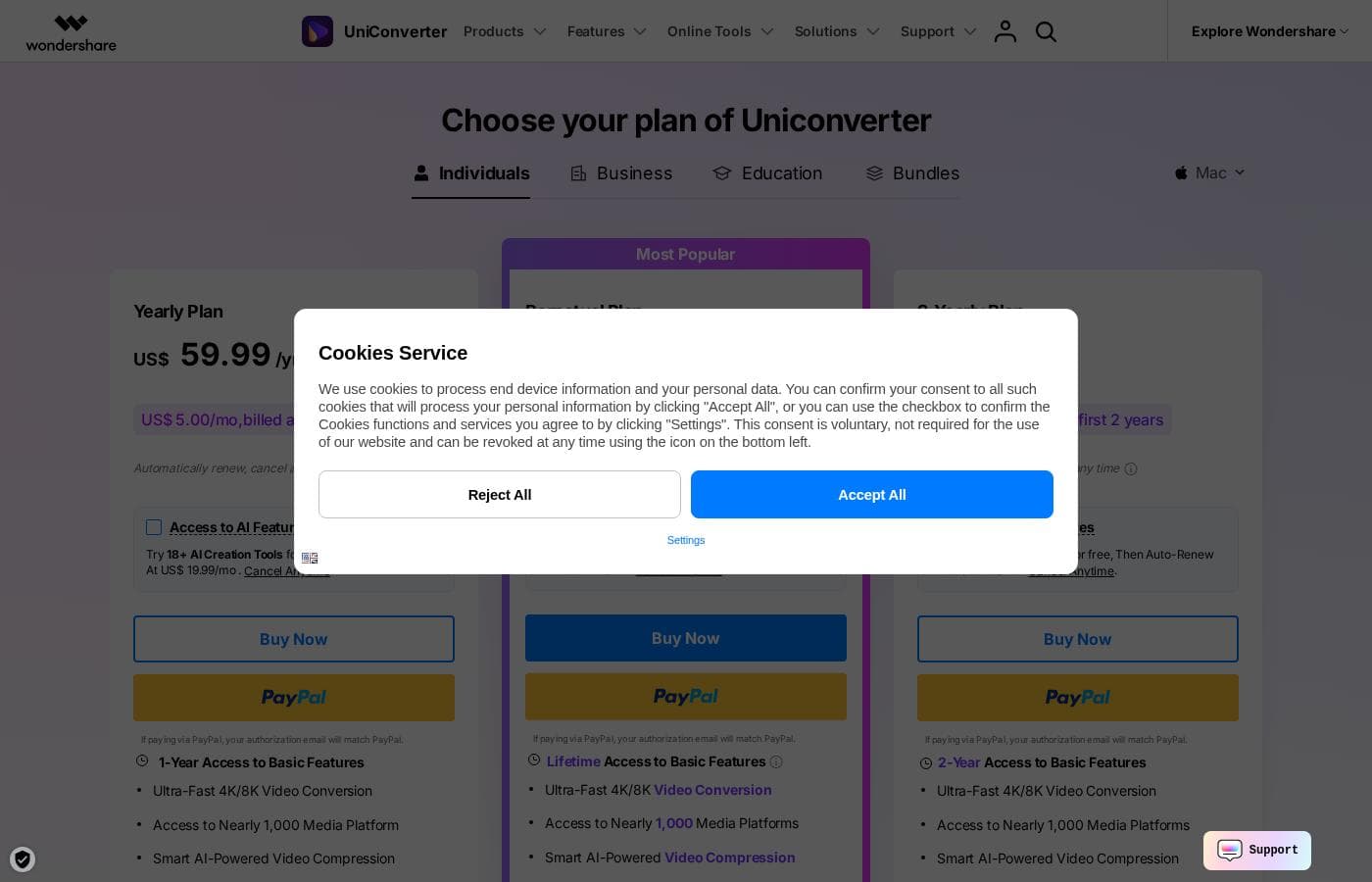
UniConverter pricing page screenshotView pricing page screenshot
PlanBilled monthlyBilled annuallyIncludes
Yearly Plan
—
$5/mo
$59.99 per year
US$5/mo billed annually; auto-renews, cancel anytime; 1-year access to basic features, 4K/8K conversion, 10,000+ download sites, 600 bonus AI credits.
Perpetual Plan
$85.99
—
Lifetime access to basic features; 600 one-time bonus AI credits; does not include future major versions.
2-Yearly Plan
—
$6.67/mo
$79.99 per year
US$3.33/mo for the first 2 years; auto-renews, cancel anytime; 1000 one-time bonus AI credits.
AI Creation Tools (7-day trial)
$19.99/mo
—
Free for 7 days, then auto-renews at US$19.99/mo; access to 18+ AI tools; cancel anytime.
Free Trial
See vendor page
See vendor page
Limited to 1/3 length conversion, 1 file download (max 480P), 20 AI credits; includes 7-day trial of AI tools.

Price history

Tracking prices since Sep 7, 2026. No price change detected yet.

Pricing types: Free trial, Yearly subscription, One-time payment

Pricing notes

UniConverter offers a Yearly Plan at US$59.99/yr (US$5/mo billed annually), a Perpetual Plan at US$85.99, and a 2-Yearly Plan at US$79.99/yr (US$3.33/mo for the first 2 years). A 7-day free trial of 18+ AI Creation Tools is available, which auto-renews at US$19.99/mo if kept.

UniConverter costs between $59.99 and $85.99 with three plans: a Yearly Plan at $59.99/year, a 2-Yearly Plan at $79.99 for two years, and a Perpetual Plan at $85.99 as a one-time fee. All three unlock the same core video toolbox, so the real choice is how long you want access.

Yearly Plan

Price: US$59.99/year (US$5.00/mo, billed annually) Refund Policy: 30-day money-back guarantee Other Features:

  • 1-year access to basic features
  • Ultra-fast 4K/8K video conversion
  • Access to nearly 1,000 media platforms
  • Smart AI-powered video compression
  • Powerful batch video editing tools

This is the page's most popular option, and it makes sense. You pay less up front, the subscription auto-renews, and you can cancel anytime. It suits anyone who converts video regularly but isn't ready to commit long term.

Perpetual Plan

Price: US$85.99 (one-time fee) Refund Policy: 30-day money-back guarantee Other Features:

  • Lifetime access to basic features
  • Ultra-fast 4K/8K video conversion
  • Access to nearly 1,000 media platforms
  • Smart AI compression and batch editing tools

Hate subscriptions? Pay once and keep the version you bought, updates included. One catch: it doesn't cover future major versions, so a big new release would need a fresh purchase. Skip this tier if you always want the newest features.

2-Yearly Plan

Price: US$79.99 for 2 years (US$3.33/mo for the first 2 years) Refund Policy: 30-day money-back guarantee Other Features:

  • 2-year access to basic features
  • Ultra-fast 4K/8K video conversion
  • Access to nearly 1,000 media platforms
  • Smart AI compression and batch editing tools

Confident you'll stick around? This works out cheaper per month than paying yearly. It's the best fit for heavy users like editors, educators, and creators who convert and compress video every week.

Every plan also includes access to AI features: you can try 18+ AI creation tools for free, then it auto-renews at $19.99/month if you keep them. You can cancel that anytime from your account. Paid plans also come with AI credit bonuses.

One thing to confirm before buying: licenses are sold separately for Windows and Mac, so make sure you pick the right platform for your device.

New here? There's a 7-day free trial covering all functions of Version 17 and above. The standard trial version is more limited — it converts just 1/3 of a video's length and downloads one file at up to 480p. And if it's not a fit, the 30-day money-back guarantee has you covered.
Cost calculator

Estimate what UniConverter costs for your team.

Billing

Yearly Plan has no published price for this billing cycle.

Yearly Plan has a flat price: the number of seats does not change the total. Estimate based on published list prices, before taxes, add-ons and discounts.

How to pay less for UniConverter

  • Use the 7-day free trial before you pay.
  • 30-day money-back guarantee if it does not fit.
Start free trial

Email me when UniConverter changes price

One email when we detect a price change on the vendor's pricing page. No newsletter, no deals. Unsubscribe in one click.

User Reviews

No reviews yet.

Write a Review

Write a Review for UniConverter
0/100 characters
0/2000 characters

Why use UniConverter?

If your week is full of 'file format not supported' errors and bloated video folders, this toolbox is built for exactly that mess. Here's what it offers, according to Wondershare's own materials:

  • One app instead of many. Convert, compress, record, edit, merge, burn DVDs, and fix metadata in a single program for Windows or Mac.
  • Wide format coverage. The site lists 1,000+ supported formats with batch conversion, so mixed-device folders get handled in one pass. Wondershare claims speeds up to 130x faster.
  • AI cleanup for old footage. Upscale clips to 4K/8K, reduce noise without losing texture, and boost frame rates up to 240 FPS — handy for reviving camera or phone videos.
  • Real storage relief. The compressor's AI picks a mode per video and can shrink files by up to 90%, which matters when you're up against platform size limits.
  • Content extras built in. Subtitles and translation in 145+ languages, bulk watermark removal, vocal and background removers, and text-to-speech round out the toolkit.
  • A low-risk start. Free online converter and compressor tools, plus a free desktop download, let you test output before spending anything.

UniConverter alternatives

Other tools in the Video Converter category

View all Video Converter tools
VideoProc

VideoProc

Video Converter3.9/5

VideoProc stands out as a versatile media processing suite designed to handle diverse digital content tasks. It appeals to anyone needing to convert, edit, or intensely enhance their media files. This tool works across different media types, offering specialized features for video, images, and audio. You can also use it to manage DVDs, download online content, and record materials. It is truly a comprehensive toolkit for modern digital creators.

UniConverter FAQ

How much does UniConverter cost?

UniConverter's cheapest paid plan, Yearly Plan, costs $5 per month. Paid plans range from $5 to $19.99 per month. Prices checked on Oct 13, 2026 from the vendor's pricing page.

Does UniConverter offer a free trial or a money-back guarantee?

UniConverter offers a 7-day free trial. It has a 30-day money-back guarantee.

Has UniConverter's price changed recently?

No. We have not detected a price change since we started tracking on Sep 7, 2026.

Do I need separate licenses for Windows and Mac?

Yes. Licenses are sold per platform, so buy the version that matches your device. Some features also differ between the Windows and Mac versions, so compare them before checkout.

How fast is customer support if I get stuck?

You can chat with knowledgeable reps through instant live chat, or submit a request in the Support Center and get an email response within 24 hours.

How does billing work for the AI tools?

Every plan lets you try 18+ AI creation tools free. If you keep them, it auto-renews at $19.99/month, and you can cancel anytime from your account. Paid plans also include AI credit bonuses.

Ready to try UniConverter? Check out the official site or pricing.

Are you UniConverter? Claim this listing · Get the badge