Translatepress

Translatepress review

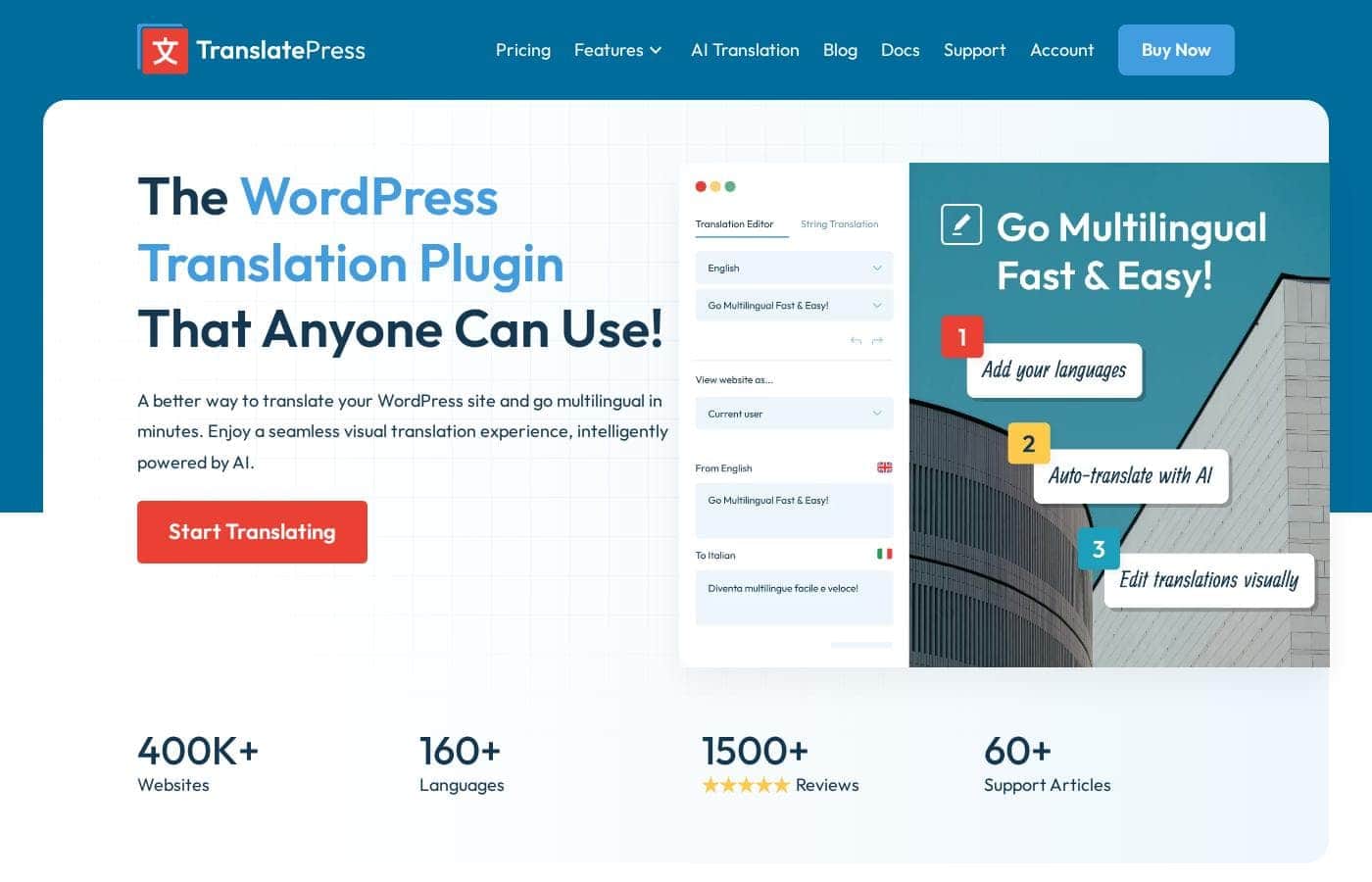
Translate WordPress sites visually, straight from the front-end, without touching code.

Translatepress costs from €8.25/mo · 4 plans · Free plan available · prices checked Oct 13, 2026

By Ciroapp Editorial Team · Updated Sep 17, 2026

Commission may apply at no extra cost

Translatepress homepage screenshot

At a glance

Quick overview for Translatepress: rating, pricing summary, key features, and highlights.
Pricing verified Oct 13, 2026

Ciroapp score

4.0/ 5

TranslatePress replaces backend string files with a visual editor that works on your live page, so what you see is what visitors get. It pairs machine translation with manual refinement and covers multilingual SEO, but its most useful features sit behind paid tiers and large sites translate slowly. Overall, it's a smart pick for WordPress owners who want multilingual pages without developer help.

Pros

  • Pros:Translating directly on the rendered front-end page means you see the final result as you work, catching layout issues and missed strings immediately instead of during QA
  • Pros:Works with page builders and complex themes because it translates rendered output rather than backend source strings, reducing the compatibility breakage common with string-based plugins
  • Pros:Combines automatic machine translation for speed with manual editing for accuracy, so large catalogs can be translated quickly and then refined

Cons

  • Cons:The most useful capabilities — such as additional languages, SEO for multiple languages, and translator accounts — are typically gated behind paid tiers, so the free version may be too limited for a serious multilingual site
  • Cons:Machine translation quality varies by language pair and still requires human review for professional-grade content, adding an editorial step to every translation
  • Cons:Visual translation on large sites with many pages and dynamic strings can become time-consuming, since each string is translated one at a time in the interface
Best for
  • Small business owners who need a second language on their WordPress site without hiring a developer
  • E-commerce store owners who want to bulk-translate product catalogs with machine translation and refine key pages manually
  • Agencies and freelancers who need to hand off translation work to clients or non-technical translators
This section is a summary. Detailed sections about features, use cases, pricing, and reviews follow below.

What is Translatepress?

Making a WordPress site available in multiple languages usually means exporting strings, wrestling with.po files, or juggling separate page trees for each locale. TranslatePress takes a different approach: you open the page you want to translate on the front-end of your own site and translate it in place, with everything rendered exactly as visitors will see it. That design decision shapes the whole experience — translators, editors, and site owners all work on the real page rather than an abstract list of strings.

TranslatePress is a WordPress plugin for translating websites into multiple languages. It works through a visual translation interface: you browse your site as a visitor would, click any text element, and enter its translation. The plugin supports both manual translation and automatic machine translation, handles typical multilingual SEO elements such as translated URLs, meta titles, and descriptions, and is built to be compatible with popular page builders and themes because it translates the rendered output of the page rather than backend source strings.
Should you choose Translatepress?

Quick buyer guidance before you compare plans or click through.

Choose it if

  • Small business owners who need a second language on their WordPress site without hiring a developer
  • E-commerce store owners who want to bulk-translate product catalogs with machine translation and refine key pages manually
  • Agencies and freelancers who need to hand off translation work to clients or non-technical translators
  • Content publishers targeting international organic search traffic with per-language URLs and SEO metadata

Skip it if

  • Teams that need enterprise-scale translation workflows with many concurrent professional translators and translation memory — dedicated TMS platforms fit better
  • Sites where every string must be professionally translated with no machine translation involved, since manual string-by-string translation of very large sites is slow
  • Non-WordPress websites — TranslatePress is built specifically for WordPress and will not work on other platforms

Next steps before buying

  1. 1Install the free TranslatePress plugin from the WordPress plugin directory and activate it, then choose your default language and the additional language(s) you want to offer
  2. 2Open a key page such as your homepage on the front-end, enter translation mode, and translate the visible strings to learn the visual editor workflow
  3. 3If you have a large amount of content, enable automatic machine translation to generate first-pass translations, then review and refine the most important pages manually
  4. 4Configure multilingual SEO settings — translated URLs and meta information — and verify hreflang output before promoting the new language versions in search

Translatepress Key Features

✨ Visual front-end translation interface

TranslatePress lets you translate directly from the rendered page. You navigate to any page on your site, enter translation mode, click on the text you want to change, and type the translation. Because you are working on the actual output — including dynamic content, widget text, and page-builder elements — what you see while translating is what visitors will see, which eliminates layout surprises and missed strings.

✨ Automatic and manual translation combined

You can start with automatic machine translation to get a baseline version of your content quickly, then refine it manually where accuracy matters. This hybrid approach is useful for large catalogs or content-heavy sites where translating everything by hand from scratch would be impractical, while still giving you editorial control over the final wording.

✨ Multilingual SEO support

The plugin addresses the SEO side of multilingual sites: translated page URLs, SEO titles, meta descriptions, and hreflang handling for language variants. This means each language version can rank independently in search results rather than existing only as an on-page toggle, which is essential for any site targeting audiences in more than one language market.

✨ Compatibility with page builders and themes

Because TranslatePress translates the rendered output rather than backend source strings, it works with content produced by page builders and complex themes without requiring special integrations for each one. This reduces the compatibility breakage that commonly occurs when translation plugins and visual builders both try to manage the same content.

Use Cases

💡 Small business sites serving multilingual customers

A local business, restaurant, or service provider that wants an additional language version of its site can use TranslatePress to translate pages visually without hiring a developer. The owner or a translator can work through the homepage, service pages, and contact pages directly on the front-end, and the SEO features ensure the second language can be found in search.

💡 E-commerce stores selling across borders

Online shops with product catalogs benefit from the combination of automatic translation for bulk product descriptions and manual refinement for key sales copy. Translating product pages, checkout labels, and category pages from the front-end means the whole buying experience — not just the content — is available in each language.

💡 Blogs and content sites growing international traffic

Publishers who want to reach readers in other languages can translate posts and landing pages incrementally. Because each language version gets its own URL and SEO metadata, translated articles can accumulate organic search traffic over time rather than functioning only as a courtesy translation.

💡 Agency and freelancer WordPress workflows

Agencies building multilingual sites for clients can hand translation work to non-technical team members or the client themselves. The visual editor requires no coding knowledge, so the person who knows the target language best can do the translating without backend training.

Translatepress pricing

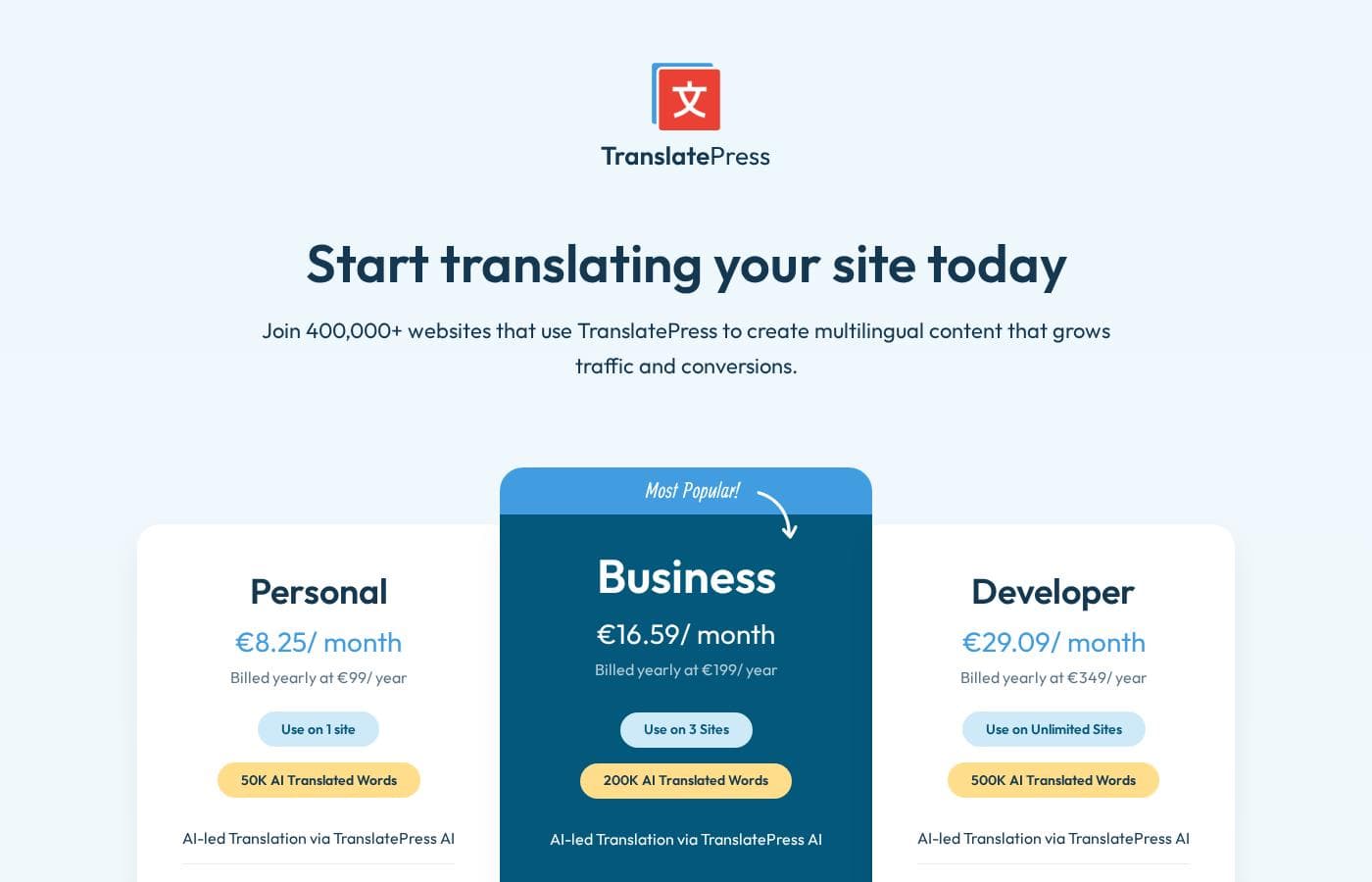
From€8.25/mo

  • From the vendor's pricing page, checked Oct 13, 2026
  • 4 plans
  • Free plan available

Prices checked on Oct 13, 2026 from Translatepress's pricing page

Translatepress pricing page screenshotView pricing page screenshot
PlanBilled monthlyBilled annuallyIncludes
Free
Free
—
Personal
€8.25/mo
—
Business
€16.59/mo
—
Developer
€29.09/mo
—

Price history

Tracking prices since Sep 30, 2026. No price change detected yet.

Pricing types: Free plan, Monthly subscription, Yearly subscription, Usage-based pricing

Pricing notes

Translatepress pricing: Plans from €0 Billing options: Free plan, Monthly subscription, Yearly subscription, Usage-based pricing

Cost calculator

Estimate what Translatepress costs for your team.

Billing
Per month
€8.25
Per year
€99

Personal states no user limit: shown as one price for the whole account. Check the price for 5 users with the vendor. Estimate based on published list prices, before taxes, add-ons and discounts.

How to pay less for Translatepress

  • Start on the free plan and upgrade only when you hit its limits.
  • Cheaper tools in this category start at €3.25/mo.
Visit Translatepress

Email me when Translatepress changes price

One email when we detect a price change on the vendor's pricing page. No newsletter, no deals. Unsubscribe in one click.

User Reviews

No reviews yet.

Write a Review

Write a Review for Translatepress
0/100 characters
0/2000 characters

Why use Translatepress?

Most translation workflows force a disconnect between what the translator sees and what the visitor gets, which leads to broken layouts, missed strings, and endless QA cycles. TranslatePress removes that disconnect by letting you translate the live page itself.

This lowers the technical barrier for non-developers, makes it practical to hand translation work to freelancers or team members without backend access, and reduces the compatibility problems that plague string-based translation plugins when paired with complex themes and page builders.

Translatepress alternatives

Other tools in the Multilingual WordPress plugins category

View all Multilingual WordPress plugins tools
WPML

WPML

Multilingual WordPress plugins4/5From €3.25/mo

WPML is the trusted solution for making WordPress sites easily navigable in multiple languages. It efficiently translates core elements like pages, posts, menus, and even text buried within your theme 💡. Designed to be flexible, WPML integrates seamlessly with any theme or plugin that respects the standard WordPress API, ensuring your site remains functional and cohesive.

Polylang

Polylang

Multilingual WordPress plugins4/5

Polylang is the trusted solution designed to make your WordPress website truly multilingual. It helps businesses, agencies, bloggers, and e-commerce stores speak to a global audience with ease. With over 800,000 sites already using it, it’s a widely recognized and proven tool. The setup process is remarkably fast; you simply use the installation wizard to add your required languages and the language switcher. Polylang’s interface is designed to align perfectly with standard WordPress workflows, allowing you to start translating directly from your familiar admin screens.

Translatepress FAQ

How much does Translatepress cost?

Translatepress's cheapest paid plan, Personal, costs €8.25 per month. Paid plans range from €8.25 to €29.09 per month. Prices checked on Oct 13, 2026 from the vendor's pricing page.

Does Translatepress have a free plan?

Yes. Translatepress has a free plan (Free); paid plans start at €8.25 per month.

Has Translatepress's price changed recently?

No. We have not detected a price change since we started tracking on Sep 30, 2026.

Do I need coding skills to translate my site with TranslatePress?

No. TranslatePress works entirely through a visual interface on the front-end of your site: you browse the page, click the text you want to translate, and type the translation. There are no.po files to edit, no string exports, and no code changes required, which makes it usable by content editors, freelance translators, and clients without technical backgrounds.

Can TranslatePress translate my site automatically?

Yes. The plugin supports automatic machine translation, which can generate first-pass translations of your content. In practice, most site owners use automatic translation to cover bulk content quickly and then manually refine important pages — landing pages, sales copy, checkout text — where accuracy and tone matter most.

Is TranslatePress compatible with page builders like Elementor or Divi?

TranslatePress translates the rendered output of your pages rather than backend source strings, so content created with popular page builders and complex themes can generally be translated without special per-plugin integrations. As with any WordPress plugin, it is still wise to test the combination on a staging site before deploying to production.

Ready to try Translatepress? Check out the official site or pricing.

Are you Translatepress? Claim this listing · Get the badge