Toolset

Toolset review

Build custom, data-driven WordPress sites in the native block editor β€” fields, queries, forms, maps, and access control in one package.

Toolset costs from €4.25/mo Β· 3 plans Β· prices checked Oct 12, 2026

By Ciroapp Editorial Team Β· Updated Sep 16, 2026

Commission may apply at no extra cost

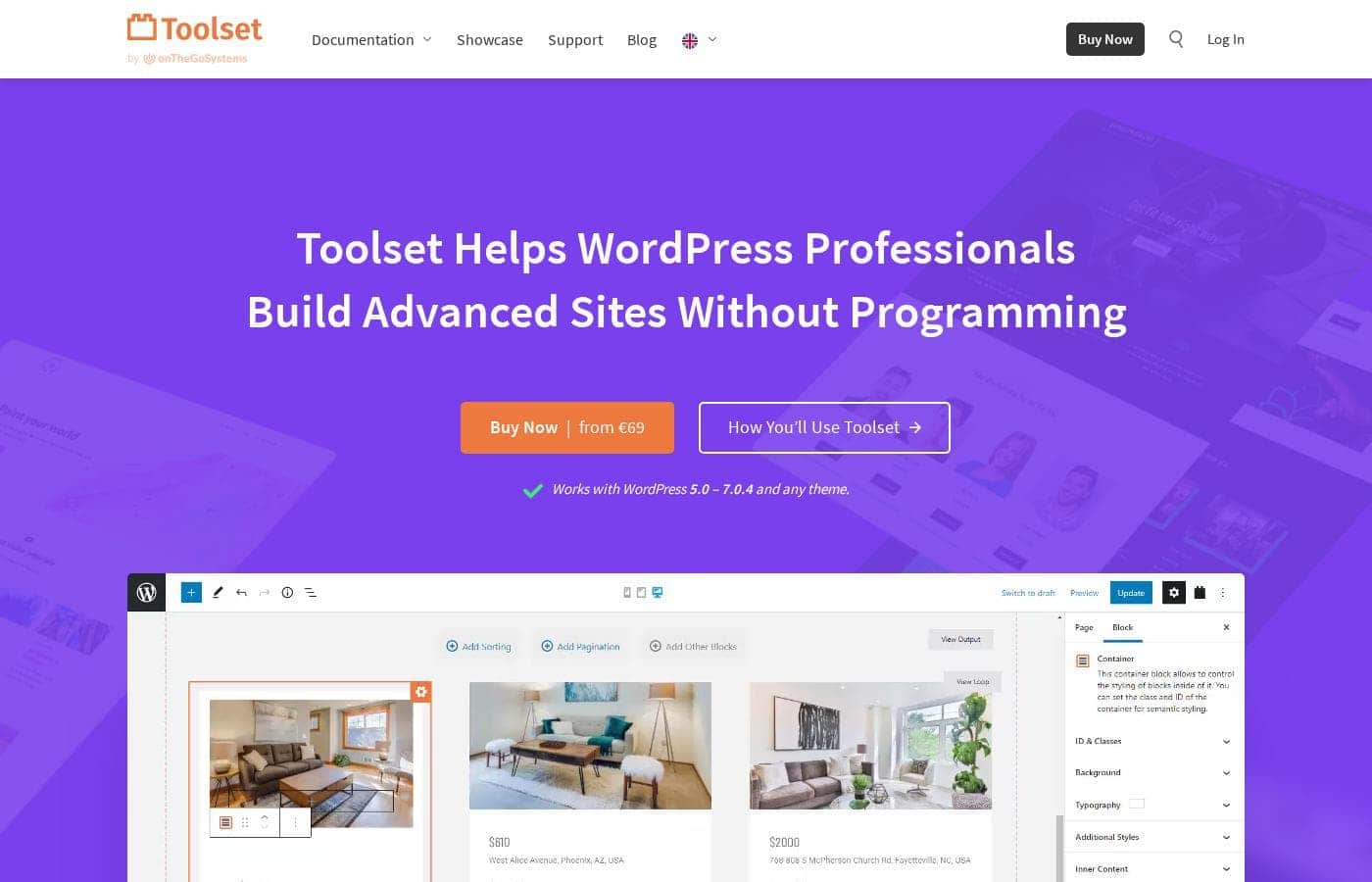
Toolset homepage screenshot

At a glance

Quick overview for Toolset: rating, pricing summary, key features, and highlights.
Pricing verified Oct 12, 2026

Ciroapp score

3.9/ 5

Toolset bundles custom post types, fields, queries, forms, maps, and access control into one WordPress suite that runs inside the native block editor. It's built for developers and agencies, with a real learning curve and plugin dependency to weigh. Overall, it's a strong pick for complex WordPress builds, less so for simple sites.

Pros

  • Pros:Builds on the native WordPress Block Editor instead of a proprietary builder, so layouts and content stay standard and portable.
  • Pros:One package covers custom fields, queries, forms, maps, and access control, reducing the plugin-stacking that often causes conflicts.
  • Pros:Works with any theme and WordPress versions 5.0 through 6.8.2, so it fits existing sites and existing design choices.

Cons

  • Cons:Steep learning curve β€” effective use requires understanding content modeling, queries, and relationships, even though no code is written.
  • Cons:A finished site's templates and displays depend on the plugins staying active, which creates a long-term dependency on the vendor.
  • Cons:Subscription pricing costs more over time than free do-it-yourself combinations such as a custom fields plugin plus custom code.
Best for
  • Freelance WordPress developers who build custom, data-driven client sites and want to avoid hand-coded PHP on every project.
  • Agencies producing directories, membership sites, or client portals where reusable content models speed up delivery.
  • Site owners who need front-end submission and role-based content restrictions without stacking multiple separate plugins.
This section is a summary. Detailed sections about features, use cases, pricing, and reviews follow below.

What is Toolset?

Toolset is a plugin suite for WordPress professionals who need to build complex, data-driven sites without abandoning the platform's native tools. Rather than replacing the editor with a proprietary page builder, it extends the standard WordPress Block Editor with custom post types, custom fields, queries, forms, maps, and access control. The result is a package aimed squarely at developers and agencies: you can assemble directories, membership sites, and custom applications that still behave like ordinary WordPress underneath.

Toolset is a collection of WordPress plugins sold as a single package. It lets you register custom post types, taxonomies, and fields through a visual interface, then display and query that content using the native Block Editor. The suite also includes front-end forms for submitting and editing content, access control for restricting what different user roles can see or edit, and map displays for location-based content.

It works with WordPress versions 5.0 through 6.8.2 and with any theme, so it does not force a specific design framework on your project.
Should you choose Toolset?

Quick buyer guidance before you compare plans or click through.

Choose it if

  • Freelance WordPress developers who build custom, data-driven client sites and want to avoid hand-coded PHP on every project.
  • Agencies producing directories, membership sites, or client portals where reusable content models speed up delivery.
  • Site owners who need front-end submission and role-based content restrictions without stacking multiple separate plugins.

Skip it if

  • Simple blogs or brochure sites that only need standard posts and pages β€” the extra tooling would be unused overhead.
  • Non-technical beginners who want a guided, pick-a-template-and-done experience; Toolset assumes you can plan a content model.
  • Projects that need a guaranteed no-vendor exit path, since templates and views stop working if the plugins are deactivated.

Next steps before buying

  1. 1Map your content model first: list the post types, fields, taxonomies, and user roles the site needs before installing anything.
  2. 2Start on the free plan or purchase a subscription at toolset.com, install the plugins, and activate your license in the WordPress admin.
  3. 3Register your first custom post type with its fields, then build a single-item template and a listing view for it in the block editor.
  4. 4Add one capability at a time on a staging site β€” a front-end form, a map, access rules β€” and test each with real user roles before launching.

Toolset Key Features

✨ Custom Post Types and Fields

Toolset lets you define custom post types, taxonomies, and custom fields through an admin interface instead of writing registration and meta box code by hand. Fields for text, images, dates, relationships, and repeating groups attach directly to the block editor, so content editors work with familiar inputs when creating posts. Because everything is stored as standard WordPress data, other plugins and future migrations can still read it.

✨ Block Editor Templates and Queries

Instead of shipping a separate page builder, Toolset extends Gutenberg with blocks for listing and filtering content. You can design a single-item template for a custom post type and build archive or index views that query by post type, field values, taxonomy, or relationships β€” all visually. This is the core of what makes Toolset feel like a development framework while staying inside the standard editor.

✨ Front-End Forms

The forms component lets visitors submit and edit content from the front end without touching wp-admin. Typical uses include directory listings, job submissions, user-generated posts, and giving clients a simplified interface for updating content. Submitted data maps to your custom post types and fields, so form entries become structured content rather than email notifications.

✨ Access Control

Toolset's access control manages permissions at the content level: you can restrict which user roles can view, edit, or publish specific post types and taxonomies. That makes it possible to build membership-style gating, private client areas, or editorial workflows without bolting on a separate membership plugin. Rules are set per content type, which keeps the permission model predictable as a site grows.

✨ Maps and Location Content

For listings and directories, Toolset includes map displays tied to your custom fields. Addresses stored as fields can be rendered on interactive maps with markers for each item, combining naturally with queries and front-end forms β€” for example, a visitor-submitted store locator. This removes the need for a standalone mapping plugin wired awkwardly into post meta.

Use Cases

πŸ’‘ Directory and Listing Websites

Directories are the classic Toolset project: define a listing post type, attach fields for category, price, address, and images, let owners submit entries through a front-end form, and display everything with filterable views and a map. Access control can restrict who may publish or edit listings, and the whole thing runs on standard WordPress content that remains exportable.

πŸ’‘ Membership and Gated Content Sites

Combine access rules with forms to restrict articles, downloads, or courses to specific roles, while a front-end form lets members submit their own posts or manage their profiles. Because permissions attach to content types rather than individual pages, scaling from a handful of pages to thousands is a matter of rules, not manual edits.

πŸ’‘ Custom Business Applications and Portals

For client portals, intranets, or lightweight internal tools, Toolset provides the data layer (custom types and fields), the interface (block templates and forms), and the security layer (access rules). Teams can assemble things like project trackers or document libraries that would otherwise demand bespoke PHP development.

πŸ’‘ Agency Client Builds

Agencies use Toolset to deliver bespoke WordPress sites faster: content models are configured visually, templates are reusable across projects, and the block-editor-native approach means clients edit content in an interface they already know. This shortens delivery timelines and reduces the custom code that must be maintained after launch.

Toolset pricing

From€4.25/mo

  • From the vendor's pricing page, checked Oct 12, 2026
  • 3 plans

Prices checked on Oct 12, 2026 from Toolset's pricing page

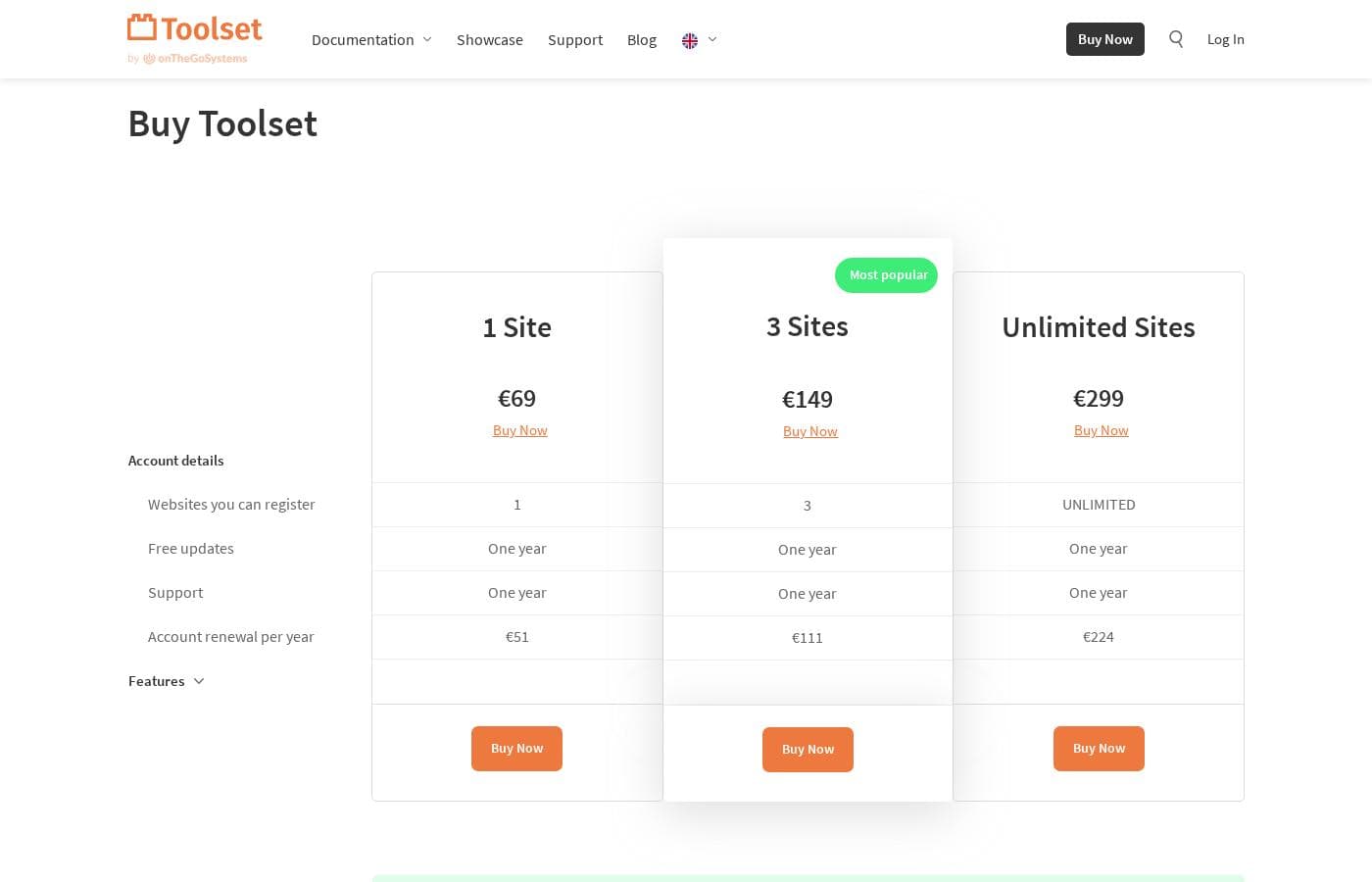
Toolset pricing page screenshotView pricing page screenshot
PlanBilled monthlyBilled annuallyIncludes
1 Site
β€”
€4.25/mo
€51 per year
3 Sites
β€”
€9.25/mo
€111 per year
Unlimited Sites
β€”
€18.67/mo
€224 per year

Price history

Tracking prices since Oct 1, 2026. No price change detected yet.

Pricing types: Free plan, Monthly subscription, Yearly subscription

Pricing notes

Toolset pricing: Plans from €0/year Billing options: Free plan, Monthly subscription, Yearly subscription

Cost calculator

Estimate what Toolset costs for your team.

Billing

1 Site has no published price for this billing cycle.

1 Site has a flat price: the number of seats does not change the total. Estimate based on published list prices, before taxes, add-ons and discounts.

Email me when Toolset changes price

One email when we detect a price change on the vendor's pricing page. No newsletter, no deals. Unsubscribe in one click.

User Reviews

No reviews yet.

Write a Review

Write a Review for Toolset
0/100 characters
0/2000 characters

Why use Toolset?

Most paths to a dynamic WordPress site involve a trade-off: proprietary page builders lock you into their ecosystem, while hand-coded solutions demand ongoing PHP maintenance. Toolset takes a middle route by making the block editor itself capable of querying and displaying custom content, so your layouts stay standard WordPress.

Because fields, forms, maps, and permissions come from one vendor, the pieces are designed to work together instead of being stitched together from plugins with conflicting assumptions. For anyone building sites for clients, that integration and portability translate into faster delivery and fewer maintenance surprises.

Toolset alternatives

Other tools in the WordPress Directory Plugin category

View all WordPress Directory Plugin tools
Business Directory Plugin

Business Directory Plugin

WordPress Directory Plugin4.2/5

Business Directory Plugin is the ultimate WordPress online directory plugin. Over 20,000 happy people use it to create their listing sites. It's built for anyone who needs a simple platform, whether you're building a local business directory or a staff roster. You don't need a specific directory theme; this plugin works seamlessly with almost any WordPress theme you choose. It truly gives you unlimited potential for your directory website.

HivePress

HivePress

WordPress Directory Plugin4.1/5

HivePress is a lightweight, all-in-one WordPress plugin designed to help you build directories, classifieds, marketplaces, and job boardsβ€”without starting from scratch. It’s built to be extended and customized, with Gutenberg integration for layouts, translation readiness, and access to free and premium themes.

Crocoblock

Crocoblock

WordPress Directory Plugin4.1/5

Crocoblock provides a vast suite of 21 JetPlugins designed for WordPress professionals. These tools integrate perfectly with popular builders like Elementor and Bricks. It’s built to help you craft dynamic sites by adding complex functionality like custom post types, forms, and dynamic templates. You also get over 200 essential widgets and more than 200 ready-to-use templates to start building quickly.

Toolset FAQ

How much does Toolset cost?

Toolset's cheapest paid plan, 1 Site, costs €4.25 per month. Paid plans range from €4.25 to €18.67 per month. Prices checked on Oct 12, 2026 from the vendor's pricing page.

Has Toolset's price changed recently?

No. We have not detected a price change since we started tracking on Oct 1, 2026.

Does Toolset require coding skills?

No. Day-to-day work β€” defining post types, building templates, creating forms β€” happens through visual interfaces and the block editor. That said, users get the most out of it when they understand WordPress concepts like post types, fields, and roles, and developers can extend it further with its PHP API.

Will Toolset work with my theme?

Yes. Toolset is theme-agnostic and works with any theme on WordPress versions 5.0 through 6.8.2, so you don't have to switch to a specific framework or starter theme to use it.

Is there a free option?

Pricing data checked for this review shows plans starting at €0/year with a free plan available, alongside monthly and yearly paid subscriptions. Confirm current plan details on toolset.com before purchasing, as plans and limits change over time.

Can I build a directory site with Toolset?

Yes β€” that is one of its flagship uses. You define a listing post type with custom fields, add a map to display addresses, create front-end forms so owners can submit entries, and use access rules to control who can publish or edit listings.

Ready to try Toolset? Check out the official site or pricing.

Are you Toolset? Claim this listing Β· Get the badge