Crocoblock

Crocoblock review

Twenty-one JetPlugins, one coherent toolkit: Crocoblock adds dynamic content, listings, and bookings to WordPress without custom code. It works inside Elementor and Bricks and ships with 200+ widgets and 200+ ready-to-use templates.

Crocoblock costs from $6.58/mo · 5 plans · Free plan available · prices checked Oct 12, 2026

By Ciroapp Editorial Team · Updated Sep 16, 2026

Commission may apply at no extra cost

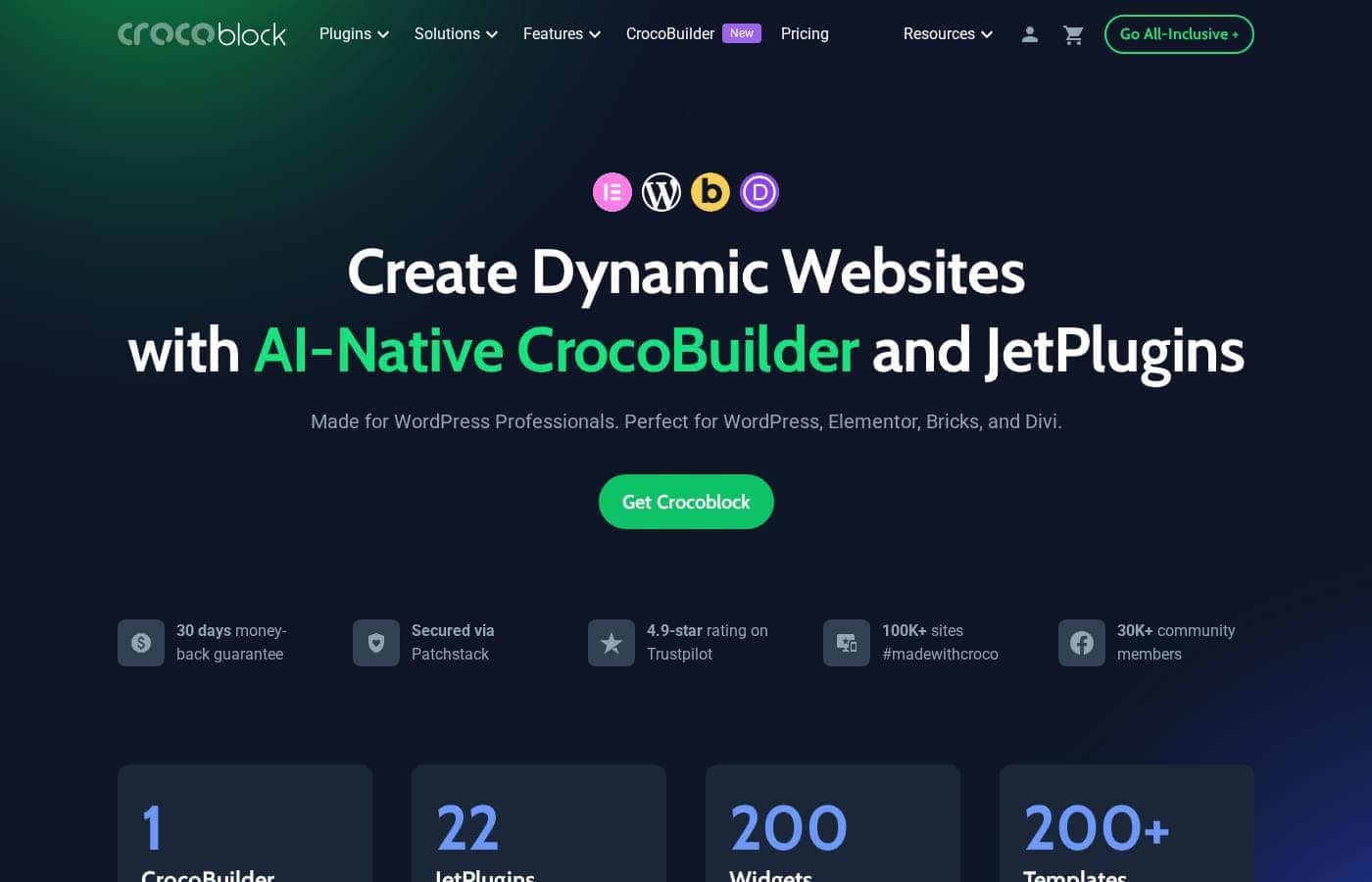
Crocoblock homepage screenshot

At a glance

Quick overview for Crocoblock: rating, pricing summary, key features, and highlights.
Pricing verified Oct 12, 2026

Ciroapp score

4.1/ 5

Crocoblock bundles 21 JetPlugins that add custom post types, filtering, forms, and bookings to Elementor or Bricks sites, all under one license. The trade-offs are a real learning curve, ecosystem lock-in, and more firepower than simple sites need. Overall, it's a strong pick for data-driven WordPress projects.

Pros

  • Pros:One integrated suite of 21 plugins eliminates the compatibility and licensing headaches of mixing tools from different vendors
  • Pros:Deep native integration with Elementor and Bricks means dynamic content is built visually, not in code
  • Pros:JetEngine alone covers custom post types, taxonomies, and dynamic templates that would otherwise require several separate plugins

Cons

  • Cons:There is a genuine learning curve — custom post types, meta fields, and dynamic templates take time to understand if you have only used page builders
  • Cons:The full suite is overkill for simple sites — blogs and brochure pages do not need 21 plugins' worth of functionality
  • Cons:Performance depends on how much you stack; content-heavy pages with multiple filters and widgets need caching and image optimization to stay fast
Best for
  • Freelance developers and agencies who regularly deliver dynamic client sites — directories, booking systems, marketplaces — on WordPress
  • Solo founders launching a directory, classifieds, or rental platform who cannot afford custom development
  • Elementor or Bricks power users who have outgrown static pages and need custom post types and listings
This section is a summary. Detailed sections about features, use cases, pricing, and reviews follow below.

What is Crocoblock?

Most WordPress projects eventually hit the same wall: the moment a site needs to display repeatable data — listings, bookings, reviews, submissions — static page building stops working. Crocoblock was built for exactly that stage. Its collection of 21 JetPlugins adds a dynamic-content layer to WordPress, working inside familiar builders like Elementor and Bricks.

With 200+ widgets and 200+ templates included, it positions itself as a complete toolkit rather than a single-purpose plugin.

Crocoblock is a suite of 21 JetPlugins for WordPress — categorized here as a directory plugin, but functionally much broader. Its core job is adding complex functionality such as custom post types, dynamic templates, forms, filtering, and booking to sites built with Elementor or Bricks. Instead of assembling separate plugins from different vendors, you get one integrated toolkit, plus 200+ widgets and 200+ ready-made templates to speed up assembly.
Should you choose Crocoblock?

Quick buyer guidance before you compare plans or click through.

Choose it if

  • Freelance developers and agencies who regularly deliver dynamic client sites — directories, booking systems, marketplaces — on WordPress
  • Solo founders launching a directory, classifieds, or rental platform who cannot afford custom development
  • Elementor or Bricks power users who have outgrown static pages and need custom post types and listings
  • WooCommerce store owners with large or variable catalogs that need custom layouts and faceted filtering

Skip it if

  • Bloggers and small-business owners who only need a handful of static pages — the suite's scope buys nothing they will use
  • Projects on non-WordPress platforms such as Shopify, Webflow, or Wix — JetPlugins are WordPress-only
  • Teams wanting a zero-learning-curve, install-and-forget solution — dynamic content concepts require an upfront time investment

Next steps before buying

  1. 1Set up a staging or fresh WordPress install and confirm Elementor or Bricks is active, since the JetPlugins build on those builders
  2. 2Visit crocoblock.com, compare the available plans, and start with the free plan or trial to validate fit before paying
  3. 3Install the JetPlugins through the Crocoblock setup wizard, which handles dependencies in one pass
  4. 4Import the ready-made template closest to your project type from the 200+ available, then swap in your own content
  5. 5Define your custom post types and taxonomies in JetEngine, build the listing and single-item templates, and test filtering and forms end to end before launch

Crocoblock Key Features

✨ Dynamic Content Engine (JetEngine)

JetEngine is the backbone of the suite. It lets you register custom post types, taxonomies, and meta fields, then build listing and single-item templates in Elementor or Bricks that automatically display that data. Any site showing repeatable content — properties, jobs, courses, staff profiles — runs on this layer, which is why it is the plugin most users cannot do without.

✨ Filtering and Search

JetSmartFilters and JetSearch handle the front-end experience for content-heavy sites. Visitors can narrow results by price range, category, custom field values, and checkboxes, with the filter state reflected in the URL. For directories and e-commerce catalogs, this is often the difference between a usable site and an abandoned one.

✨ Forms and Automation

JetFormBuilder covers far more than a basic contact form. It supports multi-step forms, conditional logic, calculated fields, and post submission, meaning visitors can submit content that flows straight into your custom post types. Webhook and CRM integrations let form data feed into the rest of your stack.

✨ Purpose-Built Functionality Plugins

Beyond the core, the suite ships targeted tools: JetBooking for rental and reservation systems, JetAppointment for scheduling services, JetReviews for rating and review content, and JetWooBuilder for customizing WooCommerce shop and product layouts. These solve use cases that normally require premium third-party services or custom development.

✨ Design Toolkit

The suite includes more than 200 widgets and 200 ready-to-use templates covering headers, footers, popups, menus, and full page layouts. JetThemeCore handles site-wide structures so you are not rebuilding headers page by page. For most projects, importing the closest template and adjusting it is faster than designing from scratch.

Use Cases

💡 Directory and Listing Websites

This is Crocoblock's home turf. Combine JetEngine custom post types with JetSmartFilters and JetSearch to build business directories, service listings, or classifieds where visitors browse, filter, and submit entries — without writing custom code.

💡 Booking and Appointment Platforms

JetBooking handles rentals such as vacation properties, equipment, and vehicles, while JetAppointment manages service scheduling with time slots and staff assignment. Both feed into the same dynamic content system, so listings, pricing pages, and confirmations stay consistent.

💡 WooCommerce Stores with Complex Catalogs

For stores with variable, multi-attribute products, JetSmartFilters and JetWooBuilder let you build custom shop and product page layouts plus faceted filtering. This suits parts stores, fashion catalogs, and marketplaces where the default WooCommerce layouts fall short.

💡 Real Estate and Classified Portals

Property portals need custom fields such as price, bedrooms, and area, along with advanced filtering and gallery-heavy templates — a combination Crocoblock handles out of the box. Agents or owners can submit listings through JetFormBuilder forms, with moderation handled through WordPress's native draft system.

💡 Membership and Review-Driven Communities

JetReviews adds rating systems to any post type, and JetEngine's user-based content capabilities support profile-driven sites. Review sites, comparison hubs, and niche communities can combine these tools into a full user-generated content workflow.

Crocoblock pricing

From$6.58/mo

  • From the vendor's pricing page, checked Oct 12, 2026
  • 5 plans
  • Free plan available

Prices checked on Oct 12, 2026 from Crocoblock's pricing page

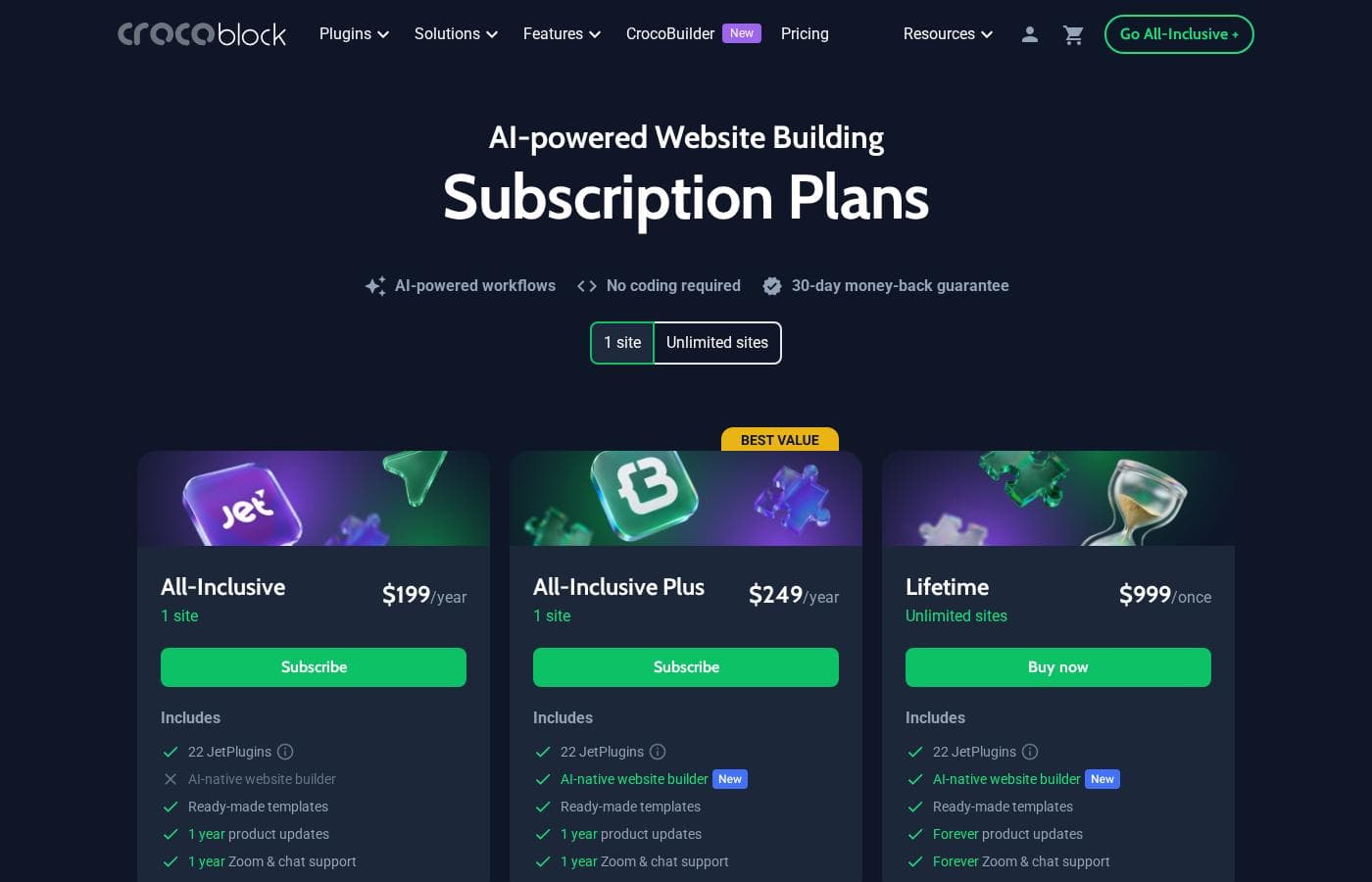
Crocoblock pricing page screenshotView pricing page screenshot
PlanBilled monthlyBilled annuallyIncludes
All-Inclusive
—
$16.58/mo
$199 per year
All-Inclusive Plus
—
$20.75/mo
$249 per year
Lifetime
$999
—
Discover All Plans
Free year
Free
Subscriptions Tailored to Your Builder
—
$6.58/mo
$79 per year

Price history

Tracking prices since Oct 1, 2026. No price change detected yet.

Pricing types: Free plan, Free trial, Yearly subscription, One-time payment

Pricing notes

Crocoblock pricing: Plans from $0/year Billing options: Free plan, Free trial, Yearly subscription, One-time payment

Cost calculator

Estimate what Crocoblock costs for your team.

Billing

All-Inclusive has no published price for this billing cycle.

All-Inclusive has a flat price: the number of seats does not change the total. Estimate based on published list prices, before taxes, add-ons and discounts.

How to pay less for Crocoblock

  • Start on the free plan and upgrade only when you hit its limits.
Visit Crocoblock

Email me when Crocoblock changes price

One email when we detect a price change on the vendor's pricing page. No newsletter, no deals. Unsubscribe in one click.

User Reviews

No reviews yet.

Write a Review

Write a Review for Crocoblock
0/100 characters
0/2000 characters

Why use Crocoblock?

The main reason to choose Crocoblock over piecing together individual plugins is coherence: the JetPlugins are built to work together, so content created in JetEngine can be filtered by JetSmartFilters, collected through JetFormBuilder forms, and booked through JetBooking without compatibility work. For agencies and freelancers, one license covering 21 plugins is easier to manage and budget than a dozen separate subscriptions.

For site owners without developers, the template library offers a serious head start on projects that would otherwise require custom code.

Crocoblock alternatives

Other tools in the WordPress Directory Plugin category

View all WordPress Directory Plugin tools
Business Directory Plugin

Business Directory Plugin

WordPress Directory Plugin4.2/5

Business Directory Plugin is the ultimate WordPress online directory plugin. Over 20,000 happy people use it to create their listing sites. It's built for anyone who needs a simple platform, whether you're building a local business directory or a staff roster. You don't need a specific directory theme; this plugin works seamlessly with almost any WordPress theme you choose. It truly gives you unlimited potential for your directory website.

HivePress

HivePress

WordPress Directory Plugin4.1/5

HivePress is a lightweight, all-in-one WordPress plugin designed to help you build directories, classifieds, marketplaces, and job boards—without starting from scratch. It’s built to be extended and customized, with Gutenberg integration for layouts, translation readiness, and access to free and premium themes.

Toolset

Toolset

WordPress Directory Plugin3.9/5

Toolset is a complete package built specifically for WordPress professionals. It lets you create complex sites using the standard WordPress Block Editor 💡. It works seamlessly with WordPress 5.0 through 6.8.2 and any theme you choose. This system provides all the necessary tools for access control, custom fields, maps, forms, and visual templates.

Crocoblock FAQ

How much does Crocoblock cost?

Crocoblock's cheapest paid plan, Subscriptions Tailored to Your Builder, costs $6.58 per month. Paid plans range from $6.58 to $20.75 per month. Prices checked on Oct 12, 2026 from the vendor's pricing page.

Does Crocoblock have a free plan?

Yes. Crocoblock has a free plan (Discover All Plans); paid plans start at $6.58 per month.

Has Crocoblock's price changed recently?

No. We have not detected a price change since we started tracking on Oct 1, 2026.

Do I need coding skills to use Crocoblock?

No — the suite is built around visual builders. You create custom post types and templates through JetEngine's interface and design pages in Elementor or Bricks. Basic CSS knowledge helps with fine-tuning, and developers can extend everything with hooks and custom code, but no coding is required for standard builds.

Which page builders does Crocoblock work with?

Crocoblock is designed for Elementor and Bricks, and its widgets and templates are built to work natively inside those builders. If your workflow centers on a different builder, most of the JetPlugins will not be a good fit — that integration is a core part of the value.

Can I try Crocoblock before paying?

Yes. Crocoblock offers a free plan and a free trial in addition to yearly subscriptions and one-time payment options, so you can test the plugins on a staging site before committing. Check the pricing page for current terms, since what each tier includes can change over time.

Is Crocoblock only useful for directory websites?

No. Directories are a flagship use case — the suite is categorized as a WordPress directory plugin — but the same dynamic-content foundation powers booking systems, appointment scheduling, WooCommerce customization, forms, and review sites. If your project needs to display, filter, or collect structured data, it is relevant.

Ready to try Crocoblock? Check out the official site or pricing.

Are you Crocoblock? Claim this listing · Get the badge