Timely

Timely review

Timely tracks work automatically and privately β€” no timers, no surveillance. It captures activity in the background, drafts timesheets with AI, and gives managers real-time visibility into projects and capacity while raw activity stays yours.

By Ciroapp Editorial Team Β· Updated Sep 16, 2026

Commission may apply at no extra cost

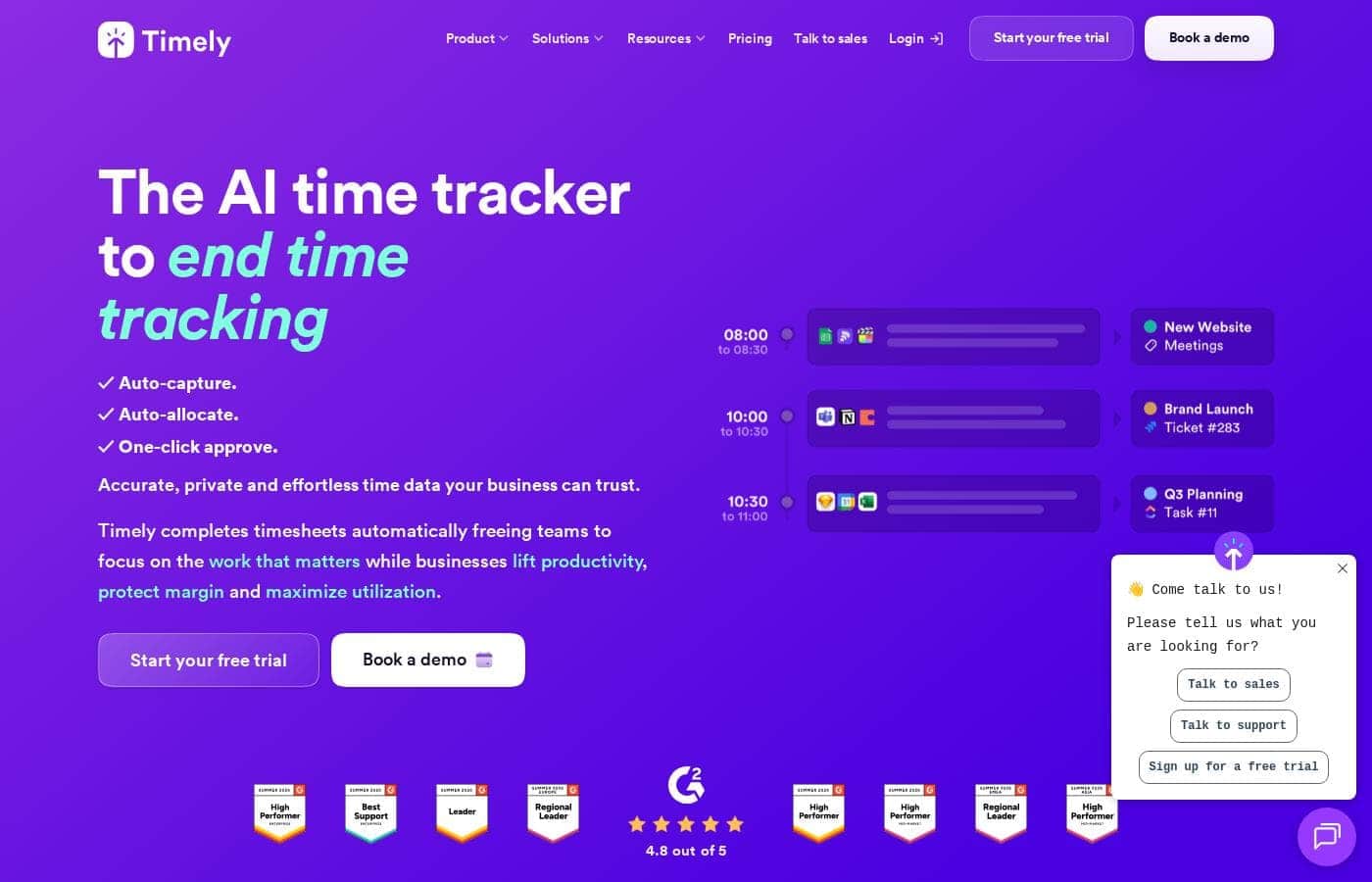
Timely homepage screenshot

At a glance

Quick overview for Timely: rating, pricing summary, key features, and highlights.
Vendor page checked Oct 12, 2026

Ciroapp score

4.1/ 5

Timely captures your desktop activity in the background and turns it into AI-drafted timesheets, all under a strict policy that keeps raw activity private. It's a strong pick for agencies and consultancies that bill by the hour, though per-seat pricing and desktop-only capture limit its reach. Overall, it's a considered option for teams that value accuracy and trust.

Pros

  • Pros:Fully automatic capture eliminates timer fatigue β€” meetings, documents, and apps are logged without anyone remembering to start a timer, so billable hours stop slipping through the cracks.
  • Pros:AI-drafted timesheets reduce daily admin to a short review-and-confirm step instead of reconstructing the week from memory.
  • Pros:The strict anti-surveillance policy keeps raw activity private by default; managers only see what employees explicitly share, which eases adoption in privacy-conscious teams.

Cons

  • Cons:Per-seat subscription pricing costs meaningfully more than simple manual timers, and the gap widens as headcount grows.
  • Cons:AI-drafted timesheets still need regular human review; if nobody confirms entries for days, accuracy degrades and the core benefit shrinks.
  • Cons:Automatic capture is tied to desktop activity, so field work, phone calls, and offline tasks must be added manually.
Best for
  • Agencies and consultancies that bill hourly and lose revenue to untracked client work
  • Team leads and resource managers who need real-time visibility into capacity and budgets across multiple concurrent projects
  • Remote and hybrid teams that want accountability through shared timesheets without employee-monitoring software
This section is a summary. Detailed sections about features, use cases, pricing, and reviews follow below.

What is Timely?

Timely is an automatic time tracking platform that uses AI to capture work activity in the background, removing the need for manual timers and end-of-week reconstruction. It turns that raw activity into accurate timesheets, project dashboards, and capacity insights aimed squarely at protecting margins. Over 5,000 businesses use it, and unlike employee-monitoring tools it runs on a strict anti-surveillance policy: tracked memories stay private until the user chooses to share them.

Timely is a time tracking and resource management tool for teams. A desktop Memory tracker quietly records which apps, files, and websites you use, and Timely's AI drafts timesheet entries from that activity for you to review and confirm. Confirmed hours roll up into real-time dashboards covering project progress, budgets, and team capacity.

The design deliberately separates raw activity capture, which stays private, from shared timesheet data, so accuracy does not come at the cost of employee trust.
Should you choose Timely?

Quick buyer guidance before you compare plans or click through.

Choose it if

  • Agencies and consultancies that bill hourly and lose revenue to untracked client work
  • Team leads and resource managers who need real-time visibility into capacity and budgets across multiple concurrent projects
  • Remote and hybrid teams that want accountability through shared timesheets without employee-monitoring software
  • Professional services firms that want to compare tracked hours against project budgets to protect margins

Skip it if

  • Solo users or very small teams that only need a lightweight manual timer β€” Timely's automation and per-seat pricing would be overkill
  • Organizations seeking keystroke-level or screenshot-based employee monitoring β€” Timely explicitly refuses surveillance and will not provide it
  • Field or mobile-heavy workers whose billable time happens away from a desktop, since automatic capture is tied to computer activity
  • Budget-constrained teams with many seats, where per-seat subscription costs compound quickly

Next steps before buying

  1. 1Sign up at timelyapp.com and choose the free plan or start a free trial
  2. 2Install the Memory tracker desktop app on each work machine and let it capture a few days of normal work
  3. 3Review the AI-drafted timesheet entries daily, correct them, and confirm so the system learns your patterns
  4. 4Connect your calendar and project management tools, then set up projects with hourly rates and budgets
  5. 5Invite your team, have members share confirmed timesheets, and use the dashboards to review capacity and project profitability

Timely Key Features

✨ Automatic Memory Tracker

Timely's Memory tracker runs quietly on your desktop, capturing the apps, documents, and websites you use throughout the day. There are no timers to start or stop, which is where most time tracking breaks down. Everything lands in a private timeline that only you can see until you decide otherwise.

✨ AI-Drafted Timesheets

Rather than reconstructing your week from memory, you review timesheet entries Timely's AI drafts from your captured activity. You confirm or correct the suggestions, and the drafts sharpen as the system learns your project patterns. Time tracking shifts from data entry to a short daily review.

✨ Privacy-First Anti-Surveillance Design

Timely operates under a strict anti-surveillance policy: your tracked memories remain yours, and no manager can view them until you explicitly share them. Managers see confirmed timesheets and project-level data, not screenshots or keystrokes. That distinction makes it viable for teams where monitoring tools would face immediate pushback.

✨ Project Dashboards and Reporting

Managers get a real-time view of resource allocation and project progress, with hours rolled up against projects and clients. Budgets and rates sit alongside tracked time, so margin problems surface early instead of at invoice time.

✨ Capacity Planning and Workload Balance

Timely shows who is over-allocated and who has room across concurrent projects. Leads can rebalance assignments before bottlenecks or burnout hit, using planned versus tracked hours as the early signal.

✨ Integrations and Billable Hours

Timely connects with calendars and popular project management tools so logged work stays aligned with project plans. Hours can be marked billable and tied to rates, keeping invoicing grounded in verified time.

Use Cases

πŸ’‘ Capturing Billable Hours at Agencies

Agencies lose revenue every time a billable task goes unrecorded. With automatic capture, meetings, documents, and tool sessions are all logged, and AI-drafted timesheets make accurate billing realistic without nagging the team about timers.

πŸ’‘ Balancing Team Workloads

Team leads use capacity views to spot who is overloaded and who has slack, then redistribute work in real time. This matters most for managers juggling multiple concurrent projects with shared specialists.

πŸ’‘ Tracking Project Profitability

By comparing tracked hours against project budgets and rates, businesses see margin erosion early β€” per project and per client β€” and can act before a fixed-fee engagement goes underwater.

πŸ’‘ Remote Accountability Without Surveillance

Remote and hybrid teams get shared visibility through confirmed timesheets and dashboards while raw activity stays private. That preserves accountability without building a monitoring culture.

Timely pricing

Prices not verified yet β€” see the vendor page.

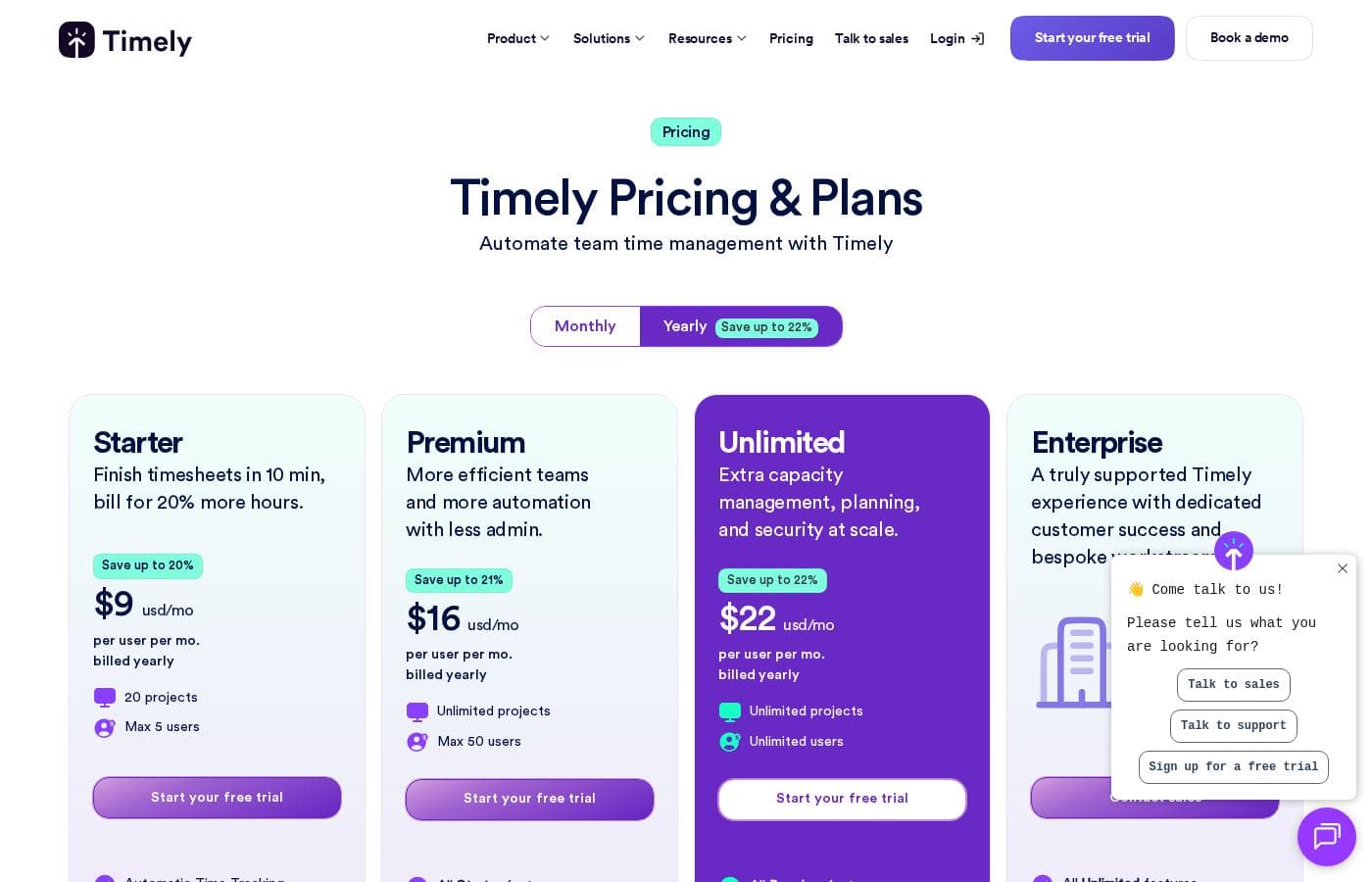
Timely's pricing page

Timely pricing page screenshotView pricing page screenshot

Price history

Tracking prices since Oct 1, 2026. No price change detected yet.

Pricing types: Free plan, Free trial, Monthly subscription, Yearly subscription, Per seat pricing

Pricing notes

Timely pricing: Plans from $0/month Billing options: Free plan, Free trial, Monthly subscription, Yearly subscription, Per seat pricing

Email me when Timely changes price

One email when we detect a price change on the vendor's pricing page. No newsletter, no deals. Unsubscribe in one click.

User Reviews

No reviews yet.

Write a Review

Write a Review for Timely
0/100 characters
0/2000 characters

Why use Timely?

Manual time tracking fails in predictable ways: people forget timers, guess at the end of the week, and underreport billable work. Timely addresses this by capturing everything automatically, so hours that would otherwise vanish get recorded and billed.

For managers, the payoff is live visibility into where time actually goes β€” which projects are over budget and who is over capacity β€” without deploying surveillance software that erodes morale. The privacy model is central to that: because memories remain private by default, teams can adopt accurate tracking without feeling watched.

Timely alternatives

Other tools in the Time tracking category

View all Time tracking tools
Clockify

Clockify

Time tracking4.4/5

Clockify is widely known time tracking software trusted by millions of users worldwide. It functions as a comprehensive time tracker and timesheet app. This platform is perfect for teams, offering unlimited users and remaining free forever. Users have given it an excellent 4.8 rating based on thousands of reviews. The app lets you track time from anywhere, syncing data across web, desktop, and mobile devices automatically.

memtime

memtime

Time tracking4.1/5

memtime is an automated desktop application designed to solve the struggles of tedious manual time tracking. This tool eliminates the need for distracting start/stop timers entirely. Instead, it runs passively behind the scenes, memorizing the time you spend in various programs throughout the workday. It allows you to go back to any day and review precisely what you focused on, when, and for how long. This is especially valuable for anyone who bills by the hour, including consultants, legal services, agencies, and accountants, because it connects to your existing project software for instant time entry export.

Toggl

Toggl

Time tracking4/5

Toggl is time tracking software designed specifically for organizational teams. It is built around the idea that raw data must translate into actionable business insights. βœ… Toggl specializes in building custom, detailed reports directly from your team's tracking data. This tool is especially suited for managing larger and enterprise teams. It provides the flexible reporting required for employees and projects across departments. By ensuring easy time tracking adoption, Toggl gives you the accurate data needed to make strong, confident decisions.

Hubstaff

Hubstaff

Time tracking3.9/5

Hubstaff provides robust time tracking software, project management tools, and workforce analytics designed to increase productivity and operational efficiency for businesses of all sizes around the world.

ClickTime

ClickTime

Time tracking3.7/5

ClickTime is a powerful platform for comprehensive time tracking and resource management. It is designed to give you deep insights into how your team uses its bandwidth. This system tracks employee hours, project deadlines, and budget targets seamlessly. By using ClickTime, you get valuable information about project costs and overall profitability. It is the tool that helps you unify your planning and financial forecasting efforts.

Buddy Punch

Buddy Punch

Time tracking3.7/5

It’s a cloud-based time clock platform that helps employers track where workers are, their hours, overtime, and pay, with detailed reporting. It’s built for businesses that want accurate timekeeping across locations, including remote workers. Employees can punch in and out using a smartphone, computer, kiosk, or QR code. It integrates with payroll software like QuickBooks, Paychex, and Workday to simplify payroll.

Timely FAQ

Does Timely let managers spy on employees?

No. Timely runs on a strict anti-surveillance policy: the activity it captures, called memories, is visible only to the person being tracked. Managers see confirmed timesheets, project dashboards, and capacity data, and raw memories only become visible to others when the user explicitly shares them.

How does Timely track time without timers?

The Memory tracker runs quietly in the background of your desktop, logging the apps, files, and websites you use. Timely's AI then drafts timesheet entries from that activity, which you review, adjust, and confirm. This removes the start-stop ritual of manual timers and cuts down on forgotten or estimated entries.

Does Timely offer a free plan or free trial?

Yes. Current pricing data shows a free plan and a free trial, with paid plans billed monthly or yearly on a per-seat basis. The most useful evaluation is to run the trial through a normal week of work so the AI has genuine activity to draft timesheets from.

Who gets the most value from Timely?

Teams whose revenue depends on accurate hours β€” agencies, consultancies, and other professional services firms β€” plus managers who need live visibility into project budgets and team capacity. Solo users who only need a simple stopwatch typically do not need Timely's depth.

Ready to try Timely? Check out the official site or pricing.

Are you Timely? Claim this listing Β· Get the badge