Synder

Synder review

Automated bookkeeping that syncs sales, fees, and taxes from 30+ platforms into your ledger.

By Ciroapp Editorial Team · Updated Sep 16, 2026

Commission may apply at no extra cost

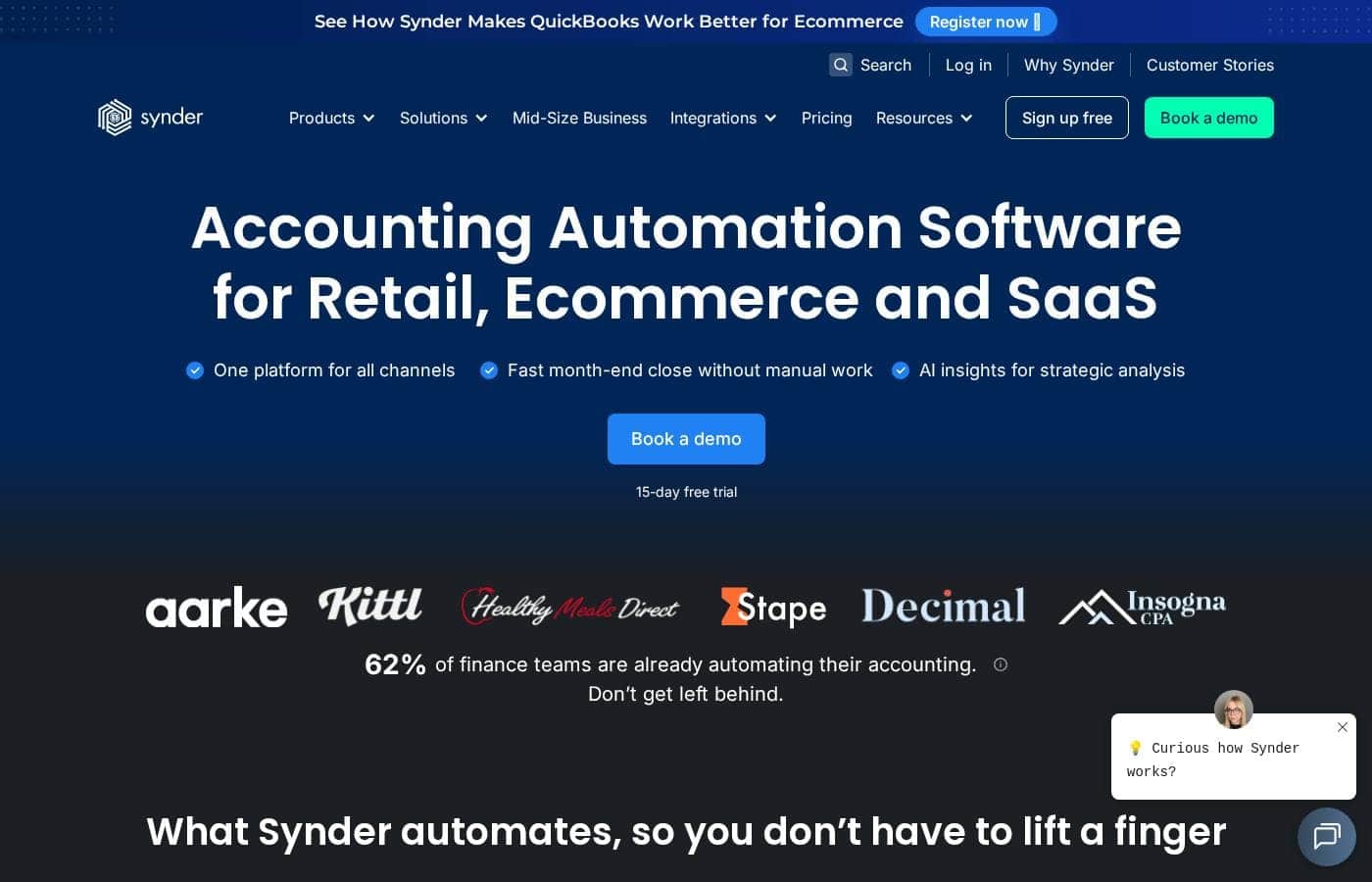
Synder homepage screenshot

At a glance

Quick overview for Synder: rating, pricing summary, key features, and highlights.
Vendor page checked Oct 13, 2026

Ciroapp score

4.2/ 5

Synder automates sales, fees, refunds, and tax syncing from 30-plus platforms into QuickBooks, Xero, NetSuite, or Sage Intacct, with reconciliation that flags discrepancies early and ASC 606 revenue recognition. A 4.7 rating across 3,400-plus reviews backs it up, though pricing stays unpublished and support is gated by tier. Overall, it's a strong pick for high-volume sellers on a supported ledger.

Pros

  • Pros:Automatically posts sales, fees, refunds, and taxes from 30+ platforms — including Shopify, Stripe, Amazon, and PayPal — directly into QuickBooks, Xero, NetSuite, or Sage Intacct, eliminating manual data entry
  • Pros:Offers two sync modes to fit different bookkeeping styles — Per Transaction mode with full SKU and customer detail, or Summary Sync for clean daily, monthly, or payout-based journal entries per channel
  • Pros:Reconciliation engine syncs each transaction to a clearing account, reconciles both sides inside Synder, and flags discrepancies before month end — Stape's financial manager reports reviewing a month of data in about 40 minutes versus two days previously

Cons

  • Cons:Not a standalone accounting system — it only syncs into QuickBooks, Xero, Oracle NetSuite, or Sage Intacct, so teams without one of these ledgers can't use it
  • Cons:Exact dollar prices aren't published on the pricing page, so you can't budget accurately until you go through a demo, trial, or signup — and purchases are final and non-refundable under Synder's terms
  • Cons:Support is slow on lower tiers — Basic and Essential users go through a standard email queue where investigations can take over two weeks, while express lanes, dedicated CSMs, and direct engineer access are reserved for Pro and above
Best for
  • Multi-channel ecommerce and retail sellers on platforms like Shopify, Amazon, Stripe, and PayPal
  • Subscription and SaaS businesses that need GAAP/ASC 606-compliant revenue recognition
  • In-house finance teams on QuickBooks, Xero, NetSuite, or Sage Intacct with high transaction volume
Free trial
Yes — 15 days
This section is a summary. Detailed sections about features, use cases, pricing, and reviews follow below.

What is Synder?

Manually posting sales, fees, refunds, and taxes from every channel eats days each month — and errors creep in. Synder syncs transactions from 30+ platforms straight into your ledger, reconciles them automatically, and flags discrepancies before month end. The result: a faster close, cleaner books, and hours back every week.

Synder is accounting automation software for retail, ecommerce, and SaaS businesses. It connects 30+ sales and payment platforms — including Shopify, Stripe, Amazon, and PayPal — to ledgers like QuickBooks, Xero, NetSuite, and Sage Intacct. Sales, fees, refunds, and taxes post automatically, with AI insights and rules-based categorization.

It suits online sellers, subscription businesses, and accounting firms managing high transaction volumes.

Should you choose Synder?

Quick buyer guidance before you compare plans or click through.

Choose it if

  • Businesses tired of manual transaction entry across multiple sales channels
  • Teams that need both per-transaction detail (SKU, customer) and clean summary journal entries
  • Companies that want discrepancies flagged before month end, not after
  • Organizations with strict data needs: SOC 2 Type 2 security, GDPR and HIPAA readiness, encryption
  • Buyers who want to test first — a 15-day free trial and bookable demos are available

Skip it if

  • Teams without a supported ledger — Synder syncs into QuickBooks, Xero, Oracle NetSuite, or Sage Intacct, so it isn't a standalone accounting system
  • Budget-conscious buyers who want published pricing upfront — plans aren't listed on the main site, so you'll need a demo or trial to gauge cost
  • Very small sellers with few channels and low volume, where manual entry or simpler tools may be enough
  • Anyone whose platforms fall outside the 30+ supported integrations — verify your specific connectors before committing
  • Buyers needing deep custom mapping or Smart Rules: confirm they fit inside the 15-day trial window

Next steps before buying

  1. 1Check that your sales channels and your ledger (QuickBooks, Xero, NetSuite, or Sage Intacct) are among Synder's supported integrations.
  2. 2Book a demo or start the 15-day free trial to see how the sync handles your actual transaction volume.
  3. 3Decide whether per-transaction detail or Summary Sync fits your bookkeeping style before you configure anything.
  4. 4Browse recent ratings on the QuickBooks App Store, Xero Marketplace, and Capterra, where Synder averages 4.7 from 3,400+ reviews.

Ease of use

Synder presents itself as set-and-forget once connected: transactions post automatically and if-then rules handle categorization across platforms. Setup does take some work — connecting channels and building rules — but a 15-day free trial and bookable demos let you test it with real data first. Its 4.7 average across 3,400+ reviews, plus customer reports of 40-minute monthly reviews, suggest most teams find the workflow smooth after the initial configuration.

Synder Key Features

⚡ Automated sync from 30+ platforms

Stop copying sales, fees, refunds, and taxes by hand. Synder posts every transaction from 30+ platforms into your ledger as it happens. Choose Per Transaction mode for full SKU and customer detail, or Summary Sync for clean daily, monthly, or payout-based entries per channel.

Your books stay current without the data entry.

✨ Reconciliation that flags problems early

Each sale, fee, refund, and tax syncs to a clearing account, then both sides reconcile inside Synder. The matching engine flags discrepancies before month end, not after, and every reconciled period is logged for audit. Use it to close faster — one customer reviews a month of data in about 40 minutes.

✨ Categorization rules that run themselves

Set if-then rules once, and Synder assigns the right accounts, classes, and tax codes to every transaction as it syncs across all connected platforms. Rules can key off:

  • Amount or vendor
  • Transaction description
  • Location

The result is consistent categorization from day one, with no manual sorting.

✨ GAAP-compliant revenue recognition for subscriptions

Synder RevRec builds ASC 606-compliant recognition schedules from Stripe data or an Excel upload. Revenue posts monthly to the P&L, and upgrades, cancellations, and prorations are tracked automatically. If you run a subscription or SaaS business, it keeps your books GAAP-compliant and audit-ready without the manual schedules.

🔒 Customization and security for high-volume finance

Tailor the setup to your workflow — rename line items, pull in metadata, remove taxes, or build custom transaction mapping with Smart Rules. Underneath, your data is protected with SOC 2 Type 2 certified security, GDPR and HIPAA readiness, and end-to-end encryption. It's built for high-volume, high-stakes teams.

Use Cases

🛒 Multi-channel ecommerce sync

You run an online store on Shopify, Amazon, or Stripe. When sales pile up, manual entry slips. Synder posts every sale, fee, refund, and tax into QuickBooks, Xero, NetSuite, or Sage Intacct automatically.

Expected outcome: books stay current and month-end gets faster.

🔍 Reconciliation before month end

It's two days before close and your books need to match. Synder syncs transactions to clearing accounts, reconciles both sides, and flags discrepancies before month end.

Expected outcome: every reconciled period is logged, so your books stay audit-ready.

🔁 Subscription revenue recognition

You run a subscription or SaaS business on Stripe. Revenue rules are strict and spreadsheets get messy. Synder RevRec builds ASC 606-compliant schedules from Stripe data or an Excel upload, handling upgrades, cancellations, and prorations.

Expected outcome: GAAP-compliant revenue on your P&L each month.

🤝 Firms serving online sellers

You're a bookkeeper or accountant with online-seller clients. Each client means more channels to check. Synder automates categorization with if-then rules, so you can focus on advisory work.

Tip: Firms like Decimal report saving 6-8 hours per client each month.

Synder pricing

  • 5 plans

Prices not verified yet — see the vendor page.

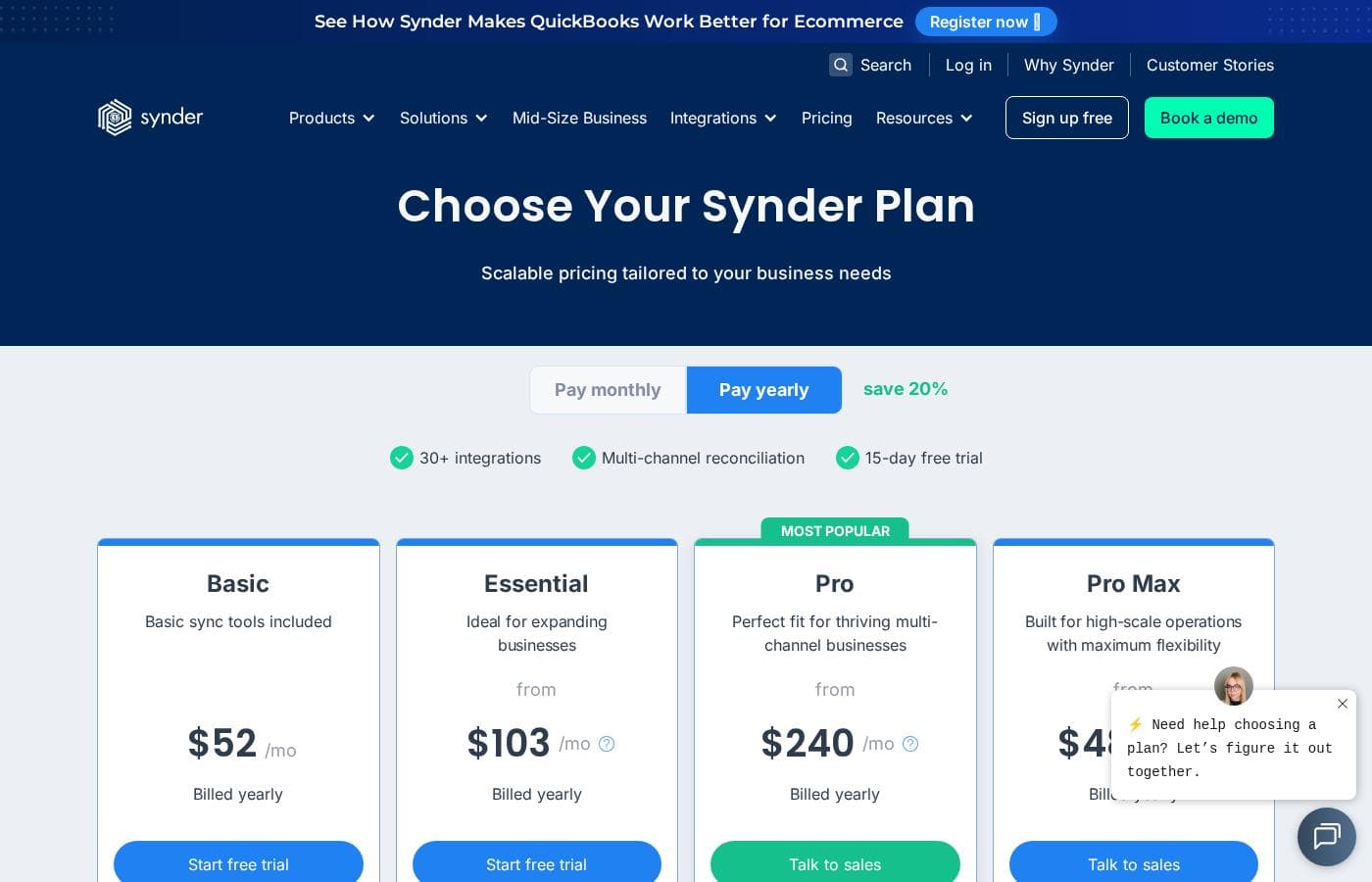
Synder's pricing page

Synder pricing page screenshotView pricing page screenshot
PlanBilled monthlyBilled annuallyIncludes
Basic
See vendor page
See vendor page
Up to 500 sales transactions/mo; paid unlimited history import; 1 additional user; support investigations may take 2+ weeks
  • 500 synced transactions per month
  • 2 integration slots (QuickBooks Online, Xero, Puzzle)
  • Daily import frequency
  • Email support via standard queue
  • Product, tax, and multicurrency tracking
  • +1
Essential
See vendor page
See vendor page
Up to 3,000 sales transactions/mo; paid unlimited history import; 1 additional user; self-serve setup
  • 1,000 synced transactions per month
  • Unlimited integration slots
  • Hourly import frequency
  • Open invoice syncing from Stripe or Shopify
  • COGS tracking and duplicate skipping
  • +1
Pro
See vendor page
See vendor page
Up to 20,000 sales transactions/mo; 1 custom modification; free history for 3 months, then paid; 2 additional users
  • 10,000 synced transactions per month
  • 2 premium integration slots (Magento, TikTok, Walmart, BigCommerce, Clover, Synder API, and more)
  • NetSuite, Intuit Enterprise Suite, and Sage Intacct connections
  • Express support lane with email, live chat, and Zoom
  • Quarterly workflow review
  • +1
Pro Max
See vendor page
See vendor page
Up to 40,000 sales transactions/mo; free history for 3 months, then paid; 2 additional users
  • 20,000 synced transactions per month
  • Unlimited premium integration slots
  • 5 custom modifications
  • Fast-track support lane with dedicated CSM
  • Monthly workflow review
  • +1
Premium
See vendor page
See vendor page
Unlimited sales transactions for highly scalable or enterprise setups
  • Custom synced transaction volume
  • Unlimited mapping groups and custom modifications
  • Unlimited additional users
  • Dedicated implementation support with direct engineer access
  • Free unlimited historical data import
  • +1

Price history

Tracking prices since Sep 8, 2026. No price change detected yet.

Pricing range: Custom pricing based on plan and transaction volume

Pricing types: Free trial, Monthly subscription, Usage-based pricing

Pricing notes

Synder offers five plans — Basic, Essential, Pro, Pro Max, and Premium — tiered by transaction volume, integrations, and support level. Specific dollar prices aren't listed on the comparison chart, but every plan comes with a 15-day free trial that doesn't require a credit card.

Synder organizes its pricing into five plans — Basic, Essential, Pro, Pro Max, and Premium — tiered by transaction volume, integrations, and support depth, and every plan starts with a 15-day free trial.

Here's what each tier includes, based on Synder's published comparison chart.

Basic

Best For: Simple setups with one or two sales channels Other Features:

  • Up to 500 synced transactions per month
  • 2 integration slots with QuickBooks Online, Xero, and Puzzle
  • Daily import frequency and email support
  • Product, tax, multicurrency, and balance reconciliation tracking

Basic is the entry point. You set everything up yourself, and support requests go through the standard queue, where complex investigations can take over two weeks. It works well if you're just starting out and your sales volume is still low.

Essential

Best For: Growing businesses that need more connections and faster imports Other Features:

  • 1,000 synced transactions per month (up to 3,000 sales transactions)
  • Unlimited integration slots
  • Hourly imports and QuickBooks Desktop support
  • Open invoice syncing, COGS tracking, and duplicate skipping

Essential steps things up nicely. Setup is still self-serve, but unlimited integration slots and hourly syncs make it a solid fit once sales pick up across several channels.

Pro

Best For: Businesses that need premium integrations and guided setup Other Features:

  • 10,000 synced transactions per month (up to 20,000 sales transactions)
  • Premium integrations like Magento, TikTok, Walmart, BigCommerce, Clover, and Synder API (2 slots)
  • NetSuite, Intuit Enterprise Suite, and Sage Intacct connections
  • Express support lane with email, live chat, and Zoom

Pro brings in guided setup and a faster support lane. If you sell on premium channels or need enterprise-grade accounting platforms, this is where those doors open.

Pro Max

Best For: Complex workflows that need light custom development Other Features:

  • 20,000 synced transactions per month (up to 40,000 sales transactions)
  • 5 custom modifications and unlimited premium integration slots
  • Fast-track support with a dedicated CSM and phone support
  • Advanced inventory tracking and monthly workflow reviews

Pro Max adds deeper configuration help and real customization. It's built for teams whose workflows don't fit standard templates but don't need full enterprise treatment.

Premium

Best For: Enterprise and custom development needs Other Features:

  • Custom synced transaction volume with unlimited sales transactions
  • Unlimited mapping groups, custom modifications, and additional users
  • Dedicated implementation support that goes straight to a technical engineer
  • Free unlimited historical data import

Premium skips the line entirely. Your issues get the highest priority, and Synder's development team builds custom solutions with ongoing maintenance. Large or unusual setups belong here.

Good to know: every plan starts with a 15-day free trial, and no credit card is required to try it. Purchases are final and non-refundable per Synder's terms, only credit card payments are accepted, and taxes may be added at checkout based on your location. Since exact rates aren't listed on the comparison chart, confirm your monthly transaction volume and current pricing before you commit — going over your plan's sync balance is billed separately.
How to pay less for Synder

  • Use the 15-day free trial before you pay.
Start free trial

Email me when Synder changes price

One email when we detect a price change on the vendor's pricing page. No newsletter, no deals. Unsubscribe in one click.

User Reviews

No reviews yet.

Write a Review

Write a Review for Synder
0/100 characters
0/2000 characters

Why use Synder?

Month-end shouldn't mean marathon data entry. Synder was built to take repetitive bookkeeping off your team's plate, and its own customer stories back that up:

  • Serious time savings. PlayYourCourt reports saving 480+ hours and nearly $24K a year, while Decimal cut reconciliation time by over 50% and saves 6-8 hours per client monthly.
  • Faster closes. Stape's financial manager reviews a month of data in about 40 minutes — work that used to take at least two days.
  • Your data, your way. Sync every sale, fee, refund, and tax with full SKU and customer detail, or roll up clean daily, monthly, or payout-based summaries per channel.
  • Audit-ready books. The matching engine flags discrepancies before month end, and every reconciled period is logged for audit.
  • Subscription-ready accounting. Synder RevRec builds ASC 606-compliant schedules from Stripe data or an Excel upload, handling upgrades, cancellations, and prorations automatically.
  • Proven and protected. A 4.7 average rating across 3,400+ reviews, backed by SOC 2 Type 2 security, GDPR and HIPAA readiness, and end-to-end encryption.

Synder alternatives

Other tools in the eCommerce accounting category

View all eCommerce accounting tools
ConnectBooks

ConnectBooks

eCommerce accounting3.9/5

ConnectBooks is recognized as the most accurate QuickBooks and Xero app available, specifically helping 5000+ marketplace sellers. The system gives you perfect books by accurately syncing all expenses, fees, and transaction data. It's truly right for businesses who want clean QuickBooks files and taxes filed correctly. It focuses on helping you grow like a beast. You gain the ability to know and expand your most profitable items using the detailed analysis provided 💡.

Synder FAQ

What happens if I go over my plan's monthly transaction limit?

Every plan includes a set number of synced transactions each month, from 500 on Basic to 20,000 on Pro Max. Anything beyond that balance is billed separately. Processing fees don't count toward your total.

How fast is Synder's support on lower-tier plans?

Basic and Essential use a standard email queue, where investigations can take over two weeks to start. Pro adds a faster lane with chat and Zoom, while Pro Max and Premium get a dedicated CSM or engineer.

Can I get a refund if Synder isn't right for my business?

Purchases are final and non-refundable under Synder's terms, so test first — the 15-day trial needs no credit card. Payment is credit card only, and taxes may be added at checkout based on your location.

How does Synder protect my financial data?

Yes. Synder is SOC 2 Type 2 certified and follows GDPR, HIPAA readiness, and CCPA standards. Your data is protected with end-to-end encryption and verified through regular independent security testing.

Ready to try Synder? Check out the official site or pricing.

Are you Synder? Claim this listing · Get the badge