ConnectBooks

ConnectBooks review

eCommerce accounting software that syncs your marketplace data to QuickBooks or Xero β€” accurately, in one click.

By Ciroapp Editorial Team Β· Updated Sep 16, 2026

Commission may apply at no extra cost

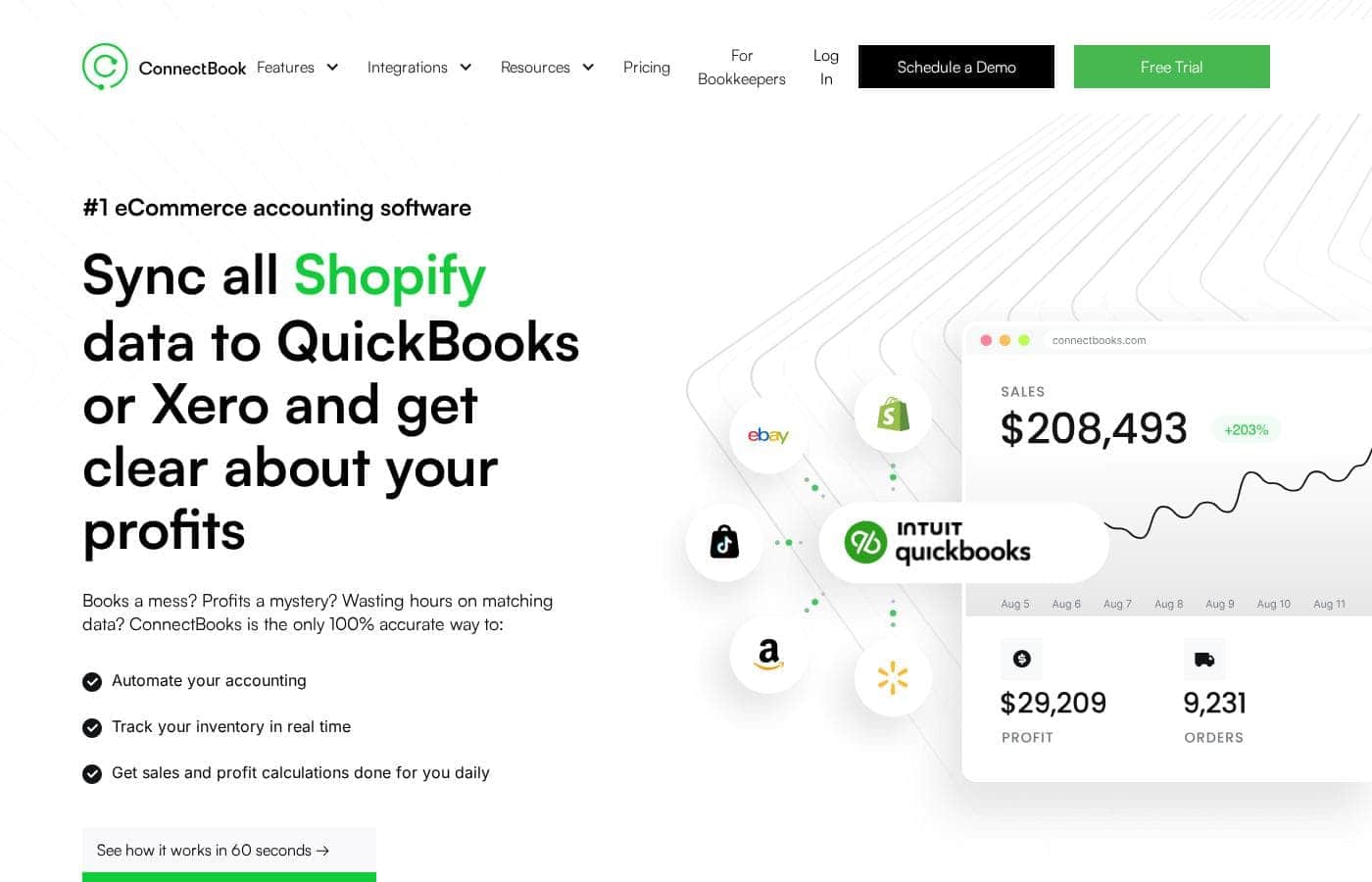
ConnectBooks homepage screenshot

At a glance

Quick overview for ConnectBooks: rating, pricing summary, key features, and highlights.

Ciroapp score

3.9/ 5

ConnectBooks promises penny-perfect sync of marketplace sales, fees, and returns into QuickBooks or Xero, backed by per-SKU profit reports, real-time inventory tracking, and free bookkeeper-led setup. The catch: no public prices and no independent reviews to back the vendor's claims. Overall, it looks like a strong fit for QuickBooks or Xero sellers on Amazon, Shopify, and similar channels β€” just confirm costs during the free trial.

Pros

  • Pros:Syncs every sale, fee, return, adjustment, and expense into QuickBooks or Xero to the penny, with one-click reconciliation and one-click generation of P&L, balance sheet, and 1099-K reports at month-end
  • Pros:Supports QuickBooks Desktop and Enterprise β€” not just Online β€” which is rare among marketplace sync tools that typically serve only QuickBooks Online and Xero
  • Pros:Offers a choice between itemized (product-level SKU) sync and summary sync, so you can decide whether to see per-product detail inside QuickBooks or keep books clean for taxes while still accessing product analysis in the app

Cons

  • Cons:Requires QuickBooks Online, Desktop, Enterprise, or Xero β€” it is a sync layer, not a standalone accounting ledger, so businesses using other accounting platforms cannot use it
  • Cons:Pricing is not transparent on the reviewed pages β€” plan names, dollar amounts, trial length, and refund terms aren't published, so buyers must check the live pricing page or book a demo to confirm costs before committing
  • Cons:No independent third-party reviews (G2, Capterra, Trustpilot) were available in the reviewed sources, so the 99.97% satisfaction score and 100% accuracy guarantee rest on the vendor's own claims rather than external validation
Best for
  • Amazon sellers who want per-SKU profit and COGS accuracy inside QuickBooks
  • Multi-channel sellers on Shopify, Walmart, eBay, TikTok, or Temu
  • Stores tracking bundles, kits, and variations across multiple warehouses
Free trial
Yes
This section is a summary. Detailed sections about features, use cases, pricing, and reviews follow below.

What is ConnectBooks?

Selling on Amazon or Shopify means endless marketplace fees, settlements, and numbers that never match your books. ConnectBooks pulls it all into QuickBooks or Xero automatically. You get to-the-penny transaction sync, real-time inventory tracking, and daily profit calculations β€” plus free one-on-one setup with a professional bookkeeper.

ConnectBooks is eCommerce accounting software that syncs sales, fees, settlements, and inventory from Amazon, Shopify, Walmart, eBay, TikTok, and Temu into QuickBooks or Xero. It's built for marketplace sellers, bookkeepers, and accountants who want accurate books without manual matching. The company reports serving 5,000+ sellers and automating over $20B in transactions yearly.

Should you choose ConnectBooks?

Quick buyer guidance before you compare plans or click through.

Choose it if

  • Businesses already running QuickBooks Online, Desktop, Enterprise, or Xero
  • Sellers tired of manually reconciling settlements, fees, and returns
  • Owners who want P&L and 1099-K reports generated in one click
  • Teams that value live US-based phone, email, and chat support
  • Sellers deciding on pricing or inventory using real-time profit data

Skip it if

  • Businesses that don't use QuickBooks or Xero β€” ConnectBooks depends on one of them for the accounting side
  • Service businesses with no marketplace sales β€” integrations focus on Amazon, Shopify, Walmart, eBay, TikTok, and Temu
  • Sellers on channels not listed among its integrations β€” confirm support before committing
  • Teams wanting a standalone accounting ledger β€” this is a sync layer, not a replacement for your books

Next steps before buying

  1. 1Confirm both your sales channels and your accounting software (QuickBooks or Xero) appear in the integrations list
  2. 2Compare against alternatives like A2X or Taxomate if you only need basic Amazon-to-QuickBooks sync β€” reviewers on the site mention switching from these
  3. 3Use the free trial or schedule a demo to see the itemized vs. summary sync modes in action before paying
  4. 4Plan to use the free 1:1 setup with a professional bookkeeper during onboarding to get your SKUs mapped correctly

Ease of use

The site presents the app as user-friendly and includes free one-on-one setup with a professional bookkeeper, which lowers the learning curve. Live US phone, email, and chat support is advertised, with a stated 99.97% customer satisfaction score. You'll still need to connect your marketplaces and accounting software, so expect some onboarding work β€” but the free setup help is designed to handle it.

ConnectBooks Key Features

✨ Accurate sync to QuickBooks or Xero

Your books match your marketplace data β€” to the penny. ConnectBooks pulls every sale, fee, return, adjustment, and expense from Amazon, Shopify, Walmart, eBay, TikTok, and Temu into QuickBooks or Xero. Reconciliation takes one click.

When you close the month, P&L, balance sheets, and 1099-K reports are ready in a click too.

✨ Itemized or summary β€” you choose

Pick how much detail lands in your books. Itemized sync sends product-level data, so you see sales, profits, and inventory per SKU inside QuickBooks β€” handy for pricing and inventory decisions. Summary sync posts transaction totals without SKU breakdowns, keeping books clean for taxes.

Either way, detailed product analysis stays available in the ConnectBooks app.

πŸ“¦ Real-time inventory tracking

Never guess what's in stock. ConnectBooks maps every SKU β€” including bundles and kits β€” to products in QuickBooks, then updates counts with each sale, return, or lost item. It tracks stock by marketplace and warehouse.

  • Days-of-stock forecasts per item
  • High and low stock alerts
  • Reorder alerts so you restock on time

You'll spot overstock and stockouts early.

πŸ’° Profit reports and AI analysis

Know what you earn on every sale. Reports show gross and net profit, margins, ad spend, fees, and returns by item, category, or seller β€” and they match your QuickBooks or Xero data. Spot your most and least profitable SKUs in one glance.

Comparison reports track KPIs over time, and Crunch, the built-in AI CFO, digs deeper into your data.

Use Cases

πŸ’° The Amazon seller chasing true per-SKU profit

You sell on Amazon and want to know what each product really earns. ConnectBooks shows net profit, margins, fees, returns, and ad spend by SKU. Spot hidden costs and double down on winners.

Expected outcome: confident pricing and reorder choices, backed by numbers that match your books.

πŸ”— The multi-channel seller with mismatched books

You sell on Amazon, Shopify, Walmart, eBay, TikTok, or Temu β€” and the numbers never line up. ConnectBooks syncs every sale, fee, settlement, and return into QuickBooks or Xero, to the penny. Expected outcome: reconciled books without manual matching.

Tip: choose itemized sync if you decide at the product level.

🧾 The bookkeeper serving eCommerce clients

You manage books for online sellers and dread settlement matching. ConnectBooks automates the messy middle and offers a dedicated edition for bookkeepers. Generate P&L and 1099-K reports in one click.

Expected outcome: client books that reconcile perfectly, with hours saved each month.

πŸ“¦ The seller juggling bundles, kits, and warehouses

You stock bundles, kits, and variations across several warehouses. ConnectBooks maps every SKU β€” bundles included β€” and updates inventory with each sale, return, or loss. Reorder alerts and days-of-stock forecasts help you avoid overstock and stockouts.

Expected outcome: current stock levels in QuickBooks.

ConnectBooks pricing

Prices not verified yet β€” see the vendor page.

ConnectBooks's pricing page

ConnectBooks pricing page screenshotView pricing page screenshot

Pricing range: Varies by plan

Pricing types: Free trial

Pricing notes

ConnectBooks offers subscription plans with a free trial, so you can test the platform before paying. Every account also includes a free 1:1 setup with a professional bookkeeper and a 100% accuracy guarantee.

ConnectBooks sells plan-based subscriptions, and you can start with a free trial before you pay anything.

Here's what the available information tells you about cost and value.

What you get on any plan

ConnectBooks' core toolkit handles the heavy lifting of ecommerce bookkeeping:

  • Full sync of sales, fees, returns, and adjustments into QuickBooks or Xero
  • Real-time inventory tracking by warehouse, with stock forecasts and reorder alerts
  • Profit reports per item, category, or seller β€” including ad spend, fees, and returns
  • Comparison reports, plus Crunch, an AI CFO built for ecommerce sellers

Everything syncs to the penny, so your books match your marketplace data exactly.

Setup and support

Two extras come at no charge. You get a free 1:1 setup with a professional bookkeeper, listed as $0. Support is live and US-based, by phone, email, or chat, with a reported 99.97% satisfaction score. There's also a 100% Accuracy Guarantee standing behind your synced data.

Who it fits

This software suits sellers on Amazon, Shopify, eBay, Walmart, TikTok Shop, or Temu who use QuickBooks Online, Desktop, Enterprise, or Xero. Multichannel sellers with growing order volume will get the most from the automation. If you run a tiny catalog and don't need SKU-level reporting, simpler tools may serve you fine. ConnectBooks also offers a dedicated edition for bookkeepers managing client stores.

Before you commit

Plan names and dollar amounts weren't available at publish time, so check the live pricing page before buying. It's worth confirming which sales channels and warehouses each tier covers, too.

Bottom line

ConnectBooks clearly offers a free trial, so you can test the sync, reports, and inventory tools without spending anything. The free bookkeeper-led setup makes onboarding easier as well. For exact current prices and billing options, the pricing page or a scheduled demo will give you firm numbers.
How to pay less for ConnectBooks

  • A free trial is available: test it before you pay.
Start free trial

Email me when ConnectBooks changes price

One email when we detect a price change on the vendor's pricing page. No newsletter, no deals. Unsubscribe in one click.

User Reviews

No reviews yet.

Write a Review

Write a Review for ConnectBooks
0/100 characters
0/2000 characters

Why use ConnectBooks?

Your marketplace data shouldn't eat your evenings. ConnectBooks handles the messy middle between your sales channels and your books, with a stated 100% accuracy guarantee and free expert setup to get you started.

  • Every transaction syncs to the penny. Sales, fees, returns, adjustments, and expenses flow into QuickBooks or Xero, with reconciliation in one click.
  • Profit clarity per SKU. See net profit, margins, fees, returns, and ad spend by item, category, or seller β€” so you can catch hidden costs and double down on winners.
  • Inventory stays current. Stock updates in real time across warehouses and marketplaces, with reorder alerts and days-of-stock forecasts.
  • Desktop users aren't left out. It supports QuickBooks Desktop and Enterprise, not just Online β€” rare among similar tools.
  • Human help is included. Free 1:1 setup with a professional bookkeeper, plus live US phone, email, and chat support.
  • Pick your detail level. Choose itemized, product-level sync for tactical decisions, or summary sync for clean overview books.

ConnectBooks alternatives

Other tools in the eCommerce accounting category

View all eCommerce accounting tools
Synder

Synder

eCommerce accounting4.2/5

Synder is powerful automation software that enables easy accounting for e-commerce businesses and accounting firms. Automate reconciliation of sales from e-commerce systems with accounting for always accurate reporting.

ConnectBooks FAQ

Which marketplaces and accounting tools does ConnectBooks connect to?

It syncs Amazon, Shopify, Walmart, eBay, TikTok Shop, and Temu into QuickBooks Online, Desktop, Enterprise, or Xero. You'll need one of those accounting platforms, since it's a sync layer rather than standalone software.

What does getting started involve?

You connect your marketplaces and accounting software, then choose itemized or summary sync. Every account includes free 1:1 setup with a professional bookkeeper, who helps map your SKUs and configure everything correctly.

What kind of support can you expect?

ConnectBooks provides live US-based support by phone, email, and chat, with a reported 99.97% satisfaction score. Ask about response times during your demo, since a formal SLA isn't published in the reviewed content.

What should you confirm before paying?

Plan prices, trial length, and refund terms weren't available at publish time. Check the live pricing page or schedule a demo to confirm costs, billing periods, and cancellation options before you commit.

Ready to try ConnectBooks? Check out the official site or pricing.

Are you ConnectBooks? Claim this listing Β· Get the badge