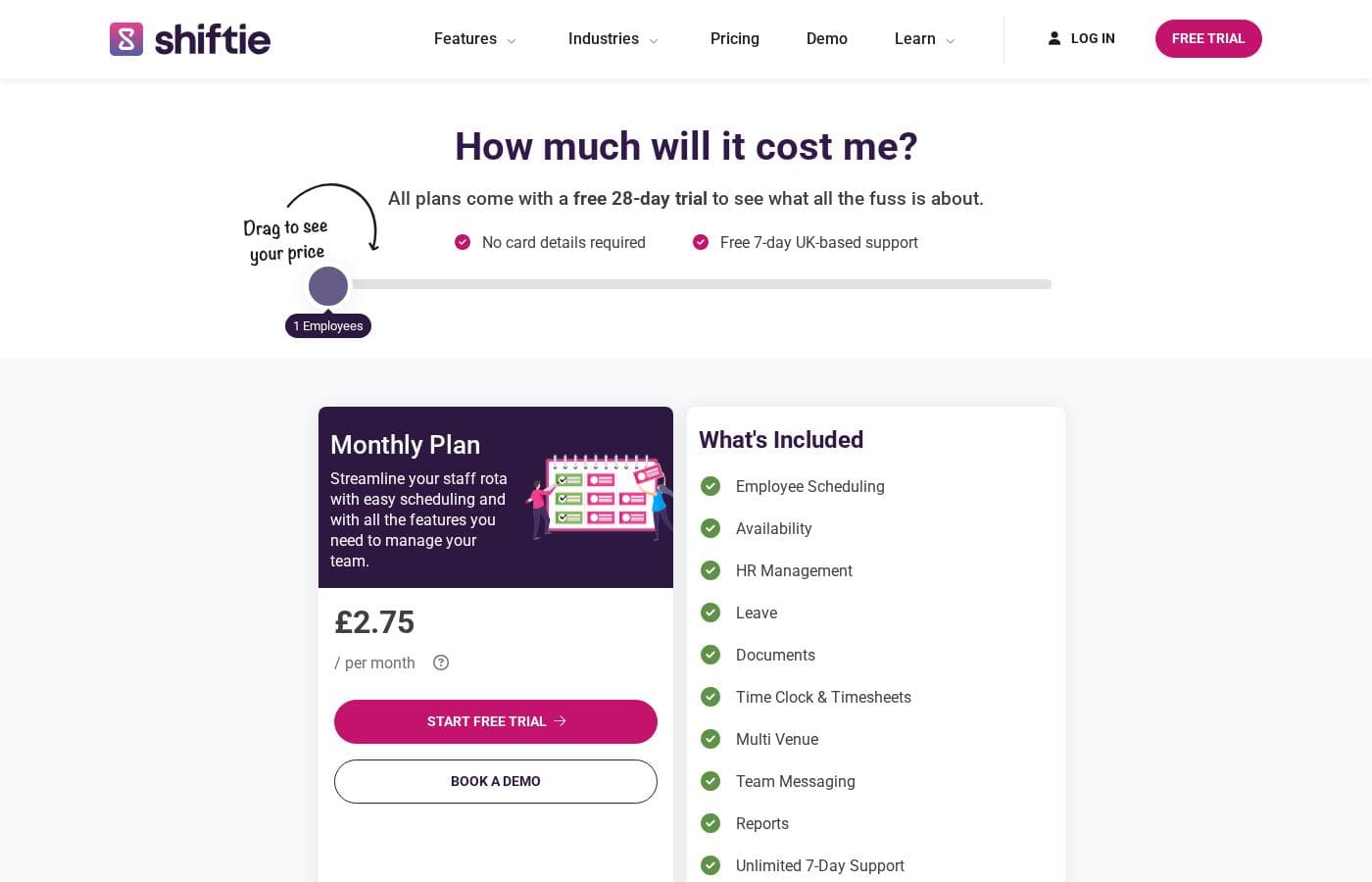
Shiftie doesn't publish fixed prices; instead, you pay a monthly fee based on how many employees are active on your account, with an Enterprise option for teams of more than 200. Every plan includes a free 28-day trial, and no card details are required to start.
Shiftie charges a monthly fee based on how many employees are active on your account, with an Enterprise option for teams of more than 200.
There are no fixed price tags published — instead, the pricing page uses a slider you drag to your team size. Here's what each plan includes.
Monthly Plan
Other Features:
- Employee scheduling, availability, and rota tools
- HR management, leave tracking, and document storage
- Time clock, timesheets, and reports
- Multi-venue support and team messaging
- Unlimited 7-day support
This plan bundles everything Shiftie offers, so you won't need to upgrade to unlock features. Billing is refreshingly simple: at the start of each month, you're charged for users who were marked active the previous month. If someone doesn't use the system that month, you don't pay for them. Cafés, farms, care providers, and attractions all appear among Shiftie's customers, so it suits teams of many shapes. Because the per-person rate isn't printed as a flat number, drag the slider to your headcount before signing up so you know your exact monthly cost.
Enterprise
Other Features:
- Full Shiftie feature set, matching the Monthly Plan
- Scheduling, HR, leave, documents, and time clock included
- Multi-venue and team messaging at scale
- Reports and unlimited 7-day support
Got more than 200 employees? Shiftie says that's no problem, and this is the tier built for it. Larger operations get the same toolkit without hitting any headcount ceiling. If your team sits comfortably under 200, there's no reason to stretch for this option; the standard plan covers you.
Every plan starts with a free 28-day trial, and you won't need to hand over card details. Your first bill arrives on the 1st of the month after your trial ends, and only if you decide to stay. 🙂 Cancelling is easy too: hit the 'Cancel Account' button in your billing section and you'll keep access until the end of the current billing period, with the option to change your mind before then.