Roosted

Roosted review

AI scheduling that matches the right workers to the right shifts.

By Ciroapp Editorial Team · Updated Sep 16, 2026

Commission may apply at no extra cost

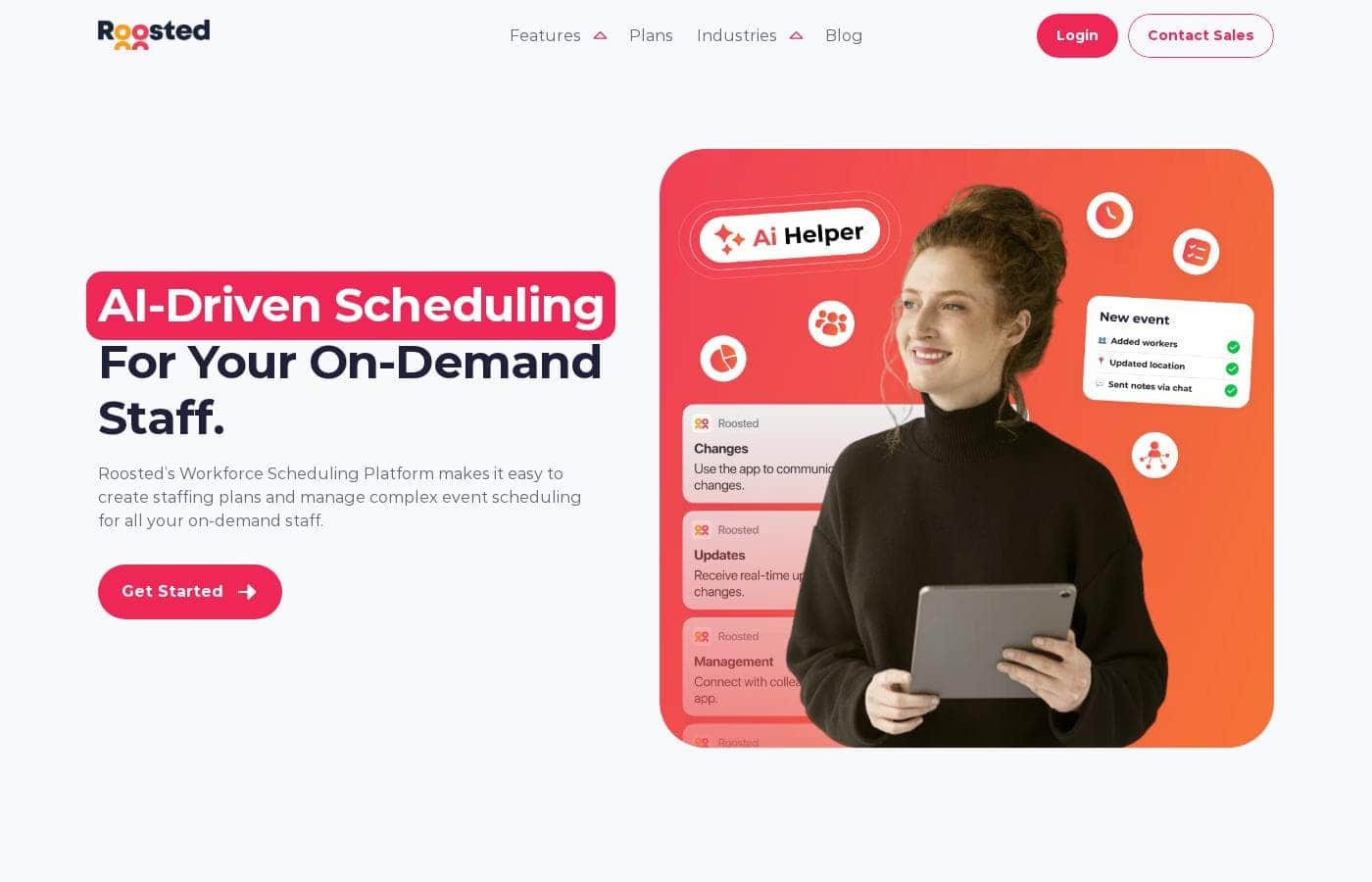
Roosted homepage screenshot

At a glance

Quick overview for Roosted: rating, pricing summary, key features, and highlights.
Vendor page checked Oct 13, 2026

Ciroapp score

4.0/ 5

Roosted brings AI shift matching, credential tracking, real-time mobile updates, and automated payments into one platform for on-demand staffing teams. But with no public pricing, no free trial, and thin integrations, you'll need a sales call before judging the fit. Overall, it's a strong pick for credentialed, high-turnover crews—if you're willing to do the diligence.

Pros

  • Pros:AI shift matching weighs skills, seniority, credentials, location, and team compatibility—not just raw availability—so shifts land with people qualified to work them
  • Pros:The Guided Event Wizard asks clarifying questions about your requirements and builds a staffing plan, rather than dropping you into a blank scheduling grid
  • Pros:Real-time updates flow both ways through the employee app — schedules push to staff phones, and workers can flag last-minute swaps back to coordinators

Cons

  • Cons:No public pricing anywhere on the site—every rate requires a sales conversation, and it's unclear whether costs scale by headcount, events, or features
  • Cons:No free trial or money-back guarantee is advertised, so buyers can't test the platform before committing
  • Cons:Integrations are thin — the site documents only a public API and an Event Temple partnership, so teams reliant on specific payroll or HR tools should verify connectivity with sales first
Best for
  • Healthcare and clinical staffing coordinators managing credentialed, on-demand workers
  • Event companies scheduling rotating crews across venues and roles
  • IATSE halls and stage labor dispatchers handling union call-outs
This section is a summary. Detailed sections about features, use cases, pricing, and reviews follow below.

What is Roosted?

Coordinating on-demand staff over email and spreadsheets means endless phone calls, last-minute fire drills, and no clear way to track who's qualified for what. Roosted replaces that chaos with AI-generated schedules that weigh skills, credentials, and location—then pushes updates straight to your team's phones.

Roosted is a workforce scheduling platform for people who manage on-demand staff—healthcare and clinical teams, event crews, stage labor, caterers, security, and volunteers. A Guided Event Wizard collects your staffing needs, the AI builds a schedule using availability, credentials, and past performance, and an employee app handles confirmations and real-time changes. It also automates payments and time tracking.

Should you choose Roosted?

Quick buyer guidance before you compare plans or click through.

Choose it if

  • Teams tired of filling shifts through endless emails and phone calls
  • Managers who need credentials verified before someone is booked
  • Operators who want past performance to shape future staffing decisions
  • Businesses that want scheduling, time tracking, and payments connected
  • Workforces that depend on fast mobile updates when plans change

Skip it if

  • Budget-conscious buyers who want published pricing—plans are gated behind a sales conversation on the site
  • Solo operators or very small recurring teams that may not need AI matching, performance tracking, and credentialing
  • Organizations reliant on specific payroll or HR tools—the site documents a public API and an Event Temple partnership, but lists few other integrations

Next steps before buying

  1. 1Open the Plans page and talk to sales about exact pricing for your headcount—rates aren't published on the site
  2. 2Confirm the integrations you rely on, especially payroll or event platforms; a public API and an Event Temple partnership are documented
  3. 3Write down your scheduling rules—roles, credentials, seniority, locations—so the Guided Event Wizard produces accurate plans from day one
  4. 4Budget time for setup: staff profiles, credentials, and job requirements must be in the system before AI matching helps
  5. 5Ask sales directly about trial terms, refunds, and implementation support before signing anything

Ease of use

Ease of use comes through as a real theme. Customers describe Roosted as easy to use and say they don't have to force their process into the system. The Guided Event Wizard asks clarifying questions rather than dropping you into a blank grid. Keep in mind there's real setup first: staff profiles, credentials, and job requirements need loading before the AI can schedule well. Email support and developer docs are available.

Roosted Key Features

✨ AI Shift Matching

The right worker shows up for the right shift. Roosted's AI weighs more than availability. It looks at skill sets, seniority, location, credentials, and team compatibility to build a schedule that fits.

Use it when you're staffing complex events or variable crews. The result: plans designed to hold up on event day.

✨ Guided Event Wizard

You don't start from a blank grid. The Guided Event Wizard asks clarifying questions about your unique requirements, then designs a customized staffing plan. Define what you need, and the platform turns it into a schedule you can trust.

It's handy for one-off events and recurring coverage alike.

📱 Real-Time Updates Through the Employee App

Plans change, and your staff hears about it fast. Roosted shares schedules and real-time updates straight to employees' phones. Staff can flag last-minute swaps and tweaks back to your team from the same app.

That two-way flow helps you address no-shows and changes before they become fire drills.

✨ Credentials, Performance, and Time Tracking

Keep coverage compliant and improve with every event. Roosted tracks multiple credentials per worker, so the right qualified people get booked. Use it when compliance matters most, like healthcare and clinical staffing.

Here's what the platform keeps on file for you:

✨ Payments, Billing, and E-Signing

Scheduling and payments live in one flow. Roosted automates payments and time tracking, so you're not juggling separate tools after an event wraps. Unlimited e-signing is included for paperwork.

Customers say the combined billing and scheduling changed how they operate day to day.

Use Cases

🏥 Staffing a healthcare float pool

You coordinate credentialed clinical staff across facilities. The Guided Event Wizard asks about your license requirements, then the AI matches shifts by credentials and location. Staff confirm on their phones.

Expected outcome: Compliant coverage without endless credential-checking calls.

Tip: Load staff credentials and job requirements before your first AI-built schedule—it makes matching sharper from day one.

🎪 Filling rotating event crews

Your event company staffs different venues and roles every week. Enter your needs once, and the wizard clarifies the details. The AI builds a plan from skills, seniority, and team compatibility—then pushes real-time updates when plans change.

Expected outcome: Fewer last-minute fire drills on event day.

🎭 Dispatching union stage calls

IATSE halls juggle call-outs, member skills, and seniority rules. Roosted weighs seniority and past performance in every schedule, so the right members land the right calls. One customer says it simply 'understands how our IATSE hall operates.'

Expected outcome: Faster dispatch your members don't have to fight with.

🙌 Coordinating volunteers and seasonal crews

You run volunteers, caterers, or security teams with shifting rosters. Track each person's roles, availability, and attendance in the employee app. Staff confirm shifts and flag changes themselves, so you're not chasing replies by email.

Expected outcome: Less chaos at the end of each day—and more time for clients.

Roosted pricing

Prices not verified yet — see the vendor page.

Roosted's pricing page

Roosted pricing page screenshotView pricing page screenshot

Price history

Tracking prices since Oct 1, 2026. No price change detected yet.

Pricing range: Quote-based (contact sales)

Pricing notes

Roosted uses quote-based pricing and doesn't list public rates on its website. You'll need to contact sales through its Plans page for a custom quote based on your staffing needs.

Roosted keeps its pricing off the public site — you'll get exact numbers by visiting its Plans page and using the Contact Sales option for a custom quote.

That's the honest picture. The pricing page didn't show any plans or dollar amounts when we checked, so here's what we can tell you instead.

What you're buying

Roosted is an AI-driven scheduling platform for on-demand staff. It builds staffing plans, manages complex event schedules, and automates payments. Core features include:

  • Smart scheduling with AI shift matching
  • Time tracking and availability management
  • Credential tracking for each worker
  • Unlimited e-signing
  • Real-time updates through a mobile employee app

The platform also tracks worker performance and uses that history to plan future events. A Guided Event Wizard asks clarifying questions, then designs a staffing plan around skills, seniority, location, and unique job requirements.

Who it's built for

Roosted serves teams that manage lots of part-time or event-based workers. Its site calls out healthcare staffing, event staff, stage labor, caterers, event security, mobile bartending, production companies, talent management, and non-profits. If you only schedule a small internal team, a simpler tool might serve you better.

Before you commit

Ask the Roosted team a few direct questions during your quote call. Confirm which features come standard, whether pricing scales with headcount or events, and if there's a contract minimum. It's also worth asking about onboarding help if you're migrating from spreadsheets.

Wrapping up

Roosted doesn't advertise a free trial or a money-back guarantee on the pages we reviewed, so there's no published refund policy to lean on. Your best move is simple: head to the Plans page, book a sales conversation, and get the full numbers in writing. You can also email [email protected] with questions before you sign anything.
Email me when Roosted changes price

One email when we detect a price change on the vendor's pricing page. No newsletter, no deals. Unsubscribe in one click.

User Reviews

No reviews yet.

Write a Review

Write a Review for Roosted
0/100 characters
0/2000 characters

Why use Roosted?

Spreadsheets don't check credentials, and group texts don't cover no-shows. Roosted was built for exactly this pressure, and based on what the site shows, it targets the pain points on-demand teams know best.

  • Schedules built on more than availability. The AI factors in skill sets, seniority, credentials, location, and team compatibility, so shifts land with people who can actually do the job.
  • Fewer last-minute fire drills. The Guided Event Wizard asks clarifying questions about your requirements, then produces a staffing plan designed to hold up on event day.
  • Updates go straight to phones. Schedules and real-time changes reach staff through the employee app, with an easy way to flag swaps and tweaks back to you.
  • Credentials stay under control. Track multiple credentials per worker to keep coverage compliant—critical for healthcare and clinical staffing.
  • Every event makes the next one better. Performance history feeds future schedules, helping your strongest workers land the right roles.
  • Scheduling and payments in one flow. Customers credit the combined billing and scheduling with changing how they operate day to day.

If staffing chaos is eating your week, Roosted is designed to hand that work to software.

Roosted alternatives

Other tools in the Employee Scheduling category

View all Employee Scheduling tools
Shiftie

Shiftie

Employee Scheduling3.8/5

Staff scheduling made simple. Shiftie is a smart staff scheduling tool that simplifies rota planning, tracks availability, and improves team communication, saving time and ensuring you're always staffed when it counts.

Roosted FAQ

Does Roosted connect to payroll or event tools I already use?

Roosted documents a public API and an Event Temple partnership. Its site lists few other integrations, so confirm during your sales call whether your payroll or HR tools connect—or plan to use the API.

How does Roosted's pricing work—per seat or per usage?

Roosted doesn't publish rates; you'll get a custom quote through its Plans page. Ask sales directly how pricing scales—by headcount, events, or features—so you know what drives your cost.

Can I try Roosted free or get a refund?

Roosted's site doesn't advertise a free trial or money-back guarantee. Before signing, ask sales for trial options, refund terms, and cancellation rules in writing.

What's onboarding like if I'm migrating from spreadsheets?

Expect real setup work: load staff profiles, credentials, and job requirements before AI matching helps. The Guided Event Wizard then builds your first plans, and email support plus developer docs are available.

Ready to try Roosted? Check out the official site or pricing.

Are you Roosted? Claim this listing · Get the badge