Quick overview for SaneBox: rating, pricing summary, key features, and highlights.
Ciroapp review
4.1
Smart AI Filtering, Time-Saving Results
We find SaneBox offers exceptional time savings through highly effective AI categorization, enabling users to regain control over cluttered inboxes immediately. Overall, the powerful features deliver substantial organizational benefits, but potential buyers should note concerns regarding opaque pricing and recent negative reports about technical support quality.
Pros
Pro:AI filtering is highly accurate and very easy to train.
Pro:Saves users significant time (reports of 3–4 hours per week).
Pro:Works seamlessly across all email clients (strong integration).
Pro:Powerful tools like SaneBlackHole eliminate unwanted senders forever.
Cons
Con:Paid subscription pricing is not published openly on the website.
Con:Reliability issues reported following recent service outages.
Con:Significant user complaints regarding poor technical support quality and responsiveness.
Free trial
Yes — 14 days
Range: Not explicitly statedFree trial
This section is a summary. Detailed sections about features, use cases, pricing, and reviews follow below.
Quick overview for SaneBox: rating, pricing summary, key features, and highlights.
Ciroapp review
4.1
Smart AI Filtering, Time-Saving Results
We find SaneBox offers exceptional time savings through highly effective AI categorization, enabling users to regain control over cluttered inboxes immediately. Overall, the powerful features deliver substantial organizational benefits, but potential buyers should note concerns regarding opaque pricing and recent negative reports about technical support quality.
Pros
Pro:AI filtering is highly accurate and very easy to train.
Pro:Saves users significant time (reports of 3–4 hours per week).
Pro:Works seamlessly across all email clients (strong integration).
Pro:Powerful tools like SaneBlackHole eliminate unwanted senders forever.
Cons
Con:Paid subscription pricing is not published openly on the website.
Con:Reliability issues reported following recent service outages.
Con:Significant user complaints regarding poor technical support quality and responsiveness.
Free trial
Yes — 14 days
Range: Not explicitly statedFree trial
This section is a summary. Detailed sections about features, use cases, pricing, and reviews follow below.
SaneBox review, pricing, features, pros & cons
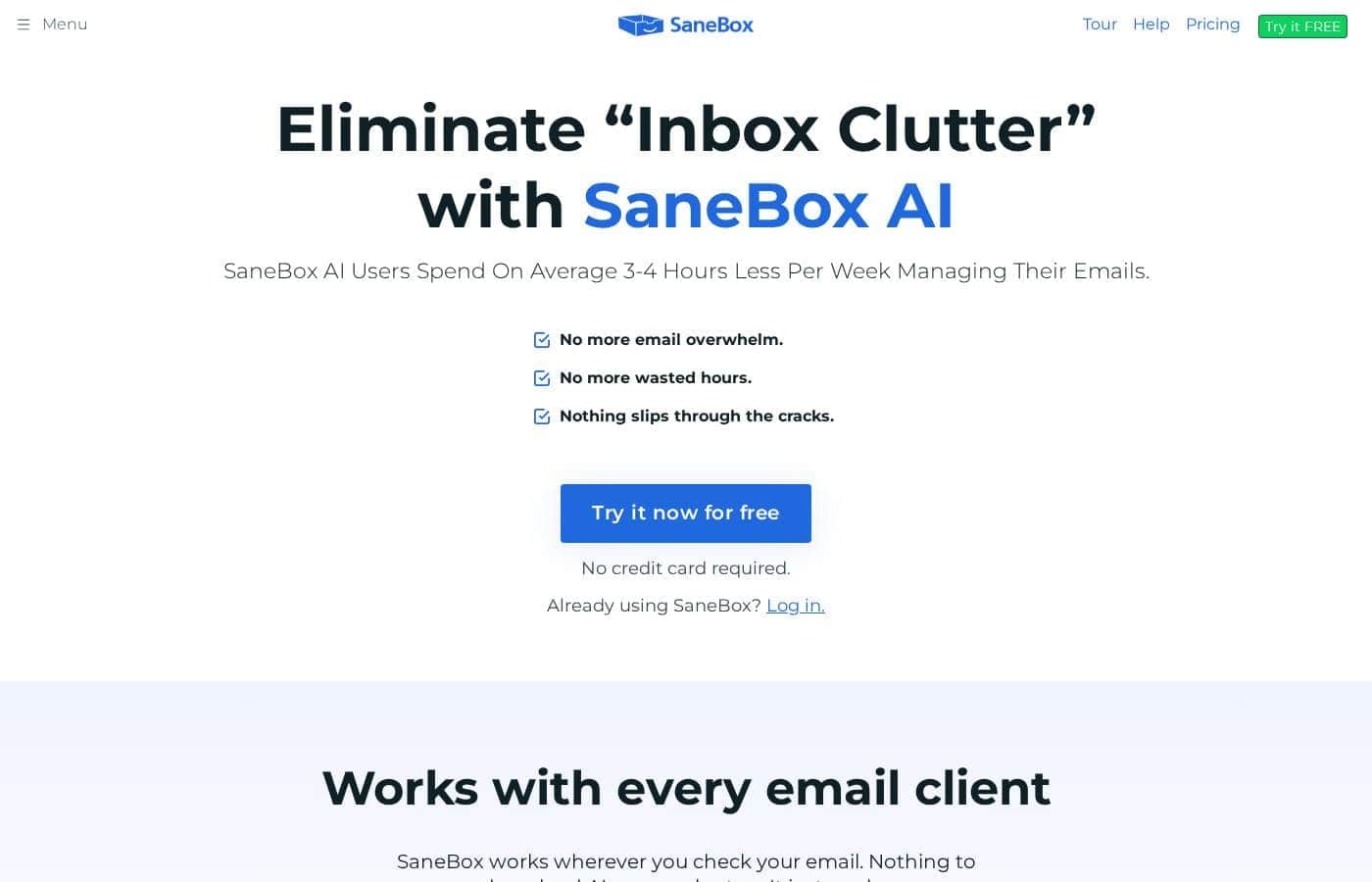
Dealing with constant email overwhelm can waste valuable hours every week. A chaotic, overflowing Inbox often makes you feel like important tasks are slipping through the cracks. SaneBox uses powerful AI to tackle this pain point directly.
Users report spending 3 to 4 hours less per week managing their digital workspace. That's real time back! ✨
What is SaneBox?
SaneBox is your helpful, AI-Powered Inbox Assistant. It’s designed to transform the way you handle email without disruption. The service works seamlessly with every email client you already use.
There’s nothing to download and no manual setup needed, because SaneBox simply works in the background. You can achieve a clean, distraction-free inbox in less than five minutes. It truly provides the focused experience email should offer.
💡
SaneBox Key Features
✨ Seamless Integration and Easy Setup
SaneBox instantly integrates with the email workflow you already use. It works seamlessly with every email client, whether you check mail on your phone or desktop. There is nothing special to download, and you won’t face complicated manual setup steps.
Because SaneBox acts as a powerful background assistant, getting started is fast. You can achieve a clean, distraction-free inbox in less than five minutes. It simply works wherever you check your email.
✨ AI-Powered Inbox Filtering
SaneBox uses powerful Artificial Intelligence to identify and automatically separate your incoming messages. The AI determines which emails are important and which can wait, moving away the unimportant mail. This key feature removes unwanted interruptions so you can focus on tasks that truly matter.
By filtering away the noise, your main inbox stays clean and manageable. This focused experience is designed to save you valuable hours every week managing your digital workspace.
✨ Daily Digest: Stay Current Without Clutter
Even when SaneBox filters unimportant emails, you still maintain full visibility over them. The Daily Digest provides a helpful summary of all emails that have not yet been opened. This prevents anything critical from slipping through the cracks.
You can quickly skim this digest at a convenient time rather than being interrupted throughout the day. It allows you to maintain control while keeping your primary inbox dedicated to priority conversations.
✨ BlackHole: Banish Annoying Senders
Are you tired of constantly receiving mail from unwanted or pesky senders? The BlackHole feature offers a permanent solution to remove them. You can use it to unsubscribe from annoying senders with just one simple click.
This powerful tool helps you banish clutter forever. By eliminating these sources of frustration, BlackHole frees up your valuable mental space.
🌙 Snooze Function for Perfect Timing 🌙
Sometimes even important emails arrive at a bad time, like during a busy weekend or late at night. The Snooze function allows you to send those emails completely out of sight until you are ready for them. You choose when the message returns to your inbox.
For example, you can Snooze a message received on Saturday until Monday morning. This simple tool helps you control your schedule and prevents necessary interruptions.
✨ Personal Follow-Up Assistant
SaneBox ensures nothing slips through the cracks by acting as your dedicated follow-up assistant. You get immediate reminders if someone fails to respond to your sent email by a determined time. This makes sure important conversations remain accountable.
You can also set reminders for your future self regarding any task or item. This proactive feature ensures you address details at the perfect time, providing crucial support for accountability.
Use Cases
🧠 Establishing Immediate Focus
When you open your inbox, only the most critical emails should appear. SaneBox uses AI to automatically sort messages into folders based on urgency and importance. This means marketing offers and newsletters are filtered away from your primary view, eliminating major distractions.
You can move past the clutter and focus solely on high-value work that truly matters. Users report gaining 3 to 4 valuable hours back every week, simply by stopping constant interruptions.
⚫ Permanently Banish Annoying Senders
Are you constantly bombarded by emails from a specific sender, even after trying to unsubscribe? The BlackHole feature offers a permanent solution. SaneBox helps you remove these persistent annoyances for good and frees up that mental space.
Here is how you use the function to achieve peace:
Drag the unwanted sender's email into the BlackHole folder.
SaneBox immediately stops all future emails from that address.
Enjoy a cleaner, quieter inbox forever.
🗓️ Never Miss a Critical Follow-Up
It's easy for important tasks to slip through the cracks when managing a heavy email load. If you need a response from a client, SaneBox works as your personal accountability partner. It reminds you to follow up if the recipient does not reply by your specified deadline.
💡 Reclaiming Your Personal Time
If you often check your email late at night or on the weekends, the Snooze feature is invaluable. It lets you send important emails away until the perfect processing time. For example, you can read that complex project update on Saturday but snooze it until Monday morning.
This gives you control over your schedule, ensuring serious work doesn't invade your personal hours. It’s an easy way to achieve a better work-life balance without sacrificing responsiveness.
Tip: Snooze feature is perfect for deferring large internal reports until the start of the next business day.
📰 Efficiently Processing Low-Priority Mail
Many unimportant emails still carry some potential value but shouldn't dominate your day. SaneBox addresses this with the Daily Digest. This feature provides a summary of all those less important emails that have landed in your filtering folders.
⚙️ Seamless Setup and Compatibility
SaneBox is designed to work efficiently with every email client you currently use. There are no programs to download or install, and no complex manual settings to configure. You can achieve a clean, distraction-free inbox in less than five minutes.
The service works in the background and is managed completely by AI. It’s designed to transform the way you handle email without causing any disruption to your existing workflow.
Pricing Overview for SaneBox
Pricing range
Not explicitly stated
Pricing types
Free trial
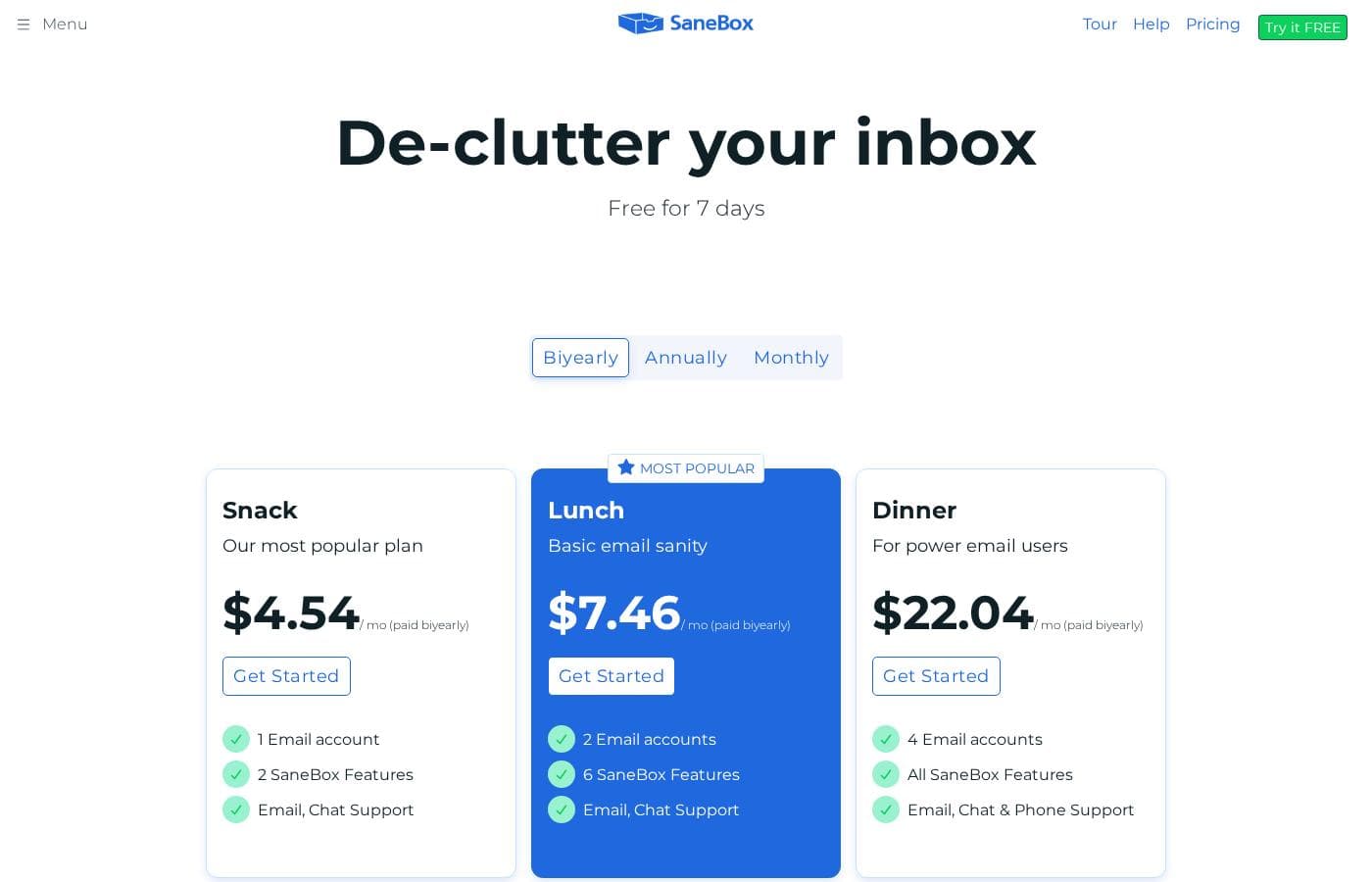
SaneBox offers a clear entry point with a 14-day free trial that unlocks all premium features. The exact subscription costs and plan tiers after the trial period are not explicitly published on the provided pages.
SaneBox costs between Not explicitly stated and Not explicitly stated per period with 1 confirmed option: Free Trial at $0.
Since the specific pricing for paid plans is not published, we will focus on the confirmed free trial that is available to new users.
Free Trial
Price: Free for 14 days
Websites Supported: Not explicitly stated
Best For: New users testing premium email filtering features
Refund Policy: Not applicable (Free)
Other Features: 14 days of premium features, AI-powered email filtering, BlackHole unsubscribing tool, Daily Digest of unimportant emails, Snooze function for delayed processing, Follow-up reminders.
This trial is perfect if you want to eliminate inbox clutter and experience the full functionality SaneBox offers. You get two weeks to try the service before committing to a potentially paid subscription. It's a great way to see if SaneBox can save you those advertised 3–4 hours per week managing email. 🚀
Since SaneBox does not publicly list its paid plans upfront, the 14-day free trial is essential for prospective users. This trial allows you to use all premium features before you need to decide on a paid plan. There is no explicit money-back guarantee mentioned, but you can cancel the service before the 14-day free trial ends without incurring any charges.
User Reviews
Users overwhelmingly praise SaneBox for its accuracy and effectiveness in filtering, frequently describing it as a "game-changer" that saves them several hours weekly by reducing email stress and clutter. The setup is consistently viewed as seamless, and features like SaneLater and SaneBlackHole are highly valued for their ease of use and powerful automation.
Integrations are robust, as the tool works with virtually all email clients. However, the platform has faced challenges regarding reliability following reported outages.
A significant negative theme centers on post-outage stability and, crucially, poor technical support responsiveness. Some users report highly frustrating experiences, including long wait times, lack of comprehension from agents, and even controversial account cancellation by management during a support dispute.
While the core product functionality is loved by long-term, satisfied customers, the lack of transparent public pricing presents a hurdle, as users must begin the trial to discover the costs. Despite these support issues, the overall sentiment remains strong, reflecting its powerful organizational tools.
📧
What users say elsewhere
Alex D.
· Trustpilot · May 30, 2025
5.0 / 5
Honestly, what an incredible tool. I was starting to hate emails, and they were causing me so much stress. Now that SaneBox sorts my mail, I can just look at my inbox without feeling cluttered anymore. It has made a noticeable difference to my focus and work.
Sarah J.
· Trustpilot · May 30, 2025
5.0 / 5
The difference has been night and day! The features are intuitive, and I now feel like I’m finally on top of my emails, not the other way around. What truly set my experience apart was the exceptional support I received from John, Customer Success Manager.
No reviews yet.
Write a Review
Write a Review for SaneBox
Why use SaneBox?
If you are tired of the chaotic, overwhelming nature of modern email, SaneBox provides a straightforward solution. It offers powerful features designed to give you back control immediately. You can move past the clutter and focus only on work that truly matters. ✅
Regain Valuable Hours: SaneBox AI helps users spend 3 to 4 hours less each week managing their email messages.
Maintain Focus: The AI Assistant automatically filters away unimportant messages, greatly reducing unwanted interruptions.
Ensure Accountability: You get reminders to follow up so nothing critical slips through the cracks.
Control Your Schedule: Use the Snooze feature to send emails away until the perfect time, like Monday morning instead of late Saturday night.
Banish Clutter Forever: The BlackHole feature helps you remove annoying senders for good, freeing up mental space.
Secure and Private: The commitment to security is clear: your emails, contacts, and content are never sold or shared.
Do I need to switch email providers or download special software to use SaneBox?
No, SaneBox works seamlessly with every email client you already use. There is nothing to download or install, and no complicated manual setup is required.
How quickly can I start using SaneBox to clean up my inbox?
You can get started very quickly and immediately access all features. The official site states that you can achieve a clean, distraction-free inbox in less than five minutes.
What is included in the 14-day free trial?
The free trial unlocks all premium features for two weeks. This includes AI filtering, the BlackHole unsubscriber tool, follow-up reminders, and the email Snooze function.
Where can I find the subscription costs after the free trial ends?
The specific prices, plan tiers, and subsequent billing cycles for paid services are not publicly listed on the main website pages. You will need to register for the trial or contact the company directly to learn the full costs.
Does SaneBox sell or share my personal data or email content?
SaneBox explicitly commits to user security and privacy. Your emails, contacts, and personal content are never sold or shared with external parties.
What happens if I decide not to subscribe after the free trial?
You can cancel the service at any time before the 14-day free trial ends to avoid incurring any charges. The system will revert to your normal email setup.
Is SaneBox priced per user or based on the number of emails I receive?
Not explicitly stated on the official site. Because SaneBox mentions options 'For Business,' this may indicate multi-seat or enterprise pricing is available.
Is there a money-back guarantee for paid subscriptions?
Not explicitly stated on the official site. The free trial ensures you can test the service thoroughly before you commit to a subscription.
What is the guaranteed response time for customer support inquiries?
Not explicitly stated on the official site. They provide contact links to submit help requests and bug reports to their support staff.
Are there limits on how many emails SaneBox can process in a month?
Not explicitly stated on the official site. However, the service is promoted as helping professionals who manage over 1,500 emails daily, suggesting it handles high volume.
Is SaneBox suitable for large businesses or teams?
Yes, SaneBox maintains a dedicated area labeled 'For Business' and offers resources addressing 'Email Overload in the Enterprise.' These features suggest it is appropriate for organizational use.
Does SaneBox support languages other than English or specific international regions?
Not explicitly stated on the official site. If you use non-English communication heavily, you should contact support to confirm compatibility for your specific language.
Ready to try SaneBox? Check out the official site or pricing.