Proton Drive

Proton Drive review

End-to-end encrypted cloud storage even Proton can't read.

By Ciroapp Editorial Team · Updated Sep 17, 2026

Commission may apply at no extra cost

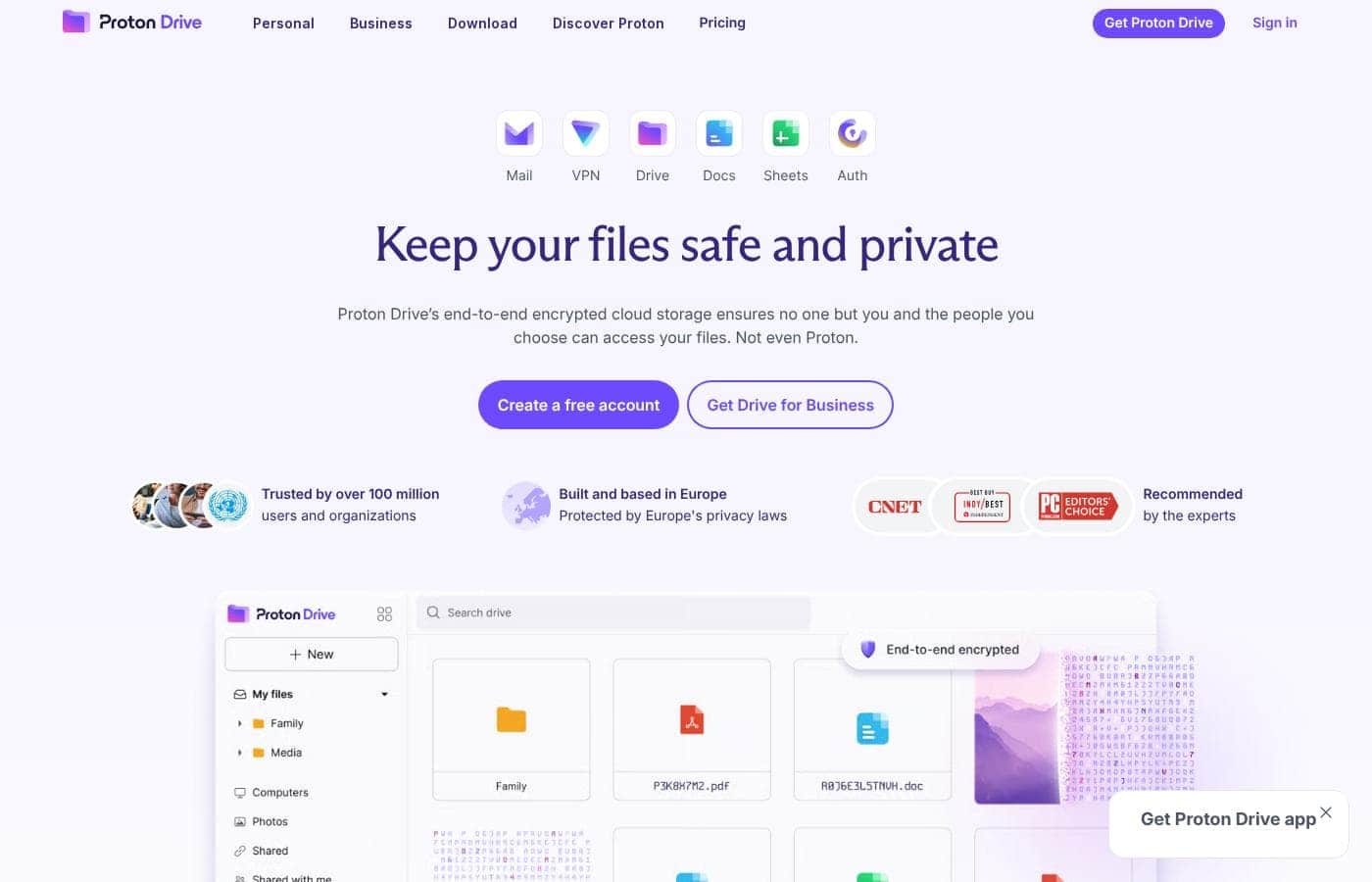
Proton Drive homepage screenshot

At a glance

Quick overview for Proton Drive: rating, pricing summary, key features, and highlights.
Vendor page checked Oct 13, 2026

Ciroapp score

4.1/ 5

Proton Drive stands out with zero-access encryption, Swiss jurisdiction, and open-source code that's regularly audited. The permanent free plan, encrypted Docs and Sheets, and bundled apps add real value, though exact prices hide behind the pricing page and free users can't share files over 5 GB. Overall, it's a solid, recommendable pick for privacy-first cloud storage.

Pros

  • Pros:Zero-access, end-to-end encryption covers files, photos, and even file names before anything leaves your device, so Proton itself cannot read your data
  • Pros:Swiss jurisdiction places your files under strict European privacy laws, outside US and UK legal reach, and the code is open source with regular independent audits
  • Pros:Share links support password protection and expiry dates, and any link can be revoked instantly with a single click

Cons

  • Cons:Sharing files larger than 5 GB requires a paid upgrade, which limits the free plan for anyone sending big files
  • Cons:Exact dollar prices aren't shown up front on the main page — you have to check the pricing page for final amounts before committing
  • Cons:Long file version recovery (up to 10 years) is locked behind Drive Plus, so free users lose that safety net
Best for
  • Privacy-first individuals who don't want their cloud provider reading their files
  • People backing up photos and videos with automatic mobile backups and shared albums
  • Anyone sharing sensitive documents who needs password-protected, expiring links
Money-back guarantee
Yes — 30 days
This section is a summary. Detailed sections about features, use cases, pricing, and reviews follow below.

What is Proton Drive?

Big Tech cloud storage often means your files get scanned and your data gets monetized. Proton Drive flips that. It encrypts everything end-to-end, so only you and people you choose can see your files — not even Proton.

You get a free 5 GB plan, protected sharing links, and apps for every major device.

Proton Drive is end-to-end encrypted cloud storage from the creators of Proton Mail, based in Switzerland. It stores files, photos, and videos, syncs them across Windows, macOS, Android, iOS, and the web, and includes online document and spreadsheet editors. There's a personal version and a separate business version.

It suits people and teams who want cloud storage without handing over access to their data.

Should you choose Proton Drive?

Quick buyer guidance before you compare plans or click through.

Choose it if

  • Buyers who want to test encryption at no cost — the free plan includes 5 GB, Docs, and Sheets
  • People who value Swiss jurisdiction and European privacy protections
  • Users who trust open-source software with independent audits over closed systems
  • Couples or households — the Duo plan covers two users with 2 TB of storage
  • Anyone switching away from ad-supported Big Tech storage, with guides for moving from Google Drive and Photos

Skip it if

  • Free users who need to send large files — sharing files over 5 GB requires a paid upgrade
  • Shoppers who want exact dollar prices up front — this page shows plan sizes and discounts but not final amounts, so check the pricing page before buying
  • Anyone who needs long version history on the free plan — 10-year file version recovery is a Drive Plus benefit
  • Buyers who depend on a wide third-party app ecosystem — the site highlights its own apps (Docs, Sheets, VPN, Mail) rather than marketplace integrations
  • Teams with strict compliance needs — business compliance details (GDPR, HIPAA, ISO 27001) live on separate business pages, so verify them before committing

Next steps before buying

  1. 1Compare the four personal plans — Free (5 GB), Drive Plus (200 GB), Unlimited (500 GB plus VPN), and Duo (2 TB, two users) — on the pricing page to find the right storage size.
  2. 2Confirm the apps you need exist for your devices — Windows, macOS, iOS, Android, web, or CLI — before paying.
  3. 3Check current prices and whether monthly or yearly billing suits you; paid plans come with a 30-day money-back guarantee.
  4. 4Decide if a bundle adds value for you — Unlimited and Duo include Proton VPN, Mail, Calendar, and Pass.
  5. 5Start with the free plan: upload a few files and create a password-protected share link to confirm the workflow fits before upgrading.

Ease of use

Signals point to a simple setup. You can create a free account and upload files by dragging and dropping into the web app or using the upload button. Native apps cover Windows, macOS, iOS, Android, and the web, plus a CLI. Windows users can sync any desktop folder automatically. User testimonials on the site praise a clean interface, and Proton offers a support section, blog guides, and a public roadmap.

Proton Drive Key Features

✨ Encryption starts on your device

Your files, photos, and even file names get encrypted right on your device, before anything is uploaded. Proton never holds the keys, so only you — and the people you choose — can read your data. Not even Proton can.

The same protection covers everything you store.

✨ Share links you fully control

Sharing something sensitive? Create an encrypted link, then add a password and an expiry date. Changed your mind?

Switch the link off with one click. It works for files, photos, documents, and spreadsheets, so you decide who gets in and for how long.

📸 Photos that back themselves up

Turn on mobile backups and your new photos and videos save themselves to the cloud. From there, you can build collaborative albums, so reliving and sharing favorite moments with family is easy. And like everything in Drive, your memories stay encrypted throughout.

✨ Synced across all your devices

Drive runs on Windows, macOS, Android, iOS, and the web, plus a command-line option. On Windows, you can sync any desktop folder. Change, add, or remove a file, and the cloud copy updates to match.

Your latest work is simply everywhere you are.

✨ Create and collaborate privately

You don't have to leave encrypted storage to get work done. Built-in editors handle writing and planning: - Proton Docs protects your words from data exploitation, surveillance, and AI training. - Proton Sheets supports formulas and charts for finances, reports, and workflows.

  • Both run in your browser, with sharing you control.

Use Cases

🔐 Share sensitive files without worry

Sending contracts, IDs, or medical records? Share them with a link protected by a password and an expiry date. If something changes, switch the link off with one click.

Expected outcome: only the right people open your files, and nobody else can.

📸 Back up and relive your memories

Turn on automatic mobile backups, and your photos and videos upload encrypted straight from your phone. Build shared albums so family can add and enjoy moments together.

Tip: the free 5 GB plan holds more than 1,000 high-resolution photos.

🔄 Keep work in sync everywhere

Sync any folder on your Windows desktop, and your latest edits appear in the cloud automatically. Pick up your files later on macOS, iOS, Android, or the web.

Expected outcome: your current work is ready on whatever device you're using.

📝 Create and collaborate privately

Draft documents and build spreadsheets with Proton Docs and Sheets, encrypted so your words stay off data-harvesting and AI training. Teams can share files and manage access with Drive Professional.

Tip: paid plans include a 30-day money-back guarantee.

Proton Drive pricing

  • 6 plans
  • Free plan available

Vendor page checked on Oct 13, 2026; confirm current prices on Proton Drive's pricing page

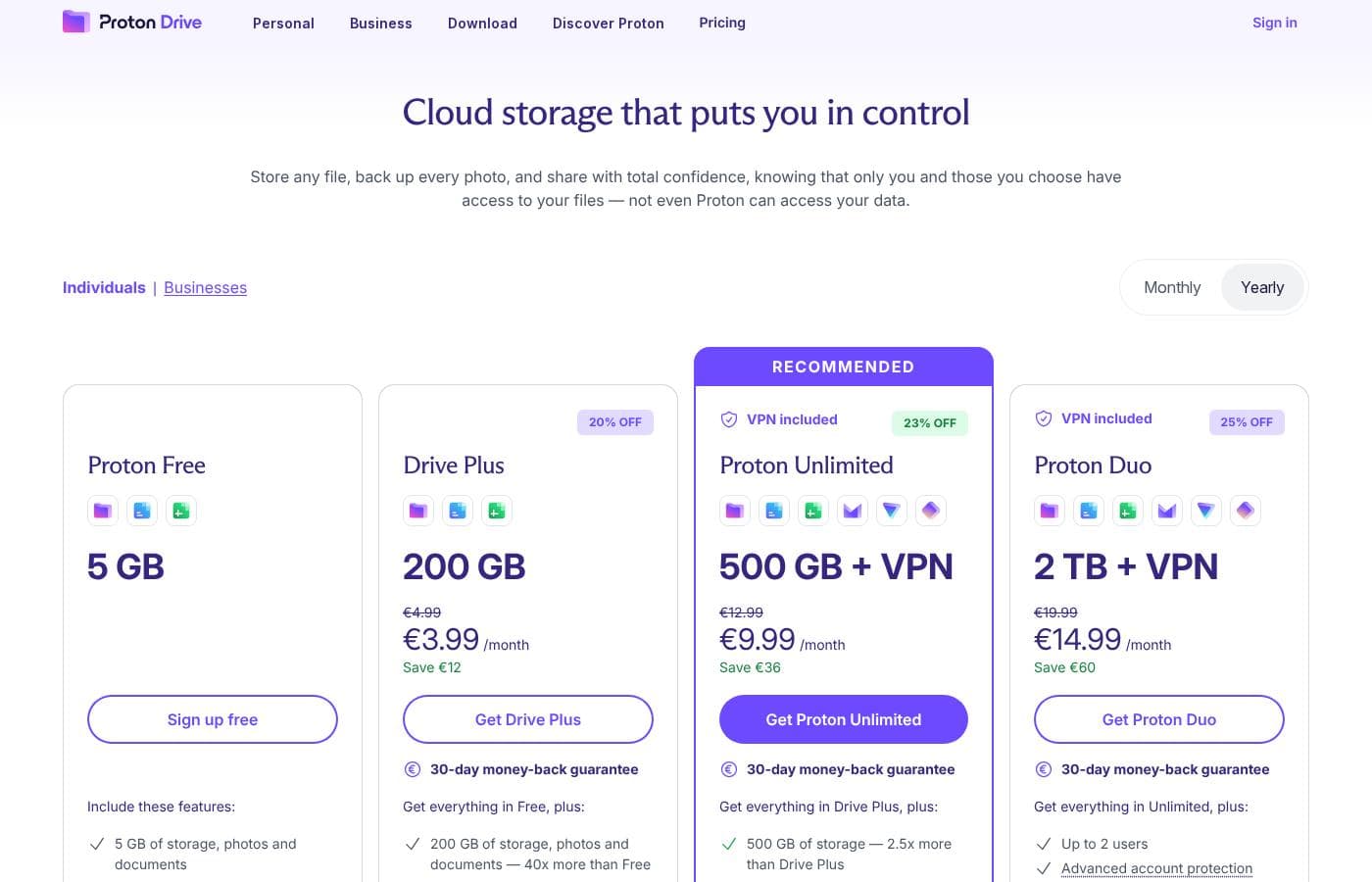
Proton Drive pricing page screenshotView pricing page screenshot
PlanBilled monthlyBilled annuallyIncludes
Proton Free
Free
—
5 GB storage
  • 5 GB of storage, photos and documents
  • Online document and spreadsheet editor (Proton Docs and Sheets)
  • End-to-end encryption on everything
Drive Plus
See vendor page
See vendor page
200 GB storage
  • 200 GB of storage — 40x more than Free
  • Recover previous file versions for up to 10 years
  • Everything in Proton Free
  • 30-day money-back guarantee
Proton Unlimited
See vendor page
See vendor page
500 GB storage
  • 500 GB of storage — 2.5x more than Drive Plus
  • Proton VPN included
  • Proton Mail, Calendar, and Pass included
  • Everything in Drive Plus
  • 30-day money-back guarantee
Proton Duo
See vendor page
See vendor page
2 TB storage, up to 2 users
  • 2 TB of storage — 4x more than Unlimited
  • Up to 2 users
  • Advanced account protection
  • Proton VPN included
  • 30-day money-back guarantee
Proton Family
See vendor page
See vendor page
3 TB storage, up to 6 users
  • 3 TB of storage
  • Up to 6 users
  • All Proton premium products included in Duo
Drive Professional
See vendor page
See vendor page
1 TB per user
  • 1 TB of storage per user
  • Share and collaborate on files
  • Manage user access
  • Sync files across devices and users

Price history

Tracking prices since Oct 1, 2026. No price change detected yet.

Pricing types: Free plan, Monthly subscription, Yearly subscription

Pricing notes

Proton Drive offers a free plan with 5 GB of encrypted storage, plus paid GB up to 3 TB. You can pay monthly or yearly, and every paid subscription includes a 30-day money-back guarantee.

Proton Drive offers a free plan with 5 GB of storage, plus paid GB up to 3 TB, billed monthly or yearly.

Here's what each plan includes so you can find the right fit.

Proton Free

Price: Free Other Features:

  • 5 GB of storage for photos and documents
  • Online document and spreadsheet editor (Proton Docs and Sheets)
  • End-to-end encryption on everything

Proton Free is a genuinely useful starting point. You get the same encryption as paid plans, and 5 GB holds more than 1,000 high-resolution photos. It's a smart way to test the service before spending anything.

Drive Plus

Refund Policy: 30-day money-back guarantee Other Features:

  • 200 GB of storage — 40x more than Free
  • Recover previous file versions for up to 10 years
  • Includes everything in Proton Free

Drive Plus suits one person whose photo library keeps growing. If 5 GB filled up fast, this plan gives you much more room, plus a decade of file version history.

Proton Unlimited (Recommended)

Refund Policy: 30-day money-back guarantee Other Features:

  • 500 GB of storage — 2.5x more than Drive Plus
  • Proton VPN included
  • Proton Mail, Calendar, and Pass included
  • Everything in Drive Plus

Proton Unlimited is the recommended plan 💡 It's the best value if you use more than one Proton app, since storage comes bundled with encrypted email, VPN, calendar, and a password manager. If you only want cloud storage, Drive Plus may be the simpler pick.

Proton Duo

Refund Policy: 30-day money-back guarantee Other Features:

  • 2 TB of storage — 4x more than Unlimited
  • Up to 2 users
  • Advanced account protection
  • Proton VPN included

Proton Duo is built for two people, like couples sharing one subscription. You each get an account, and the shared 2 TB pool covers you both.

Proton Family

Refund Policy: 30-day money-back guarantee Other Features:

  • 3 TB of storage
  • Up to 6 users
  • All Proton premium products included in Duo

Proton Family works for households. Six people can share 3 TB, and everyone gets Proton's full suite of premium apps.

Drive Professional

Refund Policy: 30-day money-back guarantee Other Features:

  • 1 TB of storage per user
  • Share and collaborate on files
  • Manage user access
  • Sync files across devices and users

Drive Professional is designed for teams, not individuals. It adds user management and shared collaboration, so skip it unless you're buying for a business.

The free plan is permanent — Proton states it will always offer 5 GB with the same encryption as paid tiers. Paid subscriptions carry a 30-day money-back guarantee: cancel within the first 30 days of purchase and you'll get a prorated refund of the unused portion. Monthly and yearly billing are both available, so compare both cycles at checkout, where exact prices update.
How to pay less for Proton Drive

  • Start on the free plan and upgrade only when you hit its limits.
  • 30-day money-back guarantee if it does not fit.
Visit Proton Drive

Email me when Proton Drive changes price

One email when we detect a price change on the vendor's pricing page. No newsletter, no deals. Unsubscribe in one click.

User Reviews

No reviews yet.

Write a Review

Write a Review for Proton Drive
0/100 characters
0/2000 characters

Why use Proton Drive?

Most cloud providers can technically read your files. Proton Drive is built so it can't — and that changes what cloud storage can mean for you.

  • Zero-access encryption: Files, photos, and even file names are encrypted on your device before upload, so only you hold the keys.
  • Swiss protection: Proton is based in Switzerland, so your files sit under strict European privacy laws, outside US and UK jurisdiction.
  • Open and audited: The code is publicly available, and independent experts audit it regularly — you don't have to take their word for it.
  • Sharing you control: Share links with passwords and expiry dates, and turn off any existing link with a single click.
  • More than a file dump: Encrypted Docs and Sheets editors, automatic mobile photo backups, and desktop syncing keep work and memories in one private place.
  • Low-risk start: A free 5 GB plan, paid tiers up to 2 TB, and a 30-day money-back guarantee make it easy to try before you commit.

Proton Drive alternatives

Other tools in the Cloud Storage category

View all Cloud Storage tools
Tresorit

Tresorit

Cloud Storage3.8/5

Tresorit is a comprehensive, end-to-end encrypted platform built for control. It helps organizations protect their digital environment and manage sensitive data flow. You handle crucial tasks—like storing, sharing, scanning, and signing—securely in a single location 🔒. This system supports staying productive through integrations with tools like Google and Outlook. Trusted by over 11,000 organizations, Tresorit offers a proven way to work securely, internally and externally.

Photobucket

Photobucket

Cloud Storage2.8/5

Proton Drive FAQ

Does Proton Drive have a free plan?

Yes. Proton Drive has a free plan (Proton Free).

Does Proton Drive offer a free trial or a money-back guarantee?

It has a 30-day money-back guarantee.

Has Proton Drive's price changed recently?

No. We have not detected a price change since we started tracking on Oct 1, 2026.

How does pricing work for teams?

Drive Professional is priced per user — each seat gets 1 TB of storage. You can share files, manage user access, and sync across devices. With Proton for Business, you can also customize storage to any size.

How do I switch from Google Drive or Google Photos?

Proton publishes step-by-step guides for moving from Google Drive and Google Photos. Once you're set up, just drag and drop files into the web app or use the upload button to back them up.

Ready to try Proton Drive? Check out the official site or pricing.

Are you Proton Drive? Claim this listing · Get the badge