Presentations.AI

Presentations.AI

The world's best AI presentation maker.

#2 dans AI Presentation Maker
2 min read · Updated 10/5/2025
Presentations.AI homepage screenshot

At a glance

Quick overview for Presentations.AI: rating, pricing summary, key features, and highlights.

Ciroapp review

1.5
Promises high performance, delivers instability.

We find the platform's core premise—instant, professional presentation creation—to be undermined by critical failures in execution. Widespread customer complaints focus mainly on problematic billing practices and a perceived lack of support for refund and cancellation requests. Overall, we cannot recommend a service where the basic user experience and reliability are so heavily disputed by paying customers.

Pros

  • Pro:Promises rapid creation (50x faster) from simple text input.
  • Pro:Features proprietary Brand Sync designed for visual consistency.
  • Pro:Offers advanced Anti-fragile Templates that adapt to content shifts.
  • Pro:Current limited-time STARTER plan is available for free testing.

Cons

  • Con:Numerous users report unauthorized charges after subscription cancellation.
  • Con:Customer support is consistently unresponsive regarding billing or technical issues.
  • Con:Paid features like file export are often reported as broken or extremely delayed.
  • Con:The editor exhibits instability, sometimes randomly changing layouts or text.
Free trial
Yes
Range: $0–$198/yearFree plan, Free trial, Yearly subscription, Per seat pricing
This section is a summary. Detailed sections about features, use cases, pricing, and reviews follow below.

Presentations.AI review, pricing, features, pros & cons

Are you tired of spending countless hours fighting design tools just to create a basic slide deck? Time is precious, and getting to a beautiful first draft can feel impossible. Presentations.AI acts as your collaborative AI partner, instantly turning your ideas into engaging and professional decks.

You focus on the story; the AI handles the fine print. ✨

What is Presentations.AI?

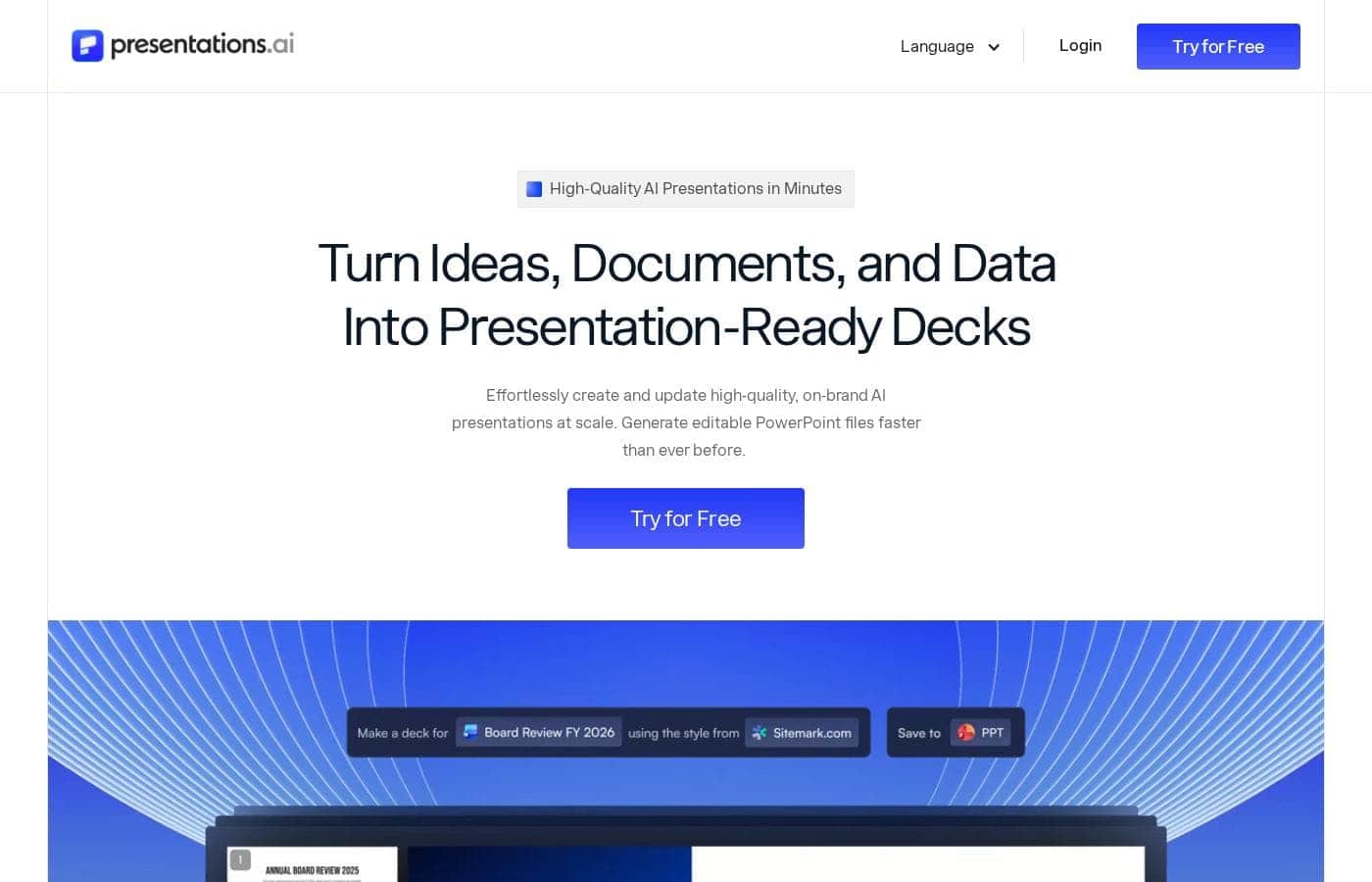
Presentations.AI is often called the ChatGPT for Presentations, and it's designed to bring your ideas to life instantly. This intuitive platform is a powerful AI slide maker that creates stunning PPTs at the speed of thought. 💡 It allows you to transform simple ideas, outlines, or even documents into complete, professional decks with virtually zero design work required.

It’s built for busy presenters, ensuring seamless editing and creation across all your devices.

Presentations.AI Key Features

🎉 Instant Idea-to-Deck Creation

Say goodbye to fighting design tools. Presentations.AI works as your collaborative AI partner. It instantly turns your ideas, outlines, or simple text into complete, professional decks.

This intuitive platform is often called the ChatGPT for Presentations. It creates stunning PPTs at the speed of thought, meaning you achieve a 50x time reduction getting to your first draft. You just focus on writing your story, and the AI handles the design and fine print effortlessly. 🎉

✨ Guaranteed Brand Consistency with Brand Sync

Maintaining total control over your visual identity has never been easier. The exclusive, proprietary "Brand Sync" feature ensures every presentation matches your organization’s style and messaging perfectly. You don't have to worry about manual alignment or inconsistencies.

Plus, the AI automatically provides personalized design suggestions. These recommendations are tailored precisely to your unique style and content, guaranteeing a 10x improvement in overall design quality.

✨ Anti-Fragile Templates for Content Adaptation

Keep your professional design integrity, even when your presentation content changes significantly. We use unique "Anti-fragile Templates" built directly into the platform. These templates automatically adapt themselves if you make major content updates.

This feature preserves the design quality and ensures the look remains polished. You gain flexible templates that stay visually consistent regardless of how much your contents shift.

✨ Deep Content Generation and Variety

The creative power of the AI goes far beyond simple slide templates. You can use the platform to generate many powerful and specific content formats effortlessly. This capability ensures your audience stays engaged with professionally created visuals.

Available creation modes include:

  • Infographics and charts
  • Project plans and timelines
  • Reports and product roadmaps

This flexibility means you handle complex data visualization without requiring extra effort on your part.

✨ Seamless Compatibility and Accessibility

Easily integrate your new work into existing systems. You can efficiently export your completed presentations to industry-standard PowerPoint format. This action ensures full compatibility and convenience for widespread sharing and use.

The platform offers seamless sharing with real-time sync and comprehensive access control safeguards. Thanks to multi-device compatibility, you can also edit and present from anywhere across all your devices. The platform also includes Multilingual Support to help you reach a global audience.

✨ Advanced Performance Analytics

Understand precisely how your audience interacts with your new presentation. You can leverage the built-in Analytics and Tracking features immediately. The system provides detailed insights into engagement and overall performance metrics.

These data points help you refine your key message for future presentations. Analytics ensure your next deck is even more impactful and successful based on data-driven refinement.

Use Cases

⏱️ Generating the Last-Minute Strategy Deck

Imagine you lead a project team facing a tight deadline. You finished a complex strategy meeting, and now you need a professional summary deck ready for the executive team instantly. Instead of fighting design tools, you work with our collaborative AI partner.

You simply chat with the app, typing the key takeaways and the desired structure. Presentations.AI instantly generates the full, polished deck. This speeds creation, providing a remarkable 50x time reduction. You can focus only on refining your core message, not the challenging layout.

🛡️ Maintaining Corporate Identity During Updates

Your organization requires strict adherence to brand standards across all external presentations. Marketing teams often struggle to integrate new content without breaking the visual identity.

First, use the proprietary Brand Sync feature. This ensures every presentation automatically complies with your approved visual style and messaging. Then, rely on our Anti-fragile Templates. These templates automatically adapt the layout when you update major sections, preserving the design integrity even when content shifts drastically.

🔗 Converting Existing Documents into Presentations

You need to convert a lengthy technical document, like a detailed white paper or a comprehensive quarterly report, into a concise visual pitch deck. Manually restructuring this information takes considerable time and effort.

Use our document transformation tools to automate this process. You can upload or link the source material. The AI instantly transforms the detailed information into structured, professional slides. You achieve a beautiful output with virtually zero design work required from the start.

📊 Refining Content Based on Audience Engagement

After presenting an important training session or sales pitch, you need to understand which sections truly resonated with your audience. Presentations.AI includes detailed Analytics & Tracking features. These tools give you detailed insights into engagement and viewing performance patterns.

This data helps you accurately understand audience interest. You can then refine your messaging and presentation structure for maximum impact in future sessions. This is how you gain a data-driven edge over time.

⚙️ Creating Complex Visuals Instantly

Creating specialized slides, like detailed product roadmaps, financial charts, or timelines, often demands hours of precise manual alignment. You can use the AI to generate these specific complex visuals effortlessly.

Our tool creates infographics, charts, and project plans simply by describing the required data. This capability means you replace hours of manual design with simple text inputs. You become a power user instantly, achieving a 10x improvement in design quality.

🌍 Seamless Cross-Platform Compatibility and Sharing

A sales representative is traveling internationally and must present the pitch deck reliably across various devices. Multi-device compatibility allows for seamless access, editing, and presenting from anywhere. The platform also offers Multilingual Support, helping you reach a global audience effectively.

After your meeting, you can easily export the final deck to PowerPoint format. This ensures universal sharing and convenience for widespread internal or external distribution.

Pricing Overview for Presentations.AI

Pricing range
$0–$198/year
Pricing types
Free plan, Free trial, Yearly subscription, Per seat pricing

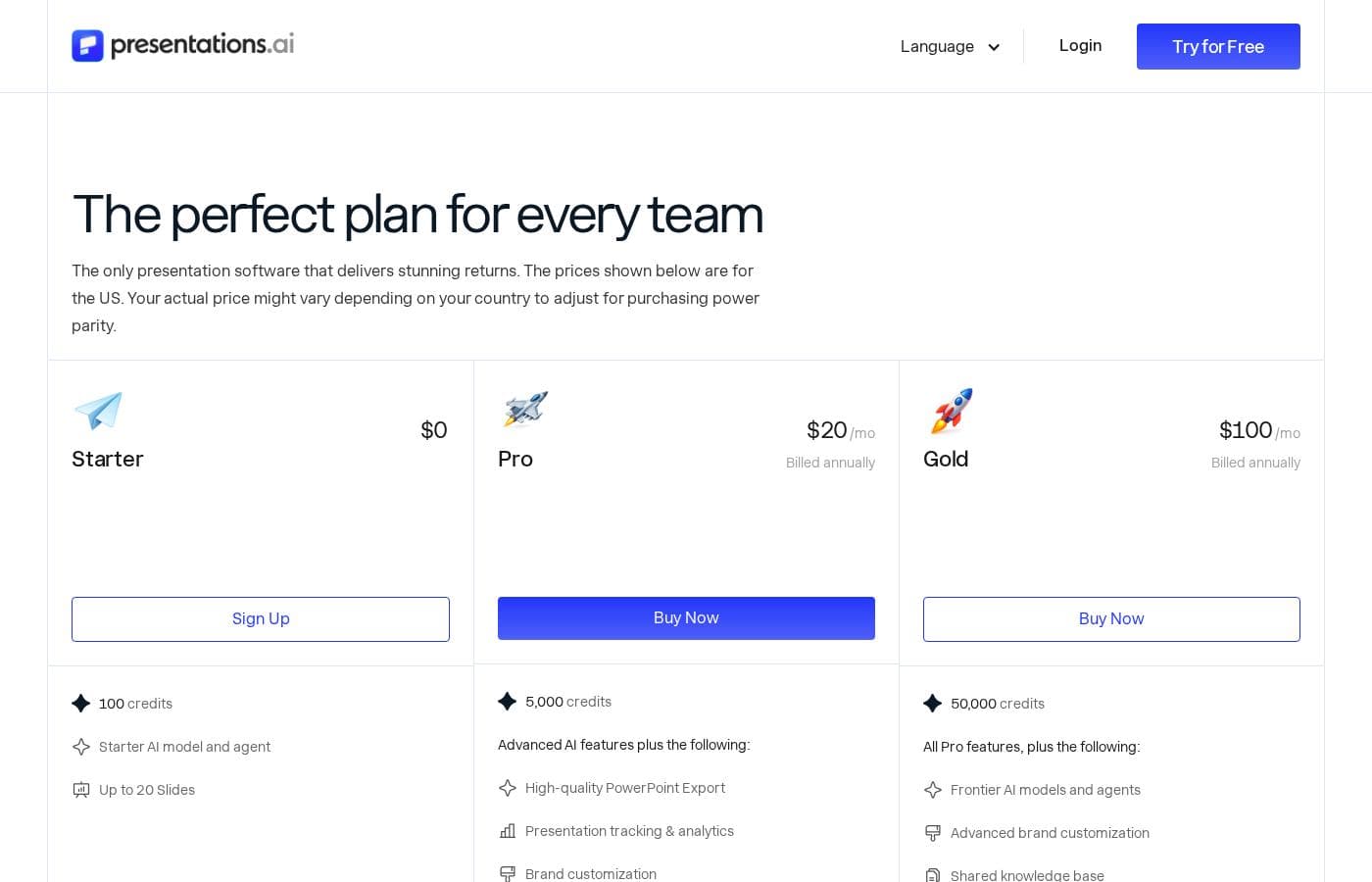
Presentations.AI offers three plans: STARTER, PRO, and ENTERPRISE. Current pricing reflects limited-time Early Bird discounts, with the STARTER plan currently available for free and the PRO plan priced at $198 per user per year.

Plans & Pricing

STARTER

Monthly$0
Yearly$0
For any number of users. Current price is Early Bird Pricing (Save 100%).
  • Limited AI credits
  • Share and publish anywhere
  • Brand themes

PRO

Monthly$16.50
Yearly$198
For one user per year. Current price is Early Bird Pricing (Save 67%).
  • Additional AI credits
  • Pro templates
  • Custom fonts and colors

ENTERPRISE

MonthlyContact Us
YearlyContact Us
For enterprises and large teams. For any number of users.
  • Unlimited AI credits
  • Top-level compliance
  • Company templates

Presentations.AI costs between $0 and "Contact Us" per year with 3 plans: STARTER at $0, PRO at $198/year, and ENTERPRISE at Contact Us.

This pricing reflects special Early Bird Pricing options available right now.

STARTER

Price: $0 per year (Early Bird Pricing: Save 100% for a limited time) Websites Supported: Not explicitly stated Best For: Any number of users Refund Policy: Not explicitly stated Other Features:

  • Limited AI credits
  • Share and publish anywhere
  • Brand themes

This plan is perfect for individuals or small groups wanting to test the AI presentation platform. Since it's currently free during this early bird period, it's a great zero-cost opportunity to explore basic creation tools and brand consistency features. 🎉

PRO

Price: $198 per year (Early Bird Pricing: Save 67% for a limited time) Websites Supported: Not explicitly stated Best For: One user per year Refund Policy: Not explicitly stated Other Features:

  • Additional AI credits
  • Pro templates
  • Custom fonts and colors

The PRO plan suits serious individual users who need more power and extensive customization options. You get enhanced features like custom fonts and a wider selection of Pro templates to elevate your presentations throughout the year.

ENTERPRISE

Price: Contact Us Websites Supported: Not explicitly stated Best For: Enterprises and large teams (for any number of users) Refund Policy: Not explicitly stated Other Features:

  • Unlimited AI credits
  • Top-level compliance
  • Company templates

This option is designed specifically for large organizations requiring extensive support and control. This plan offers critical features like top-level compliance assurance and access to company templates, alongside unlimited AI usage to support any number of users across your organization.

The platform advertises a "Try for Free" option, aligning with the current $0 Early Bird Pricing for the STARTER plan. Note that the prices listed are annual rates and are subject to change after the limited Early Bird period.

User Reviews

Reviews for Presentations.AI on Trustpilot paint a challenging picture, resulting in a low 2.0-star rating. While the product promises exceptional speed and 50x time savings through AI-powered creation, the majority of user feedback focuses heavily on recurring issues with billing and support.

Many users report being unexpectedly charged high annual fees ($170 to $250) after attempting to cancel subscriptions or during free trials, leading to frequent accusations of the service being a scam. Additionally, user experiences highlight systemic reliability problems.

Users on the paid PRO plan often find the export functionality broken, struggle to download files (sometimes waiting over seven hours for promised 15-minute delivery), and report instability where saved presentation layouts randomly change. Crucially, the support team appears unresponsive, failing to process cancellations or issue requested refunds.

A small handful of users found the Pro plan improved and delivered good quality exports quickly, but these positive reports are currently overshadowed by widespread dissatisfaction concerning charges and zero customer service 😠.

What users say elsewhere

Alex P.
· Trustpilot · June 11, 2025
5.0 / 5

I was hesitant after reading the negative reviews, but the Pro plan worked well for me. I needed a PowerPoint export, and it was delivered to my email quickly in just 4 minutes. The export quality was identical to what I had created on the site, which was a huge relief.

Sarah L.
· Trustpilot · May 4, 2025
1.0 / 5

The app is fundamentally broken and useless for consistent branding. I paid for the Pro plan, yet the export function simply failed, and I couldn't upload my custom brand colors or fonts. Customer service refused my refund request without addressing any issues. Avoid this tool.

No reviews yet.

Write a Review

Write a Review for Presentations.AI
0/100 characters
0/2000 characters

Why use Presentations.AI?

Stop wasting time on manual design adjustments. Presentations.AI delivers massive return on investment by allowing you to generate high-quality presentations rapidly. This technology handles the complex design tasks so you can focus only on your core content and message.

Here’s why it’s becoming the platform of choice for millions of presenters:

  • Speed & Efficiency: Experience a 50x time reduction getting to your first draft. Simply chat with the app or type your idea, and the beautiful output is ready instantly.
  • Total Brand Consistency: Use the proprietary "Brand Sync" feature to ensure every presentation matches your organization’s visual identity and messaging without fail.
  • Professional Polish: Achieve a guaranteed 10x improvement in design quality immediately. The AI provides personalized design suggestions tailored precisely to your unique style.
  • Flexible Templates: The unique "Anti-fragile Templates" automatically adapt to major content updates, preserving the design integrity even when contents shift.
  • Data-Driven Refinement: Leverage Analytics & Tracking features to gain detailed insights into engagement and performance, helping you refine future presentations.
  • Full Compatibility: Easily export your finished work to PowerPoint format, ensuring compatibility and convenience for widespread sharing. ✅

Ready to transform your workflow with Presentations.AI?

Presentations.AI Alternatives

Other tools in the AI Presentation Maker category

Frequently Asked Questions

What is included in the current free plan, and is a credit card required to start?

The STARTER plan is currently free under Early Bird Pricing. This plan includes limited AI credits, access to brand themes, and the ability to share or publish slides. You can begin using the STARTER plan immediately as no credit card is required to sign up.

Does Presentations.AI charge per user (per seat) or based on usage?

The pricing model uses both methods, depending on your plan tier. The PRO plan is strictly per user per year. STARTER and ENTERPRISE accommodate any number of users, but your usage is restricted by your allocated AI credits.

What happens to the price after the Early Bird discount period ends?

The duration of the limited-time Early Bird Pricing is not explicitly stated. The original prices were $120 per year for STARTER and $600 per year for PRO. These standard rates may apply once the promotion finishes.

Does the company offer a money-back guarantee or a refund policy?

The official website and pricing information do not explicitly state a refund policy or a money-back guarantee for any of the subscription plans. Customers should inquire directly with the company about their cancellation terms.

What specific file formats can I export my presentations to?

The platform guarantees full compatibility with PowerPoint. You can efficiently export your completed presentations to the PowerPoint format, ensuring convenience for sharing and editing.

Can I use external data sources or tools with Presentations.AI?

The platform focuses on features that convert existing materials into decks using AI. You can use tools to convert PDFs, Word documents, text, and links directly into presentations. Specific third-party integrations are not listed.

Which specific languages are supported by the Multilingual Support feature?

The site confirms it offers Multilingual Support to help creators reach a broader audience. However, the exact list of supported languages is not explicitly detailed in the public documentation.

Is the pricing competitive globally, and will my rate be different outside the US?

The prices displayed are based on the US market. Your actual subscription cost may vary depending on your country. This adjustment is made to account for local purchasing power parity.

How does the platform ensure brand consistency across many users?

The proprietary 'Brand Sync' feature ensures consistent visual identity and messaging. For ENTERPRISE clients, the plan also includes specific company templates for high-level control.

How are security and high-level compliance managed for corporate accounts?

The ENTERPRISE plan is designed to meet the complex needs of large organizations. It includes essential features that provide 'Top-level compliance' and robust security assurances.

How can I contact Presentations.AI support if I have an urgent issue?

The primary contact method listed for support is via email. You can directly reach the support team at the address provided on their website, which is support@presentations.ai.

Who should choose the PRO plan instead of the free STARTER plan?

The PRO plan is aimed at serious individual users who need extensive customization and resources. You get additional AI credits, Pro templates, and options for custom fonts and colors.

Ready to try Presentations.AI? Check out the official site or pricing.