Plutio

Plutio review

Plutio pulls project management, client portals, proposals, contracts, and invoicing into one workspace. It is built for freelancers and small teams who would rather run client work in a single platform than juggle several subscriptions.

Plutio costs from $10.99/mo · 16 plans · prices checked Oct 12, 2026

By Ciroapp Editorial Team · Updated Sep 16, 2026

Commission may apply at no extra cost

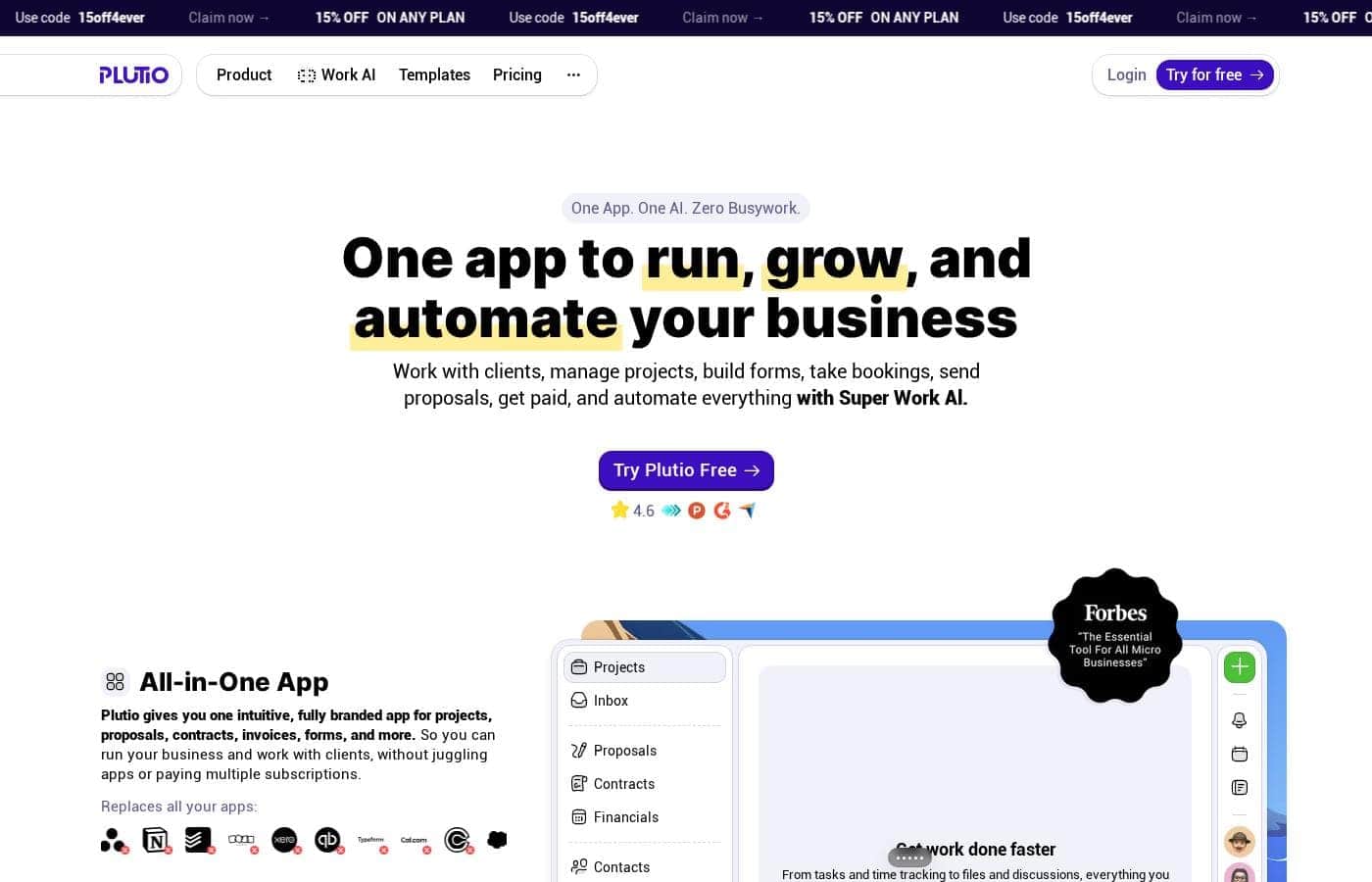
Plutio homepage screenshot

At a glance

Quick overview for Plutio: rating, pricing summary, key features, and highlights.
Pricing verified Oct 12, 2026

Ciroapp score

3.9/ 5

Plutio bundles project boards, branded client portals, e-signed contracts, forms, and invoicing into one workspace for freelancers and small teams, though its modules trade depth for convenience and setup takes real effort. Overall, it's a smart bet if one platform for client work beats juggling several specialist subscriptions.

Pros

  • Pros:Consolidates project management, client portals, proposals, contracts, invoicing, and forms into one platform, which can replace several separate subscriptions and cut both cost and app-switching
  • Pros:Proposals and contracts with built-in e-signatures let you go from pitch to signed agreement to active project without leaving the tool
  • Pros:Branded client portals and white-label options make the client experience look like your own product rather than a third-party tool

Cons

  • Cons:Breadth comes at the cost of depth — individual modules like reporting and analytics are simpler than dedicated specialist tools offer, which may matter as your team grows
  • Cons:Setting up portals, templates, branding, and workflows takes real upfront configuration, so expect a learning curve before the consolidation pays off
  • Cons:If your clients prefer plain email, some of the client-portal benefit is lost and communication may end up split between the portal and your inbox
Best for
  • Freelance designers, writers, and developers who want project tracking, contracts, and invoicing in one account instead of three or four subscriptions
  • Small agencies and studios of roughly two to ten people managing several client projects that need portals, approvals, and shared visibility
  • Consultants and coaches who regularly send proposals, collect signed contracts, and onboard clients with intake forms
This section is a summary. Detailed sections about features, use cases, pricing, and reviews follow below.

What is Plutio?

Plutio is an all-in-one business management platform aimed at freelancers, agencies, and small teams that juggle client work alongside day-to-day operations. Instead of paying for separate tools to handle projects, proposals, contracts, forms, and invoices, it bundles those functions into a single dashboard. The pitch is straightforward: fewer tabs, fewer subscriptions, and one place where both your team and your clients can see what is happening.

Whether that trade-off suits you depends on how much depth you need from each individual module.

Plutio is a web-based workspace that combines project and task management with client-facing business tools. On the delivery side you get kanban boards, task lists, timelines, templates, and time tracking. On the business side it covers client portals, proposals and contracts with e-signatures, forms and surveys, invoicing with online payments, and file sharing with feedback tools.

Branding controls and a custom domain let you present the workspace under your own label, and it is accessible through web and mobile apps.
Should you choose Plutio?

Quick buyer guidance before you compare plans or click through.

Choose it if

  • Freelance designers, writers, and developers who want project tracking, contracts, and invoicing in one account instead of three or four subscriptions
  • Small agencies and studios of roughly two to ten people managing several client projects that need portals, approvals, and shared visibility
  • Consultants and coaches who regularly send proposals, collect signed contracts, and onboard clients with intake forms
  • Solo professionals consolidating a patchwork of task, e-signature, invoicing, and form tools into a single branded workspace

Skip it if

  • Software development teams that need sprint planning, code repository integrations, or developer-focused reporting — tools like Jira or Linear fit better
  • Larger organizations requiring granular role-based permissions, resource forecasting, or advanced business intelligence dashboards
  • Users who only need a simple personal to-do list, where a lightweight task app would be cheaper and quicker to learn

Next steps before buying

  1. 1Sign up at plutio.com and choose the free plan or start the free trial so you can explore the full workspace before paying
  2. 2Set up your brand first — upload your logo, pick your colors, and configure a custom domain if your plan includes white-labeling
  3. 3Create your first project from a task template or from scratch, then invite teammates and assign responsibilities
  4. 4Build a reusable proposal and contract template and connect a payment method so you can invoice clients directly from the platform
  5. 5Invite one client to a portal as a pilot, share a file and a form, and confirm the experience works for them before moving all client work across

Plutio Key Features

✨ Project and task management

Plan work with kanban boards, task lists, and timelines, then break projects into tasks with assignees, due dates, and dependencies. Task templates and recurring tasks make repeat engagements — a monthly retainer or a standard website build — quick to spin up instead of rebuilding from scratch. Time tracking attaches directly to tasks so logged hours can feed into reporting and billing.

✨ Client portals

Each client gets a branded, shared space where they can see project progress, view and approve files, fill out forms, and message you. Rather than forwarding status updates by email, clients log into a portal that reflects your branding, which keeps communication organized and presents a more professional front than a thread of attachments.

✨ Proposals and contracts with e-signatures

Build proposals and contracts from templates, send them to clients, and collect electronic signatures without leaving the platform. Once signed, a proposal can move straight into an active project, closing the gap between winning the work and starting it.

✨ Invoicing and payments

Create invoices from fixed amounts or from tracked time, send them to clients, and accept online payments. Payment status sits alongside project work, so chasing unpaid invoices does not require a separate accounting tool for straightforward billing.

✨ Forms and intake

Design forms and surveys for lead capture, client onboarding, or project briefs, then embed them on your website or share them directly. Submissions flow into Plutio, so a new enquiry can become a client record or project without manual re-entry.

✨ White-labeling and branding

Apply your logo, colors, and custom domain to the workspace and client portals so clients interact with your brand rather than Plutio's. For agencies that want the platform to feel like an extension of their own site, this is one of the more differentiating capabilities.

Use Cases

💡 Freelancers running the full client lifecycle

A solo designer or writer can send a proposal, get the contract signed, collect a brief through a form, manage the work on a board, and invoice at milestones — all from one account. For a one-person business, replacing three or four separate subscriptions with Plutio simplifies both the workflow and the monthly bills.

💡 Small agencies managing multiple client projects

A studio with a handful of team members can run each client engagement as its own project, route file approvals through the client's portal, and keep communication attached to the relevant work. Managers get a single view across clients, and clients get a consistent, branded experience instead of scattered email threads.

💡 Consultants and coaches onboarding new clients

Intake forms gather the information needed before kickoff, contracts are signed electronically, and recurring sessions or deliverables can be templated as projects. The portal keeps files, homework, and progress visible between sessions, reducing scheduling and document back-and-forth.

💡 Replacing a patchwork of subscriptions

Teams paying separately for a task board, an e-signature service, an invoicing tool, and a form builder can consolidate those functions into Plutio. The practical benefit is less about any single feature and more about having one login, one invoice, and one source of truth for client work.

Plutio pricing

From$10.99/mo

  • From the vendor's pricing page, checked Oct 12, 2026
  • 16 plans

Prices checked on Oct 12, 2026 from Plutio's pricing page

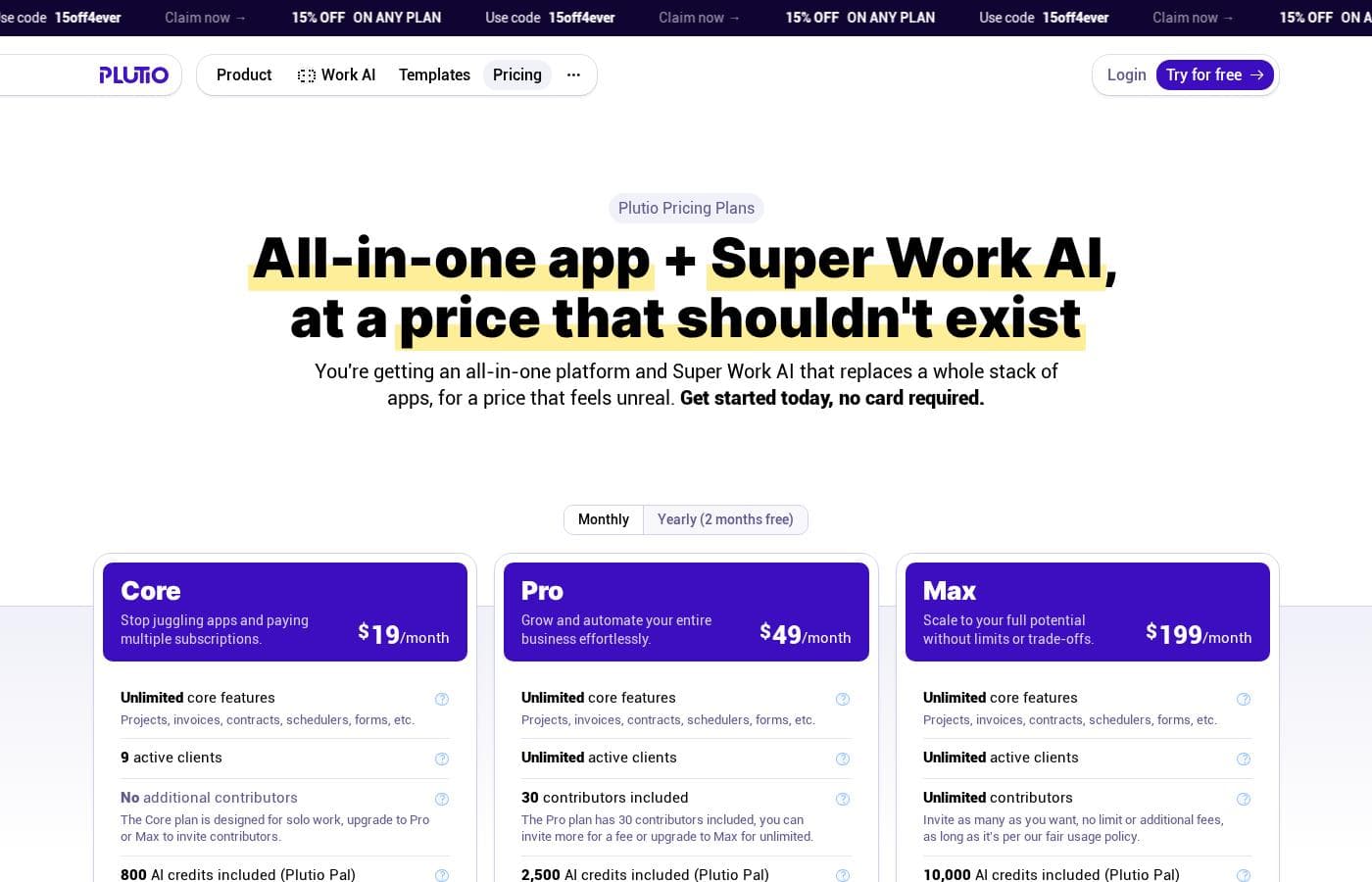
Plutio pricing page screenshotView pricing page screenshot
PlanBilled monthlyBilled annuallyIncludes
Core
$19/mo
—
Pro
$49/mo
—
Max
$199/mo
—
Who each plan is for
$19/mo
—
With Plutio
$19/mo
—
Dubsado vs. Plutio pricing
$55/mo
—
What's missing in HoneyBook
$70/mo
—
HoneyBook vs. Plutio pricing
$59/mo
—
Bonsai pricing plans
$17/mo
—
Bonsai vs. Plutio pricing
$32/mo
—
What's missing in Monday.com
$95/mo
—
Monday.com vs. Plutio pricing
$36/mo
—
FreshBooks pricing plans
$19/mo
—
FreshBooks vs. Plutio pricing
$33/mo
—
Asana pricing plans
per user
$10.99/mo
—
per user
What's missing in Asana
$110/mo
—

Price history

Tracking prices since Oct 1, 2026. No price change detected yet.

Pricing types: Free plan, Free trial, Monthly subscription, Yearly subscription, One-time payment, Per seat pricing, Usage-based pricing

Pricing notes

Plutio pricing: Plans from $0/month Billing options: Free plan, Free trial, Monthly subscription, Yearly subscription, One-time payment, Per seat pricing, Usage-based pricing

Cost calculator

Estimate what Plutio costs for your team.

Billing
Per month
$19
Per year
$228

Core states no user limit: shown as one price for the whole account. Check the price for 5 users with the vendor. Estimate based on published list prices, before taxes, add-ons and discounts.

How to pay less for Plutio

  • Some plans are priced per user: only pay for seats people actually use.
  • Cheaper tools in this category start at $5/mo.
Visit Plutio

Email me when Plutio changes price

One email when we detect a price change on the vendor's pricing page. No newsletter, no deals. Unsubscribe in one click.

User Reviews

No reviews yet.

Write a Review

Write a Review for Plutio
0/100 characters
0/2000 characters

Why use Plutio?

The main reason to choose Plutio is consolidation. A freelancer or small studio typically runs projects in one app, sends contracts from another, invoices from a third, and collects client feedback over email — Plutio collapses that into one system where a signed proposal can become a project, and project work can become an invoice.

That reduces context-switching, keeps client communication in one thread, and can lower total software spend compared with paying for several specialist tools. The free plan and free trial also make it low-risk to evaluate before committing.

Plutio alternatives

Other tools in the Project Management category

View all Project Management tools
Backlog by Nulab Inc

Backlog by Nulab Inc

Project Management4/5

Backlog is the all-in-one project management platform built for teams that move fast. It helps small and mid-sized teams manage projects, track bugs, and collaborate across roles without the complexity of enterprise tools.

Asana

Asana

Project Management4.2/5

Asana is an online platform built specifically to manage your team’s work, projects, and tasks. It supports powerful Human + AI collaboration. This AI component understands your specific business context, helping to move your most important work forward efficiently. Because it's a centralized ecosystem, it easily brings all doers and stakeholders together in one place.

Success.co

Success.co

Project Management4/5

The next gen software to run EOS®: modern and fast, deeply integrated and EOS® pure. Success.co isn’t just software - it’s our mission. We’re building something enduring, for teams that are doing the same.

Ora

Ora

Project Management3.6/5From $5.99/mo

Ora is a powerful platform designed for productive individuals and collaborative teams. It serves as your daily planner and central hub for managing work. The core Agenda Calendar helps you organize your time and be more effective. Instead of dealing with separate tools, all your critical information, tracked time, and completed tasks appear directly on your calendar. You can quickly view both your tasks and those of your teammates, ensuring smooth collaboration.

Monday.com

Monday.com

Project Management4.1/5

Monday.com is an AI work platform designed to unify your entire product suite. This system supports collaboration and execution for every team in your company. Whether you manage projects, accelerate sales, or handle IT support, tuesday.com offers specialized products for departmental needs. This comprehensive approach powers seamless operations across your whole organization. It serves teams managing Projects, Sales, Marketing, IT & Ops, Product & Engineering, and Leadership. Leading brands and over 60% of the Fortune 500 trust this platform for enterprise execution.

Notion

Notion

Project Management4.2/5

Notion is your dedicated AI workspace and everything app. It is built to replace multiple specialized tools with one powerful platform. This centralized space lets teams consolidate project management, internal wikis, and basic CRM functions. Notion is trusted broadly; over 100 million users worldwide use it, and 62% of the Fortune 100 are customers. You can use it right in your browser or download specialized tools like Notion Mail and Notion Calendar to keep time and work together.

Trello

Trello

Project Management4.2/5From $6/mo

Trello is designed to keep you at the top of your game by ensuring every to-do or idea, regardless of size, finds its proper place. The system helps you stay organized and efficient using three key components: Inbox, Boards, and Planner. The Inbox quickly captures tasks as soon as they are on your mind, whether you are in the office or on the go. You manage your tasks using flexible Boards, where long lists become manageable by tracking items from “to-dos to tackle” to “mission accomplished!” Use the Planner to simply drag and drop your top tasks right into your calendar, ensuring you make time for what truly matters.

Teamwork

Teamwork

Project Management4.1/5

Teamwork.com is project and resource management software specifically built for client work and powered by AI. It goes beyond traditional project tools by combining essential functions like resource forecasting, cost control, and profitability reporting into a single platform. This platform is trusted by professional services businesses globally. These include agencies, consulting firms, IT service providers, and accounting teams. Teamwork helps them efficiently schedule resources, manage billable hours, and track project profitability from start to finish.

Cheapest Project Management software for 1 to 25 users

Plutio FAQ

How much does Plutio cost?

Plutio's cheapest paid plan, Asana pricing plans, costs $10.99 per month. Paid plans range from $10.99 to $199 per month. Prices checked on Oct 12, 2026 from the vendor's pricing page.

Has Plutio's price changed recently?

No. We have not detected a price change since we started tracking on Oct 1, 2026.

What is Plutio used for?

Plutio is an all-in-one business management platform used to run client work from start to finish: planning projects on boards and timelines, sharing progress through branded client portals, sending proposals and contracts for e-signature, collecting briefs with forms, and invoicing clients with online payments. It is aimed at freelancers, agencies, and small teams who want those functions in one place.

Does Plutio offer a free plan or free trial?

Yes. Plutio's billing options include a free plan and a free trial, with paid tiers available on monthly or yearly subscriptions. The exact limits of the free plan and current paid prices are listed on the official pricing page, so check there before committing.

Who is Plutio best suited for?

It fits best with solo professionals and small teams — freelance designers, writers, developers, consultants, and agencies of roughly two to ten people — whose work revolves around clients and who currently split project management, contracts, and invoicing across multiple tools. Larger organizations needing deep reporting or developer-specific workflows are generally better served by specialist platforms.

Can my clients collaborate in Plutio without being full team members?

Clients interact with your work through dedicated client portals, where they can view progress, approve files, fill out forms, and message you. How many clients or seats each plan allows depends on the tier, so confirm seat and client limits on the pricing page for the plan you are considering.

Can Plutio replace my separate invoicing and e-signature tools?

For many small businesses, yes — invoicing with online payment collection and contracts with electronic signatures are native features, and signed proposals can convert directly into projects. If you have complex accounting needs such as multi-entity bookkeeping, you may still want to pair Plutio with dedicated accounting software.

Ready to try Plutio? Check out the official site or pricing.

Are you Plutio? Claim this listing · Get the badge